







QuickBooks Online (QBO) is a robust accounting platform, and like most business software, it comes with a learning curve, especially for those without an accounting background. There are several effective ways to learn QuickBooks, including hands-on practice with a free QuickBooks Online trial, online courses, and books or guides. Another option is to become a QuickBooks ProAdvisor, which provides structured training and certification.
In this article, I outline three learning paths to show that there are multiple ways to learn QuickBooks. One or a combination of the following approaches can help build confidence and proficiency with QuickBooks.
1. Intuit learning path
There are two primary Intuit learning paths for building bookkeeping and QuickBooks skills, each designed for a different type of learner. These learning paths are directly from Intuit. One focuses on developing broad bookkeeping fundamentals with guided coursework, while the other centers on deep, product-specific training inside the QuickBooks ecosystem.
ProAdvisor certification
Signing up as a ProAdvisor through QuickBooks Online Accountant turns QuickBooks into a structured learning and certification path, rather than software learned through trial and error. The ProAdvisor route centers learning around an official curriculum designed to build QBO proficiency step by step.
- Access to ProAdvisor Academy, a curriculum-based library of QBO courses and certifications
- Organized modules covering setup, sales, purchases, banking, reporting, and period-end workflows
- Training formats that include videos, PDFs, and quizzes to guide progress and reinforce learning
- Self-paced courses that follow an Intuit-designed roadmap instead of scattered help articles
The ProAdvisor path also ties learning directly to credentials and ongoing incentives, which helps maintain momentum and focus. Training prepares learners for QuickBooks Online certification and related credentials, while also expanding into advisory and bookkeeping skills.
- Certification-aligned training that supports QBO, bookkeeping, payroll, and client accounting services (CAS) credentials
- Free, in-depth product education included with ProAdvisor membership
- Updated content reflecting new tools, features, and workflows
- Added benefits like directory listings, certification badges, and marketing resources that reward completion and mastery
Intuit Academy Bookkeeping Certificate via Coursera
Intuit Academy Bookkeeping is Intuit’s non-ProAdvisor learning path, positioned as a formal bookkeeping curriculum rather than a product-centric certification track. It is designed as a professional certificate program that builds accounting fundamentals first, with QuickBooks Online introduced as a practical tool along the way.
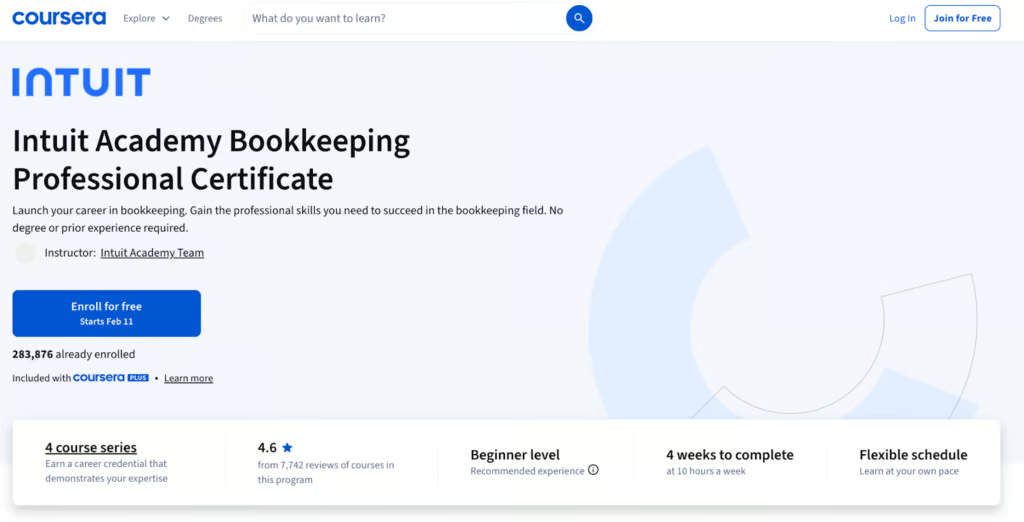
- Focuses on core bookkeeping concepts such as debits and credits, assets, liabilities, equity, and financial statements
- Introduces QuickBooks Online through hands-on, scenario-based practice like recording transactions, reconciling accounts, and creating basic reports
- Structured as a four-course series with applied projects that mirror real bookkeeping tasks
- Concludes with the Intuit Academy Bookkeeping exam, earning a badge that signals bookkeeping competency, not just software familiarity
Compared with ProAdvisor, the intent and audience differ. ProAdvisor is built for accountants and bookkeepers who want deep, product-specific mastery inside QuickBooks Online Accountant, with certifications tied directly to QBO features and workflows. Intuit Academy Bookkeeping is positioned for those starting out or transitioning into bookkeeping roles, offering a broader foundation with QBO as one component rather than the central focus.
For learners who want an official, Intuit-designed path without committing to the ProAdvisor ecosystem, Intuit Academy Bookkeeping stands out as the main alternative: a structured curriculum, applied projects, and its own certification, with QuickBooks Online supporting — not driving — the learning experience.
2. External learning path
Not all QuickBooks learning occurs within Intuit’s ecosystem. External learning paths are offered by schools, training providers, and independent platforms, and many of these courses are paid. They often focus on practical skills, certification preparation, or broader bookkeeping fundamentals, with different formats and pacing than Intuit’s own programs.
QuickBooks Certified User via Certiport
QuickBooks Certified User (QBCU) is an entry-level, exam-based certification that demonstrates practical ability to use QuickBooks Online or QuickBooks Desktop in a real-world business context. It focuses on demonstrating hands-on software skills rather than deep accounting theory.
- Vendor-authorized by Intuit but administered through Certiport
- Offered as separate tracks, including QuickBooks Online Certified User and QuickBooks Desktop Certified User
- Delivered through Certiport Authorized Testing Centers or online proctoring
QBCU is primarily aimed at students, entry-level bookkeepers, and office staff who need a recognized credential to validate QuickBooks skills for jobs, internships, or academic programs. It is commonly used in schools, vocational programs, and third-party training centers as a capstone certification.
QuickBooksTraining.com
QuickBooksTraining.com is a third-party QuickBooks education provider that combines live instruction, self-paced learning, and certification preparation. It supports both QuickBooks Online and QuickBooks Desktop and is designed for learners who prefer guided training rather than learning the software on their own.
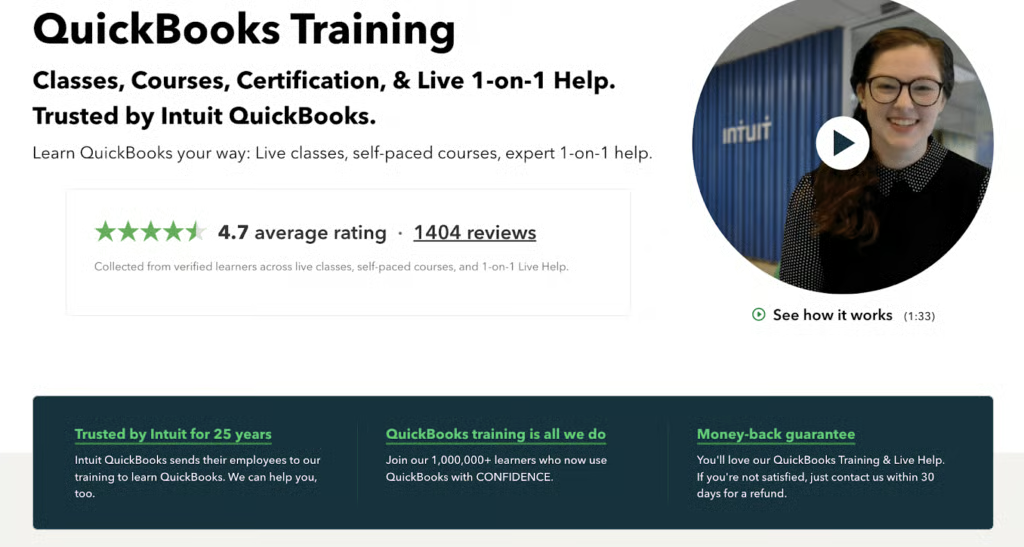
Training options include live two-day QuickBooks classes, beginner and intermediate self-paced courses, and an on-demand library covering topics like banking, reporting, and everyday workflows. The platform also offers live one-on-one help, where learners can work directly in their own QuickBooks file with an experienced specialist. Its tiered plans bundle training access with certification prep and include free exam vouchers, with options for individuals or small teams.
UCLA Extension Bookkeeping Course
The UCLA Extension Bookkeeping Course is a four-course online program focused on building essential bookkeeping skills, including accounting principles, payroll fundamentals, and QuickBooks. It is positioned as a professional specialization rather than a software-only training course.
The program is designed for a wide range of learners, including experienced bookkeepers or office managers looking to advance, individuals considering a career transition into bookkeeping, and students pursuing accounting or finance roles.
What learners gain from the program includes:
- A thorough understanding of bookkeeping, payroll, and tax accounting
- Exposure to modern bookkeeping tools and analytical techniques
- Coursework aligned with industry certification expectations
Overall, the program emphasizes practical, career-relevant training. It combines foundational accounting knowledge with hands-on QuickBooks exposure in a flexible online format suited for working professionals and career changers.
Advanced Webinars by Hector Garcia, CPA
Hector Garcia offers a recorded QuickBooks training series that focuses on industry-specific and advanced workflows. These courses are designed for users who already understand QuickBooks fundamentals and want deeper guidance on using the software in real-world business scenarios across construction, manufacturing, wholesale, and professional services.
The training covers advanced topics such as project costing, progress invoicing, payroll and labor allocation, inventory and manufacturing workflows, custom fields, classes, locations, reporting, bank feeds, and QuickBooks Online Advanced features. The content is delivered through recorded webinar episodes and is best suited for advanced users, accountants, and QuickBooks professionals who need targeted, industry-specific instruction rather than introductory QuickBooks training.
3. Self-learning path
The self-learning path relies on independent exploration of QuickBooks through free tutorials, help articles, and hands-on practice, without a formal curriculum or certification structure. It typically comes at no cost, making it accessible while placing greater responsibility on the learner to stay organized and focused.
This path is the hardest to follow if you have zero QuickBooks knowledge, since there’s no built-in sequence to guide what to learn first. It works best for those who already understand the basics and want to enhance specific skills, and it’s ideal for QuickBooks professionals seeking targeted guidance on industry-specific workflows or accounting practices.
Fit Small Business QuickBooks Online tutorials
Fit Small Business offers free, self-paced QuickBooks Online tutorials built around comprehensive articles and pre-recorded videos that support the live article. The tutorials are designed to allow learners to move at their own pace, with no quizzes, exams, or completion requirements.
The approach is practical rather than theoretical. The videos focus on demonstrating how to perform tasks directly in QuickBooks Online, rather than explaining features at a high level. There’s no testing or certification at the end, which keeps the emphasis on hands-on learning and real workflow understanding rather than credentials.
Explore with the QuickBooks Online test drive account
You can get started by logging in to this QuickBooks Online test-drive account, which already has a sample company set up. This means you don’t have to create your company file and can jump right into exploring its features. You can practice various tasks, like setting up users, creating and sending invoices, entering expenses, and generating reports.
Practice with a QuickBooks Online trial
Use the QuickBooks Online free trial for learning by creating fictitious transactions, entering sample invoices, and seeing how they flow through the system. This approach lets you observe how data is recorded without risking real accounting records.
It’s also worth noting that using the free trial purely for learning can be inefficient. Since the trial is time-limited, spending it on experimentation rather than real bookkeeping means losing access just as you’re ready to apply what you’ve learned. For many learners, the free trial is less effective than structured training or sandbox-style practice environments.
Explore QuickBooks Online’s resources
QuickBooks’ online help center is comprehensive, providing access to a range of self-service resources, including blogs, setup and troubleshooting guides, and frequently asked questions (FAQs). These online guides help users better understand QuickBooks Online’s features and troubleshoot common issues. You can also find a wide selection of YouTube videos offering step-by-step tutorials on various QuickBooks features.
To ensure learners have access to the most up-to-date information, QuickBooks regularly updates its articles and videos with refreshed content. It also has dedicated blog pages that feature the latest changes and new features in QuickBooks Online. Additionally, you may attend or watch webinars hosted by QuickBooks.
Read QuickBooks guides & books
If you prefer learning through reading, then you can check out numerous books on QuickBooks. These books cater to various experience levels, so whether you are new to the software or need to brush up on your QuickBooks skills, you can find the right book for your needs.
For example, if you are a beginner, consider reading “QuickBooks Online For Dummies” by Elaine Marmel, which covers various QuickBooks Online tasks, like building budgets, processing payroll, creating invoices, and managing inventory. If you’re looking to brush up on or learn advanced skills, consider “Mastering QuickBooks Online” by Robinson Cortez.
Join online QuickBooks communities
Join an online QuickBooks community to ask questions, engage, and share experiences with other users. Online QuickBooks communities like the QuickBooks Community forum have both beginner and expert users, and you can seek advice and answers from them. Members often share guides, tutorials, and insights on QuickBooks features, which can help you troubleshoot common issues.
You may also check out other platforms, such as Reddit, for helpful discussions. These alternative community platforms may cover topics not discussed or fully addressed in the QuickBooks Community forum, such as specific use cases or niche troubleshooting.
Explore accounting blogs & reviews
Check out QuickBooks-focused blogs and review pages that provide insights, tutorials, and tips on how to use QuickBooks Online effectively. For instance, in addition to our QuickBooks tutorials, check out our other resources, such as our QuickBooks Online review. It provides useful information, including how the features work and how other users utilize specific capabilities (e.g., invoicing, inventory management, and reporting). You can also check out our roundup of accounting websites and blogs, which includes resources for those looking to learn QuickBooks.
Best practices for learning QuickBooks
No matter how you choose to learn QuickBooks, you can maximize your learning experience by following the best practices below:
- Start with the basics. To avoid getting overwhelmed, focus on learning the basics first, such as setting up your company file, configuring the dashboard, and adding users, customers, and vendors.
- Focus on one feature at a time. Instead of trying to learn everything at once, focus on mastering one feature or section first. For example, you may focus on or experiment with the invoicing module before you move on to the banking reconciliation feature.
- Use multiple learning methods. Combine various learning ways, like reading guides, watching tutorials, and exploring QuickBooks Online with a free trial. This can help you better understand the various aspects of the software.
- Leverage free resources. You don’t have to spend money on learning QuickBooks Online, as there are free resources you can explore. You may browse through QuickBooks’ library of self-help resources or explore free courses like our Fit Small Business QuickBooks Tutorials.
- Stay updated with the latest features. QuickBooks Online continuously updates with new features and enhancements. Stay informed about the latest updates by following QuickBooks blogs and our article on what’s new in QuickBooks Online.
- Seek one-on-one help if needed. If you’re struggling with learning on your own, consider hiring a QuickBooks ProAdvisor for personalized training.
Frequently asked questions (FAQs)
What is the easiest way to learn QuickBooks for beginners?
It largely depends on your personal learning style and preference. For instance, if you prefer personalized learning, hiring a QuickBooks ProAdvisor can be effective. If you like learning at your own pace, you may check out QuickBooks Online tutorials or read books.
Can I learn QuickBooks Online for free?
Yes, there are many free QuickBooks Online resources available online. You may start with Intuit’s self-help resources or explore the free Fit Small Business QuickBooks tutorials.
Do I need accounting knowledge to use QuickBooks Online?
Not necessarily. Prior accounting experience can be helpful, but you can still learn and use it even without an accounting background. QuickBooks Online is designed to be user-friendly, and there are many resources available to help you get up to speed with the software.
