







When we compared Trello vs monday.com as leading project and task management solutions, we discovered that Trello is better for small teams looking for a simple visual tool for project organization and collaboration. On the other hand, monday.com is best for companies looking for a project management tool with customer relationship management (CRM) functionality.
Based on our comparison, the best use cases for Trello vs monday.com are as follows:
- Trello: Best for simple process tracking and workflow automation
- monday.com: Best for managing complex projects
Trello and monday.com are two big names when it comes to project management software, but they lack robust pre-made templates and branding customizations. Here’s a great alternative if you are looking for a flexible and highly customizable platform with a powerful free plan.
- ClickUp: Best customizable work and task management platform for team collaboration
- Trello vs monday.com at a Glance
- Best Alternatives
- Best for Pricing: Trello
- Best for Project Management: monday.com
- Best for Integrations: Trello
- Best for Security & Privacy: Tie
- Best for Ease of Use & User-friendliness: Trello
- Best for Customer Support: monday.com
- How We Evaluated monday.com vs Trello
- Frequently Asked Questions (FAQs)
- Bottom Line
Trello vs monday.com at a Glance
 |  | |
|---|---|---|
| Monthly Starting Price (per User) | $6 | $10 |
| Annual Pricing Discounts (per User) | ✓$5 per month | ✓$8 per month |
| Free Plan | ✓ | ✓ |
| Free Trial | 14 days | 14 days |
| File Storage | Unlimited(up to 250MB only per file) | Up to 1TB |
| Automations | Unlimited Workspace command runs | Up to 250,000 actions per month |
| Native Time Tracking | ✕ | ✓ |
| Activity Logs | Unlimited | One week to five years, depending on the plan |
| Desktop and Mobile Apps | ✓ | ✓ |
| Customer Support |
|
|
| For more information | Visit Trello | Visit monday.com |
Best Alternatives
Aside from Trello and monday.com, several project management alternatives in the market can better suit your business needs. If you’re looking for a provider offering a scalable product with artificial intelligence (AI) compatibility or robust note-taking and documentation solutions, a few Trello and monday.com alternatives include:
- Notion: This provider offers a connected workspace that lets you plan and track your work in one space. It provides organizational and productivity tools like task management and note-taking to ensure you and your team stay on track.
- ClickUp: Streamline your work with ClickUp—a project management software designed to support teams, including companies with remote employees. Tools for customer report generation and task assignment make it easy to monitor team progress.
- Zoho Projects: This cloud-based project management solution’s scheduling and budgeting solutions help small to medium-sized teams estimate project costs and monitor in-progress tasks.
Best for Pricing: Trello
| |
|---|---|
Monthly Pricing (per User)*
| Monthly Pricing (per User)**
|
*Opt for Trello’s annual billing for greater savings, which starts at $5 monthly, per user.
**Annual billing saves users up to 18%, and paid monthly plans begin at $8 per user. There is a three-eat minimum for Basic plans and above.
Trello wins when it comes to Trello vs monday.com pricing because its paid business plans are more affordable. While both providers offer free plans, Trello offers unlimited storage on all tiers, which monday.com does not, even on its Enterprise tier. Trello offers four plans, ranging from free to $17.50 per user. Unlike other providers, it has transparent pricing and shows an estimated per user pricing for its Enterprise plan.
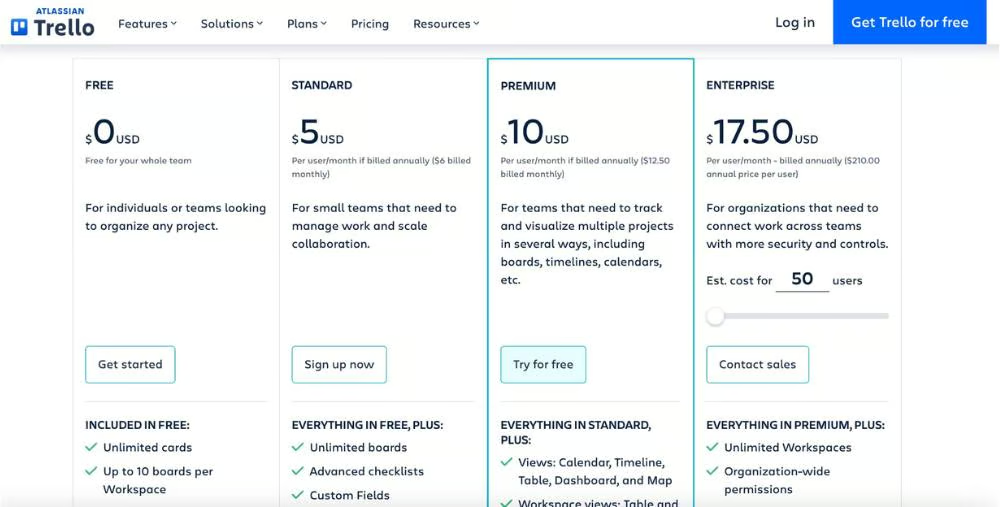
Trello’s pricing options (Source: Trello) 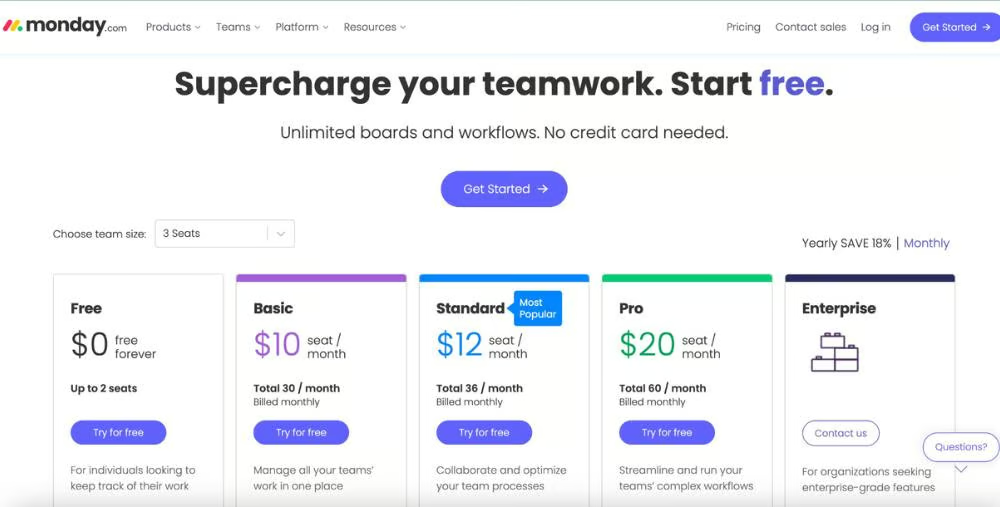
monday.com’s pricing page (Source: monday.com)


monday.com offers five plans, more than the number of packages offered by Trello. Its basic plan comes with unlimited documents and over 200 templates, but you must upgrade to its premium plans to access advanced features like dashboards, calendar view, and guest access. It’s an excellent choice for businesses seeking a scalable project management platform.
Best for Project Management: monday.com
| |
|---|---|
|
|
In terms of monday.com vs Trello features, both providers offer scheduling, unlimited boards, and activity logs, but only monday.com offers built-in time-tracking and Gantt chart features. monday.com has a native time tracking column, while Trello requires integrations to use this feature. In addition to time tracking, other tools like custom and shareable forms are available. There’s a dependency column that allows you to see the relationship between board items.
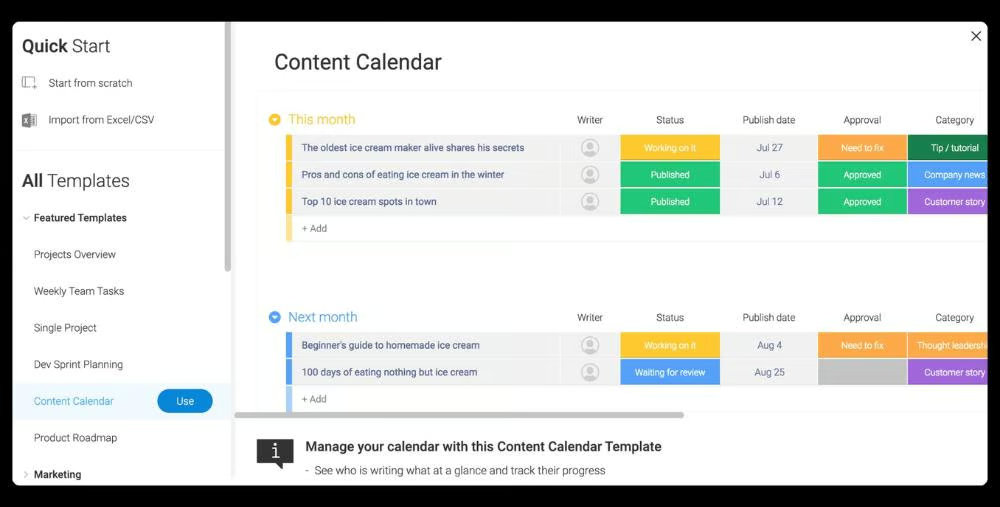
monday.com offers over 100 templates so you can start projects off on the right food. (Source: monday.com) 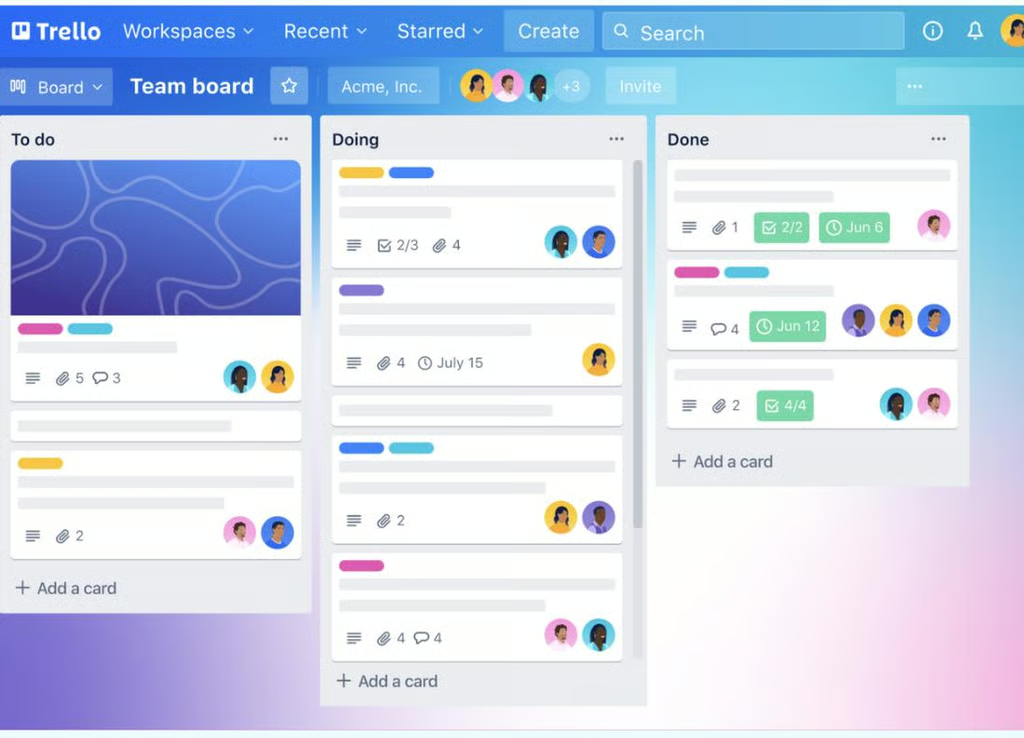
Organize your tasks and make them easy to monitor by using Trello’s boards. (Source: Trello)


Trello is a simpler project management tool that works best for teams tackling more linear, uncomplicated project flows. It uses a Kanban board system, making it an excellent option for individuals and teams using agile planning methods. It takes on a more visual approach to project and task management by using boards, lists, and cards to show the stages of a project.
Best for Integrations: Trello
| |
|---|---|
|
|
monday.com and Trello give users access to over 200 integrations or power-ups, but based on our review, Trello is the better option because it offers power-ups at the base plan. Free plan subscribers get unlimited power-ups per board, enabling users to integrate with over 200 apps and tools like Google Drive and Salesforce. There are no additional charges to add power-ups to your board, but some third-party creators may charge a subscription fee for their solution.
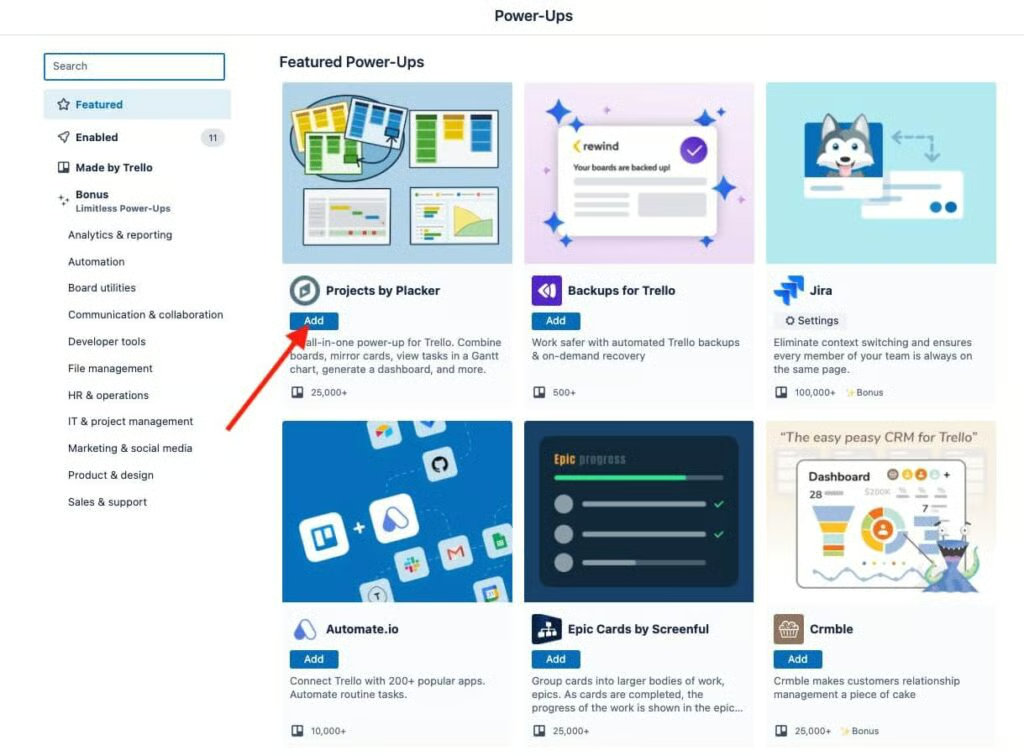
Use power-ups to add features to your board for greater functionality. (Source: Trello)
Unlike Trello, monday.com’s integrations are only available for users subscribed to its Standard, Pro, and Enterprise plans. Premium sales and resource planning integrations, such as Salesforce and NetSuite only unlock on the Enterprise plan. monday.com also integrates with various apps offering email, file management, and marketing solutions. Both providers can be used with Google Drive, Slack, Microsoft, and Salesforce.
Best for Security & Privacy: Tie
| |
|---|---|
|
|
When it comes to security and privacy, monday.com and Trello are neck and neck; both are compliant with multiple security certifications and standards and offer two-factor authentication across all plans. monday.com’s advantage is that it offers HIPAA compliance, which makes it an ideal platform for businesses handling individually identifiable health information. On the other hand, Trello is FedRAMP-authorized, while monday.com is not.
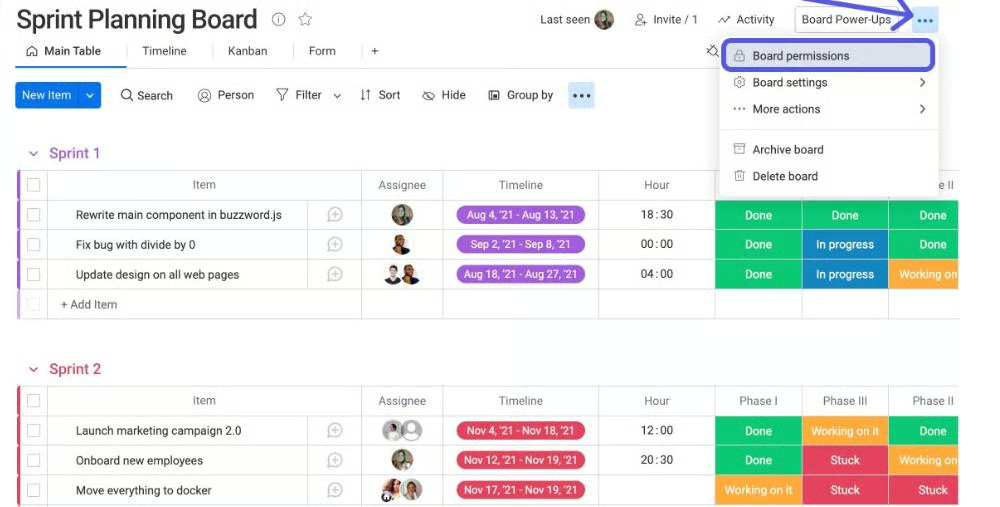
Board permissions give you control over the information people can change or see on the board. (Source: monday.com)
Trello and monday.com’s admin controls include controlling board and content access and audit logs and trails. These controls provide a detailed report of all security-related activity in accounts. They also offer end-to-end in-transit and at-rest encryption, ensuring your content remains confidential and secure.
Best for Ease of Use & User-friendliness: Trello
| |
|---|---|
| Simple, user-friendly project management solution with easy setup | Not the most intuitive platform for first-time users, especially during setup |
When comparing the monday.com vs Trello interfaces, Trello comes out on top because of its clean and intuitive design. Simplicity is at the core of its design, allowing users to set up their project workflow in minutes. Its Kanban boards display project stages, and most of its details are contained within task cards, maintaining a clean and tidy layout. Trello works straight out of the box and lets you easily track everything you and your team need to do.
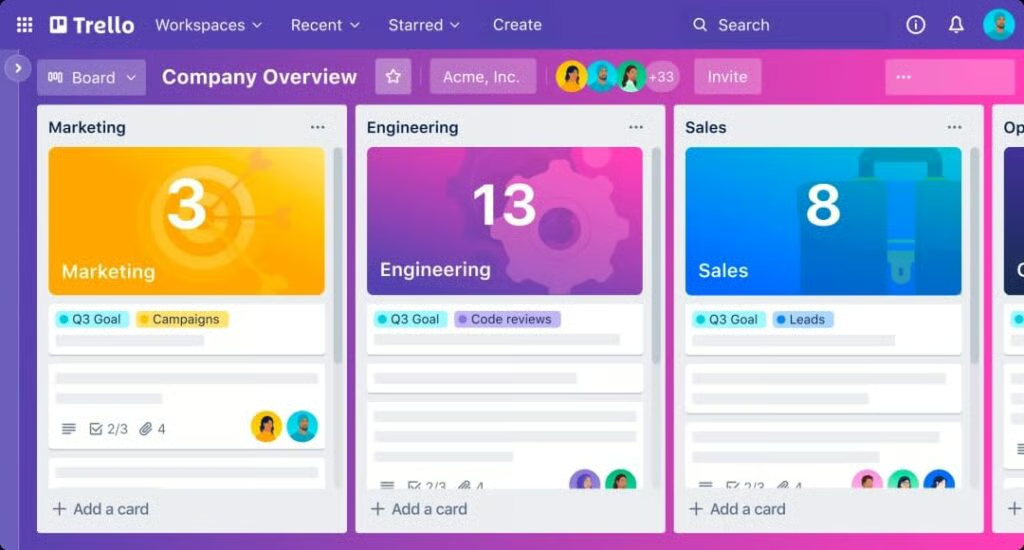
Trello’s company overview gives users a visual layout of their overall performance. (Source: Trello)
On the other hand, monday.com’s user interface is also highly visual but a bit more colorful and detailed. However, some users may find this aesthetic too busy or somewhat overwhelming. While monday.com’s interface offers more information, Trello’s uncluttered design, with fewer buttons and menus, is better suited for smaller teams handling simpler projects.
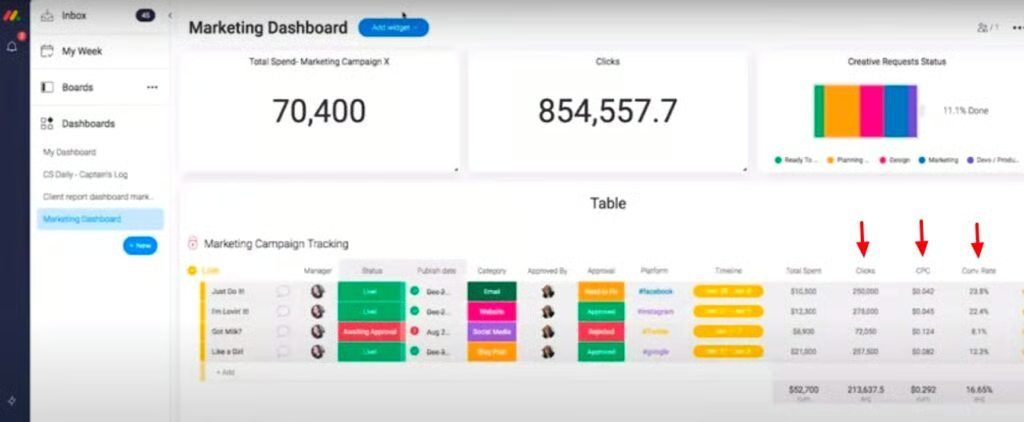
Add a marketing dashboard to track campaign efforts. (Source: monday.com)
Best for Customer Support: monday.com
| |
|---|---|
|
|
monday.com is the clear winner when it comes to customer support because all plans have access to 24/7 support, self-service knowledge base, and daily live webinars. Enterprise plan holders get a dedicated customer success manager and a 99.9% uptime service level agreement (SLA) guarantee. Use monday.com’s help center to communicate with the provider through live chat. Customers can also send an email or request a call to address concerns.

monday.com’s knowledge base gives users answers to questions about internal business processes. (Source: monday.com)
On the other hand, Trello’s level of support depends on your plan; its free plan offers only community support, while Standard plan users have support access during business hours. Premium plan users have 24/5 customer support access; only Enterprise customers can call support 24/7. If you’re looking for more comprehensive and consistent support options, you’re better off with monday.com’s.
How We Evaluated monday.com vs Trello
We compared monday.com vs Trello as project management platforms to determine what makes each provider stand out. We looked into their unique capabilities and referred to user feedback from legitimate review websites. From there, we established a scoring system based on a set of criteria: pricing, features, integrations, ease of use, and expert score.
Here’s a complete breakdown of these factors:
Pricing: We compared monthly per-user pricing for monday.com vs Trello and evaluated their offerings based on the features accessible at different tiers. Our review checked the availability of a free plan, trial, and discounts for annual prepayments and volume-based purchases.
General Features: In comparing monday.com vs Trello, we looked at capabilities essential to a project management platform, such as task management, file storage, dashboards, and shared calendars. We also checked which provider has more security capabilities and better customer support.
Ease-of-use: We tested the two platforms to determine how easy they are to set up and operate. We considered the overall design interface, customization options, and access controls. In addition, we evaluated each provider based on the level of technical know-how required to operate the platform.
Expert Score: We analyzed each product’s overall value by analyzing the features offered vis-a-vis the pricing options. We also reviewed user feedback to determine the popularity of both providers while considering our personal experiences.
Frequently Asked Questions (FAQs)
Can I use Trello as a planner?
Yes, Trello can be used to organize, plan, and track your daily activities. Add your routine activities to the “Daily Tasks” list and plan multiple days using the “Personal” List, which separates tasks for each day of the current week. Use it to track regular appointments, plan a work event, and move completed tasks from the Personal list to the Done List as you progress.
How long can Trello be used for free?
Trello’s free plan can be used for as long as you want. Its free plan includes unlimited cards, built-in automation, assignee and due dates, and mobile apps.
Is monday.com a CRM tool?
Yes, monday.com sales CRM lets users create custom pipelines, track leads, and automate workflows to reduce tedious, manual tasks. This sales platform centralizes all customer data in one place and uses monday.com to track leads, assign prospects to sales representatives, and monitor each engagement’s progress through the sales pipeline.
Bottom Line
Our Trello vs monday.com review looked into the pricing, offering, and best use cases of two of the market’s most popular project management solutions. We found that both offer essential productivity tools like dashboards, automation, access permissions, and file storage. The difference is that Trello is a more straightforward, affordable solution like activity logs and file storage, while monday.com offers better collaboration tools, security features, and customer support.
Between Trello and monday.com, Trello wins as the better platform for small businesses, thanks to its free plan, affordable paid options, robust power-ups, and user-friendly interface. Sign up for Trello’s free plan and see if its features address your business needs.
