







It’s easy to confuse a sales order (SO) with a purchase order (PO). While these two may have the same information, the PO always comes from the buyer as it’s a formal document requesting a supplier to provide the goods to the buyer. Meanwhile, the SO always comes from the seller, given it’s a formal document that the supplier uses to fulfill the buyer’s request.
Below are the significant differences between a sales order vs purchase order.
| Purchase Order | Sales Order | |
|---|---|---|
| Where It Originates | Buyer | Seller |
| Purpose | To request the purchase of goods to the seller formally | To serve as reference in fulfilling the buyer’s requests |
| Manner of Delivering the Physical Document | Sent by the purchaser to the seller | Attached to the goods delivered to the buyer alongside the sales invoice |
| Effect of Accepting the Terms of the Order | When the seller accepts the terms of the PO, it creates a contract that binds the buyer and seller. | When the buyer accepts the terms of the SO, it approves the sale of goods and commences order fulfillment. |
| Effect on Inventory | Accepted PO reflects inventory that will be available soon | Issued SO reduces available inventory |
| Amount Stated in the Document | Offer price or list price | Net selling price |
| Unique Contents and Fields |
|
|
Read our guide on a sales order and a purchase order for in-depth discussions of their purposes, usage, and contents.
How Sales Orders and Purchases Orders Work
The best way to distinguish a purchase order vs sales order is to understand each one’s role in the order process.
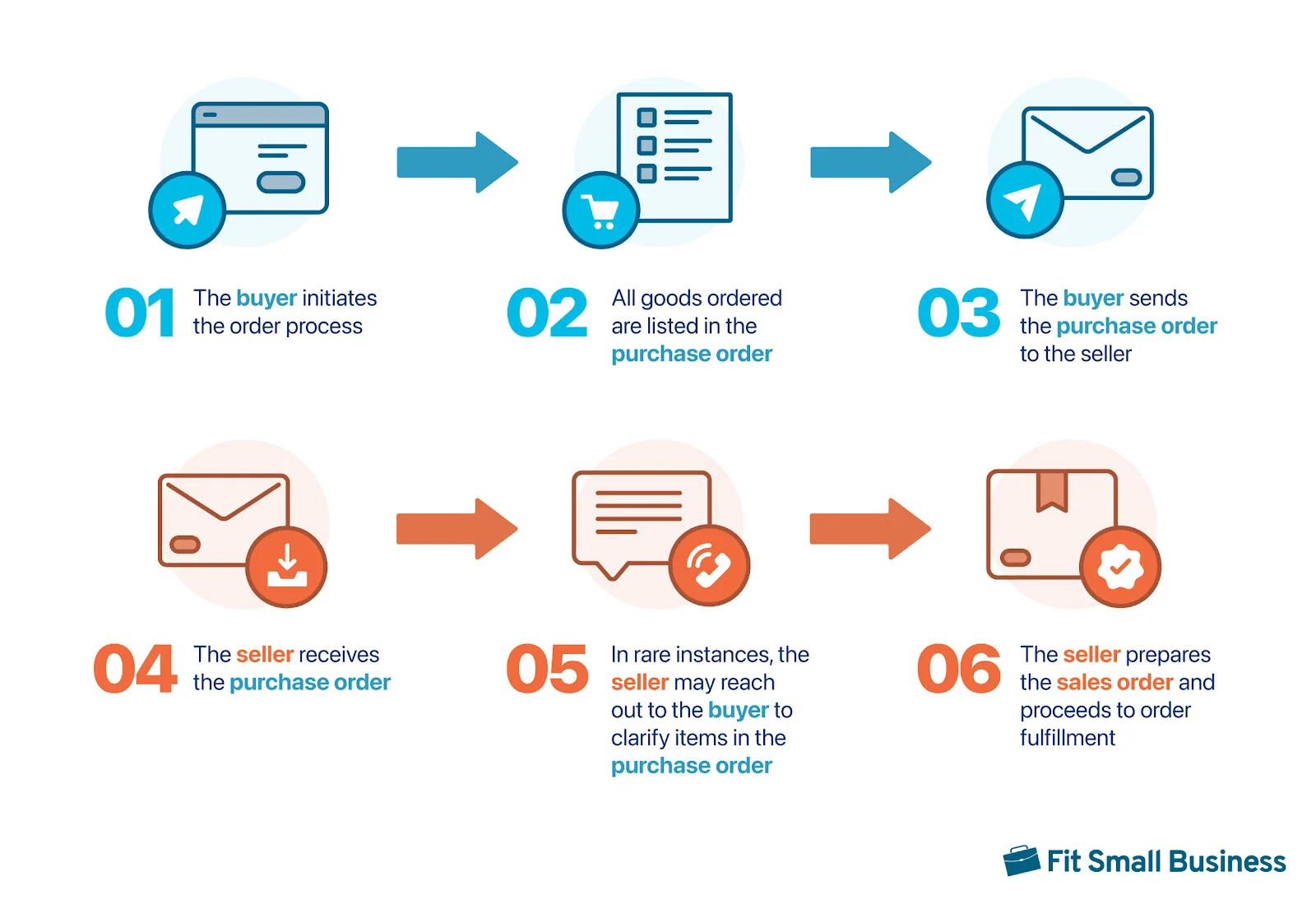
Step 1: Buyer Initiates the Order
- I am the buyer: Start by determining what you need to purchase:
- The purchasing officer should coordinate with different departments and personnel for purchase requests. The requesting departments or personnel should prepare the purchase requisition.
- I am the seller: No action needed.
Step 2: Buyer Prepares the PO
- I am the buyer: The purchasing officer goes over the supplier list to determine which supplier can fulfill the order:
- After selecting a supplier, the officer prepares the order and submits it for approval.
- The finance head or business owner will approve large POs. For small POs, such as purchases of office supplies, a lower-level manager may approve the order.
- I am the seller: The buyer may reach out to you to ask for the updated price lists. Besides that, no further action is needed.
Step 3: Buyer Sends the PO to the Seller
- I am the buyer: The purchasing officer will send the PO to the seller:
- You may send it via email.
- Call the supplier and order via phone.
- Fill out an online order form on the supplier’s website or portal.
- I am the seller: The buyer may reach out to ask about the order process:
- Instruct the buyer how they can submit the order.
- Provide your email address or give access to a customer portal where buyers can make an order.
Step 4: Seller Receives and Reviews the PO
- I am the buyer: No action needed
- I am the seller: Acknowledge receipt of the PO so that the buyer will know that you’ve received the order:
- The sales officer or representative should review the PO.
- Cross-check the order with inventory records to ensure enough inventory to accommodate the order.
Step 5: Seller May Reach Out to the Buyer Regarding the PO’s Contents
- I am the buyer: The seller may reach out to you if there are specific concerns about your order. Otherwise, no action needed.
- I am the seller: If a particular item is out of stock, then inform the buyer but also recommend alternative products. You may also ask the buyer if they’re willing to wait until the stock becomes available.
Step 6: Seller Approves and Prepares the SO
- I am the buyer: You may receive notification from the seller that the order has been confirmed. However, the SO will not be forwarded to you at this time.
- I am the seller: Assuming there have been no order concerns raised to the buyer, the sales officer will approve the sale and prepare the SO. You may update the buyer that the order has been confirmed and now being prepared.
Our guide on what bookkeeping is, which also covers what a bookkeeper does, provides an overview of the accounting process. It even includes an in-depth discussion of invoicing and billing.
Frequently Asked Questions (FAQs)
What’s the difference between a sales order and invoice?
A sales order, a document showing that an order has been approved, is used as a reference for employees in fulfilling the order. On the other hand, an invoice is a request for payment for goods delivered or services rendered.
When would you use a sales order?
Use a sales order to document orders that won’t be fulfilled right away. For instance, you can create a sales order for purchases of goods that will be delivered at a later date.
What’s the difference between a sales order and job order?
A sales order is more appropriate for merchandising businesses, whereas job orders are more suited for service providers. However, both documents state the customer’s orders and requests.
Bottom Line
Knowing the difference between a sales order vs purchase order can help you stay on top of internal and external orders. SOs are always related to customer orders, revenue, and accounts receivable if sold on account. On the flip side, POs are always related to your orders, expenses, and accounts payable if purchased on account.
