







While QuickBooks Online can help trucking businesses handle their accounting processes, it lacks specialized trucking features, such as load management, route optimization, real-time location tracking, and international fuel tax agreement (IFTA) reporting. That said, trucking businesses already using or planning to use QuickBooks Online can enhance their operations by integrating it with dedicated trucking software.
Here are our top six QuickBooks trucking integrations, each catering to specific areas of the trucking business:
- RAMA Logistics Software: Best overall QuickBooks Online trucking integration
- Toro TMS: Best QuickBooks trucking integration for real-time tracking
- TruckingOffice: Best QuickBooks trucking integration for route optimization
- Dr Dispatch: Best QuickBooks trucking integration for driver payment calculation
- drayOS by PortPro: Best QuickBooks trucking integration for drayage operation management
- Track-POD: Best QuickBooks trucking integration for last-mile logistics
Not using QuickBooks Online yet? Trucking businesses interested in the program can either sign up for the free 30-day trial or subscribe immediately to get a 50% discount for three months.
- Best QuickBooks Online Trucking Software Integrations At a Glance
- RAMA Logistics Software: Best Overall QuickBooks Trucking Software Integration
- Toro TMS: Best for Real-time Vehicle Location Tracking
- TruckingOffice: Best for Route Optimization
- Dr Dispatch: Best for Driver Payment Calculation
- drayOS: Best for Drayage Operation Management
- Track-POD: Best for Last-mile Delivery Management
- How To Choose the Best Trucking Software That Integrates With QuickBooks
- Frequently Asked Questions (FAQs)
- Bottom Line
Best QuickBooks Online Trucking Software Integrations At a Glance
| Software | Pricing ($/Month) | Free Trial | Recommended Usage | Strengths | Weaknesses |
|---|---|---|---|---|---|
 | $45 for one user or $80 for eight users | 30 days | Load and dispatch management |
|
|
| Visit RAMA Logistics Software | |||||
 | Undisclosed | ✕ | Real-time vehicle and driver location tracking |
|
|
| Visit Toro TMS | |||||
 | $20 to $110 | 30 days | Route optimization for drivers |
|
|
| Visit TruckingOffice | |||||
 | From $99 per user | ✕ | Driver payment calculation with no tax filing |
|
|
| Visit Dr Dispatch | |||||
 | Undisclosed | ✕ | Drayage or short-distance operation management |
|
|
| Visit drayOS | |||||
 | $29 to $69 or custom priced (per-driver basis) $285 to 1,440 per month (per-order basis) | 7 days | Last-mile delivery management |
|
|
| Visit Track—POD | |||||
| Software | Strengths | Weaknesses |
|---|---|---|
|
|
|
| Visit RAMA Logistics Software | ||
|
|
|
| Visit Toro TMS | ||
|
|
|
| Visit TruckingOffice | ||
|
|
|
| Visit Dr Dispatch | ||
|
|
|
| Visit drayOS | ||
|
|
|
| Visit Track—POD | ||
RAMA Logistics Software: Best Overall QuickBooks Trucking Software Integration
Pricing
Prices are listed on the provider’s website, but according to the QuickBooks integration page, it offers two plans:
- Basic: $45 per month for one user
- Complete: $80 per month for eight users
You can sign up for a 30-day free trial without providing your credit card information.
Apart from being our top-recommended trucking accounting software, we hailed RAMA Software Logistics (RSL) as the best trucking solution that integrates with QuickBooks Online. You can purchase and set up RSL directly from within QuickBooks—meaning you can easily integrate it into your system without complex installations or third-party connectors.
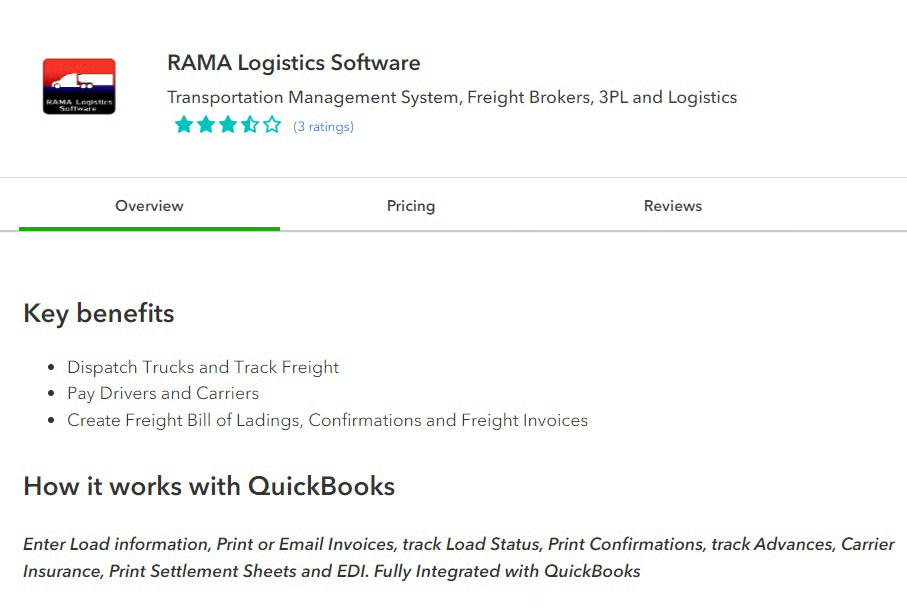
With a single click of the Launch button in QuickBooks, you can quickly navigate to the RSL dashboard without having to open separate browser windows or navigate to external websites.
From your RSL dashboard, you can easily sync essential information with QuickBooks, such as your customer list, carrier details (treated as vendor list in QuickBooks), and driver settlement data (recorded as bills in QuickBooks). This integration makes it easy to send invoices to your customers, process payments to drivers, and track customer details and interactions.
We like RSL’s one-click data sync with QuickBooks Online. For instance, once you complete a load in RSL, reopen the entry form and click the Update QuickBooks button. QuickBooks will then automatically create a draft invoice based on the load details sourced from RSL.
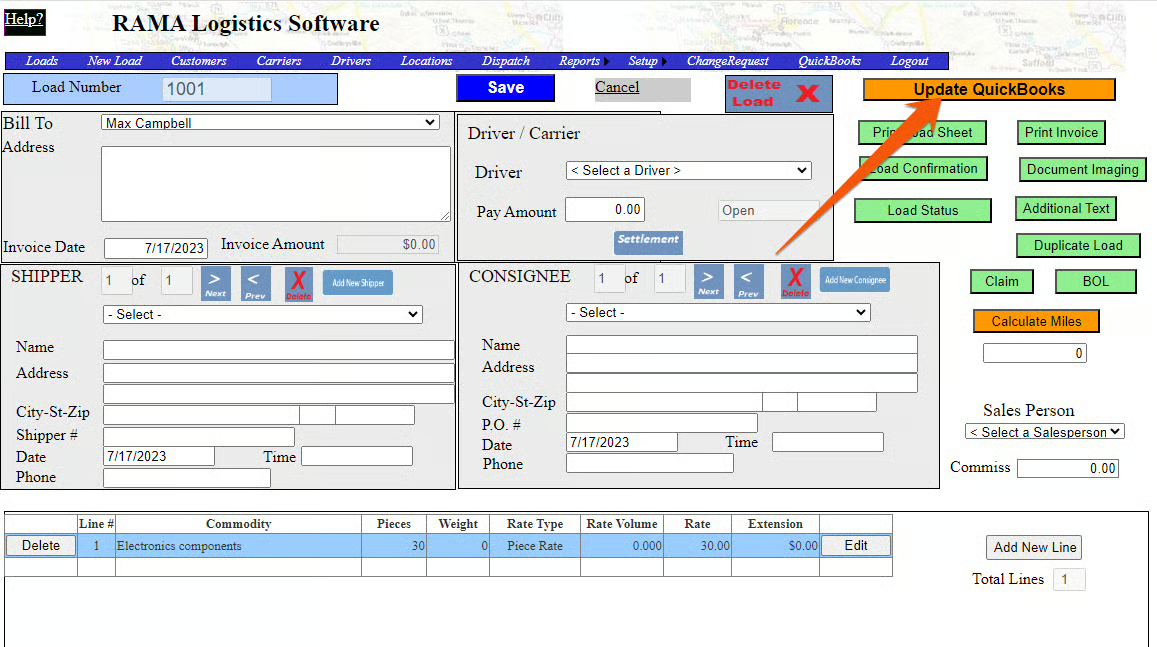
RSL isn’t the most sophisticated among the trucking software we reviewed—but it covers many of the core features needed by most freight brokers, third-party logistics providers (3PLs), and logistics companies. These include load management, dispatch management, and driver and carrier maintenance.
- Allows you to create a new load and capture important details, such as rate, rate type, and rate volume
- Lets you create customized tracking codes, such as “O – On Time” and “SD – Shipment Delayed”
- Enables you to track pending loads and see driver’s availability for proper assignment
- Offers various types of trucking reports, including customer, carrier, and driver reports
- Lets you store and manage driver-related information
- Trucking companies focused on load and dispatch management: RSL is primarily designed to help companies manage their orders and dispatches. It helps monitor incoming orders, track their progress, and prioritize deliveries based on customer requirements and delivery deadlines. Additionally, you can easily track pending assignments and assign them to available drivers accordingly.
- Trucking companies looking for an easy QuickBooks Online integration: If you have limited resources, time, and technical expertise to deal with complicated integration processes, such as using a third-party connector, RAMA Logistics is a convenient option. You can directly purchase, set up, and launch RSL from within your QuickBooks Online account.
Toro TMS: Best for Real-time Vehicle Location Tracking
Pricing
The provider doesn’t publish pricing information on its website. We recommend contacting Toro TMS directly to request pricing details or a customized quote.
Toro TMS’ integrated maps with real-time location tracking make it ideal for trucking companies handling expedited deliveries or time-sensitive cargo, such as medical supplies. It provides dynamic maps that enable dispatchers and managers to monitor the live location of their drivers and vehicles—helping them provide an accurate estimated time of arrival (ETA) to customers.
Additionally, Toro TMS integrates with ELDs, such as KeepTruckin and Samsara, so managers and dispatchers can track important driver activities, such as driving time and rest breaks. This allows them to monitor when exactly a driver arrives at a pickup location, departs from the location, and delivers the load.
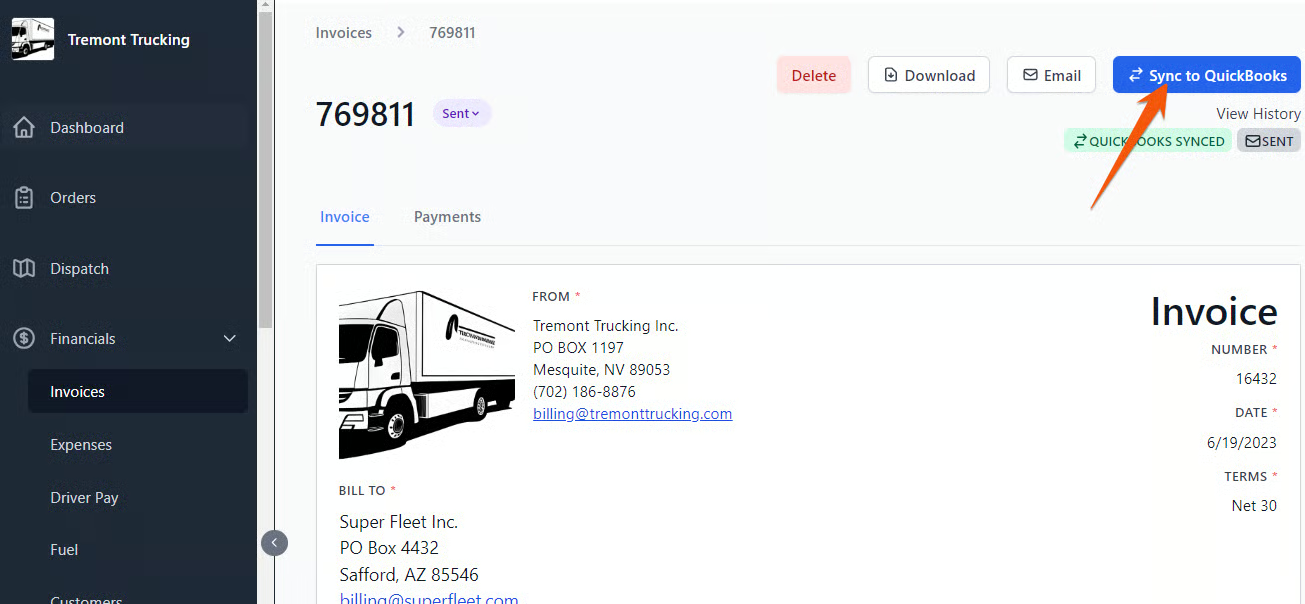
Just like RAMA Logistics Software, Toro TMS provides a one-click data syncing capability with QuickBooks Online. You simply need to click on the Sync to QuickBooks button, and your Toro TMS data, such as invoices and driver settlement information, will be recorded to QuickBooks Online. However, unlike RAMA Logistics Software, you have to set up the integration from the Toro TMS platform.
- Allows you to create a new load and capture important details, such as rate, rate type, and rate volume
- Lets you create customized tracking codes, such as O – On Time and SD – Shipment Delayed
- Enables you to track pending loads and see driver’s availability for proper assignment
- Offers various types of trucking reports, including customer, carrier, and driver reports
- Lets you store and manage driver-related information
- Trucking companies transporting high-value or time-sensitive goods: Toro TMS is great for companies that heavily require real-time tracking, such as those that deal with high-value cargo, such as electronics time-sensitive items like perishable goods.
- Trucking companies needing hours of service (HOS) compliance: With its ELD integration, Toro TMS helps you accurately track drivers’ hours, driving time, rest periods, and other crucial data required for HOS compliance.
TruckingOffice: Best for Route Optimization
Pricing
- Basic: $20 to $45 per month; intended for full truckload (FTL) hauling
- Pro: $30 to $110 per month; designed for FTL and less than truckload (LTL) hauling
You can try any of the plans for free for 30 days with no credit card information required.
We recommend TruckingOffice for trucking companies requiring excellent route planning capabilities. It offers an integrated premium routing add-on through PC*MILER—the industry standard for routing solutions.
This feature helps truckers calculate mileage, track driving directions, and automatically plan street-level routes and allows drivers to efficiently plan their trips by considering critical factors such as traffic conditions, load specifications, and any last-minute scheduling changes. Also, since drivers have access to real-time data, they can easily avoid congested areas and road closures—helping them make timely trip adjustments.
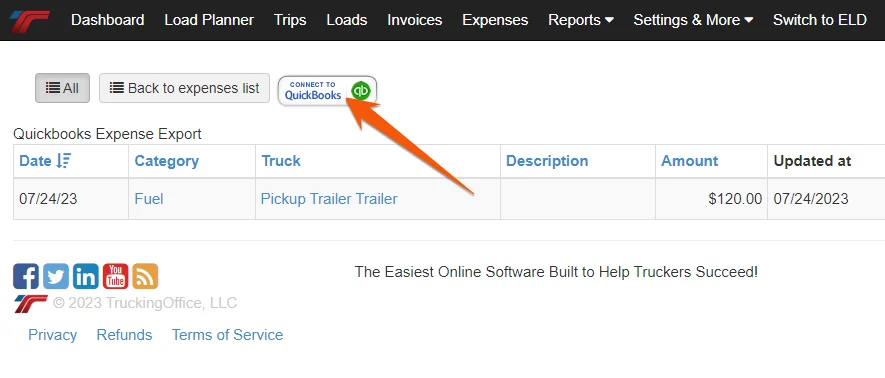
Meanwhile, the integration between TruckingOffice and QuickBooks enables you to sync essential data, including invoices and expenses, such as fuel purchases, tolls, maintenance bills, and office supplies. From the “invoice” or “expense” screen in TruckingOffice, locate the QuickBooks connector button, and the transaction will be recorded automatically in QuickBooks Online.
- Allows you to set up a new expense and categorize properly for accurate reporting
- Lets you track everything you need for IFTA reporting
- Enables you to track important load information, such as the cargo, vehicle, and driver assigned
- Lets you keep essential maintenance records, such as maintenance and repair dates
- Allows you to store and back up your important files and documents
- Trucking companies with drivers dealing with complex routes: With the PC*MILER integration, TruckingOffice can help your drivers navigate complex routes and select the safest and fastest option.
- Small trucking companies with one or two trucks: TruckingOffice costs $20 per month for small companies with one or two trucks, which is more affordable than most other similar software.
Dr Dispatch: Best for Driver Payment Calculation
Pricing
Dr Dispatch has no published pricing information, but third-party sources indicate that prices start at $99 per user, per month. To obtain pricing, fill out the quote request form on its website.
While QuickBooks Workforce offers standard hourly or salary-based calculations for QuickBooks Online users, trucking companies often require payroll calculations based on miles driven and loads delivered. Dr Dispatch integrates with QuickBooks Online to help you calculate driver wages based on the said factors and any additional pay elements like bonuses or per diems.
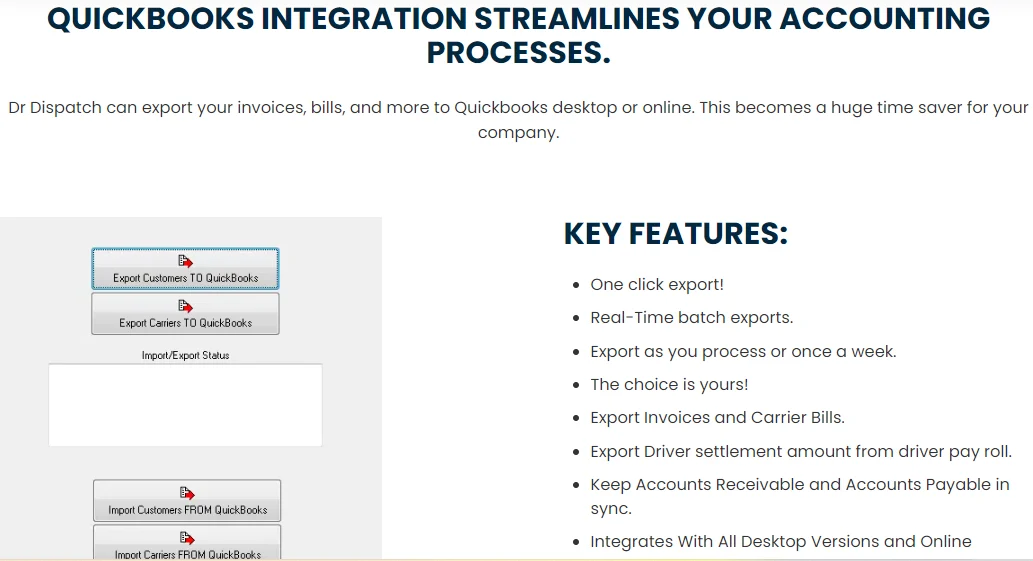
It also has specialized features for managing driver settlements and tracking driver expenses, including fuel costs, meals, and lodging. These make it easy for employers and managers to calculate driver earnings, deductions, and reimbursements and process load-based deductions, such as insurance or maintenance costs.
Once the driver settlement accounts are calculated and finalized in Dr Dispatch, the system provides an easy option to export your data directly to QuickBooks Online. When the data is exported to QuickBooks, you can find it in the appropriate accounts or categories. The driver settlements exported into QuickBooks can then be used for processing driver payroll.
- Lets you create dispatches and track locations via tracking platforms, like MacroPoint, PeopleNet, and FourKites
- Allows you to import fuel transactions from popular fuel card providers, such as T-Chek, Comdata, and Fleetone
- Enables you to scan and attach documents to load, driver, customer, and equipment records
- Includes a Saferwatch module that allows you to perform comprehensive carrier qualification checks
- Trucking companies needing a payroll solution: Trucking companies that employ drivers (either directly or contract carriers) can use Dr Dispatch to calculate driver salaries, wages, or compensation.
- Specialized carriers with unique pay structures: Dr Dispatch allows specialized carriers to create custom pay structures for drivers, whether it’s based on miles driven, specific services offered, percentage of revenue, or other unique factors.
drayOS: Best for Drayage Operation Management
Pricing
The provider’s website shows that there are two available products: drayOS and drayOS Track. Unfortunately, no pricing information is provided, so you need to contact PortPro directly if you’re interested in its products. You may also request a demo to see how it works before buying.
drayOS by PortPro, built by Axl Technologies, is a transportation management system (TMS) that is dedicated to drayage operations or those involving short-distance transportation of goods. It offers a range of features tailored to the unique needs of drayage carriers, such as container tracking, real-time dispatch tracking, and automatic terminal appointment bookkeeping.
When you upgrade to drayOS Track, the advanced version of drayOS, you’ll be able to track each container’s progress to ensure that they are on the right route and are delivered on time. Additionally, drayOS includes a per-diem auditing feature, which allows you to calculate and verify per-diem payments for drayage drivers. This is particularly useful if your drivers deal with multiple short-distance trips.
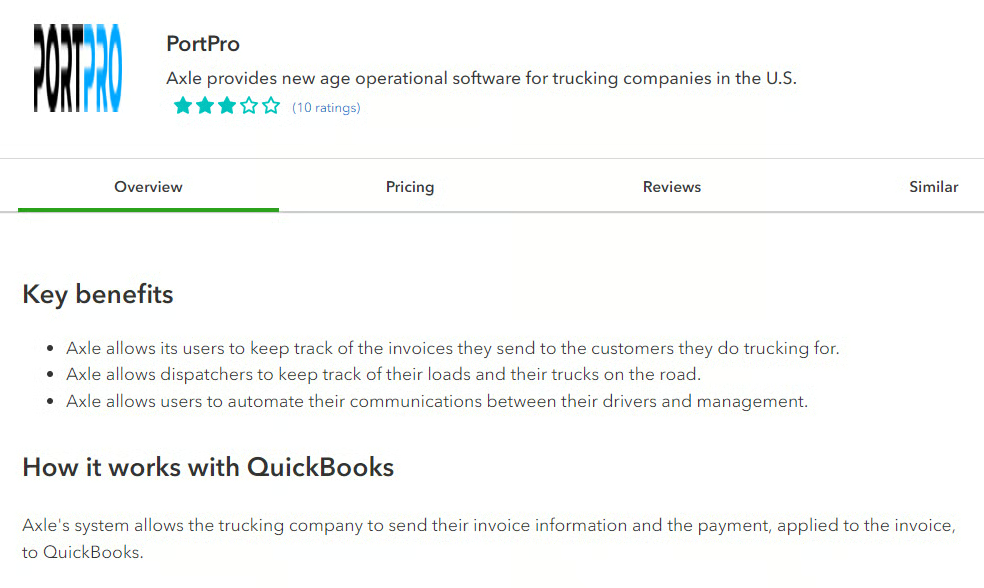
drayOS enables you to create and manage invoices for your trucking business within the platform. Once the invoice details are finalized in drayOS, they can be pushed to QuickBooks Online. The integration between QuickBooks and drayOS also ensures that all customer-related information, as well as payment details, are accurately recorded in QuickBooks.
- Allows you to quickly view driver availability
- Uses GPS technology to track load status in real-time
- Lets you identify street turns and double moves for route optimization
- Create and track vessel schedules with drayOS Track
- Update logs and run historical reports with drayOS Track
- Local hauling companies: If your trucking business handles short-distance transportation within a metropolitan area or between nearby locations, PortPro is a great option. With its real-time container tracking, you know the exact location of containers, allowing you to provide accurate ETAs to your customers.
- Port trucking companies: PortPro is great if you’re transporting cargo between ports to nearby distribution centers or warehouses.
Track-POD: Best for Last-mile Delivery Management
Pricing
- Per driver: $29 to $69 per driver, per month or custom priced
- Per order: $285 per 1,500 orders to $1,440 per month for 12,000 orders
Track-POD offers a seven-day free trial with no credit card information required.
Track-POD offers specialized features designed to optimize the final leg of the delivery process, including real-time container tracking, route optimization, and customizable electronic proof of delivery (ePOD). Its customizable POD feature allows you to create delivery confirmation documents based on your specific needs. Also, the system allows your drivers to capture images of delivered goods or completed services that you can send to your customer.
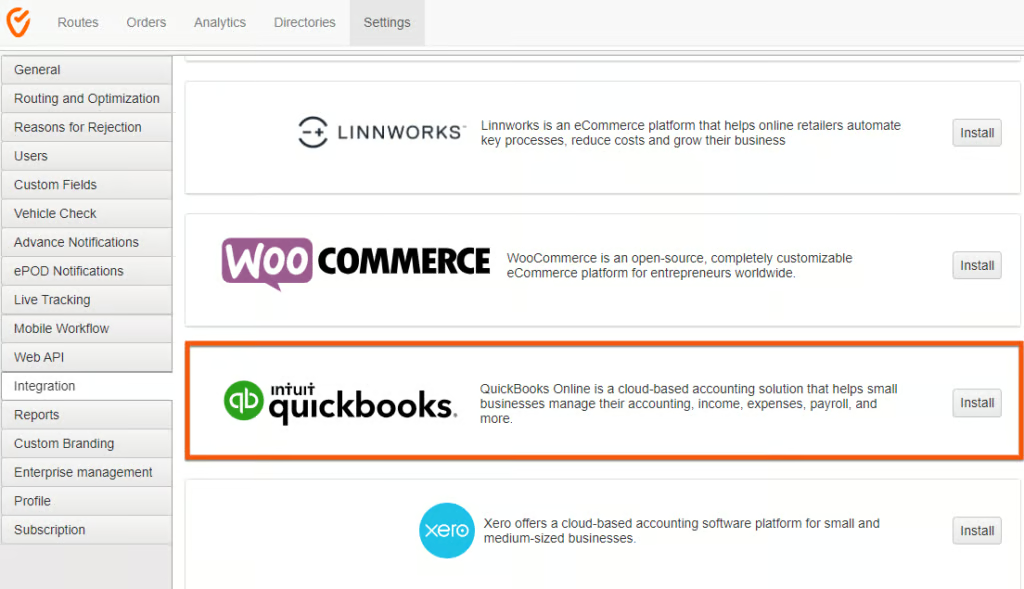
With the integration between Track-POD and QuickBooks Online, you can upload PDF copies of your PODs to your QuickBooks invoices. This way, you can provide your customers a proof of successful delivery against the invoice—helping you avoid disputes and billing discrepancies.
- Lets you provide ePODs to a customer once a project is completed
- Allows you to track your vehicle’s current location
- Enables you to identify the most efficient routes for your drivers
- Provides highly detailed dynamic maps of any region of the world
- Allows you to set up customized matrix of reasons for non-signing documents
- Last-mile delivery companies: With specialized features like advanced route optimization and real-time tracking, and ePODS, Track-POD can help streamline last-mile logistics.
- Ecommerce delivery companies: Track-POD can be beneficial for ecommerce companies that provide local deliveries from distribution centers to customers’ residences or retail locations.
How To Choose the Best Trucking Software That Integrates With QuickBooks
When finding the best QuickBooks Online trucking software integration for your business, consider the following:
- Ease of integration: Look for a trucking software integration that is easy to set up—meaning there’s no need for complex technical setup or third-party connectors.
- Desired trucking Features: Identify which specific features or areas of trucking management you want to automate or improve, whether it’s load management, real-time tracking, or route optimization.
- Integration capabilities: Ideally, a trucking software integration should allow for two-way data transfer—meaning data can flow back and forth between the trucking software and QuickBooks. Also, know what type of data it can sync, such as order and load information, carriers, invoices, and driver settlements.
- Scalability: Determine whether the integrated software can handle growing requirements without the need for costly upgrades.
- Security: Ensure the trucking software integration implements robust encryption, access controls, and authentication measures to keep your sensitive data secure.
- Customer support and training: While QuickBooks itself is known for its excellent customer support across its products, it’s essential that the trucking integration provider also provides high-quality support. This is extremely important, especially if you’re looking to integrate sophisticated software with many advanced features.
- Reviews: Read online reviews or testimonials from other trucking companies to gain insights into the reliability of your prospective integrated solution. In our dedicated reviews of the software above, you’ll find a customer feedback section, which should give you an idea of what end-users are saying about the solutions.
Frequently Asked Questions (FAQs)
What is the best trucking software that integrates with QuickBooks?
The best trucking software that integrates with QuickBooks greatly depends on what particular trucking features you prioritize. For instance, if you want a straightforward load management solution, RAMA Logistics Software is great. If you are focused on real-time tracking, consider Toro TMS.
How does a QuickBooks trucking software integration benefit my trucking business?
While QuickBooks takes care of your accounting, the integrated trucking software helps you streamline operational processes, such as load management, dispatching, and route and driver management.
Will I require additional training for using QuickBooks trucking software integration?
It depends on the complexity of the integrated software and the setup process. While some integrations are easy to set up and use, more advanced solutions require training to fully understand the integrated features.
Bottom Line
Overall, there is no one-size-fits-all QuickBooks integration for trucking businesses. The best integration depends on several factors, such as your specific goals and operational complexity. Some trucking businesses may require a simple solution for load management, such as RAMA Logistics Software, whereas others may need a more comprehensive integration that includes ELD compliance, integrated maps, and GPS tracking. Additionally, some might be interested in scaled-down options, such as integrations for last-mile delivery or drayage operations.
