







QuickBooks Online handles basic inventory, but growing businesses often need more — especially if you manage multiple locations, sell on several channels, or need stronger purchasing and tracking tools. An integrated inventory system fills those gaps by handling day-to-day stock management while QuickBooks manages your accounting.
This guide breaks down when to upgrade from QuickBooks’ native inventory tools and reviews the best inventory software to integrate with QuickBooks Online based on features, ease of use, and business needs.
Here are our picks for the best inventory management software that integrates with QuickBooks:
| Provider | Best for | Starting monthly price |
|---|---|---|
| Zoho | Overall inventory and order management | $39 |
| Katana | Manufacturing and production tracking | $179 |
| Odoo | Open-source inventory with ERP integration | $0 (free plan available) |
| Square | Free inventory with POS tracking | $0 |
| Lightspeed | Retail POS with advanced inventory | $89 |
| Shopify | Omnichannel POS and ecommerce inventory | $39 |
| MarketMan | Restaurant inventory and food costing | Custom pricing |
| Cin7 Core | Wholesale and multichannel inventory | $349 |
| SOS Inventory | QuickBooks upgrade for inventory control | $59.95 |
| inFlow Inventory | Simple inventory software for small businesses | $110 |
Why you can trust Fit Small Business
My methodology
Our main consideration when choosing the best inventory management integrations was to look for software features that would combine well with QuickBooks Online in terms of functionality and purpose. Since QuickBooks is used for accounting purposes like invoicing, tracking of expenses and income, and payment of bills, we looked for inventory management integrations that would make these things easier.
Automation was a big plus point for potential software providers, as automated processes remove the human error element, making accounting easier and more accurate.
We also looked for inventory management features that are useful in general: inventory counts, low-stock alerts, detailed reporting, and vendor management.
- Compare QuickBooks inventory management integrations
- Why Zoho Inventory is my overall pick
- Zoho Inventory
- Why Katana works well for manufacturers
- Katana
- Why Odoo is my choice for open-source inventory integration
- Odoo
- Why Square is good for basic free inventory tracking
- Square
- Why Lightspeed is my pick for retail POS inventory
- Lightspeed
- Why Shopify works well for omnichannel retail
- Shopify
- Why MarketMan is good for restaurant food cost control
- MarketMan
- Why Cin7 Core fits growing wholesale and ecommerce businesses
- Cin7 Core
- Why SOS Inventory is my affordable upgrade for QuickBooks users
- SOS Inventory
- Why inFlow Inventory is good for simple small business inventory
- inFlow
- How to choose the right inventory integration for QuickBooks Online
- Frequently asked questions (FAQs)
Compare QuickBooks inventory management integrations
| Provider | Best for | QBO integration | Standout feature |
|---|---|---|---|
| Zoho Inventory | The best overall pick for affordable, full-featured inventory and order management. | Primarily one-way sync for transactions (Zoho to QBO) | Multilocation + multichannel inventory tools |
| Katana | Manufacturers needing advanced production tracking, raw material management, and scheduling. | Two-way sync | Real-time production & BOM management |
| Odoo | Tech-savvy users wanting highly customizable, open-source inventory management and ERP integration. | Connector-based | Highly customizable workflows & automation |
| Square | Retailers seeking a basic, free solution integrated with a simple POS system. | One-way sync | Simple inventory tools included with POS |
| Lightspeed | Multi-store, high-volume retailers needing advanced POS, catalog, and vendor ordering. | Two-way sync | Detailed product catalogs & vendor ordering |
| Shopify | Omnichannel businesses requiring seamless inventory syncing between online and retail. | Syncs orders one-way; inventory syncs both ways | Centralized online + in-store inventory |
| MarketMan | Restaurants that need precise food cost control, recipe costing, and invoice automation. | Syncs transactions via import | Vendor, recipe, and invoice automation |
| Cin7 Core | Growing wholesalers and ecommerce businesses needing advanced multichannel inventory and purchasing. | Two-way sync | Advanced inventory + purchasing + light MRP |
| SOS Inventory | QuickBooks users needing an affordable upgrade for multi-location and assembly tracking. | Two-way sync | Affordable multi-location + assembly tracking |
| inFlow Inventory | Small product businesses that want simple, modern inventory tracking with B2B tools. | One-way sync | Easy barcode tools & built-in B2B showroom |
Most of our picks also appear in our ranking of leading inventory management software. Read our buyers’ guide to learn more.
Why Zoho Inventory is my overall pick
Overview
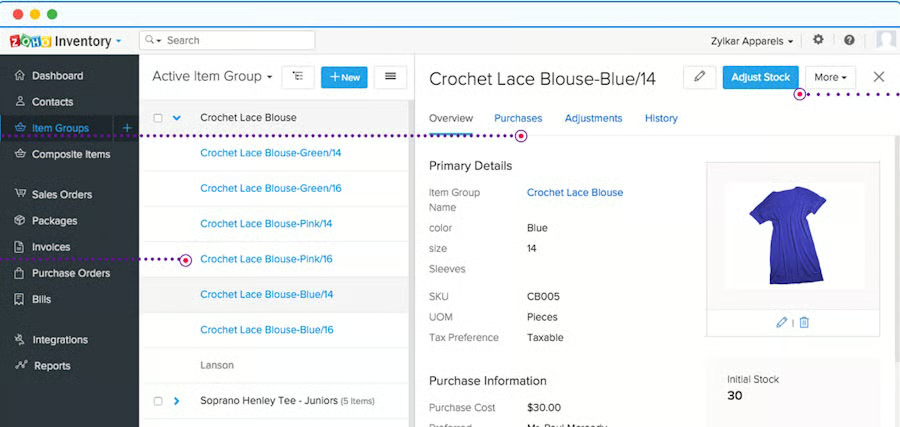
Zoho Inventory earns our top spot because it’s affordable, easy to use, and offers one of the most complete QuickBooks Online integrations available. Small businesses get access to strong core features, such as multilocation tracking, item bundling, barcode management, stock adjustments, purchase orders, and shipping tools, without the complexity or cost of a full ERP.
It’s especially useful for businesses selling across multiple channels. Zoho connects to Shopify, Amazon, Etsy, eBay, and multiple Shopify storefronts (depending on plan), making it a solid choice for retailers and ecommerce brands that need their inventory, orders, and fulfillment in sync.
While Zoho lacks advanced features like BOM management and advanced demand planning, its mix of price, usability, and functionality makes it the best all-around choice for most QuickBooks users.
Why QuickBooks integrates well with Zoho
Zoho offers a robust two-way sync with QuickBooks Online, making it one of the smoothest integrations on this list. You can:
- Sync items, invoices, bills, payments, and inventory adjustments
- Share vendor and customer records across both systems
- Update stock levels automatically as orders are created or fulfilled
- Map taxes, accounts, and currencies between platforms
- Import your QuickBooks contacts and export Zoho invoices and credit notes
Zoho often becomes the operational system of record for inventory, while QuickBooks remains your accounting source of truth — reducing manual data entry and improving accuracy.
Standout features
- Multilocation & multi-warehouse tracking: Move stock between warehouses and monitor levels in real time.
- Bundling and kitting: Create product bundles and composite items easily.
- Shipping and fulfillment tools: Print labels, pack, and ship with integrated carriers.
- Multichannel ecommerce integrations: Connect to Shopify, Amazon, Etsy, eBay, and more.
- Expiration and batch tracking (higher tiers): Helpful for perishables and regulated goods.
- Multicurrency handling: Create transactions and manage payments with more than one currency, get automatic exchange rate updating, and view reports that summarize all transactions by contact.
Pricing
Zoho offers monthly or annual billing. Monthly pricing:
| Plan | Monthly fee | Orders/month | Users | Locations |
|---|---|---|---|---|
| Standard | $39 | 500 | 2 | 2 |
| Professional | $99 | 3000 | 2 | 4 |
| Premium | $159 | 7500 | 2 | 6 |
| Enterprise | $299 | 15000 | 7 | 10 |
Annual plans offer discounts.
Why Katana works well for manufacturers
Overview
Katana is purpose-built for manufacturers, makers, and product businesses that need to manage raw materials, work-in-progress, and production scheduling — not just finished goods. It gives you real-time visibility into what you can make, when you can make it, and which materials you need to purchase next.
Its visual production calendar, automated resource allocation, and bill of materials (BOM) tools make it easy to maintain optimal stock levels and avoid shortages. You can also track batch numbers or serial numbers, manage multiple warehouses, and run shop-floor operations from a single dashboard.
Katana is more expensive than general inventory software, but for manufacturers, the efficiency gains usually justify the cost.
Why QuickBooks integrates well with Katana
Katana’s integration with QuickBooks Online eliminates a major pain point for manufacturers, manually transferring production and purchasing data into accounting. With the integration, you can:
- Sync finished goods and material balances between Katana and QBO
- Convert purchase orders into QBO bills with one click
- Sync customers, vendors, and sales orders
- Push costs and adjustments directly to your general ledger
Katana becomes your operational manufacturing and inventory system, while QuickBooks remains your financial system of record — keeping quantities, costs, and orders aligned without double entry.
Standout features
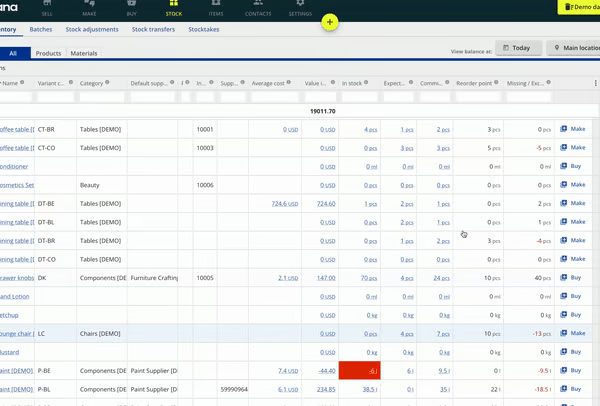
- Production planning and scheduling: Real-time visibility into capacity, material availability, and work-in-progress.
- Bills of materials & costing: Track components, labor, and overhead to maintain accurate product costs.
- Shop-floor control: Assign tasks, track time, and monitor progress directly from the floor.
- Purchase order automation: Create and manage supplier orders with expected dates, locations, and currencies.
- Batch and serial tracking: Required for many regulated or perishable goods.
- Custom workflows via Katana API: Use the software’s API to create make-to-order workflows and other automations that simplify and streamline your operations.
Pricing
All Katana plans include unlimited users
| Plan | Monthly fee | SKU's | Location | Features |
|---|---|---|---|---|
| Free | $0 | 30 | 3 | Full features |
| Core | Starts at $299 | Unlimited | Add as you go | Multicurrency, custom user permissions, barcode scanning |
Annual plans offer discounts.
Why Odoo is my choice for open-source inventory integration
Overview
Odoo is a powerful open-source ERP platform that includes a free inventory module, making it appealing to businesses seeking flexibility and full control over their system. Unlike most plug-and-play inventory tools, Odoo lets you customize workflows, automate stock rules, and extend functionality with hundreds of apps, from CRM to manufacturing.
Its inventory module includes automatic replenishment, barcode support, batch and expiration tracking, and a double-entry inventory system that provides strong traceability. However, because Odoo isn’t a QuickBooks-native product, setup and maintenance require more technical expertise than most small businesses have in-house.
For tech-savvy users who need deep customization or for businesses already using Odoo for other operations, it can be a cost-effective and highly capable inventory solution.
Why QuickBooks integrates well with Odoo
Odoo and QuickBooks Online connect through third-party connector apps, not a native integration. While this adds cost, the sync can still be useful for businesses that want to keep accounting in QuickBooks but run operations in Odoo. Depending on the connector, you can:
- Sync customers, vendors, products, invoices, and bills
- Push purchase orders and receipts into QuickBooks
- Sync inventory values and adjustments
- Map taxes and accounts for clean financial reporting
Because Odoo handles operational workflows and QuickBooks manages financials, the combination works well, as long as you’re comfortable configuring the connector or hiring support. These third-party apps can cost upwards of $200. Here is one example: Odoo QuickBooks Online Connector PRO by VentorTech.
Standout features
- Double-entry inventory system: Tracks every stock movement for high accuracy.
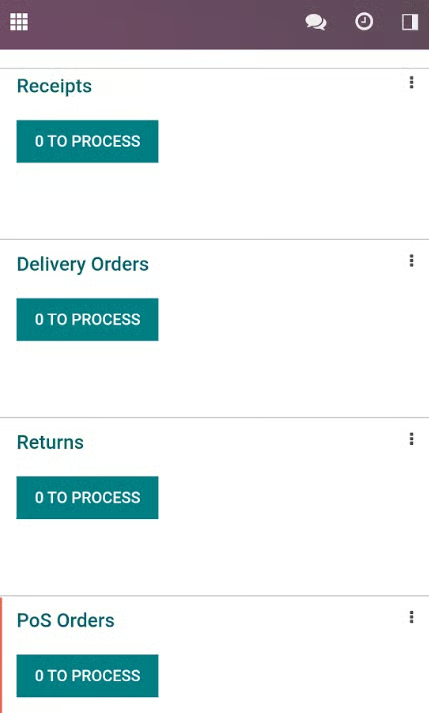
- Automated replenishment: Auto-generate RFQs or purchase orders when stock hits reorder levels.
- Expiration and lot tracking: Useful for perishables, cosmetics, pharma, and regulated items.
- Open-source customization: Modify workflows, fields, and automations to match your business.
Pricing
Odoo offers a modular pricing model. Inventory is included in the free single-app plan.
- Free: One app (Inventory qualifies)
- Standard: ~$9.10/user/mo
- Custom: ~$13.60/user/mo
Third-party QuickBooks connectors cost extra, often $150–$400/year.
Why Square is good for basic free inventory tracking
Why QuickBooks integrates well with Square
Square integrates with QuickBooks Online through the Square Connector app, which automatically imports your Square sales, payments, fees, and taxes into QuickBooks. This setup helps you:
- Keep accounting updated daily without manual entry
- Maintain accurate COGS and sales reporting
- Sync item and transaction details cleanly into QuickBooks
Inventory itself remains managed in Square, while QuickBooks handles the financial side, giving small businesses an efficient, low-maintenance workflow.
You can see how the integration process works and get started using QuickBooks’ guide.
Standout features
- Automatic low-stock alerts: Reliable notifications when items need replenishing.
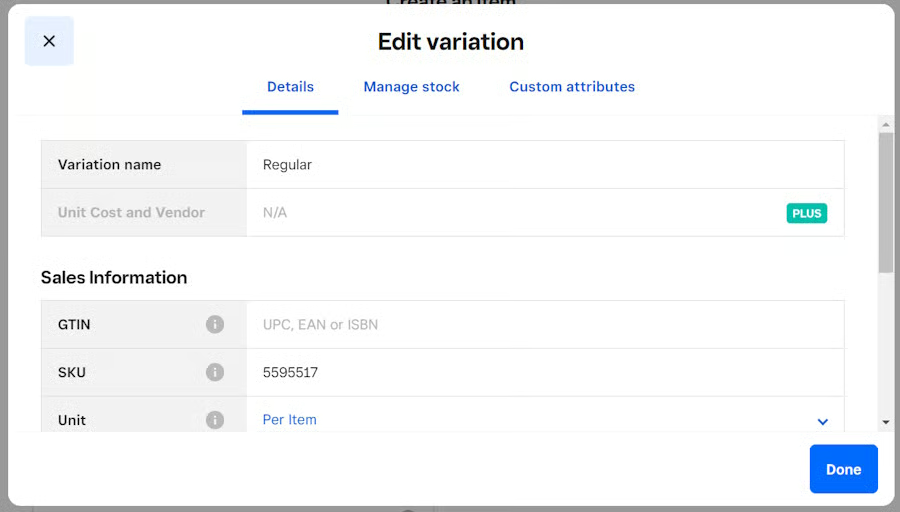
- Simple variant and item management: Easy setup for colors, sizes, or styles.
- Free online store: Inventory syncs automatically with in-person sales.
- Upgradable reporting: Higher-tier plans unlock cost tracking and detailed analytics.
Pricing
- Free plan available (plus one free card reader)
- Plus: $49 per month, per location
- Discounted processing fees
- Advanced inventory management
- Advanced reporting
- Vendor management
- Premium: $149 per month, per location
- Cross-location returns and fulfilment
- Transfer orders
Why Lightspeed is my pick for retail POS inventory
Overview
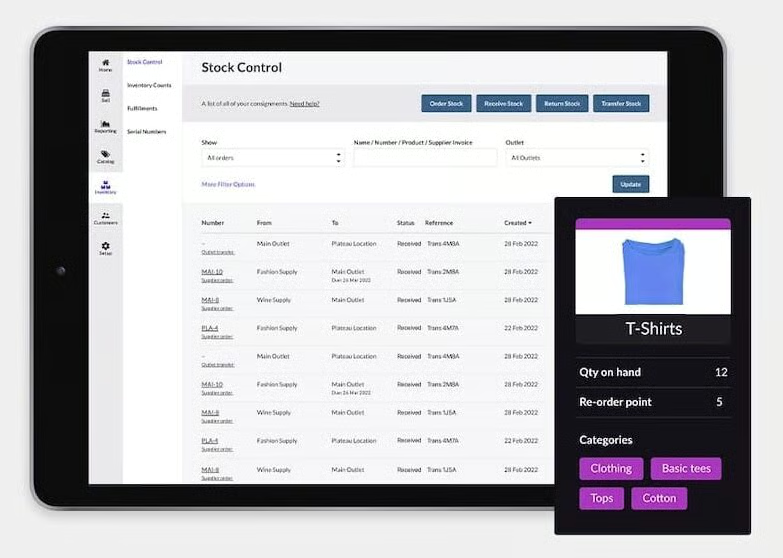
Lightspeed Retail is one of the most robust POS and inventory systems available for brick-and-mortar retailers. It stands out for its deep product organization tools, vendor catalogs, purchase ordering, serialized inventory, customizable categories, and strong reporting.
Retailers with large catalogs, multiple locations, or complex workflows (such as specialty sports stores, apparel boutiques, bike shops, and electronics retailers) will benefit from Lightspeed’s granular controls. It also supports built-in vendor ordering and access to thousands of supplier catalogs, making replenishment fast and accurate.
While its pricing is higher than simpler systems like Square or Zoho, Lightspeed offers the level of inventory detail that scaling retailers need, especially those managing high SKU counts or multiple stores.
Why QuickBooks integrates well with Lightspeed
Lightspeed connects to QuickBooks Online using a two-way sync via Lightspeed Accounting or a certified integration app. This allows you to:
- Push daily sales, payments, and taxes into QuickBooks
- Sync COGS and inventory valuation for accurate books
- Map accounts, classes, and locations for clean reporting
- Keep POS and accounting data aligned with minimal manual entry
Lightspeed manages the operational side of retail (inventory, sales, vendors), and QuickBooks handles accounting, giving retailers a reliable division of responsibilities.
You can use specialized apps to connect QuickBooks Online with Lightspeed; here is one option starting at $30 per month.
Standout features
- Detailed inventory management: Create and track item categories, serial numbers, stock-keeping units, and product bundles and kits.
- Integrated supplier catalogs: Browse and order directly from over 3,000 vendors.
- Built-in purchase order management: Create, send, and receive POs with automation.
- Returns & exchanges management: Streamlined workflows for retail operations.
Pricing
Lightspeed Retail
- Basic
- Monthly: $109 per month
- Annual: $89 per month
- Core
- Monthly: $179 per month
- Annual: $149 per month
- Plus
- Monthly: $339 per month
- Annual: $289 per month
Why Shopify works well for omnichannel retail
Overview
Shopify is mainly known as a best-in-class ecommerce platform and lets you sell both online and in-store. Its inventory system tracks products across multiple locations, sales channels, and fulfillment methods, letting retailers manage everything in one place. Whether you’re selling on your website, through social channels, or in a physical store, Shopify keeps stock counts aligned automatically.
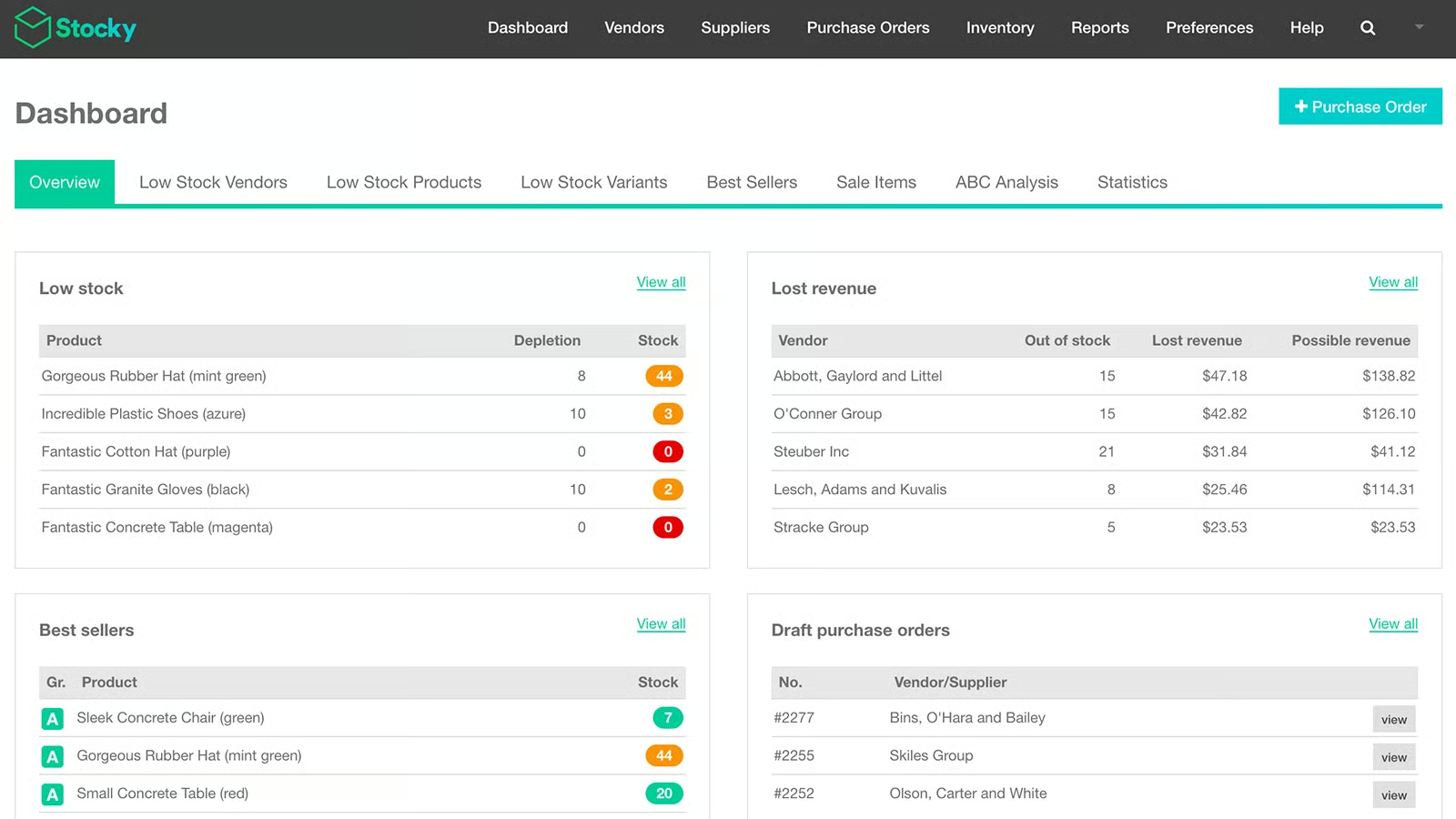
Shopify POS Pro adds deeper retail features such as staff roles, in-store pickup workflows, and advanced inventory tools. You can also use the Stocky app (included with POS Pro) for purchase orders, demand forecasting, vendor management, and detailed inventory analytics.
While Shopify isn’t the best fit for retailers who sell only in-store, it’s unmatched for omnichannel businesses that want integrated ecommerce, POS, and inventory in a single system.
That said, many of Shopify’s strongest inventory management features require you to subscribe to higher plans. The process for unlocking full functionality can also get complicated: you’ll need to subscribe to a Shopify ecommerce plan and upgrade to POS Pro.
Why QuickBooks integrates well with Shopify
Shopify connects to QuickBooks Online through a one-way sync, sending ecommerce and POS sales, refunds, fees, and taxes into your accounting automatically. This integration helps businesses:
- Keep online and in-store sales accurately recorded in QuickBooks
- Sync orders and payouts for clean financial reporting
- Map products, customers, and accounts without manual entry
Inventory management stays within Shopify as the source of truth, while QuickBooks handles the financial side, ideal for omnichannel operations.
Standout features
- Omnichannel inventory syncing: Manage stock across your website, POS, marketplaces, and social channels.
- Multilocation inventory: Supports up to 10 locations on standard plans (more on Shopify Plus).
- Stocky app for POS Pro: Advanced purchase orders, forecasting, vendor tools, and inventory analytics.
- Flexible fulfillment: In-store pickup, curbside, local delivery, and ship-from-store workflows.
Pricing
You’ll need to subscribe to a Shopify plan in order to use Shopify’s POS system and inventory functions. Here is the pricing for Shopify’s ecommerce plans:
- Basic
- Monthly: $25 per month
- Annual: $19 per month
- 10 inventory locations
- Grow
- Monthly: $65 per month
- Annual: $49 per month
- 10 inventory locations
- 5 staff accounts
- Advanced
- Monthly: $399 per month
- Annual: $299 per month
- 10 inventory locations
- 15 staff accounts
- Shopify Plus (for high-volume businesses):
- From $2,300 per month
- One- or three-year term
- 200 inventory locations
- Unlimited staff accounts
Once you’ve subscribed, you can upgrade the POS from Lite to Pro for an additional monthly fee. If you then use the Stocky app with POS Pro, you’ll be at the highest level in terms of inventory management options.
- Shopify Retail
- Monthly: $89 per month, per location
- Annual: $79 per month, per location (billed yearly)
Why MarketMan is good for restaurant food cost control
Overview
MarketMan is a restaurant-focused inventory and vendor management system built for kitchens that need tight control over food costs, ingredient usage, and supplier ordering. It updates inventory in real time as recipes are prepared, items are sold, or invoices are scanned — giving restaurants an accurate picture of their COGS each day.
The platform also includes recipe costing, prep lists, waste logging, menu profitability analysis, and automated purchasing workflows. Restaurants can upload invoices by photo or PDF, and MarketMan will read line items, update ingredient counts, and prepare the invoice for QuickBooks — all without manual data entry.
MarketMan is pricier than general inventory tools, but it’s one of the few systems that truly handles restaurant workflows end-to-end.
Why QuickBooks integrates well with MarketMan
MarketMan integrates with QuickBooks Online through a one-way sync, sending invoices, vendor details, ingredient-level purchases, and cost updates directly into your accounting. This helps restaurants:
- Automate AP entry from scanned invoices
- Maintain accurate daily COGS and food cost percentages
- Keep real-time ingredient usage aligned with financial reporting
- Reduce manual bookkeeping and entry errors
MarketMan handles operational inventory, while QuickBooks remains the financial source of truth, ideal for foodservice businesses with fast-moving stock.
Standout features
- Ingredient-level tracking: View and manage inventory by ingredient, recipe, portion, or menu item.
- Recipe and menu costing: See profitability by dish and track cost fluctuations over time.
- Automated vendor management: Auto-generate POs, log deliveries, and track pricing changes.
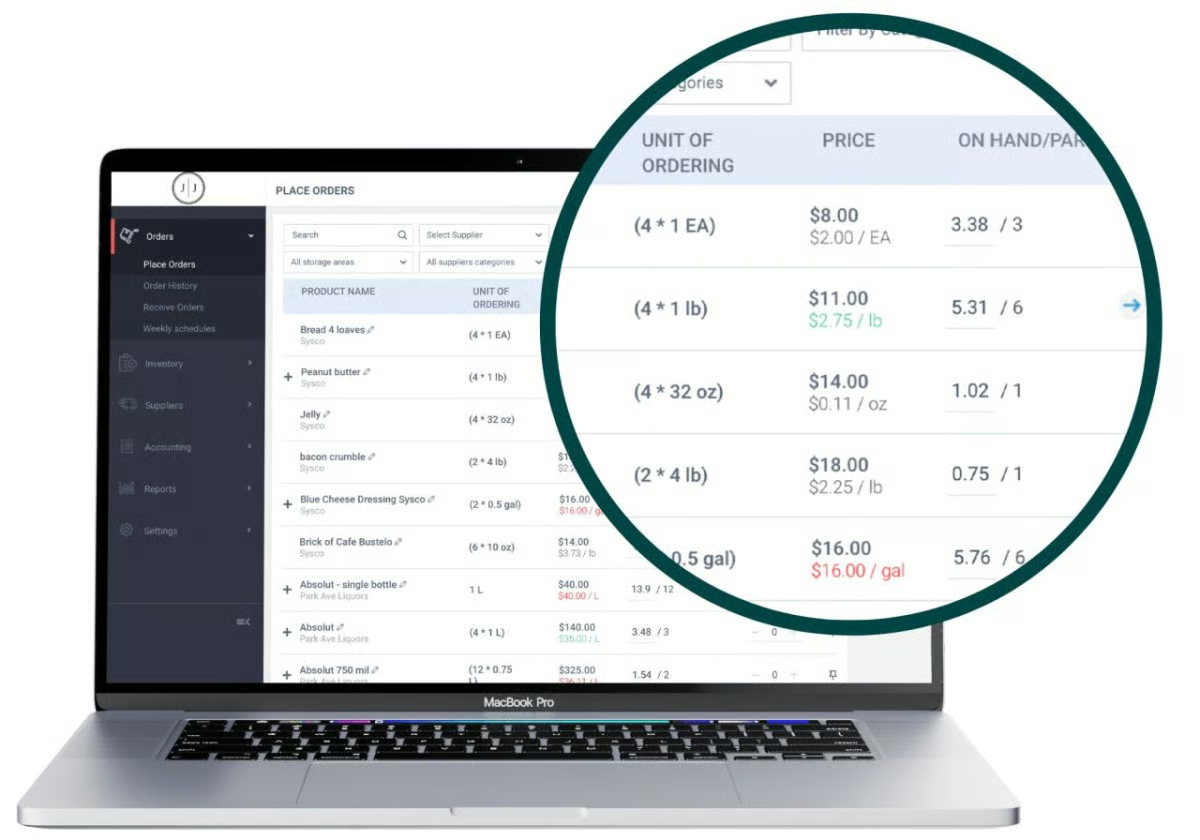
- Invoice scanning: Upload invoices by photo and MarketMan updates stock automatically.
Pricing
MarketMan inventory management software comes in three available plans. You can request a demo via the MarketMan website, but no long-term free plan is available.
| Plan | Monthly price per location | What’s included |
|---|---|---|
| Starter | $199 | Inventory counting, purchasing & receiving, vendor catalog tools, invoice scanning, recipe/menu costing, basic waste tracking, POS/accounting integrations. |
| Growth | $249 | Everything in Starter plus automated vendor ordering, advanced cost analysis, budgeting, and enhanced waste/COGS reporting. |
| Enterprise | Custom | Everything in Growth plus multi-location management, centralized dashboards, API access, and dedicated enterprise support. |
Why Cin7 Core fits growing wholesale and ecommerce businesses
Overview
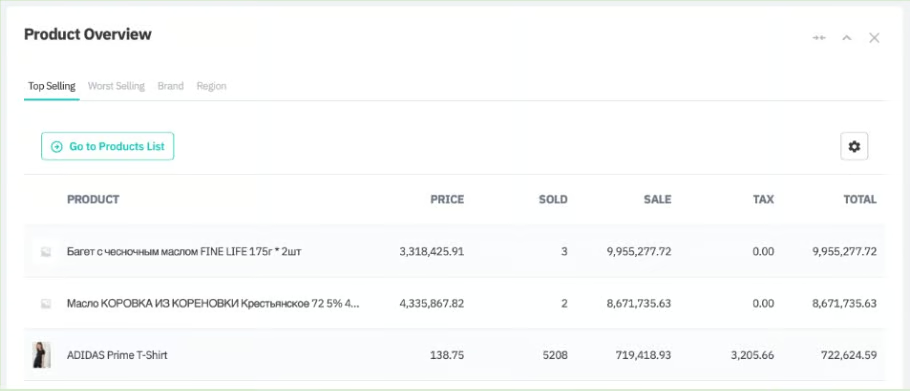
Cin7 Core (formerly DEAR Systems) is one of the most powerful inventory add-ons for QuickBooks Online, ideal for wholesalers, ecommerce brands, and product-based businesses that have outgrown QuickBooks’ built-in inventory. It centralizes purchasing, sales, warehouse management, and production while integrating seamlessly with top marketplaces and ecommerce platforms.
Businesses that manage multiple warehouses, sell on several channels, or need accurate landed costing and backordering will find Cin7 Core especially valuable. It also includes light manufacturing features, such as assemblies, work orders, and bill of materials (BOM) support, making it a strong choice for small producers who want more structure than Zoho but don’t need the full complexity of Katana.
While it’s one of the more expensive tools on this list, Cin7 Core is also one of the most capable and a popular upgrade for brands scaling from QuickBooks Commerce or Shopify alone.
Why QuickBooks integrates well with Cin7 Core
Cin7 Core’s QuickBooks Online integration is one of the strongest available. It uses two-way sync to ensure operational data and accounting stay in alignment. You can:
- Sync customers, suppliers, products, and stock levels
- Push sales, purchases, and manufacturing costs into QuickBooks
- Sync COGS, invoices, payments, and adjustments
- Map accounts, classes, and locations for clean financial reporting
Cin7 Core acts as the operational system of record while QuickBooks remains the financial system, reducing errors and eliminating manual reconciliation.
Standout features
- Multichannel order management: Connects to Amazon, Shopify, WooCommerce, eBay, and dozens of marketplaces.
- Advanced purchasing tools: Landed cost, backorders, supplier management, and automated replenishment.
- Warehouse management: Bins, barcode scanning, and multi-location support.
- Light manufacturing: Assemblies, BOMs, production orders, and material tracking.
- Accurate costing: FIFO, actual cost, batch costing, and landed cost allocation.
Pricing
Cin7 Core offers several plans depending on order volume and feature needs:
| Plan | Monthly price | No. of users | No. of integrations | Sale order volume |
|---|---|---|---|---|
| Standard | $349 | 5 | 2 | 6,000/year |
| Pro | $599 | 10 | 4 | 24,000/year |
| Advanced | $999 | 15 | 6 | 120,000/year |
| Omni | Custom | 8 | 5 | Customizable |
Why SOS Inventory is my affordable upgrade for QuickBooks users
Overview
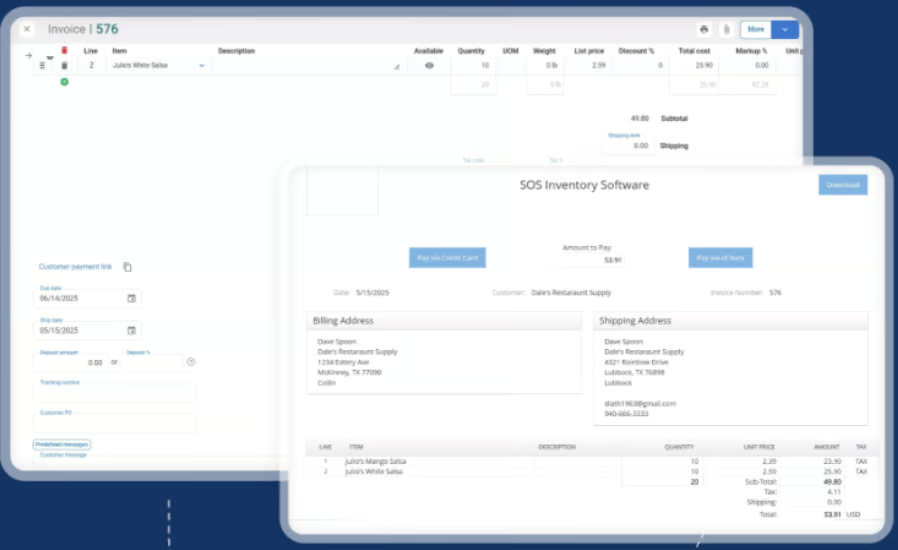
SOS Inventory is one of the most popular inventory add-ons for QuickBooks Online because it fills almost every gap in QuickBooks’ native inventory features, at a price small businesses can afford. It adds true multi-location tracking, manufacturing/assembly workflows, serial and lot control, reorder automation, and stronger purchasing tools.
It’s especially useful for wholesalers, distributors, and small manufacturers that have outgrown QuickBooks Online but don’t want the cost or complexity of a full ERP. SOS Inventory becomes the operational hub for inventory, while QuickBooks handles accounting, giving businesses accurate stock and financial data without double entry.
Why QuickBooks integrates well with SOS Inventory
SOS Inventory was designed specifically for QuickBooks, so its integration is one of the smoothest available. You can:
- Sync items, orders, inventory balances, POs, invoices, and bills
- Push COGS, adjustments, and assemblies into QuickBooks
- Sync multi-location and serial/lot activity for accurate valuation
- Map accounts for clean GL reporting
Because QuickBooks and SOS Inventory operate in tandem, most small businesses see an immediate improvement in inventory accuracy and workflow efficiency.
Standout features
- Multi-location tracking: True warehouse- and location-level stock visibility.
- Assemblies & manufacturing workflows: BOMs, builds, component tracking, and cost rollups.
- Serial and lot control: Essential for electronics, perishables, and regulated products.
- Advanced purchasing tools: Automated reorder points, vendor management, and order tracking.
- Sales order management: Pick/pack/ship workflows and fulfillment tracking.
Pricing
SOS Inventory has three subscription tiers, all with unlimited SKUs and full QuickBooks Online integration:
| Plan | Monthly price | Users | Locations | What’s included |
|---|---|---|---|---|
| Companion | $69.95 | 2 | 1 | Basic inventory management with sales orders, assemblies, and QuickBooks integration |
| Plus | $139.95 | 3 | Unlimited | Everything in Companion plus serial/lot tracking, barcoding, bins, and more |
| Pro | $194.95 | 5 | Unlimited | Everything in Plus plus advanced manufacturing, job costing, WIP, and customer portal |
SOS Inventory offers a 14-day free trial.
Why inFlow Inventory is good for simple small business inventory
Overview
inFlow is a great fit for small product-based businesses that want an easy, intuitive inventory system without the complexity of an ERP. It’s especially popular among wholesalers, distributors, and B2B sellers because of its built-in B2B Showroom, barcode tools, simple purchasing workflows, and mobile capabilities.
With inFlow, you can track stock across multiple locations, scan products using a mobile device or inFlow’s dedicated Smart Scanner, manage purchasing and sales orders, and create custom catalogs for customers. The interface is very approachable, making inFlow ideal for teams looking for straightforward inventory control rather than deep manufacturing, forecasting, or automation.
While not as advanced as Cin7 Core or Katana, inFlow offers one of the best user experiences for small businesses that need organized, reliable inventory tracking.
Why QuickBooks integrates well with inFlow Inventory
inFlow’s integration with QuickBooks Online is a one-way sync, sending sales orders, invoices, payments, and purchasing activity into QuickBooks. This keeps accounting up to date without double entry. You can:
- Push sales and purchasing transactions into QuickBooks
- Sync customer and vendor records
- Map accounts and tax codes for clean financial reporting
inFlow handles day-to-day inventory, while QuickBooks manages your financials, ideal for small businesses wanting simple, dependable workflows.
Standout features
- B2B Showroom: Customers can browse products, view pricing, and place orders online.
- Barcode tools: Mobile scanning and optional Smart Scanner for faster picking and receiving.
- Multilocation inventory: Tracks stock across warehouses, stores, or storage units.
- Order management: Straightforward picking, packing, and shipping workflows.
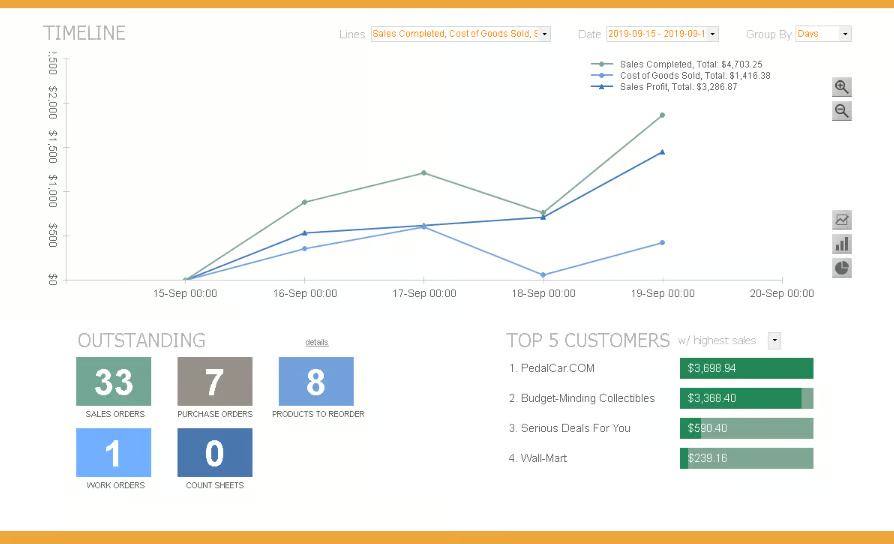
- Reporting: Inventory valuation, sales trends, reorder reports, and more.
Pricing
inFlow uses a pricing calculator, so your monthly cost depends on how many team members, sales orders, and integrations you need. There are three main plans plus an enterprise option:
| Plan | Starting monthly price | Users | Locations | Integrations | Monthly sales orders |
|---|---|---|---|---|---|
| Entrepreneur | $161 | 2 | 1 | 1 | 100 |
| Small business | $436 | 5 | Unlimited | 3 | 1,000 |
| Mid-size | $874 | 10 | Unlimited | 5 | Unlimited |
| Enterprise | Custom | 25 | Unlimited | Unlimited | Unlimited |
inFlow Inventory also has lower monthly prices for annual billing.
What QuickBooks Online inventory can and can’t do
QuickBooks Online includes reliable basic inventory tools, but it isn’t designed to handle more advanced or multilocation needs. Before choosing an add-on, it’s helpful to understand exactly where QuickBooks’ built-in features stop. The table below shows what QuickBooks Online can and can’t do, so you can quickly determine whether it’s enough for your business.
| What QuickBooks Online Can Do | What QuickBooks Online Can’t Do |
|---|---|
| Basic stock tracking (quantities on hand, automatic updates when you buy/sell) | No true multilocation inventory (cannot track separate stock levels across warehouses or stores) |
| FIFO cost tracking for COGS and inventory valuation | No multiple units of measure (must manually convert cases, packs, eaches, etc.) |
| Low-stock alerts when items hit reorder points | No bin/warehouse location tracking (can’t assign items to specific bins or shelves) |
| Simple purchase order creation | No built-in barcode scanning for receiving, counting, or picking |
| Real-time sync to financials (COGS, sales, adjustments update accounting automatically) | Not built for manufacturing (no BOMs, assemblies, work orders, or production tracking) |
| Basic reporting and item details | Limited customization for reports and item data fields |
When QuickBooks Online Inventory is enough
Use QuickBooks alone if you:
- Operate from one location
- Manage a small catalog (under ~100 SKUs)
- Don’t build products or assemble kits
- Sell through one sales channel
Upgrade with an inventory integration if you:
- Manage multiple stores or warehouses
- Need barcode scanning, detailed warehouse workflows, or bin locations
- Sell across multiple channels (POS + ecommerce + marketplaces)
- Need manufacturing, kitting, or recipe/ingredient tracking
How to choose the right inventory integration for QuickBooks Online
Choosing the right inventory system depends on how complex your operations are and how you plan to grow. QuickBooks Online handles basic stock tracking, but the right add-on should streamline your daily workflows while keeping your accounting clean and accurate. Here’s what to consider as you compare options.
Integration depth
Look for an inventory system with a reliable QuickBooks sync. Some tools only push sales into QuickBooks, while others offer full two-way syncing for stock levels, POs, invoices, and COGS. A deeper integration reduces manual entry and keeps your financial data consistent.
Inventory needs
Match the software to the complexity of your inventory. Simple retail operations may only need basic counts and alerts, while manufacturers, wholesalers, and multi-location businesses require features like assemblies, barcode scanning, or serial and lot tracking. Choose a system designed to support the way you manage stock every day.
Sales channels
Select a tool that supports how and where you sell. In-store retailers benefit from strong POS features, while ecommerce and omnichannel sellers need real-time syncing across online stores, marketplaces, and physical locations. The goal is to keep inventory accurate everywhere so QuickBooks receives clean sales and cost data.
Scalability and budget
Consider how quickly your business is growing. Entry-level systems are affordable and easy to learn, but may not support higher-order volumes or multiple users later on. More advanced platforms offer stronger automation and reporting. The best choice fits your needs today while leaving room to expand.
Frequently asked questions (FAQs)
Click through the sections below to read answers to common questions about the best inventory management software that integrates with QuickBooks:
What inventory systems work with QuickBooks?
Many inventory systems integrate with QuickBooks Online. Our recommendations are Zoho Inventory, Katana, Odoo, Square, Lightspeed Retail, Shopify, MarketMan, Cin7 Core, SOS Inventory, and inFlow Inventory.
Does Zoho Inventory integrate with QuickBooks?
Yes, Zoho Inventory integrates with QuickBooks. This integration allows you to sync your inventory, orders, and accounting data seamlessly between the two systems, providing a comprehensive solution for managing your business finances and inventory in one place.
Can Square be used for inventory management?
Yes, Square can be used for inventory management. Square for Retail offers inventory tracking features, including stock management, low-stock alerts, and detailed reporting, making it suitable for small to medium-sized businesses.
Does QuickBooks Online handle inventory for multiple locations?
QuickBooks Online can track sales and expenses by location, but it cannot track inventory quantities separately across multiple warehouses or stores. If you need true multilocation inventory, such as transferring stock between sites or viewing on-hand quantities per warehouse, you’ll need an integrated inventory system like Zoho, Cin7 Core, SOS Inventory, or Lightspeed.
Do I need to turn off QuickBooks inventory when using an external inventory system?
In most cases, yes. When you use a dedicated inventory app, that system becomes your inventory source of truth, while QuickBooks manages accounting only. Running inventory in both systems at the same time can create duplicate counts, incorrect valuations, and mismatched COGS. Most providers recommend disabling inventory tracking in QuickBooks once the integration is live.
