







Omnichannel contact center software helps small businesses manage customer conversations across phone, email, SMS, live chat, social media, and messaging apps from one platform. By centralizing customer history and support channels, these tools help agents respond faster, reduce repeat questions, and deliver a more consistent customer experience.
After evaluating providers based on pricing, channel support, routing tools, AI features, workforce management, ease of use, and support, RingCentral Contact Center is my top pick for the best overall omnichannel contact center software. It offers broad channel coverage, advanced routing, analytics, and collaboration tools, making it a strong fit for growing service teams.
| Omnichannel contact center software | Best for | Starting Price |
|---|---|---|
| RingCentral Contact Center | Overseeing multiple support channels | $65/user/month, billed annually |
| Nextiva Contact Center | Handling high-volume calls | $75/agent/month |
| Vonage Contact Center | Fluctuating volumes of customer inquiries | Custom quote |
| 8x8 Contact Center | Managing financial transactions | Custom quote |
| Talkdesk | Industry-specific contact center activities | $85/user/month |
| NICE CXone | Enhancing efficiency through artificial intelligence (AI) | $110/agent/month |
- Why you can trust FitSmallBusiness
- Best omnichannel contact center at a glance
- RingCentral Contact Center: Best for overseeing multiple support channels
- Nextiva Contact Center: Best for handling high-volume calls
- Vonage Contact Center: Best for handling fluctuating volumes of customer inquiries
- 8×8 Contact Center: Best for managing financial transactions
- Talkdesk: Best for industry-specific contact center activities
- NICE CXone: Best for enhancing efficiency through AI
- Frequently asked questions (FAQs)
- Bottom line
Why you can trust FitSmallBusiness
Best omnichannel contact center at a glance
| Omnichannel contact center software | Supported channels | Key features | My score (out of 5) |
|---|---|---|---|
| RingCentral Contact Center | Voice, short messaging service (SMS), email, live chat, social media, mobile apps, and reviews |
| 4.46 |
| Nextiva Contact Center | Voice, SMS, email, web chat, video chat, and social channels |
| 4.42 |
| Vonage Contact Center | Voice, SMS, email, video chat, web chat, and social channels |
| 4.33 |
| 8x8 Contact Center | Voice, SMS, email, chat, social media, and messaging apps |
| 4.32 |
| Talkdesk | Voice, SMS, email, chat, and social messaging |
| 4.26 |
| NICE CXone | Voice, SMS, email, web chat, messaging platforms, social media, and mobile apps |
| 4.05 |
RingCentral Contact Center: Best for overseeing multiple support channels
My expert opinion
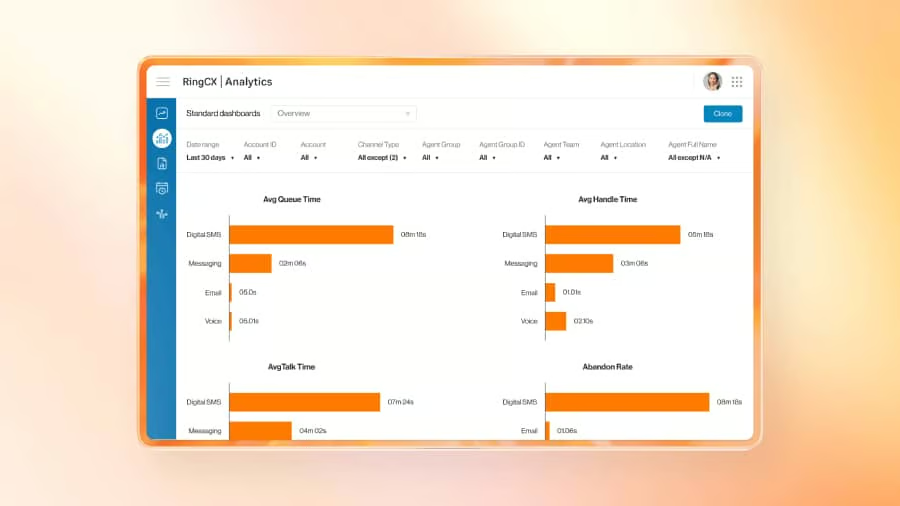
I chose RingCentral Contact Center (also known as the RingCX plans) as the best overall omnichannel contact center because it offers a strong mix of channel coverage, routing, analytics, AI support, and collaboration tools. I think it is especially useful for growing teams that want to manage voice, digital messaging, and customer service workflows on a single, connected platform.
What also stands out to me is its scalability. A small team may not need every advanced feature right away, but RingCentral can support more complex routing, coaching, quality management, and performance tracking as support volume grows.
Pricing
| Plans and pricing | Monthly | Annually |
|---|---|---|
| Standard | $75 | $65 |
| Professional | $110 | $95 |
| Elite | $165 | $145 |
| Enterprise contact center | Contact sales for pricing | |
Standout features
- Omnichannel routing: Route customer interactions across voice, chat, email, SMS, social media, and messaging channels while preserving customer context. This helps agents see previous conversations and respond faster without asking customers to repeat information.
- AI agent assistance: Support agents with real-time guidance, suggested next steps, and conversation insights during customer interactions. These tools help reduce manual work and improve consistency across customer service conversations.
- Unified communications integrations: Collaborate easily with internal teams using RingCentral’s built-in messaging, video meetings, and business phone tools. This is useful for service teams that need to bring supervisors, subject matter experts, or back-office employees into customer conversations.
Nextiva Contact Center: Best for handling high-volume calls
My expert opinion
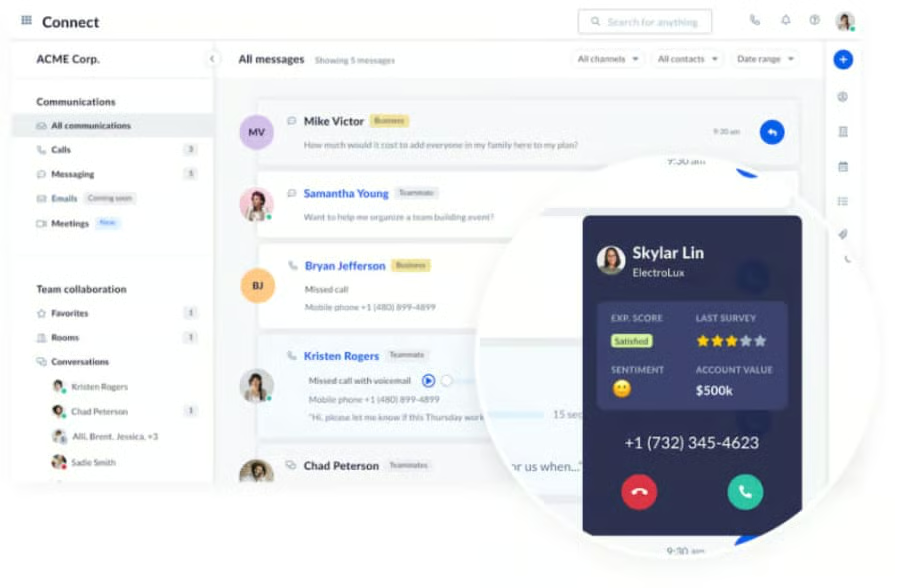
I recommend Nextiva’s Enterprise contact center plans for businesses handling high-volume calls because they focus on routing, visibility, and customer engagement. Call-heavy teams need more than a basic queue. They need tools that help agents understand who is calling, why they are calling, and how to resolve the issue quickly.
What makes Nextiva appealing is its integration of call center functionality with broader customer communication tools. I would consider it for teams that want to improve inbound call handling as they prepare for more digital engagement over time.
Pricing
| Enterprise plans | Essential | Professional | Premium |
|---|---|---|---|
| Starting price | $75/agent/month | Contact sales for pricing | |
Standout features
- Intelligent call routing: Send callers to the right agent, department, or queue based on availability, business rules, and customer needs. This helps high-volume support teams reduce wait times and improve first-contact resolution.
- Voice analytics: Monitor call activity, agent performance, and customer conversation trends from reporting dashboards. Managers can use these insights to identify staffing needs, improve service quality, and coach agents more effectively.
- Customer engagement tools: Manage customer communication across phone and digital channels from a more connected workspace. This helps teams track conversations and deliver more consistent service as support volume grows.
Vonage Contact Center: Best for handling fluctuating volumes of customer inquiries
My expert opinion
I chose Vonage’s Contact Center subscription for its ability to handle fluctuating customer inquiry volumes and its flexible setup with several add-on options. This matters for teams that experience seasonal spikes, campaign-driven surges in support, or inconsistent customer demand throughout the year.
Instead of locking every business into the same feature set, Vonage works well for companies that want to shape the platform around CRM data, routing, analytics, and workforce needs. I especially like it for Salesforce-centered teams. However, you should check which features are included and which require add-ons.
Pricing
- Vonage offers Priority and Premium contact center plans with various add-ons for a more customizable subscription. Contact sales for a custom quote.
Standout features
- Dynamic routing: Adjust how customer inquiries are routed based on volume, availability, customer history, or business priorities. This is especially useful for teams with seasonal demand, campaign-driven spikes, or fluctuating support needs.
- Conversation analyzer: Review customer interactions to identify trends, sentiment, and coaching opportunities. Managers can use these insights to improve agent performance and better understand recurring customer issues.
- Gamification: Motivate agents through performance-based goals, recognition, and score tracking. These tools can help improve engagement and productivity, especially in fast-paced support environments.
8×8 Contact Center: Best for managing financial transactions
My expert opinion
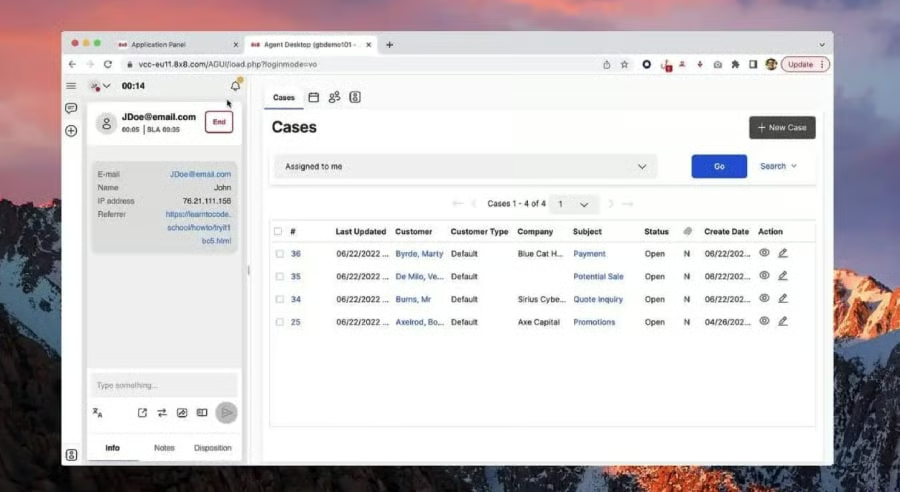
I selected 8×8 Contact Center for managing financial transactions because it supports secure omnichannel communication and sensitive customer interactions. For businesses handling billing questions, payments, account updates, or financial data, the contact center must support both customer experience and data protection.
Another reason I like 8×8 is that it can support UCaaS, CCaaS, and communications API needs within a single ecosystem. This makes it a strong fit for businesses that want customer communications, internal collaboration, and programmable tools from one provider. Smaller teams may find it complex, but it is useful for compliance-heavy environments.
Pricing
- Contact sales for custom pricing
Standout features
- Secure payment support: Let agents guide customers through payment-related interactions while helping reduce exposure to sensitive card information. This is useful for businesses that process payments or manage financial transactions through the contact center.
- Omnichannel routing: Route customer conversations across voice and digital channels while keeping interaction history connected. This gives agents a fuller view of customer needs and supports faster, more accurate responses.
- AI automation: Automate repetitive customer service tasks and support agents with real-time interaction assistance.
Talkdesk: Best for industry-specific contact center activities
My expert opinion
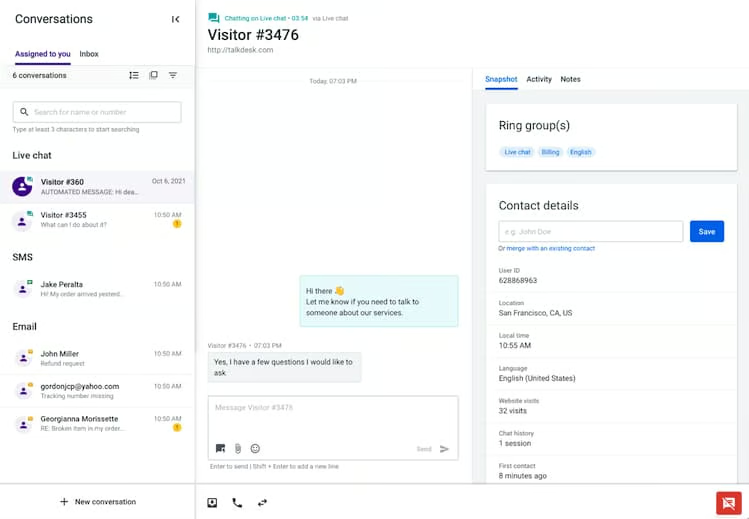
I recommend Talkdesk for industry-specific contact center activities because it supports use cases across sectors such as healthcare, financial services, insurance, retail, travel, utilities, and government. This specialization matters because many teams need workflows that align with industry standards, customer journeys, and service expectations.
Talkdesk also stands out for its AI features and clear public pricing. I like that buyers can see entry-level pricing before speaking with sales, though costs rise quickly as teams add voice, omnichannel, workforce management, or industry cloud functionality. For smaller teams, I’d compare the starting plan carefully against the channels they need.
Pricing
| Contact center plans | Starting price |
|---|---|
| Digital Essentials | $85/user/month |
| Voice Essentials | $105/user/month |
| Elite | $165/user/month |
| Industry Experience Clouds | $225/user/month |
Standout features
- Industry Experience Clouds: Access prebuilt workflows and capabilities for industries like financial services, healthcare, insurance, retail, travel, and government. This helps businesses deploy contact center tools that better match industry-specific customer service needs.
- Talkdesk Copilot: Provide agents with AI-powered summaries, recommendations, and real-time guidance during customer conversations. This helps teams improve response quality while reducing time spent on manual notes and follow-up tasks.
- Workforce management: Forecast demand, schedule agents, and monitor performance from one platform. This helps supervisors plan staffing more accurately and maintain consistent service levels during busy periods.
NICE CXone: Best for enhancing efficiency through AI
My expert opinion
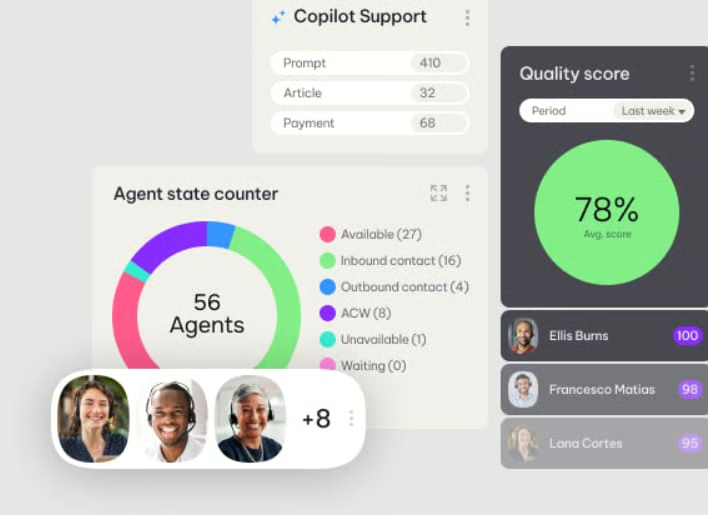
I chose NICE CXone for enhancing efficiency through AI because it is designed for teams that want to improve agent performance, automate service workflows, and make better staffing decisions. It is not the simplest option on this list, but it offers strong tools for a more data-driven customer experience strategy.
NICE CXone is also a better fit for maturing support teams than for very small businesses setting up their first contact center. Its AI, workforce engagement, interaction analytics, and performance management tools can be powerful, but teams need to be ready to act on those insights.
Pricing
NICE CXone offers multiple packages with starting pricing focused on agents and industry:
- Omnichannel Suite: $110 per agent, per month
- Essential Suite: $135 per agent, per month
- Core Suite: $169 per agent, per month
- Complete Suite: $209 per agent, per month
- Ultimate Suite: $249 per agent, per month, plus $0.25 per session
NICE CXone also offers industry-specific packages for banking, insurance, healthcare, retail, and government. The banking, insurance, healthcare, and retail packages start at $249 per agent, per month, plus $0.25 per session. Government packages start at $2 per consumer, per year, with some pricing available only on application.
Standout features
- Real-time interaction guidance: Evaluate agent behaviors in real time, including speech velocity, active listening, rapport-building, and effective questioning. These insights help service representatives improve communication while the call is still happening.
- UCaaS integrations: Collaborate easily with team members through chat and video conferencing. NICE CXone connects with popular UCaaS platforms, including Microsoft Teams, Zoom, and RingCentral.
- Performance management: Provide agents with data-based feedback so they understand their strengths and areas for improvement. Gamification elements can also motivate employees to improve productivity and service quality.
How I evaluated the best omnichannel contact center
Frequently asked questions (FAQs)
Why should your business use an omnichannel contact center?
An omnichannel contact center helps businesses manage customer conversations from multiple channels in one place. When agents can see a customer’s past calls, emails, chats, texts, and social messages, they can respond faster and avoid asking customers to repeat information. This improves customer experience and helps teams work more efficiently.
How much does omnichannel contact center software cost?
Omnichannel contact center pricing varies widely. Some providers, such as Talkdesk, publish starting prices, while many contact center platforms use custom quotes based on users, channels, features, integrations, and support needs. Businesses should ask about add-on costs for AI tools, workforce management, analytics, outbound dialers, and CRM integrations.
What features should I look for in an omnichannel contact center?
Look for omnichannel routing, ACD, IVR, call recording, live chat, email, SMS, social media support, workforce management, quality management, analytics, AI virtual agents, CRM integrations, and reporting dashboards. Small businesses should also prioritize ease of setup, support quality, and pricing transparency.
Bottom line
An omnichannel contact center enables companies to deliver excellent customer service through timely, precise responses to queries and requests. However, not all providers support a wide range of platforms, robust routing tools, and analytics.
Among the platforms I reviewed, RingCentral Contact Center emerged as the best overall solution, as it features inbound and outbound voice and over 20 digital channels, skills-based routing, and various tools for measuring agent performance and customer satisfaction. It also helps customer service teams collaborate more effectively through team chat and video conferencing. Therefore, I recommend checking out the RingCX demo to learn more about its capabilities.
