








Modern call center solutions are packed with multiple telephony features, empowering businesses to deliver better customer service. Top-performing providers offer a host of useful tools, such as interactive voice response (IVR), automated attendants, and call monitoring. In this article, we examined the top call center phone system features and explored which providers offer these functionalities.
Freshdesk is an all-in-one contact center solution with robust telephony features, perfect for businesses running a voice-focused call center operation. The free version includes call notes, custom greetings, call metrics, and voicemail drop. Paid plans start at only $18 per user monthly, which includes tools for agent productivity, queue management, monitoring, and advanced routing. Get started with a 21-day free trial to explore all of its call center features.
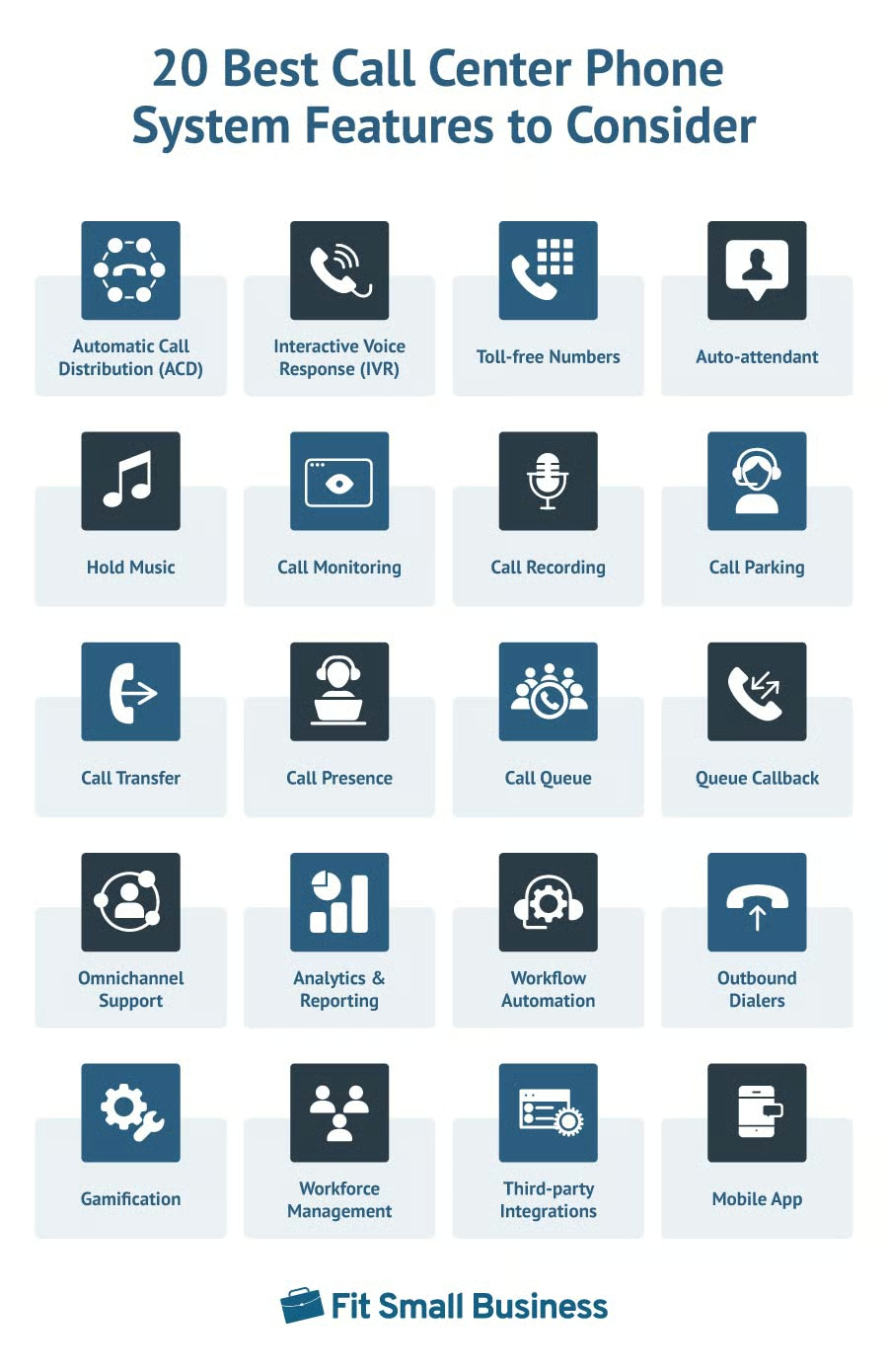
- 1. Automatic Call Distribution (ACD)
- 2. Interactive Voice Response (IVR)
- 3. Toll-free Numbers
- 4. Auto-attendant
- 5. Hold Music
- 6. Call Monitoring
- 7. Call Recording
- 8. Call Parking
- 9. Call Transfer
- 10. Call Presence
- 11. Call Queue
- 12. Queue Callback
- 13. Omnichannel Support
- 14. Analytics & Reporting
- 15. Workflow Automation
- 16. Outbound Dialers
- 17. Gamification
- 18. Workforce Management
- 19. Third-party Integrations
- 20. Mobile App
- Top Call Center Phone Systems
- Frequently Asked Questions
- Bottom Line
1. Automatic Call Distribution (ACD)
Automatic call distribution (ACD) routes incoming calls to the right agent or department based on predetermined rules or criteria. These factors include the time zone, agent availability, and skill set. ACD aims to improve call center productivity and optimize customer experience by directing inbound calls to the right destination, reducing caller wait time.
2. Interactive Voice Response (IVR)
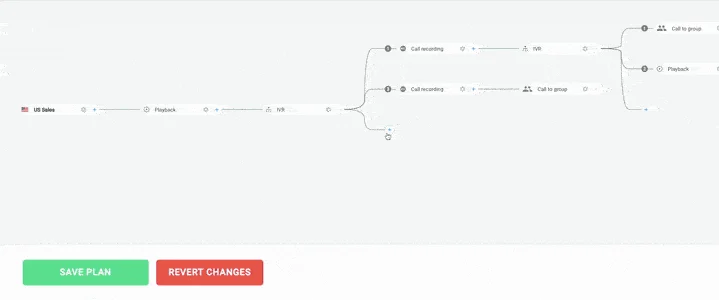
An interactive voice response (IVR) is an automated phone menu that interacts with callers, helping them find assistance instantly. With IVR, callers navigate various options by giving voice commands or pressing the keypads on their phones. It also has self-service capabilities to help callers resolve their queries without speaking to a live agent.
CloudTalk is one of the best IVR systems for its multi-level IVR feature and intuitive call flow designer, which lets you customize and streamline the customer contact experience.
3. Toll-free Numbers
A toll-free number is a cloud-based phone number that doesn’t charge the caller for making the call. It consists of three-digit prefixes, such as 800, 844, and 888. This is often used for customer service or complaint lines to help callers receive phone assistance without incurring long-distance charges.
4. Auto-attendant
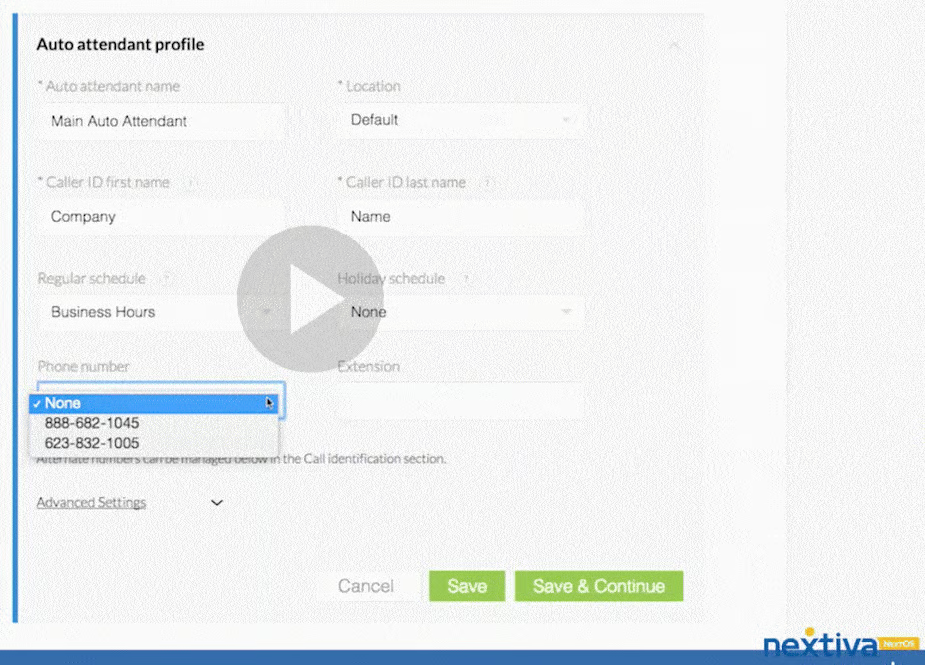
Also called a virtual receptionist, an auto-attendant is an automated answering system that directs incoming calls to the appropriate extension. It often starts with a greeting, followed by a series of prompts that establish a menu flow, leading callers to the right destination (e.g., “Press 1 for customer support”). This telephony feature doesn’t entirely replace live agents but automates simple tasks and ensures callers aren’t kept on hold for long periods.
Nextiva is one of our top auto-attendant phone systems due to its basic and multi-level auto-attendant options. Its blended contact center solution includes a smart attendant that replaces multi-level phone menus with automated call flows powered by text-to-speech and speech recognition.
5. Hold Music
Hold music refers to recorded tunes played to an inbound caller when placed on hold. This aims to fill the silence and keep callers engaged while waiting. Genres range from pop, classical, or jazz. Companies have the option to upload a custom track to reinforce brand image. On-hold music can also be in the form of announcements, promotional messages, or general information about a product or service.
6. Call Monitoring
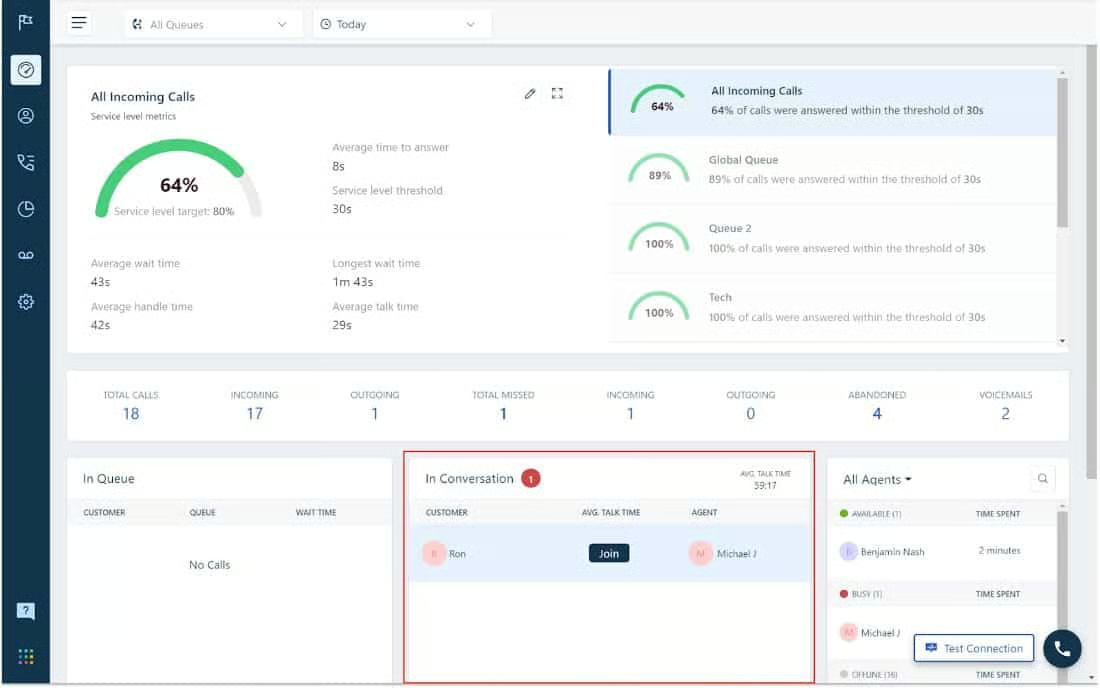
Call monitoring goes beyond listening in between agent and customer live conversations. Call whisper allows managers to speak to agents during a call without the customer hearing anything. The call barging feature enables managers to join the call to assist, while call takeover lets another person speak to the caller. These features help supervisors make informed decisions on agents’ training needs and assess the quality of customer service.
Freshdesk is our best call center monitoring software with real-time coaching tools like call recording and barging. These contact center features allow managers to jump in on ongoing calls and listen to previously recorded conversations.
7. Call Recording
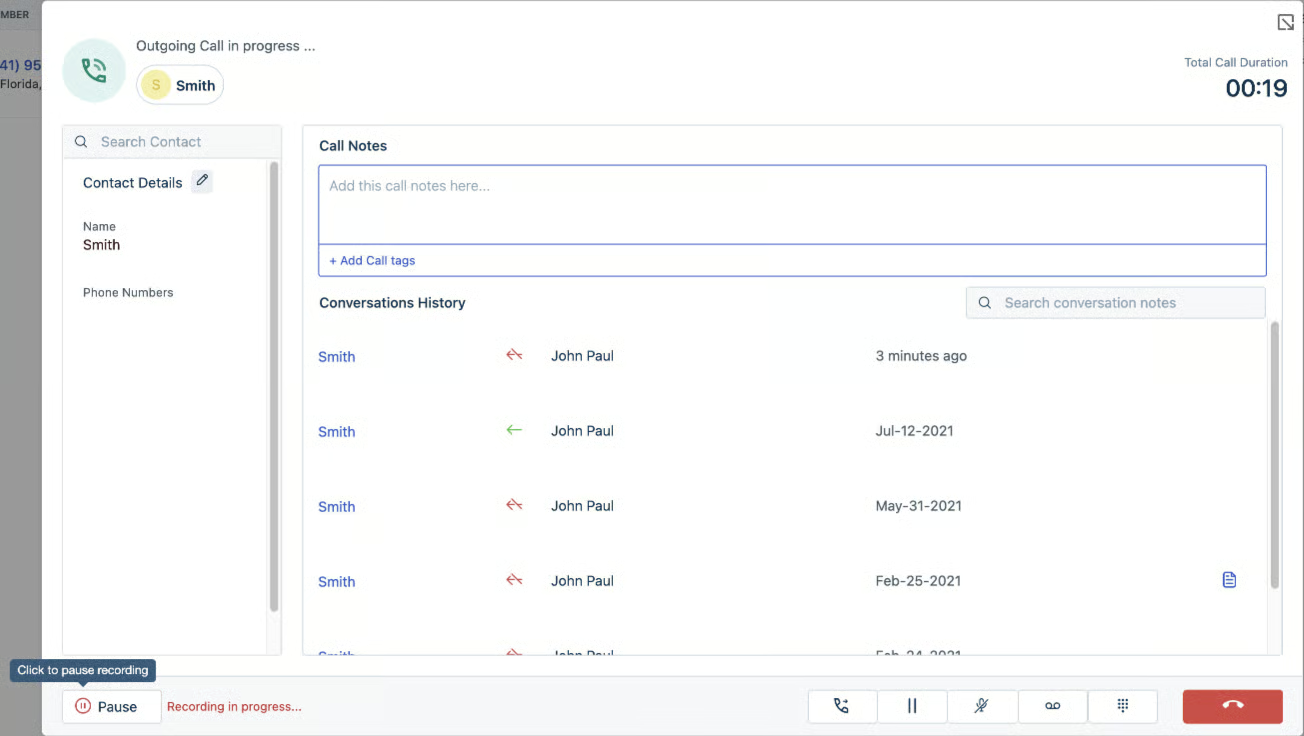
Call recording captures and records phone conversations and stores them as a digital file, whether locally or in the cloud. Call center providers offer two ways to record calls—on-demand or automatic. On-demand recording enables users to record phone calls manually with the press of a button. Meanwhile, turning on automatic call recording will automatically record a call as soon as it starts.
Freshdesk offers a variety of options for recording phone calls, including on-demand and automatic call recording. Customers can record their calls as they wish, and agents can pause recording while collecting confidential customer information.
8. Call Parking
Call parking is a method of putting callers on hold so another person from your team can take the call from a different phone. It is a type of waiting room that puts active calls on hold but won’t stay connected to the original phone line. It is often used in companies handling high call volumes that need to park calls until an agent is ready to accommodate the caller.
9. Call Transfer
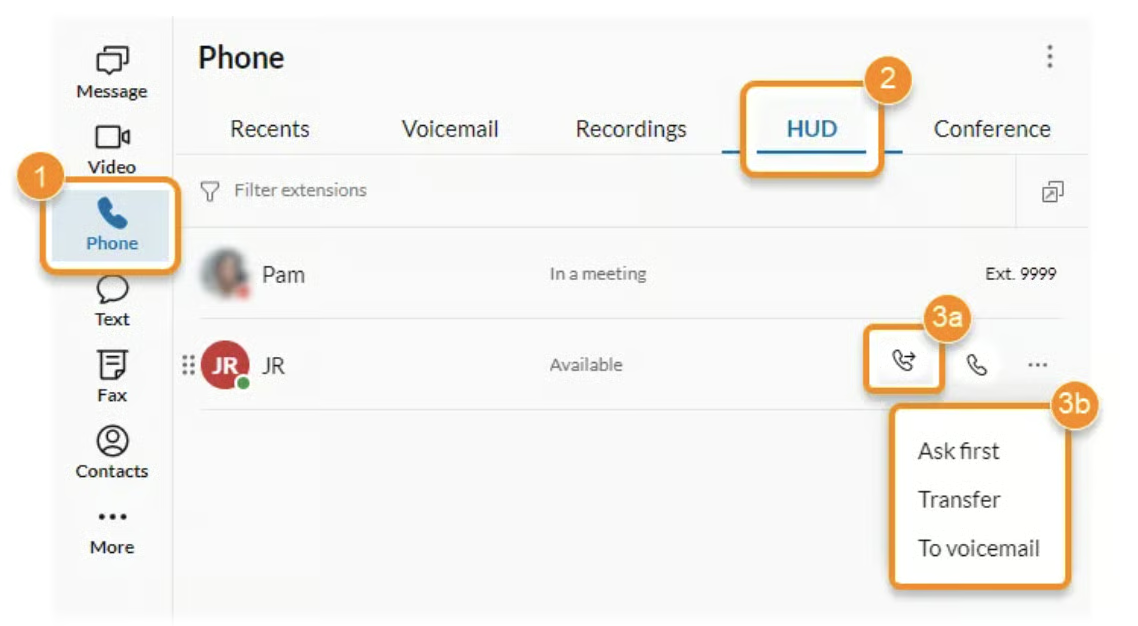
Call transfer lets you move an ongoing call from the original recipient to another. This feature comes with two options—warm and cold. In a warm transfer, the transferring agent informs the receiving party about the context of the incoming call, ensuring a smooth transfer. Cold transfer happens when the caller is immediately transferred to the agent without informing them about the incoming call.
RingCentral is an industry-leading business phone system due to its rich set of call management features and third-party integrations. Transfer calls in three different ways: warm, cold, and voicemail transfer.
10. Call Presence
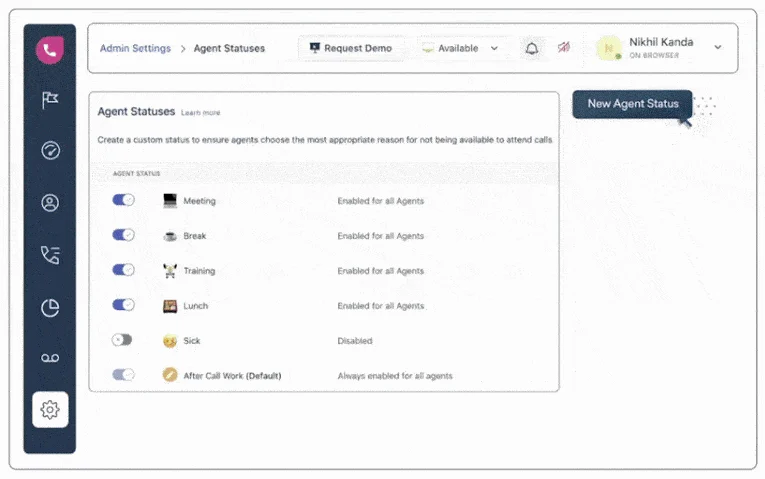
Call presence refers to the ability of managers and teammates to know the current status of other agents. Users broadcast their availability for others in the company to see and notify them of their ability to communicate with another caller. With call presence, it’s easy to redirect calls to available agents, reducing the wait time for callers and streamlining customer service.
Freshdesk introduces custom agent status providing complete visibility into how agents use their time when they’re unavailable to take calls. Integrate user presence with a business intelligence tool to get insights into how much time is spent on assisting callers versus doing other activities (e.g., training and meetings).
11. Call Queue
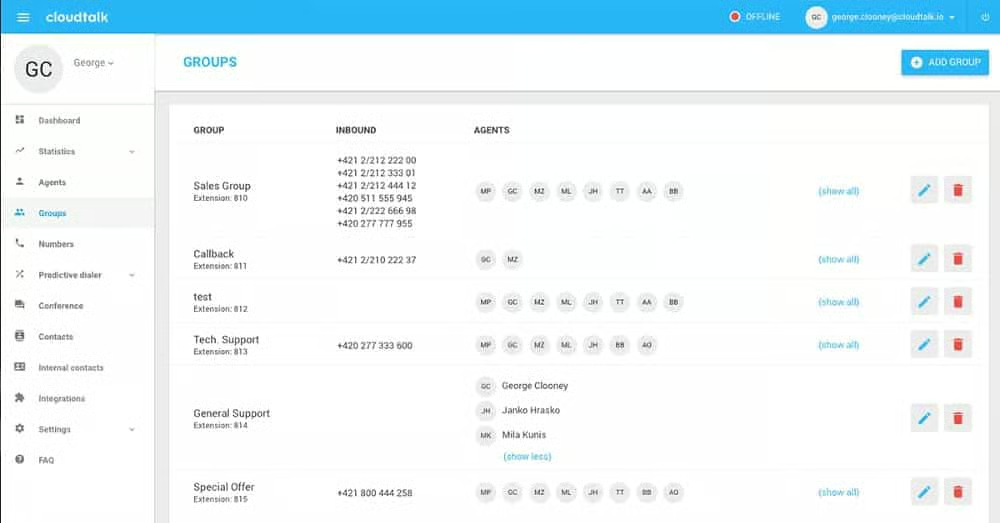
When customers call a contact center, and all agents are busy, they either wait until someone takes the call or call multiple times to get through. This is where the call queue feature comes in—it automatically lines up callers in a virtual queue. They wait to be connected to the next available agent with the right skills to take the call. This feature enables you to answer calls as quickly as possible, improving average call handling time and first-call resolution rates.
CloudTalk automatically arranges all incoming calls into queues based on pre-established criteria. Monitor the real-time status of your queues and set waiting time limits so calls are redirected to voicemail, a specific phone number, or a different call queue.
12. Queue Callback
Queue callback is an interactive voice response (IVR) system feature that allows callers to reserve their position in the wait queue and request a return phone call once an agent becomes available. Some IVRs even offer callers the option to pick the time when to receive a callback. Since waiting in long queues is one of the biggest frustrations among customers, offering queue callback reduces the call abandonment rate and improves customer experience.
13. Omnichannel Support
Contact center software offers omnichannel capabilities to handle interactions with customers from various channels without having them repeat information. These channels include phone, text, chat, email, and social media. With an omnichannel approach, customers have different options to interact with a business, whether through a phone call or email, for a single transaction.
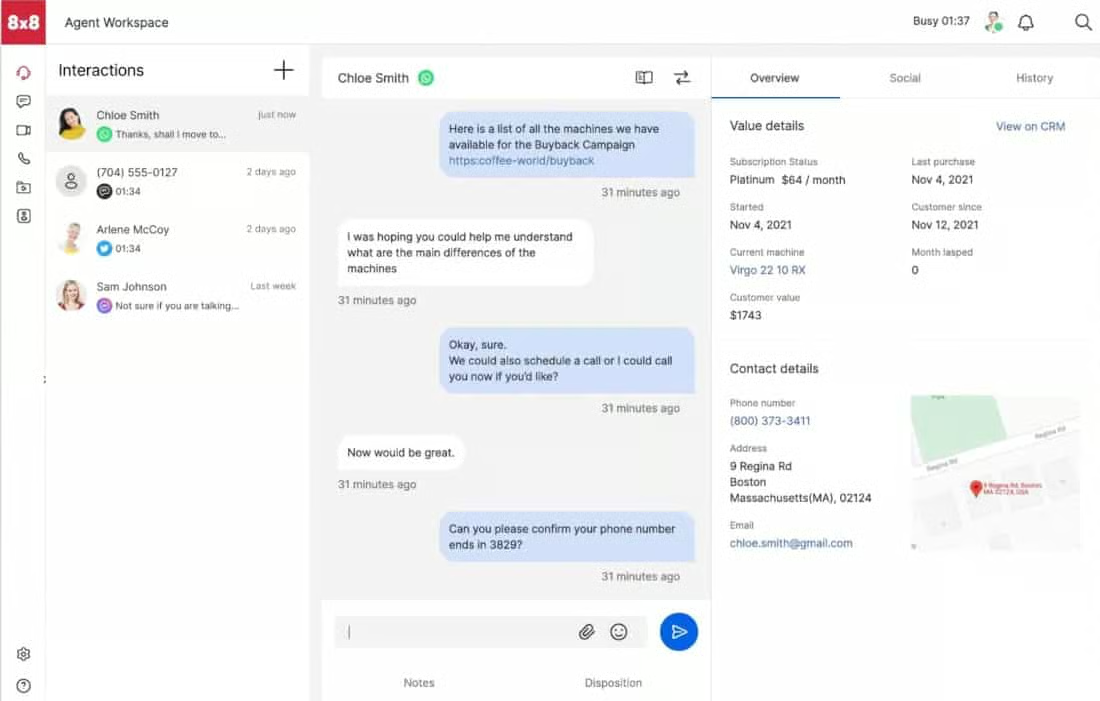
8×8 Contact Center’s omnichannel capability features intelligent routing and self-service options, ensuring fast and responsive customer connections across channels. This provider made it on our list of the best call management systems with its robust routing capabilities across voice and digital channels.
14. Analytics & Reporting
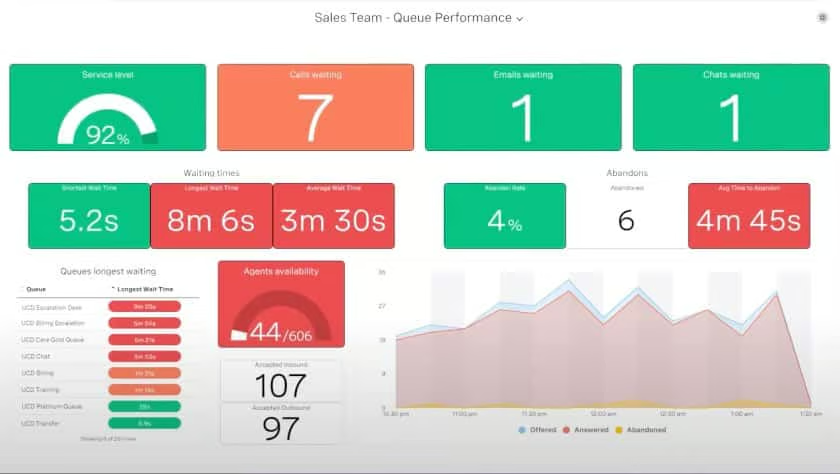
Call center systems handle vast amounts of data every day, which can be used to produce actionable insights. To understand its impact, you must track and measure call center metrics, such as average wait time, first call resolution, call abandonment rate, and customer satisfaction score. Analytics tools help you identify trends, assess agent productivity, improve customer service, and spot areas for improvement.
Vonage Contact Center integrates with popular customer relationship management (CRM) tools like Salesforce to seamlessly blend customer interactions with key data. Custom dashboards display the status of critical metrics, and robust analytics visually segment conversations so you can easily evaluate customer trends.
15. Workflow Automation
Call center system providers utilize advanced technologies like artificial intelligence (AI) and automation to help companies with high call volume streamline work processes. One example is workflow automation, which includes tools for automating manual or repetitive tasks. Common automation scenarios involve voice-to-text transcription, ticket handling, automatic follow-ups, digital self-service, and data management.
16. Outbound Dialers
An outbound dialing system enhances the efficiency of sales reps by reducing repetitive work surrounding outbound calling. It automates the calling process so agents can contact more customers, eliminating the time spent on manual dialing, waiting for pick-up, and listening to voice messages. It has four main types: power, predictive, progressive, and preview. Learn about each option in our complete guide about outbound dialers.
17. Gamification
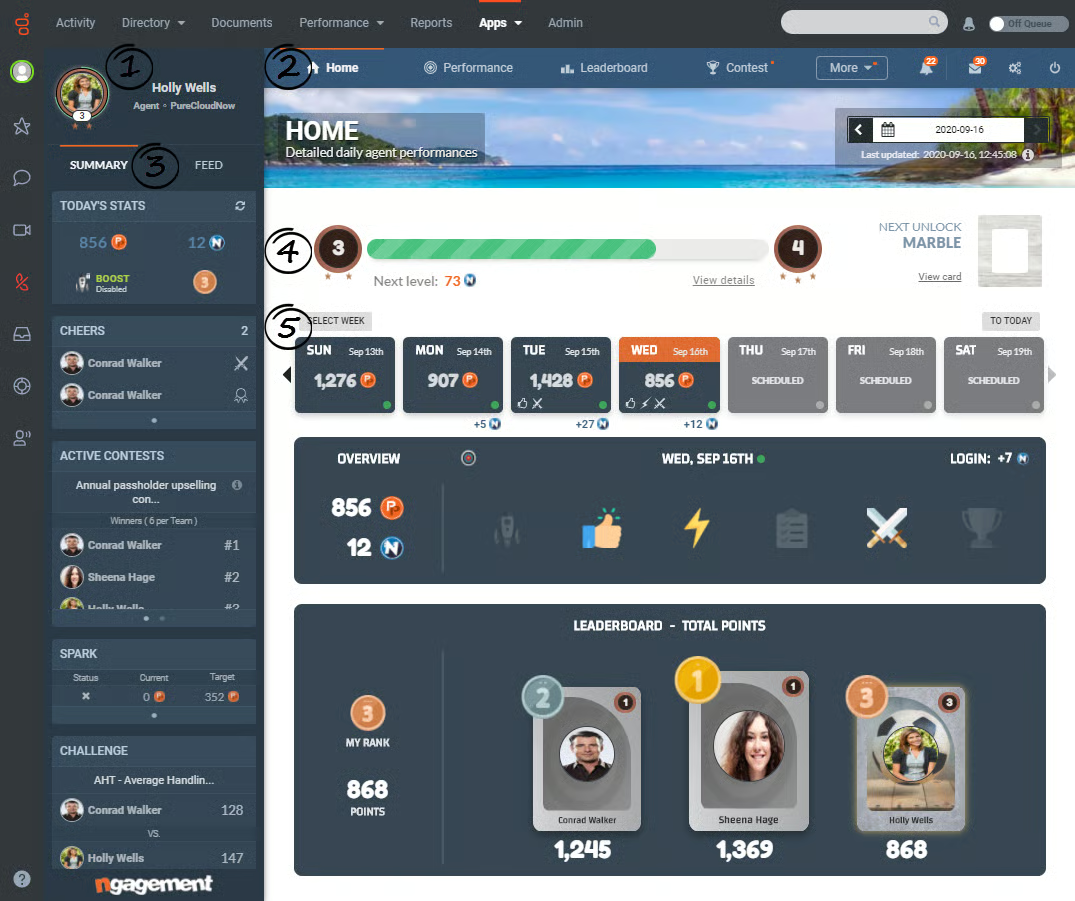
Gamification is a workforce optimization tool for boosting employee engagement and performance incentive strategies. It applies interactive game elements and goal-based challenges to mundane call center activities, encouraging a fair and competitive work environment. Real-time metrics are tied to points, levels, and leaderboards, where top achievers are given recognition and awarded virtual badges or tangible rewards.
Genesys Cloud CX is a multi-channel contact center software utilizing AI and automation to analyze agent performance. Workforce engagement tools include gamification that transforms daily call center activities with game mechanics, machine learning, and social media concepts.
18. Workforce Management
In contact centers, workforce management (WFM) refers to a set of processes and technologies for optimizing employee productivity. It ensures the right number of agents with the right skill set are scheduled at the right time. The basic building blocks of WFM include agent forecasting, scheduling, assigning agents, and intraday managing. When implemented well, WFM positively impacts customer satisfaction, agent engagement, and operational efficiency.
19. Third-party Integrations
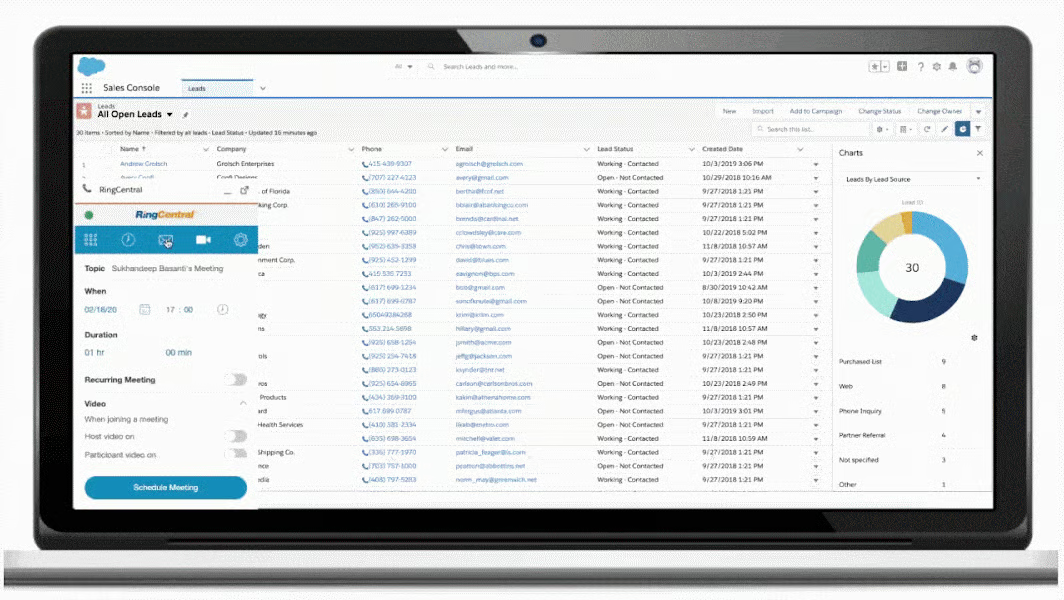
Most call center phone platforms have a host of business tools and applications to better handle multi-channel interactions. These third-party software integrations connect your call center data to other tools, such as calendars, CRM platforms, and workforce management solutions. For example, CRM integrations like Salesforce and Zoho CRM connect information about incoming callers and monitor them throughout the sales pipeline.
RingCentral Contact Center has one of the largest ecosystems of app integrations in the contact center as a service (CCaaS) space. It integrates with over 300 third-party applications, including leading business platforms like Google, Microsoft, Salesforce, and HubSpot.
20. Mobile App
With the rise of remote working options, modern call center solutions now have a mobile version, allowing remote teams to manage business communications from anywhere. As long as there’s an internet connection, agents are able to manage customer calls using their smartphones. This drives agent efficiency by providing the benefits of remote working while having the ability to deliver high-quality customer service on the go.
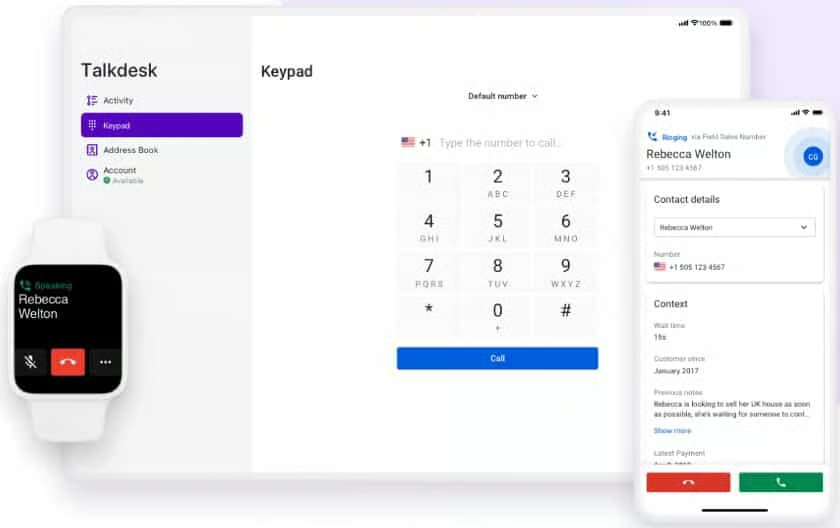
Talkdesk is an intelligent contact center platform that equips remote teams with essential tools and real-time data to provide AI-based customer service from anywhere. Its dedicated call center app, Talkdesk Conversations, has all the functionality agents need, including integrations, call controls, status settings, and automation tools.
Top Call Center Phone Systems
Now that we’ve explored the top call center features, let’s look at the leading providers of call center phone systems and explore their unique feature sets. Be sure to check our in-depth reviews to learn more about its pricing, feature inclusions, and best use cases.
| Call Center Phone Systems | Monthly Starting Price (per User) | Key Features | Free Trial | Learn More |
|---|---|---|---|---|
 | $18 |
| 21 days | |
| Visit Freshdesk | ||||

| Contact the sales team |
| ✕ | RingCentral Contact Center Review |
| Visit RingCentral Contact Center | ||||
 | $50 |
| ✕ | Nextiva Contact Center Review |
| Visit Nextiva Contact Center | ||||
 | $25(billed annually) |
| 14 days | No Review Yet |
| Visit CloudTalk | ||||
 | $85 |
| ✕ | No Review Yet |
| Visit 8x8 Contact Center | ||||
 | $75 |
| ✕ | No Review Yet |
| Visit Talkdesk | ||||
Note: Freshdesk offers a free plan with basic call center features.
Frequently Asked Questions
What is the difference between an inbound & outbound call center?
The difference between an inbound and outbound call center service depends on who initiates the call. Inbound call centers receive calls from customers or interested clients and are more customer-service-based—they offer technical support, order-taking, and appointment scheduling. Outbound call centers are more sales-oriented and involve making outgoing calls to leads or prospects for telemarketing, reminders, and surveys.
What is the difference between a call center & a contact center?
The difference between a call center and a contact center lies in the communication channels used. A call center traditionally focuses on voice calls, while a contact center encompasses various digital channels, such as instant chat, video, email, and social media.
What is a blended call center?
In a blended call center, agents are able to handle both inbound and outbound calls. Depending on the call type, agents can take the role of sales representatives or customer support employees. Blended call center solutions combine all the features for managing incoming calls and dialing outgoing calls without relying on separate call center platforms.
Bottom Line
Call center phone system features are a powerful way to manage inbound and outbound calls in your business. They are essential to handling different levels of call volumes and delivering better customer experiences. Popular call center features, such as ACD, IVR, auto-attendants, and call monitoring, encourage your team to engage with customers and drive positive results into your business.
