







Nextiva Contact Center is a blended cloud contact center with notable features like workflow automation, screen pop, and customizable call routing options. The subscription cost is not publicly available, but the startup fee is estimated at $50 per user, monthly. In our Nextiva Contact Center review, we found it ideal for teams needing automation and advanced workforce optimization tools to enable teams to be more productive and successful in their roles.
Nextiva Contact Center Review: At a Glance
When to Use Nextiva Contact Center
- Customer service automation: It utilizes artificial intelligence (AI) to enhance agent efficiency. Assign routine tasks to intelligent virtual agents (IVA) and enable self-service options with the speech-enabled interactive voice response (IVR).
- Omnichannel contact center: It offers fully integrated software for SMS, live chat, call center, and ticketing help desk, giving you full visibility into multi-channel customer journeys.
- Agent collaboration: With built-in collaboration features and a unified agent interface, the platform enables teams to host their company communications in one place. It made it in our list of the best call center phone systems.
- Blended contact center: It features inbound and outbound capabilities for managing customer support and sales campaigns. Manage incoming callers with intelligent call routing and optimize campaign management with outbound dialer tools.
- Tracking agent performance: It is one of our best call center monitoring software due to its rich coaching capabilities, including the supervisor dashboard and real-time agent monitoring.
When to Use an Alternative
- Small call center operations: Its robust calling functionalities may be too overpowering for small businesses that don’t anticipate rapid growth. If you simply need an affordable and straightforward voice-focused call center solution, consider Freshdesk Contact Center.
- Free integrated business phone system: Nextiva’s contact center and phone system packages are sold separately. Check out RingCentral Contact Center, as all its subscriptions have integrated unified communications capabilities.
- Advanced analytics and reporting tools: 8×8 Contact Center offers robust call analytics features at its base plan, unlike Nextiva, which requires users to upgrade to its fourth-tier plan. Subscribing to 8×8’s X6 packages includes supervisor analytics, quality management, speech analytics, and contact center reporting.
Nextiva Contact Center Deciding Factors
Nextiva Contact Center is an intelligent cloud contact center that supports both inbound and outbound interactions. Core functionalities like advanced call routing, real-time analytics, and queue management improve caller experiences and agent productivity. Its built-in CRM system allows agents to pull customer data into one place.
| Best For | Companies needing AI-powered contact center tools and workforce optimization capabilities |
|---|---|
| Standout Features |
|
| Pricing Plans | Contact the sales team for a quote |
| Annual or Volume Discounts Available |
|
| Integrations |
|
| Customer Service | 24/7 customer support via phone, chat, and email |
Nextiva Contact Center Alternatives
Nextiva Contact Center may not fit well with every business need and budget. You may be looking for a solution with a cheaper price point or robust call management features on its base plan. If this contact center solution doesn’t meet your specific requirements, here are alternatives to consider:
 |  |  | |
|---|---|---|---|
| Best For | Companies needing omnichannel functionality | Businesses needing advanced call analytics | Small teams looking for a free or low-cost voice contact center |
| Monthly Starting Price (per user) | Contact sales team for a quote | $85 | $15* |
| Learn More | Read our RingCentral Contact Center Review |
*Freshdesk has a free contact center plan with limited functionality.
Nextiva Contact Center Pricing
3.00 / 5
Nextiva offers two types of subscription packages: contact center package (blended) and inbound call center. The contact center plan stands out for its four scalable tiers and generous discounts for annual billing and volume subscriptions. It lost a few points for lacking transparent pricing and a free plan.
If you simply need a voice-based inbound call center, the Nextiva call center pricing has two separate plans: Professional and Enterprise. Monthly pricing starts at $50 per user, which includes intelligent call distribution and unlimited call queues. Unfortunately, Nextiva doesn’t have a detailed feature comparison table for its call center packages, so contact the sales team for information.
| Nextiva Contact Center Plans | Core | Premium | Optimum | Ultimate |
|---|---|---|---|---|
| Best For | Small businesses needing a blended call center | Large teams wanting to optimize their contact center’s digital engagement strategy | Businesses needing workforce optimization tools to manage distributed teams | Companies that need workflow automation tools for efficient customer service |
| Blended Inbound/Outbound | ✓ | ✓ | ✓ | ✓ |
| Call Recording | ✓ | ✓ | ✓ | ✓ |
| Digital Channels: Chat, Email, SMS | ✕ | ✓ | ✓ | ✓ |
| Coaching Capabilities | ✕ | ✕ | ✓ | ✓ |
| Workforce Management | ✕ | ✕ | ✓ | ✓ |
| Interaction Analytics | ✕ | ✕ | ✕ | ✓ |
| Workflow Automation | ✕ | ✕ | ✕ | ✓ |
| 24/7 Customer Support | ✕ | ✓ | ✓ | ✓ |
Add-ons
There are three add-on options to enhance the functionality of your contact center software. Premium add-ons are available for customer relationship manager (CRM) integrations, real-time dashboards, and conversational artificial intelligence (AI). Get a quote from the sales team to know much will be added to your monthly subscription.
- Intelligent virtual agent (IVA): Manage high call volumes with advanced IVR and use IVAs to speed up resolution times and handle routine interactions.
- CRM connectors: Prebuilt CRM integrations include Salesforce, Oracle, Zendesk, Microsoft, and ServiceNow. You can also purchase custom integrations for in-house tools, but it will take time to customize and test.
- Performance dashboards: A sophisticated reporting suite with real-time dashboards and wallboards. Track your contact center progress with unified reporting across all channels.
Nextiva Contact Center General Features
4.38 / 5
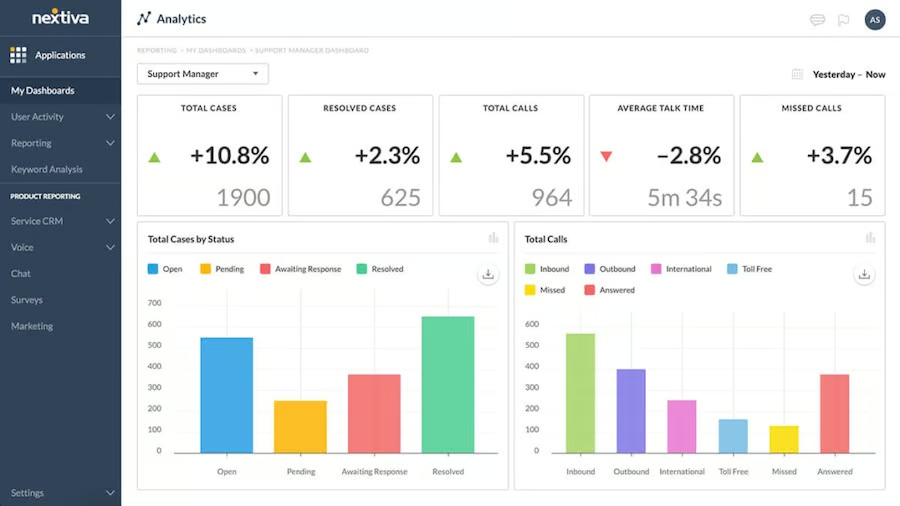
Nextiva Contact Center comes complete with basic communication features, such as voice calls, chat, email, and SMS. Advanced inbound features include automatic call distribution, customizable routing options, and messaging configurations. It also ensures streamlined collaboration across channels to promote cross-departmental collaboration between agents and subject matter experts inside the organization.
We deducted a few points because users must purchase the Social Media Management plan to expand the software’s omnichannel capabilities, including Facebook, Twitter, and Instagram. Call monitoring and analytics tools are available but are unlocked at higher-tier plans.
Niche Features
3.13 / 5
While this provider didn’t disappoint in terms of advanced contact center features, we gave it a score of 3.13 as it requires fees to unlock specific capabilities. For instance, competitors like Dialpad Contact Center come with built-in AI and CRM integrations at its base plan, while Nextiva requires users to purchase them as add-ons.
Higher-tier plans include multi-channel staffing forecasts, workforce management, and coaching capabilities. It has an entire workflow automation suite that includes prebuilt integrations and real-time visualization tools to help increase call center efficiency and ensure more intelligent conversations.
Click on each item below to discover other niche features:
Workflow Automation
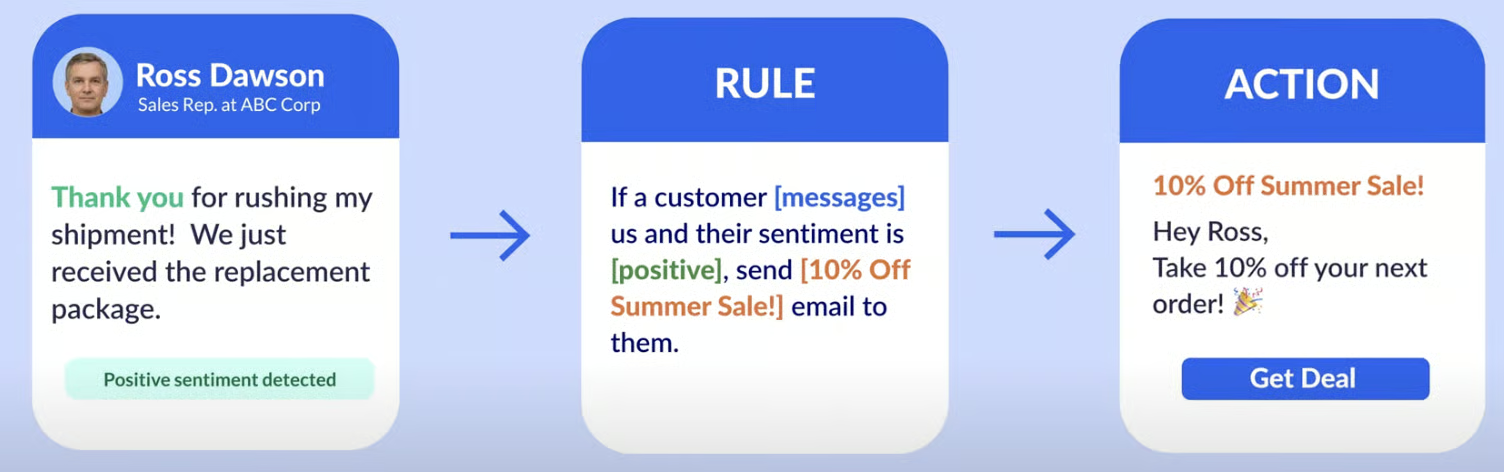
Upgrading to the Ultimate plan includes an entire workflow automation suite that lets you run your call center operations on auto-pilot. Send automatic welcome messages, emails, surveys, reminders, and campaigns. Nextiva automatically detects topics related to the question or request and responds with real-time suggestions. Every minute saved using these automation features enables agents to focus on more critical tasks.
Workforce Management & Optimization
Forecast staffing needs and enhance overall agent performance with quality monitoring, coaching tools, and intraday capabilities. These features provide insights related to staffing, training costs, and business growth. Supervisor dashboards enable team supervisors to monitor real-time agent performance and plan agent schedules.
Intelligent Virtual Agent (IVA)
Conversational AI is a flagship feature that turns routine interactions into natural exchanges. IVAs and IVR capabilities ensure callers can interact naturally with your phone system without needing a live agent. It lets you create self-service options with natural speech requests to provide dynamic and personalized conversations.
Customer Service
5.00 / 5
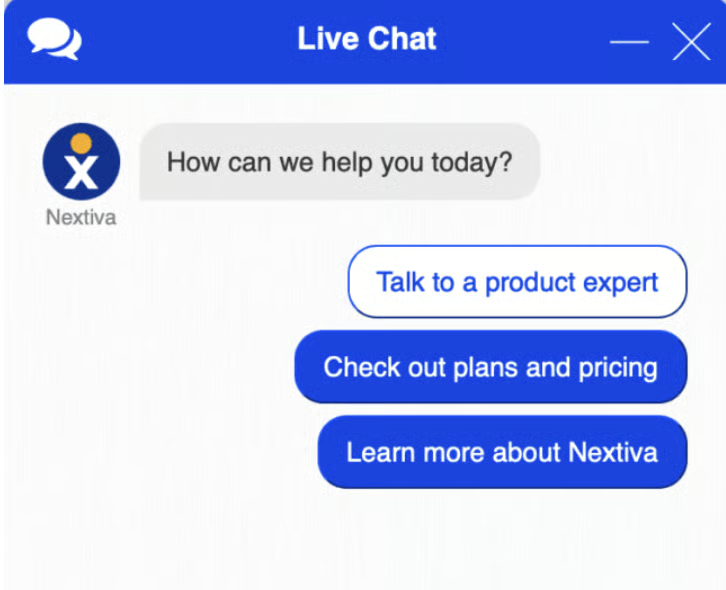
Round-the-clock customer service is available to all users via phone, live chat, ticket help desk, and email support channels. New users can access a host of onboarding tools, including video tutorials, a support center, and complete user guides. On-demand webinars are available to help you make the most out of your Nextiva service.
Ease of Use
5.00 / 5
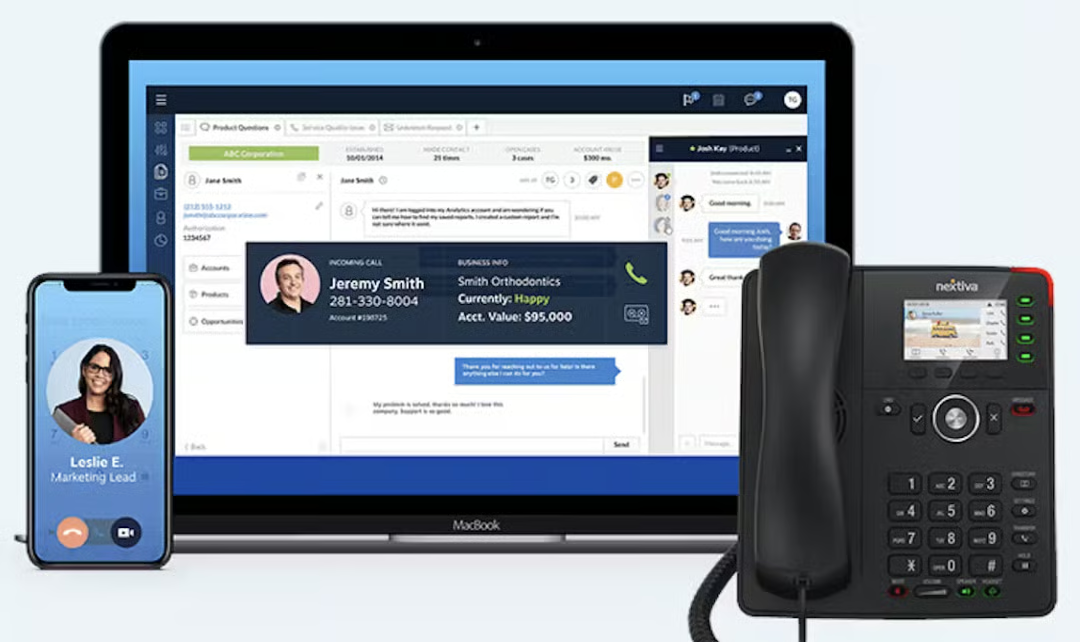
Businesses new to cloud-based contact center solutions will appreciate Nextiva’s modern and easy-to-use interface. It ensures easy installation and configuration, allowing users to deploy and use the software quickly. Based on recent reviews, business users find its platform very interactive, making their work faster and more efficient.
Expert Score
4.00 / 5
Based on our expert assessment, this provider scored well due to its intuitive interface, feature-packed plans, and 24/7 customer support. Its workforce management (WFM) capabilities and automation features help improve a call center’s overall performance while delivering optimal customer experiences. However, it’s worth considering other alternatives if you’re looking for a cheaper provider with transparent pricing.
Here are the most recent ratings earned by Nextiva Contact Center on popular review sites:
- TrustRadius: 7.8 out of 10 based on 12 reviews
- Software Advice: 4.3 out of 5 based on 65 reviews
- GetApp: 4.2 out of 5 based on 66 reviews
How We Evaluated Nextiva Contact Center
We analyzed Nextiva Contact Center and checked the most recent feedback on popular review websites. To serve as the basis for our evaluation, we compared it with popular contact center solutions in the market. From there, we established a scoring system based on certain criteria: pricing, general features, niche features, customer service, ease of use, and expert score.
Learn more about our research methodology by clicking on the tabs below:
We checked for the availability of a free trial, free plan, and discounts for annual billing and bulk purchases. We give additional points if the provider’s entry-level plan costs $70 or less.
We looked at features essential to a contact center platform, such as automatic call distribution, omnichannel support, call analytics, and call monitoring. We provide an additional point for the availability of any of these features.
We checked the specialized features of Nextiva call center to see the additional value users get for subscribing. In evaluating call center phone systems, we check if they offer an AI-powered virtual assistant (chatbot), outbound dialers, and workforce management capabilities. We award extra points if it supports various third-party integrations.
We assess a provider’s quality of customer service by looking at the number of hours and days the support team is reachable. Additional points are given if it provides round-the-clock support. We also looked at the type of customer support channels, including phone, email, ticket help desk, and live chat.
We evaluated Nextiva’s user interface based on its usability and the technical skill required to install and configure its entire platform. We explored its web portal, desktop app, and mobile app while considering the firsthand experience of its business users.
We came up with our expert score by comparing Nextiva Contact Center against other leading competitors. We also consulted recent Nextiva call center reviews to see what others say about its features, cost-effectiveness, ease of use, and popularity.
Bottom Line
Nextiva Contact Center is highly recommended for businesses wanting to utilize self-service capabilities and conversational AI to create enriching agent-customer interactions. Intelligent call routing features help manage high call volumes, and WFM tools enable agents to reach their full potential. Its intuitive and unified interface streamlines multi-channel interactions, giving agents a simplified experience. Contact Nextiva’s sales team today for a full demo.
