QuickBooks Capital Review: Is It Worth It for Small Business Owners in 2026?
QuickBooks Capital offers fast funding for QuickBooks users. Learn how its loans work, rates, requirements, and whether it’s worth it for small businesses in 2026.
Digital lending has changed the game in connecting business owners with funding opportunities. Instead of having to seek a traditional bank to finance your business, online lending platforms allow borrowers to compare and apply for a variety of business loans, often providing quick access to funds for a wide range of business uses. The best…
The best video conferencing equipment enables remote and hybrid teams to host conference calls and virtual meetings, whether from a board room, home office, or any remote location. Tools like webcams, headsets, microphones, room devices, and digital whiteboards are integrated with artificial intelligence (AI) and noise-canceling features to further enhance the video meeting experience. Our guide recommends the best video conference equipment to help small businesses boost collaboration and engagement.
Room devices refer to a bundle of video conferencing tools optimized for conference rooms. They function as an integrated video system, consisting of cameras, microphones, and room-filling speakers without the clutter of bulky wires. Instead of buying separate video conferencing equipment, you have everything in one convenient package.
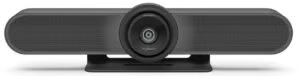
The Logitech Meetup is one of the best video conferencing devices for hosting hybrid meetings within small rooms and cramped spaces. The camera features an ultra-wide lens with a 120-degree field of view and a motorized pan/tilt lens, allowing everyone to be seen, even those seated at the edge of the room. Three beamforming mics and a custom-tuned speaker deliver an impressive audio and listening experience.
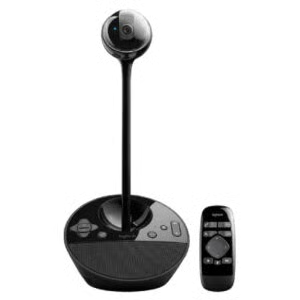
The Logitech BCC950 is an all-in-one video conferencing equipment that combines HD video and crystal-clear audio. The omnidirectional mic pickup and duplex speakerphone allow all meeting attendees to hear and be heard up to six to eight feet away. For better visibility, position the spherical HD webcam on an eye-level stand using its extender stem. It works with almost any video conferencing software, including Zoom, Fuze, and Skype for Business.
3. Poly Studio X50: Best for medium to large rooms
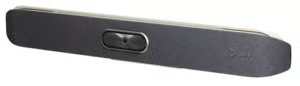
The Poly Studio X50 is our top video conferencing equipment for conference rooms, fit for up to 10 participants. Ensure distraction-free meetings with NoiseBlockAI technology and immersive room-filling audio. It natively supports top video conferencing solutions like Zoom and Microsoft Teams. Smart camera technology includes tracking modes and automatic framing so everyone is seen clearly.
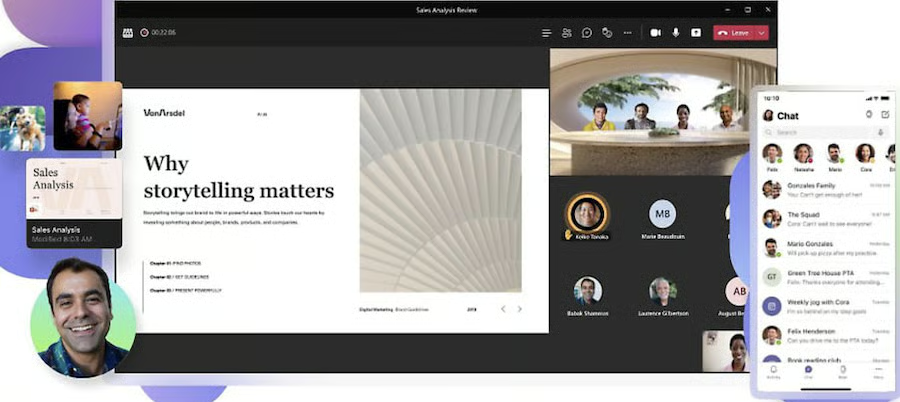
Microsoft Teams features immersive screen sharing. (Source: Microsoft Teams)
Conference cameras work beyond traditional webcams for laptops and personal computers. These standalone units feature wide angles, adjustable viewpoints, facial recognition, and an image quality between 1,080 to 4,000 pixels (4K).
4. Microsoft LifeCam Studio: Best for wide-angle viewing
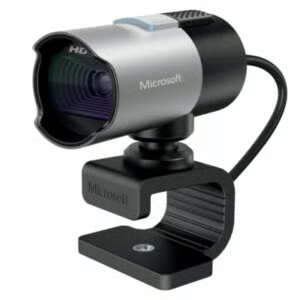
The Microsoft LifeCam Studio is the best video conferencing hardware with its sharp image quality and natural, detailed audio — perfect for one-on-one meetings. TrueColor technology automatically adjusts to any lighting condition, whether the light is coming from the window or computer screen. It pivots 360 degrees, allowing you to position the camera anywhere.
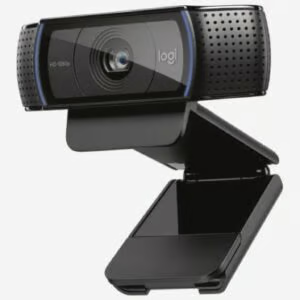
Create a strong visual impression during your video meetings with the Logitech C920, which features 1080p video quality and dual mics for clear stereo sound. It primarily functions as an entry-level streaming camera that ensures crisp and detailed videos. With the automatic HD light correction, you get bright, contrasted images even in slightly dark settings.
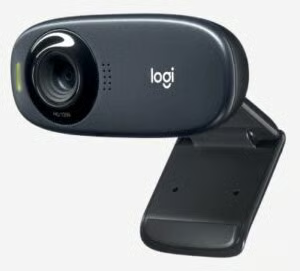
Logitech C310 is the best home video conferencing equipment for solopreneurs and startups operating from home. The C310 webcam delivers 720p in widescreen format with automatic light correction, giving you clearer and more natural images. Plus, the noise-reducing mic ensures your voice comes across up to five feet away, even in a noisy room.
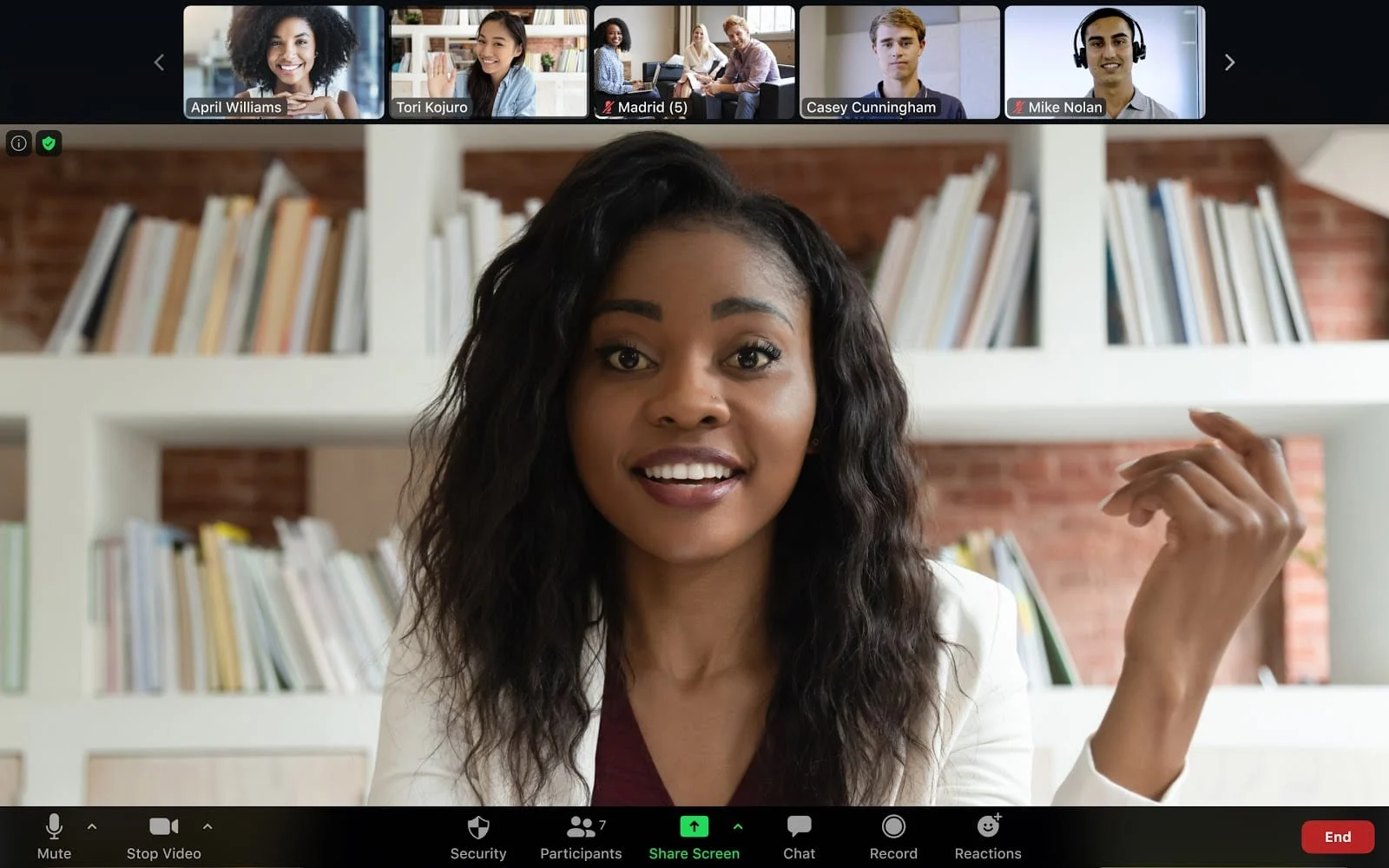
Video conferencing providers like Zoom work closely with industry-leading hardware vendors like Logitech to help users get up and running with their virtual meetings. Zoom has a digital conference room system that integrates video meetings, audio conferencing, and wireless screen sharing. Choose from a variety of hardware options like the Logitech camera or room device and transform your huddle room into a video conferencing session.
Host and join Zoom meetings from your desktop computer. (Source: Zoom)
Clear communication is essential for productive video meetings. Although laptops come with a built-in mic, their basic setup does not fit the requirements of modern video conferencing. Upgrading to a dedicated mic is a valuable investment to ensure better sound quality in your meetings.
Multiple pickup patterns with broadcast-quality sound
Plug-and-play USB mic
Adjustable mic sensitivity
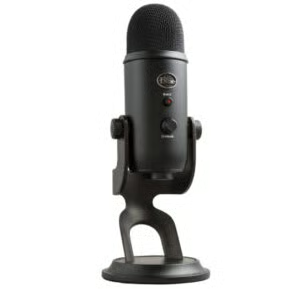
This video meeting hardware is perfect for all-around use, whether for conference calls, interviews, streaming, or podcasting. Set the perfect sound by choosing from four pickup patterns — cardioid, omni, figure eight, and stereo. Studio controls are available right on the mic, so you can easily take control of the mic sensitivity and headphone output.
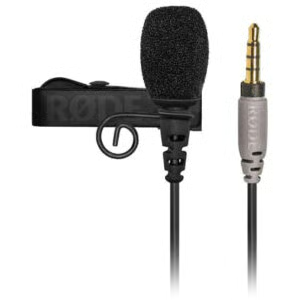
8. Rode smartLav+: Best for hands-free presentations
Rode smartLav+ is a handy lavalier mic fit for on-the-go professionals who use a mobile device for attending meetings and recording speeches or interviews. Designed specifically for smartphones, the smartLav+ has an omnidirectional condenser capsule that picks up sound from different directions. The foam pop filter minimizes vocal plosives, allowing you to deliver crisp, high-quality audio.
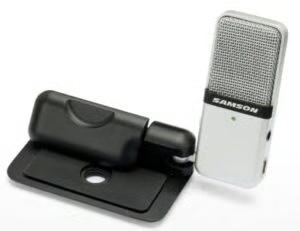
9. Samson Go Mic: Best for traveling professionals
Take your conference calls anywhere with the Samson Go Mic, a portable USB microphone with switchable pickup patterns (cardioid and omnidirectional). It has a compact design with a cable clip, so you can attach it to your laptop or place it on the desk. While keeping portability in mind, the Go Mic includes a professional condenser element for creating studio-quality sounds.
Headphones
Enterprise-quality headphones are a must-have if you’re having a meeting in busy areas where noise distractions are unavoidable. They include noise-reduction technology to automatically detect unwanted sounds and enhance audio quality. Even earbuds work reasonably well for calls, specifically for users who want a portable alternative to headphones.
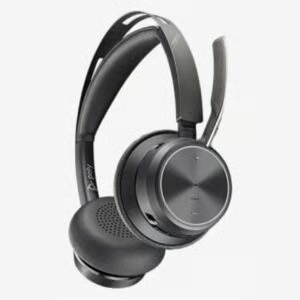
Stay comfortable and focused during hour-long meetings with Voyager Focus 2. It has three levels of hybrid active noise canceling, so the focus stays on you while eliminating the loud and distracting background. The ultra-comfortable headband is easy on the ears, thanks to its plush ear cushions and super cushioned sling.
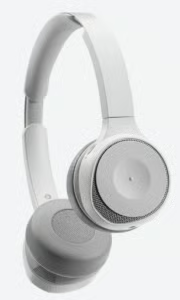
The Cisco Headset 730 is our best video conferencing equipment for office professionals who need a high-quality, secure, and comfortable audio experience. This wireless headset is designed for hybrid work, featuring active noise cancelation, background noise reduction, and voice-activated microphones. It also includes enterprise-level security — image authentication and secure boot — protecting you against malicious attacks and hackers.
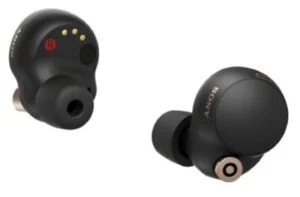
If you’re not a fan of bulky headphones but want to achieve the same noise-cancelation features, try the Sony WF-1000XM4. Despite its size, these earbuds produce dynamic sound and a rich bass range. Digital noise canceling capabilities minimize wind noise and let you hear clearly, even in loud spaces. Equipped with Voice Pickup Technology, it uses a bone-conduction sensor and beamforming microphones to only pick up sounds from your mouth.
Smartboards
Smartboards, also known as interactive whiteboards, are large touchscreen displays where users can present large amounts of information (i.e., slides and drawings) to a large group. They double as computer screens or televisions, while other models have advanced features like built-in cameras, interactive displays, and annotation.
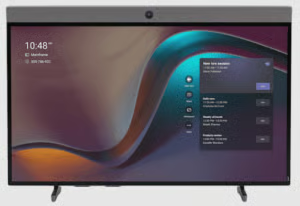
With its immersive 4k 65-inch multi-touch screen, Neat Board is the best video conferencing equipment for large rooms. It offers a complete meeting room solution with its wide-angle camera, multi-touch screen, and powerful audio system. The board responds to presence by automatically waking up when a person enters a room. It comes with a pair of markers that create the right amount of friction for markup and whiteboarding.
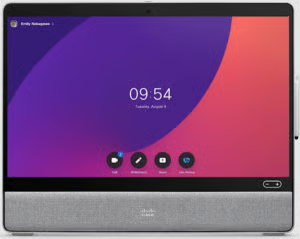
The Cisco Desk Pro is a smart collaboration device featuring AI-powered features like facial recognition, voice-controlled assistant, and automatic noise detection. It delivers a 4k touch experience and a wide-angle view suitable for one to two people. The device integrates seamlessly with Webex and can be used with any video meeting platform by connecting it to your laptop.
The people focus feature optimizes meeting participants’ webcam view for better viewing. (Source: Webex)
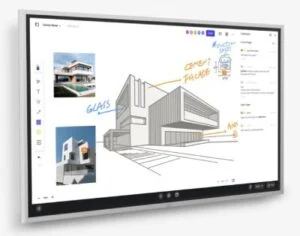
The Vibe Board S1 is the best video conferencing equipment for face-to-face collaboration due to its multi-purpose functionalities. It works as a projector, computer, whiteboard, TV, display, and monitor. The AI-powered smart camera with a 4K sensor works with top screen sharing software, such as Zoom Rooms, Microsoft Teams, and Google Meet. The smart text tool uses handwriting recognition to facilitate faster and more accurate notes.
Frequently Asked Questions (FAQs)
How do I choose the best video conferencing equipment?
The factors may vary depending on the type of equipment you will purchase and what you’re looking for in a video conferencing device. However, it is important to consider the performance, product specifications, audio/video quality, technical support, and interoperability with your third-party video conferencing software.
What is the difference between a webcam and a conference camera?
A webcam is designed for close-ups, making it ideal for joining meetings as a single participant. A conference camera, on the other hand, is suitable for group shots where every person in the room is visible on a video conference call.
Are earbuds good for conference calls?
Yes. Most earbuds are a great option for conference calls, especially if you don’t want to use big, clunky headphones when joining meetings remotely. When selecting earbuds, make sure to check the audio quality, noise-canceling features, battery life, and comfort fit.
Bottom Line
As more companies adopt remote and hybrid working policies, video conferencing equipment is a worthwhile investment. Opting for dedicated video conference equipment has significant benefits, particularly in creating immersive meeting experiences and enhancing real-time collaboration. But before making a purchase, make sure your software is compatible with your chosen hardware and that the included features can support all your conferencing needs.
Office Technology Staff Writer at Fit Small Business
Marianne is a technology analyst with nearly five years of experience reviewing collaborative work management solutions. She helps businesses identify the right tools and apply best practices to streamline workflows and improve project performance. Her insights on project management and unified communications appear in publications like TechnologyAdvice, TechRepublic, and Fit Small Business.
Loading more content…
Our mission is to provide small business owners with the information you need to succeed. Learn how to start, market, run, and grow your business today!
Advertiser Disclosure: Some of the products that appear on this site are from companies from which TechnologyAdvice receives compensation. This compensation may impact how and where products appear on this site including, for example, the order in which they appear. TechnologyAdvice does not include all companies or all types of products available in the marketplace.