







A business card is more than a name-and-number handout — it is a small, portable sales tool. The best business cards tell customers what you do, make your brand easy to remember, and give people a clear next step, whether that is calling you, visiting your store, booking an appointment, or scanning a QR code.
In this guide, I’ll walk through how to design business cards that look professional, support your brand, and are easy to create online using VistaPrint. I focused on design decisions that matter most for small businesses: brand clarity, readability, contact information, paper quality, finish, and customer action.
How to design business cards in 7 steps
Designing an effective business card starts with more than choosing a nice-looking template. You need to decide what information to include, how to present your brand, and what action you want customers to take after receiving your card. The steps below walk through how to design business cards using VistaPrint examples where applicable, from choosing a format and template to customizing the design and preparing it for print.
Step 1: Define the goal of your business card
Before choosing a template or adding your logo, decide what you want your business card to accomplish. A card used for networking may only need your name, title, website, and contact details, while a card meant to drive sales may need a stronger call to action, such as a discount code, booking link, or QR code.
Think about where and how you will use the card. Are you handing it out at events, including it in customer orders, using it as an appointment reminder, or giving it to loyal customers for referrals? Your goal should guide the layout, copy, and features you include. For example, a salon may need appointment reminder space, while a food truck may benefit from a QR code that links to its menu or weekly location schedule.
VistaPrint makes this step easier by offering business card templates by industry, style, and use case. You can start with a standard business card, appointment card, loyalty card, thank-you card, or QR code business card, depending on what you want customers to do next.
Related: 8 Best QR Code Generators
Step 2: Choose the right business card format
The format of your business card affects both how it looks and how much information you can include. For most small businesses, a standard horizontal card is the safest choice because it is familiar, easy to store, and gives you enough room for your logo, contact details, and a short call to action.
You can also use the format to make your card more memorable. A vertical layout can feel more modern, rounded corners can make a simple card look more polished, and square, circle, oval, or other specialty shapes can help creative brands stand out. VistaPrint offers standard, rounded-corner, square, circular, oval, and other-shaped business cards. Its standard cards are 3.5 inches by 2 inches, while square and circle cards are 2.5 inches.
Also decide whether you need a one-sided or two-sided card. One-sided cards work well for simple contact cards, but two-sided cards are better if you want to add a QR code, appointment reminder, loyalty stamps, discount offer, or short list of services.
| Business Card Format | Best For | Design Tip |
|---|---|---|
| Standard | Most small businesses | Best for wallet-friendly, traditional cards |
| Rounded corners | Modern service businesses | Keeps the card polished but not too unusual |
| Square | Creative brands, boutiques, makers | Use fewer words because space is tighter |
| QR code card | Restaurants, consultants, appointment-based businesses | Make the QR code the clear next step |
| Appointment or loyalty card | Salons, spas, cafes, service providers | Use the back side for repeat visits or rewards |
Step 3: Pick a template that matches your brand
Starting with a template makes it much easier to design a business card, especially if you are not a designer. Instead of building from scratch, you can use a layout that already has balanced spacing, readable fonts, and a professional structure, then customize it to fit your brand.
Use these tips when choosing a template:
- Choose a style that fits your business: Modern or minimal templates work well for consultants and service providers, while bold or colorful designs may fit retail shops, makers, or creative brands.
- Match customer expectations: A law firm, salon, food truck, and boutique should not all use the same visual style. Choose a template that feels appropriate for your industry.
- Avoid overly trendy designs: Unusual fonts, busy graphics, or cluttered layouts can make your card harder to read.
- Prioritize readability: Pick a template with clear spacing, strong contrast, and enough room for your most important contact details.
- Customize, do not copy: Use the template as a starting point, then add your logo, brand colors, and messaging so the card feels specific to your business.
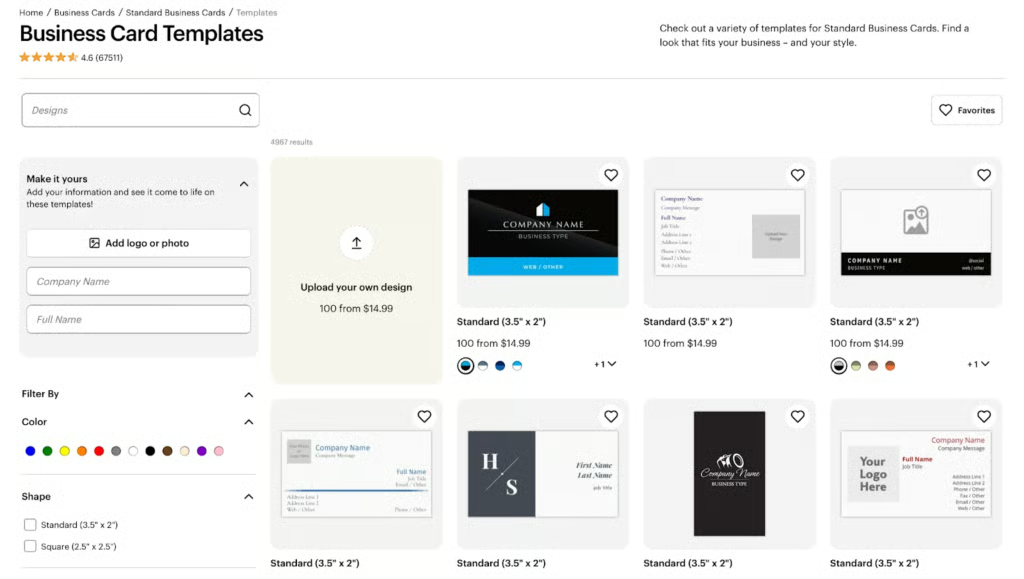
VistaPrint’s online business card designer helps simplify this step by letting you browse templates by industry, style, color, theme, and use case. This makes it easier to design a business card that already aligns with your business type, then customize it with your logo, contact details, and brand colors.
Related: 35 Cool Business Card Ideas
Step 4: Add the right business card information
Once you have your format and template, the next step is adding the information your customers actually need. The goal is to make it easy for someone to understand who you are, what you do, and how to contact you without overwhelming them.
Use this checklist as a guide:
- Name
- Business name
- Job title or service category
- Phone number
- Website
- Physical address (only if customers visit your location)
- Social handle (only if it supports sales or credibility)
- QR code linking to a booking page, portfolio, menu, or review page
- Tagline or short value proposition (optional, but helpful for clarity)
Focus on the most important contact method rather than including everything. For example, if most customers book online, highlight your website or QR code instead of listing multiple phone numbers or social profiles.
VistaPrint’s design studio makes it easy to customize your card by adding your own text, logo, and images to any template. You can adjust layout, font size, and placement so your key details stand out clearly.
Step 5: Make the design easy to read
A business card only works if people can quickly understand it. Even the best-looking design will fail if the text is hard to read or the layout feels crowded. Focus on clarity first, then style.
Use these guidelines to keep your card readable:
- Use one or two fonts: Too many fonts make the card look cluttered and unprofessional.
- Keep font sizes readable: Your name and business name should stand out, while contact details should still be easy to read at a glance.
- Prioritize contrast: Dark text on a light background (or vice versa) is easier to read than low-contrast color combinations.
- Leave white space: Empty space helps guide the eye and prevents the design from feeling cramped.
- Highlight key details: Make your name, business name, or primary contact method the most prominent element.
- Avoid too much text: Stick to essential information and remove anything that does not support your main goal.
- Use the back strategically: Move secondary details like a QR code, tagline, or list of services to the back of the card.
VistaPrint’s editor lets you adjust font size, spacing, alignment, and layout, so you can refine your design for better readability. Before ordering, use the preview feature to check how your card looks at actual size — this is the best way to catch text that may be too small or hard to read.
Step 6: Add brand elements that make the card memorable
Your business card should look and feel like it belongs to your business. Use the same colors, fonts, logo style, and messaging customers see on your website, storefront, packaging, social media, or other marketing materials. This consistency makes your card easier to recognize and helps reinforce your brand after the first interaction.
Start with your strongest brand asset. For most businesses, that will be your logo. Place it where it is easy to see, but avoid making it so large that it competes with your name or contact details. Then use your brand colors and typography to support the design. A small accent color, branded headline font, or familiar icon style can make the card feel customized without making it look crowded.
You can also use the back of the card to strengthen your brand message. For example, a boutique might include a short tagline, a cafe might add a loyalty offer, and a consultant might include a simple value proposition or QR code to a booking page.
VistaPrint lets you add your own logo and images to business card templates, which makes it easier to customize a design around your existing brand. Its broader print product catalog is also useful if you want matching materials, such as flyers, postcards, stickers, thank-you cards, menus, or signage.
| Brand Element | When to Use It | Design Tip |
|---|---|---|
| Logo | Most small businesses | Keep it visible, but do not let it overpower the card |
| Brand colors | Any business with established colors | Use one main color and one accent color for a cleaner look |
| Typography | Businesses with a defined brand style | Choose fonts that match your brand but remain easy to read |
| Photo | Personal brands, real estate agents, makers, and artists | Use a professional, high-quality image only |
| Icons or graphics | Service businesses, restaurants, and retail brands | Keep them simple and consistent with the template style |
| Short message | Businesses that need to explain their value quickly | Use one short tagline or value proposition, not a full sentence-heavy pitch |
Related: 15 Small Business Branding Examples
Step 7: Choose paper, finish, and quantity before ordering
The final design step is choosing how your business card will feel in a customer’s hand. Paper stock, finish, and thickness can change the impression your card makes, so choose options that match your brand, budget, and how the card will be used.
Standard paper is a good fit for everyday networking, local marketing, and high-volume handouts. It keeps costs low while still giving you a professional printed card. Premium or ultra-thick paper is better when you want the card to feel more substantial, such as for consulting, real estate, luxury services, or creative work.
The finish also matters. Matte finishes are clean, professional, and easy to read, while glossy finishes can make colors and photos look more vibrant. Uncoated, linen, cotton, or kraft paper can give the card a more natural or textured feel. Specialty finishes, such as foil accent, raised foil, embossed gloss, painted edge, soft touch, and plastic, are best when the card needs to make a stronger impression.
VistaPrint offers a wide range of business card paper types and finishes, including standard, premium, ultra-thick, foil accent, embossed gloss, raised foil, soft touch, linen, cotton, kraft, plastic, painted edge, and more. If you are testing a new design, start with a smaller quantity before ordering in bulk. If you already know the card will be used often, ordering more can help lower the cost per card.
| Business Type | Recommended Finish | Why |
|---|---|---|
| Consultant, accountant, attorney | Matte or premium | Professional and easy to read |
| Salon, spa, boutique | Soft touch, rounded corners, or foil | Adds a premium feel |
| Restaurant, food truck, cafe | Glossy or QR code card | Durable and useful for menu links |
| Contractor or repair service | Standard or uncoated | Practical and cost-efficient |
| Luxury brand or creative service | Raised foil, embossed gloss, or ultra thick | Helps the card feel more memorable |
Related: 9 Best Online Printing Services
Business card design best practices
Once you have the basic design in place, review your card from a customer’s point of view. A good business card should be easy to read, easy to remember, and easy to act on. It does not need to include every detail about your business — it needs to give people enough information to take the next step.
Here are a few best practices to follow when designing business cards:
- Keep the design focused on one main action. Decide what you want the recipient to do after receiving your card, such as call, book an appointment, visit your website, scan a QR code, or stop by your store. Then make that action obvious.
- Design for actual card size. A layout that looks good on your screen may feel cramped once printed. Use VistaPrint’s preview tool to check spacing, font size, alignment, and image quality before placing your order.
- Use both sides intentionally. The front of the card should usually include your logo, name, business name, and primary contact details. Use the back for secondary information, such as a QR code, appointment reminder, loyalty offer, short service list, or tagline.
- Make your contact details easy to find. Do not bury your phone number, email, website, or booking link in small text. If one contact method is most important, make it stand out.
- Match the design to your brand and industry. A playful, colorful card may work well for a children’s boutique or bakery, while a clean matte card may be better for a consultant, accountant, or attorney.
- Avoid clutter. Too much text, too many colors, or too many design elements can make the card harder to read. When in doubt, remove anything that does not help customers understand who you are or how to reach you.
- Proofread before ordering. Check spelling, phone numbers, email addresses, URLs, QR codes, and business hours carefully. Small errors can make a printed batch unusable.
Business card design examples by business type
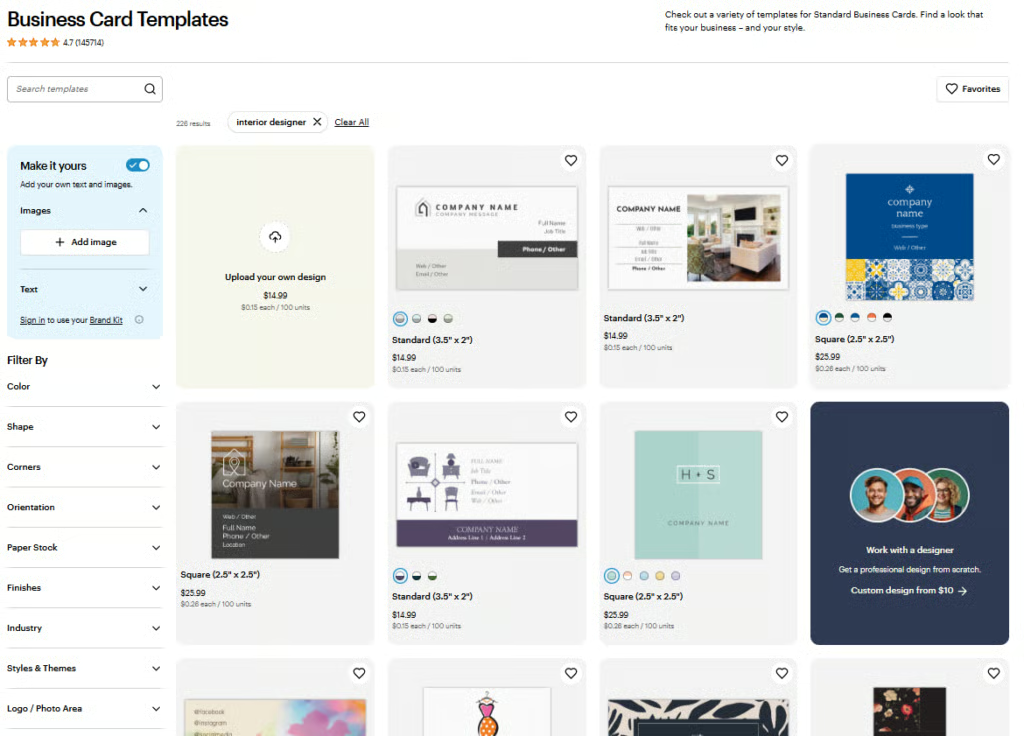
VistaPrint’s business card templates are useful because they are organized by industry, style, color, and use case. Instead of starting with a blank card, you can browse templates that already match your business type, then customize the layout with your own logo, colors, contact details, images, and QR code.
Its main template library includes industry categories like Retail & Sales, Food & Beverage, Construction and Real Estate, Household Services, Professional Services, and use cases like appointment cards, loyalty cards, QR code cards, and thank-you cards.
Retail store business card
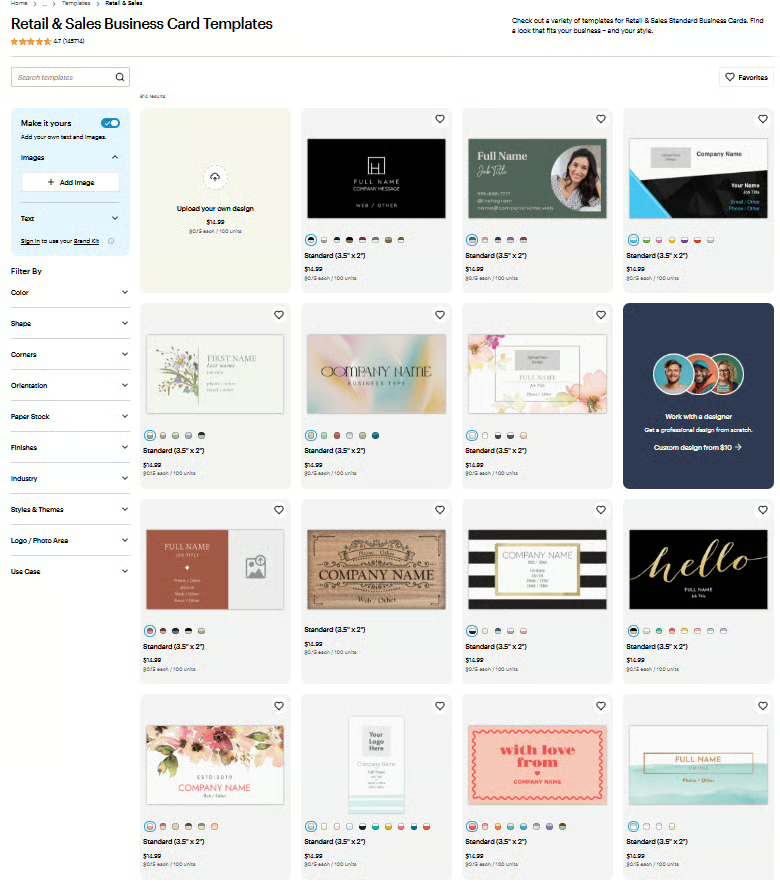
For a retail store, your business card should encourage customers to visit again, shop online, or follow your brand for future promotions. Include your logo, store address, website, and social handle if you use social media to promote products, sales, or events. If you sell online, add a QR code that points to your ecommerce store, Google Business Profile, or current promotion.
VistaPrint’s Retail & Sales business card templates are a good starting point because they are built for retail-focused businesses and can be customized by theme, color, and style. For online sellers, VistaPrint also has online retail business card templates, which are useful if your card’s main goal is to drive shoppers to your website rather than a physical storefront.
Best layout: Logo and store details on the front; discount, QR code, or loyalty offer on the back.
Real estate agent business card
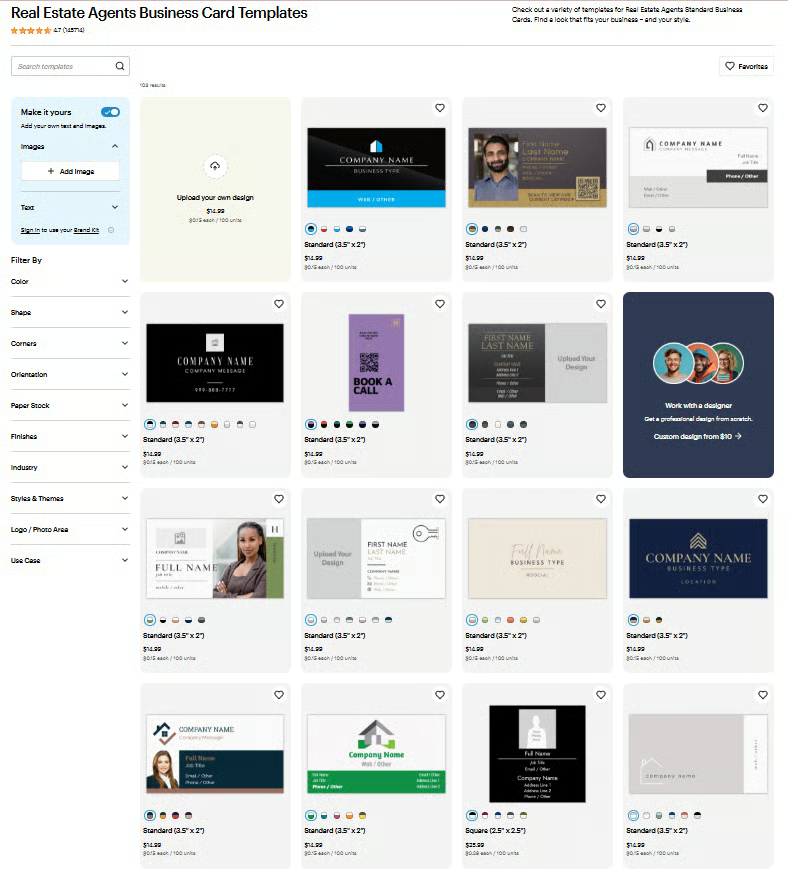
A real estate business card needs to build trust quickly and make it easy for prospects to contact you. Include your name, headshot, brokerage or business name, phone number, email, website, and license details if required in your state. A QR code can link to active listings, a home valuation page, a booking calendar, or a digital contact card.
VistaPrint has a dedicated Real Estate Agents business card template category with real estate-focused themes and styles. The template page also surfaces related options like open house and real estate photography business cards, which can be useful depending on whether you want to promote yourself as an agent, a property specialist, or a real estate photographer.
Service business card
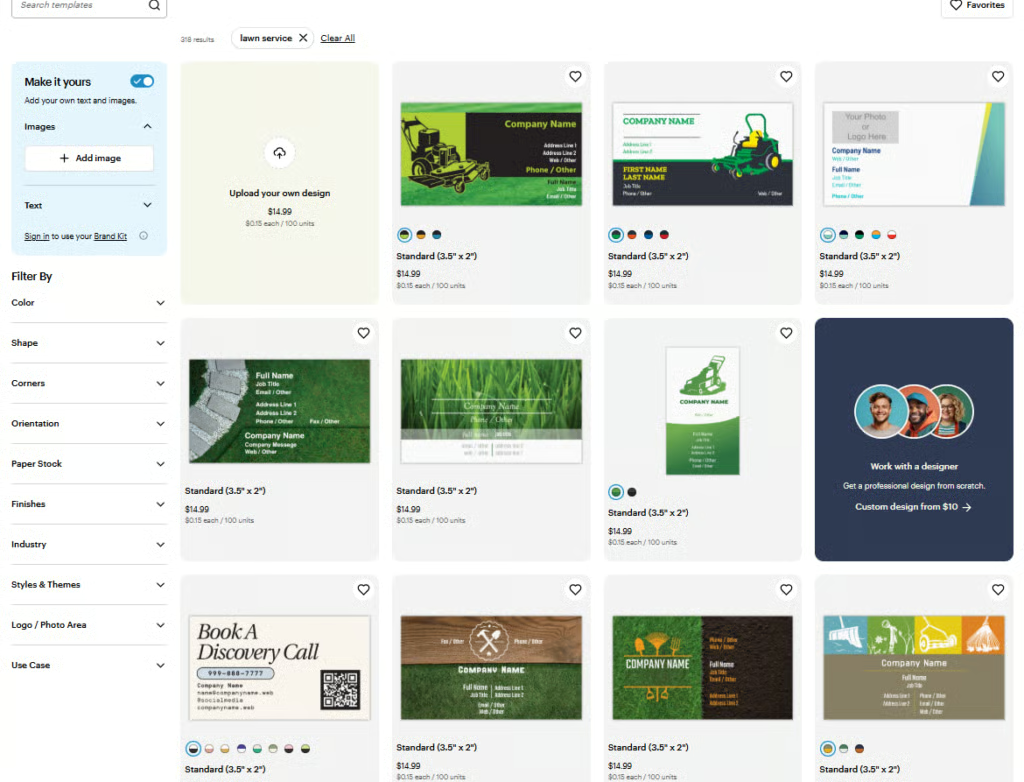
For service businesses, clarity matters more than decoration. Customers should immediately understand what you do, where you work, and how to request service. Include your business name, service category, service area, phone number, website, and a clear call to action, such as “Request a quote,” “Book service,” or “Call for availability.”
VistaPrint’s main business card template library includes service-related categories such as Household Services, Professional Services, Construction and Real Estate, Beauty & Spa, Automotive & Transportation, and Health & Social Services. For appointment-based service businesses, VistaPrint’s appointment card templates are especially useful because the back of the card can double as a reminder for the customer’s next visit.
Related: Best Construction Business Cards Designs
Freelancer or consultant business card
A freelancer or consultant business card should quickly communicate what you specialize in and where prospects can see your work. Include your name, specialty, email, website or portfolio link, and LinkedIn profile if it supports your credibility. A QR code works especially well because it can point to your portfolio, case studies, booking calendar, digital business card, or services page.
VistaPrint’s template library includes Professional Services and other industry filters that work well for consultants, freelancers, coaches, designers, and B2B service providers. If your main goal is to get prospects to view work samples or book a meeting, use VistaPrint’s QR Code business card templates so the card has one clear digital next step.
What to put on a business card (with examples)
A business card should include only the details a customer needs to recognize your business and take the next step. That usually means your name, business name, what you do, and the best way to contact or follow up with you. The exact information will depend on how customers buy from you, whether that is calling, booking online, visiting your store, scanning a menu, or viewing your portfolio.
Must-have business card information
| Information | Why It Matters | Example |
|---|---|---|
| Name | Tells customers who they met or who to contact | Maria Santos |
| Business name | Reinforces your brand | Santos Floral Studio |
| What you do | Makes your offer clear | Wedding & Event Florist |
| Primary contact method | Gives customers the easiest next step | Call or text: (555) 123-4567 |
| Website or booking link | Sends customers to more information | santosfloral.com |
| Logo | Makes the card more recognizable | Place near the top or front center |
Optional information to add
Use these only if they support the card’s goal:
| Optional Detail | Best For | Example Use |
|---|---|---|
| QR code | Restaurants, portfolios, bookings, reviews | Link to menu, calendar, or gallery |
| Physical address | Retail stores, salons, restaurants | Add only if customers visit you |
| Social handle | Visual or social-first businesses | Instagram for boutiques, cafes, artists |
| Tagline | Businesses that need quick positioning | “Custom florals for modern weddings |
| License number | Regulated industries | Real estate, insurance, contractors |
| Promo code | Retail, food, services | “10% off your next order” |
What to leave off your business card
Leave out anything that makes the card harder to read or distracts from the next step. Avoid listing multiple phone numbers, too many social media profiles, long service descriptions, tiny disclaimers, low-resolution images, or a full paragraph about your business. If the information is useful but not essential, put it on your website and link to it with a QR code instead.
Common business card design mistakes to avoid
Even a well-designed business card can fall short if it misses the basics. These common mistakes can make your card harder to read, less memorable, or ineffective at driving customer action.
Adding too much information
Trying to include everything, such as multiple phone numbers, emails, social profiles, services, and long descriptions, can overwhelm the reader.
Fix: Focus on one primary goal and one main contact method. If you need to include more details, use a QR code to link to your website or portfolio.
Using text that is too small
A design may look clean on screen but become difficult to read once printed at actual size.
Fix: Prioritize readability. Make sure your name, business name, and key contact details are easy to read at a glance. Always preview your design at real size before ordering.
Poor color contrast
Light text on a light background or dark text on a dark background can make your card hard to read, especially in low lighting.
Fix: Use high-contrast color combinations, such as dark text on a light background. Avoid overly subtle color pairings unless readability is still strong.
No clear call to action
If your card only lists contact details without guiding the customer, it may not lead to any follow-up.
Fix: Add a clear next step, such as “Call for a quote,” “Book online,” “Scan for menu,” or “Visit our store.”
Choosing a design that doesn’t match your business
A playful or trendy design may not work for a professional service, while a plain layout may not stand out for a creative brand.
Fix: Match your design to your industry and brand personality. When in doubt, choose a clean, simple layout that emphasizes clarity.
Ignoring the back of the card
Many business cards leave the back blank, missing an opportunity to add value.
Fix: Use the back for a QR code, appointment reminder, loyalty offer, short list of services, or a simple brand message.
Using low-quality images or logos
Blurry logos or pixelated images can make your business look unprofessional.
Fix: Upload high-resolution files and check how they appear in the final preview before printing.
Not testing the design before ordering in bulk
Ordering a large batch without checking the final output can lead to costly mistakes.
Fix: Start with a smaller order if you are trying a new design. Review spacing, alignment, and print quality before committing to a larger quantity.
Skipping proofreading
Typos, incorrect phone numbers, or broken URLs can make your card unusable.
Fix: Double-check all text, including contact details, links, and QR codes. It helps to have someone else review your design before ordering.
Business card design checklist
Use this checklist before you finalize your design and place your order. It will help you catch common issues and make sure your business card is clear, professional, and ready to use.
Design and branding
- The design matches your brand colors, fonts, and overall style
- Your logo is clear, properly sized, and not pixelated\
- The layout looks clean and not overcrowded
- There is enough white space to keep the design easy to scan
Content and information
- Your name and business name are easy to find
- It is clear what your business does
- You included only the most important contact method (phone, email, or website)
- Any optional details (address, social handle, tagline) support your goal
- Your call to action is clear (call, visit, book, scan, etc.)
Readability and layout
- Font sizes are readable at actual business card size
- There is strong contrast between text and background
- Key details (name, contact info, CTA) stand out visually
- The front and back are used intentionally
Functionality
- Your QR code works and links to the correct page
- Your website URL and email are correct
- Your phone number is accurate and formatted clearly
Print and finish
- You selected a paper stock that fits your brand and budget
- The finish (matte, glossy, soft touch, etc.) matches your design
- Images and logos are high resolution for printing
Final review before ordering
- You previewed the card at actual size
- You checked alignment, spacing, and margins
- You proofread all text for errors
- You considered ordering a small batch first
This checklist helps ensure your business card not only looks good but also works as a practical tool for attracting and converting customers.
Frequently asked questions (FAQs)
Click through the sections below to read answers to common questions about designing business cards:
How do I design business cards for my small business?
Start by defining the goal of your card, such as driving calls, bookings, or website visits. Then choose a format, pick a template, and add essential information like your name, business name, and contact details. Keep the design clean and easy to read, and select a paper type and finish that match your brand.
What should I put on a business card?
At minimum, include your name, business name, what you do, and a primary contact method such as a phone number, email, or website. You can also add a QR code, social handle, or tagline if it supports your goal. Avoid adding too much information that makes the card harder to read.
What is the best size for a business card?
The standard business card size is 3.5 inches by 2 inches, which fits easily in wallets and cardholders. Other sizes, such as square or rounded corner cards, can help your design stand out but may have less space for information.
Can I create business cards online without a designer?
Yes. Many small businesses use online business card designers like VistaPrint to create professional cards without hiring a designer. You can start with a template, customize it with your logo and contact details, and choose your preferred paper type and finish.
Are QR codes worth adding to a business card?
Yes, if they support a clear next step. QR codes are useful for linking to menus, booking pages, portfolios, online stores, or review pages. They help you include more information without overcrowding the card.
What finish is best for business cards?
It depends on your brand. Matte finishes are professional and easy to read, glossy finishes make colors stand out, and premium options like soft touch or foil can create a more memorable feel. Choose a finish that matches your industry and how you want your brand to be perceived.
Bottom line
A well-designed business card should quickly tell customers who you are, what you do, and what to do next. Focus on clarity, keep the design simple, and include only the most important details that support your goal.
Using a platform like VistaPrint can make the process easier by providing ready-made templates, customization tools, and a range of print options in one place. By following the steps and best practices in this guide, you can create business cards that not only look professional but also help attract and convert customers.
