









Jibble is a cloud-based time management solution that allows users to capture employees’ clock-ins/outs and work activities for attendance tracking, payroll, and compliance. Its features include geolocation, facial recognition, automated time sheets, overtime calculations, and mobile and desktop apps. Jibble has a free plan, while its paid plans start at $2.50 per active user when billed monthly. It is best for freelancers and businesses with mobile and/or in-house employees.
What We Recommend Jibble For
With its robust time tracking, billing and labor costing, and reporting capabilities, Jibble earned a spot on our guide to the best free time tracking software. It has a mobile app and a biometric kiosk that uses selfie capturing, facial recognition, and PIN validation to get accurate attendance data. You can also use your mobile phone or tablet and transform it into a shared kiosk.
In short, we recommend Jibble for:
- Freelancers and startups: Jibble has a free plan that provides budget-conscious freelancers and startup companies with basic time tracking.
- Businesses transitioning from in-house to remote employees: Employees can clock in and out from anywhere, and Jibble integrates with different communication tools (e.g., Slack) that allow you to create a Jibble channel that teams can access to log their time.
- Construction companies with field workers needing mobile and biometric attendance kiosks with affordable upgrades: You can transform an iPad or Android tablet into a biometric attendance system that you can carry around to building sites. An unlimited number of users can clock in/out using selfie capturing, facial recognition, and/or PIN—preventing buddy punching. You can also set up strict geofences to ensure your employees show up at the right site on time and automatically generate time sheets for your payroll so that you can see how much your team is working.
When Jibble Would Not Be a Good Fit
- Companies wanting a time tracking solution with a built-in communications platform: While Jibble integrates with Slack, it doesn’t have its own fixed communication tool. If this is something you need, then check out the providers in our time and attendance buyer’s guide for more options.
- Companies with employees that work multiple different shifts (days and times): Jibble allows you to create a standard schedule, so it has a basis to determine when overtime, breaks, and other time variances should occur. However, it automatically defaults every employee to the first schedule you create; you can create additional ones, but an employee can be assigned to only one. If you need more robust scheduling software that can handle regularly changing schedules, consider Homebase, which has a free plan.
- Companies with a complex PTO policy: While Jibble does track breaks and pull up reports with actual work time listed, it doesn’t have a system that tracks paid time off (or time off). If you have a sophisticated PTO policy, consider TMetric. Aside from monitoring billable hours, it keeps your staff up to date with state and company PTO policies and accurately tracks employee vacations, sick or annual leaves, and personal time off. Along with PTO and leave monitoring, you can monitor your expenses per account, project, or team member—including the income you’ll receive from each project or client.
Jibble Overview
| PROS | CONS |
|---|---|
| Facial recognition | No leave management capabilities |
| Kiosk mode for physical attendance tracking | Limited integrations (Slack and Microsoft Teams) |
| Geofencing and GPS trackers | Email and chat support only |
Jibble Pricing
Jibble has one free plan and three paid monthly subscriptions: Premium ($2.50 per active user), Ultimate ($5 per active user), and Enterprise (custom priced). The main differences between the plans include the numbers of locations to monitor (geofences) and activities to track and access to premium features such as activity tracking, payroll time sheets, and dedicated support.
| Free | Premium | Ultimate | |
|---|---|---|---|
| Pricing($/User/Month) | $0 | $2.50 | $5 |
| Roles | 1 Admin | 1 Admin, 2 Managers | Unlimited |
| Time Tracking | |||
| Clock In/Out | ✔ | ✔ | ✔ |
| Offline Mode | ✔ | ✔ | ✔ |
| Auto Clock Out | ✔ | ✔ | ✔ |
| Custom break types | N/A | ✔ | ✔ |
| Identity Verification | |||
| Selfie Capturing | ✔ | ✔ | ✔ |
| Facial Recognition | ✔ | ✔ | ✔ |
| PIN Verification | ✔ | ✔ | ✔ |
| Custom Verification Rules | N/A | ✔ | ✔ |
| Location Tracking | |||
| Adding Locations | Max of 2 locations | Max of 4 locations | Unlimited |
| Onsite Kiosks | ✔ | ✔ | ✔ |
| Live Location Tracking | N/A | N/A | ✔ |
| Activities and Project Tracking | |||
| Activity Tracking | Maximum of 7 activities | Unlimited | Unlimited |
| Project and Client Tracking | N/A | N/A | ✔ |
| Time Sheets | |||
| Automated Time Sheets | ✔ | ✔ | ✔ |
| Automated Deductions | N/A | ✔ | ✔ |
| Time Sheet Approval Workflow | N/A | ✔ | ✔ |
| Scheduling | |||
| Work Scheduling | ✔ | ✔ | ✔ |
| Overtime Rules and Calculations | N/A | ✔ | ✔ |
| Leave Management | |||
| Leave Administration | N/A | ✔ | ✔ |
| Custom leave policies | N/A | N/A | ✔ |
| Reports | |||
| Payroll Hours Report | ✔ | ✔ | ✔ |
| Attendance Report | N/A | ✔ | ✔ |
| Export (XLS and CSV Files) | ✔ | ✔ | ✔ |
| Integrations | |||
| Slack | ✔ | ✔ | ✔ |
| Microsoft Teams | ✔ | ✔ | ✔ |
| Support | |||
| Product Support | Basic Email Support | Prioritized 24/7 chat support | Prioritized 24/7 chat support |
Enterprise: Jibble offers this custom-priced plan for companies with more than 100 employees.
Jibble Features
Jibble captures employees’ clock-ins/outs in real time using multiple devices for accurate time and attendance reports that you can use to generate payroll. Its features—like activity tracking, productivity and engagement recording, and desktop activity monitoring—promote employee efficiency.
Below is an overview of Jibble’s essential features to help you decide if it fits your needs.
Time Tracking
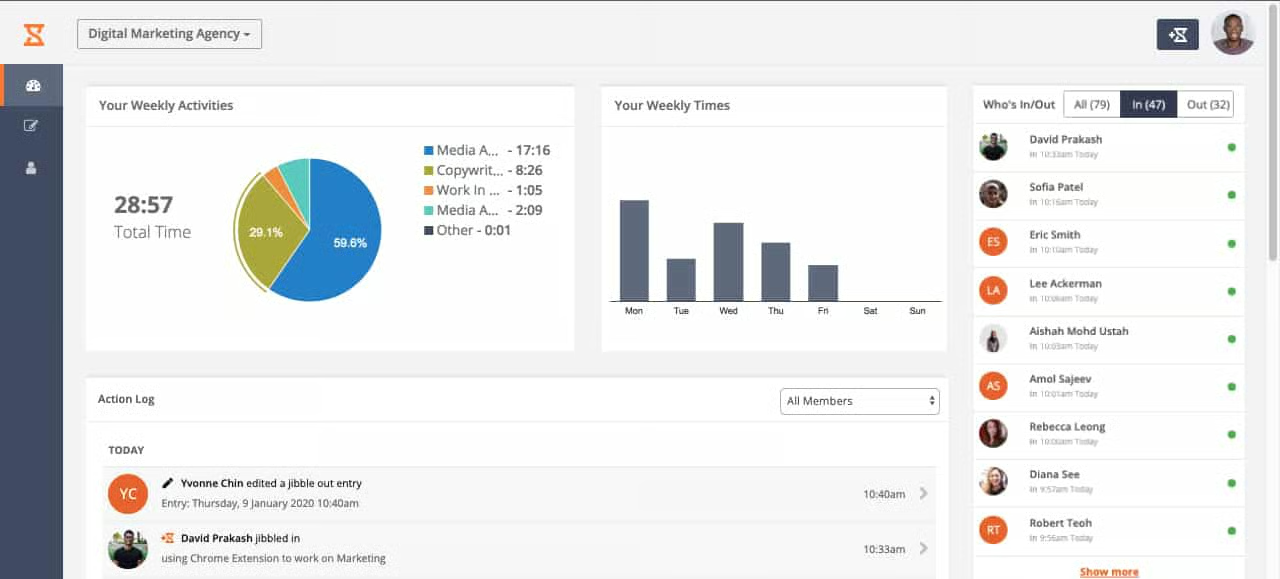
- Biometric on-site time tracking: You can turn any mobile device or tablet into time clocks. It allows your employees to clock in using selfie-capturing, facial recognition, and/or PIN—ensuring that the correct staff are clocking in. You can also enable Jibble’s offline mode when your connection is down, and once you’re back online, all data stored locally will sync to the server.
- Touchless time tracking: Aside from mobile apps and biometric attendance kiosks, Jibble offers speed mode tracking. Using a kiosk-enabled device, employees get clocked in/out just by going near it.
- GPS tracking and location-based attendance: Jibble’s GPS tracker allows your team to clock in or out using their GPS location. You can even set geofence restrictions when you assign team members to specific locations and prevent them from punching in or out when they are out of range. This feature can quickly monitor your team’s whereabouts, including how many hours they spent at multiple job sites.
Automated Time Sheets
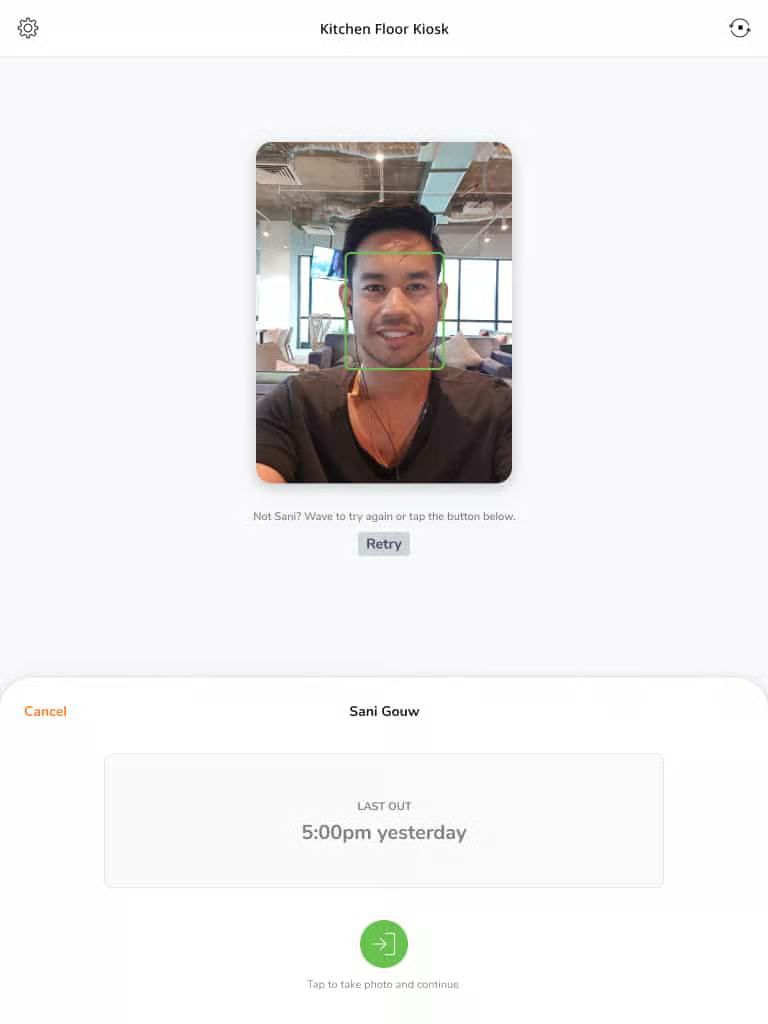
Jibble has payroll-ready time sheets. You can review and approve your employees’ time entries and calculate and pay overtime work. You can also export your time sheets in their default XLS and CSV file format to provide you an insight into your team’s punctuality, breaks, work activities, and more.
Scheduling
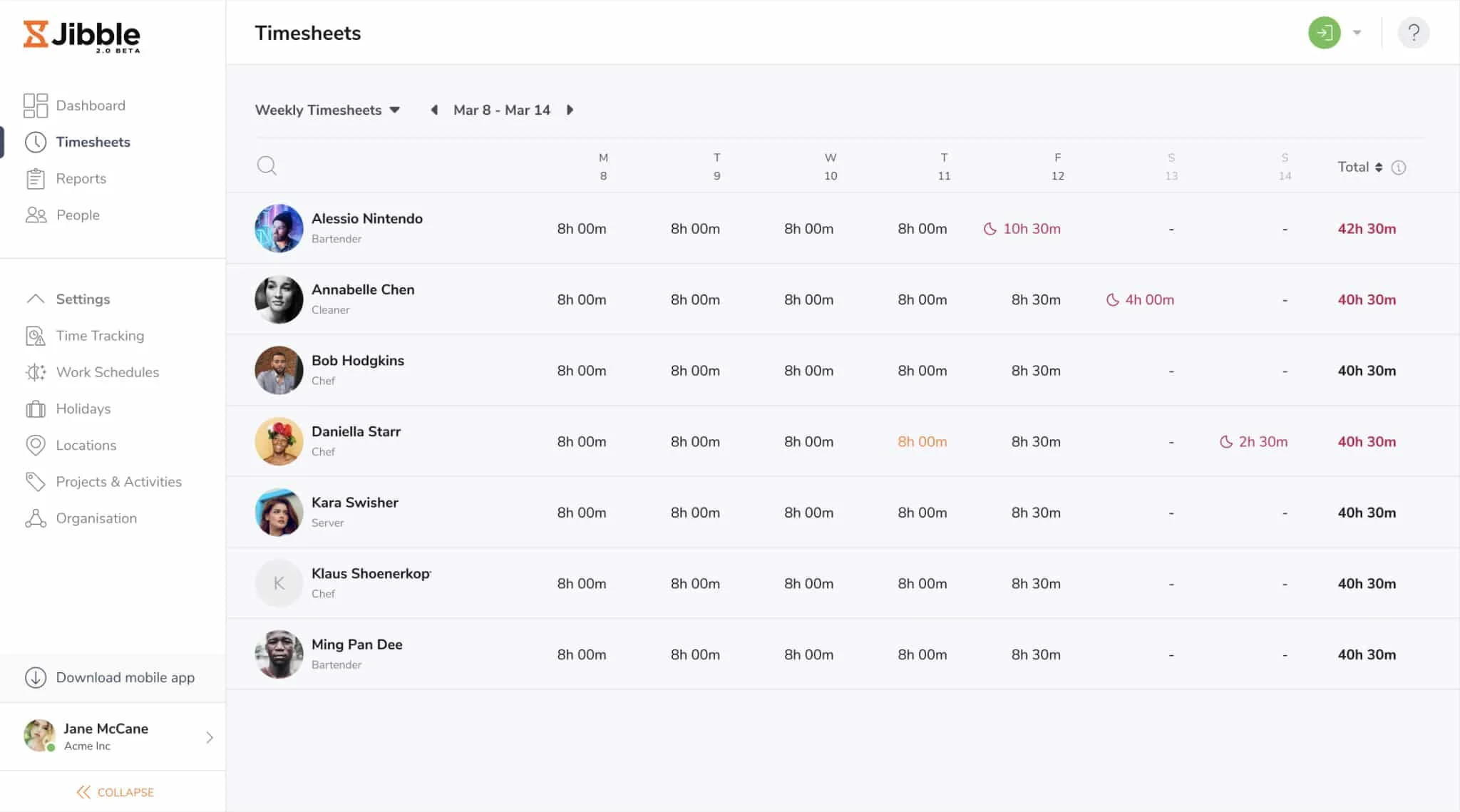
With Jibble, you can set up specific workgroups for your project teams, their activities, or the physical locations (geofence). You can also customize your team’s breaks, overtime rules, and automatic deductions. This feature also lets you track hours spent on projects so that you can understand job costs, monitor budgets, and simplify invoicing.
Productivity Tools
It allows you to track your team’s activities and notifies you when there’s an issue. You can also set automated reminders for your staff when they are supposed to start, end, or take a break from work.
Mobile Application
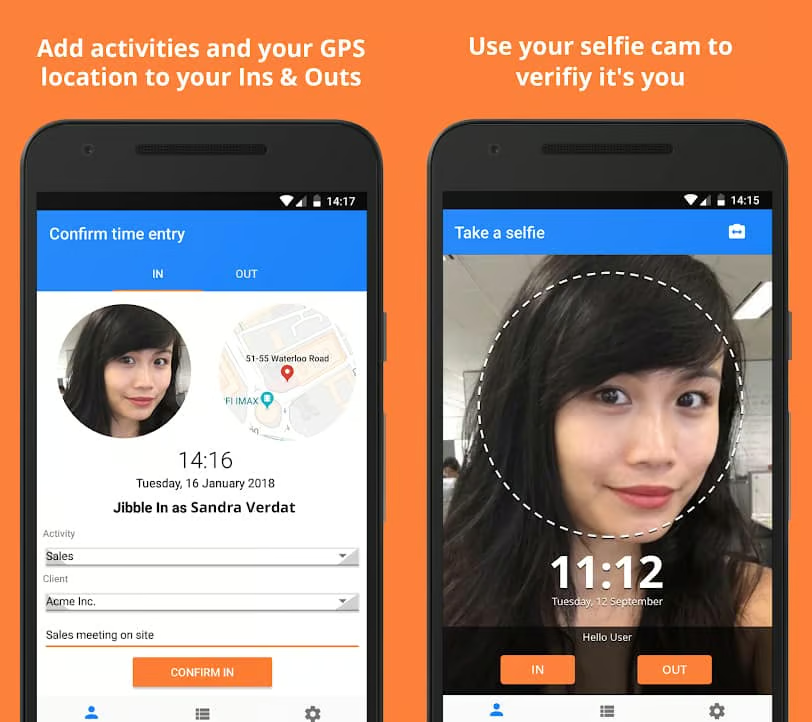
The Jibble app can be used in Personal mode (Mobile) or Kiosk mode (Tablet) for physical attendance tracking. You can have your employees clock in and out wherever they are, even if they’re offline, using selfie capturing, facial recognition, and geolocation. Attendance data is readily accessible from your mobile device (iOS, 4 out of 5 stars; and Android, 4.4 out of 5 stars) or laptop.
The majority of reviews are from Android users, and they generally describe Jibble as easy to use and great for tracking work productivity. There are a few mentions of bugs, but the developers responded to their complaints in detail.
Reporting
Managing your payroll and your team is easier with Jibble’s detailed reports. You can view tracked hours using its time reports—which you can filter by team member, activity, client, or project. You can also use its payroll reports to ensure accuracy by spotting trends of exaggerated overtime hours that may need to be investigated.
Third-Party Integrations
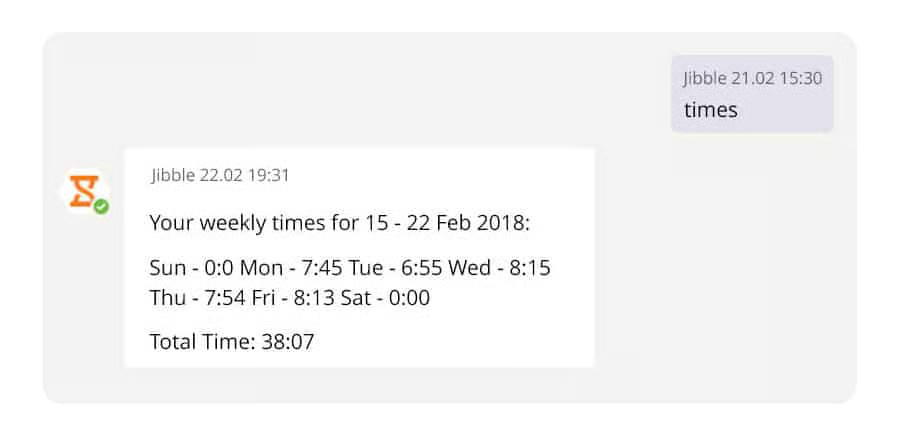
Jibble works seamlessly with Slack and Microsoft Teams. Using slash commands, your team can clock in as they log on to start their day. You can also view daily summaries, weekly time sheets, and logs without leaving Slack or Microsoft Team’s workspace. You can even choose the notifications you need and keep them in one place, even when your team members are clocking in from other platforms.
Jibble Ease of Use
- Simple user interface
- Easy to implement and navigate
- Downloadable free time sheet templates (daily, weekly, and monthly)
- Help center that features articles and how-to guides
- Dedicated support staff for implementation and 24/7 prioritized chat support
Overall, Jibble has a simple user interface that is easy to implement and navigate with the help of a team of dedicated support. Moreover, you get access to its help center that features articles and guides by a team of Jibble experts and free time sheet templates that you can download anytime. During the initial implementation, Jibble has dedicated support to help you with setup. If you’re on a paid plan, you get 24/7 prioritized chat support when you have issues.
Top Jibble Alternatives
| Homebase | TMetric | QuickBooks Time |
|---|---|---|
| Best for: Restaurants and retail shops with one location wanting free time tracking and scheduling software | Best for: Freelancers and startups with five or fewer users needing strong invoicing tools | Best for: QuickBooks users who want to track billable hours and employee attendance of hourly staff |
| Monthly fees from: $24.95 per location; has a free plan | Monthly fees from: $5 per user; has a free plan | Monthly fees from: $20 plus $8 per employee |
If you’re unsure Jibble is right for you, see how it compares with our top time tracking software.
What Users Think About Jibble
The majority of users who left Jibble reviews online like how easy it is to implement among remote employees given its straightforward interface. Some complimented its responsive customer service, and others praised its time tracking features with its biometric verification capabilities because it helped them prevent employees from buddy punching.
On the other hand, several reviewers complained that they experienced occasional time logging glitches and mentioned that the leave management capabilities should be improved. Moreover, some suggested that there should be more third-party integrations.
At the time of publication, Jibble reviews earned the following scores on popular user review sites:
- Capterra: 4.8 out of 5 based on 228 reviews
- G2: 4.6 out of 5 based on 43 reviews
These are some of the trends that I noticed when reading through its reviews:
| Users Like: | Users Don’t Like: |
|---|---|
| Easy to deploy and navigate | Occasional software glitches |
| Straightforward interface | Limited third-party integrations |
| Responsive customer support | Limited leave management features |
Bottom Line
If you’re looking for a time tracking system that prevents time theft and buddy punching through biometric verification capabilities, then Jibble is your best choice. Its geofencing and GPS tracking features allow you to capture billable hours when on-field, and it tracks your employees’ activities at the same time, making it easier to manage your employees.
You can take advantage of Jibble’s free plan for unlimited users if you have a limited budget. It has basic time tracking, identity verification, reporting, and productivity tracking functionalities for two locations. It is also scalable, depending on your requirements, and you can upgrade it for an affordable price. If you want to learn more about its functionalities, then sign up for free today.
