







Being two of the most popular unified communications (UC) providers, both RingCentral and Zoom offer reliable video conferencing platforms, voice over Internet Protocol (VoIP) solutions, and collaboration tools (e.g., screen sharing, team chat, and meeting recordings). While writing this RingCentral vs Zoom comparison, I found that RingCentral is best for teams that prioritize phone calls, while Zoom is the better choice if you prefer running your meetings over video calls.
Choosing between RingCentral vs Zoom depends on your business communication needs. To help you determine the right solution, I compared these providers’ pricing, features, integrations, security, usability, and customer support and put together a summary of their pros and cons.
| Comparison |  |  |
|---|---|---|
| My overall score | 4.21 out of 5 | 4.14 out of 5 |
| Monthly starting price | $30 per user per month | $21.99 per user per month |
| Free trial | 14 days | ❌ |
| Free plan | ✅ 50 minutes per meeting, up to 100 participants | ✅ 40 minutes per meeting, up to 100 participants |
| Meeting capacity | Up to 500 attendees | Up to 1,000 attendees |
| Unlimited domestic calling | ✅ | ✅ |
| Integrations | 500+ | 2,500+ |
| Learn more | RingCentral review | Zoom review |
| Visit the website | Visit RingCentral | Visit Zoom |
- RingCentral overview
- RingCentral pros and cons
- When to choose RingCentral
- Zoom overview
- Zoom pros and cons
- When to choose Zoom
- Best for pricing: Tie
- Best for general features: RingCentral
- Best for advanced features: RingCentral
- Best for integrations: Zoom
- Best for security: Tie
- Best for ease of use: Zoom
- Best for customer support: RingCentral
- Final verdict
- Frequently asked questions (FAQs)
RingCentral overview
RingCentral is a cloud-based business communications platform offering VoIP phone services, video conferencing, team messaging, SMS, and fax. As a unified communications as a service (UCaaS) solution, RingCentral enables businesses of all sizes to manage their communication channels in one app.
The platform supports advanced call routing, IVR, voicemail with transcription, real-time analytics, and a 24/7 AI concierge. With options to integrate with customer relationship management (CRM) systems and productivity tools, RingCentral creates a centralized hub for external and internal communications.
RingCentral pros and cons
| PROS | CONS |
|---|---|
| Comprehensive phone system with video, messaging, SMS, and fax | May feel overwhelming for less tech-savvy users |
| Advanced call handling (e.g., multilevel IVR, auto-attendant, call recording) | Some features are only available on higher-tier plans (e.g., customizable reporting) |
| Excellent support and onboarding resources | Video conferencing features aren't as intuitive as Zoom's |
When to choose RingCentral
Choose RingCentral if you are looking for an all-in-one communication system. It’s especially suited for customer-facing teams, call centers, and distributed workforces. This platform is highly scalable, enabling teams to manage and facilitate phone calls, video meetings, SMS initiatives, and team messaging in one place.
Zoom overview
Zoom is best known for its video conferencing capabilities. During its peak, it recorded over 300 million daily meeting participants worldwide. Zoom provides a clean, user-friendly experience that helps teams collaborate through team chat, whiteboards, screen sharing, and breakout rooms. It has also expanded its offerings by introducing AI Companion, a suite of AI tools that generate live transcriptions, manage calendars, create documents, draft emails, and automate tasks.
Zoom pros and cons
| PROS | CONS |
|---|---|
| Simple, intuitive interface with little to no learning curve | Phone system lacks some advanced VoIP features (e.g., advanced multilevel phone trees) |
| Excellent integrations with calendar and scheduling tools | Fewer admin controls compared to RingCentral |
| Impressive video conferencing capabilities | Support can be inconsistent on lower-tier plans |
When to choose Zoom
Choose Zoom if your business prioritizes video meetings over phone-based communication. If your team works remotely, regularly hosts client calls, or needs a user-friendly platform for webinars and virtual events, Zoom makes for a more cost-efficient solution.
Best for pricing: Tie
| Pricing comparison | | |
|---|---|---|
| My rating | 3 out of 5 | 3 out of 5 |
| Monthly pricing (per user, per month) |
|
|
| Free plan |
|
|
RingCentral and Zoom both offer competitive video conferencing and phone plans. Zoom’s entry-level pricing is lower, which already offers unlimited domestic calling, metered international calling, toll-free numbers, and unlimited auto-attendant.
On the other hand, while RingCentral is more expensive, it offers a robust phone system and advanced call-handling features. For small businesses that rely heavily on calling, RingCentral is the more scalable option, thanks to the availability of add-on solutions (e.g., AI receptionist, additional toll-free numbers, contact center solutions, and RingCentral Webinar).
Since both platforms fall within the same price range, the better value depends on your needs: Zoom is more cost-effective for video calls, while RingCentral provides greater value for voice communication.
Best for general features: RingCentral
| General features comparison | | |
|---|---|---|
| My rating | 4.75 out of 5 | 4.63 out of 5 |
| Multilevel IVR | ✅ | ✅ |
| Call routing | ✅ | Limited |
| Unlimited domestic calling | ✅ | ✅ |
| Call queue and call recording | ✅ | ✅ |
In terms of general features, RingCentral takes the lead. It offers a broader set of built-in communication tools including voice, video, messaging, SMS, and fax — all in one platform. Small businesses can benefit from features like call queues, shared lines, call flip, voicemail transcription, and multilevel IVR.
Zoom covers the basic communication needs, such as video meetings, messaging, and Zoom Phone. However, its calling features are more limited, which may not be ideal for businesses that need detailed call logs or phone trees.
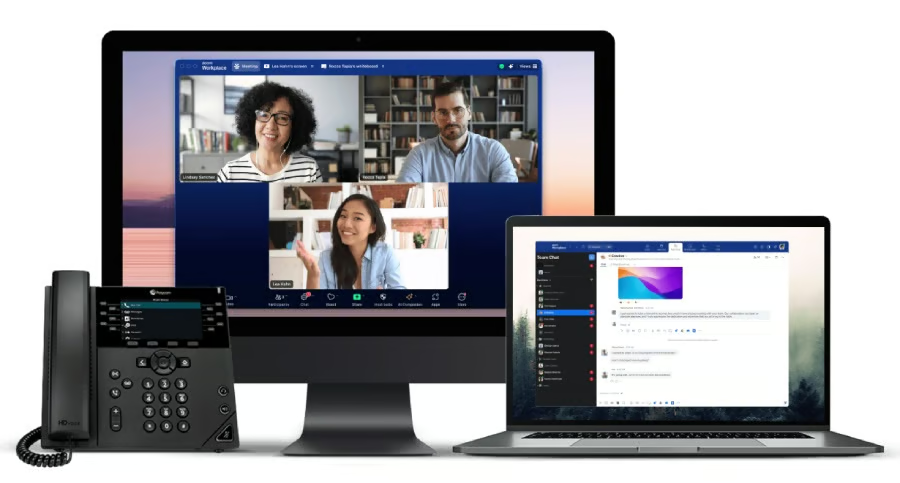
For small businesses looking to upgrade their traditional phone systems and, at the same time, add modern video and chat features, RingCentral stands out as the stronger choice.
Best for advanced features: RingCentral
| Advanced features comparison | | |
|---|---|---|
| My rating | 4 out of 5 | 3.75 out of 5 |
| Predictive dialing | ✅ | ❌ |
| Customizable analytics and dashboards | Advanced | Basic |
| AI meeting summaries and captions | ✅ | ✅ |
| AI receptionist | ✅ | ✅ |
RingCentral edges out Zoom with more advanced tools for reporting and real-time analytics, as well as contact center functionalities. Features like call monitoring (e.g., whisper, barge, takeover) and real-time analytics dashboards make RingCentral the better choice for call center environments.
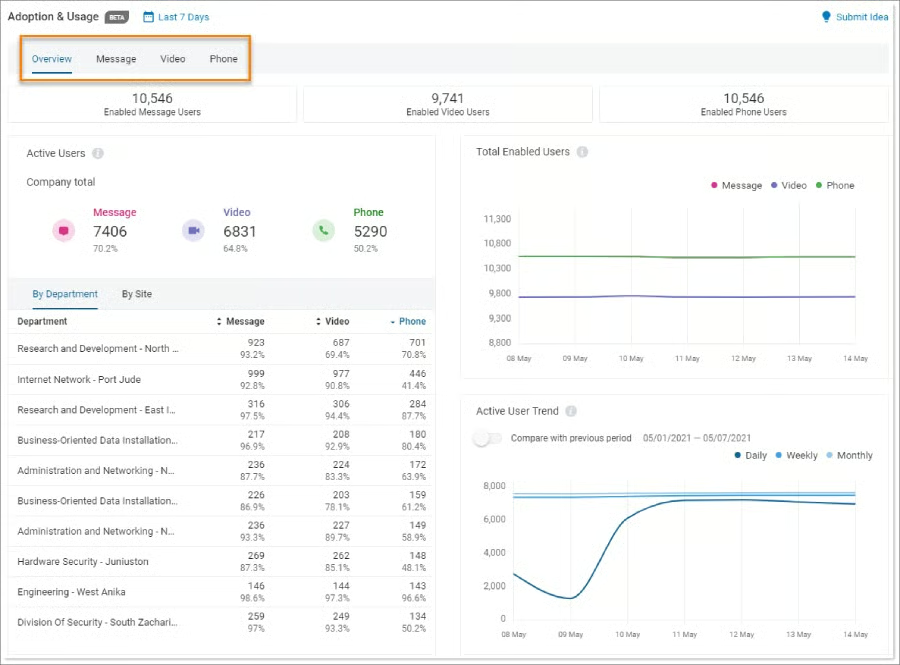
Zoom, on the other hand, focuses more on video collaboration features, such as breakout rooms, virtual whiteboards, and AI meeting summaries. If your business needs features to support sales teams, call centers, or multi-branch operations, RingCentral is the more scalable option.
Best for integrations: Zoom
| Integrations comparison | | |
|---|---|---|
| My rating | 4.5 out of 5 | 4.38 out of 5 |
| Number of integrations | 2,500+ | 500+ |
| Salesforce | ✅ | ✅ |
| HubSpot | ✅ | ✅ |
| Google Workspace | ✅ | ✅ |
Zoom stands out in this integration showdown, especially for teams using tools like Google Workspace, Microsoft Outlook, Slack, Salesforce, Calendly, and Zapier. While RingCentral offers a rich integration ecosystem, it can be more complex to configure and is limited in lower-tier plans.
Zoom’s plug-and-play integration gives it an edge in this category, particularly for small businesses using multiple third-party productivity apps.
Best for security: Tie
| Security comparison | | |
|---|---|---|
| My rating | 5 out of 5 | 5 out of 5 |
| End-to-end encryption (E2EE) | ✅ | ✅ |
| Single sign-on (SSO) | ✅ | ✅ |
| SLA uptime guarantee | 99.999% | 99.999% |
I gave both platforms a perfect score for security, as they offer enterprise-grade encryption, SSO, role-based access, and compliance with standards like HIPAA, SOC 2, and GDPR. This might come as a surprise for some, as Zoom performed poorly in this category a few years ago. After several security issues, it has then improved its security controls by introducing E2EE and stricter admin controls.
RingCentral has been serving regulated industries, such as healthcare, finance, and telecommunications, supporting advanced configurations for call recording storage, audit logs, and data retention policies.
Best for ease of use: Zoom
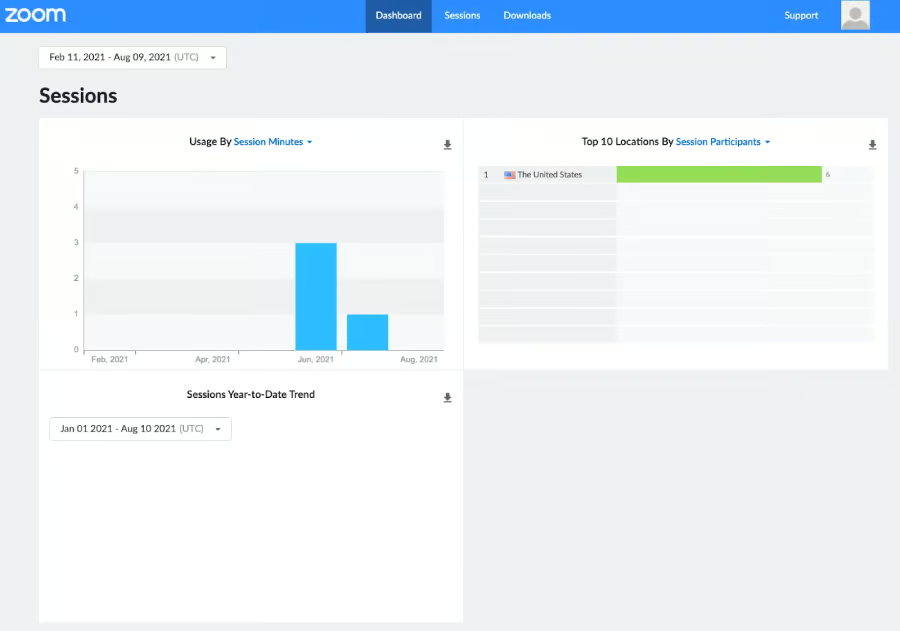
Zoom is hard to beat when it comes to ease of use. I gave it a perfect score for its simple and intuitive interface that I personally enjoy using. Scheduling a meeting, joining a call, or sharing your screen takes just a few clicks, making it easy to learn, even for beginners.
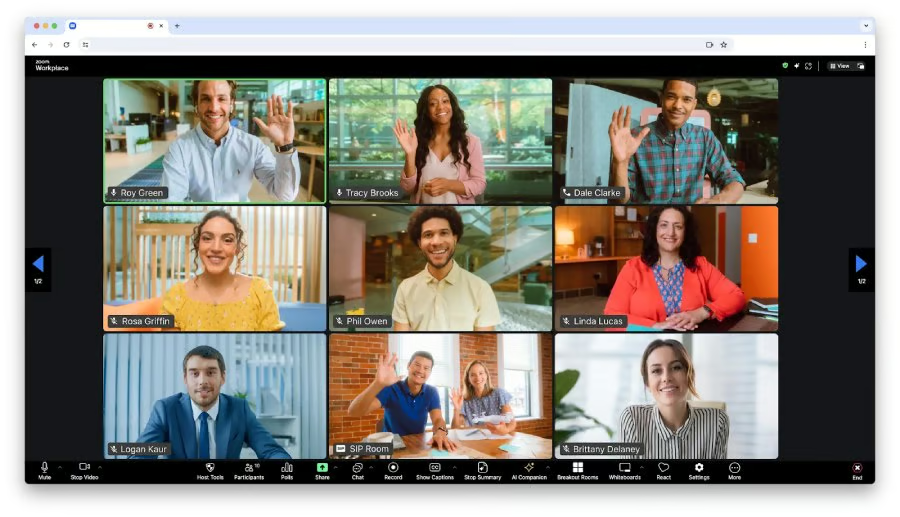
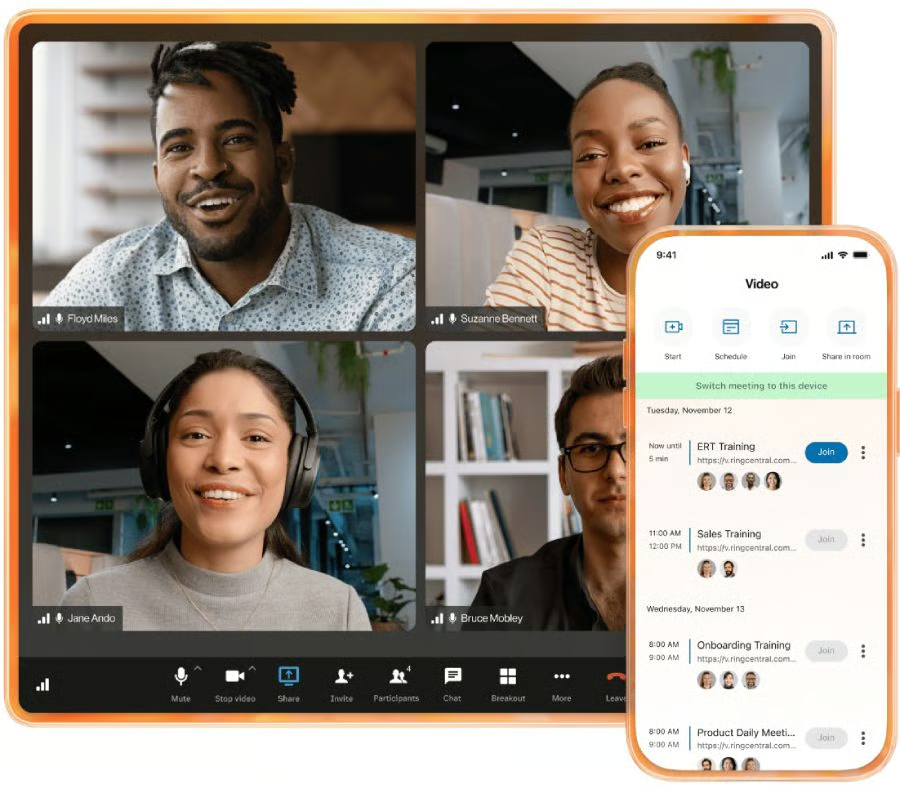
Zoom’s virtual meeting interface. (Source: Zoom) 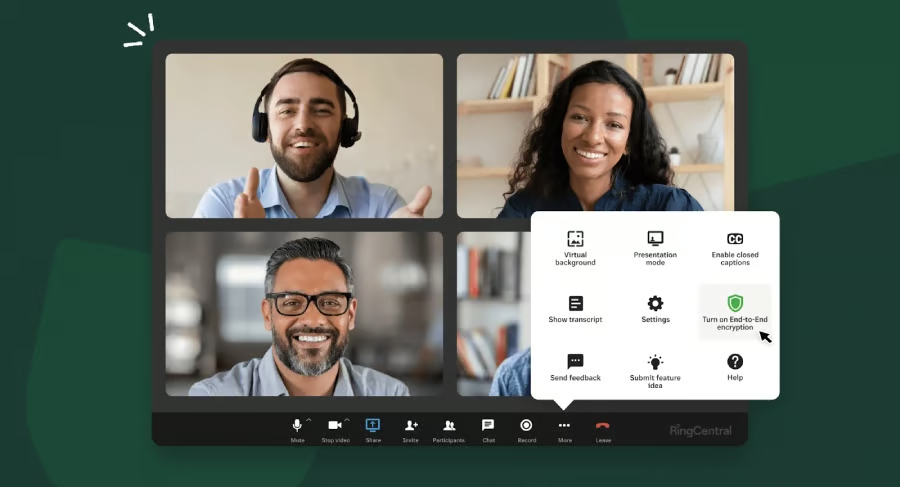
RingCentral’s video meeting interface. (Source: RingCentral)


RingCentral, on the other hand, received a near-perfect score of 4.38. Its interface makes switching between video calls, phone calls, and chats effortless. I also find its mobile and desktop apps user-friendly. However, compared to Zoom, RingCentral can be more challenging to navigate due to its complex call flow configurations, IVR setup, and admin settings.
Best for customer support: RingCentral
| Customer support comparison | | |
|---|---|---|
| My rating | 4.69 out of 5 | 3.75 out of 5 |
| Phone support | ✅ | ✅ |
| Live chat | ✅ | ✅ |
| ✅ | ✅ | |
| Knowledge base | ✅ | ✅ |
RingCentral leads in customer support, offering 24/7 live support via chat and phone across all business plans. Its onboarding process includes personalized training sessions, and its knowledge base is comprehensive. RingCentral also provides dedicated onboarding specialists for higher-tier plans.
I docked Zoom’s score by a few points because the level of support it provides depends on the user’s plan. Those on the free and lower-tier plans often have to rely on community forums or ticket-based help. To enjoy better customer support, you need to upgrade to the higher tiers.
For small businesses that need hands-on assistance, I recommend RingCentral, as it offers comprehensive support channels.
Final verdict
In the close competition between RingCentral and Zoom, there’s no definitive winner. Both platforms offer strong features, so the best choice for your small business ultimately depends on your specific needs and how your team works.
If your distributed team depends heavily on video meetings and prefers a solution that’s quick to deploy and easy to use, go for Zoom. But if phone capabilities are central to your operations and you want all communications unified on a single platform, choose RingCentral.
Before making a decision, make sure to test out the platforms by signing up for the free trial (RingCentral) and the free entry-level plan (Zoom).
Frequently asked questions (FAQs)
Which platform is better for remote teams: Zoom or RingCentral?
While I recommend both Zoom and RingCentral for remote teams due to their robust video conferencing capabilities, the latter offers unified communication solutions, which combine voice, messaging, video, and online fax. This means distributed teams will be able to access all communication and call logs in one place, making it easier to manage customer queries and collaborate as a group.
Can I use Zoom for free?
Yes, there’s a free entry-level plan that you can sign up for. It lets you run a video meeting for up to 40 minutes, with up to 100 participants. You also have access to up to three editable boards, team chat, and five two-minute videos.
Does RingCentral integrate with Zoom?
Yes. You can connect the RingCentral platform with Zoom to centralize all video meetings.
