








An analog telephone adapter (ATA), or voice-over-internet-protocol (VoIP) phone adapter, connects analog phones to modern VoIP networks, offering a low-cost way to integrate VoIP with existing hardware.
The best analog telephone adapter fits your budget and provides the number and type of ports you need, like foreign exchange subscribers (FXS) ports that connect to analog devices and foreign exchange office (FXO) ports that connect to a landline.
They’re also easy to set up and are compatible with various VoIP services. So if you’re considering switching to a VoIP system but aren’t ready to give up your current home or office telephone, we evaluated the eight best analog telephone adapters to choose from.
- Grandstream HT812: Best overall analog telephone adapter
- Cisco SPA112: Best for basic client support operations
- Cisco ATA 191: Best for security
- Ooma Telo: Best for home offices
- Grandstream HT813: Best for hybrid phone systems
- Polycom OBi302: Best for Google Workspace users
- AudioCodes MediaPack 202B: Best for high-call volume environments
- Yeastar TA800: Best for connecting several analog devices
- Best Analog Telephone Adapters Compared
- Grandstream HT812: Best Overall ATA
- Cisco SPA112: Best for Basic Client Support Operations
- Cisco ATA 191: Best for Security
- Ooma Telo: Best for Home Offices
- Grandstream HT813: Best for Hybrid Phone Systems
- Polycom OBi302: Best for Google Workspace Users
- AudioCodes MediaPack 202B: Best for High Call Volume Environments
- Yeastar TA800: Best for Connecting Several Analog Devices
- Frequently Asked Questions (FAQs)
- Bottom Line
Best Analog Telephone Adapters Compared
| Analog/VoIP Phone Adapter | Starting Price | ATA Highlights | Supported Direct-connected Devices | Our Rating |
|---|---|---|---|---|
 Grandstream HT812 | $40.01 |
| 2 | 4.86 out of 5 |
| Visit Grandstream | ||||
 Cisco SPA112 | $99 |
| 2 | 4.83 out of 5 |
| Visit Cisco | ||||
 Cisco ATA 191 | $99.10 |
| 2 | 4.79 out of 5 |
| Visit Cisco | ||||
 Ooma Telo | $69.99 |
| 1 | 4.78 out of 5 |
| Visit Ooma | ||||
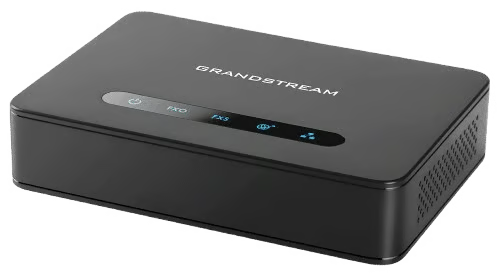 Grandstream HT813 | $67.92 |
| 2 | 4.75 out of 5 |
| Visit Grandstream | ||||
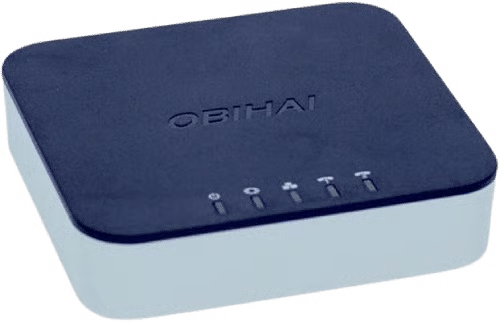 Poly OBi302 | $118 |
| 3 | 4.49 out of 5 |
| Visit Polycom | ||||
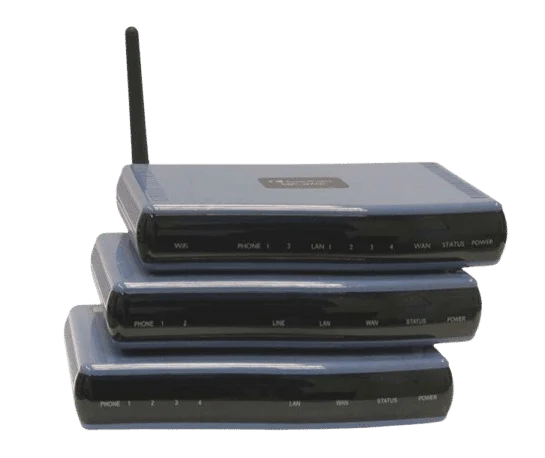 AudioCodes MediaPack 202B | $139.85 |
| 2 | 4.39 out of 5 |
| Visit AudioCodes | ||||
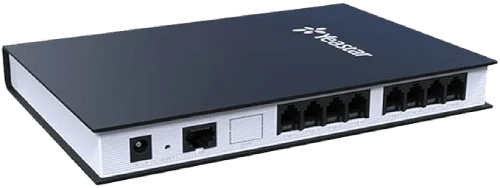 Yeastar TA800 | $225 |
| 8 | 4.36 out of 5 |
| Visit Yeastar | ||||
Grandstream HT812: Best Overall ATA
Pricing
Our Expert Opinion
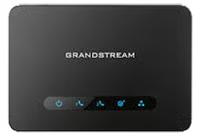
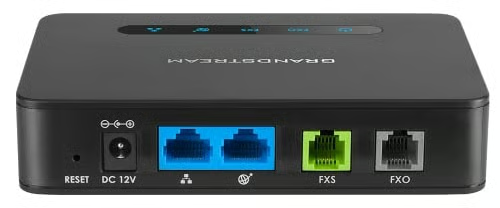
With a starting price of $40, the Grandstream HT812 is our top pick for the best analog telephone adapter because of its reliability and affordability. It has a SIP failover system, so if you use two VoIP services and one goes down, it’ll route calls to the port with a working service.
It supports two VoIP profiles and has an integrated high-performance network address translation (NAT) router. Its HD voice facilitates clear communication, crucial for customer service and client-facing tasks.
The HT812’s router can handle routing speeds up to 100MBps, providing users with great voice quality with a wide-band HD codec. Like the Grandstream HT813, the HT812 uses AES and provides a unique security certificate for each adapter. However, it doesn’t have an FXO port for connecting a landline or including VoIP services. Check out the Grandstream HT813 model for landline support or the Ooma Telo for an adapter with free internet calling.
Additional Features
- Fax: Like other VoIP telephone adapters, the Grandstream HT812 has a T.38 fax port. It also includes a fax-to-email feature to view incoming faxes as portable document formats (PDFs).
- Telephony: The Grandstream HT812 supports many VoIP features, including three-way calling, blind or attended call transfers, and do not disturb (DND). However, it lacks the hunt group feature found on the Yeastar TA800.
- Server failover: Although you can’t route calls to a backup landline, you can set it up to automatically switch to a secondary server. This works well if one VoIP service experiences downtime because you won’t miss a call or must reconfigure your call forwarding rules.
Cisco SPA112: Best for Basic Client Support Operations
Our Expert Opinion
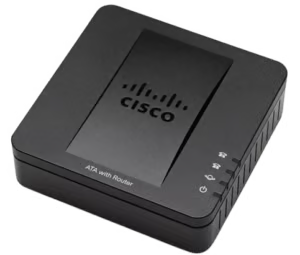
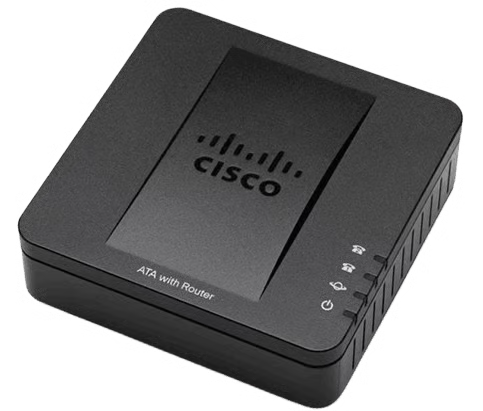
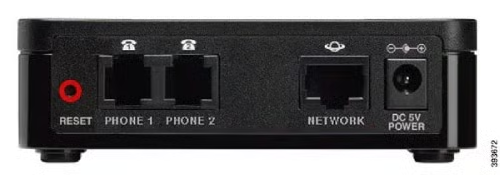
When looking for the best analog telephone adapter for small-scale customer service call centers, the Cisco SPA112 offers simplicity with its two FXS ports and simple configuration. This device is compatible with industry voice and data standards, such as SIP and T.38 faxes. It also supports telephone features (e.g., caller ID and voicemail). For instance, the SPA112 is a Nextiva-recommended ATA, seamlessly connecting to its SIP Trunking service.
In addition to its ease of use, the SPA112 is cost-effective and straightforward to set up, making it a practical choice for small businesses. However, its limitation to only two ports and basic feature set might not meet the needs of more extensive operations. For a solution with more ports and advanced features, consider the Yeastar TA800, which offers 8 FXS ports and supports remote management.
Additional Features
- Compact design: This device is compact, making it easy to set up in the office and ideal for businesses with limited desk or rack space. The Cisco SPA112 can be installed as a desktop unit or wall-mounted device.
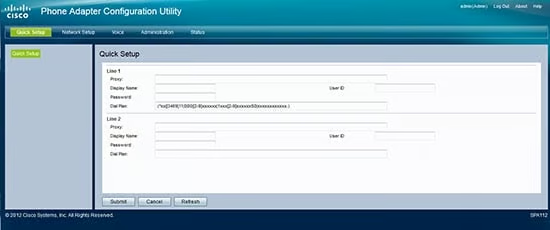
- Built-in web interface: Its web-based interface offers easy access to configuration settings and allows managers and users to adjust settings and troubleshoot issues remotely.
- Call management: The adapter is compatible with the essential voice features of the internet VoIP provider, such as call forwarding and call waiting. It’s also interoperable with telephony equipment like fax, voicemail, key telephone systems, and interactive voice response systems.
Cisco ATA 191: Best for Security
Our Expert Opinion
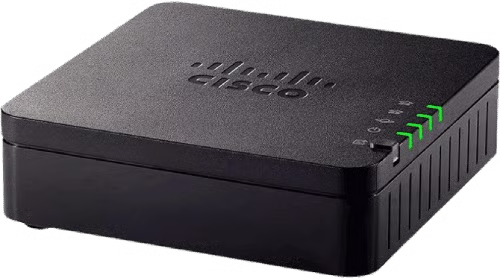
The Cisco ATA 191 is our best analog telephone adapter for security, thanks to its comprehensive encryption systems: transport layer security (TLS), secure hash algorithm (SHA-2), and secure real-time protocol (SRTP).
These protocols ensure your calls remain secure, protecting internal and customer data. The Cisco ATA 191 provides a complete security solution for both media data (e.g., voice packets) and signaling messages, as well as password-protected system reset and user access authority.
Small businesses can use this multiplatform VoIP analog telephone adapter to quickly turn traditional telephone, fax, and overhead paging devices into IP devices. Unfortunately, the Cisco ATA 191 only offers two phone ports, supporting a maximum of two phone lines. For a solution with additional ports and advanced features, consider the Yeastar TA800. Its security features include TLS transport, firewall protection, and network alerts.
Additional Features
- Voice quality: Experience crystal-clear, natural-sounding voice quality because of this model’s advanced preprocessing and echo cancellation. It also comes with voice activity detection and comfort noise generation so every conversation is heard clearly.
- Cloud provisioning: Streamline device management with this feature and quickly set up across multiple locations. This ensures consistent updates and configurations, minimizing the need for on-site technical support.
- Air flow: This device doesn’t overheat because its grooved design ensures optimal airflow. The elevated design also has rubber to prevent it from sliding around your desk.
Ooma Telo: Best for Home Offices
Our Expert Opinion
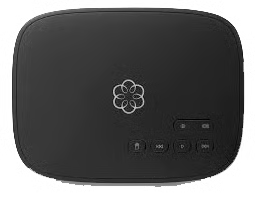
The Ooma Telo is a great choice for home office users because it integrates with analog cordless and standard telephones for free VoIP calls. The built-in speaker allows you to listen to voicemails or hear callers’ names before answering—a valuable addition to a busy home office. Beyond home service, the Ooma Telo also supports business phones and offers wireless ATAs. Purchase paid business plans starting at $19.95 per user monthly.
Unlike other analog telephone adapters, the Ooma Telo includes a phone service with unlimited US calls and only taxes and fees to pay. Teams with overseas clients can avail themselves of one of Ooma’s international calling plans, including unlimited calling options starting at $9.99 monthly. Our comprehensive Ooma review covers everything from pricing and use cases to features and our thoughts on usability and customer support.
However, the Ooma Telo doesn’t work with third-party VoIP services like RingCentral or Nextiva. For those needing compatibility with such services, the Grandstream HT812 is a better alternative.
Additional Features
- Multidevice use: Although Ooma Telo only has one FXS port for analog devices, you can connect up to 4,000 IoT sensors and four DECT phones. It also works with smart home devices like Nest and Amazon Alexa.
- QoS: Ooma uses less bandwidth than other VoIP systems, thanks to an advanced voice compression algorithm. It prioritizes voice packets to get excellent call quality, even if you’re uploading a video while on a call.
- Paid VoIP plans: Ooma offers paid plans for home and business calling. Subscriptions start at $9.99 per month and include do-not-disturb, voicemail-to-text, and custom call blocking. Business versions have a virtual receptionist and overhead paging.
Grandstream HT813: Best for Hybrid Phone Systems
Grandstream HT813 Pricing
Our Expert Opinion
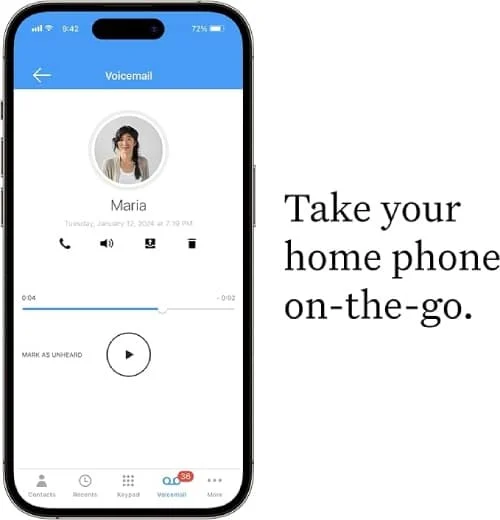
The Grandstream HT813 supports teams with VoIP and landline connections, thanks to its FXO port, which lets you answer calls from their plain old telephone service. This feature gives teams a backup landline, automatically enabling the HT813 to switch to a landline during power or internet outages.
This seamless failover capability allows internet-connected devices to use the public switched telephone network (PSTN), offering a safety net that ensures continuous communication.
This is an excellent choice for connecting one analog device and up to two SIP sessions. If you don’t need an FXO port, consider the less expensive Grandstream HT812, which has two FXS ports, or go for the eight-device capable Yeastar TA800. Likewise, the Grandstream HT813 doesn’t come with VoIP service. In this case, check out Ooma Telo, as internet-based calling comes free with the device.
Additional Features
- Lifeline support: During a power outage, the Grandstream HT813 hard relays the FXS port to the FXO, making it ideal for companies needing to keep their POS system connected or to answer VoIP calls even if the internet goes down.
- Advanced configuration options: The Grandstream HT813 offers many custom settings, allowing you to decide how and when to download firmware updates, add a failover SIP server, or enable and disable various features.
- Security: Although the Grandstream HT813 lacks the automatic attack reporting feature like the Yeastar TA800, it provides encryption support via TLS and SRTP.
Polycom OBi302: Best for Google Workspace Users
Polycom OBi302 Pricing
Our Expert Opinion
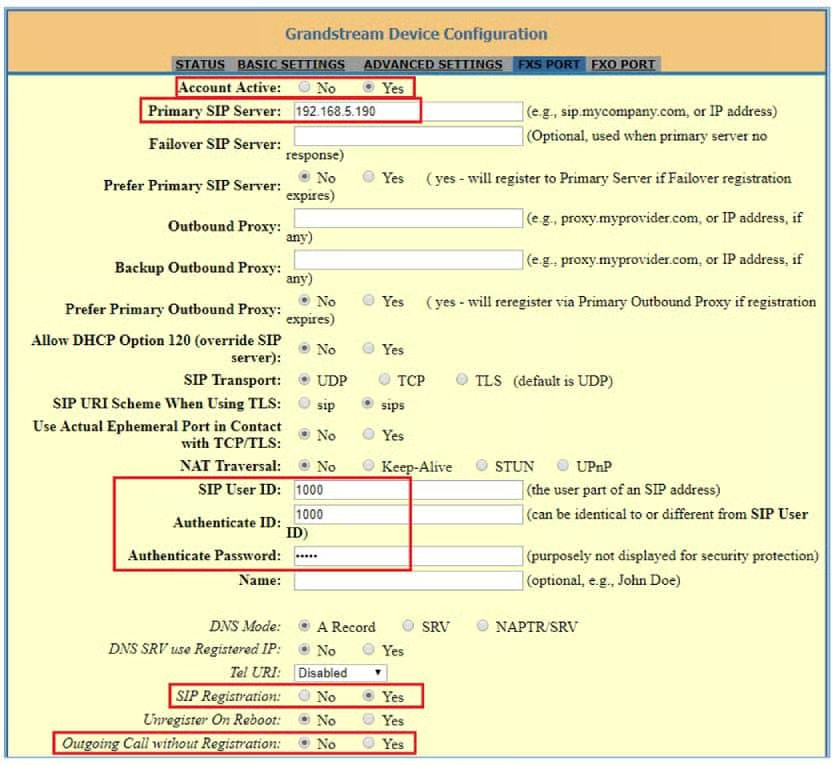
The Polycom OBi302 is the best analog telephone adapter for Google Workspace users because it lets Google Voice users manage and make calls without additional hardware or software. By connecting the OBi302 to a Google Voice account, users can access Google’s communication features, such as voicemail, call forwarding, and call screening, all within their existing Google Workspace environment, enhancing productivity.
The functionality goes beyond Google integration by supporting up to three VoIP lines and up to six different VoIP services, allowing teams with varying communication requirements to maintain flexibility. Even with all these integrations, The Poly OBi302 lacks a built-in phone service, which Ooma Telo provides. Opt for Ooma if you have a small team like a startup and want an ATA with VoIP service plans.
Additional Features
- Multi-VoIP service compatibility: This device supports up to six different VoIP services, which is ideal for businesses using several communication solutions. This enables teams to integrate, switch, and continue using multiple providers.
- HD voice quality: This device delivers HD voice quality for clear and professional calls. It gives you reliable communication services for client interactions and internal discussions.
- Web-based management: Use the user-friendly web-based interface to configure your operations. It also means a simple setup process and straightforward account adjustments, which is preferred for teams lacking advanced technical account management skills.
AudioCodes MediaPack 202B: Best for High Call Volume Environments
AudioCodes MediaPack 202B Pricing
Our Expert Opinion
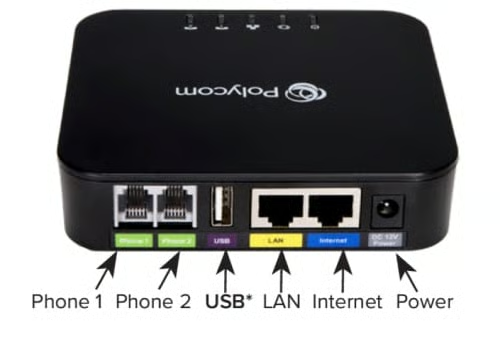
For high-volume call management, the AudioCodes MediaPack 202B excels with its support for two FXS ports, enabling it to manage multiple calls simultaneously with exceptional reliability. It uses advanced SIP protocol for seamless integration with other VoIP systems, delivering superior voice quality to ensure clear communication during peak call times. Its low-bit-rate voice coders can also be employed across all telephony ports to optimize bandwidth usage.
The MP202 is ideal for growing businesses, as it easily connects to existing broadband devices like cable or DSL modems. However, its higher cost and complex setup may not suit businesses with tight budgets or limited technical expertise. For a more affordable and user-friendly alternative, consider the Cisco ATA 191. It’s IPv6-ready and accommodates two SIP profiles via two FXS ports.
Additional Features
- Dual Ethernet ports: With 2 Ethernet ports, you can configure your network by connecting it directly to your router or using it as a network bridge.
- Strong security: The MediaPack 202B has advanced security protocols like SRTP and TLS, preventing unauthorized system access.
- Remote firmware upgrade: Keep your devices up-to-date with the latest features and security patches without on-site maintenance. This is great for businesses with multiple locations or limited IT resources.
Yeastar TA800: Best for Connecting Several Analog Devices
Our Expert Opinion
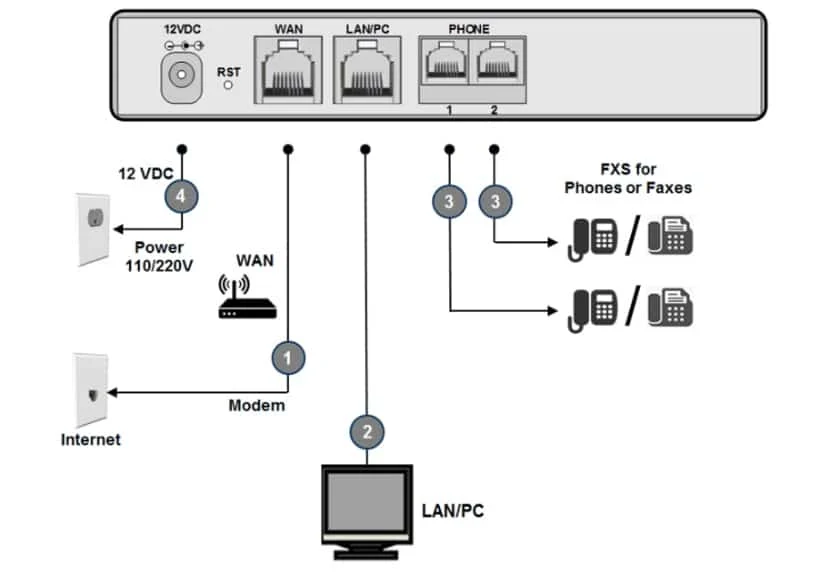
Yeastar TA800 is the top VoIP phone adapter for multiple devices, offering eight FXS ports to connect point-of-sale, fax equipment, and desk phones. The higher device capacity makes it an excellent solution for connecting legacy telephones to your cloud-hosted public branch exchange system.
It has a built-in firewall and supports many protocols and voice codecs. Yeastar offers the same model with 16, 32, or 64 ports. Other analog telephone adapters for VoIP listed in this article only have two or four ports. If your office is larger and has many devices, Yeastar models or VoIP gateways are your best options.
However, without a USB port or built-in router, you’ll need to connect to the adapter via an Ethernet cable to your internet. Also, the Yeastar TA800 doesn’t have an FXO port, so you can’t connect to the public switched telephone network (PSTN). Check out the Grandstream HT813 for two ports, including an FXO for landlines.
Additional Features
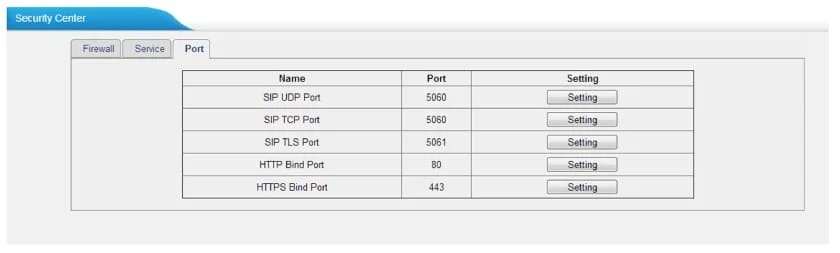
- Security settings: Yeastar TA800 will alert you via text or phone if your device or the web interface (used for logins) is under attack. An IP-based attack on your phone results in the ATA blocking the IP address, whereas more than five consecutive failed logins will lock the account for 10 minutes. Both security breaches result in an alert.
- Call logs: Review call logs and listen to or download recordings using the Yeastar TA800. It retains information about call types, call duration, and call status. You can filter reports by various call details or communication groups, such as inbound, outbound, or internal.
- Hunt groups: Configure which FXS ports will ring when receiving an incoming call. Yeastar provides three options: simultaneous ringing (ring all FXS ports ring at once), round-robin ringing (ring lines in a set sequence, until everyone gets a turn), and linear hunting (deliver calls in a specific order).
How We Evaluated the Best Analog Telephone Adapters
VoIP adapters can connect one or two analog devices in a home office or eight or more in a small office. The prices and features differ among analog terminal adapters for VoIP devices. We explored pricing, features, and user reviews to rate analog adapters and determined the best use cases for the best analog telephone adapter.
Our comparison examined the cost of ATA devices from the manufacturer and third-party sellers. We also gave a higher score to hardware that comes with a warranty.
We assessed each analog telephone adapter based on its VoIP functionalities. Our guide also considered security options and the availability of server and landline failover. Other crucial features include HD voice support, dial method, and whether it offers FXS and FSO ports.
We examined ATAs to determine which offered niche features like fax-over-IP, QoS support, and Ethernet WAN. Our comparison also considered its web-based interface to determine if it’s easy to set up and use, requiring little to no technical know-how.
We rated hardware based on the overall features and value for the money. In addition, we examined the ease of use for the device and web portal while looking at the popularity and usage rates.
Frequently Asked Questions (FAQs)
How does an ATA work?
An ATA connects traditional phones to a digital VoIP phone system and converts analog signals into digital data that can be transmitted over an IP network. Incoming digital signals are converted back into analog for use on the connected phone. This allows teams to use their regular phone for internet-based calls.
What types of devices can I connect to an ATA?
ATAs can be used with landline phones, desk phones, fax machines, and alarm systems. This cost-effective measure lets you integrate your existing hardware with VoIP services and function over an internet-based network.
What is the difference between an FXS & an FXO port on an ATA?
An FXO and FXS are types of ports used in telephony systems; an FXS port connects analog devices like telephones or fax machines, providing the dial tone and other necessary signals. On the other hand, an FXO port connects to traditional telephone lines or private branch exchange (PBX) systems, allowing the ATA to interface with the external public telephone network.
Bottom Line
If you already have office phones and want to switch to one of the best business phone systems, analog telephone adapters let your traditional devices make and receive calls over the internet. Adapters aren’t limited to phones and can support analog devices like fax machines, POS systems, and cordless phones. This lets teams retain their current hardware while enjoying the benefits of a modern VoIP system.
We rated the Grandstream HT812 4.86 out of 5, making it the best ATA for small businesses because of its reliability, ease of use, and affordable pricing. It ensures crystal-clear calls and supports a wide range of analog devices, so it’s versatile enough to meet unique business needs.
