







The best answering services for small businesses give you trained receptionists, AI agents, or both to pick up the calls you can't take, capture caller details, book appointments, and route urgent calls to the right person. Many now pair live agents with AI answering, so you can match your coverage to your call volume and budget.
I evaluated nine answering services on pricing, features, ease of use, and customer support. My top pick, PATLive, stood out for its 24/7 US-based receptionists, bilingual answering at no extra charge, and a 14-day free trial on every plan. If you take only a handful of calls a week, AnswerFirst's pay-as-you-go plan may cost you less.
Check out the providers below to find the best fit for your business:
| Best answering service | Best for | My score out of 5 |
| PATLive | Small businesses overall | 4.71 |
| Go Answer | Multichannel support | 4.61 |
| Moneypenny | Low to moderate call volumes | 4.32 |
| AnswerFirst | Pay-as-you-go pricing | 4.31 |
| Abby Connect | Blending AI and live receptionists | 4.27 |
| Ruby | Live chat and answering services | 4.25 |
| Smith.ai | Per-call billing | 4.18 |
| MAP Communications | Regulated industries | 4.14 |
| AnswerConnect | Customer-facing integrations | 3.95 |
Why you can trust Fit Small Business
Methodology: How I evaluated the best answering services
To provide an objective assessment, I scored each provider against six weighted criteria using a rubric with fixed rating levels. Each criterion gets a base rating from Poor (1) to Excellent (5), plus a merit of 0.1 to 0.9 when a provider clearly exceeds its level without reaching the next one. I relied on each provider's own pricing pages, plan terms, FAQs, and feature documentation. When a provider didn't publish a detail, I didn't give it credit for that detail.
| Criterion | Weight | What I looked at |
| Pricing | 15% | The cost of 100 live minutes on each provider's best-fit plan, plus points for no setup fee, a free trial or money-back guarantee, no notice period, a published overage rate, per-second or per-call billing, a pay-as-you-go option, an entry plan under $100, and a lower-cost AI tier |
| General features | 25% | 24/7 live answering at no extra cost, custom scripting, call transfer, message delivery, recordings or transcripts, a client portal and mobile app, integrations, spam filtering, and an included phone number |
| Advanced features | 20% | AI or hybrid answering, bilingual support, appointment scheduling, order processing and payments, lead qualification, compliance (HIPAA, PCI-DSS, SOC 2), live chat, and outbound calling |
| Customer support | 10% | Dedicated account managers, onboarding help, support hours and channels, and recurring themes in third-party user reviews |
| Ease of use | 15% | Setup speed, self-service controls through an app or portal, free trials, and how easy pricing is to find and understand |
| Expert score | 15% | Value for money at low, medium, and high call volumes, standout capabilities, and deal-breakers such as limited live hours or notice periods |
- Best answering services for small businesses compared
- PATLive: Best overall answering service for small businesses
- Go Answer: Best for multichannel support
- Moneypenny: Best for low to moderate call volumes
- AnswerFirst: Best pay-as-you-go answering service
- Abby Connect: Best for blending AI and live receptionists
- Ruby: Best for live chat and answering services
- Smith.ai: Best for per-call billing
- MAP Communications: Best for regulated industries
- AnswerConnect: Best for customer-facing integrations
- Live, AI, and hybrid answering services: Which model fits your business?
- How much does an answering service cost?
- How to choose an answering service for your small business
- Frequently asked questions (FAQs)
- Bottom line
Best answering services for small businesses compared
| Answering service | Starting price | Key features | Billing model | Free trial or guarantee |
| PATLive | • $49/month + $2.99/minute (pay as you go) • $99/month (50 minutes) | • 24/7 US-based live receptionists • English & Spanish answering • Call recording • Appointment scheduling & lead intake | Per minute (first minute in full, then 6-second increments) | 14-day free trial |
| Go Answer | • $95/month (AI, 100 minutes) • $175/month (live, 100 minutes) | • Live & AI receptionist options • Phone, chat & email support • Spam/robocall filtering • CRM & scheduling integrations | Per minute | 14-day AI free trial; 30-day money-back guarantee |
| Moneypenny | • $69/month (AI, 25 calls) • $165/month (live, 50 minutes) | • Live & AI answering options • AI caller recognition • Warm call transfers • English & Spanish answering | Per call (AI); per minute (live) | Not published |
| AnswerFirst | $30/month + $1.60-$1.95/minute | • 24/7 US-based receptionists • Appointment scheduling • Order entry & dispatching • CRM/API integrations | Per second | 30-day risk-free refund |
| Abby Connect | $165/month (50 Abby Minutes) | • AI & live receptionist hybrid • Dedicated receptionist team • English & Spanish answering • 1,000+ integrations | Per Abby Minute (AI counts at half) | Free trial on every plan |
| Ruby | • $250/month (50 minutes) • Chat from $143/month | • Live phone answering & website chat • Payment collection • AI transcripts & sentiment analysis • 5,000+ integrations | Per minute | 21-day money-back guarantee |
| Smith.ai | • Free AI tier (25 calls) • $300/month (live, 30 calls) | • AI with live receptionist backup • Lead screening & intake • Appointment booking • CRM integration | Per call | 30-day money-back guarantee (live plans) |
| MAP Communications | $49/month + $1.37/minute | • 24/7 live answering • HIPAA, PCI-DSS, HITRUST & SOC 2 compliance • English & Spanish answering • Appointment scheduling integrations | Per minute | Free trial, no credit card |
| AnswerConnect | $350/month (200 minutes) + $49.99 setup | • 24/7 live answering • Calendar & CRM integrations • Appointment scheduling • Live chat | Per minute, rounded up | Not published |
PATLive: Best overall answering service for small businesses
My expert opinion
PATLive is my top pick because it gives a small business the most complete live answering service for the money. Its 100-minute plan costs $189 per month, and every plan includes 24/7/365 US-based receptionists with no night, weekend, or holiday fees, English and Spanish answering at no extra charge, call recordings, and web and mobile apps. You can also try any plan free for 14 days, which lets you test the service on real calls before you pay.
Aside from message-taking, PATLive's receptionists also handle call screening, lead collection, appointment scheduling, client intake, order processing, event registrations, and emergency dispatch, and you can run multiple scripts for different lines or call types. An onboarding specialist sets up your account and monitors it for your first 30 days.
PATLive also includes a free business phone system with one number and ports numbers in or out at no charge. If you want your website chat covered too, its live chat plans start at $19 per month plus $9.95 per chat.
PATLive keeps its service 100% human, so you won't find an AI tier for low-cost overflow coverage. Its billing also works against very short calls, since the first minute of every call is billed in full before six-second increments kick in. And its $49 pay-as-you-go plan charges $2.99 per minute, so if you take only a few calls a month, AnswerFirst or MAP Communications will cost you less. If you're weighing a full phone setup instead, our guide to the best virtual phone systems covers other options.
Pricing
| Live call answering plan | Monthly price | Estimated number of calls | Overage per minute |
| Pay as you go | $49 | — | $2.99 |
| 50 minutes | $99 | About 20 calls | $2.29 |
| 100 minutes | $189 | About 40 calls | $2.09 |
| 200 minutes | $349 | About 80 calls | $1.99 |
| 300 minutes | $479 | About 120 calls | $1.89 |
| 500 minutes | $759 | About 200 calls | $1.79 |
| 1,000 minutes | $1,499 | About 400 calls | $1.69 |
| 2,000 minutes | $2,899 | About 800 calls | $1.64 |
| 3,000 minutes | $4,299 | About 1,200 calls | $1.59 |
| 4,000 minutes | $5,599 | About 1,600 calls | $1.54 |
| 5,000 minutes | $6,899 | About 2,000 calls | $1.49 |
PATLive bills the first minute of each call in full, then in six-second increments, and unused minutes don't roll over. Service is month to month with no contract, every plan comes with a 14-day free trial, and prices exclude taxes and fees. Live chat plans start at $19 per month plus $9.95 per chat, and outbound calling plans start at $19 per month.
Standout features
- 14-day free trial: You can try any plan free for two weeks before your first billing cycle starts.
- Bilingual receptionists: English- and Spanish-speaking receptionists come at no extra charge.
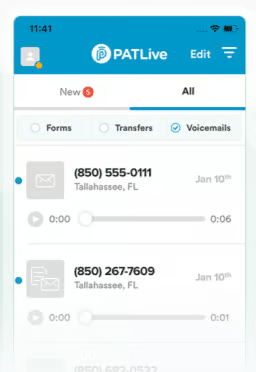
- Call recordings and apps: PATLive records every call, and you can play recordings, read messages, and track billing in its web and mobile apps.
- Free phone system and porting: Plans include a business phone system with one number, and PATLive ports numbers in or out for free.
Go Answer: Best for multichannel support
My expert opinion
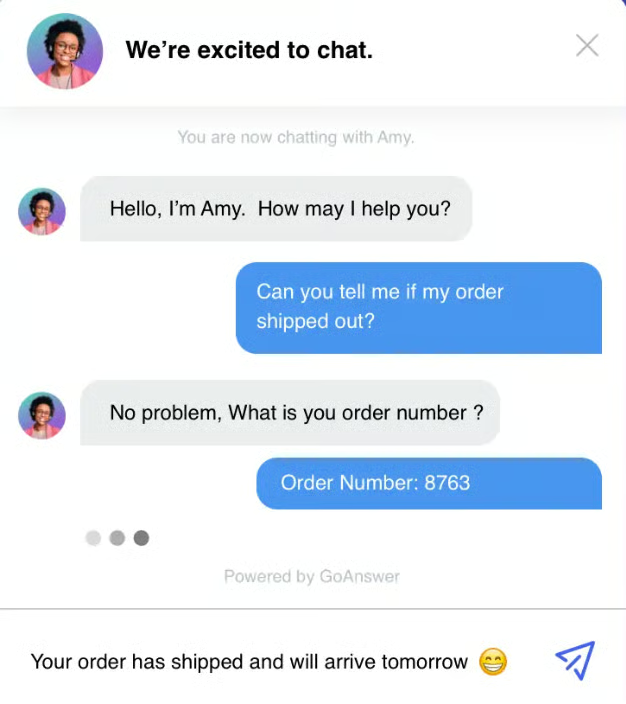
Go Answer is the service to choose if your customers reach you through several channels. Its agents handle phone calls, live chat, email, outbound calls, and legal intake, and every live plan includes a dedicated account manager, custom scripting, CRM integration, unlimited message delivery, and spam and robocall filtering. At $175 for 100 minutes, it also has the lowest cost at that volume in this guide.
Go Answer runs AI receptionist plans alongside its live service, too. They start at $95 per month for 100 minutes, include smart call routing and appointment scheduling, and come with a 14-day free trial that covers up to 200–500 minutes, depending on the active promotion. You can start on AI for routine calls and move to live agents once your call volume or your callers' expectations call for it.
The specialist coverage sits outside the base price, though. A dedicated bilingual receptionist adds $0.30 per minute and a dedicated legal receptionist adds $0.50 per minute, so price those in if your callers need them.
Law firms comparing intake options can also check our guide to the best answering services for law firms.
Pricing
| Live receptionist plan | Monthly price | Included minutes | Overage per minute |
| Virtual Receptionist 100 | $175 | 100 | $1.75 |
| Virtual Receptionist 200 | $300 | 200 | $1.75 |
| Virtual Receptionist 300 | $345 | 300 | $1.50 |
| Virtual Receptionist 500 | $550 | 500 | $1.50 |
| Virtual Receptionist 750 | $825 | 750 | $1.50 |
| Virtual Receptionist 1000 | $1,100 | 1,000 | $1.50 |
| AI receptionist plan | Monthly price | Included minutes | Overage per minute |
| AI Receptionist 100 | $95 | 100 | $0.95 |
| AI Receptionist 300 | $270 | 300 | Between $0.90 |
| AI Receptionist 500 | $425 | 500 | Between $0.85 |
| AI Receptionist 1000 | $800 | 1,000 | $0.80 |
Add-ons: AI summarization and transcription ($0.05/minute), dedicated bilingual receptionist ($0.30/minute), dedicated legal receptionist ($0.50/minute), and tracking numbers ($10/month each). Larger live plans from 1,700 to 10,000 minutes are available. Go Answer charges no setup fee, bills month to month, and offers a 30-day money-back guarantee.
Standout features
- Dedicated account manager: Every live plan includes a named contact who manages your scripts and call handling.
- Spam and robocall filtering: Go Answer screens junk calls before they use up your included minutes.
- Multichannel coverage: Agents can handle live chat, email, outbound calls, and legal intake along with phone calls.
- Broad integrations: Go Answer connects with Salesforce, HubSpot, Zendesk, Pipedrive, Shopify, Calendly, and Zapier, among others.
Moneypenny: Best for low to moderate call volumes
My expert opinion
Moneypenny works best for businesses that take a steady but modest number of calls and want room to grow. Its AI answering plans start at $69 per month for 25 calls, one of the lowest entry points in this guide, while its people plans start at $165 per month for 50 minutes, with US-based receptionists answering 24/7.
What I like most is how the two tracks fit together. A solo practitioner can start with AI to catch overflow calls, then add human answering once those calls become more valuable. Moneypenny's receptionists use AI caller recognition to greet returning callers with context, qualify new inquiries against your brief, and warm-transfer callers to you. Its app lets you update instructions, check messages, and block unwanted callers on the go.
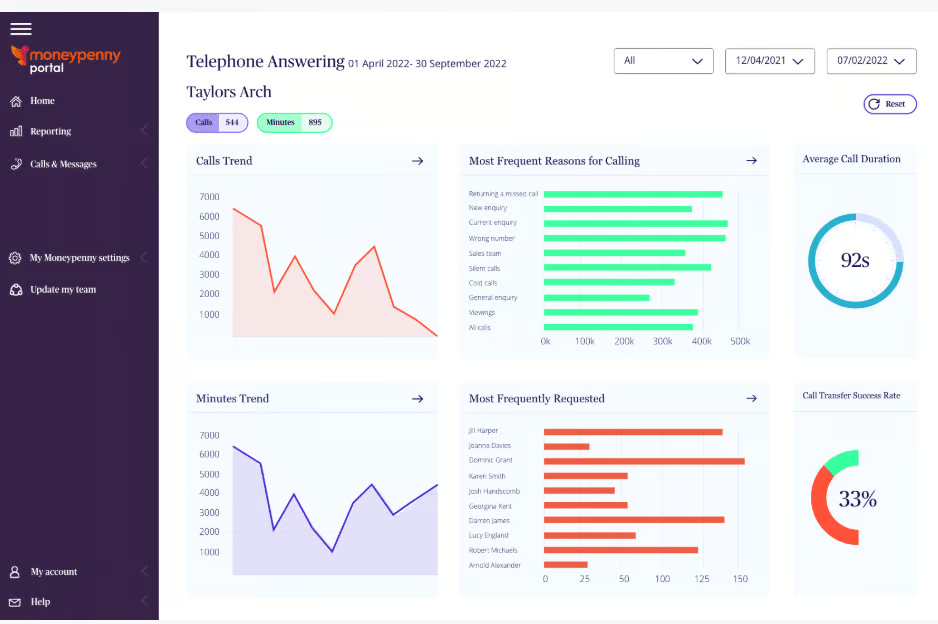
Keep two terms in mind before you sign up. Moneypenny doesn't publish a free trial, and while it has no long-term contract, you need to give 30 days' notice to cancel, effective from your next billing date. You'll also track two billing units, since AI plans charge per call and people plans charge per minute. Read our full Moneypenny review for a closer look.
Pricing
| People answering plan | Monthly price | Overage per minute |
| 50 minutes | $165 | $2.28 |
| 100 minutes | $265 | $2.12 |
| 200 minutes | $422 | $1.91 |
| 500 minutes | $985 | $1.67 |
| AI answering plan | Monthly price | Overage per call |
| 25 calls | $69 | $2.49 |
| 50 calls | $99 | $2.39 |
| 100 calls | $199 | $2.19 |
| 250 calls | $435 | $1.89 |
No long-term contract available; cancellation requires 30 days' notice, effective from your next billing date.
Standout features
- Caller recognition: AI identifies returning callers so receptionists can pick up where the last conversation left off.
- Warm call transfer: Receptionists introduce the caller to you before handing over the call.
- Lead qualification: Receptionists screen new inquiries against your brief and pass on the details you need.
- English and Spanish answering: Multilingual receptionists support both English- and Spanish-speaking callers.
AnswerFirst: Best pay-as-you-go answering service
My expert opinion
AnswerFirst is the answering service I'd pick if your call volume is low or hard to predict. You pay a $30 monthly base fee plus $1.60 to $1.95 per minute, with no minimum usage, and AnswerFirst bills in true one-second increments. A 40-second call costs you 40 seconds, while some rivals, such as AnswerConnect, round every call up to the next full minute.
Its US-based receptionists answer 24/7/365 with no extra fees for nights, weekends, or holidays, and a white-glove specialist sets up your account and supports it for at least 45 days. On top of message-taking, AnswerFirst also handles appointment scheduling, order entry, and dispatching. Its medical answering service is HIPAA and HITECH compliant and comes with an encrypted secure messaging app.
AnswerFirst moved from my top spot to fourth in this update for two reasons. It doesn't publish where its per-minute tiers break, so a business using 100 minutes or more can't model its bill in advance, and at that volume Go Answer, MAP Communications, and PATLive cost less. It also has no AI answering tier or free trial, only a 30-day risk-free period with a refund if the service doesn't deliver as agreed.
Pricing
| Item | Cost |
| Monthly base fee | $30 |
| Per-minute rate | $1.60 to $1.95, based on usage |
| Billing increment | One second, no rounding |
| Minimum usage | None |
| Setup | One-time customization charge may apply for complex accounts |
| Risk-free period | 30 days |
| Contract | None; cancel anytime |
Standout features
- One-second billing: You pay for exact talk time, with no bundled minute blocks or rounding.
- Automatic volume discounts: AnswerFirst always bills you at the lowest rate your usage qualifies for.
- White-glove onboarding: A specialist builds your call handling with you and stays on your account for at least 45 days.
- Integrations and API: AnswerFirst connects with Zapier, HubSpot, Salesforce, Jobber, and HighLevel, and you can manage API integrations through its client portal.
Abby Connect: Best for blending AI and live receptionists
My expert opinion
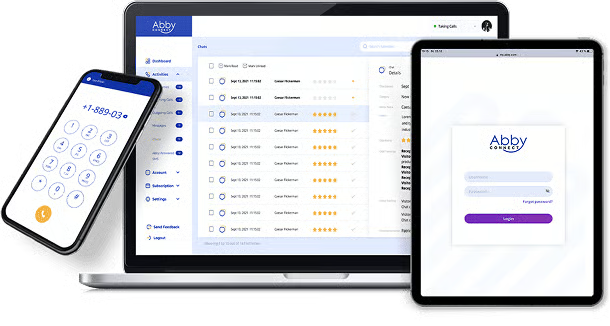
Abby Connect prices human and AI answering on a single meter, which makes it the easiest hybrid service in this guide to budget for. One Abby Minute covers one minute of human answering or two minutes of AI answering, so your plan stretches further as more routine calls go to AI.
Every plan includes a dedicated receptionist team that learns your business, 24/7 coverage with no weekend upcharge, English and Spanish answering, encrypted call recordings, and more than 1,000 integrations. The AbbyGO app lets you call and text callers back from your business line. Abby also clears two common barriers to trying a service: it charges no setup fee, and every plan comes with a free trial.
The catch is the entry price. The Starter plan costs $165 for 50 Abby Minutes, which works out to $3.30 per human minute, and Abby has no pay-as-you-go option for slow months. HIPAA compliance options also apply only to human answering. If most of your callers need a person, PATLive, Go Answer, or MAP Communications will cost you less. Read our Abby Connect review for more details.
Pricing
| Plan | Monthly price | Included Abby Minutes |
| Starter | $165 | 50 |
| Essential | $329 | 100 |
| Professional | $599 | 200 |
| Growth | $1,380 | 500 |
| Enterprise | Custom | Custom |
One Abby Minute equals one minute of human answering or two minutes of AI answering. Overage is billed at your plan's Abby Minute rate. All plans are month to month with no setup fee and a free trial.
Standout features
- Abby Minutes: One usage meter covers human and AI answering, with AI minutes counted at half rate.
- Dedicated receptionist team: The same small group of receptionists handles your calls and learns your business.
- AbbyGO app: You can call and text callers from your business line and see caller details on your phone.
- Compliance options: HIPAA options and encrypted call recordings are available for human answering.
Ruby: Best for live chat and answering services
My expert opinion
Ruby is the service to choose if you want one team covering both your phone line and your website chat. Its receptionist plans start at $250 per month for 50 minutes, live chat plans start at $143 per month for 10 chats, and adding chat to any receptionist plan saves you 20%. You get one set of instructions, one team, and one bill across both channels. For chat-only options, see our guide to the best managed live chat services.
Ruby also keeps its fee structure clean. You won't pay for activation, onboarding, setup, customization, or after-hours coverage, and its optional AI features, including call transcripts and sentiment analysis, come at no extra cost. Businesses that collect sensitive information can opt in to HIPAA-compliant service, and Ruby's receptionists can take payments through PCI-compliant processes.
However, it’s relatively pricier compared to the rest. In fact, at $5 per minute on the entry plan, Ruby costs the most per minute in this guide, and it doesn't publish its overage rate. Its 21-day money-back guarantee also ends early once you use 500 receptionist minutes or 50 chats, so plan your test period carefully. Read our Ruby review for a closer look.
Pricing
| Virtual receptionist plan | Monthly price |
| 50 minutes | $250 |
| 100 minutes | $395 |
| 200 minutes (most popular) | $720 |
| 500 minutes | $1,725 |
| Live chat plan | Standalone price | Price when bundled (20% off) |
| 10 chats | $143/month | +$115/month |
| 30 chats | $335/month | +$268/month |
| 50 chats | $520/month | +$416/month |
No activation, onboarding, setup, or customization fees. Ruby offers a 21-day money-back guarantee for first-time customers, which ends early after 500 receptionist minutes or 50 billable chats.
Standout features
- Bundled chat and phone: One receptionist team covers website visitors and callers under a single plan.
- Payment collection: Receptionists can take payments and sensitive details through PCI-compliant processes.
- AI transcripts and sentiment analysis: Ruby includes these optional AI features at no extra cost.
- 5,000+ integrations and mobile app: Ruby connects with thousands of business tools and sends alerts to your phone.
Smith.ai: Best for per-call billing
My expert opinion
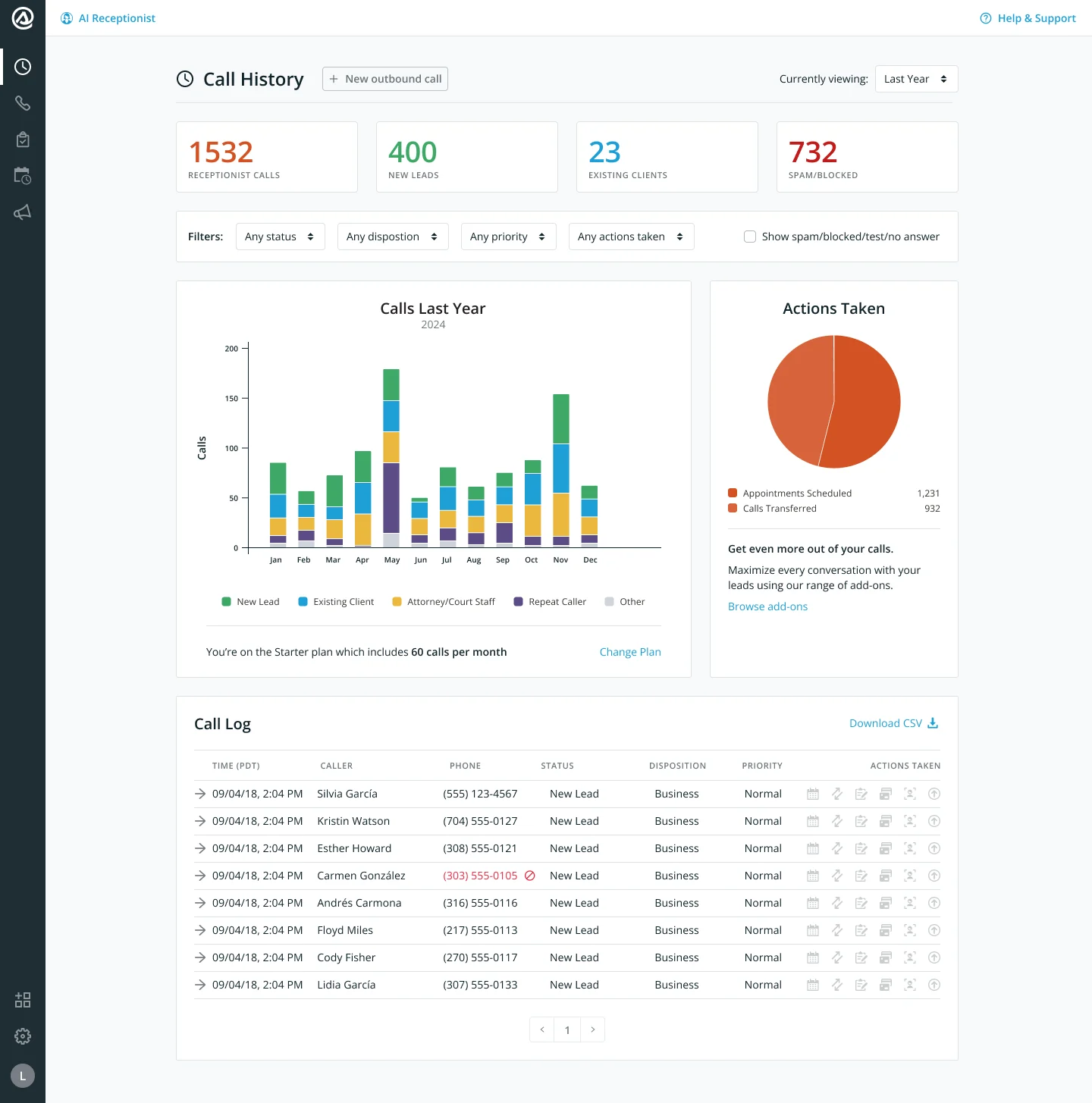
Smith.ai charges by the call, which changes the math for businesses with long conversations. Its human receptionist plans start at $300 per month for 30 calls, so a 12-minute intake call costs the same as a two-minute message. If your calls run long, you can stop watching the clock.
Short, frequent calls tip the math the other way. At $10 per call, a two-minute call works out to about $5 per minute, so pull your average call length before you compare quotes. As a rule of thumb, per-call billing starts to pay off once your average call runs past five or six minutes at typical per-minute rates.
Smith.ai also offers an AI receptionist with a free tier that covers 25 calls per month and paid plans from $150 per month. Every AI plan can hand complex calls to a live North America-based receptionist at any hour. Human plans include lead qualification, intake questions, a dedicated number, and your first CRM integration. Most extras cost per call, including appointment booking ($1.50), a Spanish line ($1), payment acceptance ($1), and call recording and transcription ($0.25), so build a realistic quote before you commit. For AI-first options, see our guide to the best AI answering service.
Pricing
| Human receptionist plan | Monthly price | Included calls | Overage per call |
| Starter | $300 | 30 | $11.50 |
| Basic | $810 | 90 | $10.50 |
| Pro | $2,100 | 300 | $8.50 |
| Enterprise | Custom | Custom | Custom |
| AI receptionist plan | Monthly price | Included calls | Per-call rate |
| Free | $0 | 25 | $3.00 after 25 calls |
| Pro | From $150 | 75 to 300 (tiered) | From $2.00 |
| Enterprise | From $500 | 300 to 1,000+ (tiered) | From $1.67 |
Human plans are month to month with no setup fee, a 30-day money-back guarantee for new clients, and 10% off with 12 months paid up front. Starter includes one transfer destination, Basic two, and Pro 10; extra destinations cost $15/month each.
Standout features
- Per-call billing: Long calls cost the same as short ones, which suits consultative intake work.
- AI with live backup: The AI receptionist can transfer complex calls to a live receptionist any time, day or night.
- Lead screening and intake: Receptionists qualify callers against your criteria before booking or transferring them.
- Conflict checks: Law firms can add conflict checks for $0.50 per call before engaging a new caller.
MAP Communications: Best for regulated industries
My expert opinion
MAP Communications is my pick for businesses that handle sensitive information. Every plan is HIPAA compliant and PCI-DSS, HITRUST, and SOC 2 certified at no extra cost, which makes it a practical choice for medical practices, financial services firms, and any business that takes card payments over the phone. Practices that need their phone system to meet the same standard should also compare the best HIPAA-compliant VoIP providers.
MAP also has the lowest pay-as-you-go rate in this guide. Its $49 plan charges $1.37 per minute with no included minutes, and overage on larger plans drops to $1.28 per minute. Every plan includes a toll-free number, 24/7 coverage, free message delivery, English and Spanish fluency, and no long-term contract, and you can start a free trial without a credit card.
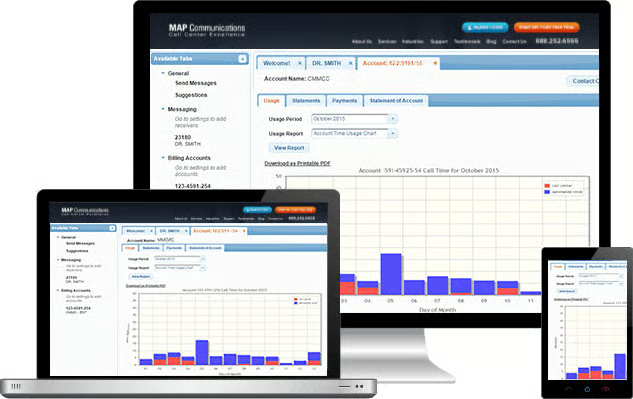
MAP falls behind on newer tools. It doesn't offer AI answering or live chat, and its client portal looks dated next to newer platforms. MAP also doesn't state how long its free trial lasts, so ask before you start.
Pricing
| Plan | Monthly price | Included minutes | Overage per minute |
| Pay As You Go | $49 | 0 | $1.37 |
| Business | $179 | 125 | $1.30 |
| Enterprise | $339 | 250 | $1.28 |
| Premium | $649 | 500 | $1.28 |
All plans include a toll-free number, 24/7 coverage, free message delivery, secure client portal access, English and Spanish fluency, and no long-term contract.
Standout features
- Four compliance certifications: HIPAA, PCI-DSS, HITRUST, and SOC 2 coverage comes standard on every plan.
- Free message delivery: MAP doesn't charge per message on any plan.
- Scheduling integrations: Receptionists can book directly into Calendly, Google Calendar, and Setmore.
- Full customization: Scripts, call handling, and escalation rules follow your instructions on every tier.
AnswerConnect: Best for customer-facing integrations
My expert opinion
AnswerConnect stands out for how well it connects to the tools your team already uses. Calendar and CRM integrations, appointment scheduling, custom scripting, and live chat come with every plan, so a receptionist can book a caller into your calendar and log the details in your CRM without anyone retyping notes. Email, SMS, and mobile app alerts are free. Our guide to VoIP and CRM integration explains why that connection matters.
However, three cost details pull its score down. Most plans carry a $49.99 setup fee, and AnswerConnect rounds every interaction up to the next full minute, which adds up if you take lots of short calls. It softens the rounding by waiving the first 30 interactions under 30 seconds each billing cycle. Spanish ($19.99 to $29.99 per month), HIPAA compliance ($29.99 per month), and IVR ($29.99 to $59.99 per month) all cost extra.
AnswerConnect also asks you to register before it shows pricing on its website. The figures below come from its published plans and pricing document, so confirm them with sales before you sign up.
Pricing
| Plan | Monthly price | Included minutes | Overage per minute |
| Entry | $350 | 200 | $2.50 |
| Growth | $385 | 300 | $1.85 |
| Standard | $575 | 400 | $1.85 |
All plans include a one-time setup fee of $49.99. Larger plans run from 550 to 100,000 minutes ($795 to $132,950 per month). All interactions are rounded up to the nearest minute; the first 30 interactions under 30 seconds each billing cycle are free. Add-ons: Spanish ($19.99 to $29.99/month), operator relay ($29.99/month), HIPAA compliance ($29.99/month), and IVR ($29.99 to $59.99/month).
Standout features
- Calendar and CRM integration: Receptionists book appointments and log call records in the tools you already use.
- Short-interaction allowance: The first 30 interactions under 30 seconds each billing cycle aren't billed.
- Live chat: The same team that answers your phones can handle your website chat.
- Free alerts: Email, SMS, and mobile app notifications come at no extra cost.
Live, AI, and hybrid answering services: Which model fits your business?
Answering services now fall into three models, and the model you choose shapes your costs and your callers' experience as much as the brand does. Live services use human receptionists, AI services answer with a voice agent, and hybrid services combine both, handing calls to a person when needed.
| Model | How it works | Best for | Providers in this guide |
| Live | Human receptionists answer every call using your script | New client intake, emergencies, and sensitive or complex conversations | PATLive, Ruby, MAP Communications, AnswerFirst, AnswerConnect |
| AI | A voice agent answers, takes messages, books appointments, and routes calls | High volumes of routine questions and after-hours overflow | Smith.ai (free tier), Moneypenny (from $69), Go Answer (from $95) |
| Hybrid | AI handles routine calls and passes complex ones to a live receptionist | Businesses that want lower costs and a human fallback | Abby Connect, Smith.ai, Go Answer |
Most small businesses land on a hybrid setup. Let AI handle hours, directions, appointment confirmations, and basic screening, and keep a person on calls that carry revenue or emotion, like a new client inquiry or an urgent repair. If your callers are often stressed or confused, lean toward live answering. For a deeper comparison of AI-only tools, check out our guide to the best AI answering service.
How much does an answering service cost?
Plans in this guide start with a free AI tier at Smith.ai and run into the thousands for high-volume accounts. Most small businesses pay $175 to $400 per month for about 100 minutes of live answering, plus $1.28 to $2.29 per minute in overage on bundled plans. To compare providers on equal terms, I priced 100 live minutes on each provider's cheapest plan that covers them:
| Provider | Cost of 100 live minutes | How I calculated it |
| Go Answer | $175 | Virtual Receptionist 100 plan |
| MAP Communications | $179 | Business plan (125 minutes); beats pay-as-you-go at $186 |
| PATLive | $189 | 100-minute plan |
| AnswerFirst | $225 | $30 base + 100 minutes at the top $1.95 rate |
| Moneypenny | $265 | 100-minute people plan |
| AnswerConnect | $325 | Entry plan (200 minutes) + $49.99 one-time setup |
| Abby Connect | $329 | Essential plan (100 Abby Minutes) |
| Smith.ai | $346 | Starter plan + 4 extra calls (34 calls at a 3-minute average) |
| Ruby | $395 | 100-minute receptionist plan |
How a provider counts your usage often matters as much as the plan price:
| Billing model | How it works | Providers | Best for |
| Per second | You pay for exact talk time with no rounding | AnswerFirst | Short message-taking calls |
| Per minute | You buy a block of minutes and pay overage beyond it; some providers round each call up to the next minute | PATLive (first minute in full, then 6-second increments), Go Answer, MAP Communications, Moneypenny (people plans), Ruby, AnswerConnect (rounds up) | Predictable, moderate call volumes |
| Per call | You pay a flat rate per call, regardless of length | Smith.ai, Moneypenny (AI plans) | Long consultative or intake calls |
| Blended units | One meter covers human and AI answering at different rates | Abby Connect | Hybrid AI and live setups |
Here's how that plays out:
Say you take 200 calls a month that average 45 seconds each. Per-second billing charges you for 150 minutes, while per-minute billing that rounds up charges you for 200 minutes, a third more for the same work. Now flip it to 30 calls a month that average 10 minutes each. Smith.ai's Starter plan covers all 30 calls for $300, while 300 minutes at Go Answer costs $345.
Before you sign up, ask about these costs that sit outside the plan price:
- Setup fees: AnswerConnect charges $49.99 on most plans, while Go Answer, Abby Connect, Ruby, and Smith.ai charge none.
- Add-on fees: Bilingual, legal, and HIPAA coverage often cost extra, such as Go Answer's $0.30 per minute for a dedicated bilingual receptionist or AnswerConnect's $29.99 monthly HIPAA add-on.
- Overage rates: Rates range from $0.80 per minute on Go Answer's largest AI plan to $2.99 per minute on PATLive's pay-as-you-go plan, and Ruby doesn't publish its rate.
- Cancellation notice: Moneypenny requires 30 days' notice, while PATLive, Go Answer, AnswerFirst, and Smith.ai let you cancel anytime.
How to choose an answering service for your small business
Choosing the best answering service starts with how your business handles calls today. Some providers focus on affordable message-taking, while others add AI answering, CRM integrations, appointment scheduling, live chat, and bilingual support. Use the factors below to narrow your shortlist.
Determine your expected call volume
Pull two or three months of call logs and note both the number of calls and the average call length, since those two figures decide which billing model saves you money. If your volume swings from season to season, a pay-as-you-go plan from AnswerFirst or MAP Communications keeps you from paying for minutes you don't use. Steady, higher volumes usually cost less on bundled plans from Go Answer or MAP Communications.
Decide whether you need 24/7 live coverage
All nine providers in this guide answer live around the clock, and PATLive, AnswerFirst, Abby Connect, and Ruby don't charge extra for nights, weekends, or holidays. Healthcare, legal, home services, and property management businesses usually need a live person at 2 a.m. A consultancy that works business hours may do fine with AI or voicemail after hours, which lets a smaller plan go further.
Look for industry-specific features
Match the service to the work your callers need done:
- Healthcare: HIPAA compliance, which MAP Communications includes on every plan and AnswerConnect sells as an add-on
- Legal: Intake scripts and conflict checks, which Smith.ai offers per call and Go Answer covers with dedicated legal receptionists
- Ecommerce and retail: Order processing and payment collection, available from PATLive, Ruby, and AnswerFirst
- Home services: Dispatching and appointment booking, available from PATLive, AnswerFirst, Go Answer, and AnswerConnect
If appointment booking is your main need, you may also want a dedicated tool from our list of the best appointment scheduling apps.
Evaluate customization and scripting options
A quality answering service should sound like an extension of your team. Ask to see a sample script and your escalation rules before you commit, and check how quickly you can change them. Moneypenny's app lets you make real-time changes yourself, while most other providers route changes through a client portal or your account manager.
Compare integrations and software compatibility
If receptionists can't write to your calendar or CRM, someone on your team will retype every message. Go Answer and AnswerFirst name the specific CRMs they connect with, and Abby Connect and Ruby each connect with over 1,000 apps. Check that the specific tools you use appear on the provider's list.
Check billing increments and exit terms
Get the rounding rule, overage rate, setup fee, and cancellation notice in writing before your first invoice. These four details explain most of the gap between a quoted price and the bill you actually pay.
Test the customer experience
Use a free trial or money-back window to call your own number a few times, and ask a customer you trust to do the same. Listen for professionalism, message accuracy, transfer quality, and how quickly messages reach you. PATLive, Go Answer's AI plans, Abby Connect, MAP Communications, and Smith.ai's AI tier let you test for free, while Go Answer, Ruby, Smith.ai, and AnswerFirst offer refund windows on paid service.
Frequently asked questions (FAQs)
What is the difference between an answering service and a call center?
An answering service acts as your front desk. Receptionists handle a modest volume of calls using a script built for your business, then take messages, book appointments, or transfer callers. A call center handles high volumes of inbound or outbound calls across many clients, and its agents are usually measured on speed. If you want callers to feel like they reached your office, choose an answering service.
Can I keep my current business phone number?
Yes. Most answering services use call forwarding, so your number stays with your current carrier and you forward calls to the service all the time or only when you don't pick up. Forwarding takes minutes to switch on or off, which also makes it easy to run a trial. PATLive and MAP Communications also include a business number with their plans, and PATLive ports numbers in or out for free.
How long does it take to set up an answering service?
The technical setup takes minutes, but building your script usually takes a day or two. You'll need to decide what receptionists say, which callers get transferred, and what counts as an emergency. Write down your five most common caller questions before your onboarding call to speed things up.
What is the difference between a voicemail and an answering service?
A voicemail records a caller's message when no one picks up. An answering service has a live receptionist or AI agent answer the call, respond to questions, and take action for you, such as booking an appointment or transferring an urgent caller. Callers are more likely to stay on the line with a person than leave a voicemail.
Do answering services charge for spam calls?
Usually, yes. Most providers bill for every answered call, and billable robocalls are one of the most common complaints in user reviews. Ask how a provider screens junk calls, whether you can block numbers yourself, and whether it credits you for spam calls that slip through.
Is an answering service worth it for a small business?
For most small businesses that miss calls during busy hours or after hours, yes. A missed call from a new customer often goes to the next business they find, and even one saved job a month can cover the cost of a starter plan. If you rarely miss calls, a good voicemail setup and a clear callback policy may be enough.
Bottom line
The best answering service for your small business is the one with pricing that fits how many calls you get and how long they last. PATLive is my top pick for most small businesses. It includes 24/7 US-based receptionists, free bilingual answering, and call recordings, and it offers a 14-day free trial. Go Answer suits businesses that support customers across phone, chat, and email. AnswerFirst's pay-as-you-go plan works best if you take only a few calls a week. Use your free trial or money-back window to call your own number and hear what your customers will hear.
