


Dropbox is one of the most popular cloud storage solutions on the market for individuals and business owners, with its focus on mobile and easily accessible file sharing and document storage. However, just because Dropbox is the platform we all know, it doesn’t mean it’s the only platform that you should use. In fact, many Dropbox alternatives provide features that you don’t get from one of the kings of cloud.
Specifically, Dropbox alternatives stand out for their advanced security features, password management, and robust virtual collaboration environments. So, if you are interested in exploring an alternative to Dropbox, check out the list below to learn more about the best use cases for each platform.
- Google Drive: Best overall Dropbox alternative
- pCloud: Best for team collaboration
- Tresorit: Best for compliance management
- IDrive: Best for disaster recovery
- Sync.com: Best for solopreneurs
Why you can trust Fit Small Business
- Comparing the top alternatives to Dropbox
- When to consider Dropbox alternatives
- Google Drive: Best overall Dropbox alternative
- pCloud: Best for team collaboration
- Tresorit: Best for compliance management
- IDrive: Best for disaster recovery
- Sync.com: Best for solopreneurs
- Frequently asked questions (FAQs)
- Bottom line
Comparing the top alternatives to Dropbox
| Dropbox alternatives | Monthly starting price (per user) | Key features | Rating out of 5 |
|---|---|---|---|
 | $11.99 |
| 4.27 |
| Visit Dropbox | |||
 | $8.40 |
| 4.39 |
| Visit Google Drive | |||
 | $9.99 |
| 4.32 |
| Visit pCloud | |||
 | $24 |
| 4.29 |
| Visit Tresorit | |||
 | $9.95 |
| 4.13 |
| Visit IDrive | |||
 | $8 |
| 4.10 |
| Visit Sync.com | |||
When to consider Dropbox alternatives
When most people think about secure online storage, they think about Dropbox. The platform has established itself as the go-to solution for sending and receiving files. While there are many advantages to using the Dropbox platform, there are also some disadvantages, such as limited compliance features. To learn more about Dropbox’s key features and when to consider an alternative cloud storage option, click on the tab below.
Dropbox overview
Dropbox pricing
- Basic: Free for all users
- Plus: $11.99/month or $9.99/month, billed annually
- Professional: $19.99/month or $16.58/month billed annually
- Standard: $18 per user/month or $15 per user/month, billed annually
- Advanced: $30 per user/month or $24 per user/month, billed annually
- Enterprise: Contact sales for pricing
Standout features
- Account recovery: Dropbox automatically backs up your computer to the cloud so that you can recover any lost files and documents after an accident or cyberattack.
- Video editing: Revise video content within the Dropbox platform, with access to transcriptions, closed-captioning, and other editing tools.
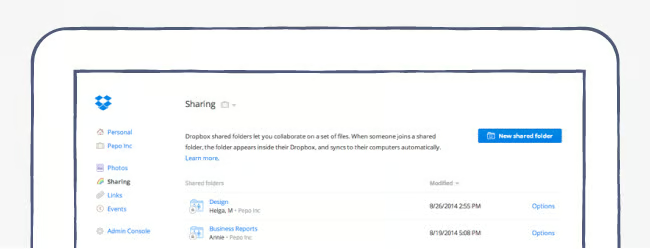
- Shared links: Provide access to files and folders by sharing a link, with real-time visibility on when and how someone accesses your information.
When to consider an alternative
- Compliance management: Although Dropbox offers some encryption features, most of its compliance features are only available on specific plans, whereas providers like Tresorit offer E2EE and multiple compliance certifications, including HIPAA, GDPR, and ISO 27001.
- Password protection: Dropbox is discontinuing its password manager feature, so if you need to store your passwords for multiple websites across devices, consider a provider like pCloud.
- Built-in productivity suite: While Dropbox offers integrations with workspace apps like Google and Microsoft, some features are limited. However, those who want to consolidate their file-sharing and collaboration would benefit from a provider like Google Drive, which is included in Workspace plans.
Google Drive: Best overall Dropbox alternative
How it compares to Dropbox
- The free Dropbox plan only offers 2GB of storage, while Google’s free accounts come with 15 GB
- Google Drive utilizes Gemini for search and summaries, while Dropbox is beta-testing AI features.
- Google Drive does not offer native video-editing tools, while Dropbox provides a suite of tools for content creation and customization.
My expert opinion
If there is one provider who is just as well known for document storage as Dropbox, it would be Google Drive. Whether you have a free Google account or are an enterprise-level Google Workspace user, multiple features make Google Drive the best overall Dropbox alternative for small business owners.
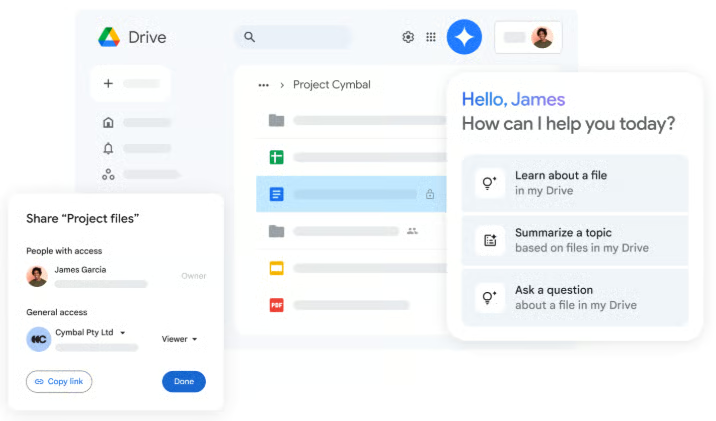
Google Drive is an excellent tool for team collaboration due to its integration with other Workspace applications. It allows you to share and edit documents in real time, providing a clear overview of all user activities within the Drive. Additionally, Google Gemini offers features like AI search and summaries, making it easy to locate files, whether you’re working on a team project or an individual task.
While Google Drive has several security features, it lacks advanced options like end-to-end encryption. For those in regulated industries, I recommend Tresorit, which offers multiple certifications and HIPAA
Pricing
| Plans and pricing (per user)* | Starter | Standard | Plus | Enterprise Plus |
|---|---|---|---|---|
| Monthly | $8.40 | $16.80 | $26.40 | $42 |
| Yearly | $7 | $14 | $22 | $35 |
| *Free Google accounts also come with access to 15GB of Google Drive storage. | ||||
Standout features
- Activity view: Visit the Activity section of Google Drive to review comments on documents, pending assignments, and document access requests in a single centralized space.
- Shared drive: Collaborate on documents with your team members using special folders in Google Drive that allow you to store, search, and access files from any device.
- AI summary: Instead of manually searching through Drive to find information or notes, ask Google Gemini to locate documents or create summaries with natural language queries.
pCloud: Best for team collaboration
How it compares to Dropbox
- pCloud offers client-side encryption, but Dropbox does not
- Dropbox is discontinuing its password manager, and pCloud offers an encrypted password service
- Dropbox offers up to one year of version history, while pCloud only provides up to 180 days
My expert opinion
Although most providers on this list offer some form of team collaboration features, pCloud’s business plans stand out for the breadth of these features available across its plans. With shared folders, each team member can access the same archive of documents, as well as leave comments directly on files, allowing you to have conversations about content without the need for a separate communication platform.
You can even customize your links with company branding, which improves the professional quality of files and links that you send to clients. Unlike Dropbox, pCloud also provides client-side encryption for all files, which allows you to set security protocols for sharing documents, such as password protection and access controls.
As your business grows, you can easily add more users, but it should be noted that each pCloud Business plan comes with a minimum of three users, instead of offering single-user subscriptions. While this works great for small teams, solopreneurs should consider a provider like Sync.com, which offers multiple plans for solo users.
Pricing
| Plans and pricing (per user)* | Business | Business Pro |
|---|---|---|
| Monthly | $9.99 | $17.98 |
| Yearly | $7.99 | $15.98 |
Standout features
- pCloud encryption: The business plans offer client-side encryption, which makes sure that your files are protected by encrypting data on the user’s side and offering password protection.
- Version history: Track changes to a document or file for up to 180 days in your pCloud account. This feature also allows you to restore past versions of files when needed.
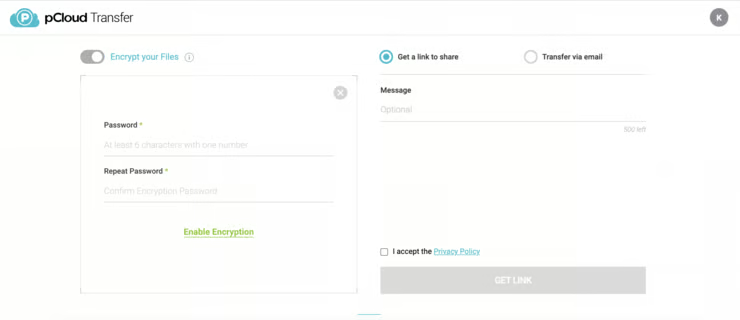
- File transfers: Send encrypted files via link or email to share documents or collaborate with team members. Files are available for up to seven days.
Tresorit: Best for compliance management
How it compares to Dropbox
- Dropbox only offers HIPAA compliance on the highest tier plans, while Tresorit offers it across plans
- Tresorit is an end-to-end encrypted platform, while Dropbox only offers E2EE on specific plans
- Tresorit offers 16 free e-Signatures across plans, while Dropbox only provides three signature requests per month
My expert opinion
Security is a primary concern for any business owner exploring alternatives to Dropbox, and Tresorit stands out as an excellent option for advanced compliance management and encryption. Specifically, Tresorit provides data residency and administrative controls, along with audit logs and role-based access controls (RBAC) for comprehensive oversight of how files are accessed and shared in real time.
With virtual data rooms (VDRs), Tresorit also provides a collaborative space to work on projects and share files with clients without having to work in multiple spaces or risk the exposure of sensitive data. Additionally, you can choose who to share files with and automatically delete links or revoke access to documents after they have been shared.
However, it’s important to note that secure file sharing features are primarily available on plans for multiple users, such as the Business and Enterprise subscriptions. As a result, solo users or those with a Professional subscription do not have access to features like data residency, single sign-on, or admin policies. If you’re looking for more comprehensive features that cater to solo users, you might want to consider Sync.com instead.
Pricing
| Plans and pricing (per user) | Business* | Professional | Enterprise |
|---|---|---|---|
| Monthly | $24 | $33.99 | Contact sales for pricing |
| Yearly | $19 | $27.49 | |
| *Minimum of three users. | |||
Standout features
- Data residency: In some regulated industries, it is important to use data centers in specific geographic areas. Therefore, Tresorit provides the option to choose where you want to store your data.
- Virtual data rooms (VDRs): Manage all of your projects, tasks, and collaboration in one secure virtual space, instead of working in multiple communication platforms.
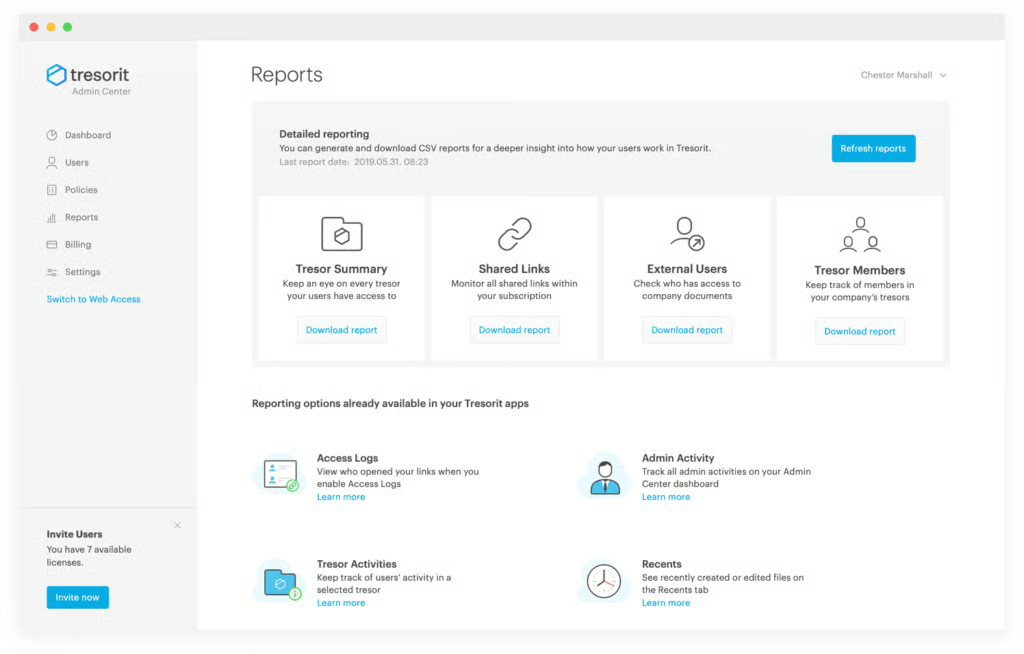
- Reporting: Tresorit offers comprehensive activity tracking with dashboards to download reports about file access and sharing. These reports are essential for managing compliance and tracking information.
IDrive: Best for disaster recovery
How it compares to Dropbox
- The free IDrive plan offers up to 10GB of storage, while Dropbox’s free plan only offers 2GB
- Dropbox offers 300-plus ready-made integrations (Slack, Zoom, Trello, Microsoft 365, etc.), while IDrive offers minimal collaboration tools
- IDrive offers 24/7 support via live chat, email, and phone, while Dropbox reserves phone support for team tiers and limits it to standard business hours
My expert opinion
One of the most valuable investments a business can make is implementing a disaster recovery plan or software. That’s why I selected IDrive as the best alternative to Dropbox for disaster recovery. In the event of a crisis, IDrive provides continuous data backup, maintaining an archive of all your files unless you decide to delete them.
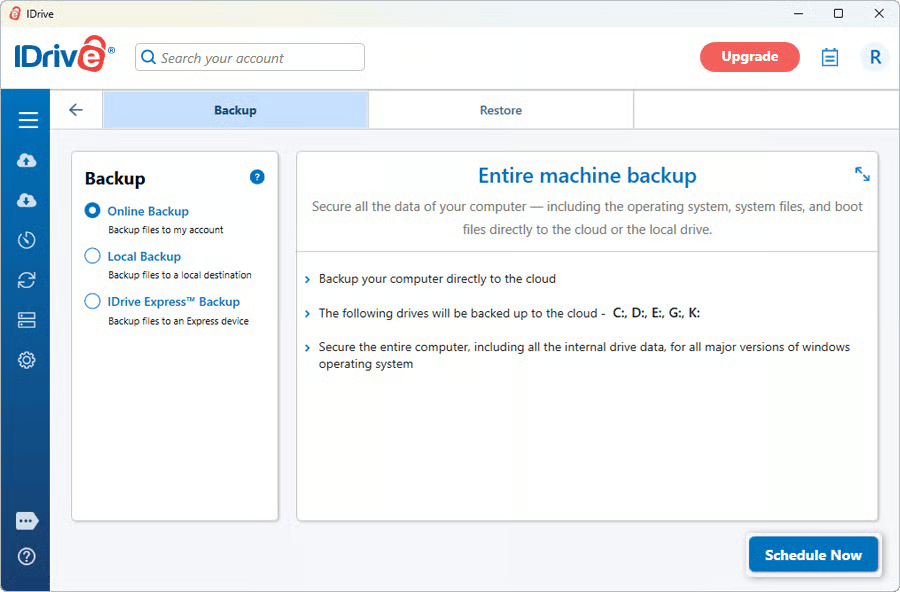
With any paid IDrive plan, you can back up an unlimited number of computers and mobile devices under a single account. The “Entire-Machine Backup” feature creates a complete, sector-level image of each system drive, using block-level continuous data protection to upload only the changes made to encrypted storage in the cloud. This functionality enables you to restore a PC or Mac after a disaster without losing any data.
While IDrive provides numerous advantages for businesses seeking backup cloud storage, its document editing capabilities are restricted to native integrations with Microsoft Office. If you’re looking for a tool that allows document editing across multiple file types without requiring integrations, consider Google Drive, which supports over 100 different file types.
Pricing
| Plans and pricing (per user) | Basic | Personal (one user) | Team (five users) | Business (unlimited users) |
|---|---|---|---|---|
| Monthly | Free plan | $9.95 | $49.95 | |
| Yearly | $69.65 | |||
Standout features
- Dashboard: Manage all of your accounts and devices from a centralized hub, and generate reports on backup activity and data.
- Disk clone: IDrive provides disk imaging functionality that allows users to create a complete image of their hard disk. This feature serves as a dependable backup solution, safeguarding your data against potential system or hardware failures.
- Machine backup: IDrive offers multiple methods of backing up your data, such as local, cloud, and express backups. Whether you clone a hard drive or utilize continuous backup, this ensures that your data is safe and accessible when needed.
Sync.com: Best for solopreneurs
How it compares to Dropbox
- Sync.com offers zero-knowledge end-to-end encryption across plans, while Dropbox only provides it for the highest-tier plans
- The Dropbox single-user plans offer 2 or 3TB of storage, but the Sync.com solo plans offer 2 or 6TB
- Sync.com advertises a 99.9% uptime commitment, and Dropbox’s Business contracts include a 99.9% SLA
My expert opinion
I chose Sync.com as the best Dropbox alternative for solopreneurs because of its expansive storage solutions and individual plans. While Dropbox offers two individual plans, the second plan only provides up to 3TB of storage. In contrast, Sync.com offers 6TB of storage on its Solo Professional plan, with zero-knowledge end-to-end encryption that encrypts files before they leave your device.
On the paid tiers, Sync.com offers unlimited data transfers, allowing users to share files and create shared folders easily. This feature enhances collaboration for solopreneurs working with clients or partners on various projects. If you already pay for Microsoft 365, you can open and edit Word, Excel, or PowerPoint files right inside Sync.com’s web or desktop apps, so collaboration with clients feels native.
At the same time, Sync.com has limited customer support options compared to other providers on this list, with email being the primary method of support available on the website and phone support only available for the Teams Unlimited plan. If you require more hands-on support, consider IDrive, which offers 24/7 support via live chat, email, and phone.
Pricing
| Plans and pricing (per user)* | Monthly | Yearly |
|---|---|---|
| Pro Solo | $10 | $8 |
| Pro Solo Professional | $24 | $20 |
| Pro Teams Standard | $8 | $6 |
| Pro Teams + Unlimited | $18 | $15 |
| Enterprise | Contact sales for pricing. | |
| *Sync.com also has a personal plan for individual users, but it is not the best option for solopreneurs or small business owners. | ||
Standout features
- Password-protected sharing: Set a password for shared links for an extra layer of security protection during online collaboration.
- Microsoft 365 integrations: Sync.com provides document editing with the Microsoft Office suite, such as Word and PowerPoint. Specifically, you can open and edit documents directly in the web browser for simpler team collaboration.
- Administrative controls: Teams accounts include admin controls to manage user accounts and review individual account activity for increased observability and oversight.
How I evaluated the best Dropbox alternatives
Frequently asked questions (FAQs)
Why should a small business consider Dropbox alternatives?
Small businesses should consider exploring alternatives to Dropbox for various reasons, including cost-effective cloud storage options, improved security features, increased storage flexibility, and integrated communication tools. These alternatives can provide tailored solutions that may better meet the specific needs of a growing business.
What features should I look for in a Dropbox alternative?
When selecting an alternative to Dropbox, it’s important to consider several key features. Look for secure file sharing capabilities to ensure your data remains protected. Effective team collaboration tools can enhance productivity by allowing seamless communication and interaction among users.
User permissions are crucial for managing access and ensuring that sensitive information is only available to authorized individuals. Reliable cloud backup solutions are essential for safeguarding your files against data loss. Finally, be sure to choose a service that offers flexible plan options to align with your specific storage requirements.
Are there free Dropbox alternatives for small businesses?
Yes, several Dropbox alternatives offer free plans, like Google Drive and IDrive, providing generous storage and essential features that work well for small teams and freelancers. However, free plans often lack advanced security features, so consider your business needs before choosing a free cloud storage solution.
Bottom line
While Dropbox is one of the most popular cloud storage solutions on the market, some small businesses may want to explore other options. Specifically, Dropbox alternatives provide additional security features such as granular permissions and security controls that are essential for more secure collaboration and file sharing.
When selecting the best alternative to Dropbox, Google Drive is my top choice. As a well-known platform for editing and sharing files, Google’s Workspace plans offer a variety of options for team collaboration and client communication. Providing storage options ranging from 15GB to 5TB and features powered by artificial intelligence, Google Drive stands out as a secure cloud storage solution. To learn more, consider a 14-day free trial.
