







AI meeting assistants help small businesses save time before, during, and after meetings by recording calls, transcribing conversations, summarizing key points, and identifying follow-up tasks. The best tools also make it easier to search past discussions, share highlights, sync notes with productivity apps, and keep remote or hybrid teams aligned.
After comparing the top options, MeetGeek is my top pick for the best AI meeting assistant because it offers a strong mix of meeting recording, transcription, automated summaries, highlights, collaboration tools, and useful integrations at an accessible starting price.
Below is a brief comparison of the best AI meeting assistants for small businesses:
| AI meeting assistant | Best for | Starting monthly price | My score (out of 5) |
|---|---|---|---|
| MeetGeek | Overall AI meeting assistant for small businesses | $15.99 per user | 4.83 |
| tl;dv | HR teams and hiring managers | $29 per seat | 4.8 |
| Fireflies | Sales teams and client-facing follow-ups | $18 per seat | 4.76 |
| Grain | Revenue teams needing meeting insights and coaching | $19 per seat | 4.68 |
| Fathom | Research teams and stakeholder interviews | $19 per seat | 4.63 |
| Otter | Real-time transcription for content and communications teams | $16.99 per user | 4.53 |
| Sembly | Project management teams tracking tasks and decisions | $17 per month | 4.35 |
How I evaluated the best AI meeting assistants
To evaluate the best AI meeting assistants, I compared each platform based on affordability, recording and transcription tools, integrations, ease of use, and overall value for small businesses. I also considered which tools are best suited for common use cases, including sales calls, project meetings, research interviews, hiring workflows, content creation, and remote team collaboration.
- Pricing (15%): Cost is a key consideration for small businesses, so I reviewed each provider’s free plan, entry-level paid plan, usage limits, transcription allowances, storage limits, and upgrade costs. I also considered whether each tool offers enough value for the price, especially for small teams that need reliable meeting notes without paying for unnecessary enterprise features.
- General features (30%): I evaluated the core features small businesses expect from AI meeting assistants, including meeting recording, transcription, automated summaries, searchable notes, speaker identification, calendar syncing, action item detection, and compatibility with popular video conferencing platforms.
- Advanced features (25%): I also looked for tools that go beyond basic note-taking. Advanced features included CRM syncing, conversation intelligence, coaching metrics, meeting clips, custom trackers, AI chatbots, follow-up email generation, team analytics, multilingual transcription, and workflow automation.
- Ease of use (10%): AI meeting assistants should make meetings easier, not add more work. I considered how simple each tool is to set up, whether it can automatically join meetings, how easy it is to review notes and recordings, and how quickly users can share summaries or follow-up items with teammates.
- Customer support (10%): I reviewed the availability and quality of support resources, including help centers, onboarding resources, support channels, and enterprise assistance. I gave more weight to providers that offer accessible help for setup, privacy settings, and troubleshooting.
- Expert score (10%): My expert score reflects how well each platform serves small business users overall. I considered usability, feature depth, value for money, and how well each AI meeting assistant supports real-world meeting workflows.
Why you can trust FitSmallBusiness
- MeetGeek: Best overall AI meeting assistant for small businesses
- tl;dv: Best for HR teams and hiring managers
- Fireflies.ai: Best for sales teams and client-facing follow-ups
- Grain: Best for revenue teams needing meeting insights and coaching
- Fathom: Best for research teams and stakeholder interviews
- Otter: Best real-time transcription for content and communications teams
- Sembly: Best for project management teams
- 5 tips to maximize AI meeting tools
- How to choose the best AI meeting assistant tool
- Frequently asked questions (FAQs)
- Bottom line
MeetGeek: Best overall AI meeting assistant for small businesses
My expert opinion
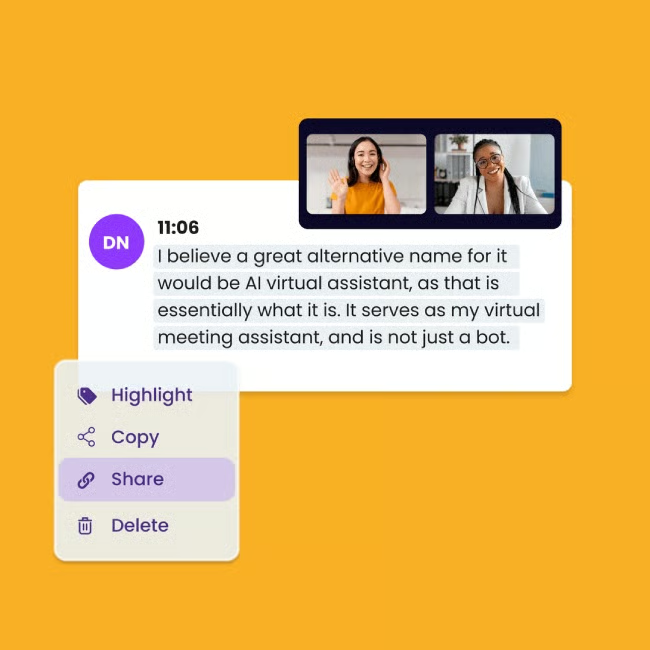
MeetGeek is my top choice for AI meeting assistants because it gives small businesses the core tools they need to capture, summarize, and act on meeting discussions. It records calls, creates transcripts, highlights key points, and automatically shares summaries, which is useful for teams that rely on video meetings but lack dedicated admin support. It also works well alongside tools featured in our guide to the best video conferencing software.
I especially like MeetGeek for small teams that need a searchable meeting library and stronger follow-through after calls. Its CRM and productivity integrations make it a practical option for sales, client service, and internal operations teams. However, businesses that want more sales-focused conversation intelligence may also want to compare it with Fireflies or Grain.
Pricing
- Basic: Free for three hours of transcription, three months of transcript storage, one month of audio storage, automated summaries and highlights, and a meeting assistant for Zoom, Google Meet, and Microsoft Teams
- Pro: $15.99 per user, per month for 20 hours of transcription, one year of transcript storage, six months of video storage, HD video recording, meeting templates, video clips, and video downloads with caption files
- Business: $27 per user, per month for unlimited transcription and transcript storage, 12 months of video storage, team collaboration, team sharing, and private meetings
- Enterprise: Contact sales for custom video storage, branded emails, organization-wide settings, integrations, and a dedicated account manager
Standout features
- Automatic participant sharing: Automatically sends meeting notes, summaries, and highlights to participants, helping teams reduce manual follow-up work after calls.
- Editable transcripts and highlights: Let users review, edit, tag speakers, and refine highlights, making meeting records easier to organize and share.
- Engagement analytics: Provides insights into meeting participation and discussion patterns, helping small teams improve collaboration and meeting quality.
tl;dv: Best for HR teams and hiring managers
My expert opinion
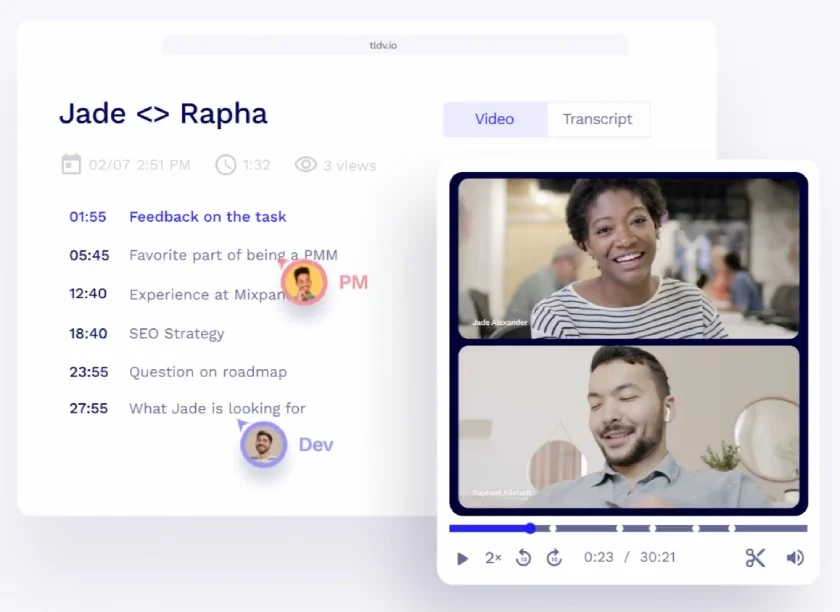
tl;dv is my go-to platform for HR teams, hiring managers, and supervisors who need to turn interviews and internal meetings into searchable records. It supports video recording, transcription, speaker recognition, and clickable timestamps, making it easier to review candidate interviews and share key clips with decision-makers.
It is also a strong fit for teams improving hiring workflows with tools like video interview software. With its focus on searchable meeting intelligence rather than simple note-taking, teams can generate insights from multi-meeting discussions. However, if your priority is CRM-connected sales intelligence, Grain or Fireflies may be a better fit.
Pricing
- Free Forever: Free for unlimited meetings and viewers, five uploads, video recording, transcription in over 30 languages, automatic speaker recognition, and automatic call recording
- Pro: $29 per seat, per month, or $18 per seat, per month when billed annually, for unlimited uploads, over 5,000 integrations, team folders, instantly accessible recordings, and priority support
- Business: $39 per seat, per month for premium transcriptions, dedicated customer support, playbook monitoring and coaching, and feedback layer
- Enterprise: Custom pricing for advanced team and data management, privately hosted AI, a dedicated customer success manager, custom invoicing, and API access
Standout features
- Multimeeting AI reports: Summarizes patterns and insights across multiple meetings, helping HR teams compare interviews, coaching sessions, and recurring discussions.
- Clickable timestamps: Turns meeting notes into timestamped highlights so users can jump directly to key moments in interviews, coaching calls, or team meetings.
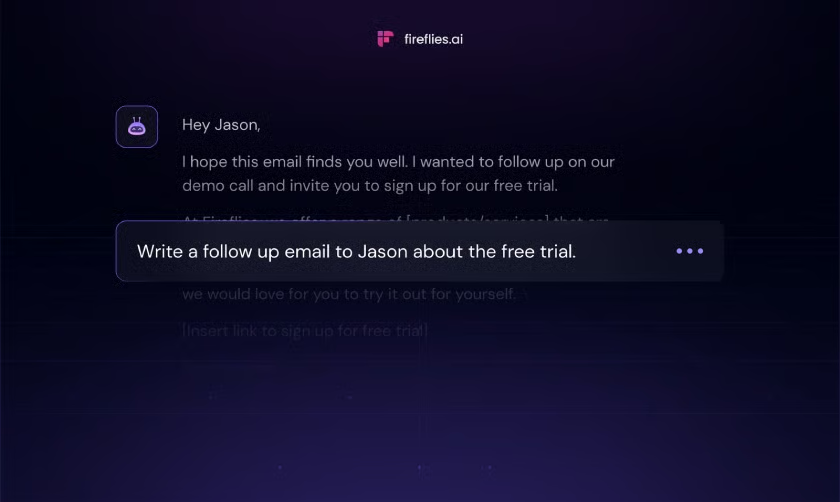
- Email follow-up drafter: Helps users quickly generate follow-up emails from meeting discussions, reducing manual work after interviews or internal check-ins.
Fireflies.ai: Best for sales teams and client-facing follow-ups
My expert opinion
Fireflies.ai is my pick for sales teams and client-facing professionals because it turns conversations into searchable notes, summaries, and follow-up tasks. It also integrates with CRMs, Slack, Zapier, and video conferencing platforms, making it easier to move meeting insights into the systems teams already use for customer relationship management.
The conversation intelligence and custom topic trackers are especially useful for teams that need to monitor recurring customer questions, objections, or deal-related keywords. However, if you need more polished video clips for coaching or interview reviews, tl;dv or Grain may be a better fit.
Pricing
- Free: Unlimited transcriptions, limited AI summaries, 800 minutes of storage per seat, global search, and three public channels
- Pro: $18 per user, per month for unlimited transcription, unlimited AI summaries, 8,000 minutes of storage per seat, smart search filters, unlimited public channels, and CRM, Zapier, and Slack integrations
- Business: $29 per user, per month for unlimited storage, video screen capture, user groups, unlimited public and private channels, and priority support
- Enterprise: $39 per user, per month when billed annually for custom data retention, onboarding, invoice payments, private storage, and HIPAA compliance
Standout features
- Conversation intelligence: Analyzes meeting discussions to surface key themes, trends, and insights that help sales and client-facing teams improve follow-up.
- Custom topic trackers: Lets teams track keywords, objections, competitors, or customer needs across meetings for easier reporting and coaching.
- Unlimited integrations: Connects meeting notes and insights with CRMs, collaboration tools, and workflow apps to reduce manual follow-up work.
Grain: Best for revenue teams needing meeting insights and coaching
My expert opinion
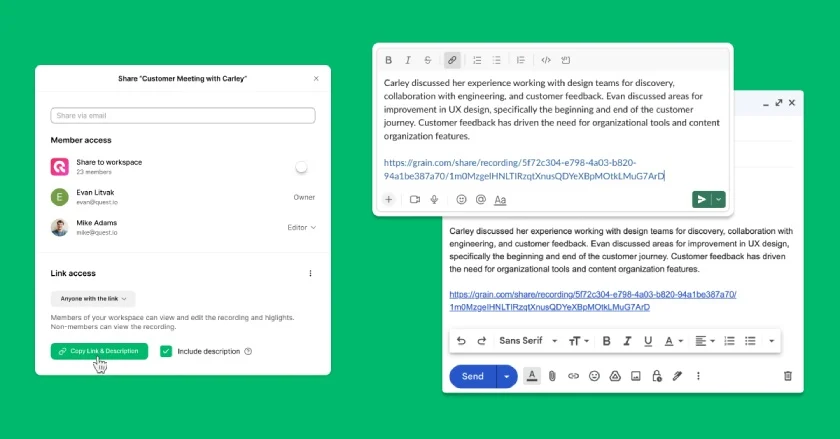
Grain is my recommendation for revenue teams that want meeting recordings to support coaching and team collaboration. Its strongest value is in conversation and revenue intelligence, with tools for AI coaching, team interaction metrics, trackers, custom follow-up emails, and CRM integrations with HubSpot and Salesforce. That makes it especially useful for small sales and customer success teams building stronger sales coaching workflows.
The workspace model is also practical for growing teams because Grain supports unlimited free viewer seats. That means managers, researchers, or cross-functional teammates can view shared meetings without every person needing a paid recording seat. For teams that need broader meeting automation across departments, MeetGeek may be easier to roll out, but Grain is stronger for revenue-focused review and coaching.
Pricing
- Free: $0 for unlimited meetings with a 45-minute limit, AI notes and action items, basic MCP access, 30-day meeting history, AI Notepad with live notes, transcript and clip creation, collaborative workspace, desktop capture, and unlimited notetaker seats
- Starter: $19 per seat, per month, or $15 per seat, per month when billed annually, for unlimited meeting duration, unlimited meeting history, advanced AI notes, custom AI prompts, admin controls, one team, Slack integration, Productboard integration, personal Zapier integration, personal API, and audio and video file imports
- Business: $39 per seat, per month, or $29 per seat, per month when billed annually, for HubSpot and Salesforce integrations, workspace Zapier integration, unlimited teams, custom AI follow-up emails, AI coaching, trackers, team interaction metrics, unlimited uploads, workspace API, and advanced MCP access
- Enterprise: Custom pricing for SAML-based SSO, priority API support, custom invoices, a dedicated customer success manager, audit event logs, auto-retention policies, and additional security features
Standout features
- AI coaching: Helps revenue leaders review customer conversations, identify coaching opportunities, and improve performance across sales and customer success calls.
- Trackers: Monitors recurring topics, keywords, objections, or themes across meetings so teams can spot trends in customer conversations.
- Unlimited free viewer seats: More team members can access shared meeting libraries without requiring every viewer to have a paid seat.
Fathom: Best for research teams and stakeholder interviews
My expert opinion
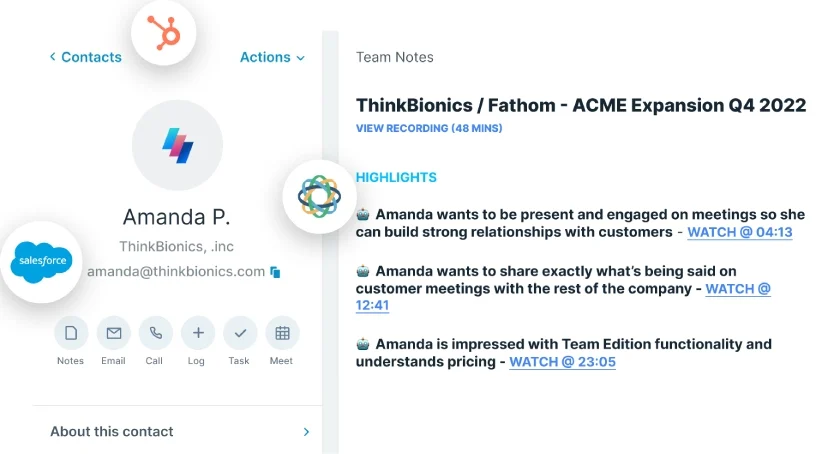
Fathom is best for research teams and stakeholder interviews because it makes it easy to capture long conversations without worrying about recording limits. Researchers, consultants, and agency teams can use transcripts, searchable meeting notes, and clips to revisit customer feedback, internal interviews, and client discussions without manually sorting through full recordings.
The biggest advantage is how approachable the platform feels. Fathom is simple enough for small teams that need meeting documentation right away, but still useful for teams that want AI action items, follow-up emails, CRM sync, and coaching metrics. I also like that teams conducting customer interviews or discovery calls can use it to support stronger customer experience management by making feedback easier to organize and share.
Pricing
- Free: $0 for unlimited recordings and transcriptions, bot-free or bot capture, instant AI call summaries, clips, playlists, and search across calls
- Premium: $20 per user, per month, or $16 per user, per month when billed annually, for advanced call summaries, AI-generated action items, a conversational meeting assistant, and a custom meeting bot
- Team: $19 per user, per month, or $15 per user, per month when billed annually, with a two-user minimum; includes everything in Premium, plus global search across shared calls, playlists of meeting highlights, comments, folders, keyword alerts, customized transcription vocabulary, and SSO
- Business: $34 per user, per month, or $25 per user, per month when billed annually, with a two-user minimum; includes everything in Team, plus CRM field sync, Deal View, coaching metrics, AI scorecards, custom data retention policies, and professional services availability
Standout features
- Clips and playlists: Lets research teams organize important moments from interviews, stakeholder meetings, and customer conversations into shareable collections.
- Ask Fathom: Provides a conversational AI assistant for asking questions about meeting content, helping users find insights without rereading full transcripts.
- CRM syncs: Push meeting summaries and notes to connected CRM records, reducing manual updates after stakeholder- or customer-facing calls.
Otter: Best real-time transcription for content and communications teams
My expert opinion
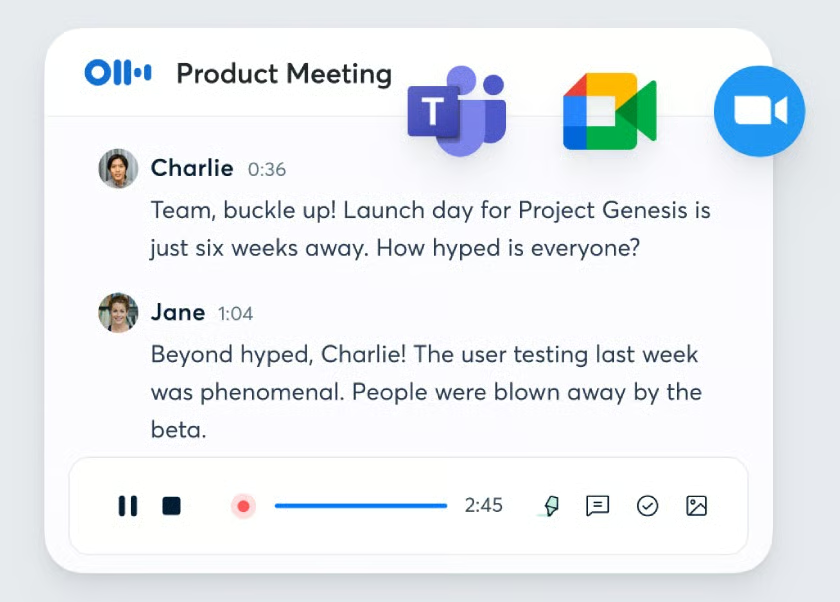
Otter is my preferred choice for content and communications teams that need fast, editable transcripts for interviews, meetings, press briefings, and internal discussions. Its real-time transcription is especially useful when teams need to capture quotes, summarize conversations, or turn spoken discussions into written material for content marketing.
For small teams, Otter’s appeal is its balance of live transcription, everyday usability, and newer AI connectivity. Users can record conversations from the web or mobile app, generate summaries, use AI Chat to ask questions about meeting content, and connect meeting data to tools like ChatGPT or Claude through its MCP server. It is not as revenue-focused as Grain or Fireflies.ai, but it is a practical option for teams that prioritize transcript accuracy, note editing, and content reuse.
Pricing
- Basic: Free for the AI meeting assistant, workspace teammates, Zoom, Microsoft Teams, and Google Meet integrations, 300 monthly transcription minutes, 30-minute conversations, and up to three lifetime audio or video imports per account
- Pro: $16.99 per user, per month for shared custom vocabulary, speaker tagging, advanced search, export and playback tools, 1,200 monthly transcription minutes, 90-minute conversations, and up to 10 audio or video imports per month
- Business: $30 per user, per month for admin features, usage analytics, up to three concurrent virtual meetings, 6,000 monthly transcription minutes, four-hour conversations, and unlimited audio or video imports
- Enterprise: Custom pricing for SSO, organization-wide deployment, domain capture, and advanced security and compliance controls
Standout features
- Live transcription: Captures conversations in real time, making it easier for content and communications teams to quickly review quotes, decisions, and discussion points.
- AI Chat: Lets users ask questions about meeting content, helping teams find key points without rereading full transcripts.
- Custom vocabulary: Helps teams improve transcript accuracy for names, industry terms, acronyms, and recurring phrases used in meetings or interviews.
Sembly: Best for project management teams
My expert opinion
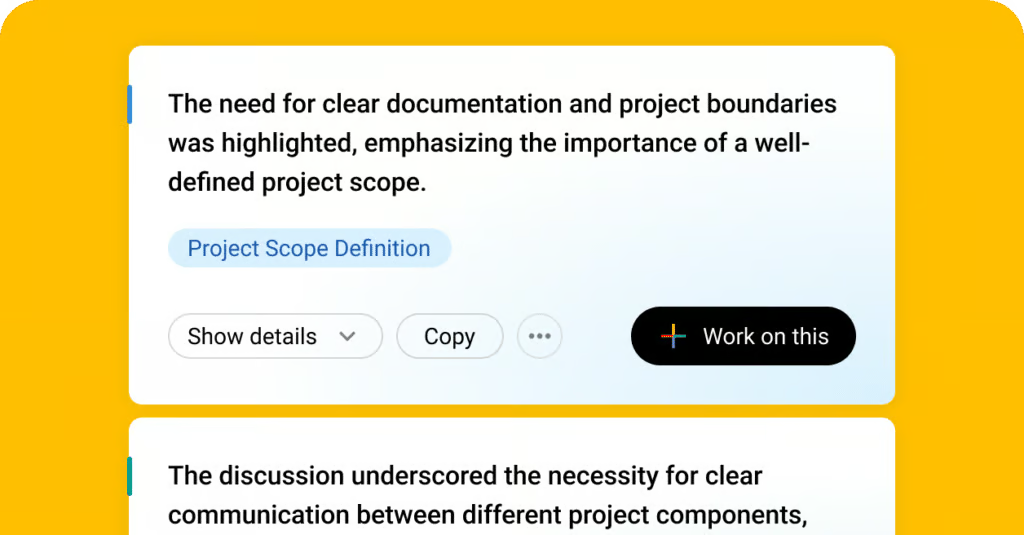
I recommend Sembly for project management teams because it focuses on turning meetings into organized tasks, risks, issues, and decisions. Instead of simply producing a transcript, I find that it helps teams capture what was discussed, who is responsible, and what needs follow-up. This makes it useful for small teams coordinating projects across departments or managing work through project management software.
For teams juggling recurring status calls, client check-ins, or cross-functional planning sessions, Sembly’s workspace analytics and AI-generated insights can make meeting outcomes easier to track. Its biggest limitation, in my experience, is that collaboration features become more useful on higher-tier plans, so I often suggest that very small teams might find MeetGeek easier to start with if they only need summaries, highlights, and transcripts.
Pricing
- Basic: $17 per month for unlimited online recording, 900 minutes of upload, video recording, and workspace credits
- Pro: $29 per month for up to 40 workspace members, AI risks and issues, team management, and workspace analytics
- MAX: $39 per month for unlimited meeting history, audit logs, and 40 AI-generated documents and insights
Standout features
- AI risks and issues: Identifies potential project risks, blockers, and follow-up items mentioned in meetings so teams can address them before they slow progress.
- Semblian chatbot: Lets users ask questions about meeting content, making it easier to find decisions, tasks, and discussion points without reviewing a full transcript.
- Workspace analytics: Gives project leads visibility into team activity, meeting patterns, and collaboration trends across the workspace.
5 tips to maximize AI meeting tools
AI meeting tools can help small businesses save time, improve documentation, and keep teams aligned, but they work best when they are built into your meeting workflow intentionally. Before rolling out a tool, decide how your team will use recordings, summaries, transcripts, action items, and integrations.
- Define your goals: Decide what you want the AI meeting assistant to improve, such as more accurate notes, faster follow-ups, better project tracking, or easier meeting recaps for absent team members. Set clear expectations so your team knows when and how to use the tool.
- Check software compatibility: Choose a platform that works with your existing video conferencing, calendar, CRM, and project management tools. Confirm that it supports the meeting platforms your team already uses, such as Zoom, Google Meet, Microsoft Teams, Webex, Slack, HubSpot, or Salesforce.
- Train your team before rollout: Show team members how to access transcripts, edit notes, share summaries, create clips, assign action items, and manage privacy settings. This helps reduce confusion and ensures the tool is used consistently across meetings.
- Automate repetitive meeting tasks: Use AI features to handle routine work like recording meetings, transcribing discussions, summarizing key points, drafting follow-up emails, and identifying next steps. Automating these tasks helps teams spend less time on admin work and more time acting on meeting outcomes.
- Review and optimize usage regularly: Check whether the tool is actually improving meeting workflows. Review team feedback, transcript accuracy, follow-up completion, and integration usage, then adjust settings, templates, or meeting processes as your needs change.
How to choose the best AI meeting assistant tool
The best AI meeting assistant should fit the way your team already meets, takes notes, follows up, and shares information. Before choosing a platform, think about your meeting volume, the types of conversations you need to document, and how much automation your team needs after each call.
Identify your team’s main meeting challenge
Choosing the best AI meeting assistant starts with identifying what your team needs most after each meeting. Some businesses primarily need accurate transcription, while others need task tracking, CRM syncing, video clips, coaching insights, or summaries to share with clients and stakeholders.
Match features to your meeting workflow
Start by reviewing your current meeting workflow. If your team struggles with manual note-taking, choose a tool with strong transcription, summary, and action-item detection. If you manage client calls or sales conversations, look for CRM integrations, conversation intelligence, and searchable meeting libraries. For hiring, coaching, or training, prioritize recording, clips, speaker insights, and easy sharing.
Review privacy and admin controls
You should also consider how much control you need over privacy, storage, and meeting access. AI meeting assistants often join calls as bots, record conversations, and store transcripts, so it is important to review consent settings, data retention, admin controls, and compliance features before using them with customers, candidates, or sensitive internal discussions.
Compare pricing against actual usage
Finally, compare pricing against actual usage. A free plan may be enough for occasional meetings, but teams that host frequent calls may need higher transcription limits, longer storage, more integrations, or team workspaces. The best AI meeting assistant should fit your meeting volume, budget, collaboration style, and existing software stack.
Frequently asked questions (FAQs)
What features should small teams look for in an AI meeting assistant?
Small teams should look for an AI meeting assistant with accurate transcription, automated summaries, action item tracking, calendar integration, searchable notes, and support for their preferred video conferencing platform.
Can an AI-powered meeting assistant join video meetings automatically?
Yes, many AI-powered meeting assistant tools can automatically join scheduled video meetings through calendar integrations, record the conversation, and generate notes or summaries once the meeting ends.
Are AI meeting assistant tools useful for remote teams?
AI meeting assistant tools are especially useful for remote teams because they help capture discussions, reduce manual note-taking, keep absent team members informed, and make follow-up tasks easier to manage.
How much does an AI-powered meeting assistant cost?
The cost of an AI-powered meeting assistant varies by provider, but many offer free plans or low-cost tiers for small teams, with higher-priced plans that add features such as advanced analytics, team workspaces, and CRM integrations.
Bottom line
AI meeting assistants help small businesses reduce manual note-taking, improve meeting documentation, and turn conversations into clear next steps. The right tool can record meetings, generate summaries, identify action items, and keep teams aligned without requiring someone to take notes manually.
MeetGeek is my top recommendation because it offers a strong balance of transcription, recording, summaries, highlights, collaboration tools, and integrations at an accessible price. However, the best choice depends on your team’s workflow: Fireflies and Grain are strong for sales teams, Otter is useful for real-time transcription, and tl;dv works well for interviews and coaching.
