







When selecting a virtual phone system, you’ll find the market teeming with options. Still, when it comes to pound-for-pound features, you won’t find many that compare to Grasshopper and Ooma. Both providers are very solopreneur-friendly, but which comes out ahead when comparing Grasshopper vs Ooma?
In this guide, we’re going to take a look at each of these providers and show you how each stacks up against the others in distinct, business-specific criteria. Based on my comparison, the best use cases for Ooma vs. Grasshopper are as follows:
| Provider | Best for |
| Grasshopper | Best for solopreneurs and small teams |
| Ooma | Best for businesses that want a fuller office phone system |
- Why you can trust Fit Small Business
- Grasshopper vs Ooma at a glance
- Best alternatives to Ooma vs Grasshopper
- Best for pricing: Grasshopper
- Best for general VoIP features: Grasshopper
- Best for advanced VoIP features: Ooma
- Best for ease of use: Grasshopper
- Best for customer support: Grasshopper
- Expert choice: Ooma
- Factors to consider when choosing Grasshopper vs Ooma
- How I evaluated Grasshopper vs Ooma
- Frequently asked questions (FAQs)
- Bottom Line
- You might also like
Why you can trust Fit Small Business
Grasshopper vs Ooma at a glance
| My score out of 5 | 4.13 | 3.94 |
| Monthly starting price (per user) | Starts at $14 per month, billed annually | Starts at $19.95 per user, per month |
| Business numbers | Local, toll-free, and vanity numbers | Local and toll-free numbers |
| Mobile app | ✔ | ✔ |
| Virtual receptionist | ✔ | ✔ |
| Key VoIP features |
|
|
| Advanced features |
|
|
| Ease of use | Simple setup using existing mobile and desktop devices | Easy to use, but more setup may be required for users, extensions, and desk phones |
Best alternatives to Ooma vs Grasshopper
While Grasshopper and Ooma are strong small business VoIP providers, they are not the best fit for every team. Grasshopper is lighter on integrations and advanced unified communications features, while Ooma’s per-user pricing can become more expensive as your team grows.
If you need more AI, analytics, or omnichannel tools, consider these alternatives:
This provider is best for companies that require a wider range of communication options. Grasshopper doesn’t offer UC features beyond dialing, and Ooma’s UC tools aren’t as robust as RingCentral's.
RingCentral is also the market leader for integrations, with built-in connectivity to more than 500 third-party solutions. It also has IVR out of the gate, which grants high-level call routing. To get a fuller picture of this provider, read our in-depth RingCentral review.
Phone.com is a unique provider of virtual phone systems. Unlike some other providers, Phone.com has video conferencing, a smart feature for small businesses just building out their communications stacks. Pricing is also very reasonable—its initial plan starts at a meager $15 monthly, billed annually. Check out our Phone.com review for more details.
When users think of convenient free internet calling, it’s often Google Voice they are considering. Google Voice is relatively bare-bones, but with its base version, which comes with any Google account, you get a free number and unlimited local calling.
In addition, Google offers a paid plan that is among the cheapest VoIP options and still includes a good number of calling features. Our Google Voice review breaks down the features in more detail.
Best for pricing: Grasshopper
Grasshopper | Ooma | |
| Pricing score | 4.75 out of 5 | 2.5 out of 5 |
| Free trial | 7 days | Offers a free trial with the purchase of a Telo home phone system |
| Subscription plans |
|
|
| Pricing model | Flat-rate plans with annual discounts | Per-user pricing |
| Best pricing fit | Small teams sharing one phone system | Teams that prefer per-user extensions and desk phone options |
I consider Grasshopper the better option for pricing because it uses a flat-rate model instead of charging per user. This makes it a practical choice for solopreneurs, startups, and small teams that want a business phone number without worrying about costs increasing each time they add a team member.
At the same time, Ooma’s entry-level price is still competitive for a full VoIP phone system, but I've found that its per-user pricing makes it more expensive as your team grows. However, Ooma may offer better value if each employee needs a dedicated extension, desk phone support, and access to more structured call management tools.
Best for general VoIP features: Grasshopper
Grasshopper | Ooma | |
| General features score | 5 out of 5 | 4.63 out of 5 |
| Unlimited domestic calling | ✔ | ✔ |
| Business texting | Yes | Available on higher-tier plans |
| Virtual receptionist | ✔ | ✔ |
| Call forwarding & routing | ✔ | ✔ |
| Voicemail transcription | Yes | Available on higher-tier plans |
| Digital fax | ✔ | ✔ |
Grasshopper wins for general VoIP features because it includes the core tools most small businesses need in a simple virtual phone system. You can choose a local, toll-free, or vanity number, manage calls and texts from mobile and desktop apps, create custom greetings, forward calls, and review voicemail transcriptions.
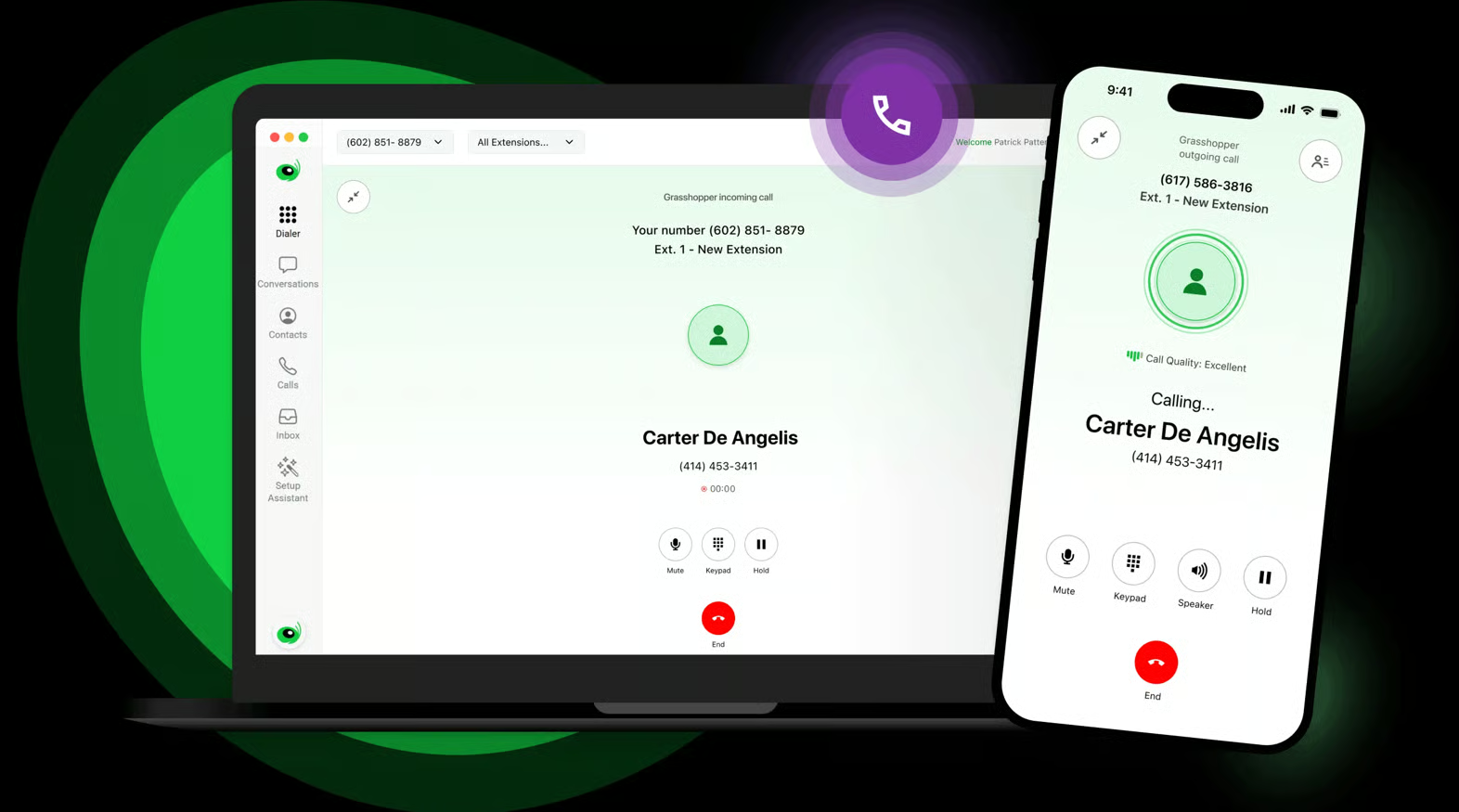
I find Grasshopper is especially useful for teams that want multiple people to manage the same business phone number. Its shared inbox, shared numbers, call forwarding, and unlimited-user model make it easier for small teams to respond to customer calls and texts without purchasing a separate seat for each employee.
In comparison, Ooma offers a wide variety of VoIP features, especially for businesses that want a more traditional phone system. Its Essentials plan includes standard business phone features like unlimited calling, a virtual receptionist, a mobile app, a toll-free number, and digital fax.
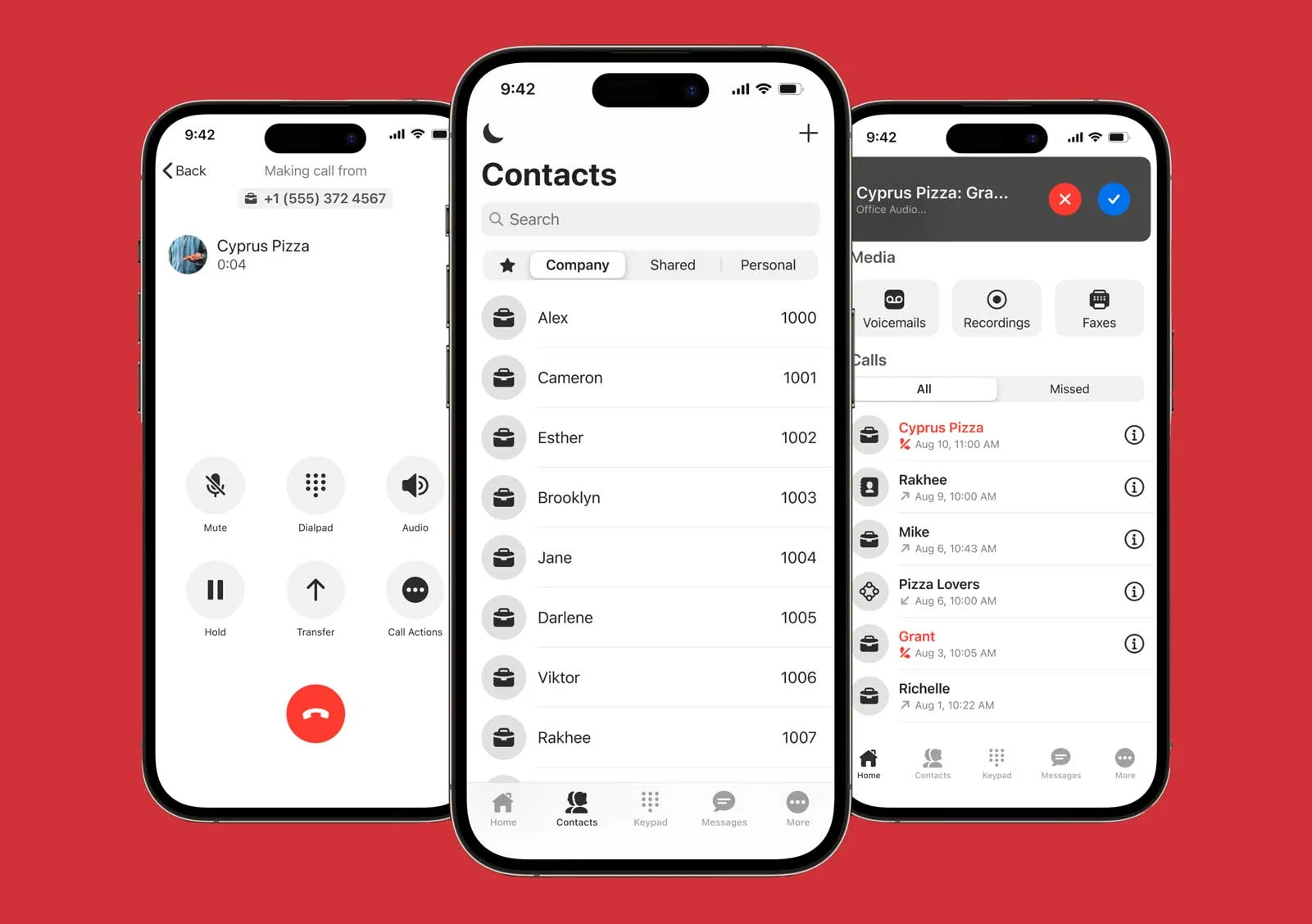
At the same time, I often look for platforms with features that improve communication and collaboration. But with Ooma, features such as text messaging, desktop app access, video conferencing, and call recording are available only on higher-tier plans. So, although these tools are offered, users may need to upgrade to access them.
Best for advanced VoIP features: Ooma
Ooma | Grasshopper | |
| Advanced features score | 3.88 out of 5 | 1.75 out of 5 |
| AI transcription | Available on Pro Plus | Limited transcription tools |
| Video conferencing | Available on Pro and higher | No |
| Call recording | Available on Pro and higher | Available for small business use cases |
| Call queuing | Available on Pro Plus | Limited; call blasting add-on |
| Hot desking | Available on Pro Plus | No |
| CRM integrations | Available on Pro Plus | Limited |
| Spam or enhanced call blocking | Available on Pro and higher | Limited |
Ooma is the clear winner for advanced VoIP features because it offers more tools for growing teams, shared workspaces, and call-heavy businesses. Its higher-tier plans include video conferencing, call recording, AI transcriptions, CRM integration, team chat, hot desking, and call queuing.

These features make Ooma better for businesses with multiple employees who answer customer calls, share desk phones, or log conversations in a customer relationship management system. For example, a small sales team may benefit from Ooma’s CRM integrations and call queuing, while a hybrid office may need hot desking for employees who share phones or rotate workstations.
In contrast, Grasshopper is intentionally simpler. It covers essential VoIP needs like business calling, texting, voicemail, and call routing, but it does not provide the same advanced communications stack. For example, Grasshopper works best for the solopreneur who needs to separate business and personal calls on the same phone.
Therefore, I would recommend Grasshopper if you want a lightweight phone system, while Ooma works best if your business needs more call management, collaboration, and administrative controls.
Best for ease of use: Grasshopper
Grasshopper | Ooma | |
| Ease of use score | 5 out of 5 | 4.25 out of 5 |
| Mobile-first operation | ✔ | ✔ |
| Desktop experience | Included | Higher-tier plans |
| Hardware requirement | No hardware required | Hardware optional |
| Interface simplicity | Simple and modern | Easy but more feature-rich |
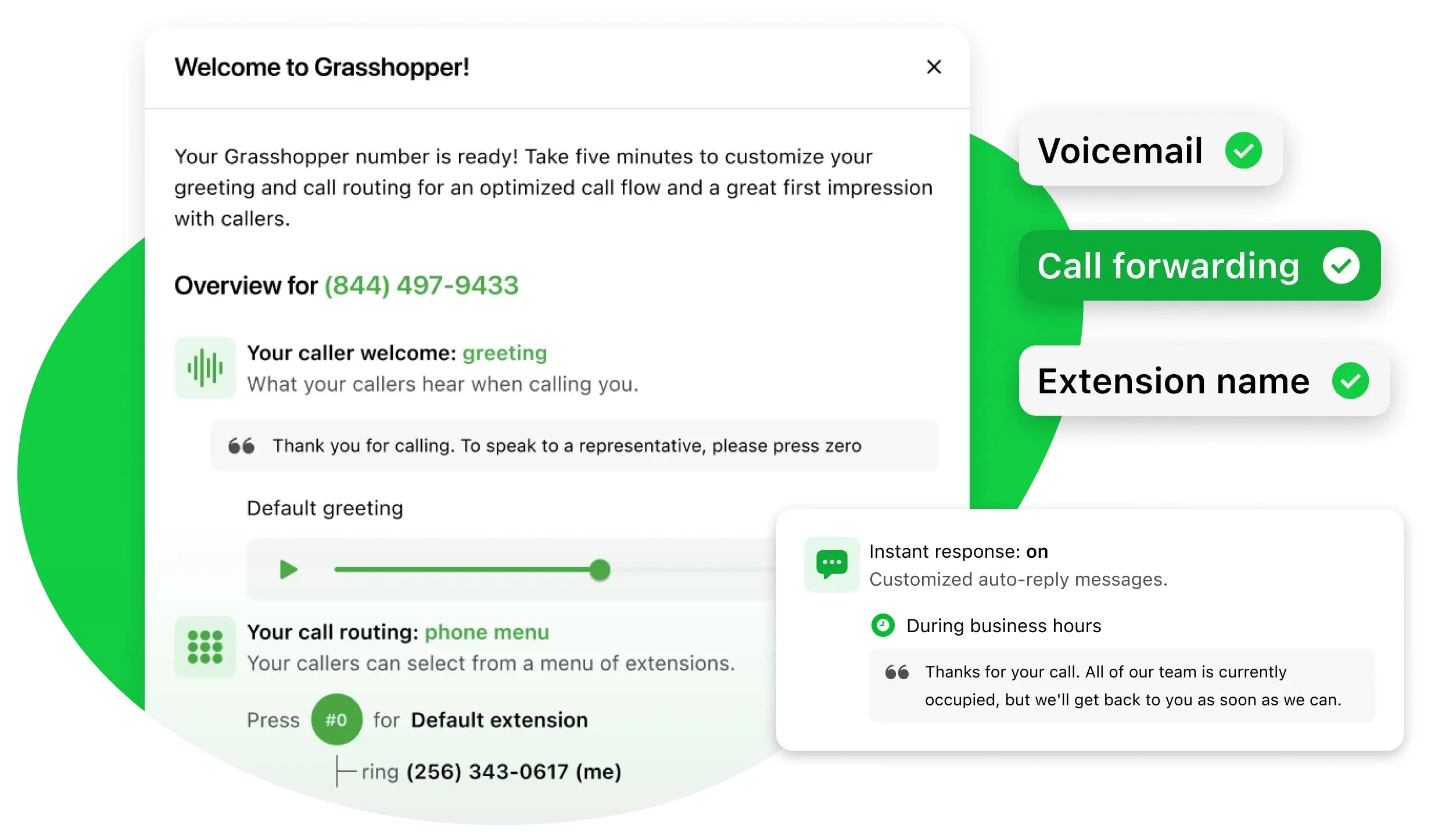
Grasshopper wins for ease of use because it is designed to work on devices you already own. Users can download the app, choose a business number, set up greetings, add extensions, and start handling calls without purchasing desk phones or configuring a complex phone system.
This simplicity makes Grasshopper a better fit for solopreneurs and nontechnical users who want to get started quickly. It also reduces the learning curve for teams that only need core phone features like call forwarding, voicemail, texting, and custom greetings.
While I find Ooma easy to use, especially compared with more complex unified communications platforms, its broader feature set, desk phone options, and per-user structure may require more setup than Grasshopper. That added setup can be worthwhile for businesses that need a more complete office phone system, but for solopreneurs and smaller teams, Grasshopper is the easier choice.
Best for customer support: Grasshopper
Grasshopper | Ooma | |
| Support score | 4.75 out of 5 | 4.5 out of 5 |
| Customer service hours | 24/7 live-agent support | 24/7 phone support for Business and Enterprise plans |
| Phone support | ✔ | ✔ |
| Knowledge base | ✔ | ✔ |
| Live chat | ✔ | ✔ |
| Setup support | Guided setup options | Set up resources and support available |
Grasshopper has a slight edge in customer support because it clearly emphasizes 24/7 support from dedicated live agents, along with a support center and guided setup options. This aligns well with its target audience of solopreneurs and small teams that may not have in-house IT support.
Ooma also provides strong support resources, including sales assistance, help documentation, and setup guidance. However, much of its 24/7 support is relegated to higher-tier business and enterprise plans. This makes it a good fit for businesses that want help configuring users, extensions, and desk phone options, but less beneficial for users on the base plan.
Expert choice: Ooma
Grasshopper | Ooma | |
| Expert score | 4 out of 5 | 4.25 out of 5 |
| Best feature strength | Flat-rate virtual phone service | Advanced VoIP and call management |
| Biggest limitation | Limited advanced UC and call management features | Per-user pricing can add up |
| Learn more |
For my expert score, I chose Ooma because it offers a more complete VoIP phone system for growing small businesses. While Grasshopper is easier to use and more affordable for teams that want flat-rate virtual phone service, Ooma provides more advanced features, including video conferencing, call recording, AI transcriptions, CRM integrations, hot desking, team chat, and call queuing.
Something that also stands out about Ooma is the many devices that it offers to support business communication. By choosing your own phones and connectors, you can build an entire phone system for your home office or employees. Also, if you purchase a Telo device, Ooma also offers a free trial of its Premier calling plan, making it an excellent choice for those new to building a business phone system.
That said, Grasshopper still earned a strong expert score because it is one of the most practical choices for solopreneurs and small teams. Its biggest advantage is simplicity: businesses can get a professional phone number, manage calls and texts from existing devices, and add users without paying per seat on most plans. However, Ooma is the stronger expert choice for businesses that need a phone system that can support more complex call flows, office users, and future growth.
Factors to consider when choosing Grasshopper vs Ooma
Evaluating your business requirements is a crucial first step when choosing between Grasshopper and Ooma. Both providers offer services suited for small businesses, but they cater to different types of users.
While Grasshopper is ideal for businesses seeking a basic virtual phone service, Ooma is better suited for those that require more advanced VoIP features, such as a single business number and email response options. Consider the following factors:
- Team size: Grasshopper’s flat-rate pricing is ideal if multiple people need access to the same phone system. Ooma’s per-user pricing may be better if each employee needs a dedicated extension, phone, and user account.
- Call volume: Choose Grasshopper if you need basic call forwarding, texting, and voicemail. Choose Ooma if you need queues, ring groups, call recording, and shared phone workflows.
- Hardware needs: Grasshopper works well on existing mobile and desktop devices. Ooma is better if your business wants desk phones or a more traditional office phone setup.
- Advanced features: Ooma is stronger for video meetings, CRM integrations, AI transcriptions, hot desking, and team chat. Grasshopper is better for businesses that do not need those extras.
- Budget predictability: Grasshopper is easier to budget for because most plans do not charge per user. Ooma’s pricing is predictable per seat, but total costs increase as your team grows.
- Customer communication style: Grasshopper is a strong fit for teams that share a single business number and respond via a shared inbox. Ooma is better for businesses that route calls by user, extension, or department.
How I evaluated Grasshopper vs Ooma
I compared Grasshopper and Ooma by reviewing current provider information, feature availability, pricing structures, and small-business use cases. I then evaluated each provider using six criteria: pricing, general VoIP features, advanced features, customer support, ease of use, and expert score.
Here’s a complete breakdown of these factors:
- Pricing (20%): I compared starting prices, free trials, annual discounts, pricing model, and scalability. I also considered whether costs increase per user or remain predictable as a team grows.
- General features (25%): I looked at essential VoIP features, including unlimited calling, business texting, mobile and desktop apps, virtual receptionist, call routing, business number options, voicemail transcription, digital fax, and team inbox or ring group tools.
- Advanced features (20%): I evaluated each provider’s advanced tools, including AI transcription, video conferencing, call recording, call queuing, hot desking, CRM integrations, analytics, call monitoring, spam blocking, and international calling.
- Customer support (10%): I reviewed the availability of phone support, live chat, knowledge base resources, customer service hours, and setup support.
- Ease of use (10%): I assessed how easy each platform is to set up and use, including mobile-first operation, desktop experience, hardware requirements, interface simplicity, and technical setup needs.
- Expert score (15%): I considered overall value, feature depth, transparency, best-fit clarity, and each provider’s limitations for small business users.
Frequently asked questions (FAQs)
What is the main difference between Grasshopper and Ooma?
The main difference between Grasshopper and Ooma is that Grasshopper serves as a virtual phone system that forwards calls to existing devices, while Ooma offers a more comprehensive VoIP service with hardware options, extensions, and business phone features.
Is Grasshopper vs Ooma better for remote teams?
Grasshopper is often better for remote teams that mainly need business texting, call forwarding, and a professional phone number. Ooma is a stronger option for remote or hybrid teams that need video meetings, ring groups, call recording, and more advanced call management.
Can I use my existing business phone number with Grasshopper or Ooma?
Yes, both Grasshopper and Ooma typically allow number porting, so you can transfer an existing business phone number. Before switching providers, confirm porting eligibility, fees, and transfer timelines to avoid service interruptions.
Bottom Line
In this Grasshopper vs Ooma comparison, I found that Grasshopper is the better choice for solopreneurs and small teams that want simple, affordable virtual phone service. Its flat-rate pricing, unlimited users, business texting, call forwarding, and easy setup make it especially useful for businesses that want a professional phone number without having to manage a full VoIP system.
However, Ooma is my expert choice because it offers more robust VoIP features for growing businesses. Its higher-tier plans include video conferencing, call recording, AI transcription, CRM integrations, hot desking, team chat, and call queuing, making it a better fit for offices and call-heavy teams. Choose Grasshopper for a simple virtual phone service; choose Ooma for a more comprehensive small-business VoIP phone system.
You might also like
Top 7 VoIP Apps for iPhone in 2026
