








I, like most business email users, used to schedule at least half an hour every day to check my email, follow up with teammates, note down tasks for the day, and craft the perfect emails to send out to clients. That’s over 180 hours a year spent on emails alone.
It doesn’t have to be like this.
Gmail is a leading business email platform—but using it in default is far from its true potential. Gmail add-ons and extensions can make it more personalized and efficient, easily cutting down over half of the busywork.
To help you know which to use, I researched dozens of Gmail add-ons and extensions that offer value for small business users. Not only are the Gmail add-ons below easy to set up, but plenty of them are also priced reasonably (or completely free) for small business use.
What Are Gmail Add-ons & Extensions?
Both Gmail extensions and Gmail add-ons are third-party tools that enhance Gmail’s functionality. Gmail add-ons (also known as Gmail plugins) are installed on the Gmail app, while extensions are installed directly on your browser. These include tools that allow users to streamline email management, improve productivity, and customize their email experience—and much more.
| Gmail Add-ons | Gmail Extensions | |
|---|---|---|
| What It Is | Offers extra features within Gmail | Connects Chrome browser Gmail with other apps or software |
| Common Offerings | Email management or AI tools | Set up workflows or schedule mass emails |
| Installed In | Gmail (including mobile) | Chrome Browser |
| How to Get It | Install apps on the Google Workspace Marketplace | Install extensions on the Chrome Web Store |
Best Add-ons & Extensions for Email Marketing
Sure, there are excellent email marketing software apps you can use to build a successful email campaign. However, not many people know that you can actually start on email marketing right from your Gmail inbox. These add-ons and extensions allow personalized mass email sending, email automation and workflows, and more.
1. GMass
Best for: Premium-level email marketing and mail merge features for Gmail
Cost: Free plan and paid plans starting at $19.95 per month
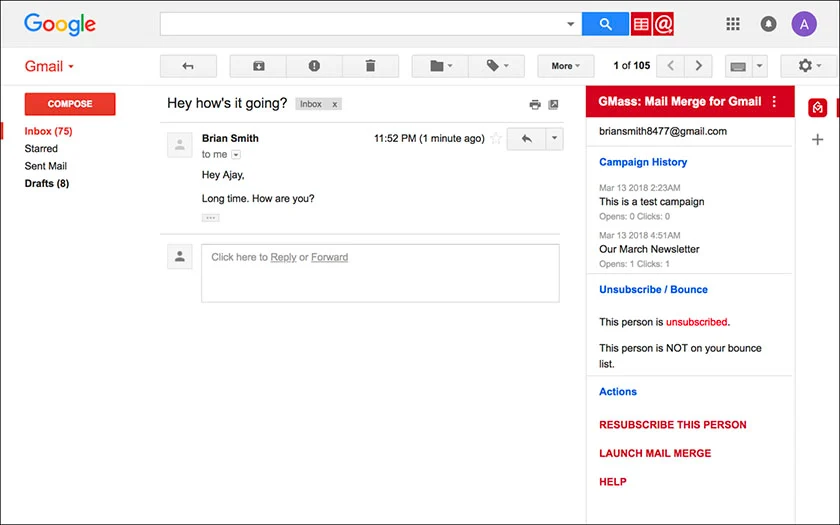
GMass allows users to send mass emails, schedule email campaigns, and track email opens and clicks directly from their Gmail account. This is often used for email marketing, outreach campaigns, and follow-ups. GMass’ mail merge feature allows personalization of multiple emails based on data from Google Sheets, including the recipient name, links, attachments, and images.
Although GMass’ paid plans are pricier than the other options on this list, all paid plans include unlimited contacts, unlimited campaigns, and virtually unlimited email sends that break Gmail’s daily send cap—a feature that we only found with GMass. The premium plan also includes API access and A/B testing for full email marketing capabilities.
2. Mailmeteor
Best for: Unlimited one-click automated follow-ups
Cost: Free plan and paid plans starting at $9.99 per month
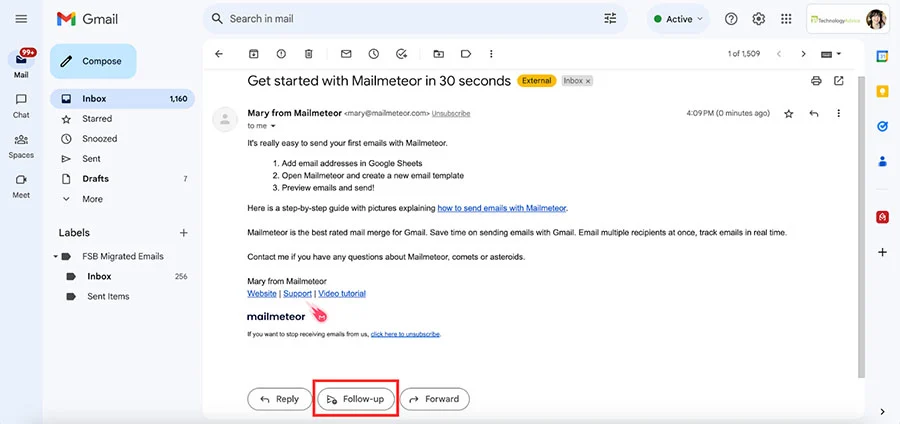
Mailmeteor is also a mass email and mail merge software that can be used for email marketing. Although it doesn’t have the same level of offering as GMass for mass email sending, we find that Mailmeteor’s one-click follow-up automation can be valuable to small businesses. This feature allows users to automate follow-ups in one click, without your recipients knowing.
For example, you can write a follow-up email immediately after sending your first email. This will be sent automatically as a follow-up depending on your set time and conditions (e.g., three days later with no reply). Other features of Mailmeteor include mass email personalization, real-time email tracking, and customer relationship management (CRM) integration in the paid plan.
3. Mailtrack
Best for: Unlimited email tracking for desktop and mobile
Cost: Free plan and paid plans starting at $2.99 per month (billed annually)
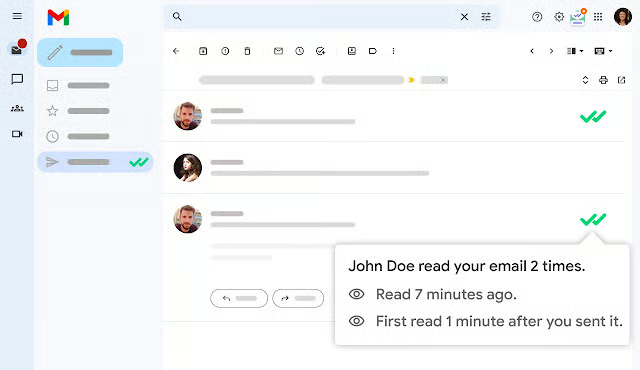
Mailtrack is one of the very few providers that offer unlimited real-time email tracking in their free-forever plan. Once you upgrade to a paid plan, it comes with email automation tools such as personalizing and scheduling email campaigns. Additionally, paid plans include analytics tools that measure email performance through open rates, click-through rates, response rates, and conversion rates of cold emails.
For email marketers who plan to test and utilize data to optimize their campaigns, Mailtrack is an excellent Gmail extension to keep in hand. It can provide valuable insights into your email’s open rates all within the free-forever plan. For more data and tracking options, you can upgrade to a paid plan for as low as $2.99 a month.
Best Add-ons for AI Tools
Artificial intelligence (AI) caught the world by storm, and the field of business email is no different. From automated scheduling to AI content writing, these are the top add-ons you can use for your business Gmail to take advantage of the power of AI.
4. Reclaim.ai
Best for: AI-powered scheduling
Cost: Free for one user, paid plans start at $8 per user, per month
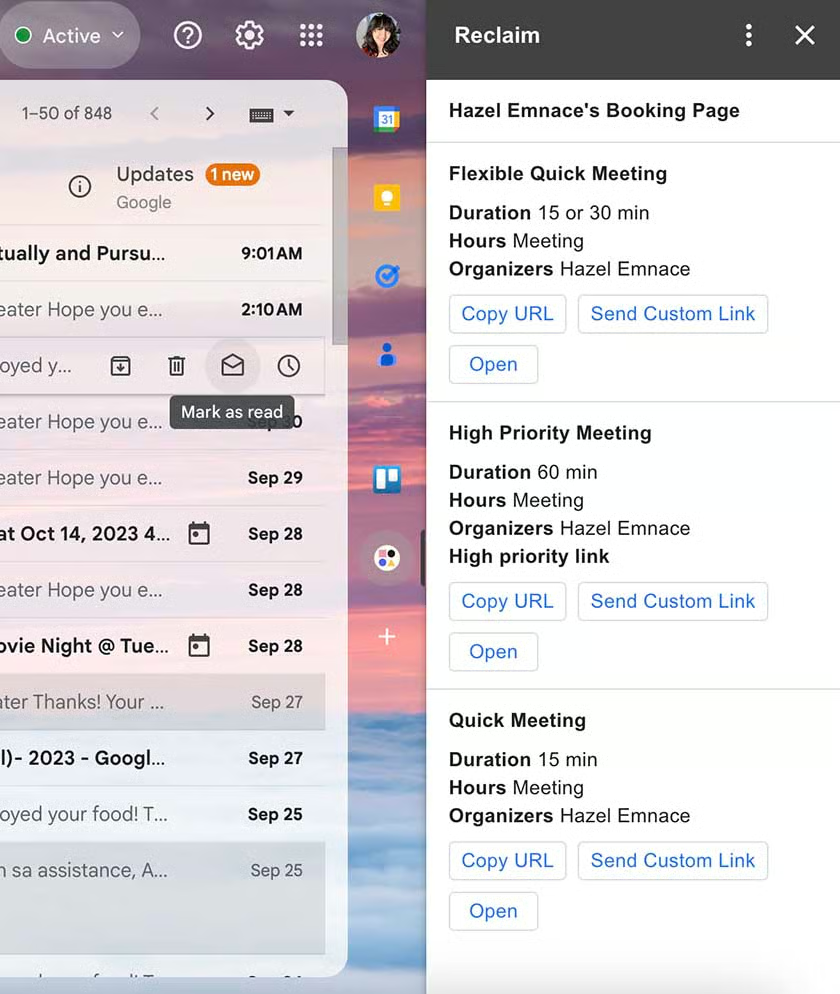
Reclaim.ai is an AI assistant for Gmail that schedules your workweek in the most efficient way. It works with an adaptive and real-time scheduling technology that allows it to build a schedule for your tasks, habits, meetings, breaks, and more. As your work week fills up, Reclaim.ai will use predictive intelligence to make sure you have enough time to do your tasks and collaborate with your team effectively.
What we specifically love about this Gmail add-on is that it integrates with other software to build your perfect schedule. It auto-schedules tasks from Asana, Todoist, Jira, ClickUp, and more as well as syncs with your Slack account. You can try this AI tool for free with Reclaim.ai’s free-forever plan for one user. Take note that this takes a little bit more time to set up, so make sure you set some time aside upon installation.
5. GPT for Gmail
Best for: Email writing assistance
Cost: Free plan and paid plans start at $9 per month
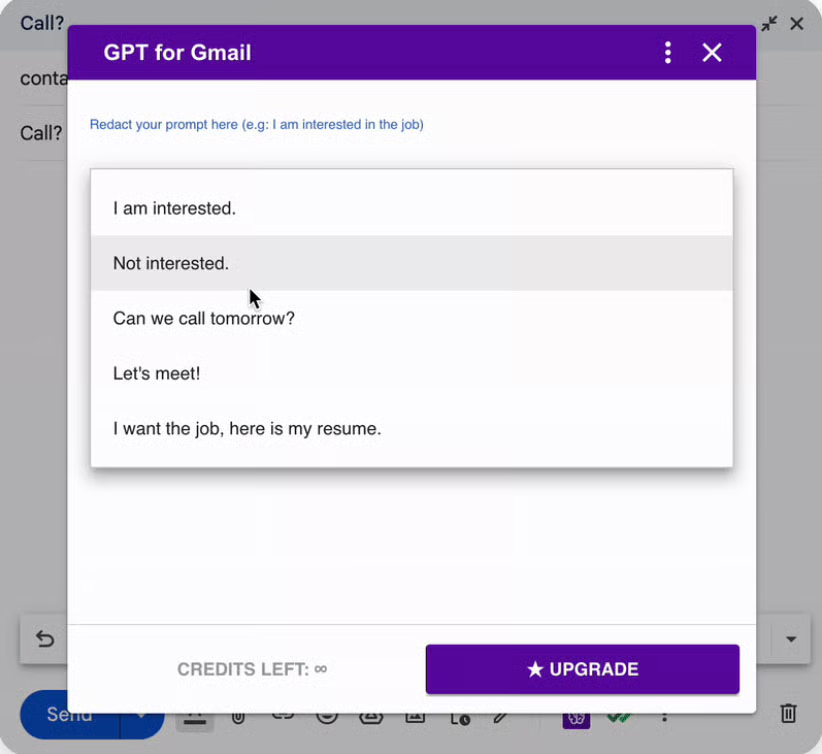
GPT for Gmail is an AI-powered content assistant that writes, edits, summarizes, and expands email content. Utilizing both GPT-3.5 and Bard AI’s models, it has the versatile capabilities of ChatGPT as well as real-time information from Google Bard. Users can input prompts to generate content in a matter of seconds.
The primary concern among business users for ChatGPT is that their data is not protected. GPT for Gmail protects your email information by anonymizing the message before it gets processed by the AI model. All in all, it is a strong Gmail add-on for businesses with a free-forever plan (10 monthly prompts). Upgrading to a paid plan will allow unlimited prompts a month.
Best Add-ons & Extensions for Collaboration
Businesses are built on team collaboration and a reliable avenue for communication. Although Google Workspace is already renowned for its collaborative features, these Gmail add-ons and extensions are sure to make it easier to work with a team while keeping projects top of mind.
6. Gmelius
Best for: Syncing and automating Gmail for teams
Cost: Starting at $15 for up to 10 users
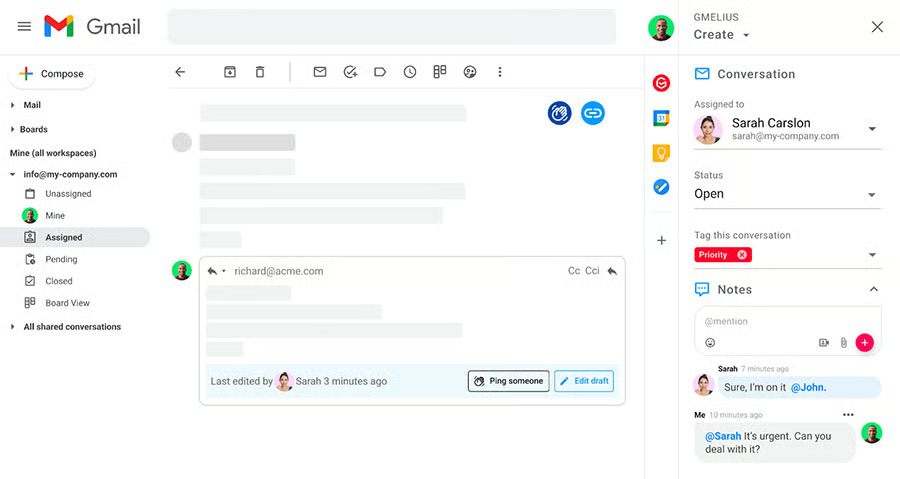
Gmelius is marketed as a collaboration platform specifically designed for Gmail. It includes shared inboxes, shared Gmail labels and templates, team workflow automations, and even a complete sync of tools and processes (e.g., Trello, Asana, Tasks, etc.). We recommend it for businesses that spend most of their time on Gmail when working with their team.
It is available as an add-on and an extension. However, unlike most of the options on this list, Gmelius does not have a free plan. Nevertheless, we find that it has a wide range of synced Gmail tools that allow teams to be organized, automated, and managed, all within the Gmail interface. All in all, it is an excellent Gmail tool for a collaboration-heavy team.
7. Lucidchart Diagrams for Gmail
Best for: Visual collaboration with diagrams
Cost: Free plan and paid plans starting at $7.95 for a single user only
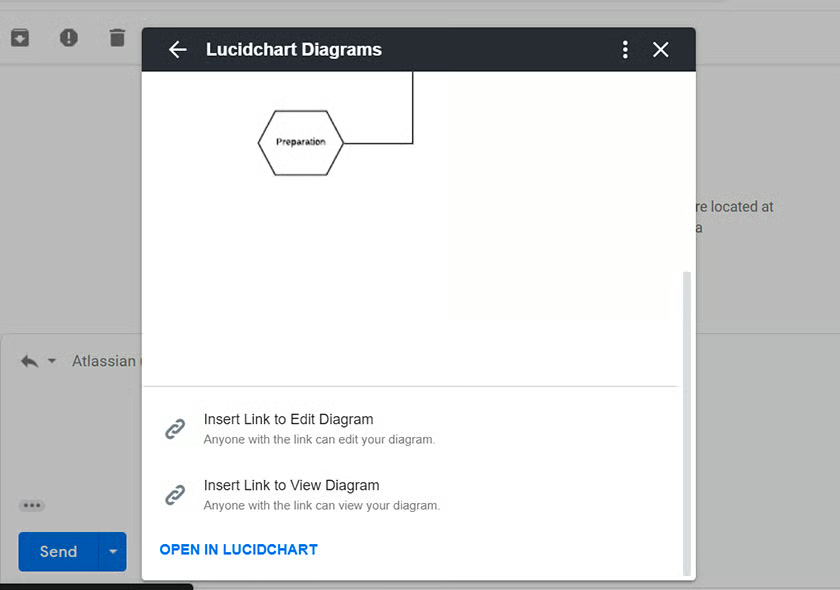
Lucidchart is a visual workspace that allows teams to visualize processes, structures, and systems with a collaborative diagram. Used to understand complex ideas, Lucidchart is a common collaboration tool for businesses. The Lucidchart Gmail add-on allows users to access, attach, search, preview, and even create new Lucidchart documents on Gmail.
By clicking on the Lucidchart logo on Gmail after installation, you can attach an existing Lucidchart to an email. The recipient can both preview and access this document. Any edits or changes to document permissions also come up as notifications on the Gmail interface, ensuring timely reminders for all team members.
Best Add-ons & Extensions for Project Management
The battle for best project management software has always been a thinker. It includes having to choose the best workflows, project templates, file storage, automations, AI features, and more.
Because of this, choosing the best Gmail extension and add-on for project management also proves to be difficult. Since the ideal add-on depends on the business’ specific needs and preferences (or current software), we’re highlighting the top two most downloaded add-ons for this category.
8. Trello
Best for: Kanban-method or visual collaboration project management
Cost: Free plan and paid plans starting at $6 per user, per month
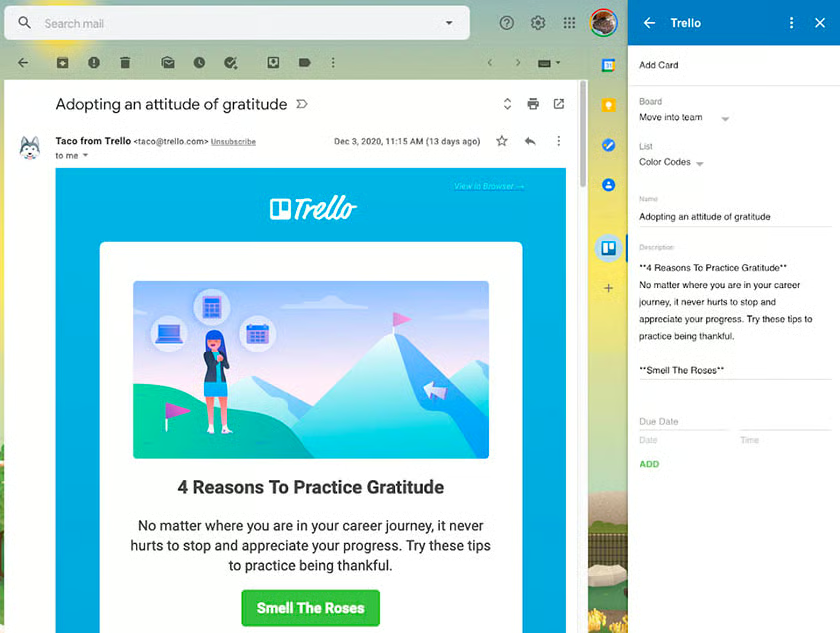
Trello is a project management tool you can use to map out nearly any type of process. With the Trello add-on for Gmail, you could turn emails into Trello cards and add them to your Trello boards. This is helpful for managing tasks and projects associated with specific emails.
Create new cards, set labels, assign members, and more within the Gmail inbox. With over 9 million installations on Google Workspace Marketplace, Trello is one of the most used project management add-ons because of its user-friendliness and accessible plans.
Trello on Gmail is simple and straightforward. Once you’ve set up the add-on, you can use it immediately by clicking on the Trello logo on your Gmail inbox. Select the Board and List you want the task to be categorized in, then it will automatically create the Trello card from your email. The email subject line will be the card title while the email body is the card description.
9. Asana
Best for: Actionable and automated project management
Cost: Free plan and paid plans starting at $10.99 per user, per month
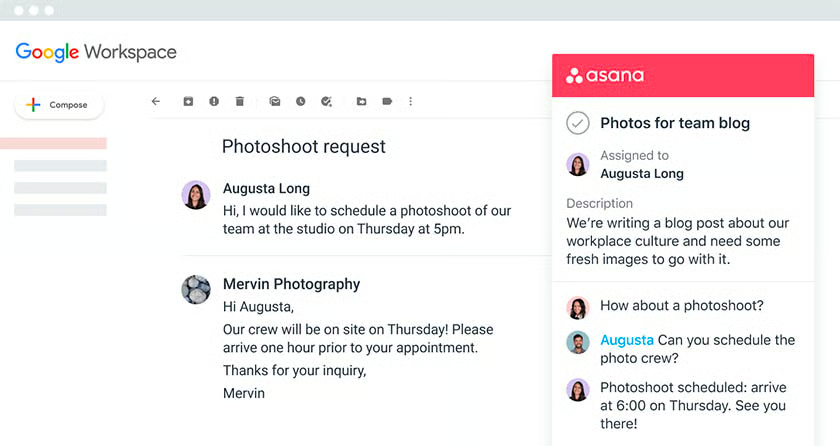
Asana is a web and mobile work management platform where teams can organize, track, and manage work. The Asana Gmail add-on has over 3 million installations and, based on my experience with it, has more functionality than Trello as a Gmail add-on.
Aside from being able to create tasks from emails, users can also refer to an Asana task while composing an email and even take action on the tasks (comment, like, or complete) without having to leave Gmail.
Additionally, Asana encourages the use of Gmail rules to synergize with their software for workflow automation. This allows users to send emails automatically when certain project parameters are met. For example, an automated email can be sent whenever a task has been completed.
Best Add-ons & Extensions for Productivity
Finally, Gmail add-ons and extensions are excellent tools for keeping you razor-focused on important emails and tasks. Aside from project management add-ons, you can boost your productivity even further by organizing and customizing your inbox. This can help shorten the time you spend on Gmail and focus on other important tasks.
10. Simple Gmail Notes
Best for: Adding details and information to emails
Cost: Free
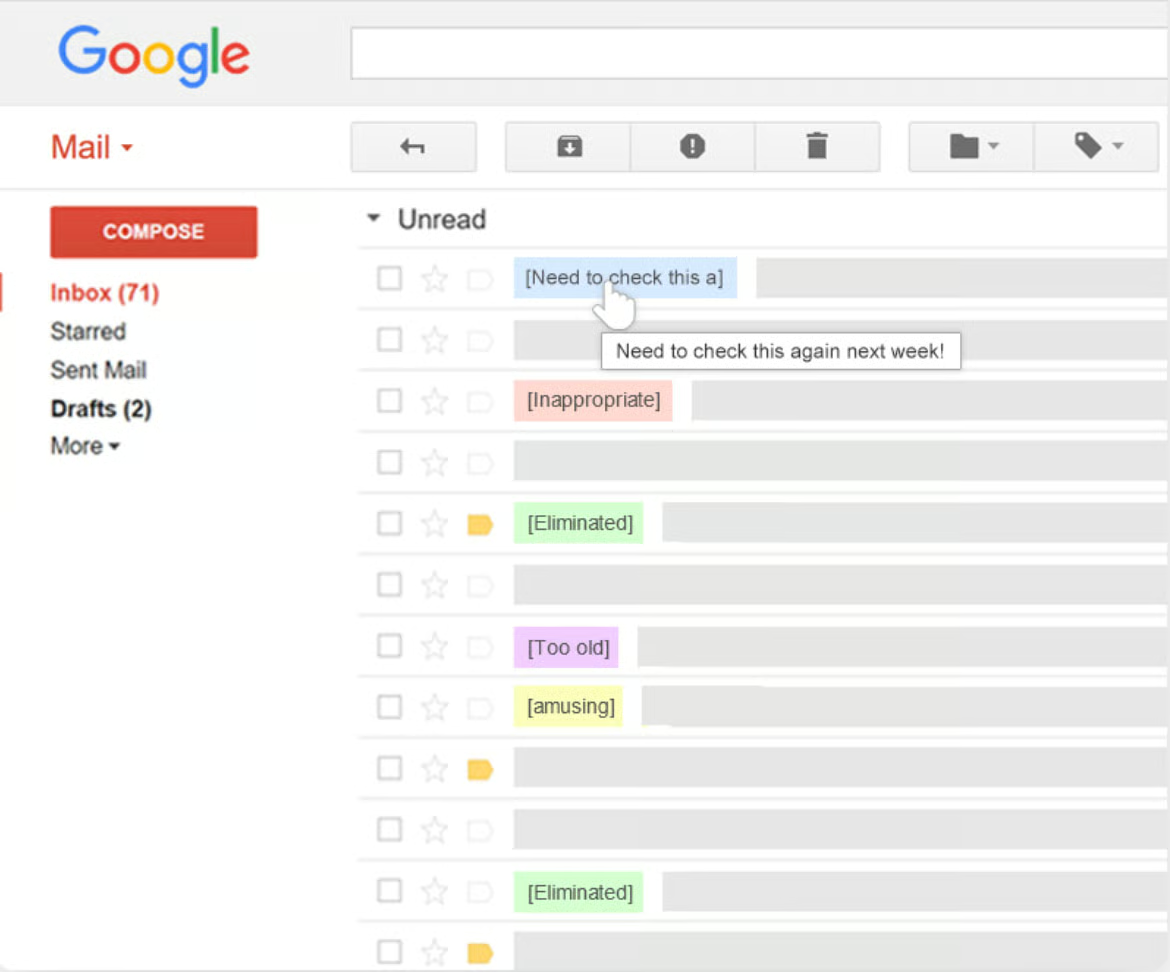
Simple Gmail Notes is a 100% free and open-source Gmail extension that allows users to add notes in Gmail threads. The name speaks for itself—this extension is straightforward and can be utilized in any way the user might find helpful. For example, Simple Gmail Notes can label important emails, remind you of follow-ups, and even give additional context on the content of the email.
Simple Gmail Notes look like sticky notes attached to your emails. Users have the option to attach additional media such as images, documents, PDFs, Excel sheets, or even videos. Team members can also share notes and comments with each other. Since there is no Gmail add-on for Simple Gmail Notes, the only way to view these notes on mobile is through downloading its CRM app.
11. Mailstrom
Best for: Cleaning a Gmail inbox
Cost: Plans start at $9 per month for one email account
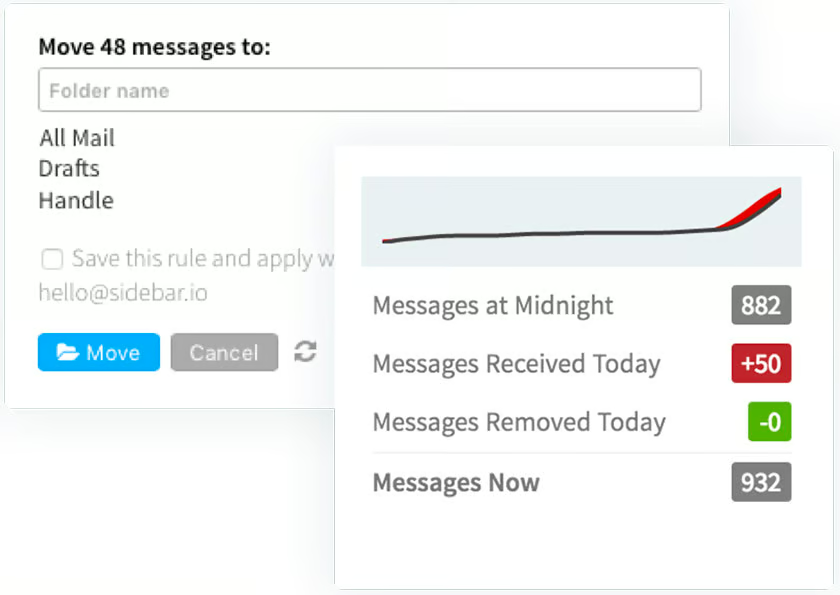
Mailstrom’s biggest selling point is that you can achieve Inbox Zero in just a few clicks. How it works is that it bundles related mail on which you can then act on as a group. For example, all emails from a specific sender, subject, or even time frame can be sliced from your inbox when you deem necessary. The basic plan can set up to 200 filters for email organization, and this can go up to 1,000 filters on the Pro plan.
Additionally, you can use Mailstrom to block spam senders or unwanted subjects. It also has a one-click unsubscribe feature for getting off old mailing lists. Although there is no free plan, there is a free trial option that’s limited to 5,000 emails in your inbox.
Frequently Asked Questions (FAQs)
How do I get add-ons for Gmail?
You can install add-ons for Gmail in the Google Workspace Marketplace. Explore the recommended add-ons or search for specific ones, select your desired add-on, and click the install button. You can access the add-on features directly within Gmail. Usually, add-ons require you to make an account first before using it on your inbox.
Where can I get Google add-ons?
Google add-ons can be found in the Google Workspace Marketplace. You can either go directly to the URL or, alternatively, open Gmail, click the gear icon, select “See all settings,” and visit the “Add-ons” tab.
What are some tips & tricks for Gmail?
Aside from installing add-ons and extensions for Gmail, you can optimize your email experience by using keyboard shortcuts for easier navigation and labels or filters to efficiently organize your inbox. You can also customize Gmail’s appearance to suit your preferences. These are just a few of the Gmail tips and tricks available to maximize the use of your Gmail inbox.
Bottom Line
Gmail extensions and add-ons extend the functionality of your Gmail inbox. From email marketing to project management, there is so much you can accomplish without having to leave the Gmail interface. Explore these Gmail add-ons and integrations in the Google Workspace Marketplace and Chrome Web Store, respectively.
Google Workspace’s Gmail not only has the widest range of add-ons and extensions among leading business email providers, but it also has one of the most user-friendly interfaces partnered with advanced email features.
