


Every week, I explore how businesses can future-proof their offerings, and customer experience (CX) is key to that endeavor. Unlike CRMs that focus on sales relationships or CEM frameworks that emphasize strategic measurement, customer experience platforms capture and analyze feedback in real time. For B2B teams, the right CX tool can lead to fewer lost accounts, stronger renewals, and enhanced reputation through proactive engagement.
This guide highlights the five best CX platforms in 2025 that are matched to business needs and small team budgets. Each recommendation emphasizes ROI, use cases, and integrations, enabling you to make the best choice for your small business.
- Zoho Desk: Best overall customer experience platform
- HubSpot Service Hub: Best for CRM integrations
- Freshdesk: Best for ease of use
- Nextiva: Best for omnichannel support
- Zendesk: Best for advanced analytics
- Comparing the best customer experience (CX) platforms
- Zoho Desk: Best overall customer experience platform
- HubSpot Service Hub: Best for CRM integrations
- Freshdesk: Best for ease of use
- Nextiva: Best for omnichannel support
- Zendesk: Best for advanced analytics
- Key features to consider before buying a CX platform
- Frequently asked questions (FAQs)
- Bottom line
Comparing the best customer experience (CX) platforms
| CX platforms | Monthly starting price | Key features | My rating (out of 5) |
|---|---|---|---|
 | $9 per user |
| 5 |
| Visit Zoho Desk | |||
 | $15 per user |
| 4.93 |
| Visit HubSpot Service Hub | |||
 | $18 per agent |
| 4.88 |
| Visit Freshdesk | |||
 | $23 per user |
| 4.69 |
| Visit Nextiva | |||
 | $25 per agent |
| 4.40 |
| Visit Zendesk | |||
Zoho Desk: Best overall customer experience platform
My expert opinion
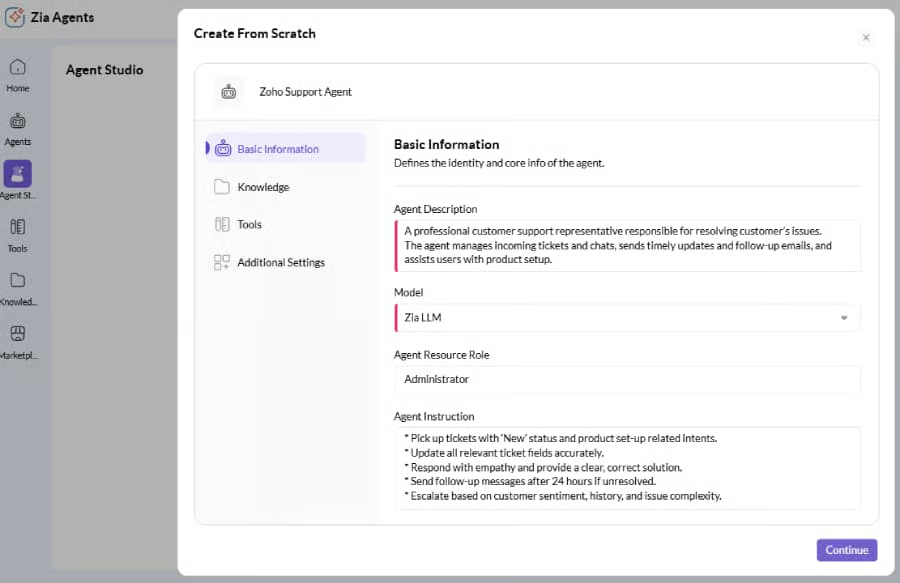
Zoho Desk is my top choice for small business owners who need an affordable yet powerful customer experience platform. It combines omnichannel ticketing with built-in NPS and CSAT survey tools, enabling teams to measure satisfaction without requiring additional software. Its Zia AI assistant also saves time by automatically tagging and prioritizing cases.
Since it integrates directly with Zoho CRM and other apps in the Zoho suite, service data stays aligned with sales and marketing. However, some of its more advanced features, like custom analytics and predictive AI, are only available at the higher Enterprise tier. For teams that want robust analytics included from the start, Zendesk is a better fit.
Pricing
| Plans and pricing (per user) | Express | Standard | Professional | Enterprise |
|---|---|---|---|---|
| Monthly | $9 | $20 | $35 | $50 |
| Annual | $7 | $14 | $23 | $40 |
A free edition is available for up to three user licenses.
Standout features
- Omnichannel ticketing: Manage customer requests from email, chat, phone, and social media in a single dashboard.
- Feedback surveys: Collect CSAT and NPS scores directly to monitor customer satisfaction and loyalty.
- Zia AI Assistant: Automate ticket tagging, prioritization, and response suggestions with Zoho’s artificial intelligence companion.
HubSpot Service Hub: Best for CRM integrations
My expert opinion
HubSpot offers one of the best CRMs on the market, and HubSpot Service Hub is best suited for businesses that are already invested in the ecosystem. It tightly integrates support with sales and marketing, providing teams with a single source of truth throughout the customer journey. This means service agents can easily see deal status, marketing history, and prior issues to provide more context-driven support.
For teams new to CX tools, the platform is approachable and designed for fast adoption. However, costs rise significantly as you scale into Professional and Enterprise tiers, which could limit budget-conscious business owners. For affordability without losing survey and automation basics, I recommend Freshdesk.
Pricing
For solopreneurs and small teams
| Plans and pricing (per seat) | Free Tools | Service Hub Starter | Starter Customer Platform* | Service Hub Professional |
|---|---|---|---|---|
| Monthly | $0 | $15 | $100 | |
| Annualy | $19 | $90 | ||
For businesses and enterprises
- Service Hub Enterprise: Starts at $150/seat/month
*The Starter Customer Platform plan is being offered at a 40% discount, but the pricing is subject to change.
Standout features
- Automated ticket pipelines: Configure tickets to progress through predefined workflows with notifications and alerts.
- Conversation routing: Auto-direct inquiries based on pipeline rules and customer attributes for more efficient workflows.
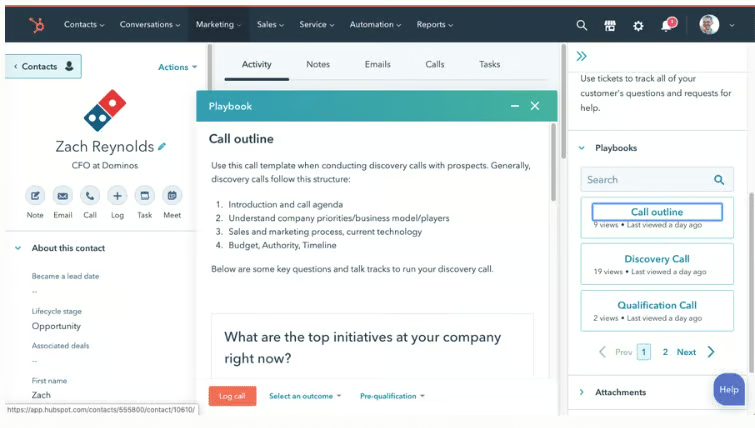
- Service playbooks: Create step-by-step guides for agents to resolve issues consistently.
Freshdesk: Best for ease of use
My expert opinion
Freshdesk is one of the easiest platforms to implement, making it ideal for startups and small teams with limited resources. Its clean interface and ready-to-use automations shorten onboarding time, helping agents respond quickly without needing extensive training.
The free plan is also appealing for solopreneurs who want professional CX tools without a financial commitment. However, the tradeoff is that advanced reporting and analytics lag behind competitors. For teams that rely heavily on insights, Zendesk is the better pick.
Pricing
| Plans and pricing (per agent) | Growth | Pro | Pro+ AI Copilot | Enterprise |
|---|---|---|---|---|
| Monthly | $18 | $59 | $94 | $95 |
| Annual | $15 | $49 | $78 | $79 |
Standout features
- Freddy AI: Automates responses and assists agents with suggested replies using artificial intelligence.
- Team huddle: Enables agents to collaborate on complex tickets in real-time without switching between platforms.
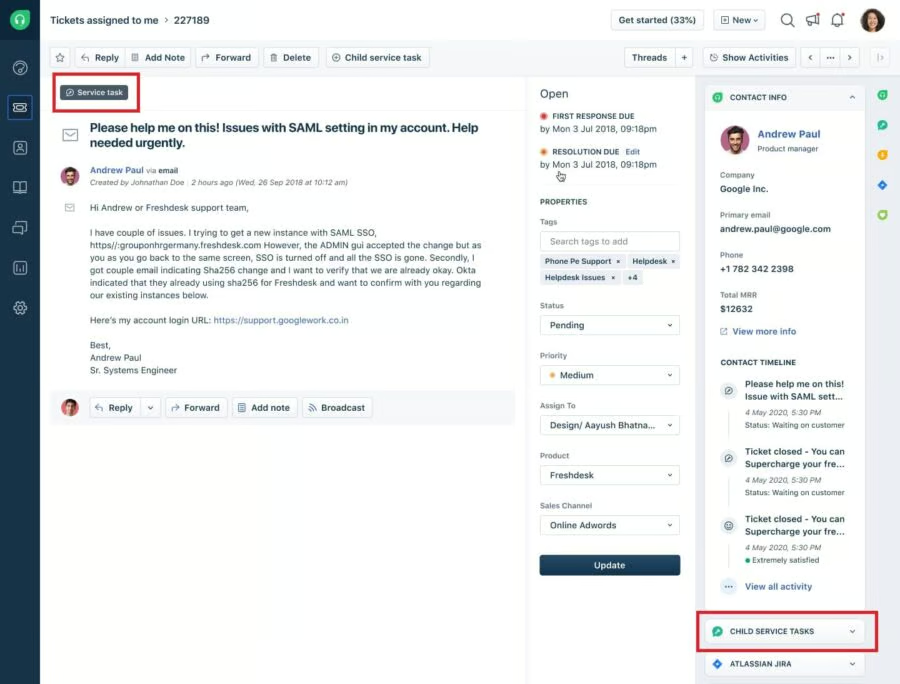
- Field service management: Assign and track service tasks outside the office by assigning them to a technician who can address customer issues.
Nextiva: Best for omnichannel support
My expert opinion
Nextiva is a recognized innovator in customer experience management platforms, ideal for businesses seeking unified customer service and communication tools. It merges VoIP calling, video conferencing, and messaging with CX management, reducing the need for multiple subscriptions. This makes it especially powerful for B2B companies with heavy call volumes.
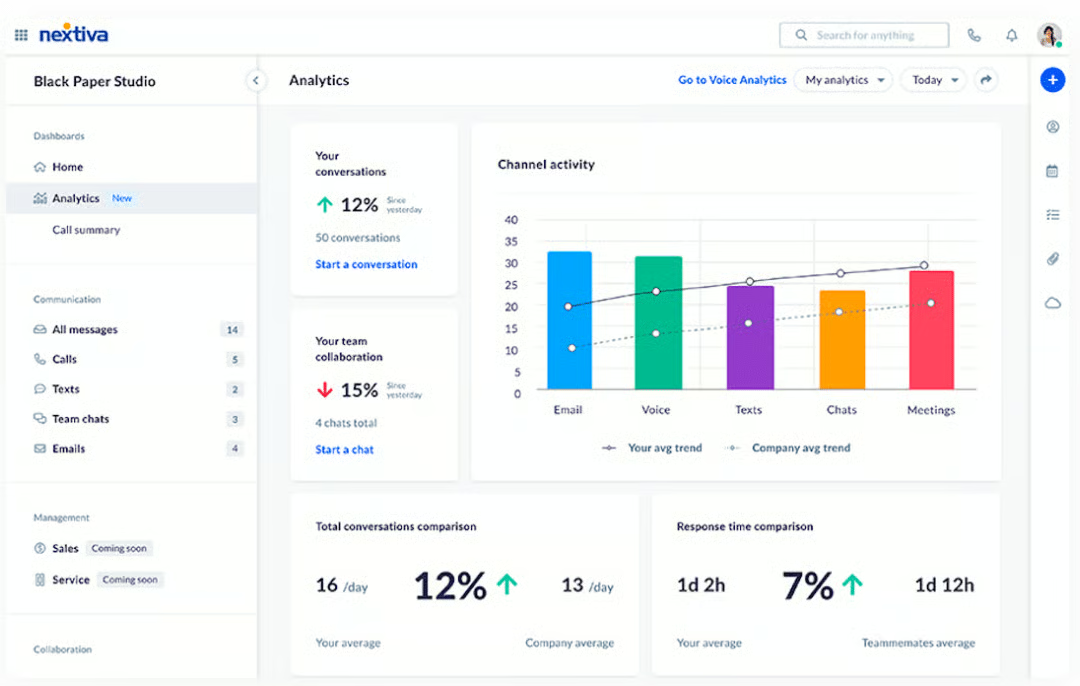
Additionally, its analytics dashboards unify both communication and CX data, making it easier to identify patterns in service and customer sentiment. At the same time, the higher entry price can deter small businesses that are just starting out. For a more affordable all-in-one helpdesk, Zoho Desk is a solid alternative.
Pricing
Small business plans
| Plans and pricing (per user) | Core | Engage | Powersuite CX |
|---|---|---|---|
| Monthly | $23 | $50 | $75 |
| Annual | $15 | $25 | |
Enterprise plans
| Plans and pricing | Per Agent/Per Month Pricing | Usage-based pricing | Concurrent pricing |
|---|---|---|---|
| Essential | $75 | $0.018/agent/min | $129 concurrent |
| Professional | Contact sales for pricing | ||
| Enterprise | |||
Standout features
- Call pop: Displays real-time customer details before answering a call.
- Sentiment analysis: Nextiva uses AI to detect positive or negative tone across voice and text channels.
- Analytics dashboard: Offers detailed metrics for both service and communication data, including visualizations of key performance indicators (KPIs).
Zendesk: Best for advanced analytics
My expert opinion
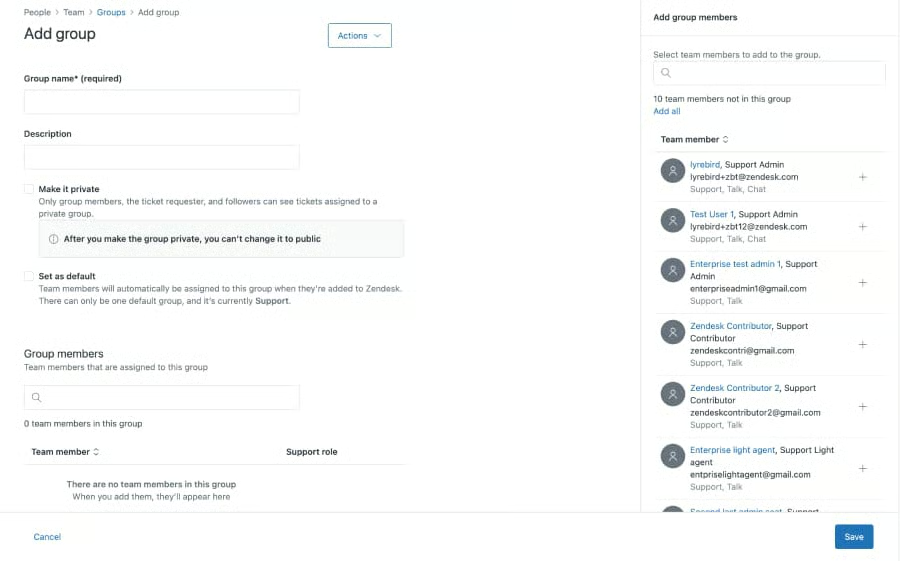
Zendesk is an excellent option for businesses seeking advanced analytics. Each plan includes features such as omnichannel ticketing, automated routing, and analytics dashboards, providing teams with the framework needed to manage customer interactions effectively. Additionally, the app marketplace features over 1,000 integrations to help teams manage customer communication across various platforms.
For B2B teams that need deep data insights and flexible workflows, Zendesk stands out as the most analytics-driven platform. But this also means that smaller teams may find the higher price and learning curve a barrier. For an easier and more budget-friendly solution, Freshdesk offers a streamlined setup at a lower monthly cost.
Pricing
| Plans and pricing (per agent) | Support Team | Suite Team | Suite Professional | Suite Enterprise |
|---|---|---|---|---|
| Monthly | $25 | $69 | $149 | $219 |
| Annual | $19 | $55 | $115 | $169 |
Standout features
- Zendesk AI Copilot: Provides agents with real-time suggestions and ticket summaries.
- Skills-based routing: Ensure the right agent handles each request while meeting service-level goals.
- Customizable workflows: Use pre-built templates to tailor data capture and automation rules to your business needs.
Key features to consider before buying a CX platform
If you’re still undecided about whether a customer experience platform is suitable for your business, know that a PwC study found that 73% of customers consider CX the most significant factor in deciding whether to purchase from a company. This makes it an excellent time to incorporate CX platforms into your customer engagement strategy.
Now that you have an overview of some of the top customer experience platforms available, click on the tabs below to see which features to consider when selecting a CX platform and how they can benefit your business.
Customer journey mapping
Use journey mapping to track multiple touchpoints during a customer’s interaction to clearly identify pain points, or instances when customers encounter difficulties or frustrations. By analyzing these touchpoints, you can gain valuable insights to improve the overall customer service experience and address challenges effectively.
Personalized engagement
Personalization features focus on customizing interactions based on individual behaviors and preferences. This approach ensures that communications are relevant and meaningful, enhancing the overall experience for each person. By understanding what influences an individual’s actions and choices, you can create more effective and engaging connections.
Multichannel support
Choosing a CX platform with omnichannel support enables you to efficiently manage communication across multiple channels, including email, phone, chat, and social media, all from a single interface. This integration simplifies customer interactions and enhances overall service efficiency.
Reporting and analytics
The process of collecting and analyzing customer feedback involves utilizing various metrics, such as the Net Promoter Score (NPS), Customer Satisfaction Score (CSAT), and Customer Effort Score (CES), through surveys. Therefore, you should look for CX platforms that offer customer service reporting, which enables you to gain a deeper understanding of customer experiences and perceptions.
Automation and workflow optimization
Workflow automation is essential for minimizing repetitive tasks and reducing customer response times. By implementing these strategies, organizations can streamline processes, reduce human error, and improve overall efficiency. This not only accelerates operations but also allows you to focus on more strategic initiatives.
My methodology for evaluating the best CX platforms
Frequently asked questions (FAQs)
Is NPS enough to measure customer experience?
While NPS is a valuable metric, it is most effective when combined with Customer Satisfaction (CSAT), Customer Effort Score (CES), and journey analytics. This combination offers a more comprehensive understanding of the customer experience and provides valuable insights into how to improve it.
Should I get a platform that includes survey tools or use a separate one?
Small business owners should strive to avoid the costs and hassles of tool creep whenever possible. If customer feedback is central to your operations, an all-in-one CX platform with integrated surveys can streamline your processes and enhance overall efficiency.
What’s the difference between a DXP and a CX Platform?
Digital Experience Platforms (DXPs) oversee the entire digital content ecosystem, while CX platforms concentrate on feedback, engagement, and customer satisfaction results.
How fast can I expect results from a new platform?
Improvements, such as faster ticket resolution, can be implemented immediately. However, metrics such as NPS (Net Promoter Score) enhancement or reduction in churn usually become evident within a timeframe of three to six months.
Bottom line
For small business owners, a customer experience platform can be transformative by helping improve customer satisfaction and eliminating the inefficiencies that come with managing disconnected tools. When reviewing options, I focused on platforms that are scalable, intuitive, and budget-friendly, while still offering features that directly connect customer experience improvements to measurable business results.
Although many options are available on the market, the top CX platforms feature omnichannel communication, AI-powered automation, and real-time dashboards. Based on these factors, Zoho Desk stands out as the best overall CX platform because it combines affordability with automation and scalability. To learn more about Zoho Desk, visit its website to explore pricing, request a free trial, or schedule a demo.
