






An AI tool for business uses a large language model to take routine work off your team, from transcribing meetings to answering support tickets and moving data between the apps you already pay for.
For this guide, ChatGPT is my top pick because it handles the widest range of work — reasoning, file and spreadsheet analysis, image generation, and light coding — in one subscription that starts free.
The right choice depends on the task you want to remove, though. Claude is the closest alternative for writing and long-document work, Gemini is the better buy for Google Workspace teams, Zapier connects apps that don't talk to each other, GitHub Copilot pays off fastest on a development team, and Otter.ai suits teams losing an hour a week to meeting notes.
I evaluated each tool on pricing, automation, integrations, scalability, security, and support, pulling every price from the provider's own pages and every user quote from a named reviewer.
| Best AI tool for small business | Best for | Starting paid price |
| ChatGPT | All-around AI assistant | $8 per month |
| Claude | Writing and long-document analysis | $17 per month, billed annually |
| Gemini | Google Workspace teams | $0 (Included in Google Workspace, which starts at $8.40/user/month or $7/user/month billed annually) |
| Zapier | Automating work across apps | $19.99 per month |
| GitHub Copilot | Software development | $10 per user, per month |
| Canva | Design and visual content | $144 per year |
| Otter.ai | Meeting notes and transcription | $8.33 per user, per month, billed annually |
| Chatbase | Building customer support agents | $32 per month, billed annually |
| ElevenLabs | AI voice and audio | $6 per month |
| Writesonic | AI search visibility | $79 per month, billed annually |
Why you can trust Fit Small Business
Fit Small Business follows a rigorous editorial process built to give small business owners accurate, practical, and objective technology recommendations.
For this update, I evaluated each platform against its published pricing pages, product documentation, and security and compliance disclosures, then read current user reviews for each one. The scores below reflect that documented evidence, so you can weigh the rankings accordingly.


My methodology: How I evaluated the best AI tools for businesses
I scored every tool out of five on six weighted criteria, then combined them into a single score. I chose criteria that a small business can verify independently, which is why none of them depend on aggregated review-site ratings.
User reviews appear throughout this guide as evidence of how the tools behave in practice, but they do not feed the scores.
| Criterion | Weight | What I looked for |
| Pricing and value | 20% | A usable free plan, a paid entry point under $25, transparent published rates, and a discount for annual billing. |
| Automation and AI capability | 20% | How much work the tool completes without supervision, the breadth of tasks it handles, and the quality of the underlying models. |
| Integrations | 15% | Native connections to the CRM, help desk, storage, and productivity apps a small business already runs. |
| Scalability | 15% | Whether the plan ladder supports growth from one seat to a full team without a forced move to custom pricing. |
| Security and compliance | 15% | Published security certifications, admin controls, single sign-on, and clear statements on whether business data trains the vendor's models. |
| Usability and support | 15% | Learning curve for a nontechnical owner, quality of documentation, and the support channels included at each tier. |
- Best AI tools by business function
- The best AI tools for businesses compared
- ChatGPT: Best all-around AI assistant
- Claude: Best for writing and long-document analysis
- Gemini: Best for Google Workspace teams
- Zapier: Best for automating work across apps
- GitHub Copilot: Best for software development
- Canva: Best for design and visual content
- Otter.ai: Best for meeting notes and transcription
- Chatbase: Best for building customer support agents
- ElevenLabs: Best for AI voice and audio
- Writesonic: Best for AI search visibility
- Other AI tools worth considering
- What an AI tool stack costs a small business
- Which AI tool fits your business needs?
- What to do before you roll out AI tools
- How to choose the best AI tool for your business
- Frequently asked questions (FAQs)
- Bottom line
Best AI tools by business function
Most small business owners arrive at a list like this with one job in mind, not necessarily a general interest in AI. Here is the shortest path from the job to the tool:
- General reasoning, writing, and analysis: ChatGPT, with Claude for writing and long-document work, and Gemini for Google Workspace shops
- Connecting apps and removing manual data entry: Zapier
- Software development and code review: GitHub Copilot, with Claude as a strong second for reasoning across a codebase
- Marketing design, social graphics, and decks: Canva
- Meeting notes, transcripts, and action items: Otter.ai
- Customer support deflection: Chatbase, alongside a dedicated help desk from our roundup of the best AI chatbots for customer service
- Voiceovers, training audio, and IVR prompts: ElevenLabs
- Getting your brand cited inside AI answers: Writesonic
- Sales pipeline and lead scoring: An AI-native CRM rather than a general assistant. See our picks for the best AI CRM systems
The best AI tools for businesses compared
| AI tool for small business | Free plan | Key features | User rating | My score (out of 5) |
| ChatGPT | Yes |
| 4.6 from 3,014 reviews | 4.68 |
| Claude | Yes |
| 4.6 from 468 reviews | 4.60 |
| Gemini | Yes |
| 4.4 from 614 reviews | 4.58 |
| Zapier | Yes |
| 4.5 from 2,087 reviews | 4.50 |
| GitHub Copilot | Yes |
| 4.4 from 399 reviews | 4.35 |
| Canva | Yes |
| 4.7 from 7,703 reviews | 4.23 |
| Otter.ai | Yes |
| 4.4 from 504 reviews | 4.18 |
| Chatbase | Yes |
| 4.9 from 45 reviews | 4.05 |
| ElevenLabs | Yes |
| 4.5 from 1,215 reviews | 3.90 |
| Writesonic | No |
| 4.7 from 2,138 reviews | 3.70 |
ChatGPT: Best all-around AI assistant
My expert opinion
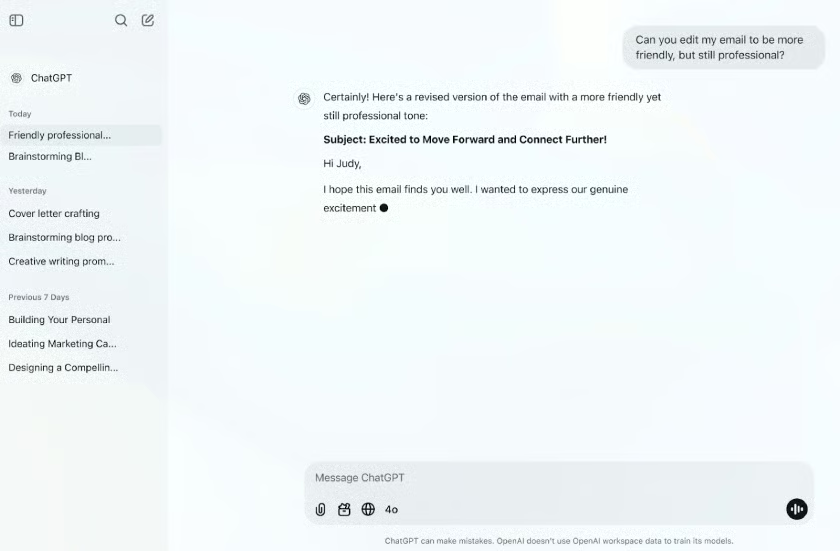
ChatGPT is my top pick for the best AI tool for businesses because it is the only platform here that removes the need to buy three other ones. A single subscription covers research, long-form writing, spreadsheet analysis, image generation, and enough coding assistance to unblock a nontechnical owner who needs a script.
That breadth is the argument for it. Instead of paying separately for a writing tool, a data tool, and an image tool, a two-person business can run most of its AI work out of one workspace and keep the context in one place. The Business plan adds shared workspaces and admin controls, and OpenAI states that business data is excluded from model training by default.
The limitation is its release cadence. OpenAI ships changes frequently, and a workflow your team built around a specific model behavior can shift without notice, which matters more if you have documented the steps for staff.
What actual users say
ChatGPT holds a 4.6 out of 5 rating from 3,014 reviews, and what reviewers praise most is the translation of messy input into something usable.
Fernando, a QA/QC supervisor, rated it 5.0 stars, saying: "What I like most about ChatGPT is how it helps me take complex information and turn it into clear, practical next steps."
Additionally, Kiranpreet K., a mid-market social media manager, rated it 4.0 stars: "I love using ChatGPT for its amazing image creation capabilities, which I find to be the best feature in AI."
However, Masroor A., a small business customer support specialist, rated it 3.5 stars: "Sometimes I feel like I have to push or even “scare” the AI to get the best possible answer, which I don't like."
Pricing
- Free: $0, with unlimited text chats and limited uploads and features
- Go: $8 per month
- Plus: $20 per month
- Pro: $200 per month
- Business, standard seat: $20 per seat, per month billed annually, or $25 billed monthly, for teams of two to 200
- Business, premium seat: $100 per seat, per month billed annually, or $125 billed monthly, with five times the standard usage
- Enterprise: Custom pricing
Standout features
- Spreadsheet and file analysis: Upload a workbook or a PDF and get charts, summaries, and pattern analysis without writing a formula.
- Shared business workspace: Business seats get a common workspace, admin controls, and data excluded from training by default.
- Coding agent: Paid tiers include an agent that can run coding tasks in parallel, which is useful for owners maintaining a small site or internal script.
Claude: Best for writing and long-document analysis
My expert opinion
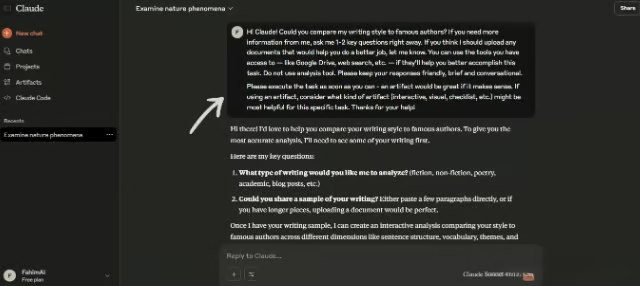
Claude is my pick for businesses whose AI work is mostly writing, analysis, and reading long documents, because that is where it is strongest. It handles a dense contract, a long report, or a large codebase in a single pass and returns something that usually needs little editing.
It is the closest substitute for ChatGPT on this list, and the case for choosing it comes down to output quality on text-heavy work and a security posture aimed at regulated data, including a HIPAA-ready enterprise offering. For a services firm that lives in documents, it is often the better daily driver.
However, Claude's native connections into everyday business apps are still narrower than ChatGPT's, so it works best as the place your team writes and reasons rather than as the hub that ties every system together.
What actual users say
Claude is rated 4.6 out of 5 stars from 468 reviews. Reviewers rate the writing and code work highly, and the recurring complaint is usage caps and caution.
Lucas G., a web developer at a small business, rated Claude 4.0 stars. He says, "The quality of Claude's writing and analysis is among the best I've tried. The texts it generates feel natural and almost require no editing."
In addition to this, Swathi A., an enterprise software engineer, says, "Claude helps me with code refactoring, understanding the codebase, and doing feature-specific analysis, thanks to its many built-in skills.", and rated it 5.0 stars.
A small business operations supervisor, Coralia R., rated Claude 4.5 stars. "One drawback is that Claude can sometimes be overly cautious, leading to responses that feel more restrictive than necessary."
Pricing
- Free: $0, with web, desktop, and mobile chat, web search, and file creation.
- Pro: $17 per month billed annually, or $20 billed monthly, adding Projects, more usage, and the Chrome and Microsoft 365 extensions.
- Max: From $100 per month, with 5 times or 20 times the Pro usage and priority access at peak times.
- Team, standard seat: $20 per seat, per month billed annually, or $25 billed monthly, with single sign-on and admin controls.
- Team, premium seat: $100 per seat, per month billed annually, or $125 billed monthly, with five times the standard usage.
- Enterprise: $20 per seat, per month billed annually plus usage at API rates, adding SCIM, audit logs, and a HIPAA-ready offering.
Standout features
- Long-context work: Reads and reasons over long documents and large codebases in a single pass, which suits contracts, reports, and research.
- Projects and skills: Paid plans keep reusable context and tools together, so a team's standing work stays in one place.
- HIPAA-ready enterprise tier: The Enterprise plan adds SCIM, audit logs, and a HIPAA-ready offering for regulated data.
Gemini: Best for Google Workspace teams
My expert opinion
Gemini is my pick for businesses already standardized on Google Workspace because the value is in where it sits, not in what it can do in a chat window. It reads the Gmail thread, the Doc, and the Sheet you are looking at, so the useful context is already loaded before you type anything.
Google also publishes the clearest compliance posture of any consumer-priced assistant on this list, which matters if you handle regulated data. At $4.99 per month for the entry plan, it is also the cheapest paid AI subscription here by a wide margin.
But its limitation is scope. Outside Google's apps, Gemini's integrations are thinner than ChatGPT's, so a business running Microsoft 365 or a mixed stack gets noticeably less out of it.
What actual users say
Gemini got a 4.4 out of 5 stars rating from 614 reviews, and the recurring theme is time saved on document and data work rather than novelty.
As Bilal M., a research and development engineer who rated Gemini 4.5 stars, said: "I can drop them straight into the chat and get the exact functions and answers I need in seconds, easily saving me 6 to 8 hours each week."
Carlos M., a mid-market software developer, also rated Gemini 4.5 stars. "I find it particularly helpful for drafting content, summarizing complex information, and structuring my ideas clearly."
Moreover, Fazeel S., a content creator, gave 4.0 stars, saying: "The picture generation quality is really good, and the live camera feature is one of the best things about Gemini."
Pricing & top features
Gemini AI is included with a Google Workspace subscription. You may choose from the following:
- Starter: $8.40/user/month or $7/user/month for annual billing
- Standard: $16.80/user/month or $14/user/month paid annually
- Pro: $26.40/user/month or $22/user/month for annual billing
- Enterprise: Custom pricing
Note that Google provides discounted rates for first-time users (between 30% and 50% off for the first 3 months). These prices are for Google Workspace; Gemini AI is included with any subscription plan at no additional cost.
Standout features
- In-app assistance: Drafting, summarizing, and data work happen inside Gmail, Docs, and Sheets rather than in a separate tab.
- Deep Research: Higher tiers run multistep research tasks and return a structured report, which suits competitive and market scans.
- Storage bundled in: The paid tiers fold in 400GB to 5TB of storage, so the subscription replaces a separate cloud storage bill.

Zapier: Best for automating work across apps
My expert opinion
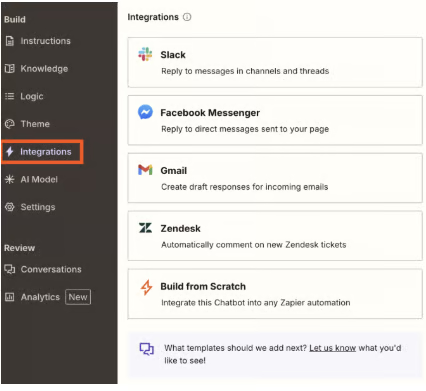
Zapier is my pick when the problem is not that your team cannot write or analyze, but that someone spends an hour a day copying information from one system into another. It connects thousands of applications and now layers AI on top, so a workflow can read an incoming email, decide what it is, and file it in the right place.
For a small business, this is often the highest-return AI purchase on the list, because the savings are measurable in hours rather than in output quality. It also earns its place because no other tool here substitutes for it; ChatGPT can draft the message, but Zapier is what puts it into your CRM.
The catch is the pricing model. Zapier bills by task volume and sells its Agents and Chatbots products on separate ladders, so the monthly cost is harder to predict than a flat per-seat fee.
What actual users say
Zapier was rated 4.5 out of 5 stars from 2,087 reviews, and the split in the feedback is worth reading closely, because the setup effort is the thing owners underestimate.
For example, Shelagh O., a small business office manager, rated the app 5.0 stars, saying, "I am still incredibly happy with Zapier, and they have certainly improved."
A small business founder, Gabriella N., rated Zapier 3.5 stars. She said, "Zapier's copilot is a nice touch; it makes setting up workflows easier"
However, Zapier only got 3.0 stars from Ray B., founder, publisher, and producer. According to Ray, "I found Zapier too difficult to understand and work with. It took more intellectual thinking than I would like to invest my time in."
Pricing
- Free: $0 per month, 100 tasks per month, unlimited Zaps, two-step Zaps.
- Professional: From $19.99 per month for 750 tasks, with multistep Zaps, unlimited premium apps, and webhooks. Annual billing saves 33%.
- Team: From $69 per month for 2,000 tasks, with 25 users, shared Zaps, and single sign-on.
- Enterprise: Custom pricing, billed annually.
- Agents and Chatbots: Sold separately, with free tiers and paid plans from $33.33 and $13.33 per month, respectively.
Standout features
- Multistep workflows: Paid plans chain several actions across different apps in one automation, including conditional branching.
- AI fields: A workflow step can classify, summarize, or extract information from unstructured text before passing it along.
- Copilot builder: You describe the automation in plain language, and Zapier assembles the first draft of it, which lowers the barrier for owners without technical staff.
GitHub Copilot: Best for software development
My expert opinion
I recommend GitHub Copilot to any business with developers on payroll, because it is the AI purchase with the shortest and clearest payback period on this list. At $10 per user per month, it needs to save a developer well under an hour a month to cover itself.
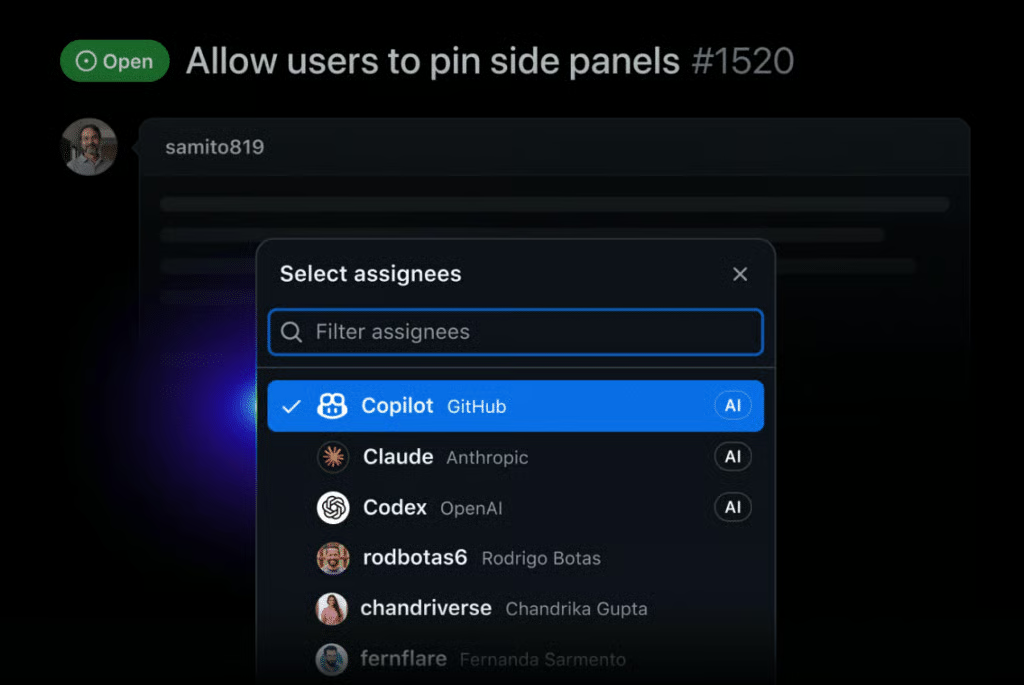
It has also moved well past autocomplete. Paid tiers include cloud agents that take an issue and open a pull request, automated code review, and a choice of underlying models, which is useful when one model handles your codebase better than another.
The obvious limitation is audience. If nobody at your company writes code, there is nothing here for you, and the value drops sharply for teams working outside the GitHub ecosystem.
What actual users say
GitHub Copilot got 4.4 stars out of 5 from 399 reviews. Reviewers agree on the routine work and disagree on how far it stretches across a large codebase.
A small business production editor, Ashish R., rated GitHub Copilot 5.0 stars. He said, "It cuts down on repetitive work and helps me write cleaner code more quickly."
Vaibhav M., a software developer, gave the app 3.5 stars. According to him, "Sometimes the answers feel a bit too generic, almost like they're pulled from the web."
On the other hand, Emrah L., a WordPress developer, only rated it 2.5 stars. This is what he said: "As soon as something spans multiple parts of the codebase, the PRs it opens often miss the mark."
Pricing
- Free: $0, with 2,000 code completions per month and community support.
- Pro: $10 per user, per month, with unlimited completions, cloud agents, code review, and $15 in monthly AI credits.
- Pro+: $39 per user, per month, with premium models, audit logs, and $70 in monthly AI credits.
- Max: $100 per user, per month, with priority access to new models and $200 in monthly AI credits.
- Business: $19 per granted seat, per month, adding license and policy management and IP indemnity.
- Enterprise: $39 per granted seat, per month.
Standout features
- Cloud coding agent: Assign an issue and Copilot works the task and opens a pull request for human review.
- Model selection: Paid plans let developers switch between frontier models rather than locking them to one.
- IP indemnity on Business: The organization plans add intellectual property indemnity, which matters for agencies shipping client code.
Canva: Best for design and visual content
My expert opinion
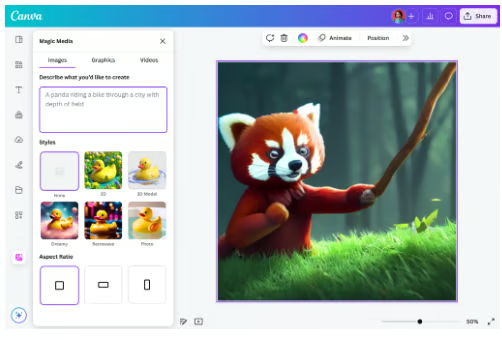
When it comes to design, Canva is my top choice because it is the only tool here that a business owner with no design training can open and produce something publishable in the same session. Its AI features sit inside a template system rather than replacing it, so the output still looks like a brand asset instead of a generated image.
For most small businesses, it also replaces a second subscription. Presentations, social graphics, short video, and printed collateral all live in the same account, which is why I dropped a dedicated presentation tool from this list.
The constraint is AI usage limits. Canva meters AI generations by plan, and a marketing team producing at volume will hit the ceiling on Pro before it hits any other limit.
What actual users say
Canva currently has a 4.7 out of 5 rating from 7,703 reviews, the largest sample on this list. The praise is consistent, and so is the caveat about templates.
According to Claudine P., a senior director of marketing: "The ease of use and the ability to seamlessly create, collaborate, and share content." This is why she rated Canva with 5.0 stars.
Small business research and development engineer, Bilal M., gave the app 4.5 stars. He said, "It leans so heavily on popular templates, designs can end up looking generic."
Canva got 5.0 stars from Pratham Y., a research and development officer. Despite the perfect score, Pratham said, "Some advanced features are still limited compared to professional software."
Pricing
- Free: $0 per year for one person, with up to 20 standard or premium AI uses.
- Pro: $144 per year for one person, with 10 times the AI allowance of the free plan plus Magic Resize, Magic Write, and Background Remover.
- Business: $250 per year, per person, with 20 times the free AI allowance, AI connectors, and brand components.
- Enterprise: Custom pricing.
Standout features
- Magic Resize: One design reformats itself for every social channel, which removes the most tedious part of a campaign.
- Brand kit enforcement: Business plans lock colors, fonts, and logos so staff cannot publish off-brand assets.
- AI connectors: The Business tier pulls content from other applications directly into a design.
Otter.ai: Best for meeting notes and transcription
My expert opinion
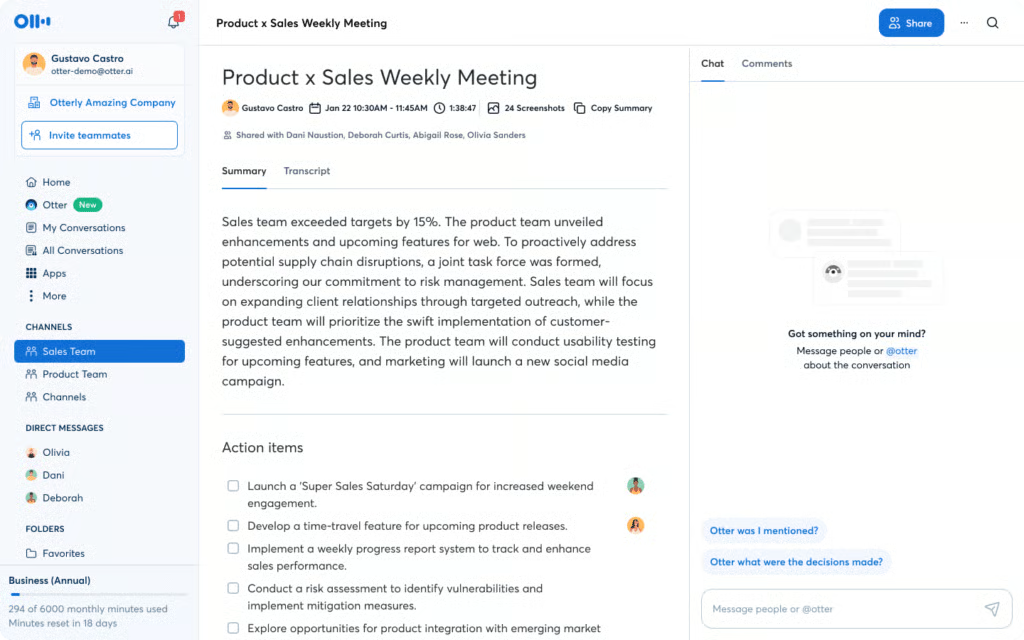
Otter.ai is my choice for meeting capture because it does more than produce a transcript. It joins the call across Zoom, Google Meet, and Microsoft Teams, extracts action items automatically, and summarizes meetings for the people who missed them, which is the part a built-in conferencing transcript usually skips.
The Salesforce and HubSpot integrations on the Pro plan are what make it a business tool rather than a note-taker. A sales conversation can end with the CRM record already updated. If you want to compare it against the field, we ranked the best AI meeting assistant tools for small teams separately.
Two limits are worth knowing before you commit. The free plan caps you at 300 transcription minutes per month, and HIPAA coverage is an Enterprise add-on rather than a standard feature.
What actual users say
Otter.ai got 4.4 out of 5 stars from 504 reviews. Accuracy draws the praise, and speaker identification draws the complaints, which matters if your team meets in a shared room.
Water resources specialist Saleh H. rated Otter.ai 5.0 stars: "What I like best about Otter.ai is its exceptional accuracy in real-time automated transcription and seamless workflow integration."
Khalid S., a small business IT manager, also gave the app 5.0 stars. He said, "I appreciate how well Otter.ai handles asynchronous collaboration. It stands out by transforming live conversations into searchable, shareable knowledge bases."
A mid-market director of CX acceleration, however, only gave it 2.0 stars. According to him, "It's not great at determining who is speaking, especially when there are multiple people logged into the same account (e.g., in a conference room)."
Pricing
- Basic: Free, with 300 transcription minutes per month and three lifetime file imports.
- Pro: $16.99 per user, per month billed monthly, or $8.33 per user, per month billed annually, with 1,200 recording minutes per user.
- Business: $30 per user, per month billed monthly, or $19.99 per user, per month billed annually, with unlimited meetings and four-hour recordings.
- Enterprise: Custom pricing, adding single sign-on, SCIM, API access, and a HIPAA add-on.
Standout features
- Automatic action items: Otter pulls commitments out of the conversation and lists them without anyone tagging them during the call.
- CRM sync: Pro and above push meeting outcomes into Salesforce and HubSpot.
- Concurrent meetings: Business seats cover three meetings at once, which suits a small team with overlapping calls.
Chatbase: Best for building customer support agents
My expert opinion
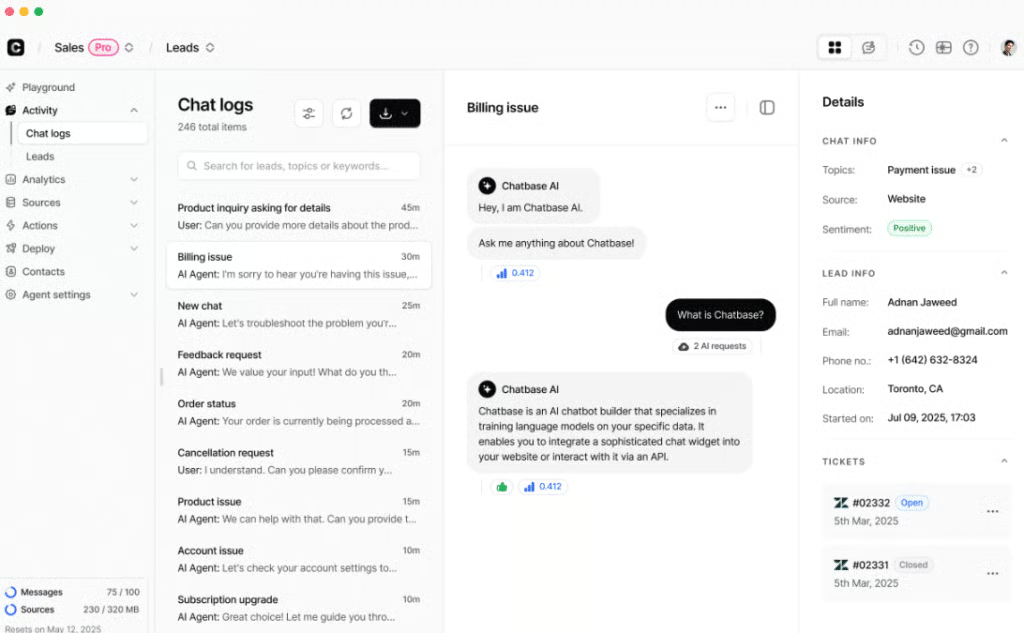
Chatbase is my pick for businesses that want a support agent trained on their own documentation rather than a generic chatbot. You point it at your help center, your policies, and your product pages, and it answers from that material, which is what keeps it from inventing a refund policy you do not have.
The Standard plan is where it becomes a real support product, adding help desk functions, voice and telephony, outbound campaigns, and connections to Stripe and Zendesk. For a business fielding the same 20 questions all week, that is a straightforward reduction in ticket volume, and it pairs well with the broader approaches in our guide to using AI in customer service.
However, it is relatively expensive. At $40 per month for 700 message credits, Chatbase is the most expensive way into this list apart from Writesonic, and credit overages are billed at $40 per 1,000.
What actual users say
Chatbase holds a 4.9 out of 5 rating, the highest here, though from only 45 reviews. Reviewers describe consolidating scattered information into one place customers can ask.
Nathaniel H., multi-property hotel guest experience director, rated Chatbase 5.0 stars. He said, "The customer is able to view their booking details, restaurant hours, and spa availability"
Nathan A., a municipal digital services manager, also gave it 5.0 stars. "Chatbase allows residents to ask a single starting point and pull from information"
On the other hand, Sidra A., certified scrum master and software QA analyst, gave only 4.0 stars. As per Sidra, "It can be challenging to customize dashboards and reports to fit specific needs."
Pricing
- Free: $0 per month, 50 message credits, one agent.
- Hobby: $40 per month, or $32 per month billed annually, with 700 message credits and two agents.
- Standard: $150 per month, or $120 per month billed annually, with 4,000 credits, three agents, help desk, voice, and API access.
- Pro: $500 per month, or $400 per month billed annually, with 15,000 credits and five agents.
- Enterprise: Custom pricing, adding single sign-on, white labeling, audit logs, and HIPAA eligibility.
Standout features
- Grounded answers: Agents respond from your uploaded sources, which limits fabricated replies.
- Voice and telephony: The Standard plan extends the same agent to phone channels, not just web chat.
- Commerce integrations: Native Stripe and Zendesk connections let an agent look up an order or a ticket mid-conversation.
ElevenLabs: Best for AI voice and audio
My expert opinion
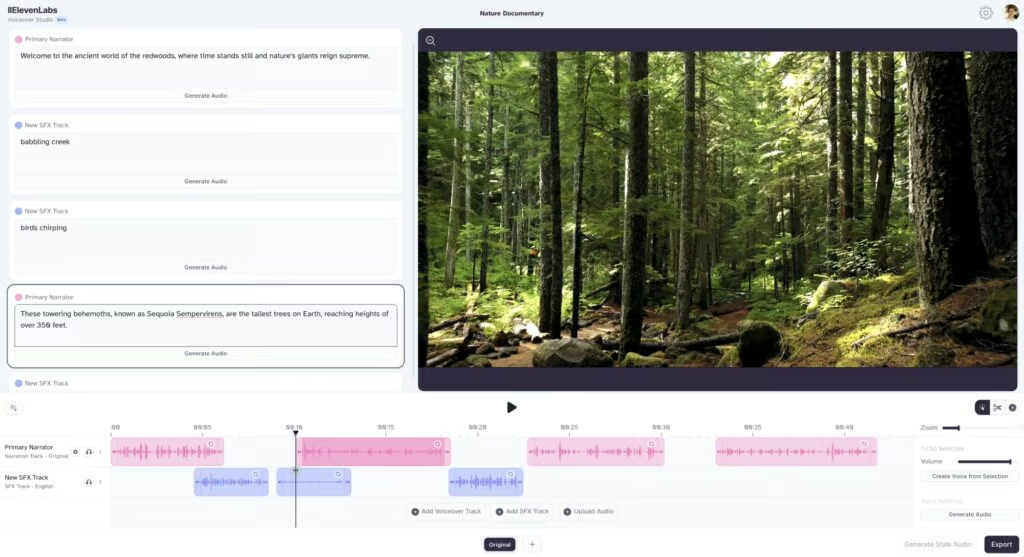
ElevenLabs is my recommendation for any business that needs recorded audio on a schedule, whether that is training narration, product walkthroughs, or phone system prompts. The output is clean enough that a small company can stop booking voice talent for routine material.
It is also unusually cheap to start. The Starter plan is $6 per month and includes a commercial license, which is the detail that matters, because free tiers at other vendors often exclude commercial use. Businesses running their own phone system can use it for prompts alongside a provider from our guide to the best VoIP for small businesses.
It’s worth noting that its scope is narrow by design. ElevenLabs does one category of work, so it is an addition to a stack rather than a foundation for one, and the credit ladder climbs steeply once you produce at volume.
What actual users say
ElevenLabs received an average rating of 4.5 out of 5 from 1,215 reviews. Reviewers consistently praise how natural the output sounds, and the recurring caveats are credit burn and the number of takes expressive delivery needs.
Kaleem A., a software engineer, rated it 4.5 stars. According to him, "The voice quality is insane. I have tried so many TTS tools out there, and they always have that weird robotic pitch at the end of the sentences." However, he also says that "The pricing can sneak up on you if you are not careful. The character limit burns pretty fast when you are generating long scripts or audiobooks."
ElevenLabs received 5.0 stars from Shubham S., co-founder of a small business: "Sometimes getting the exact tone or emotion I want takes a few attempts, especially for more expressive voiceovers."
Pricing & top features
- Free: $0 per month, 10,000 credits, three studio projects.
- Starter: $6 per month ($5/month for yearly billing), 30,000 credits, with a commercial license and instant voice cloning.
- Creator: $22 per month ($18.33/month for yearly billing), 121,000 credits, with professional voice cloning.
- Pro: $99 per month ($82.50/month for yearly billing), 600,000 credits, with higher-quality audio output.
- Scale: $299 per month ($249.17/month for yearly billing), 1.8 million credits, three workspace seats.
- Business: $990 per month ($825/month for yearly billing), 6 million credits, 10 workspace seats.
- Enterprise: Custom pricing, adding single sign-on and business associate agreements.
Standout features
- Commercial license from $6: The cheapest paid tier already clears you to use the audio in marketing and product material.
- Voice cloning: Instant cloning on Starter and professional cloning on Creator let a business keep one consistent voice across all its audio.
- Dubbing studio: Paid plans translate and revoice existing recordings, which opens up multilingual training material.
Writesonic: Best for AI search visibility
My expert opinion
Writesonic has changed shape, and the version on sale in 2026 is not the inexpensive blog-writing tool it used to be. It is now built around whether your brand gets cited inside AI answers, tracking your visibility across ChatGPT, Gemini, and Google AI Overviews and auditing your site against what those systems read.
That makes it the most specialized pick here, and the most defensible one for a business whose customers now start their research inside an assistant, not just a search box. No other tool on this list measures that.
It is also the hardest to justify on a small budget. There is no free plan; the entry tier is $79 per month billed annually with one user and one project, and the prompt-tracking allowances at that level are modest.
What actual users say
Writesonic received 4.7 stars out of 5 from 2,138 reviews. Reviewers rate the visibility tracking highly and are more measured about the generated copy.
As Nikki L., SVP and head of earned media, who rated the app 5.0 stars, said, "This platform is unmatched compared to all of the AI visibility platforms I've demoed or used."
In addition, Vinodh Kumar E., software engineer, rated it 4.0 stars. "The generated content usually provides a solid starting point, but it still needs careful review before publishing."
Pricing
- Starter: $99 per month or $79 per month billed annually, one user, one project, 15 AI articles per month, 50 tracked prompts.
- Basic: $249 per month or $199 per month billed annually, two users, 25 AI articles per month, 100 tracked prompts.
- Growth: $499 per month or $399 per month billed annually, three users, two projects, 50 AI articles per month, 200 tracked prompts.
- Enterprise: Custom pricing, with all tracked platforms, single sign-on, and SOC 2 Type II, HIPAA, and GDPR coverage.
Standout features
- AI answer tracking: Reports whether and how your brand appears in responses from major assistants.
- Site audits: Crawls your pages and flags what is keeping them out of AI-generated answers.
- Sentiment analysis: The Growth plan reports the tone of the mentions, not just their presence.
Other AI tools worth considering
Two more platforms come up constantly in small business conversations and did not make the ranking only because they overlap heavily with picks above. Notion AI is worth a look if your company already keeps its knowledge base in Notion. HubSpot's AI features are the practical choice when your sales and marketing data already lives in HubSpot, since a standalone assistant cannot reach it.
What an AI tool stack costs a small business
Roundups usually price tools one at a time, which hides the number that actually matters. Here is what a realistic stack costs per month, using the published rates above and assuming annual billing where it is cheaper.
| Stack | What is included | Monthly cost |
| Solo owner, free | ChatGPT Free, Gemini Free, Canva Free, Otter Basic, Zapier Free | $0 |
| Solo owner, paid | ChatGPT Go, Canva Pro, Otter Pro annual, Zapier Professional | About $52 |
| Five-person team | ChatGPT Business at five seats, Canva Business at five seats, Otter Pro at five seats, Zapier Team | About $312 |
| Team with developers | The five-person stack plus GitHub Copilot Business at two seats | About $350 |
Two things stand out. A solo owner can run a functional AI stack for nothing, because the free tiers at ChatGPT, Gemini, Canva, Otter, and Zapier genuinely work for low volume. And the jump from one person to five is not five times the cost; it is closer to six, because per-seat pricing applies to tools a solo owner ran on a single-user plan.
The cost that catches people out is the one nobody budgets: subscription sprawl. Adding Chatbase Standard and Writesonic Starter to that five-person stack pushes it past $560 per month on month-to-month billing (or about $511 if you commit to annual plans), which is why I would pilot one tool at a time instead of buying the category.
Which AI tool fits your business needs?
AI adoption is real but more uneven than most coverage suggests. US Census Bureau data from its Business Trends and Outlook Survey put overall AI use among US firms between 17% and 20% in the period ending May 3, 2026, with 37% of firms of 250 employees or more using it and fewer than 20% of firms under 20 employees doing so; between 20% and 23% are expected to adopt within six months. If you are still deciding, you are not behind.
Content creation and marketing
Start with a general assistant for the writing, whether that is ChatGPT or Claude, and Canva for everything visual. Add Writesonic only once you have enough published material for AI search visibility to be worth measuring.
Customer support
Chatbase handles the repeat questions so your team keeps the ones that need judgment. Point it at your existing help documentation first; if that documentation is thin, fix it before you buy, because the agent can only answer from what you give it.
Sales
The useful AI in sales lives inside the CRM rather than in a general chatbot, because scoring a lead requires your pipeline history. Otter.ai fills the gap between the call and the record by pushing meeting outcomes into Salesforce or HubSpot automatically.
Operations and back office
Zapier is the pick here, and it is the one I would buy first in most businesses. The work it eliminates is the work nobody wants to do anyway, and the savings are easy to measure in hours.
Product and engineering
GitHub Copilot, with Business seats if you need license management and IP indemnity. At $10 to $19 per developer per month, this is the least contentious AI spend on most budgets, and Claude is a strong companion for reasoning across an unfamiliar codebase.
What to do before you roll out AI tools
Most of the AI problems I hear about from small businesses are not tool problems. They are rollout problems, and four steps prevent nearly all of them.
- Write down what staff may paste into an AI tool: One page covering customer data, financials, contracts, and credentials. Do this before the first subscription, not after an incident.
- Check the training-data setting on every account: Business and enterprise tiers usually exclude your data from model training by default, while consumer tiers often do not. Verify it rather than assuming it.
- Name one owner per tool: Somebody has to hold the admin account, watch the usage, and cancel it if it goes unused. Shared logins are how a $20 subscription becomes an unmonitored $200 one.
- Run a 30-day pilot with one measurable task: Pick a single workflow, measure the hours it takes now, and compare at the end of the month. A tool that cannot show a difference in 30 days rarely shows one in six months.
How to choose the best AI tool for your business
The best AI tool is the one that removes a task your team is already doing badly or slowly. I recommend working through these four steps in order.
- Name the specific problem. "We want to use AI" is not a requirement; "our support inbox takes six hours a week" is, and it points directly at one product rather than ten.
- Check what it connects to. A tool that cannot reach your CRM, your help desk, or your file storage will create a copy-paste step that cancels out the time it saves.
- Read the security page before the feature page. Look for whether your data trains the vendor's models, which certifications are published, and whether single sign-on sits behind a custom-priced tier.
- Price the plan you will actually be on in six months. Usage-metered tools such as Zapier and Chatbase look inexpensive at the entry tier and change substantially at real volume, so compare the tier above the one you intend to buy.
Frequently asked questions (FAQs)
Are free AI plans good enough for a small business?
Yes, for low volume. Nine of the ten tools here offer a free tier, and a solo owner can cover writing, design, meeting notes, and basic automation without paying anything. You will hit the limits once more than one person relies on the tool daily.
Are AI tools safe for business data?
It depends on the plan, not the vendor. Business and enterprise tiers typically exclude your data from model training and add admin controls and single sign-on, while consumer tiers often do not. Check the settings on each account and write a short policy covering what staff may paste in.
How many AI tools does a small business need?
Most need two or three. One general assistant covers the majority of daily work, and one or two specialists handle whatever it cannot, such as automation or meeting capture. Buying a tool per department is the fastest way to a subscription bill nobody can explain.
Will AI tools replace my staff?
No. In a small business, these tools remove tasks rather than roles, and every one of them still needs a person to check the output before it reaches a customer. The realistic gain is hours back, not headcount down.
How do I measure the return on an AI tool?
Pick one task, time it for a week before you buy, and time it again after 30 days. Multiply the hours saved by your loaded hourly cost and compare that to the subscription. If the tool cannot clear its own price in a month, cancel it.
Bottom line
ChatGPT is the best AI tool for businesses in 2026 because it covers the widest range of daily work for the least money, and it is the only pick here that can stand alone as a company's first and only AI subscription. Claude runs it close for writing and document-heavy work, and Gemini takes the spot for Google Workspace teams at less than half the price.
After that, buy for the specific problem. Zapier for manual data entry, GitHub Copilot for development, Canva for design, Otter.ai for meetings, Chatbase for support volume, ElevenLabs for audio, and Writesonic if AI search visibility is a business priority. Start with the free tiers, pilot one tool at a time, and let the hours saved decide what you keep.