







Remote work is no longer a temporary trend, but a standard operating model for many small businesses and distributed teams. Whether your team relies on mobile devices in the field or on cloud-based communication tools for virtual collaboration, choosing the right business phone plan provider can significantly impact productivity and customer service.
The best business phone plan providers for remote teams offer a combination of wireless coverage, cloud-based calling, messaging, and collaboration tools so employees can stay connected from anywhere. I compared each provider based on pricing, standout features, and their approach to remote work.
Below are the best business phone plans for remote workers, including both mobile carriers and VoIP platforms that support distributed teams.
| Business phone plan providers | Best for | Monthly starting price (per user/line) |
|---|---|---|
| Visit Verizon | Mobile hotspots | $70 |
| Visit Google Voice | Team collaboration tools | $10 |
| Visit Quo | Artificial intelligence and advanced call handling | $19 |
| Visit T-Mobile | Nation-wide 5G coverage | $21 |
| Visit AT&T | Enterprise-grade security | $70 |
| Visit RingCentral | Business apps and integrations | $30 |
- Comparing the best business phone plans for remote workers
- Verizon: Best for mobile hotspots
- Google Voice: Best for team collaboration
- Quo: Best for artificial intelligence
- T-Mobile: Best for nationwide 5G coverage
- AT&T: Best for enterprise-grade security
- RingCentral: Best for business apps and integrations
- Frequently asked questions (FAQs)
- Bottom line
Comparing the best business phone plans for remote workers
Choosing the right provider depends on your team’s needs, whether that’s reliable coverage, affordable VoIP calling, or an all-in-one communications platform. Use the table below for a quick overview of what stands out about each provider, their pricing, and how I assessed them on a scale of 0 to 5.
| Best business phone plan providers for remote teams | Key features | My score out of 5 |
|---|---|---|
 |
| 4.41 |
| Visit Verizon | ||
 |
| 4.09 |
| Visit Google Voice | ||
 |
| 4.03 |
| Visit Quo | ||
 |
| 3.99 |
| Visit T-Mobile | ||
 |
| 3.94 |
| Visit AT&T | ||
 |
| 3.88 |
| Visit RingCentral | ||
Verizon: Best for mobile hotspots
My expert opinion
Verizon stands out as one of the best providers of business phone plans for remote teams, thanks to its reliable network and robust mobile hotspot capabilities. For distributed teams that often work from different locations, such as field employees, consultants, or hybrid workers, mobile hotspot access is essential for maintaining productivity on the go.
Small businesses that depend on laptops, tablets, and mobile device management outside of traditional office environments will benefit from Verizon’s extensive network coverage and reliable data speeds. However, it’s important to note that Verizon’s pricing is slightly higher than that of other mobile providers. If you’re looking for a more affordable option, consider T-Mobile’s business plans.
Pricing
| Plans and pricing (per line)* | MyBiz Plan (1 line) | MyBiz Plan (5+ lines) |
|---|---|---|
| Monthly | $70 | $34 |
*Pricing listed reflects the plan without AutoPay; discounts are available.
Standout features
- 5G ultra wideband: Access ultra-fast data speeds with Verizon’s advanced 5G network, enabling smoother video calls, cloud collaboration, and high bandwidth tasks for remote teams.
- Call filter: Reduce spam and unwanted calls with Verizon’s built-in call filtering feature, which automatically screens suspicious numbers before they reach your team.
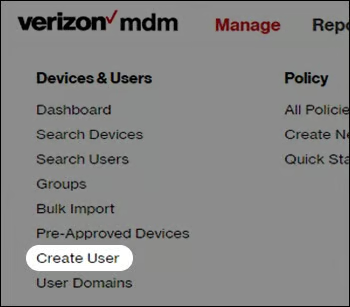
- Mobile device management (MDM): Secure and manage employee devices with tools that allow businesses to control policies, protect sensitive data, and support remote setup of smartphones and tablets.
Google Voice: Best for team collaboration
My expert opinion
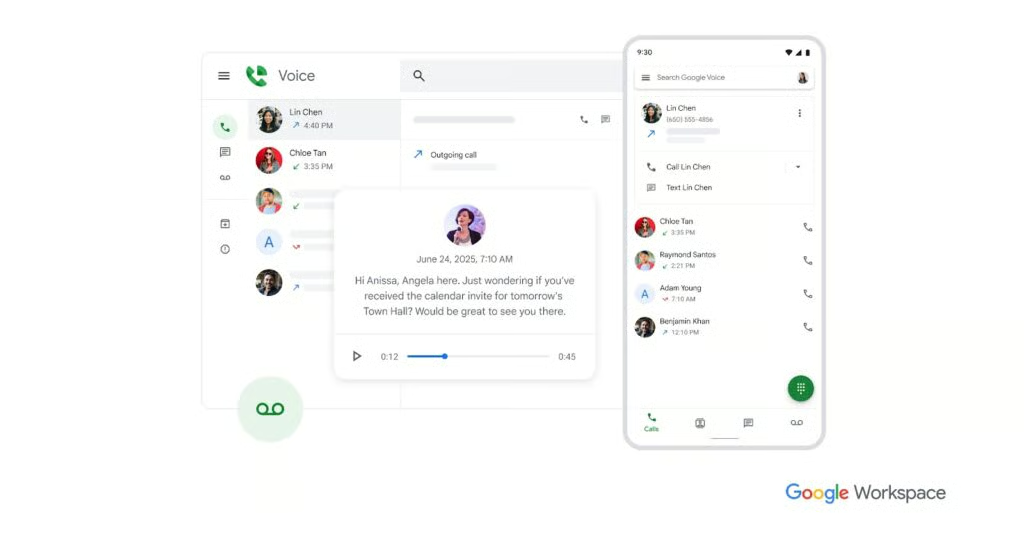
Google Voice is one of the simplest business phone plans for remote workers, especially for teams who are already using Google Workspace tools like Gmail, Google Meet, and Google Chat. Instead of managing separate communication platforms, you can handle calls, messages, and voicemails directly within the same ecosystem that you use for daily work.
Because of its features and pricing, I often recommend Google Voice as a simple and affordable option for solopreneurs, especially since it now offers individual plans that don’t require a Google Workspace account. However, for larger teams, a platform like RingCentral may be a better choice, as it offers more scalable plans and a wider range of integrations for growing businesses.
Pricing
| Plans and pricing (per user) | Starting price |
|---|---|
| Starter | $10/user/month (with or without Google Workspace) |
| Standard | $20/user/month (with Google Workspace) |
| Premier | $30/user/month (with Google Workspace) |
Standout features
- Google Workspace: Connect Voice with Gmail, Google Meet, and Calendar to manage calls and meetings within the same productivity ecosystem.
- Call forwarding: Forward incoming calls to multiple devices or team members to ensure customer calls are always answered, even when the office is closed.
- Voicemail transcription: Automatically convert voicemail messages into readable text so remote workers can quickly review messages without listening to audio.
Quo: Best for artificial intelligence
My expert opinion
Quo, formerly known as OpenPhone, is one of the most innovative options among the top providers of business phone plans for remote teams. It integrates artificial intelligence directly into everyday communication workflows, transforming traditional phone services into a smart communication hub. This hub automatically organizes calls, texts, and customer interactions for your team.
For small businesses and startups looking to reduce manual tasks, AI tools can summarize calls, transcribe voicemails, and help teams track conversations among multiple employees. In evaluating the platform, this makes it excellent at handling incoming calls across locations. However, if you need even more advanced call handling, consider RingCentral, which offers AI and an intuitive call flow designer.
Pricing
| Plans and pricing (per user) | Monthly | Yearly |
|---|---|---|
| Starter | $19 | $15 |
| Business | $33 | $23 |
| Scale | $47 | $35 |
Standout features
- Shared team inbox: Calls, texts, and voicemails are paired within a shared workspace where team members can collaborate and assign conversations to the right person.
- AI call summaries: After each call, the platform generates automated summaries that highlight key action items, so the remote team can quickly review conversations without taking manual notes.
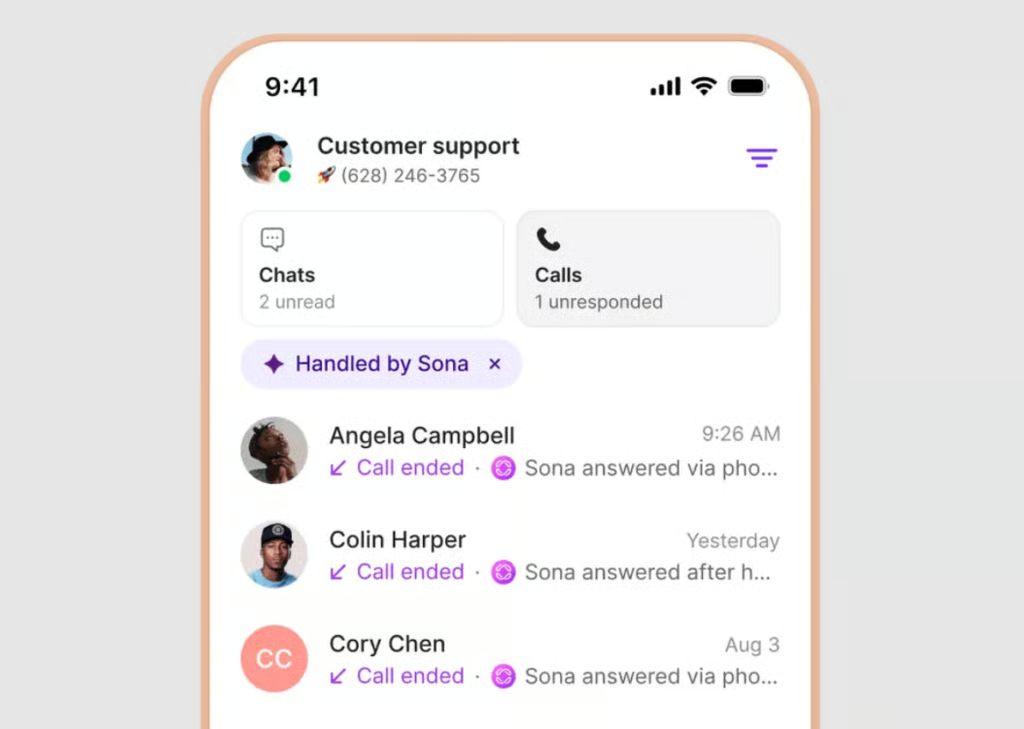
- Sona AI assistant: Quo’s built-in AI receptionist can answer calls, capture caller details, and group inquiries to the right team member automatically.
T-Mobile: Best for nationwide 5G coverage
My expert opinion
T-Mobile is a strong contender among the best providers of business phone plans for remote teams, particularly for organizations that rely heavily on mobile connectivity. Its nationwide 5G network supports fast data speeds for video meetings, messaging, and cloud collaboration, making it a practical choice for distributed teams working from multiple locations.
In comparing the plans to other mobile providers, what stands out most is T-Mobile’s multi-line pricing and unlimited data options. Many of T-Mobile’s business plans also offer high-speed hotspot data and international connectivity, helping remote teams stay productive whether they are working from home, on the road, or traveling abroad.
Pricing
| Plans and pricing (per line) | Core Mobile | Pro Mobile | Super Mobile |
|---|---|---|---|
| Monthly starting price | $21/per line | $34/line | $41/line |
| Pricing for six lines | Pricing for 6 lines ($125/mo) plus taxes & fees | Pricing for 6 lines ($200/mo) plus taxes & fees | Pricing for 6 lines ($250/mo) plus taxes & fees |
| Auto-pay pricing | Autopay for lines 1-4 & 3rd line free for lines 3-12 | Autopay for lines 1-4 & 3rd line free for lines 3-12 | Autopay for lines 1-4 & 3rd line free for lines 3-12 |
Standout features
- Nationwide 5G coverage: Access one of the largest 5G networks in the US, enabling faster data speeds for video conferencing, file sharing, and cloud-based collaboration.
- Unlimited data plans: Many T-Mobile business plans include unlimited talk, texting, and data so remote workers can stay connected without worrying about overage fees.
- High-speed mobile hotspot: Select plans offer high-speed hotspot data, allowing remote workers to connect laptops or tablets when Wi-Fi isn’t available.
AT&T: Best for enterprise-grade security
My expert opinion
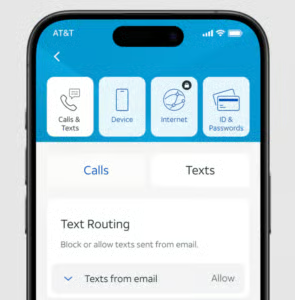
I usually recommend AT&T as one of the best providers of business phone plans for remote teams because it prioritizes data protection and secure mobile connectivity. Many AT&T Business Wireless plans include built-in security tools designed to help protect employee devices from suspicious calls and safeguard sensitive business information.
Organizations with distributed teams that handle customer data or confidential communications can benefit greatly from these security tools and AT&T’s reliable network coverage. I specifically suggest the “Unlimited Your Way” plans, which allow businesses to assign different plan tiers to each employee based on their individual connectivity needs.
Pricing
| Monthly plans* | Per line pricing |
|---|---|
| AT&T Business Unlimited Standard | $70 |
| AT&T Business Unlimited Advanced | $80 |
| AT&T Business Unlimited Premium | $90 |
| Business Unlimited Premium 2.0 - Turbo | $105 |
Standout features
- Priority data access: Business plans can include prioritizing network traffic to help employees maintain consistent speeds during peak network usage.
- International texting: Communicate with prospects and clients across borders without switching tools.
- ActiveArmor security: Built-in mobile security tools help lock down spam calls, detect fraud risks, and protect company devices from potential threats.
RingCentral: Best for business apps and integrations
My expert opinion
RingCentral frequently appears on our lists of the best virtual phone systems due to its extensive integrations with popular business software. The platform connects with hundreds of tools, including CRM systems, productivity apps, and collaboration platforms, making it easier for distributed teams to manage communications within their existing workflows.
For small businesses with remote employees, RingCentral is my go-to unified communications platform that integrates voice, video, messaging, and team collaboration tools into a single system. However, the multitude of features can feel overwhelming for smaller teams. If you’re looking for a simpler or more affordable unified communications option, consider Google Voice.
Pricing
| Plans and pricing (per user) | Monthly | Annually |
|---|---|---|
| Core | $30 | $20 |
| Advanced | $35 | $25 |
| Ultra | $45 | $35 |
Standout features
- Unified communications: Combine phone calls, SMS messaging, video meetings, and team chat in one application so remote teams can collaborate from any device.
- AI receptionist: RingCentral’s receptionist acts as a virtual front desk, answering inbound calls 24/7, interpreting natural-language requests, and routing callers to the correct team member without traditional phone menus.
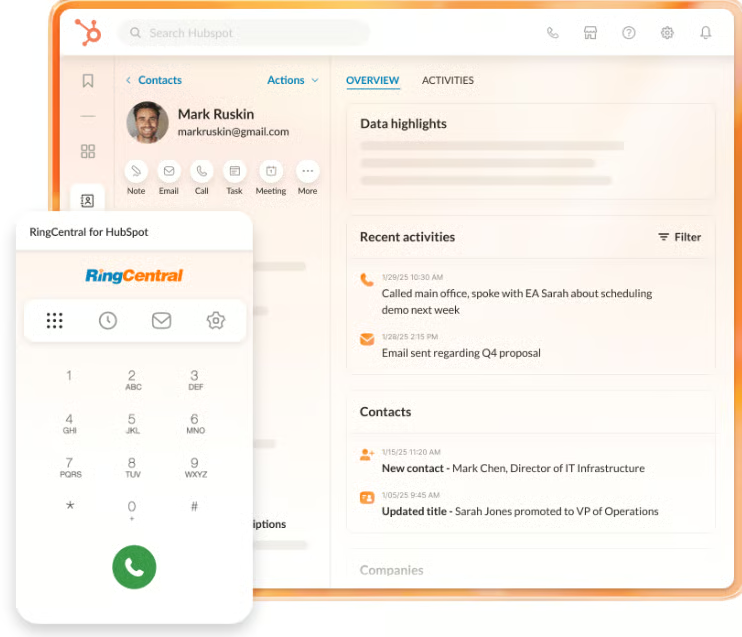
- Business integrations: Connect RingCentral with popular tools such as Salesforce, HubSpot, Google Workspace, and Microsoft 365 to manage calls, messages, and customer interactions directly within your existing workflows.
How I evaluated the best business phone plan providers for remote teams
To identify the best business phone plans for remote workers, I evaluated providers using a structured scoring system tailored to small-business needs. My aim was to compile a list that balances VoIP options with unified communication tools and mobile providers that offer solutions for remote work. This ensures a diverse range of offerings for teams that primarily use mobile devices in the field and for those who work from home. For more details about my methodology and the criteria for each score, check out the list below:
Pricing is a primary concern for small businesses, so I compared the cost of each provider, focusing on whether they offered annual or volume-based discounts, as well as the market price for different tiers of business phone plans.
I assessed standard phone system capabilities, including call forwarding, domestic calling, and SMS messaging, and mobile hotspot availability.
In addition to the standard features, I assessed whether the phone provider also offered tools beneficial for remote teams, such as in-flight Wi-Fi, international calling for global teams, and spam blocking or call filtering.
Across providers, it is also important for plans and devices to be easy to set up and implement. Therefore, I assessed mobile accessibility, user experience, and the process to implement a business phone plan for remote teams.
I evaluated the availability and responsiveness of customer support channels, including whether or not they offer 24/7 support, live chat, phone assistance, and knowledge bases.
Finally, I assessed each platform based on usability, value, and its effectiveness for small businesses and remote teams. This score not only reflects my own experience with these business phone providers but also draws on perspectives from verified users on third-party review sites.
Frequently asked questions (FAQs)
How do business phone plans for remote workers improve team communication?
Business phone plans for remote workers improve communication by allowing employees to make and receive business calls from any location while maintaining a professional business number. The best business phone plan providers for remote teams also offer shared features such as call routing, team messaging, and video meetings.
What features should remote teams look for in the best business phone plan providers?
Remote teams should look for features such as mobile and desktop apps, call forwarding, voicemail-to-email, team messaging, video conferencing, and integrations with CRM or project management tools. The best business phone plan providers for remote teams also offer scalable plans and reliable call quality.
How much do business phone plans for remote workers typically cost?
They generally cost between $15 and $40 per user per month, depending on the features included. Plans with advanced capabilities such as AI call handling, analytics, and CRM integrations may cost more.
Bottom line
The best business phone plan providers for remote teams combine reliable connectivity with collaboration features that support distributed work. While providers such as Verizon, T-Mobile, and AT&T offer strong mobile coverage for field teams, Google Voice, Quo, and RingCentral provide cloud-based communication tools for remote collaboration.
In this guide, Verizon is my top choice for business phone plans for remote workers due to its mobile hotspots, reliable coverage, and customizable plans. But any provider on this list is a great option for remote teams.
