







Voice-over-internet-protocol (VoIP) phones allow businesses to retain their on-premise desk phone units while connecting to the internet, unlocking the benefits of cloud communications. The best VoIP phones boast superior call quality, reliability, and security, along with the flexibility to configure call handling capabilities.
Phones for VoIP systems aren’t one-size-fits-all, which is why these top providers offer a range of options with varying displays, port configurations, and line keys to meet diverse business needs.
- Yealink SIP-T54W: Best wireless connectivity
- Polycom VVX 450: Best for phone receptionists
- Snom D785: Best customization
- Grandstream GXP2170: Best for high call volumes
- Avaya J139: Best for beginners
- Cisco 7841: Best multiplatform firmware
Why You Can Trust Fit Small Business
- Best VoIP Desk Phones Compared
- Yealink SIP-T54W: Best for Wireless Connectivity
- Poly VVX 450: Best for Phone Receptionists
- Snom D785: Best Customization
- Grandstream GXP2170: Best for High Call Volumes
- Avaya J139: Best for Beginners
- Cisco 7841: Best Multiplatform Firmware
- How to Choose the Best VoIP Phones
- Frequently Asked Questions (FAQs)
- Bottom Line
Best VoIP Desk Phones Compared
| VoIP Deskphones | Monthly Starting Price | Key Features | Our Rating |
|---|---|---|---|
Yealink SIP-T54W 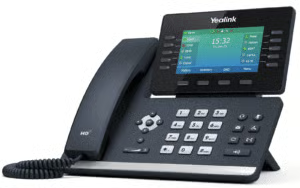 | $119 |
| 4.92 out of 5 |
| Check out Yealink SIP-T54W | |||
Poly VVX 450 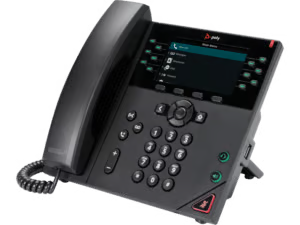 | $132 |
| 4.33 out of 5 |
| Check out Poly VVX 450 | |||
Snom D785 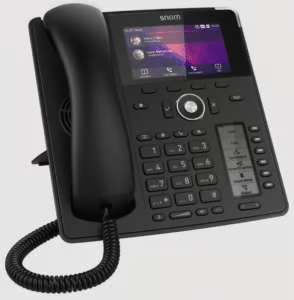 | $128.99 |
| 4.17 out of 5 |
| Check out Snom D785 | |||
Grandstream GXP2170 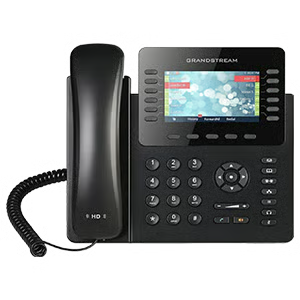 | $92.99 |
| 4.10 out of 5 |
| Visit Grandstream GXP2170 | |||
Avaya J139 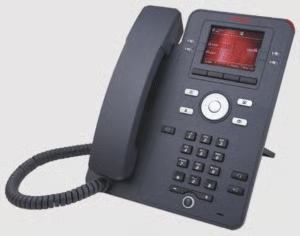 | $119.95 |
| 3.93 out of 5 |
| Check out Avaya J139 | |||
Cisco 7841 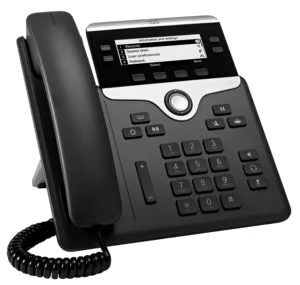 | $189.99 |
| 3.72 out of 5 |
| Check out Cisco 7841 | |||
Yealink SIP-T54W: Best for Wireless Connectivity
Yealink SIP-T54W Pricing
- Amazon: $119 per phone
- RingCentral: $228 per phone or $8.50 per monthly rental
Specifications:
- 4.3″ 480×272-pixel color display with backlight
- Adjustable LCD screen
- Dual firmware images
- Built-in Bluetooth 4.2
- Built-in dual band 2.4G/5G Wi-Fi
- USB 2.0 port for USB recording, wired/wireless USB headsets and EXP50
- Dual-port Gigabit Ethernet
- PoE
- HAC
- Paperless label design
- Wall mountable
My Expert Opinion
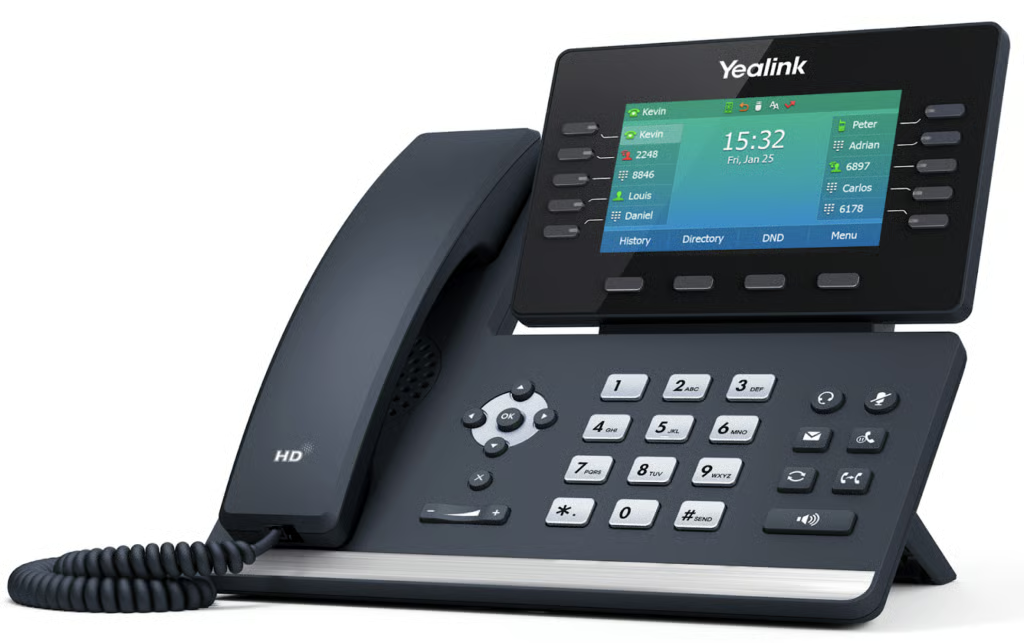
The Yealink SIP-T54W is our top pick for the best VoIP phone for business as it leverages wireless connectivity for more efficient communications. Aside from the built-in Bluetooth included with most desk phones, this phone features dual-band Wi-Fi for a portable 2.4/5G network connection. This enables more flexible deployments and reduced internet cable costs.
Since its 2019 release, the Yealink T54W has undergone multiple firmware updates to cater to the evolving needs of modern businesses. Yealink introduces intuitive controls, noise-filtering features, and a cordless handset. It also supports video collaboration by integrating with its softphone platform, Yealink VC desktop.
While Yealink has addressed past security concerns regarding user data, this may prompt security-driven organizations to seek comprehensive protection against potential threats. If you’re seeking the best VoIP phone with robust security, check out Poly VVX 450. This sophisticated IP phone comes with a password-protected login, digest authentication, and encrypted configuration files for a higher level of data protection.
What Users Say
Long-time desk phone users typically recommend Yealink T54W for its user-friendly design, affordability, and excellent blend of standard desk phone features and modern functionality. Reviews highlighted positive experiences because of its wireless transmission and seamless integration with third-party VoIP services.
Although it may lack the advanced features and premium voice quality of Polycom and Cisco phones, users appreciate its ease of use and compatibility with the Digital Enhanced Cordless Telecommunications (DECT) dongle DD10K, allowing simplified deployment of cordless handsets.
Additional Features
- Acoustic Shield technology: Equipped with the latest Optimal HD Voice technology, Yealink eliminates background noises, while delivering crystal clear audio. Its handset complies with the HAC regulations, bringing a clearer voice quality.
- High-resolution Display: Its fully adjustable LCD display can be positioned at various angles, adapting to different viewing preferences and lighting conditions.
- Zero Touch Provisioning: During startup, Yealink lets you configure the network parameters and provisioning server address through the phone interface. This is useful during system failures on your IP phone.
Poly VVX 450: Best for Phone Receptionists
Polycom VVX 450 Pricing
- Amazon: $132 at Amazon
- RingCentral: $227 per phone or $9.50 monthly rental fee
Specifications:
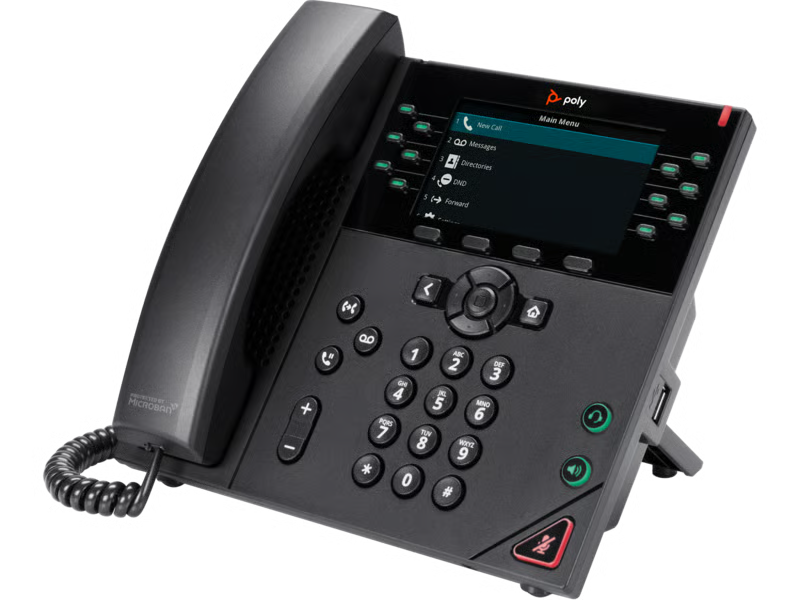
- 4.3” color backlit display
- 12 line keys
- Four softkeys
- One USB port
- Two-port Gigabit Ethernet switch
- PoE support
- Call forwarding enabled
My Expert Opinion
Despite the emergence of newer Poly models like the Edge E and CCX series, the VVX 450 remains a popular pick, especially among call attendants managing multiple simultaneous calls across an organization. It allows presence monitoring of up to 102 lines and accommodates complex call handling needs. Pairing it with the Poly EM50 expansion module transforms it into a high-performance attendant console with up to 30 lines per page.
However, the Poly VVX 450 falls short due to the lack of built-in Bluetooth, a drawback for users who prefer hands-free operation. A similar alternative with integrated Bluetooth is the Grandstream GXP2170, an enterprise IP phone designed for handling a large volume of calls.
What Users Say
Based on user reviews, Poly VVX 450 is highly regarded for its audio, reliability, and robust feature set. They also appreciate how it is compatible with virtually any SIP phone service, making it an all-around choice.
Many former users highlight its excellent build quality, noting that it can withstand years of daily use. Some users prefer Poly over Yealink and Cisco in terms of user experience, sound, support, and lack of hardware issues. However, it’s not without its flaws as many users complain about its higher price point than other models.
Additional Features
- Microban antimicrobial: Poly phones come with built-in antimicrobial protection to keep the device cleaner for longer and actively reduce bacteria growth.
- Multi-line operation: Its 12 programmable line keys support 34 key assignments for auto dial, contacts, and features with pagination.
- STIR/SHAKEN call validation: Verifies incoming calls based on SIP headers to prevent fraudulent activities like caller ID spoofing.
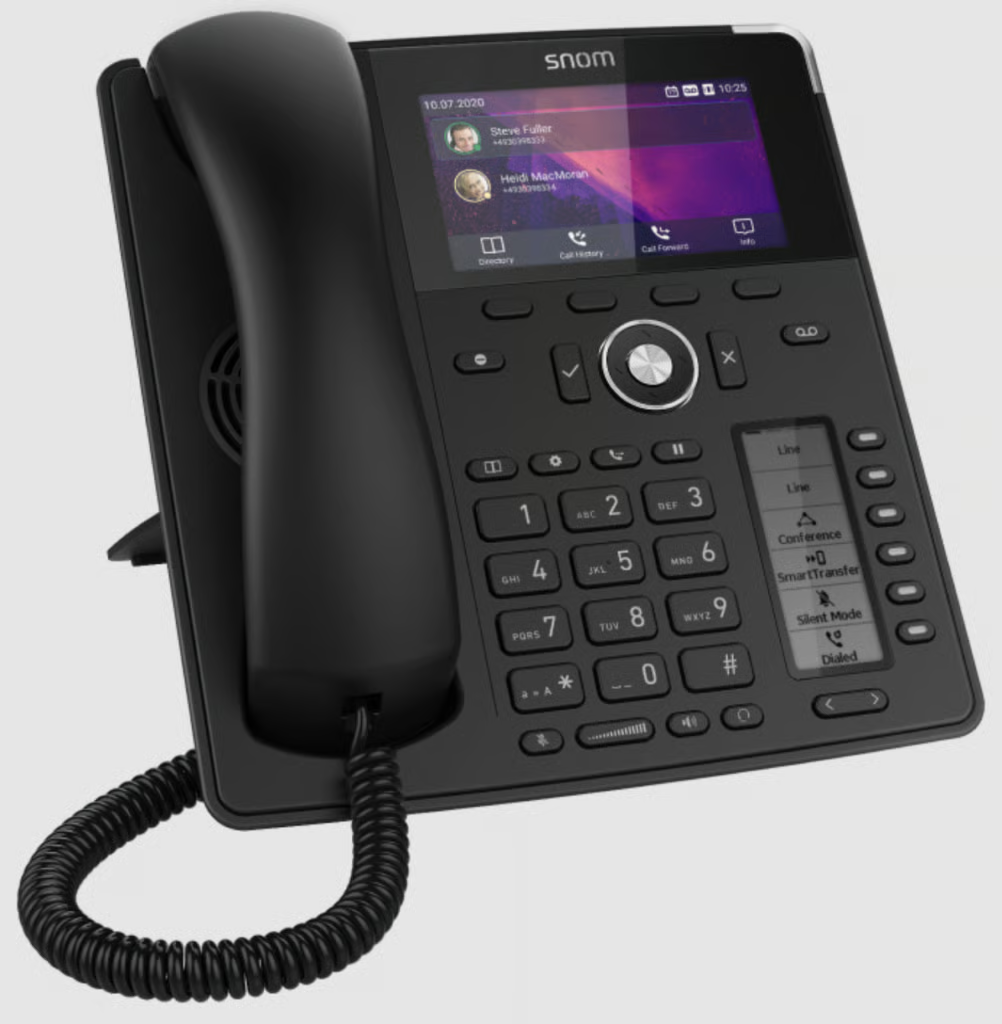
Snom D785: Best Customization
Snom Pricing
- Amazon: $128.99
Specifications
- High-resolution color display
- 24 programmable function keys
- Dual switch Gigabit Ethernet ports with PoE
- Integrated Bluetooth
- USB headset compatible
My Expert Opinion
The Snom D785 is the best VoIP phone for those seeking robust customization for their office desk phones. Almost everything can be modified for its user interface, including the background, icons, and colors.
One of its appealing features is the black and white secondary display, which allows you to digitally label its six function keys. You can assign buttons for frequently used options like conference, silent mode, and transfer. I also like how it comes in two colors: black and white.
While Snom’s UI is more customizable than other desk phone brands, it may not be as intuitive to some. When it comes to ease of use, I recommend Yealink T54W, an entry-level phone known for its straightforward configuration.
What Users Say
Like Yealink, Snom is one of users’ top options when it comes to affordability. They also praised its responsive customer support team and 36-month warranty and found it a good alternative if they wanted to switch to cheap but high-performing IP phones.
However, a few users have encountered provisioning issues during deployment, raising concerns about its reliability. Some also experienced challenges when integrating Snom phones with modern VoIP systems like Microsoft Teams and 3CX.
Additional Features
- Multicast paging: Deliver voice announcements to multiple devices at a time from a common multicast IP address. This ensures lower bandwidth usage as it allows paging groups to listen from only a single audio stream.
- Call completion: When a number you called is busy or unavailable, your phone will ring to notify you that the dialed number is already available. Once it’s no longer busy, your phone will ask you if wish to call again.
- Client Matter Code: This prompts the user to enter a unique code to link an incoming call with a client for billing, bookkeeping, or call tracking purposes.
Grandstream GXP2170: Best for High Call Volumes
Grandstream GXP2170 Pricing
- Amazon: $92.99 per phone
Specifications:
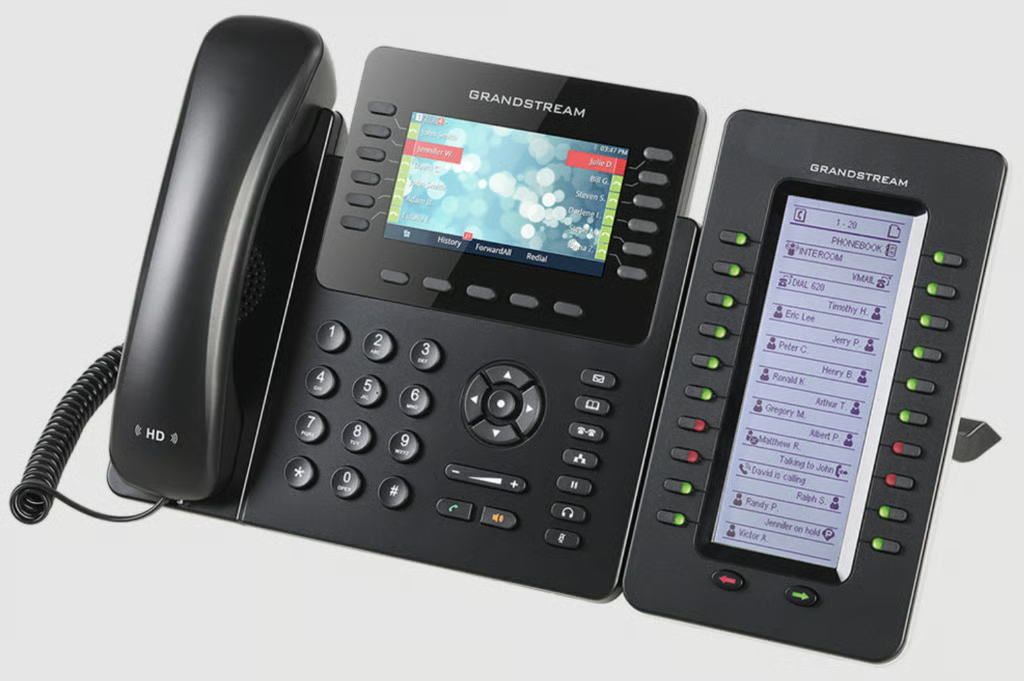
- 12 dual-color line keys (6 SIP accounts)
- Dual Gigabit ports
- Built-in PoE, Bluetooth, and USB ports
- 48 digitally customizable speed-dial keys
My Expert Opinion
The Grandstream GXP2170 is a high-performance desk phone designed for power users dealing with heavy call traffic. It includes 12 line keys and up to 48 digitally programmable speed dial keys, allowing for efficient call handling and multitasking in high call volume environments.
If you’re impressed with Poly VVX 450’s advanced functionality, this Grandstream phone offers a budget-friendly alternative. It can connect to up to four expansion modules and features a screen display that can accommodate up to 160 busy lamp field (BLF) contacts. If you’re looking for multiparty audio meetings, Grandstream high-end IP phones also make the best VoIP conference phones, with the GXP2170 accommodating up to five participants.
However, given its high-level capabilities, the GXP2170 might be a less efficient choice for smaller teams with basic communication needs. Alternatively, I recommend Avaya J139, the best VoIP desk phone for entry-level users requiring simpler functionality.
What Users Say
Users of the GXP2170 are drawn to its wider screen display and additional buttons for call handling, making it suitable for users who spend more time on the phone. Some users shared that it provides multiple call features and found it easy to set up.
However, while Grandstream was once a popular choice in the VoIP market, users shared that their popularity has declined over time due to the lack of decent support and modernization, leaving it lagging behind competitors.
Compatibility with unified communication platforms has also been an issue, as providers like Nextiva have discontinued support for Grandstream phones, while 8×8 and RingCentral, only recognize them as standard SIP devices.
Additional Features
- Virtual voicemail: Downloads the voicemail into a .wav format and stores it so the user can listen to it without going to the Broadsoft server. Users can pause and resume their voicemails.
- Shared call appearance (SCA): Allows multiple users to share a single SIP line and monitor the status of other group members. All users can collectively manage the calls associated with that SIP line.
- Multiple calls: If an incoming call comes in, a user can put an active call on hold or switch between calls. The new caller will hear a call waiting tone if the user is engaged in an ongoing call.
Avaya J139: Best for Beginners
Avaya J139 Pricing
- Amazon: $119.95 per phone
Specifications:
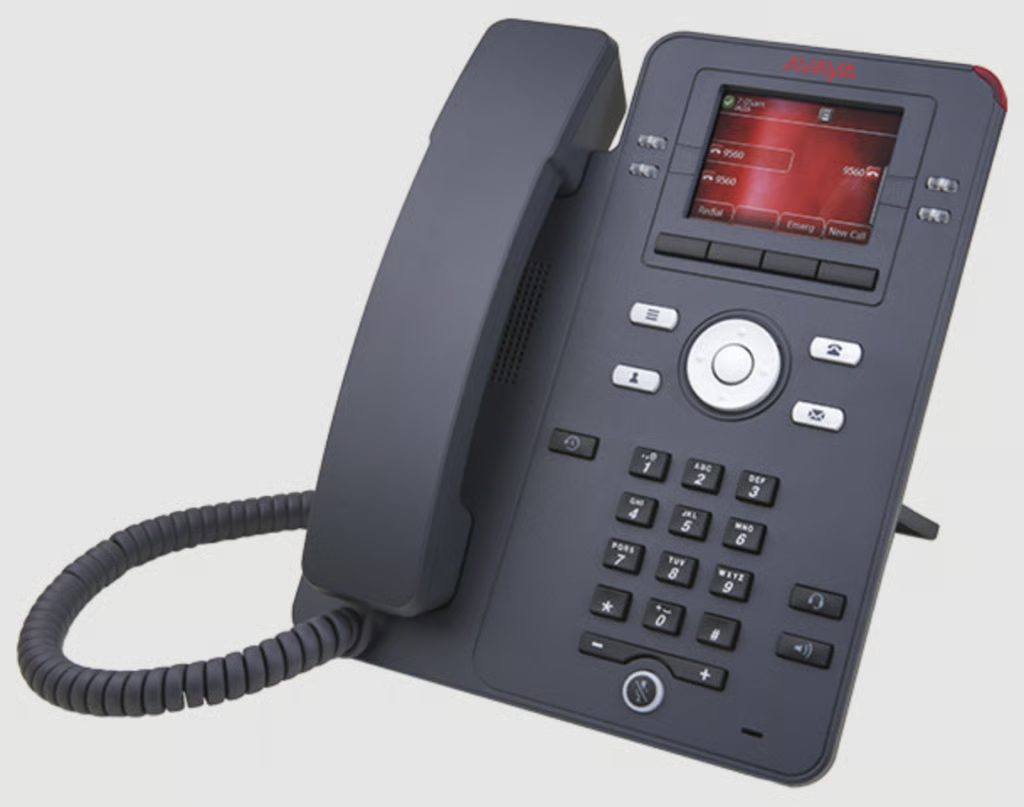
- Multi-line phone with four red/green line/feature indicators around the display
- 4 context-sensitive soft keys
- Handset & speakerphone, integrated RJ9 headset port with electronic hook switch
- Built-in volume boost control in the handset
- Supported on selected 3rd-party open SIP call platforms
- Dual Gigabit Ethernet ports
My Expert Opinion
The Avaya J139 is one of the best VoIP phones for business users seeking an entry-level phone for essential voice communication needs. It sticks to the basic components of a standard desk phone, including basic headset support, colored display, and Gigabit Ethernet.
Avaya, the partner of the market’s top VoIP system RingCentral, focuses on the simplicity of its offerings. It provides only the core functionalities such as call transfer, hold, forward, and conference—perfect for users who don’t require advanced features. Plus, its simplified design makes it less overwhelming for VoIP beginners to use.
While Avaya J139 uses the standard SIP protocol, compatibility with VoIP platforms can vary. If you’re seeking good VoIP phones that work with various softphone providers, give Cisco 7841 a try. It provides a comprehensive data sheet about its multiplatform firmware and configuration options for different VoIP environments.
What Users Say
While Avaya J139 is not as popular as other leading VoIP phones, a few users remain loyal to it for its durable build and excellent sound quality. It offers a range of features for basic phone communication and works right out of the box, simplifying the setup process for a VoIP system.
On the other hand, this Avaya phone also received a few criticisms due to hardware and software issues. These issues range from flimsy Ethernet ports, “No Ethernet” error message, and muffled audio.
Additional Features
- Long-term acoustic exposure protection: Reduces the volume of phone calls to allowable sound levels. Acoustic limits can be set to dynamic (activates gradually) or predefined.
- Malicious call trace (MCT): In case of a suspected spam call, pressing the MCT button will activate the routing core server, which identifies the source, records call data, and notifies other users.
- Multiple device access: This lets you use multiple devices to log on to the same extension, answer a call, or join an ongoing call. It can ring logged-in devices simultaneously when a call is made to your extension.
Cisco 7841: Best Multiplatform Firmware
Cisco 7841 Pricing
- Amazon: $189.99 per phone
- RingCentral: $219 per phone or $15 monthly rental fee for a multi-year contract
Specifications:
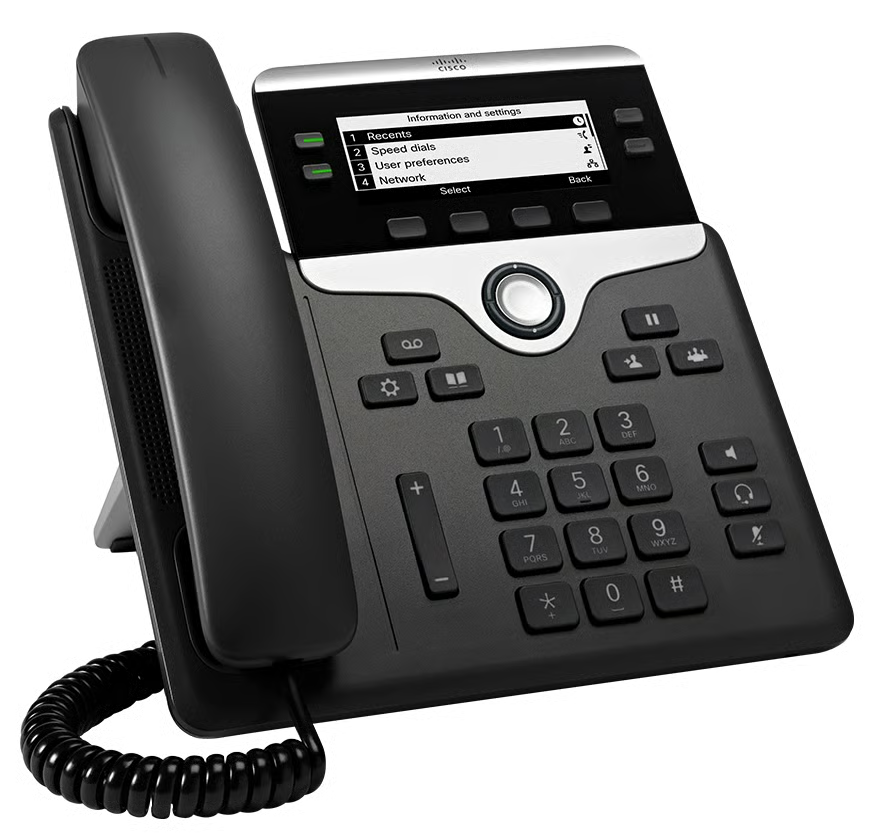
- Four lines with programmable keys
- Fixed function keys for one-touch access to service, messaging, directory, hold/resume, transfer, and conference features
- Dedicated RJ-9 headset port
- Dual port gigabit Ethernet switch
- Integrated PoE
My Expert Opinion
The Cisco Multiplatform Phone (MPP) firmware allows IP phones such as the 7841 model to function seamlessly with third-party VoIP and unified communications platforms. This high-fidelity communications portfolio contains an extensive feature set and user experience tailored to modern business needs.
To operate, MPP phones require service from an internet telephony service provider (ITSP) such as RingCentral, WebEx Calling, and Verizon. This enables businesses to leverage their current VoIP infrastructure without affecting device performance and reliability. It is also worth mentioning that Cisco offers some of the best multi-line phone systems, including the 7841 model supporting up to four lines.
Priced at $189.99 on Amazon, the Cisco 7841 can be too costly compared to other providers offering more advanced capabilities. Instead, I suggest checking out Yealink T54W, which balances affordability, ease of use, and features.
What Users Say
Looking at user forums, many commended the Cisco 7841 for its HD voice feature and reliability, making it ideal for various office environments from corporate offices to factory floors. While they find its LCD useful, some have noted that it lacks the color display in other models.
Users expressed their preference for enhanced call handling features, favoring models that allow them to manage simultaneous calls. Regular firmware updates are necessary to ensure consistent performance. Meanwhile, those seeking an advanced version recommend upgrading to the 8800 series.
Additional Features
- Extension mobility: Access your phone settings on other devices within your system without affecting the account settings of other users. This allows you to log in to your phone if your assigned device is unavailable.
- Immediate divert: Redirect a phone call to voicemail to make your line available for sending or receiving new calls. This applies to incoming and outgoing calls, whether they are on hold or active.
- Whisper: Allows a supervisor to speak to an agent during an active call without the other party hearing.
Methodology: How I Evaluated the Best VoIP Desk Phones
To identify the best IP phones for small businesses, I used a strategic approach, combining my expertise and customer feedback. For social proof, I gathered insights from trusted review websites, surveys, and vendor-specific discussions. Here are the criteria used for my comprehensive review process:
While affordability is an important buying factor for small businesses, it’s important to ensure that users achieve value for money for their VoIP phone purchases. This means striking the balance between functionality and price. Other pricing considerations include average unit cost, warranty period, and volume discounts.
In finding the best VoIP devices, I specifically looked for standard functionalities of desk phone models. These include basic features like call handling, HD audio, conference calling, and phonebook support. I also checked the connectivity options, including Bluetooth, Wi-Fi, and USB ports
With the rise of cloud communication capabilities, I examined if the VoIP phones in evaluation are keeping up with the latest innovations and evolving business needs. I looked for advanced features such as call recording and integration with VoIP services. For scalability, I gave points to providers with expansion module connectivity and additional programmable keys.
The best VoIP handsets ensure seamless user experience by providing a hassle-free configuration process. I explored user reviews and gathered feedback about their personal experience in terms of setup, troubleshooting, accessibility, and firmware installation.
I examined the responsiveness of the support team of each provider to see if its users are getting the assistance they need for their phone units. I checked common user complaints and determined whether their issues were resolved as well as available online resources for self-service solutions.
Using my expertise in VoIP systems, I combined my insights with customer experiences in evaluating the best VoIP phones. Other factors considered include build quality, popularity, and overall functionality.
How to Choose the Best VoIP Phones
The best VoIP phones for business use can significantly enhance call handling experience and communication efficiency. Here’s a quick guide to help you get the most value for your money:
- Assess your business needs: VoIP phones are designed to support varying call volume needs and work environments. Determine the number of lines you’ll need to manage your call traffic and the type of workspace where it will be used.
- Identify must-have features: Beyond basic call handling, focus on features that support your specific requirements. For example, if you want a cable-free setup, look for desk phones with built-in Wi-Fi. More importantly, check if the model receives regular firmware updates to ensure it aligns with your business’ evolving needs.
- Consult providers: If you have a preferred VoIP provider to work with your desk phone, confirm if it meets the platform’s technical specifications. Check the provider’s website to see which models they have certified.
- Gather feedback: Browse forums and trusted reviews to gain insights from actual users and industry experts. Conducting in-depth research lets you uncover the strengths and drawbacks of different phone models.
Frequently Asked Questions (FAQs)
What is the best phone to use with VoIP?
The best phone to use with VoIP depends on your communication requirements and personal preferences. However, if you’re seeking a versatile IP phone, Yealink T54W is an excellent choice. This user-friendly phone seamlessly supports Wi-Fi connectivity and offers a wide range of call handling features.
Are VoIP phones worth it?
Yes, VoIP phones are a worthwhile investment for businesses looking to modernize their on-premise landline systems. They provide the convenience, security, and reliability offered by internet-based communications while retaining their existing devices.
Do I need to buy a special phone for VoIP?
No, it’s not necessary for users to use a special phone for VoIP. You can use a regular phone as long as it connects to the internet and meets the technical requirements (e.g., operating system) of the service provider. However, keep in mind that the type of phone you use can affect your overall experience with the VoIP platform.
Bottom Line
Amid the rise of remote work environments, VoIP phones remain to be a reliable communication tool for industries prioritizing security and audio quality. Recent tech innovations have transformed modern desk phones to carry out a variety of capabilities, including managing high call volumes and video collaboration.
The Yealink SIP T54W wins as the best VoIP phone—an entry-level desk phone that features wireless transmission, crystal-clear sound, and efficient provisioning. This expandable office phone is ideal for small businesses that prioritize a cost-effective and reliable communication device.
