








Rippling’s payroll and HR platform is among the highest user-rated software on the market. Its professional employer organization (PEO) service couples an easy-to-integrate, intuitive system with strong benefits, one-on-one HR support, and responsive customer service.
Priced at $85 per employee monthly, it’s great for business owners who require expert help in managing HR and IT administrative tasks, enabling them to focus on growing their company. In our evaluation of the best PEO companies for small businesses, Rippling PEO earned an overall score of 4.30 out of 5.
- What We Recommend Rippling PEO For
- Rippling PEO Deciding Factors
- How Rippling PEO Compares With Top Alternatives
- Rippling PEO Pricing
- Rippling PEO HR Administration Tools
- Rippling PEO Payroll Features
- Rippling PEO Additional Non-Payroll Solutions
- Rippling PEO Licensing & Reporting
- Rippling PEO Ease of Use
- Rippling PEO Expert Score
- What Users Think About Rippling PEO
- Bottom Line
What We Recommend Rippling PEO For
Our experts have demoed and reviewed dozens of payroll and PEO services. Rippling stands out among its competitors because of the depth of solutions it offers—some of which aren’t even HR-related, such as expense report tracking and computer inventory management. It has a lot of modularity and works to keep the technology running smoothly. Rippling has even added a few unique features to some of its products, like its icon-based platform, dynamic online payslips, IT hardware and third-party app registrations, and a PEO service that users can turn off directly from their account settings.
In short, Rippling PEO is best for:
- Multistate organizations: Rippling automatically completes registrations for all state and local counties. Many other PEOs, including some payroll software providers, will send you to a directory or help article that will teach you how to complete these registrations on your own.
- Startups subject to change: Young businesses go through many changes on their quest to major growth, and Rippling PEO is designed to support that. The software’s modular nature makes it easy to add—or subtract—functions as your requirements change. With the click of a button, you can easily switch from its PEO service to just the HR software (if you get too big) or vice versa (if you’re in the right growth stage).
- IT and tech-heavy businesses: Rippling makes it easy to onboard computers and software, and Rippling PEO was created with the tech industry in mind.
- Businesses that work with a lot of different software: Rippling integrates with over 500 different add-ons across all business tools, which help business owners manage everything from design and collaboration to finance, legal, and IT. There are also integrations that can help with office management, sales, and marketing.
Rippling PEO may come with a feature-rich HR platform that can handle a wide range of HR processes, but it isn’t a good option for:
- Blue collar labor-intensive workforce: These industries often require very in-depth workers’ compensation coverage due to the high risk of injury on the job. There are also usually very strict regulations from the Department of Labor, OSHA, etc., that need to be adhered to for compliance. Rippling’s platform is not built to support these kinds of clients. If you have these needs, consider another PEO solution like XcelHR.
- Companies needing transparent PEO pricing quickly: While the Rippling pricing page may show its starter monthly fees, you have to call the provider to get a quote. If you need a PEO with prices you can evaluate without talking to a rep, we recommend Justworks (monthly fees start at $59 per employee). Check out our Justworks review to see whether its pricing and services fit your HR requirements.
- Businesses wanting a more traditional PEO setup: While most users rave about Rippling, some complained about its modular setup, saying it added to the price and that they had to get modules for features they thought should be standard. If you’re interested in a simpler layout, consider a PEO like Insperity. It has an intuitive interface and even provides access to more than 5,000 self-paced learning courses for your employees. Read our Insperity review to know more about its functionalities.
- Organizations looking for a certified PEO: Rippling is not an IRS-certified PEO (a voluntary certification process that guarantees financial and operational integrity of the organization). It is also not accredited by the Employer Services Assurance Corporation (ESAC), which is considered the gold standard for PEO practices and financial reliability. If these certifications are important to you, you may want to consider ADP TotalSource, as it is both IRS and ESAC certified. Check out our ADP TotalSource review to learn more about its features.
Rippling PEO Deciding Factors
| Supported Business Types | Tech-heavy businesses looking to outsource basic HR processes while providing access to IT solutions for managing business apps, integrations, and computer devices. |
|---|---|
| Free Trial | None, but new users get the first month free* |
| Pricing | Rippling PEO: $85 per employee monthlyFor Rippling’s other HR, finance, and IT modules, you have to contact the provider’s sales team to discuss your requirements and request a quote. |
| Standout Features |
|
| Ease of Use | Rippling’s platform is generally easy to learn and use, but learning how to navigate through all of its features may take time |
| Customer Support |
|
*This may end at any time. Visit Rippling’s website to view the latest promos on offer.
If a PEO is not the best fit for you, consider a traditional payroll service. Our guide to the best payroll services evaluates top providers to help you choose the best solution for your small business.
How Rippling PEO Compares With Top Alternatives
| Best For | Starter Monthly Fees | IRS & ESAC Certified | Our Reviews | |
|---|---|---|---|---|
 | Businesses needing HR and IT management | $85 per employee | ✕ | |
| Visit Rippling PEO | ||||
 | Small companies that need a low-cost, high-functioning PEO | $79 per employee | ✓ | Read our Justworks review |
| Visit Justworks | ||||
 | Businesses looking for a PEO with robust benefits plans | Call for a quote | ✕ | No Review Yet |
| Visit XcelHR | ||||
 | Growing companies that want the expertise of a big PEO | $85 per employee* | ✓ | Read our ADP TotalSource review |
| Visit ADP TotalSource | ||||
*Pricing is based on a quote we received
Rippling PEO Pricing
4.50 / 5
What prevented Rippling from getting a high score in this criterion is pricing transparency—most of its products (except Rippling PEO) don’t have clear pricing details. The reason behind this is Rippling’s modular solutions, which allow you to mix and match HR, IT, and finance features, provided you get its core workforce management platform.
For Rippling’s PEO services, you’ll be charged a monthly fee of $85 per employee. However, we recommend that you contact the provider to discuss your requirements and get a quote. Rippling can work with you to create a custom package with the features and services you need.
For a list of the custom-priced modules that you can add to Rippling’s main platform, click the “Add-ons” button below.
Add-ons
HR modules
- Benefits administration
- Flex benefits: FSA, HSA & commuter benefits
- ACA and COBRA administration
- Applicant tracking
- Headcount planning
- Compensation bands (for managing salary bands)
- Learning management
- Pulse (employee surveys)
- HR Help Desk: HR support (HR advisory services)
- Employer of Record services (for global hiring and payroll)
- International payroll
IT module
- Computer inventory management
Finance modules
- Expense management
- Corporate cards (for managing employee corporate cards)
- Bill pay (coming soon)
Rippling PEO HR Administration Tools
5.00 / 5
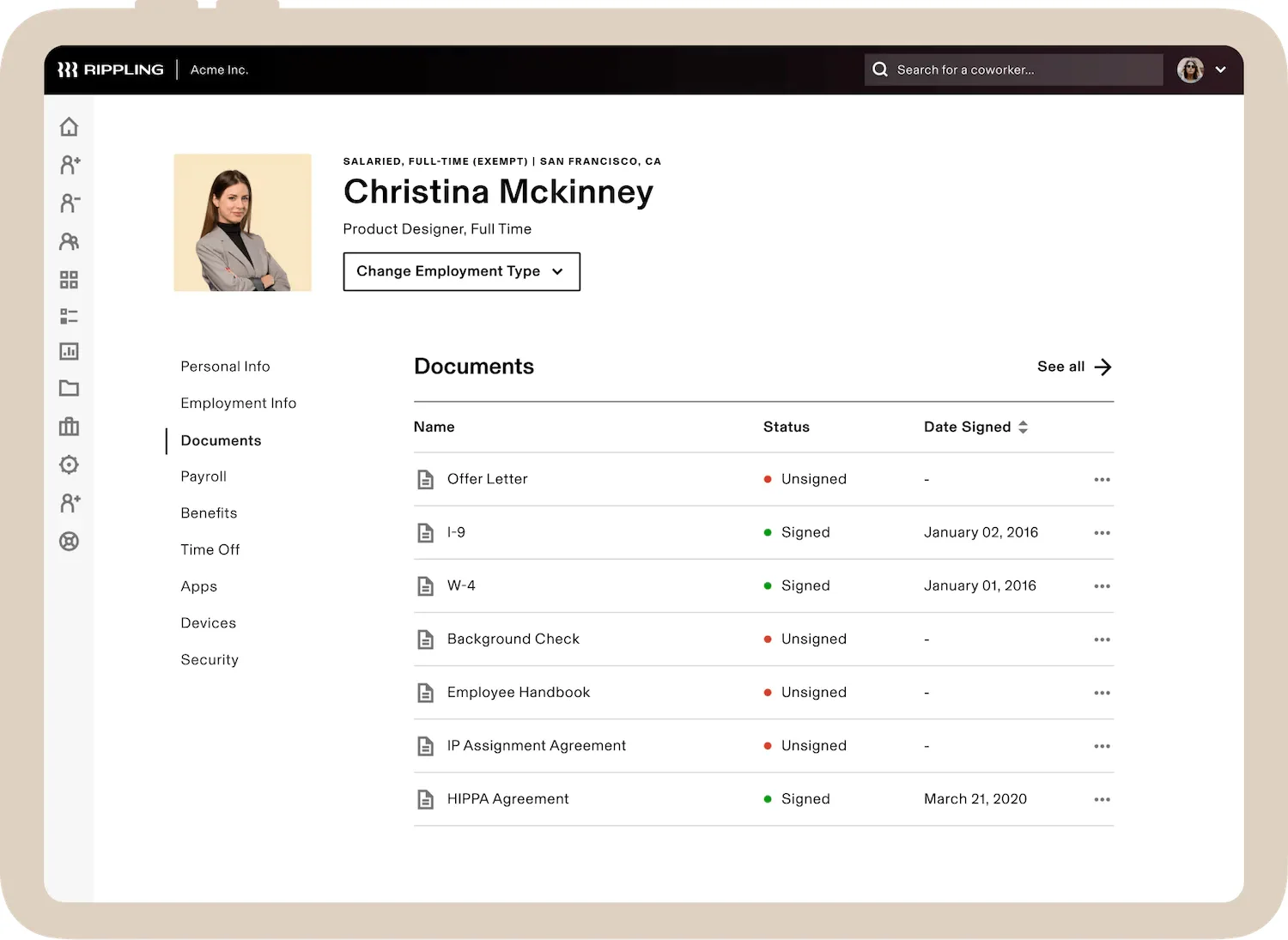
The Rippling PEO service is backed by the wide suite of HR solutions that the provider offers. It received top marks in this criterion because you get all the basics (and more), from employee self-service tools to HR compliances and onboarding/offboarding solutions. Rippling PEO takes care of your new hire paperwork filing for you and even allows you to manage training programs—provided you get its learning management module.
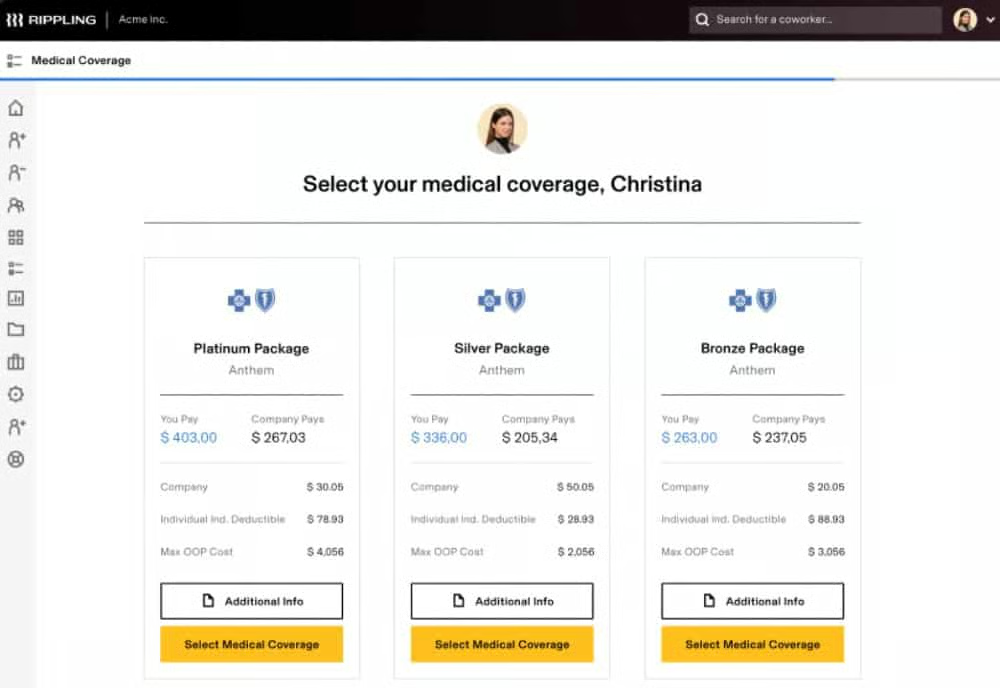
In addition, Rippling’s PEO platform can let you work directly with major insurance carriers to get group plans comparable to those of Fortune 500 companies—and at a price you can afford as a small business. It integrates benefits into its platform, making it easy for employees to enroll and make changes, plus deductions are configured automatically into payroll. Rippling manages the benefits, so all you need to do is select the plans to offer to your employees.
Some of the benefits offered include
- Medical, dental, and vision Insurance
- FSA/HSA/commuter benefits
- ACA and COBRA administration
Rippling PEO Payroll Features
5.00 / 5
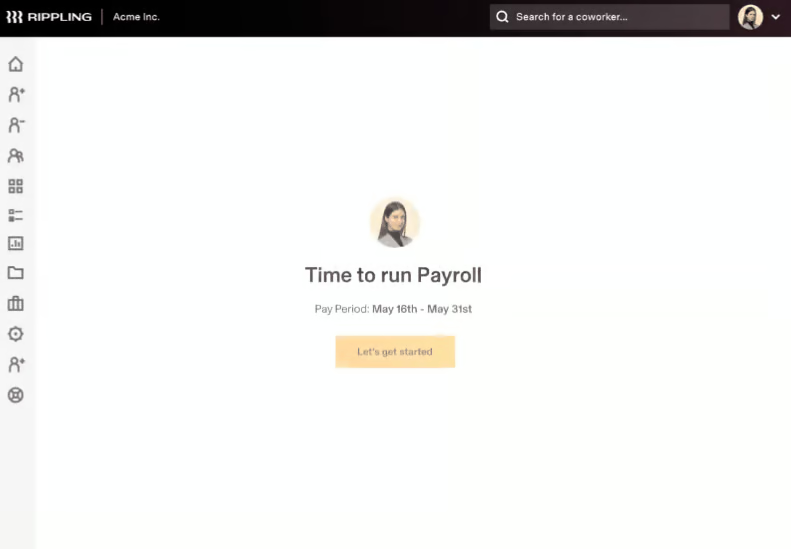
Pay processing is another criterion where Rippling shines, scoring perfect marks for pay processing functionalities. It provides full-service payroll, handles deductions, and pays garnishments. Rippling PEO also handles payroll taxes not only in all 50 states but internationally. Its tax filing services in the US cover all levels (federal, state, and local taxes), including year-end reporting (W-2s and 1099s).
Rippling PEO Additional Non-Payroll Solutions
2.50 / 5
While Rippling has a feature-rich platform, it only scored 2.5 out of 5 here because many of its solutions are paid add-ons. However, its solution suite not only includes HR tools and services but also basic IT and finance modules. Other PEO service providers don’t come with online platforms that can handle non-HR processes.
With Rippling, you can capture the clock ins/outs of employees and track their attendance. Recruiting is also made easy with its job posting and applicant tracking tools. Plus, its hiring solutions come with online offer letters and onboarding workflows you can customize. If you want to measure employee engagement, Rippling has a “Pulse” module that lets you send surveys and analyze feedback.
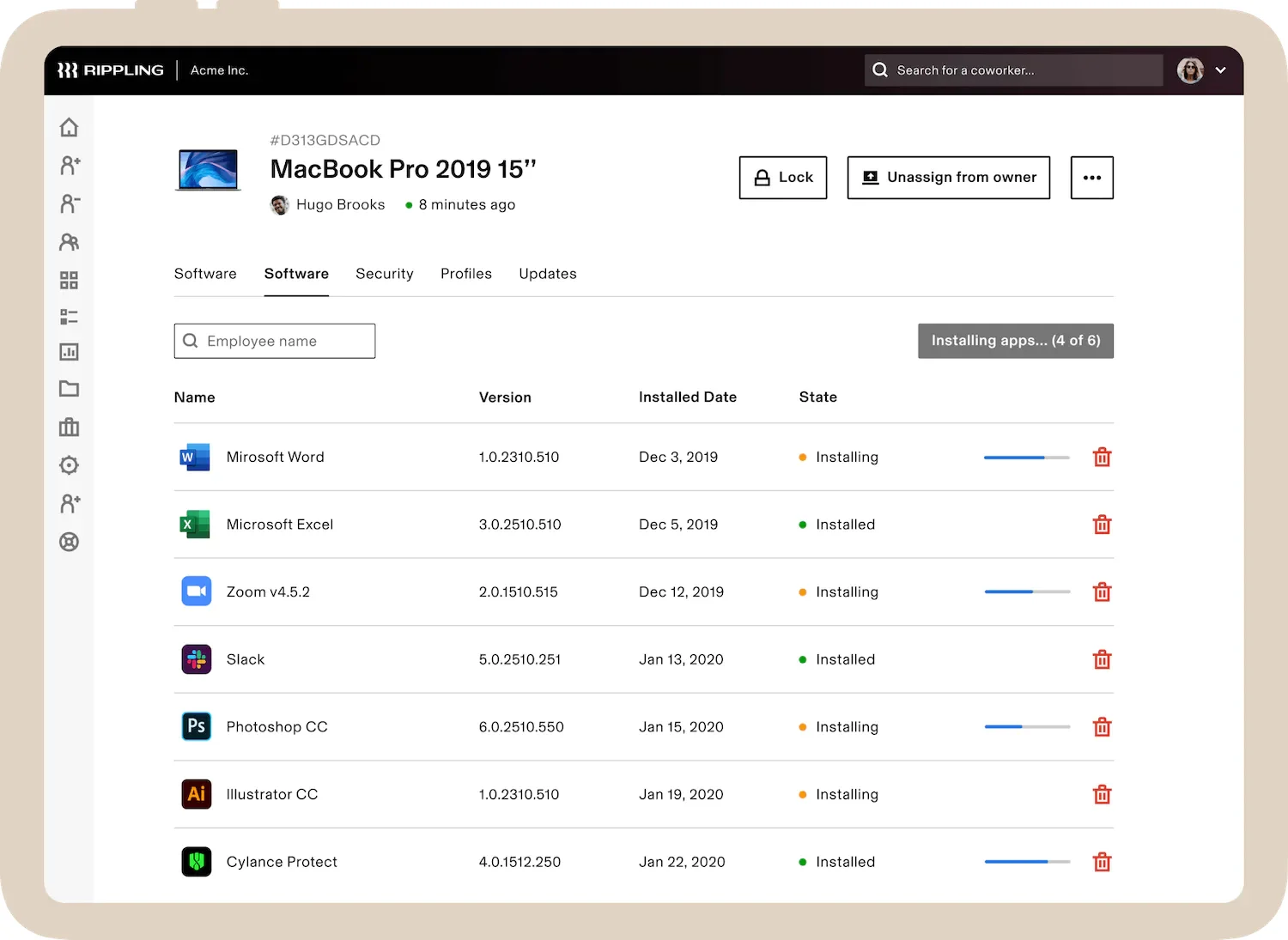
It can even help you track business expenses with its expense management module. If you provide employees with company-assigned laptops, Rippling’s IT tools allow you to track inventory and manage devices.
Rippling PEO Licensing & Reporting
4.00 / 5
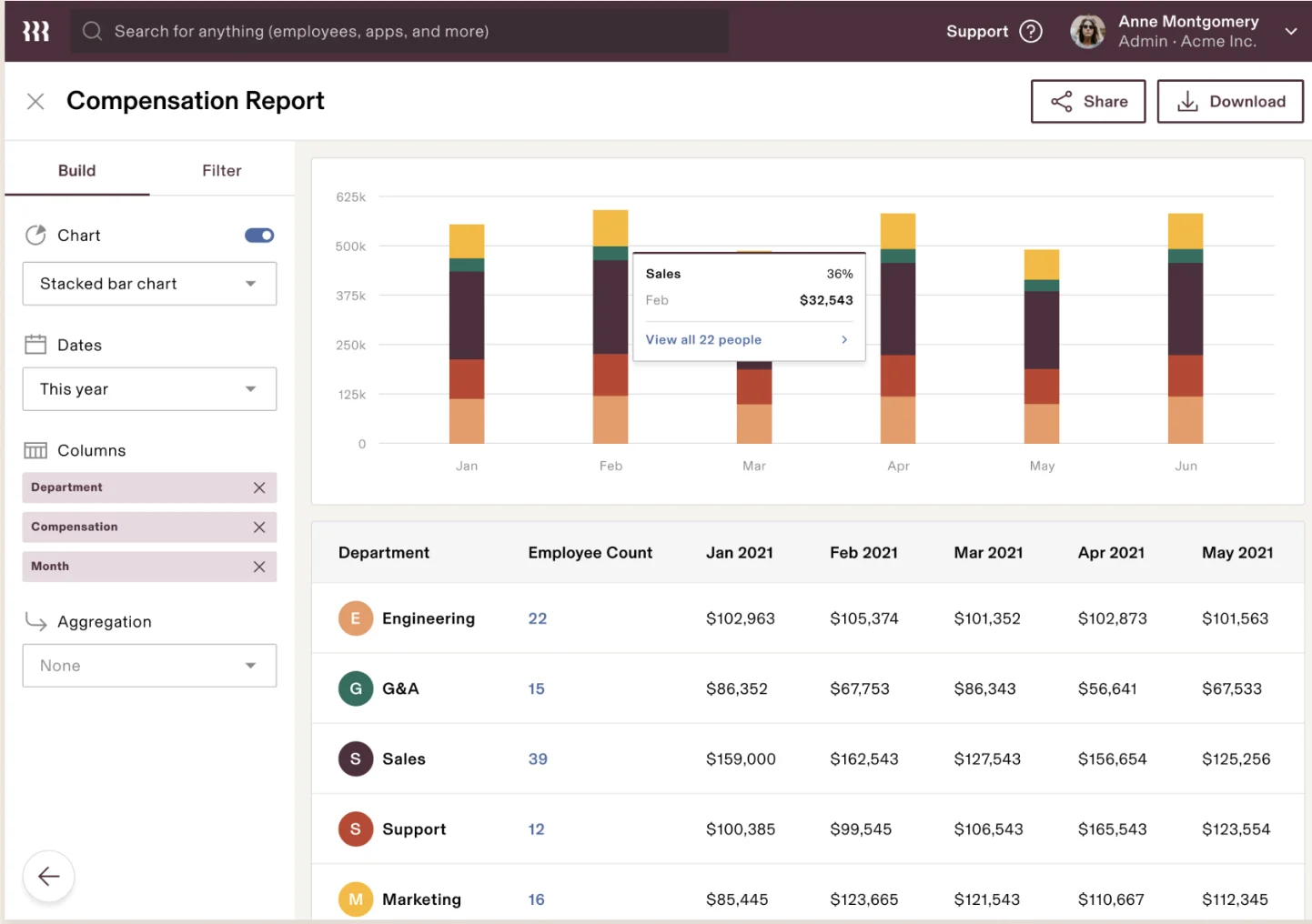
Rippling’s workforce analytics and reporting tools allow you to create any report from across its various modules. With employee information as its core database, you can generate reports that show your workers’ compensation, benefits, and expenses details, including their business apps usage. It comes with customizable reports, filters, and Excel-like formulas so you can generate reports that automatically calculate data (like years of service or bonus amounts based on a fixed percentage of the employee’s monthly salary).
However, Rippling PEO didn’t get a perfect rating in this criterion because it isn’t IRS-certified. It also lacks the ESAC certification that many established PEOs have.
Rippling PEO Ease of Use
3.00 / 5
- Intuitive, easy-to-use payroll processing
- Excellent integration between systems and third-party apps
- Team of assigned HR advisors
- Single sign-on to all apps through the Rippling software
- Flexible PEO solution
While Rippling’s cloud-based platform is generally easy to set up, learn, and use, it didn’t get a high rating here because of its limited support. You don’t get a dedicated representative who can serve as your point person if you have questions about its products and services. You have to pay extra to get HR advisory services. There also isn’t an easy way to get live phone support—you’ll need to request the support agent to switch from live chat to virtual call.
Despite some of its limitations, Rippling offers efficient HR solutions and flexible PEO services. Should your HR needs change, and you don’t require a PEO anymore, you can turn Rippling PEO off from your account settings and immediately use its HR software.
In addition, the interface is intuitive, with menus for the main functions and icons for both Rippling and third-party apps. In this way, you can access any app that’s integrated with Rippling right in the program. Its robust third-party integrations also make it a great choice for companies that work with a lot of business apps, as it’s highly likely that those systems are included in Rippling’s network of more than 500 partner software.
Rippling shares information easily across applications, so you don’t have to re-enter data. Plus, it takes a modular approach to features, so you can add, activate, or deactivate tools as needed.
Rippling PEO Expert Score
5.00 / 5
Rippling PEO ticked off all the boxes in our expert score evaluation. It has reasonably priced HR solutions and services, a reliable PEO service with an easy “off” option, and compliance support to ensure you’re always up-to-date with labor, payroll, and tax regulations. The software is also relatively easy to implement, although the setup process may take time, especially if you have a lot of employees and selected several Rippling modules.
What Users Think About Rippling PEO
| Users Like | Users Don’t Like |
|---|---|
| Very simple to navigate | Limited customization options |
| Feature-rich, but easy-to-use | Occasional glitches and login issues |
| Great customer service | Learning to navigate through all of its features may take some time |
There aren’t separate Rippling PEO reviews online so we looked through the Rippling reviews on third-party sites like G2 and Capterra. Most of the feedback came from customers of Rippling’s payroll and HR solutions. Overall, reviewers love the ease of navigation and how well it integrates with other software. Employees say the portal makes it easy to request PTO and even see the different types of PTO taken. Many reviewers also praised its support team for being helpful and responsive.
However, a few users expressed frustration over the occasional login issues and software glitches that they encountered. Some reviewers said that they wished for additional customization options.
At the time of publication, Rippling reviews earned the following scores on popular user review sites:
- Capterra: 4.9 out of 5 based on more than 2,600 reviews
- G2: 4.8 out of 5 based on nearly 2,000 reviews
How We Evaluated Rippling PEO
When we evaluate PEO services, we look for essential HR and payroll tools small businesses need. We also consider pricing, ease of use, customer support, and user feedback. Then, we rated each function on a 5-star scale. To see our full evaluation criteria, click through the tabs in the box below.
We looked for providers with transparent pricing, zero setup fees, and charges on a per-employee basis.
We looked for robust HR administrative support, from hiring to retiring, including assistance with employee career development, compliance tracking, and benefits offerings that are available across the US.
We looked for automatic payroll runs, direct deposits, paper check options, W-2 reporting, and payroll tax processing (federal, state, and local taxes).
In addition to having helpful features like how-to guides, dedicated representatives, and customer support options, we looked at user reviews from third-party sites like G2 and Capterra. Then, we averaged the ratings on a 5-star scale, wherein an average of 4+ stars is ideal.
While all the products on our list offer great features, this criterion looked at how well they worked for the needs of small businesses, especially those on a budget.
We checked whether PEOs provide additional HR solutions, such as recruiting, applicant tracking, time and attendance, and learning management tools.
The IRS and the Employer Services Assurance Corporation (ESAC) both certify PEOs for adherence to strict standards and ethical practices, so we checked whether these providers are certified. We also considered customized reports as these are often for compliance issues.
Bottom Line
Rippling PEO is a highly modular, brilliantly intuitive PEO solution with excellent benefits and good service. It’s recommended for tech companies or those that need a lot of third-party apps that may influence payroll. Contact Rippling for a demo and pricing.
