Eric Gerard Ruiz, CPA

Eric Gerard Ruiz, CPA

Accounting and Bookkeeping Expert at Fit Small Business
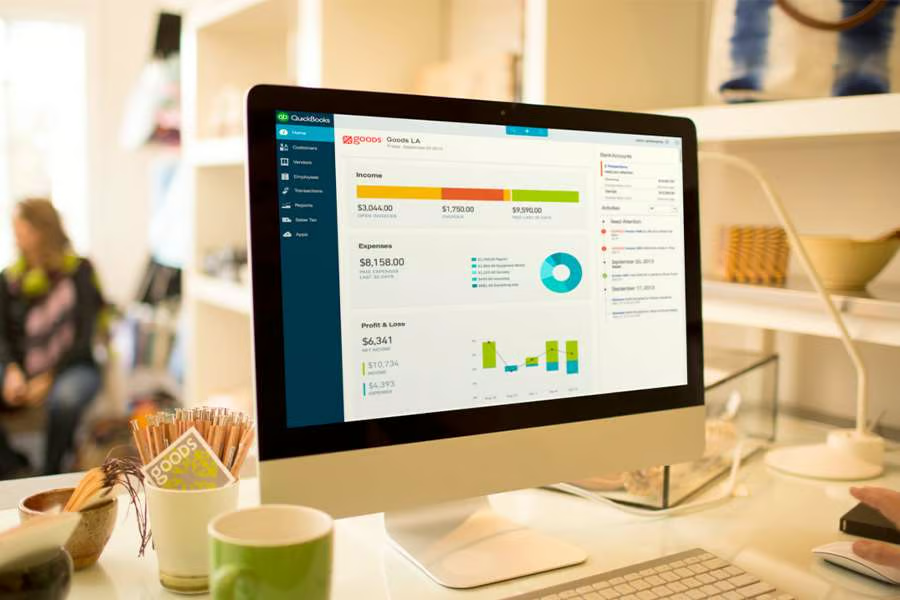
Monitor with data.
How To Enter Bank Transactions in QuickBooks Online Manually

Manually entering bank transactions into QuickBooks Online isn’t the recommended approach, and for good reason. The platform’s bank feed feature is faster, more accurate, and designed to keep your records in sync. However, there are times when manual entry is unavoidable, like when you’re catching up on past bookkeeping or need to record older transactions…

Jul 27, 2025
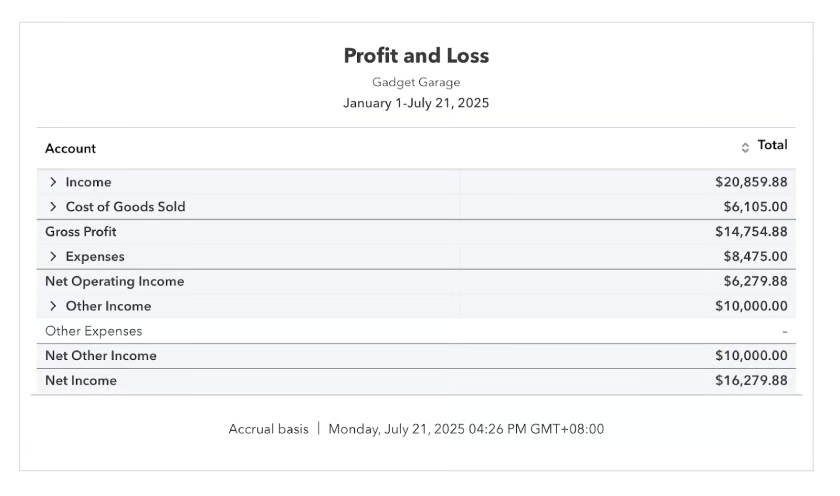
Image of a profit & loss report in QuickBooks Online
10 Best QuickBooks Reports Small Businesses Should Know About

Financial reporting is the final product of your bookkeeping; it turns your business transactions into a clear snapshot of performance and financial health. Without reports, you’re running your business blind. QuickBooks simplifies financial reporting by automatically generating dozens of built-in reports. But with so many options available, it can feel overwhelming trying to figure out…

Jul 22, 2025
laptop on a table with graphs and charts on screen.
Top 10 QuickBooks Online Features To Know

QuickBooks Online remains the leading choice for small business accounting software across the US. As technology continues to evolve rapidly, Intuit consistently enhances QuickBooks Online to serve its diverse customer base better. TL;DR for smart business owners: Here’s what you need to know about the newest QuickBooks Online features that can actually make a difference…

Jul 21, 2025
Intuit Assist Logo
Intuit Assist Explained: QuickBooks’ New AI for Small Businesses

Launched in September 2023, Intuit Assist marked Intuit’s entry into AI. With AI agents having been rolled out on July 1, 2025, the company is doubling down by creating virtual teams for businesses, streamlining workflows from financial analysis to customer management, and freeing up valuable time for strategic work. This latest move ensures your company…

Jul 15, 2025
Hand holding a calculator while doing some calculations.
How To Customize Invoices in QuickBooks Online

QuickBooks allows you to customize the look and feel of your invoices to make them more professional for your clients. In this article, I’ll walk you through how to customize invoices in QuickBooks Online in just five easy steps, from creating form styles to choosing what appears in the invoice email. Be sure to have…

Jul 7, 2025
Quickbooks Online logo seen on a mobile phone screen beside a laptop.
How To Set up QuickBooks Online for Personal Use

QuickBooks Online can help you organize and track your personal finances, just like it helps small businesses manage their accounting tasks. I’ll show you how to use QuickBooks for personal use, from adding income and expense accounts and creating classes, to classifying imported transactions and creating a budget. Visit QuickBooks Online Step 1: Create income…

Jul 2, 2025
Jobber vs QuickBooks Online logo
Jobber vs QuickBooks Online: Which Wins?

Jobber and QuickBooks Online serve two very different purposes. Jobber is built for managing daily and field operations, while QuickBooks is focused on financial tracking, reporting, and accounting. They aren’t direct competitors, and comparing them isn’t apples-to-apples since one is operational and the other is financial. Each excels in its lane, and they are often…

Jun 18, 2025
Pen and calculator on table with bar graph documents.
Xero vs Sage: Accounting Software Comparison

In comparing Xero vs Sage, I found that the biggest difference is in how they’re built. Xero is entirely cloud-based, which means you can access your books from anywhere. Sage 50, on the other hand, is desktop software, so unless you’re tied to a specific computer or server setup, it can feel limiting. In my…

Jun 9, 2025
Deposit Money Online Saving Concept
How To Delete a Deposit in QuickBooks Desktop

Did you make a mistake on a deposit in QuickBooks Desktop? No worries! You can delete it and send the check right back to the Undeposited Funds account. From there, you’ll be able to edit or remove it altogether. I’ll show you step-by-step instructions on how to delete a deposit in QuickBooks. Also read: Best…

May 27, 2025
A person looking at a reports in a laptop and piece of paper.
5 Best Sales Tax Software

The best sales tax software must do more than just calculate tax. At the very least, it should allow you to apply tax rates per transaction, with built-in rates ready to go or the flexibility to add them manually. However, the gold standard is automatic rate calculation based on location, removing guesswork and reducing errors….

May 13, 2025
Business team working in office.
6 Best QuickBooks Hosting Providers

The best QuickBooks hosting provider should offer essential cloud hosting features, such as guaranteed high uptimes and automatic backups, security and reliability of data, and excellent performance and speed of IT services. As a bonus, some providers offer additional benefits, like free trials and money-back guarantees. Here are our six best QuickBooks cloud hosting service…

May 12, 2025
Unapplied Cash Payment Income in QuickBooks Online: Causes & How To Fix

If you’re seeing unapplied cash payment income in QuickBooks Online, it means a customer payment was recorded, but QuickBooks doesn’t recognize it as linked to an invoice. This usually happens when the payment date is earlier than the invoice date or if a payment was entered without being correctly applied. It can also occur if…

Mar 20, 2025
Fit Small Business Logo

Our mission is to provide small business owners with the information you need to succeed. Learn how to start, market, run, and grow your business today!

Property of TechnologyAdvice. © 2026 TechnologyAdvice. All Rights Reserved

Advertiser Disclosure: Some of the products that appear on this site are from companies from which TechnologyAdvice receives compensation. This compensation may impact how and where products appear on this site including, for example, the order in which they appear. TechnologyAdvice does not include all companies or all types of products available in the marketplace.