







Artificial intelligence (AI) in customer service provides businesses with workflow automation and intelligent tools to streamline and expedite customer outreach. AI tools like chatbots, data enrichment, and intelligent routing enable customer service teams to speed up case resolutions and personalize service supported by data insights. This article explains ways customer service teams can use AI to effectively drive customer connections, tailor buyer experience, provide proactive solutions, and improve business operations, along with usage examples.
- 1. Answer Common Questions With AI Chatbots
- 2. Provide Quick Replies With Conversational AI
- 3. Provide Voice Commands With Intelligent Assistants
- 4. Answer Questions Anytime With 24/7 Self-service
- 5. Analyze Customer Sentiments With Feedback Tools
- 6. Automate Ticket Creation With Answer Bots
- 7. Automate Ticket Routing With AI & ML
- 8. Automate Email Responses With Smart Assistant
- 9. Analyze Profiles With AI in Customer Service CRM
- 10. Expedite Case Resolutions via AI Tech Support
- 11. Extract Info With Generative AI-powered Search
- 12. Learn From Interactions With Unsupervised AI
- Frequently Asked Questions
- Bottom Line
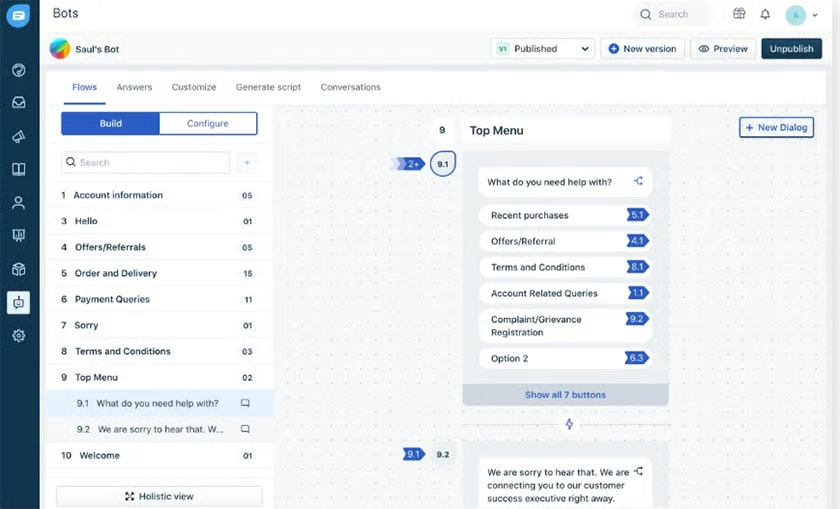
1. Answer Common Questions With AI Chatbots
Chatbots, or “chat robots,” automate and simulate human conversations through an embedded chat box on a user’s website. Chatbots are programmed to answer frequently asked questions (FAQs) to save representatives from answering simple questions. They also capture customer queries and email addresses around the clock, so an actual agent can reach out to them once available.
2. Provide Quick Replies With Conversational AI
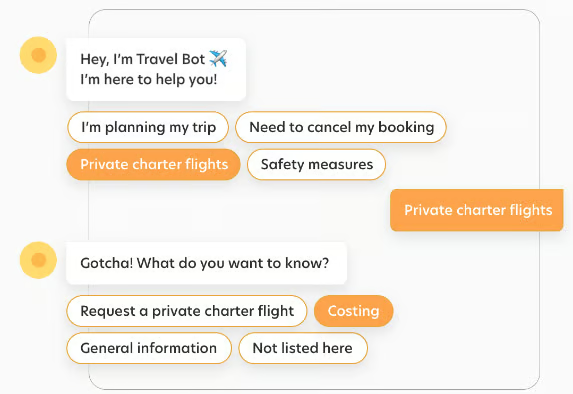
Conversational AI is a term used to describe support technologies like virtual assistants or chatbots that can “talk” or interact with people. It streamlines answering frequently asked questions (FAQs) and routing customer inquiries to the right agent or department, promoting customer intelligence. You can often find this on websites, ecommerce stores, and social media channels.
3. Provide Voice Commands With Intelligent Assistants
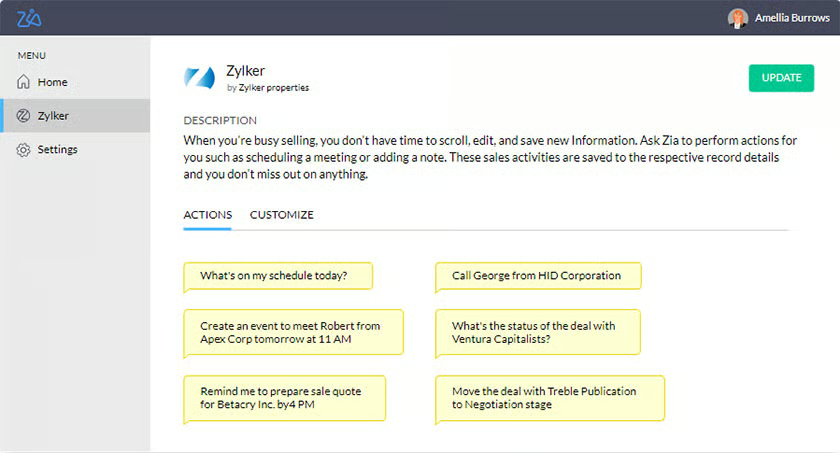
AI chatbot customer service assistants save customer service agents’ time by enabling them to request any information or provide instructions using voice commands. This lessens the need for them to manually scour their customer relationship management (CRM) system for information they need or do simple tasks, such as finding a contact, pulling up customer service data, or checking the status of a case.
To learn how this CRM meets the needs of many small businesses, read our comprehensive Zoho CRM review.
4. Answer Questions Anytime With 24/7 Self-service
Artificial intelligence in customer service helps free up support agents by allowing customers to consult chatbots, which automatically answer their questions or concerns anytime. Embed this tool into your help desk software so it can learn from your historical data to serve your customers 24/7. It gets answers from data from past tickets, your internal company knowledge base, customer-facing knowledge base, and agent notes.
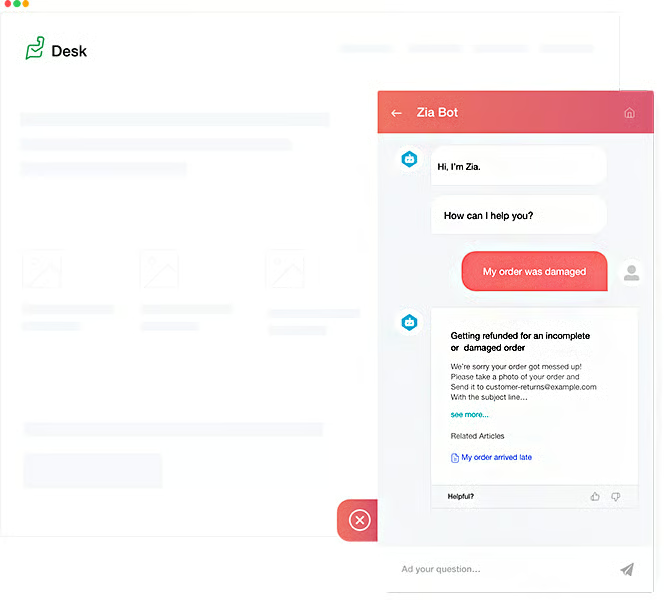
Head over to our Zoho Desk review to learn if it is the right customer service platform for your support team. Zoho Desk is one of our highly recommended free help desk software programs with comprehensive ticket management and robust AI functionalities.
5. Analyze Customer Sentiments With Feedback Tools
AI for customer service tools are capable of analyzing customer sentiments based on the reviews or feedback customers leave after purchasing a product or service or experiencing after-sales support from a business. Through AI, businesses can gauge the average satisfaction rate of their customers in different areas, such as response times, agents’ level of helpfulness, and overall satisfaction level.
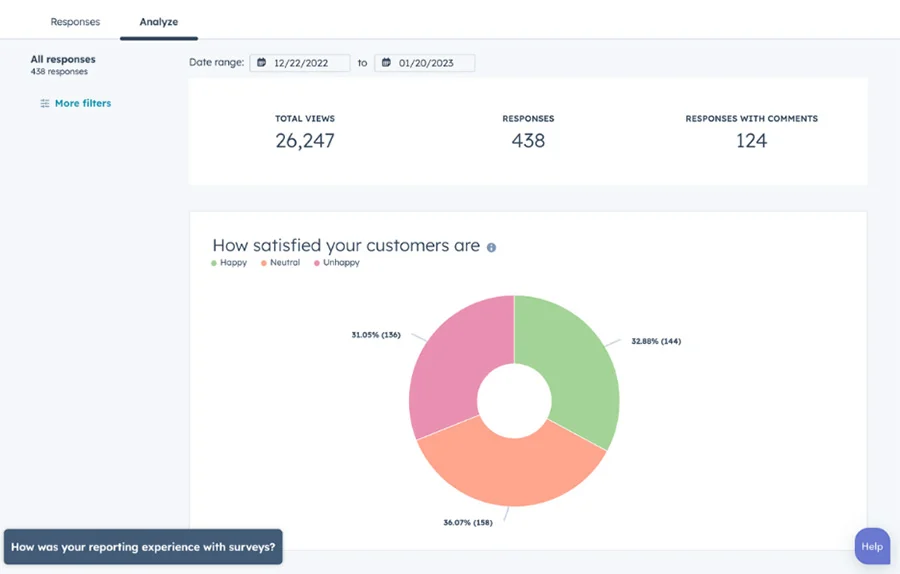
Read our HubSpot Service Hub review to find out what it does best and how it helps customer support teams and small businesses achieve their goals. This customer service software provides in-app telephony, live chat, and shared inboxes, with ticketing workflows and routing.
Net promoter score (NPS) is a customer satisfaction benchmark determining the likelihood of your customers recommending your business to a friend. Learn more about how to calculate and measure your NPS scores in our comprehensive article about how to measure customer service satisfaction.
6. Automate Ticket Creation With Answer Bots
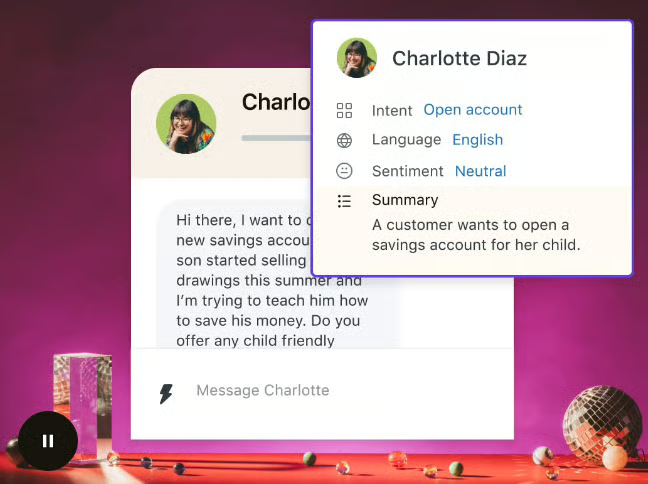
AI support tools automate your ticket creation process by allowing customers to send questions using a chatbot widget embedded into your website. The AI-powered chatbot then creates tickets for questions that cannot be answered automatically or require a live agent. This system allows customers to get in touch with support while reducing your agents’ workload.
7. Automate Ticket Routing With AI & ML
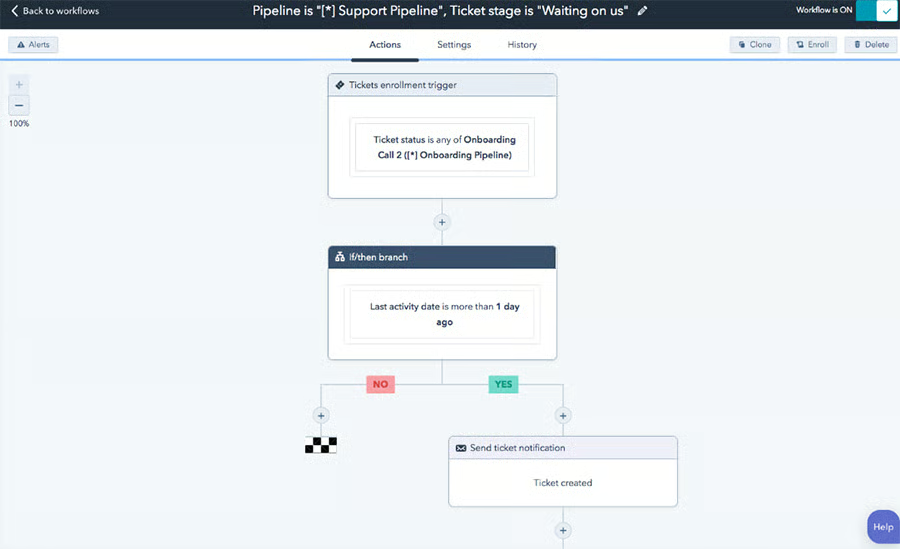
Artificial intelligence customer service for small business can manage ticket routing, automating this process to eliminate the bottleneck. Use AI technology and machine learning (ML) to automatically tag or sort incoming tickets by topic, language, sentiment, and urgency and then assign them to team members most qualified to handle them.
There are customer service platforms like HubSpot Service Hub that support automated ticket routing features. This allows you to automatically assign incoming tickets to agents or move them between pipelines based on category. Again, this saves time because agents no longer have to manually send tickets to the right agent or department, as the system does it for them.
8. Automate Email Responses With Smart Assistant
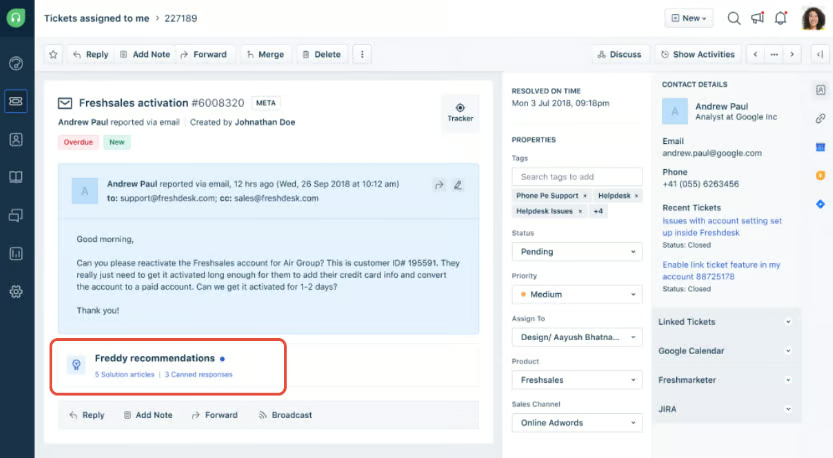
AI tools support agents in automating email responses through NLP and ML. When agents receive customer inquiries, they can access a widget embedded into their help desk software. AI tools help agents surface the correct answer to the customer’s question based on stored data and previous examples, and the information is displayed on the widget.
9. Analyze Profiles With AI in Customer Service CRM
AI helps customer service teams analyze customer profiles and qualify leads based on their past actions. It uses collected customer relationship management (CRM) data to provide users with AI-backed insights and recommendations, allowing them to give a more personalized approach when offering solutions to their clients.
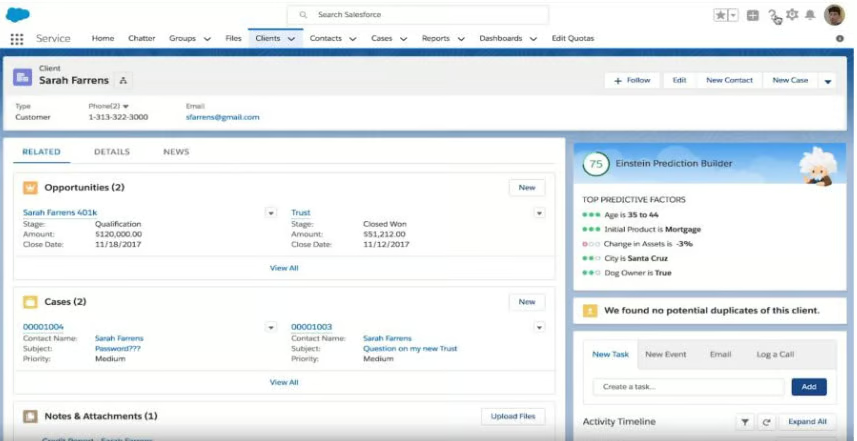
Salesforce’s AI assistant, Einstein, suggests the next-best action. (Source: Salesforce) 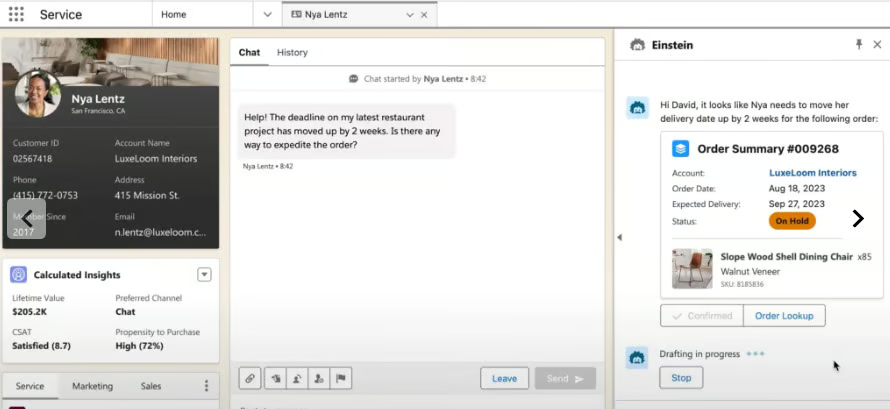
Einstein Copilot reply recommendations (Source: Salesforce)


Read our in-depth Salesforce review to learn more about how this platform supports small businesses’ growth. Salesforce is one of our top recommendations for small businesses needing highly customizable CRM systems with advanced sales tools.
10. Expedite Case Resolutions via AI Tech Support
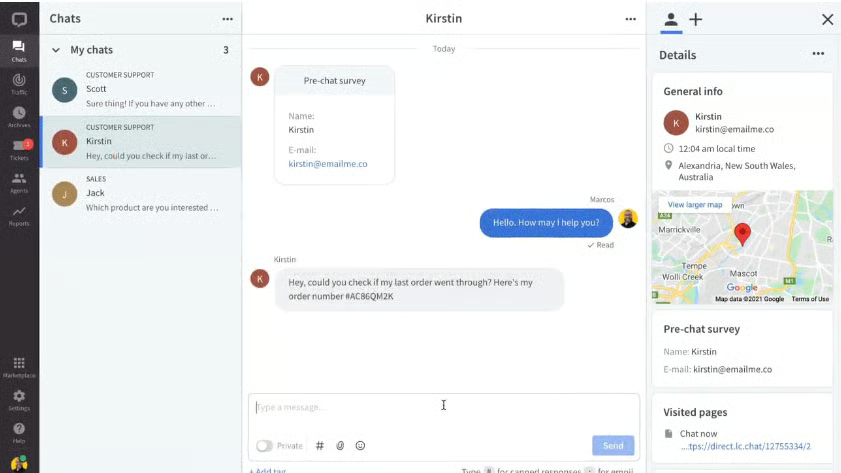
Artificial intelligence customer service tools, specifically chatbots, hasten case resolutions. AI tech support and customer support software systems can dramatically reduce customers’ waiting time for simple and routine queries that can be answered without human assistance. Response suggestions also provide agents with ready-made answers they can easily feed into chat boxes, eliminating the need for agents to find answers on their own.
The best customer service AI bots can understand the flow of chat conversations and suggest common or predetermined responses to agents when chatting with customers. Bots can present answers based on FAQs or an existing knowledge base without requiring agents to dig up the information themselves.
11. Extract Info With Generative AI-powered Search
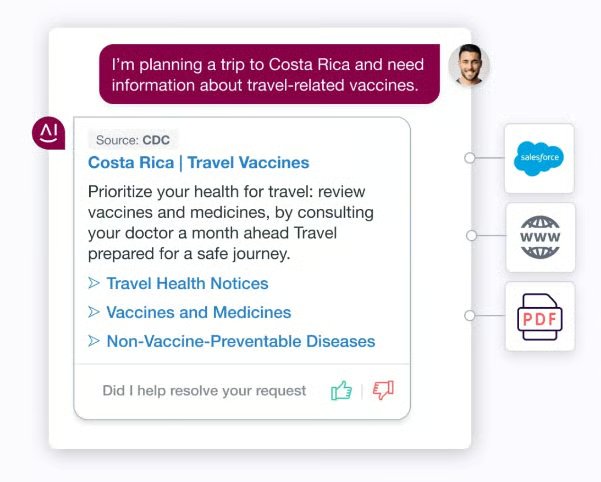
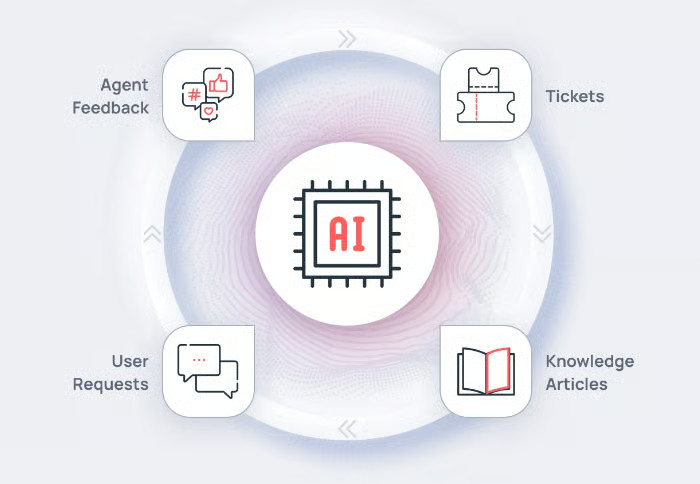
Customer support teams can use AI tools with Retrieval Augmented Generation (RAG) like AiseraGPT. This AI feature searches through business apps and different data sources in real time. Generative AI-powered search tools can also extract information from conversations, knowledge bases, tickets, and social media for fast data retrieval with neural search capabilities.
With the generative power search of an AI support bot, customer service representatives can save time finding the information they need. Hence, they feel more confident answering queries and providing proactive solutions to impress customers.
12. Learn From Interactions With Unsupervised AI
AI-powered customer service tools like AiseraGPT use unsupervised AI to boost customer service experiences. These platforms implement enterprise language learning models (LLMs) in various business industries for relevant responses.
Customer support agents can handle more complex issues requiring human interaction and intervention. Unsupervised AI for customer support learns from interactions to help call center reps to determine the reason for a call before even talking to the customer and categorize and resolve tickets quickly.
Frequently Asked Questions
What is an example of AI customer service?
AI in customer service includes chatbots and customer relationship management (CRM) systems for call centers with AI functionalities, like predictive analytics and workflow automation. These AI capabilities help answer customer queries, handle requests, and resolve tickets quickly, enhancing the overall experience.
What are the benefits of AI in customer service?
AI can help customer service reps answer questions and resolve complaints accurately and efficiently using natural language processing (NLP), machine learning (ML), and data analytics. AI improves first-call resolution, customer satisfaction (CSAT) or net promoter score (NPS), and other call center metrics.
How can AI automate customer service?
AI can automate customer service through workflow automation. Customer service departments can set predetermined steps on how AI can categorize and resolve customers’ requests, complaints, and tickets, lowering call queues and resolving issues quickly.
Bottom Line
AI in customer service saves on costs and alleviates the workload of customer service teams by enriching customer data and providing smart suggestions and answers to queries. AI for customer experience can benefit both business owners with a limited workforce and established businesses that handle large volumes of customer queries. An AI support chatbot like Freshchat helps you provide more efficient and personalized service to your customers.
