







Payment links (also called checkout links or pay by links) provide merchants with a means to request and collect remote payments on almost any online and remote platforms. It is as simple as attaching the link to an email, a digital invoice, on your websites and social media posts, in your instant messages, and even in an SMS. The convenience of payment links reduces friction in the checkout process and increases selling opportunities for your business.
Types of Payment Links
Payment links can be classified as direct or embedded pay button links:
- Direct payment links: Can be sent out directly to a customer to request payment via email, instant messaging, and SMS. QR codes and simple links on social media posts for specific products are also direct payment links.
- Embedded pay buttons: Pay buttons are generally used for accepting payments on websites and social media platforms but can also be used for collecting payments for specific transactions. They are often added to invoices and used on instant messages.
Examples
The following are examples of payment links based on the online platform being used.
Direct Payment Links
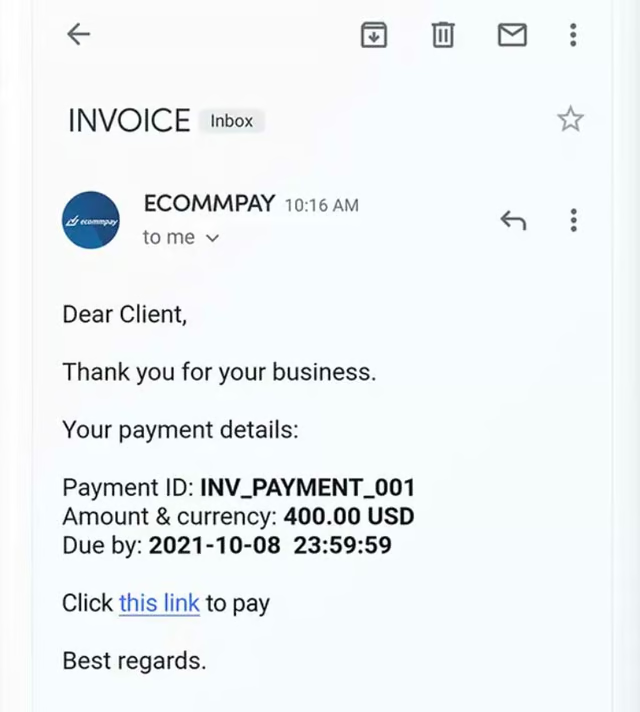
For businesses that prefer to send out invoice reminders and collection letters via email. (Source: Ecommpay) 
When featuring products and launching campaigns on social media. (Source: Stripe) 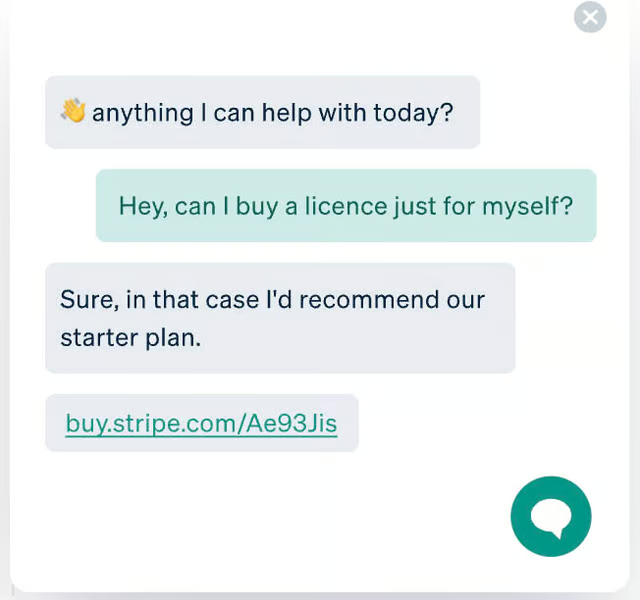
When engaging with customers on instant messaging apps. (Source: Stripe) 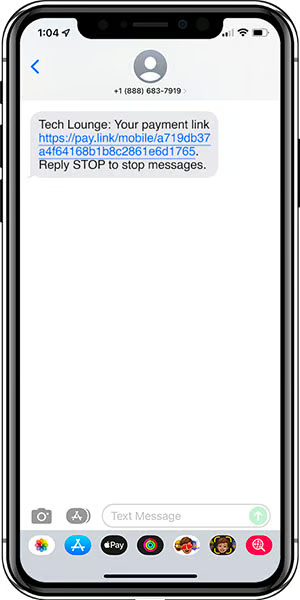
For businesses that send out payment requests via SMS. (Source: Paylink)


Share Payment Buttons
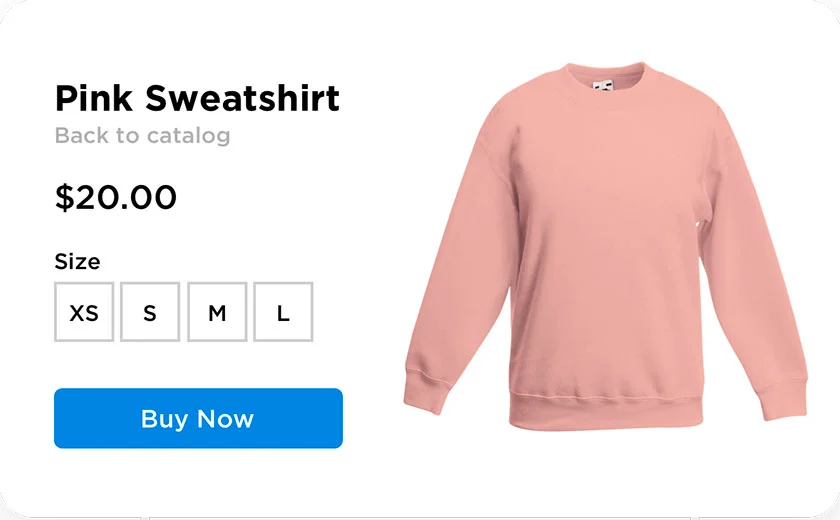
Websites use Buy Now or Pay Now buttons to take customers to the checkout page. (Source: Ecwid) 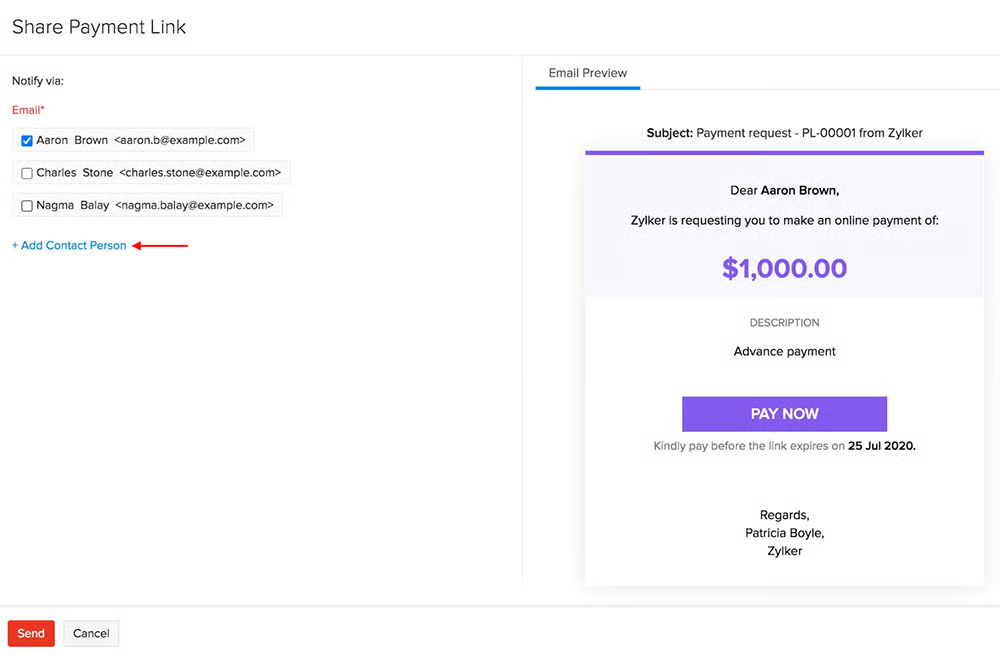
Pay buttons are also used on emails like collection requests, newsletters, and cart abandonment campaigns. (Source: Zoho)


Share QR Codes
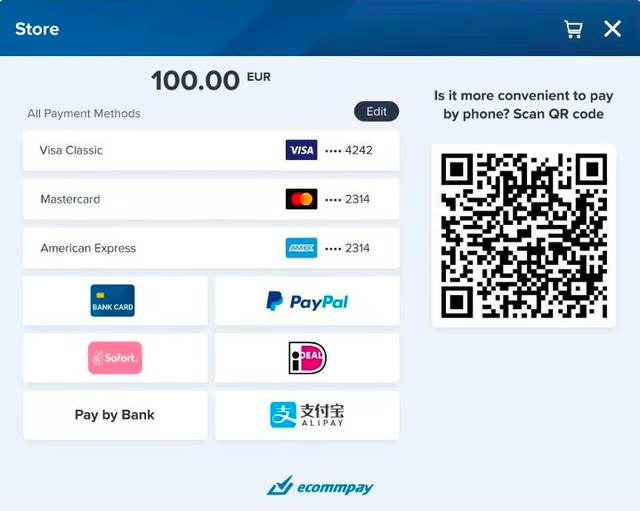
QR codes are now growing in popularity as an alternative payment method for ecommerce websites. (Source: Ecommpay) 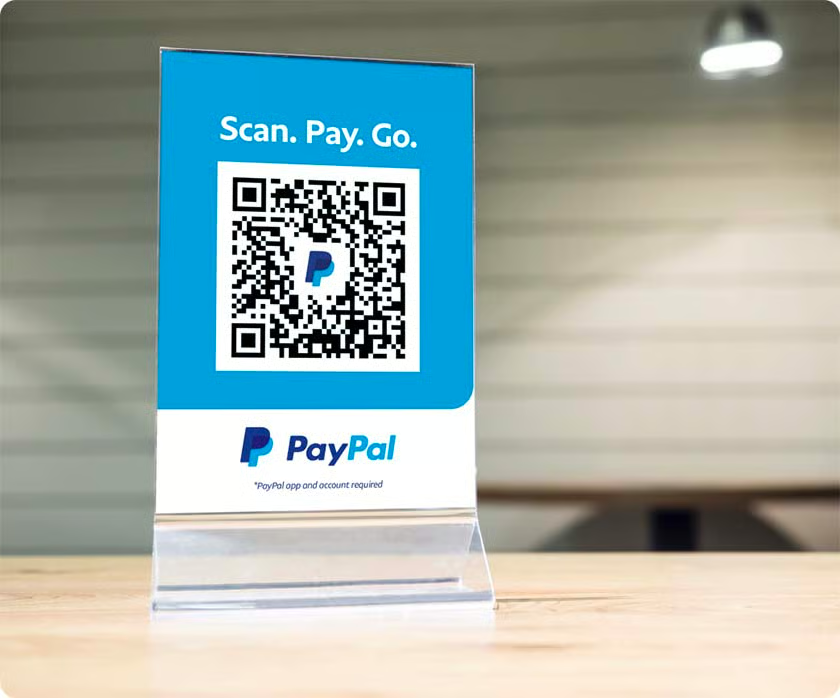
Merchants can also print and display their payment QR codes at the checkout counter of their physical stores. (Source: PayPal)


How Payment Links Work
Payment links can be set up to accept credit and debit card, automated clearing house (ACH), and digital wallet payments. Once this is done, it can be used any time a merchant needs to collect payments remotely from a customer.
Step 1: Merchant creates and customizes a checkout page on their payment processing platform.
Step 2: The merchant’s payments processor generates a link for the checkout page.
Step 3: The merchant shares the payment link.
- For direct payment links: Merchant shares the payment link by attaching it to a customer email or sending it via instant messaging or SMS.
- For embedded pay buttons: Merchant embeds simple payment links or buy/pay buttons on their website or social media post.
- For QR codes: Merchant displays QR codes on their website or at the checkout counter of a brick-and-mortar store.
Step 4: Customer clicks on the payment link, verifies the checkout details, and enters their payment information.
Step 5: Customer confirms to complete the payment.
Step 6: Payment information is sent between the customer bank and merchant or payment services provider for approval.
Step 7: Once approved, funds are sent to the merchant’s account, and the merchant is notified of the successful transaction.
Step 8: Merchant sends a digital invoice to the customer to confirm the payment.
Who Uses Payment Links?
The application of payment links is practically endless for someone looking to expand their online payment methods. Any type of business, from any industry and any size, will find the option to have customers pay by link useful.
Payment links are particularly useful for businesses that:
- Do not have the budget to create an ecommerce website
- Have an active social media business account
- Accept other payment types such as digital wallets (CashApp, Buy Now Pay Later, ApplePay, and more)
- Prefer to send emails to collect payments
- Accept donations
Social media engagement is now one of the fastest and easiest strategies for growing a customer base. And every digital invoice can have a payment link to make payments easy for customers. While payment links can be used by any business, merchants working on a budget benefit from this method the most.
Benefits of Payment Links
In general, payment links offer merchants features that provide the convenience of easy setup and help them to minimize the cost of accepting payments both in-person and online.
Simplified Checkout Process
Payment links eliminate the need for websites and customer accounts on mobile apps to send payments. Customers can simply click on the link and start filling out their payment information to complete the transaction.
Increased Sales Conversion
Because payment links offer less friction and easier access to checkout, customers tend to make favorable purchasing decisions faster. Accounts receivables are easier to collect when digital invoices come with an embedded payment link.
No Additional Fees
Pay by link software is usually free (if your payment processor charges you extra to use payment links, definitely consider another payment processor).
Easily Customized
Your merchant account or payment services provider should be able to provide you with the tools to customize your payment link. This includes features such as branding and custom messaging. Advanced customization features, such as language translation, are possible through coding and API.
How to Set Up Pay by Link Payments
Merchants can create and share payment links in minutes. Payment processors that support payment links also provide a means for tracking outstanding and paid transactions coming from this method. Using Square’s platform as an example, here is a quick guide on how to set up payment links.
Creating Payment Links
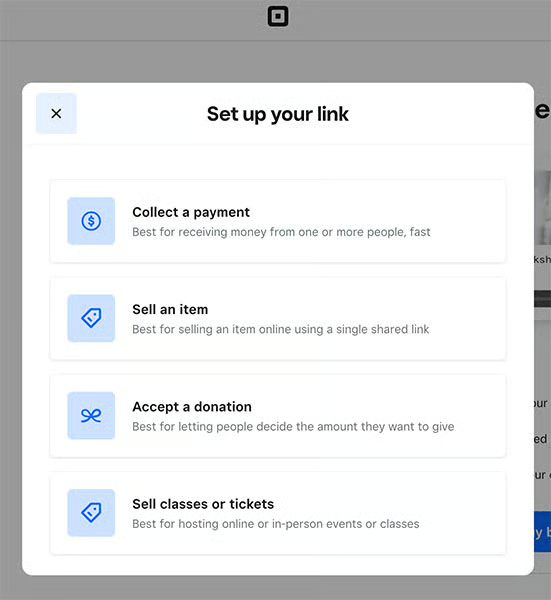
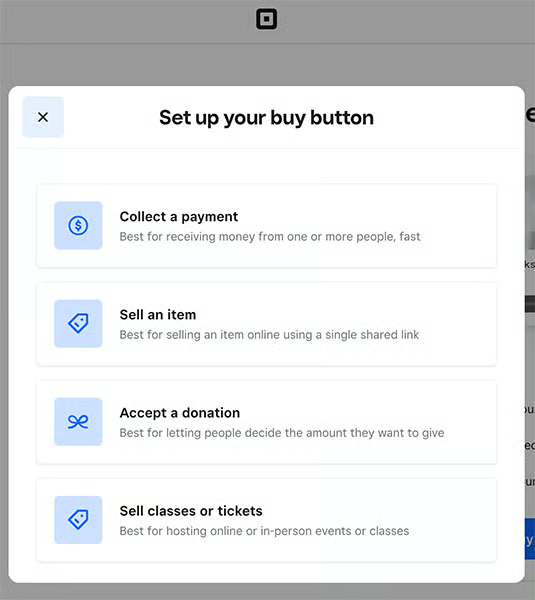
- Step 1: Choose between payment links or buy buttons. As a general rule, you should use direct payment links if you plan on sending a payment link via email, instant messaging, SMS, or QR code. Pay or buy buttons are used for adding payment links on a website, although some merchants also add buy buttons on their emails.
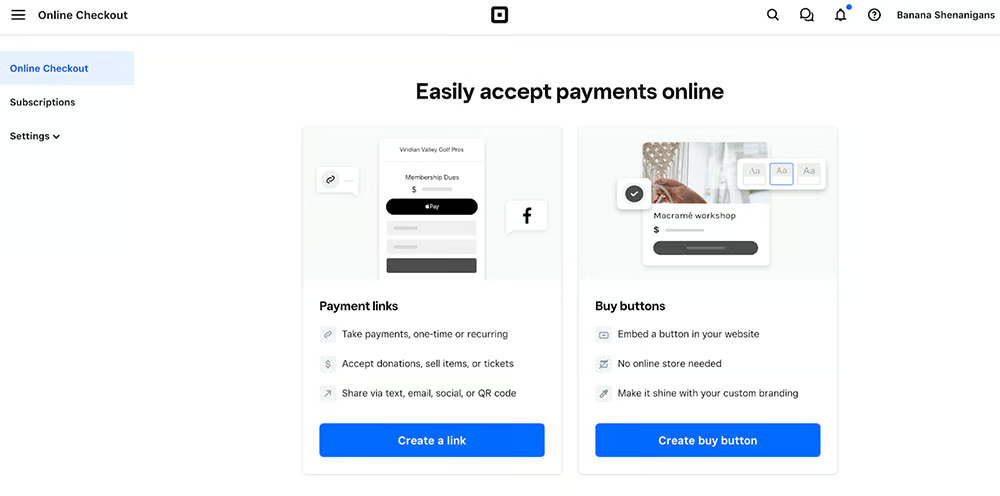
- Step 2: Your payment processor will request information that will be included in the payment link based on your purpose.
(Source: Square)
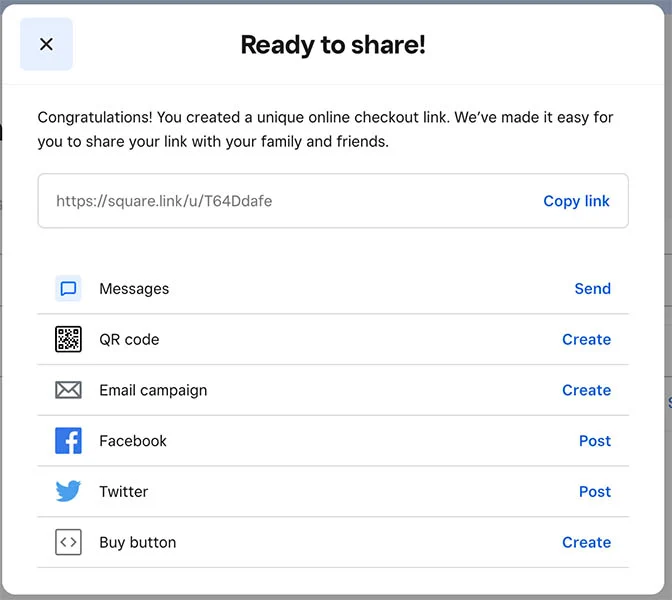
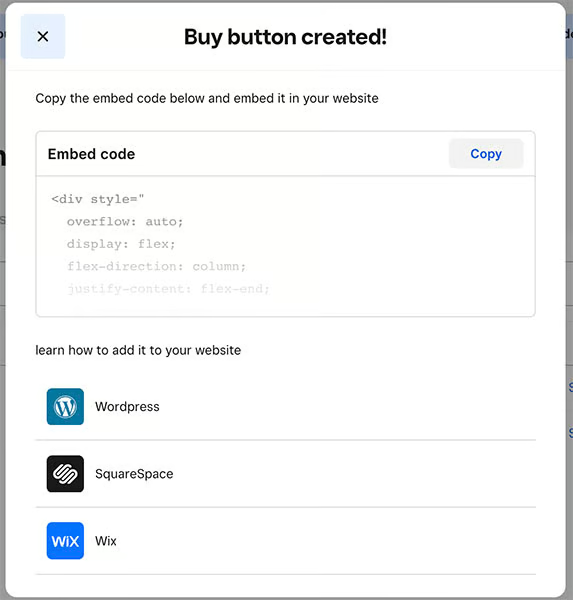
- Step 3: Copy the payment link generated and use it to share or embed on your website. You can customize the form your direct payment link takes depending on how you plan to share it.
(Source: Square)
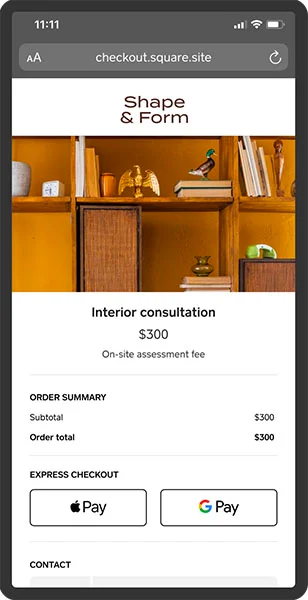
- Step 4: Customers who click on your payment link will be taken to an online checkout page to complete the transaction.
Tracking & Managing Payment Links
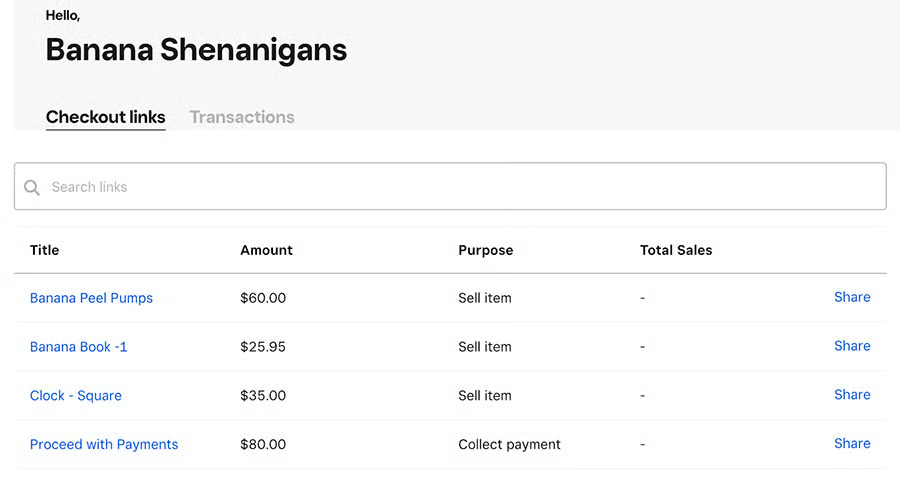
Your payment processor will provide you with a dashboard that will list all your active payment links and transactions that have been completed from each one. You should also be able to manage the payment links from this dashboard.
Payment Links Frequently Asked Questions (FAQs)
Expand the questions below to get answers to some of your most frequently asked pay by link questions.
How much do payment links cost?
Most merchant account/payment processing service providers do not charge extra for payment links. You only need to pay for payment services, such as invoicing plus card, ACH, and online payment transaction fees, as agreed upon in your contract.
Do I need coding skills to set up payment links?
No. Unless you want a highly customized payment link, such as those that automatically change the language, you don’t need coding skills. Your payment processor will simply generate the link, and you can paste it immediately on any of your online platforms.
How long does it take to receive my payments from payment links?
For most payment methods (credit or debit cards, digital wallet payments), approvals are instant, so payments are automatically sent to your merchant account. However, ACH transactions that go straight to your business bank account usually require two to three business days to clear.
Bottom Line
Convenience and cost-effectiveness are two key features that make payment links a popular method for accepting payments. You can complement your current business model with payment links that can speed up your payment collection process without breaking the bank. Access to tools for generating payment links should be readily available but don’t hesitate to reach out to your current merchant account or payment services provider if you need a more customized solution.
