







Contactless in-person payments like QR codes have become popular methods for many small mom-and-pop shops, market vendors, and service professionals. It does not cost anything except transaction fees and requires no additional hardware to start accepting payments.
The latest payment apps with scan to pay features also allow smartphone cameras to scan physical credit cards to process transactions.
The best QR code payment apps in 2023 are:
- PayPal: Best for seasonal businesses
- Square: Best for small retailers and restaurants
- Nomod: Best for flexible transaction rates
- Venmo: Best for accepting Venmo payments
- SimplyPayMe: Best for gig workers and service professionals
- Best Scan to Pay & QR Code Payment Apps Compared
- PayPal: Best for Seasonal Businesses
- Square: Best for Small Retailers & Deliveries
- Nomod: Best for Flexible Transaction Rates
- Venmo: Best for Merchants with Customers Using Venmo
- SimplyPayMe: Best for Gig Workers & Service Professionals
- Best QR Code Payment App Frequently Asked Questions (FAQs)
- Bottom Line
Best Scan to Pay & QR Code Payment Apps Compared
| Monthly Fee | QR Code Transaction Rate | Chargeback Fee | Bank Deposit Speed | Credit Card Scanner | |
|---|---|---|---|---|---|
 | $0 | 2.29% + 9 cents | $20 | 2 business days or instant w/ fee | No |
| Visit PayPal Zettle | |||||
 | $0 | 2.9% + 30 cents | Waived up to $250 | Next day or instant w/fee | No |
| Visit Square | |||||
 | $0 | From interchange plus 0.50% + 30 cents | $20 | 2–5 business days | Yes |
| Visit Nomod | |||||
 | $0 | From 1.9% + 10 cents | Not disclosed | 2 business days or instant w/ fee | No |
| Visit Venmo | |||||
 | $1.99–$9.99 | 2.9% + 30 cents | Not specified | 5 business days | Yes |
| Visit SimplyPayMe | |||||
PayPal: Best for Seasonal Businesses
What We Like
PayPal is one of the most trusted and leading names in mobile payments technology. Of PayPal users in the US, 58% use the service for in-person purchases. And, PayPal merchants have the benefit of low QR code payment transaction fees.
And while PayPal usually does not include in-person purchases in its seller protection program, it offers an exemption if buyers pay via QR code. It can even process international credit card-funded transactions, great for businesses that cater to tourists.
Overall, PayPal’s mobile payment app is easy to use and beats Square in QR code transaction rates. However, its reputation for frequent funds hold and account freezes makes it more ideal for seasonal businesses. Learn how PayPal stacks up against Square.
PayPal Pricing & Scan to Pay Features
- Fees:
- Monthly account fee: $0
- QR code transactions: 2.29% + 9 cents
- Chargeback fee: $20
- No long-term contracts for merchant account
- Features:
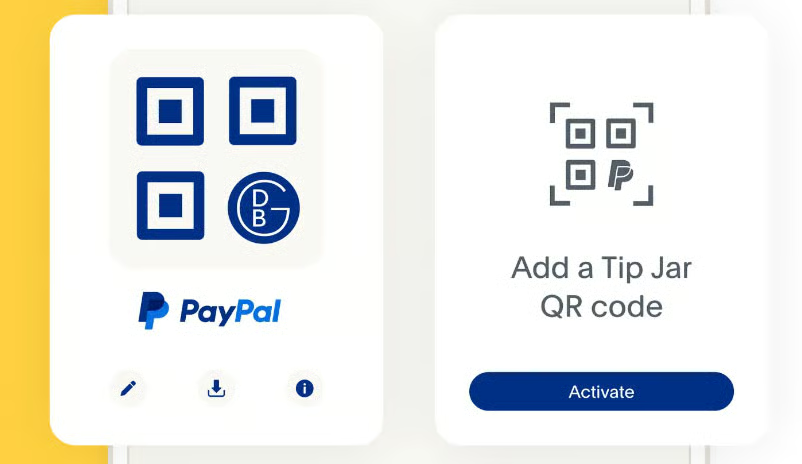
- Single use and multi-use QR code generator
- Simple payment request function
- Merchants can also scan PayPal user’s QR code to request payment
- Shareable QR code links on social media and instant messaging apps
- Covered by seller protection program
- Google Play: 4.2 out of 5, about 88,000 reviews
- Apple App Store: 4.2 out of 5, about 24,000 reviews
Square: Best for Small Retailers & Deliveries
What We Like
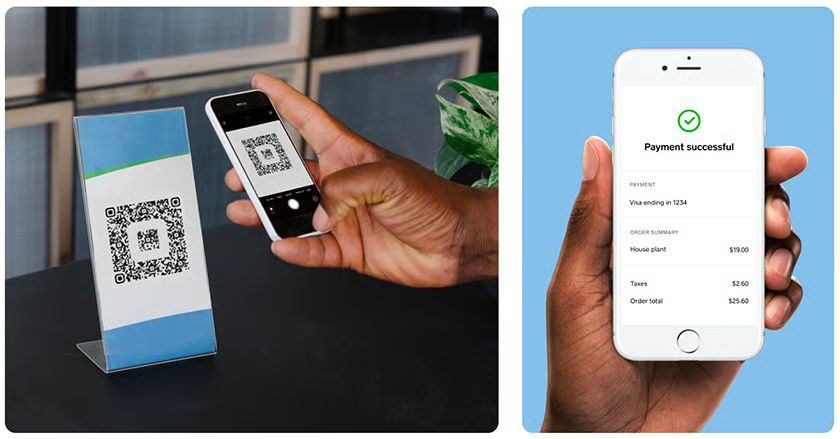
Square is primarily a point-of-sale (POS) platform, which is exactly what makes it stand out in our list. It comes with a free POS system and a website builder so small retailers and even restaurants that deliver can start their business with just a Square mobile app and QR code.
The system also offers a payment links management tool that generates, tracks, and updates your Square QR codes whenever needed. There are no monthly fees, and even chargebacks are waived up to $250 per month.
Most of all, Square is designed with scalability in mind so merchants can start accepting payments with $0 upfront cost and can add more Square features as the business grows. The only downside is that users are limited to using Square’s POS, unlike PayPal, which can be integrated as an added payment option to other POS systems.
Square Pricing & Scan to Pay Features
- Fees:
- Monthly account fee: $0
- QR code transactions: 2.9% + 30 cents
- Chargeback fee: Waived up to $250 per month
- No long-term contracts for merchant account
- Features:
- Free POS and website builder
- Single use and multi-use QR code generator
- Shareable QR code links on social media and instant messaging apps
- Advanced payment links (QR code) management tools
- Google Play: 4.7 out of 5, around 195,000 reviews
- Apple App Store: 4.8 out of 5, about 379,000 reviews
Nomod: Best for Flexible Transaction Rates
What We Like
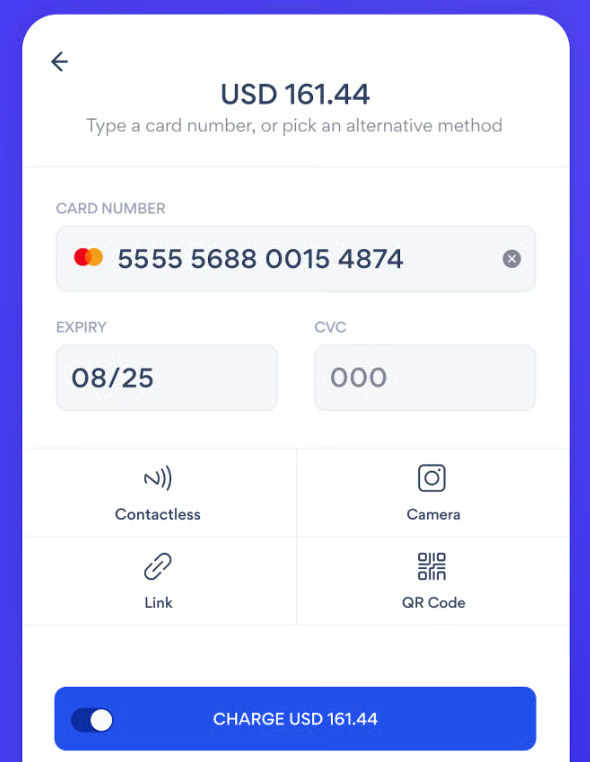
Nomod is a point-of-sale and payment mobile app that stands out for its flexible transaction rates. Merchants can choose from flat-rate, interchange-plus, and custom pricing based on their sales volume. There are no monthly or setup fees or long-term contracts. We also like how Nomod comes with a credit card scanning feature—it earned the provider extra points in our evaluation. This lets merchants use their smartphone camera to capture a customer’s credit card instead of keying in. The effect is an alternative payment process to QR codes and cheaper fees than keyed-in transactions.
All things considered, Nomod is a strong competitor for any merchant looking for an alternative in-person contactless payment solution—especially if you want to get the cheapest rates, all you need to do is upgrade your plan. It charges similar rates to Square, but the POS tools are far more basic. And as it is still quite new, Nomod’s user reviews are still low.
Nomod Pricing & Scan to Pay Features
- Fees:
- Monthly account fee: $0
- Core plan: 2.9% + 30 cents
- Plus plan: Interchange plus:0.50% + 30 cents
- Custom rates: For businesses processing more than $100,000 in monthly sales
- Chargeback: $20 for use (varies by country)
- No long-term contracts for merchant account
- Features:
- Credit card scanning/capture with smartphone camera
- Single use and multi-use QR code generator
- Shareable QR code links on social media and instant messaging apps
- Free POS, invoicing, and team management
- Google Play: 3.6 out of 5, over 100 views
- Apple App Store: 4.0 out of 5, about 25 reviews
Venmo: Best for Merchants with Customers Using Venmo
What We Like
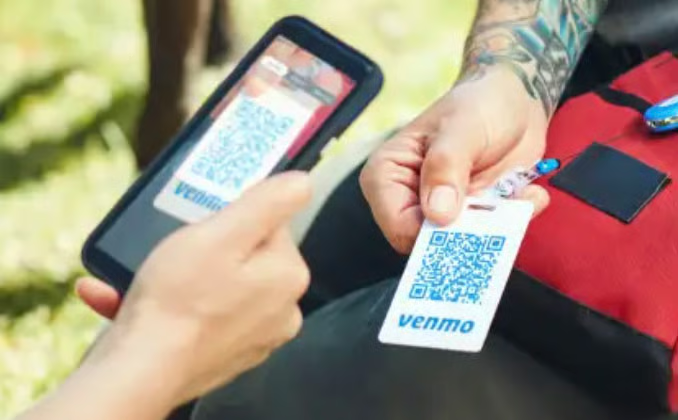
Venmo comes with built-in social media features. And while it is mostly used for peer-to-peer transactions, there is a Venmo business account for small businesses that cater to a younger customer demographic. The app also displays whenever a user makes a purchase which becomes an in-app marketing function for merchants.
PayPal owns Venmo, so it also carries lower transaction rates and instant fund deposit options for a fee. However, Venmo is limited to customers that use Venmo for making payments and lacks native invoicing features. You can also accept Venmo payments on your PayPal account, but the rates are significantly higher.
Venmo Pricing & Scan to Pay Features
- Fees:
- Monthly account fee: $0
- Transaction fee: From 1.9% + 10 cents
- PayPal/Venmo transaction fee: 3.49% + 49 cents
- Instant deposit fee: 1.75% (minimum 25 cents, maximum $25 fee)
- Chargeback fee: Not disclosed
- No long-term contracts for merchant account
- Features:
- Single use and multi-use QR code generator
- Simple payment request function
- Merchants can scan Venmo user’s QR code to request payment
- In-app marketing
- Google Play: 4.2 out of 5, over 703,000 reviews
- Apple App Store: 4.9 out of 5, about 15,400,000 reviews
SimplyPayMe: Best for Gig Workers & Service Professionals
What We Like
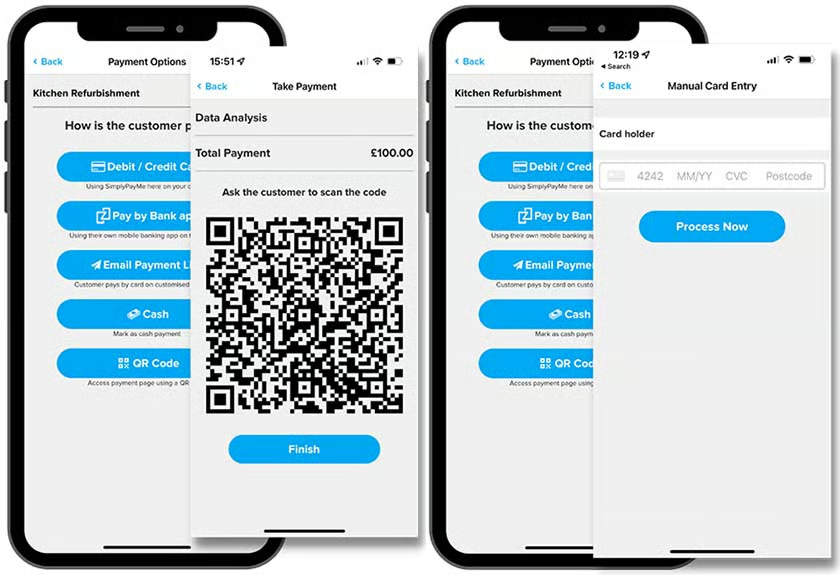
SimplyPayMe is a simple POS app that offers both QR code and credit card scanning as contactless in-person payment options. We highly recommend it for gig workers and service professionals because it comes with built-in job scheduling software that integrates with its invoicing tools.
Like Nomod, SimplyPayMe is relatively new compared to other payment apps on our list. And upon closer inspection of its terms of service, it seems that US-based merchants are automatically subscribed to its Invoicing Plus Plan. According to the website, there are no additional fees for this service, but it’s best to contact SimplyPayMe to confirm (SimplyPayMe is a UK-based company).
SimplyPayMe Pricing & Scan to Pay Features
- Fees:
- Monthly account fee: Basic $1.99, Starter: $4.99, Growth: $9.99
- Flat rate: 2.9% + 30 cents
- Invoicing plus plan: Contact SimplyPayMe to clarify
- Chargeback: Not specified
- No long-term contracts for merchant account
- Free trial available
- Features:
- Credit card scanning/capture with smartphone camera
- Single use and multi-use QR code generator
- Shareable QR code links on social media and instant messaging apps
- Free POS, invoicing, and job scheduling tools
- Google Play: 3.7 out of 5, about 110 reviews
- Apple App Store: 4.4 out of 5, about 120 reviews
How We Evaluated QR Code Payment Apps
In searching for the best QR code payment apps, we chose providers that offer the best rates and do not require purchasing a credit card reader to start accepting payments. We also looked for contactless in-person payment features, such as convenience, ease of use, and latest scan to pay features, such as credit card scanning tools.
PayPal leads our list primarily for its low fees and ease of use. While it is exclusive to PayPal users, the mobile payment app itself can be readily usable by small businesses even without a separate card reader. It is also included in our recommendations for credit card payment apps.
Click through the tabs below for our full evaluation criteria:
Some payment processors apply online rates for QR code payments, while others offer lower in-person rates. We prioritized those that offer the overall lowest fees, which include any monthly and incidental charges. PayPal, Nomod, and Venmo all earned perfect scores.
This criterion focuses on the available QR code payment features, for which payment method it is available, how the system keeps track of transactions, and the level of chargeback protection. We also gave extra points to those that offer credit card scanning as an additional scan to pay payment method. Nomod leads with a perfect score and additional points for offering credit card scanning.
We evaluated each provider for their compatibility with POS and mobile operating systems. We also prioritized those that offer the fastest deposit speed and quality customer support based on real-life user reviews. PayPal, Square, and Venmo scored the highest with 3.75 out of 5
This is a value score that considers features, pricing, popularity, and criteria like stability, options, and UX. All of the providers did well in this criteria, with PayPal, Square, and SimplyPayMe leading with 4.69 out of 5
Best QR Code Payment App Frequently Asked Questions (FAQs)
Which QR code payment app is the best?
Based on our evaluation, PayPal is the best QR code payment app. Not only is it easy to set up and use, but it also offers very low QR code transaction fees and is covered by PayPal’s seller protection program.
Are QR code payments free?
Not entirely. QR code payment tools are included in free credit card payment apps, so there is no extra cost for using the service. However, merchants will still need to pay the cost per transaction of accepting digital payments determined by your chosen payment processor.
How do I scan to pay?
You can accept payments through a scan to pay method by generating your QR code from your payment app. Customers who prefer a contactless payment method can scan your QR code with their smartphone camera and receive the transaction details on their digital wallet so they can confirm and pay for their purchase.
Bottom Line
In-store shoppers who prefer to use contactless payments are growing in number, and scan to pay payment methods are evolving to keep up with the demands for payment convenience. QR code payments and credit card scanning are both simple, cost-effective solutions that any small business can easily implement in minutes with just a smartphone.
PayPal is our choice for the best QR code payment app. It’s easy to set up, use, and track. It also comes with some of the lowest fees, ideal for mom-and-pop stores, market vendors, and service professionals.
