


Finding the right virtual private network (VPN) service significantly enhances your company’s online security. By protecting customer data and internal communications, the best VPN services block intrusive ads, mask your network address, and bypass region-blocked content. In this age of remote work, VPN providers go beyond data privacy by allowing you to enjoy faster internet speeds, unblock streaming content, and make payments safely.
- Proton VPN: Best overall VPN service
- CyberGhost: Best for work and personal use
- IPVanish: Best for multidevice use
- NordVPN: Best for fast download and upload speeds
- Surfshark: Best security features
- ExpressVPN: Best for ease of use
Best VPN Services Compared
| VPN Services | Monthly Starting Price | Key Features | Our Rating out of 5 |
|---|---|---|---|
 | $9.99 |
| 4.72 |
| Visit Proton VPN | |||
 | $12.99 |
| 4.58 |
| Visit CyberGhost | |||
 | $12.99 |
| 4.54 |
| Visit IPVanish | |||
 | $12.99 |
| 4.45 |
| Visit NordVPN | |||
 | $15.45 |
| 4.41 |
| Visit Surfshark | |||
 | $12.95 |
| 4.31 |
| Visit ExpressVPN | |||
Proton VPN: Best Overall VPN Service
Monthly Pricing
- Free plan: 1 device, 11 countries, no ads, and unlimited bandwidth
- VPN Plus: $9.99 for 10 devices, servers in 110-plus countries, ad and malware blocker, streaming and torrenting support, password manager, 5GB cloud storage, and basic email security
- Proton Unlimited: $12.99 for two-factor authentication (2FA), 500GB, and premium email security
Our Expert Opinion
Proton VPN is our top choice for the best VPN service, offering an affordable monthly fee of only $9.99 without sacrificing essential privacy features. It’s an excellent solution for businesses on a budget with basic security requirements, including safe browsing and data protection. Plus, it is the only VPN provider offering a free-forever plan with a strict no-logs policy, no ads, and no data limits, perfect for beginners seeking a standard VPN solution.
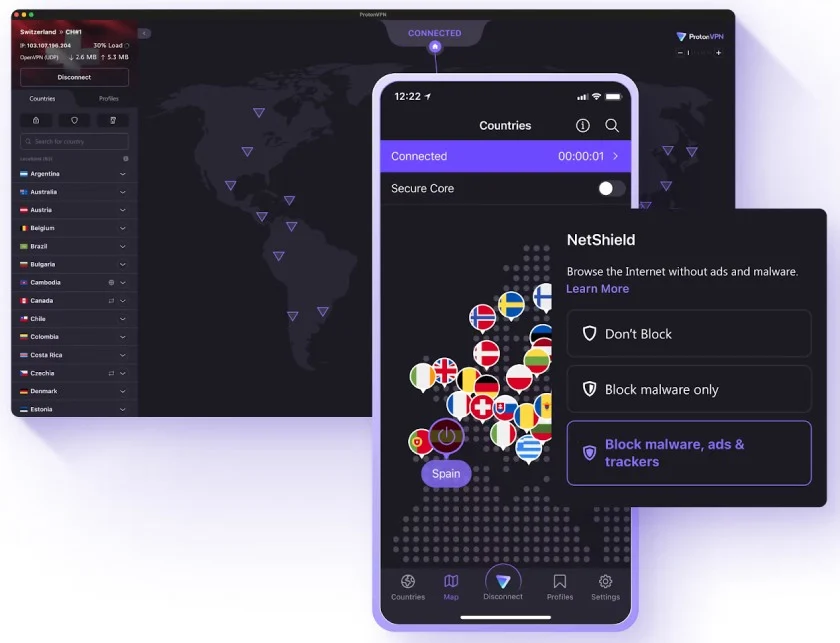
While cheap, Proton VPN offers more global servers than any VPN provider we reviewed, with a total of 8,150 servers across 112 countries. All subscription packages include access to premium security features like malware protection, ad-blockers, and local area network (LAN) connections.
Although ProtonVPN offers connections of up to 10Gbps, its speed may not be enough for bandwidth-intensive activities, such as ultrahigh-definition streaming and high-volume calls on a voice-over-internet-protocol (VoIP) system. If you’re seeking a lightning-fast connection, NordVPN uses unlimited VPN bandwidth and open-source VPN protocol.
Additional Features
- VPN Accelerator: Automatically increases your VPN speed to 400% faster across devices. It uses advanced methods to improve packet delivery efficiency on Proton VPN’s network.
- No-logs policy: Proton VPN doesn’t store any records of your online activity, session lengths, location, or IP addresses. While connected to the VPN, websites can only view the IP address of your VPN server.
- Kill switch: Protects your IP address and private data from exposure when you lose your internet connection during an outage or change your Wi-Fi network. You can turn it on when accessing sensitive data or use it permanently to safeguard your internet connection.
CyberGhost: Best for Work & Personal Use
Monthly Pricing
- 1 Month: $12.99
- 6 Months: $6.99
- 2 Years + 2 Months: $2.19
- Free trial: 1-day trial for desktop users and 3-day trial for smartphone users with full access to features
The plans include servers in 100-plus countries, 7 devices, email leak monitoring, advanced encryption, split tunneling, and automated kill switch.
Our Expert Opinion
CyberGhost is a versatile VPN service suitable for both professional and personal use, offering a range of features to meet remote work and streaming needs. This is ideal if you’re using a single device to access confidential company information while enjoying your favorite shows during your downtime.
For professional use, CyberGhost employs advanced security measures like dedicated IPs and Wi-Fi protection to maintain confidentiality when using corporate resources over unsecured public networks. On the personal side, the platform leverages streaming-optimized servers to ensure a smoother viewing experience across video and gaming platforms.
CyberGhost’s extensive security features may be overkill if you only need a VPN for basic internet browsing. If you’re looking for straightforward privacy for your online activities, we recommend ExpressVPN, which provides a secure environment for your daily internet use.
Additional Features
- Wi-Fi protection: Automatically activates your VPN connection once it detects you’re connected to an exposed and unsecured network. This lets you connect to the public Wi-Fi securely and prevent malicious actors from intercepting your data.
- Specialized servers: CyberGhost uses servers specifically optimized for gaming and streaming, with no bandwidth restrictions. It’s built for fast and reliable connections, ensuring faster connection speeds.
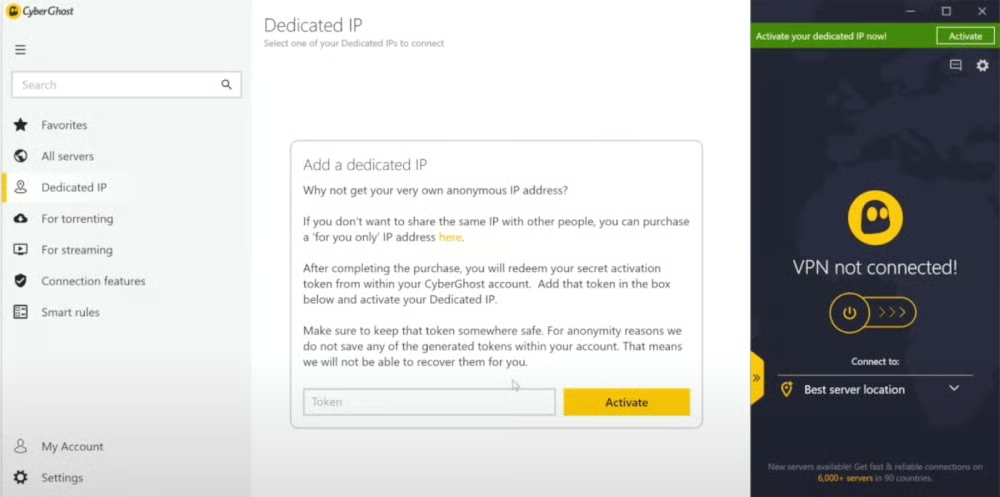
- Dedicated IP: Pick a unique IP address to use every time you connect to the web. The IP address is linked to a random token and isn’t tied to your CyberGhost account, so it’s important to keep it so you can use the same one for each connection.
IPVanish: Best for Multidevice Users
Monthly Pricing
- Monthly: $12.99
- Yearly: $3.33
- 2-Year: $2.19
The plans include 90-plus locations, shared IP addresses, threat protection (ads, trackers, and malicious sites), auto startup, kill switch, and split tunneling.
Our Expert Opinion
Whether you’re in a multidevice household or a tech enthusiast, IPVanish ensures complete VPN protection to unlimited devices under one account. While leading competitors impose device limits per subscription (seven to 10 devices), IPVanish lets you use its VPN network without restricting the number of connected devices.
The monthly subscription fees are comparable to those of competitors, with no extra licensing fees, but you get unmetered simultaneous connections for multiple devices. It has an extended range of supported devices, including desktops, smartphones, tablets, routers, and smart TVs.
On the downside, IPVanish offers only up to 2,400 servers in over 90 countries. While this is sufficient for casual users, it may not be enough for frequent travelers who require a more extensive network. A better alternative would be our top-rated VPN service, ProtonVPN, which boasts up to 8,150 servers in 110 countries.
Additional Features
- On-demand: Integrate your VPN into daily browser activities by creating rules for how it should operate automatically. Preselect networks you trust and add web domains to start an automatic VPN connection.
- VPN shortcuts: Pair a VPN server location with a specific app to launch directly from your home screen. This feature works exclusively on Android TV and Fire TV apps.
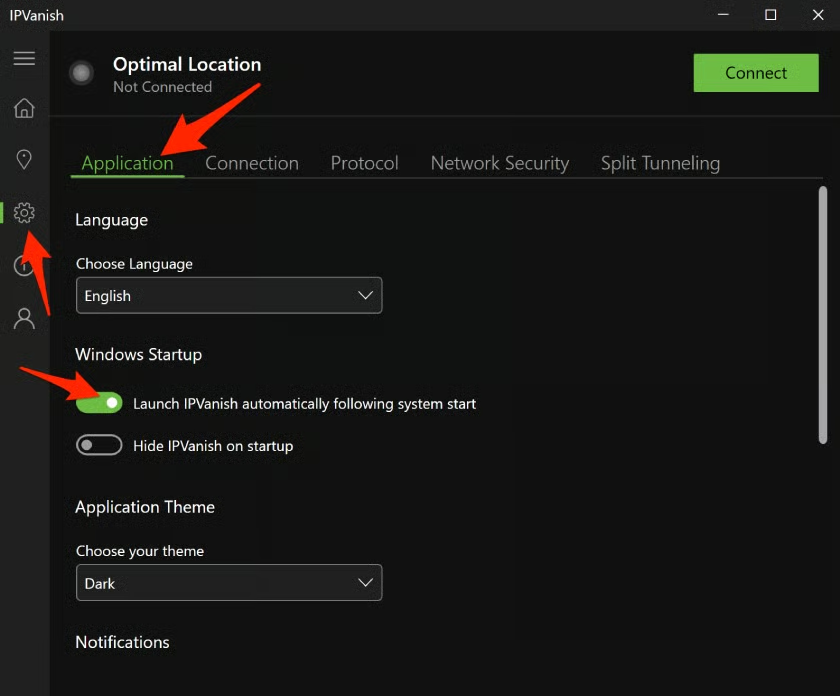
- Automatic startup: Your VPN immediately activates once your device connects to the internet. Adjust the settings to activate when switching networks or launching a background app.
NordVPN: Best for Fast Download & Upload Speeds
Monthly Pricing
- Basic: $12.99 for 10 devices and threat protection
- Plus: $13.99 for antimalware, browsing protection, ad and tracker blocker, and password manager
- Ultimate: $15.99 for 1TB cloud storage, identify theft recovery, and cyber protection
Our Expert Opinion
NordVPN is one of the top VPN services for users who value both security and speed in their browsing activities. It uses a revolutionary encryption system called NordLynx, allowing you to experience lightning-fast internet connection speeds without compromising on encryption security. This allows data to travel quickly to the NordVPN server and back while keeping the transmission fully encrypted.
In a comparative VPN test by the IT security institute AV-Test in 2022, NordVPN ranked as one of the fastest VPN products, outranking ExpressVPN. It aced the speed connection test when compared in Asia, Europe, and the US, beating the industry average. For better speeds, NordVPN lets you adjust your VPN connection for browsing and downloading by configuring its settings for the best protocol and server.
The main downside with NordVPN is that users find it expensive, including its renewal costs. If you have a tight budget, consider ProtonVPN, which offers a free plan and an affordable monthly starting fee of $9.99.
Additional Features
- Dark web monitor: Continuously scans the internet and dark web sites like hacker forums and marketplaces for credential leaks linked to your registered email address. You will receive an instant alert if it finds your credentials on a suspected page.
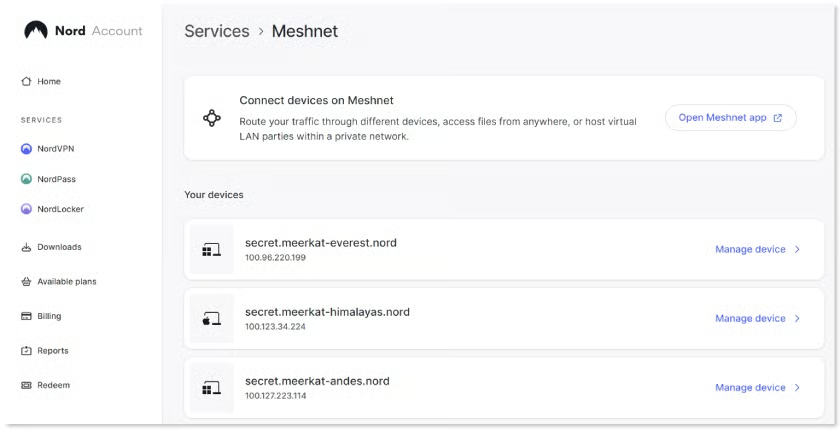
- Meshnet: Safely access other devices and share files with enhanced privacy and security. This lets you connect with other users and remote devices through your secure network.
- DoubleVPN: Provides advanced VPN security by routing traffic through two VPN servers, encrypting your data twice. It adds an extra layer of VPN to your connection against cyberattacks and online tracking.
Surfshark: Best Security Features
Monthly Pricing
- Starter: $15.45 for ad blocker, cookie pop-up blocker, personal detail generator, and masked email generator
- One: $15.95 for real-time alerts for email breaches, credit card and ID, security reports, private search tools, and antivirus
- One+: $17.95 for data removal from company databases and people search sites
- Free trial: 7 days via App Store and Google Play Store only
Our Expert Opinion
Surfshark secures its place among the top VPNs by delivering exceptional value for money, thanks to its wide array of security and privacy offerings. While VPN providers typically have the same feature set and vary by country supported, Surfshark distinguishes itself for custom features designed to protect user identity and keep devices secure.
The masked email generator creates a unique email address so you don’t need to provide your real email address. Receive real-time alerts when your personal ID and credit card are part of a data breach, allowing you to take action and secure confidential details immediately.
With a monthly starting fee of $15.45, Surfshark is the most expensive of all the VPN providers we reviewed. Monthly cost is also subject to change after your initial subscription period. If budget is a concern, ProtonVPN offers the same cutting-edge features at a lower price starting at only $9.99.
Additional Features
- NoBorders: This feature automatically activates when it detects network restrictions, such as geo-blocking, government censorship, or a firewall. It suggests a list of servers that enable you to use a VPN within those network limitations.
- Cookie pop-up blocker: Works as a browser extension that eliminates cookies from Chrome, Mozilla, and Edge. It enhances the browsing experience by removing annoying pop-ups and only accepting important cookies.
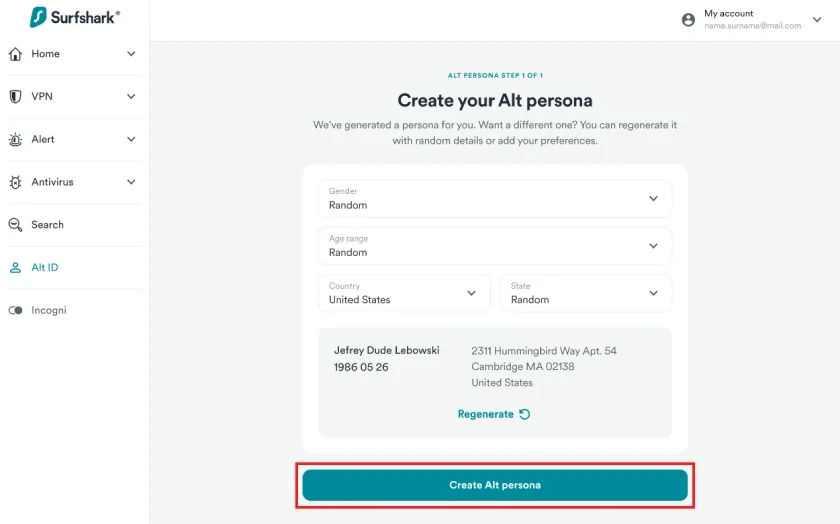
- Alternative ID: Generate an alternative identity so you don’t have to give out your personal information to one-time-use websites. It masks your real number and creates a brand-new ID, consisting of an online name, email, phone number, and address.
ExpressVPN: Best Ease of Use
Monthly Pricing
- 1 Month: $12.95
- 6 Months: $9.99
- 12 Months + 3 Months: $6.67
The plans support 8 devices, split tunneling, ad and tracker blocker, password manager, and kill switch
Our Expert Opinion
Top VPNs typically offer a wealth of functionalities that make the setup process complicated for first-time users. When it comes to usability, ExpressVPN is ideal for beginners who require enough protection for day-to-day tasks. It features a clean, familiar user interface, allowing you to
easily connect to servers, switch locations, and configure security options.
ExpressVPN covers all the essential VPN offerings, including advanced encryption, threat protection, and split tunneling. Its simplified data protection balances convenience and security, so anyone who’s new to VPN won’t feel intimidated by advanced cybersecurity tools.
However, enterprise teams dealing with advanced security measures are better off with a VPN service with more to offer in terms of cybersecurity protection. Surfshark has a unique set of privacy tools that not only removes traces of browsing activity, but also lets you take control of how you want to protect specific devices and conceal your personal identity.
Additional Features
- Lightway protocol: ExpressVPN developed its own protocol designed to provide users with a more secure, reliable, and quicker VPN experience. It ensures your VPN connection remains the same the moment you go online.
- TrustedServer technology: VPN servers run on RAM, which doesn’t store data when powered off and instead allows the data to remain on the hard drive. This completely clears out data every time a server is turned on and off, preventing any sensitive information from being compromised.
- Private DNS: ExpressVPN operates its own encrypted domain name system (DNS) on every server. It handles and protects all your DNS requests automatically, unlike free DNS services that sell the profiles of their users.
How We Evaluated the Best VPN Services
Frequently Asked Questions (FAQs)
How much is a VPN service?
A VPN service typically ranges between $9 and $15 for its introductory monthly plan. VPN providers reduce the monthly fee by $2 or more if you avail of the introductory annual plan or get a two-year contract. Note that the renewal pricing can change once you finish the initial subscription period.
Are there any free VPN services?
Yes, our overall best VPN service, ProtonVPN, offers a free-forever plan for a single device. It includes access to 288 servers in 11 countries with unlimited bandwidth. Simply create an account on its website and enjoy unrestricted VPN service with no ads or speed limits.
Are VPN services safe?
Yes, a reliable VPN service uses various security mechanisms to protect your online activities and data. However, make sure to research before selecting a VPN provider, as some may contain malicious threats.
Bottom Line
Investing with the right VPN tool is key to securing your data and privacy. With the ever-evolving cybersecurity landscape, working with the right VPN provider ensures you get all the security essentials against all kinds of threats. ProtonVPN wins overall as the best VPN service, thanks largely to its unrestricted free plan, low monthly fees, strict data privacy, and extensive server network. Try ProtonVPN today and see if it suits your needs best.
