







Trello and Microsoft Project are workflow management solutions used by teams of all sizes across all industries. In this Trello vs Microsoft Project showdown, Microsoft Project wins because of its powerful features like advanced reporting and chat that help businesses coordinate and track the team’s project completion. Trello is a low-cost, simple solution focusing on task tracking and visualization, ideal for freelancers and small teams.
Based on our comparison, the best use cases for Trello vs Microsoft Project are as follows:
- Microsoft Project: Better for comprehensive project management features
- Trello: Better for simple task organization
While Trello and Microsoft Project are great solutions for project management, their mobile applications have limited functionality compared to their PC software. Check out the alternatives below to find a project management solution with a powerful app for increased productivity.
- monday.com: monday.com is one of the market’s most versatile and reasonably priced project management platforms with a robust mobile application. It supports all elements of business operations—from HR to customer relationship management (CRM).
- Trello vs Microsoft Project Compared
- Best Alternatives
- Best for Pricing: Trello
- Best for Productivity & Task Management: Microsoft Project
- Best for Scalability: Microsoft Project
- Best for Reporting: Microsoft Project
- Best for Simplicity & Ease of Use: Trello
- Best for Customer Support: Tie
- How We Evaluated Trello vs Microsoft Project
- Frequently Asked Questions (FAQs)
- Bottom Line
Trello vs Microsoft Project Compared
 |  | |
|---|---|---|
| Monthly Starting Price | $5 per user | $10 per user |
| Free Trial | 14 days(Trello premium) | One month |
| Free Plan | ✓ | ✓ |
| Organization | Boards organized by projects | Projects by tasks |
| Reporting & Analytics | Basic reporting focused on cards; power-ups and data export available | Detailed prebuilt reports and Gantt charts available for project tracking and resource utilization reports |
| Deployment Method | Cloud-based | On-premise and cloud-based |
| Top Features |
|
|
| For More Information | Visit Trello | Visit Microsoft Project |
Best Alternatives
Aside from Microsoft Project and Trello, several alternatives in the market may be a better fit for your business needs. You may seek custom branding features, event planning, or a solution that caters to remote teams. Whatever your needs are, here are a few Microsoft Project and Trello alternatives:
- ClickUp: This platform is a great all-in-one solution for remote and hybrid work arrangements. Users can create groups, assign tasks, and use up to 250 monthly automations for efficient work.
- Asana: This feature-rich solution is excellent for event and timeline planning because it has robust collaboration tools for large-scale projects. Use its Project Overview feature to create a centralized repository of project information, such as resources, milestones, and roles.
- Wrike: Wrike is great for work intelligence and automation because its free plan has advanced features like smart replies and task recommendations. Use the service to generate content and streamline workflows.
Best for Pricing: Trello
| |
|---|---|
Trello Monthly Starting Price:
| Microsoft Project Monthly Starting Price:Cloud-based Solutions
On-premise Solutions
|
In a Trello vs Microsoft Project head-to-head showdown for pricing, Trello wins the battle because its entry-level plan is just $5 per user, which is half of Microsoft Project’s base plan. Trello offers four cloud-based plans, more than Microsoft Project’s three cloud-based subscription options. Trello provides a zero-cost plan with unlimited users and comes with unlimited cards (tasks) and up to 10 boards per workspace.
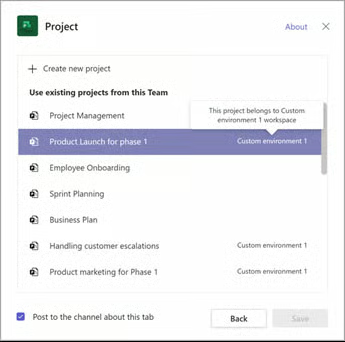
While Microsoft Project is a paid solution, businesses or solopreneurs can avail of the service as a standalone product or as an add-on to an Office 365 subscription. Organizations already powered by Microsoft products benefit from Microsoft Project’s seamless integration with other Microsoft 365 products. All plans have project planning and scheduling tools, including grid, board, and timeline (Gantt chart) views.
Best for Productivity & Task Management: Microsoft Project
| |
|---|---|
|
|
Our evaluation of Trello vs Microsoft Project for productivity found Microsoft Project is better because, more than robust tools, it provides the capabilities to analyze company trends and bottlenecks. Key features include its Gantt charts and task dependencies for detailed project planning and tracking. Teams and managers can determine deadlines and assign appropriate resources, ensuring a systematic and efficient workflow.
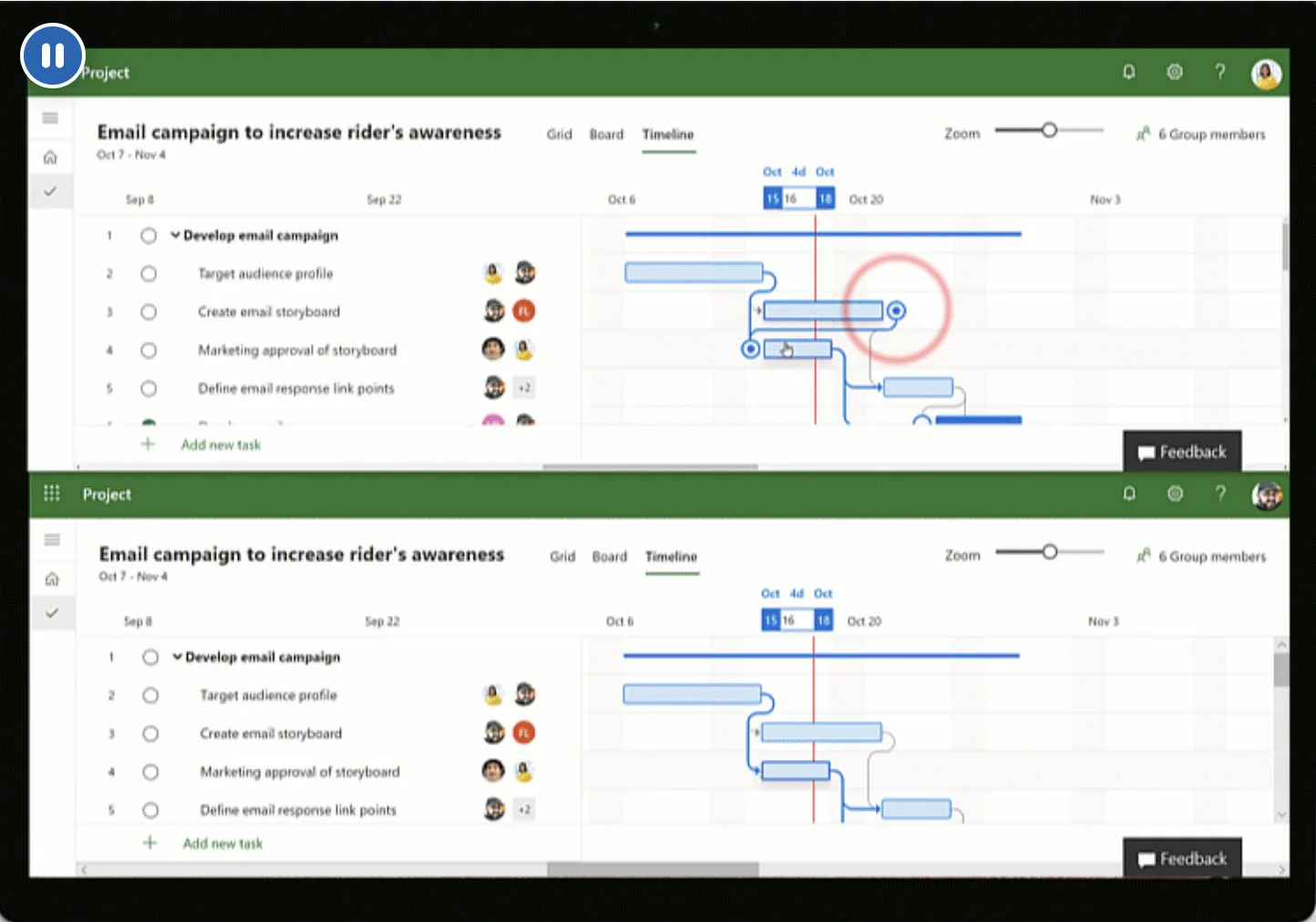
Coauthoring is another key Microsoft (MS) Project feature that allows team members to make changes simultaneously, reducing version conflicts and coordination delays. On the other hand, Trello’s features are more lightweight and geared toward organizing and assigning tasks. It emphasizes collaboration with features like boards, labels, and due dates, which helps teams manage project timelines and goals.
Best for Scalability: Microsoft Project
| |
|---|---|
| Robust solution best for midsize to larger organizations | Straightforward platform marketed toward small teams and beginners |
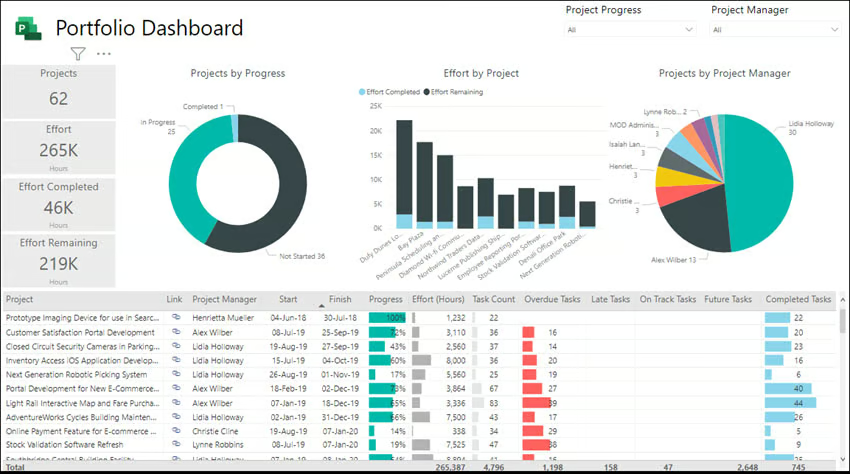
While businesses of all sizes can use both platforms, growing businesses comparing Trello vs Microsoft Projects are better off with MS Projects because of its project portfolio management process standardization capabilities. As your business grows, benefit from business intelligence tools that decision-makers can use to make informed decisions. This large-scale project solution is great for big projects requiring thorough administrative control.
Comparatively, Trello is a visual task management solution geared toward straightforward flows and is excellent for Agile approaches. Based on experience, Trello is better for managing smaller projects than expanding organizations with several departments participating in project completion. Despite its simplicity, Trello has tools like Butler, its automation bot, which sets up rule-based triggers and handles due date commands, saving users time and effort.
Best for Reporting: Microsoft Project
| |
|---|---|
|
|
Microsoft Project allows users to enter details about each task, such as description, notes, task duration, and start and end dates. You can also add custom fields and baselines for progress tracking. Use high-level reports for reviewing and adjusting your project management process. Head to the reporting section of the interface and customize data and tables on each report.
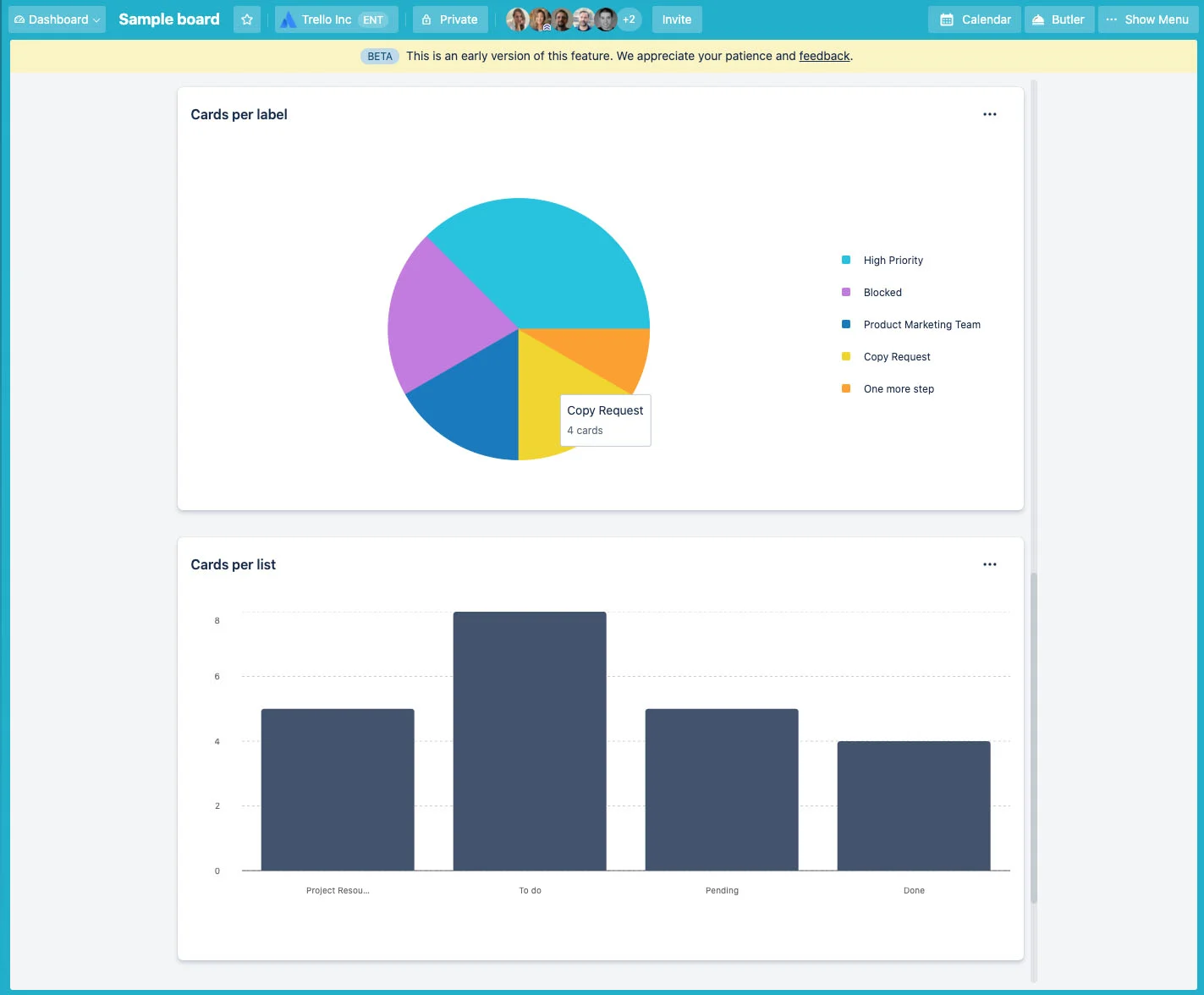
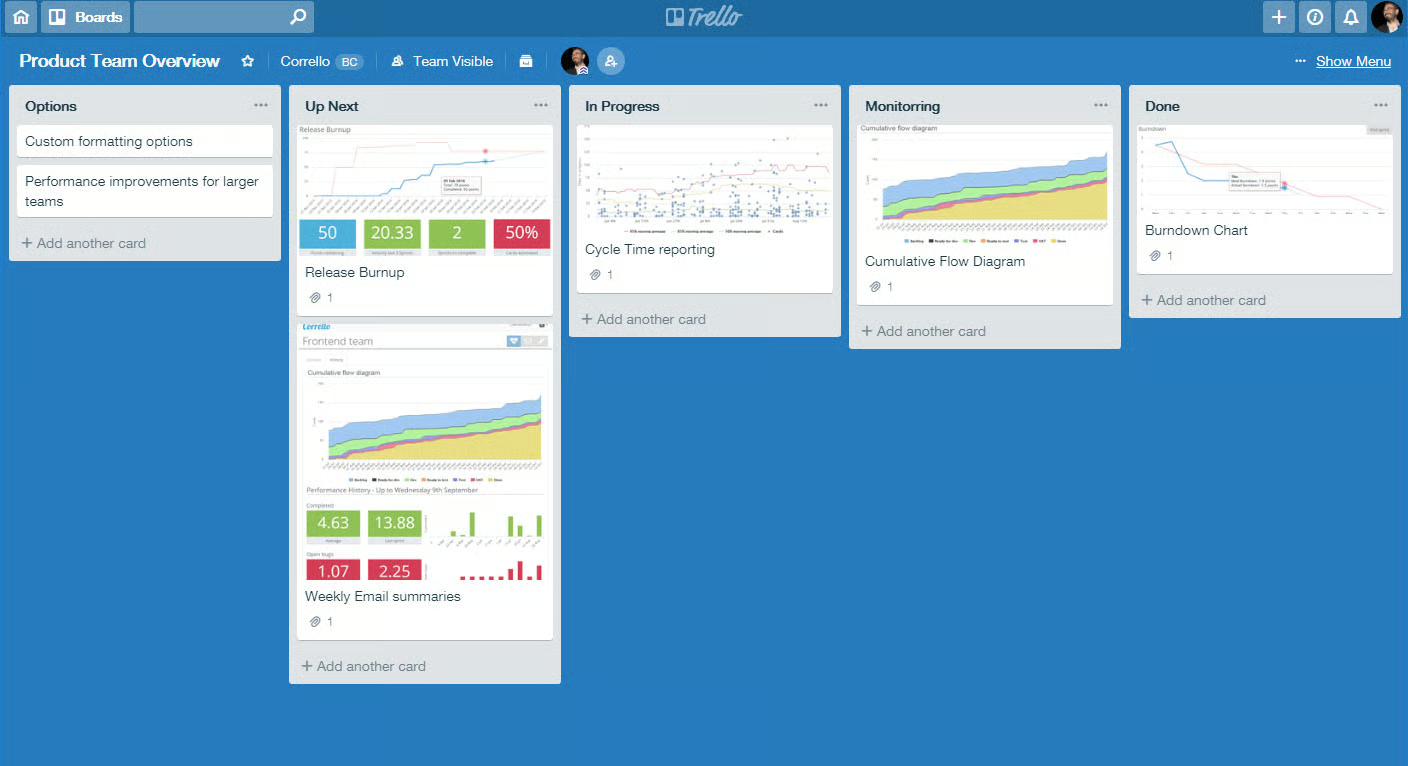
Trello’s reporting capabilities are limited to basic time tracking and project management reports, which are only available for Premium Trello users. With limited built-in reporting functionality, users may use reporting power-ups to enhance reporting and analytics capabilities. You can use third-party solutions like Grantify, which integrates with Trello, to generate an overview of your Trello boards, identify bottlenecks, and boost productivity.
Best for Simplicity & Ease of Use: Trello
| |
|---|---|
| Straightforward platform marketed toward small teams and beginners | Robust solution best for midsize to larger organizations |
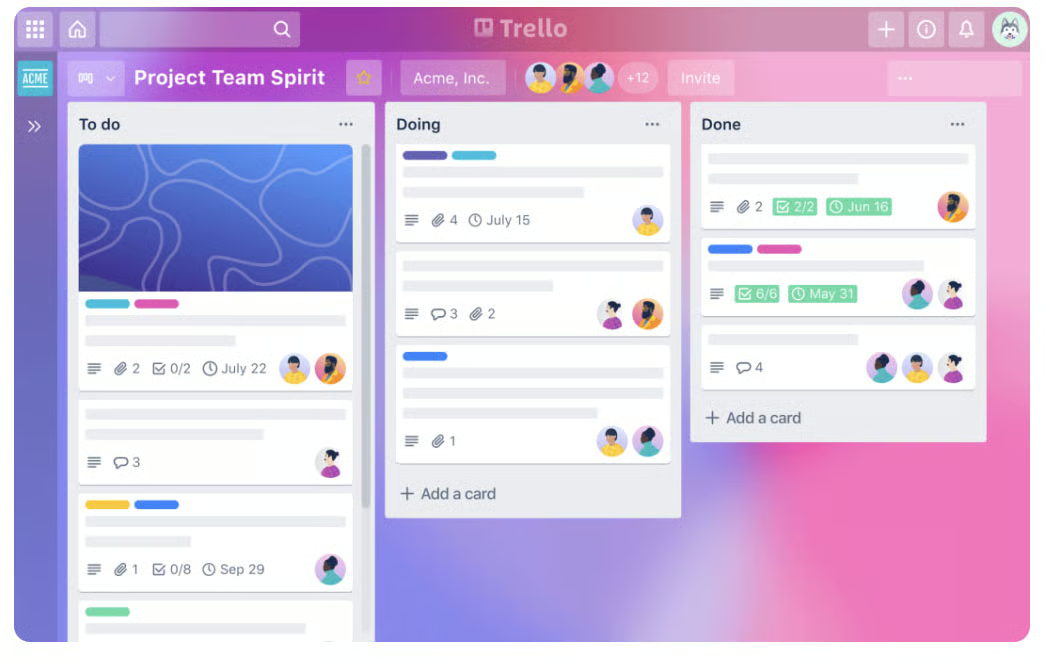
If you’re looking for simplicity and great visuals, choosing between Trello vs Microsoft Project is easy—Trello wins. New users can easily adopt the system thanks to its signature Kanban board that lets users view projects and manage tasks using lists and cards. Tasks are displayed as sticky notes organized into columns and can be moved around to indicate the status changes. Generally, people can comfortably use the solution within a day.
Based on our experience, Microsoft Project is not a beginner-level project management solution. It’s a powerful solution, but it’s not easy to use. Microsoft Project is more for technical users and experienced project managers. While experience with Microsoft apps is an advantage, it doesn’t guarantee an intuitive use. It stands out because of its dual deployment. While most platforms are only on-site services, Microsoft Project is a cloud and on-site solution.
Best for Customer Support: Tie
| |
|---|---|
|
|
Both platforms offer several self-help resources, phone, chat, and 24/7 services, be it ticketing or through community pages. Several resources are available for users seeking support or information when using Microsoft Projects. These resources are most useful for gaining more knowledge about using the software. One of the notable similarities between Trello and Microsoft Project is its active community support channels.
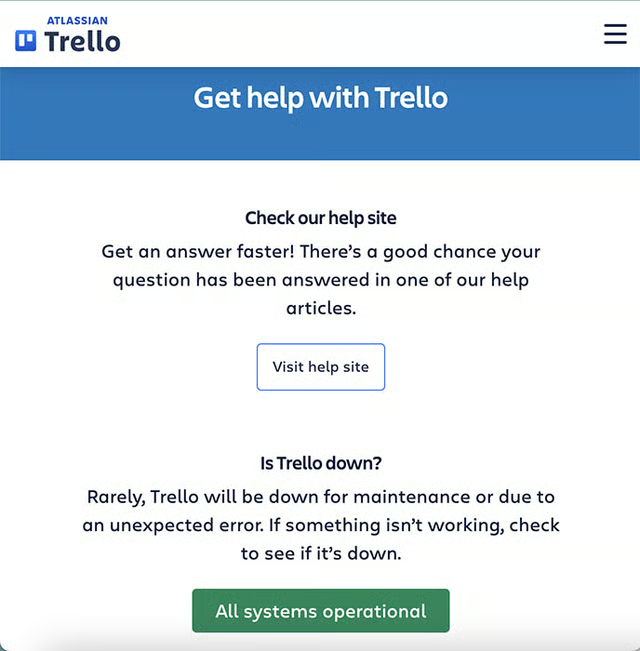
Trello’s contact page (Source: Trello) 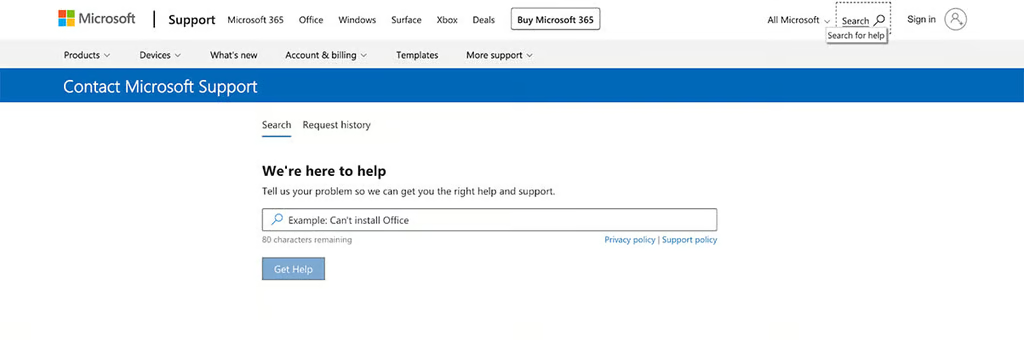
Microsoft’s support interface (Source: Microsoft)


Users can join discussions with other platform users, including asking questions and receiving notifications and updates on different features.
How We Evaluated Trello vs Microsoft Project
We compared Trello vs Microsoft Project as project management software to find out what makes each provider different. We explored their general and advanced capabilities and user feedback from legitimate review websites. From there, we established a scoring system based on a set of criteria: pricing, features, integrations, ease of use, and expert score.
Here’s a complete breakdown of these factors:
- Pricing: We compared monthly per-user pricing for Microsoft Project vs Trello, including the price of entry-level plans. We also checked the availability of a free trial and discounts for annual prepayments and volume purchases.
- General features: In comparing Microsoft Project vs Trello, we looked at capabilities essential to project management tools, such as task management, scheduling, and dashboards. We also considered which provider has more security capabilities and better customer support.
- Ease of use: User-friendly software makes work easier to manage and minimizes technical frustrations. We tested each solution to determine how easy it was to set up and use. We also evaluated each provider based on initial setup and implementation.
- Expert score: To determine the expert score, we analyzed each product’s overall value by looking at the feature set and total costs. In addition to our own experience, we weighed users’ feedback, considering our efforts to use the platform.
Frequently Asked Questions (FAQs)
What are the disadvantages of using Trello?
Trello is one of the most popular, user-friendly project management solutions, but it’s basic and lacks the advanced functionality required to complete multiple complex projects. Trello also has fewer reporting options than Microsoft Project, and while it can improve productivity and collaboration, it has limited planning features.
How do I download Microsoft Project?
You must sign into your Microsoft account at www.office.com using the account associated with Microsoft Project. After signing in, install the Projects app and run the installation process. Then you’re ready.
Are Microsoft Project & Microsoft Planner the same thing?
No, Microsoft Project is a tool for project scheduling for medium and large project teams. On the other hand, Microsoft Planner is a lightweight task management solution for small project teams.
Bottom Line
Throughout our comparison of Trello vs Microsoft Project as industry-leading project management solutions, we discovered how each provider caters to specific business needs. Microsoft Project won this battle because of its sophisticated capabilities to facilitate project and resource planning and management. Comparatively, Trello emphasizes task administration, ease of use, and efficient project workflows.
Microsoft Project beat Trello because of its robust productivity tools, scalability, and reporting capabilities. Try this solution by signing up for Microsoft’s one-month free trial today.
