






Equip your team with the best project management software features to improve project planning, resource scheduling, and remote work collaboration. Our list includes both essential and advanced features—from Kanban boards and time trackers to data analytics—to help teams plan, track, and set goals within set timelines. Read through our 17 recommended features, each with a detailed description of their use, to learn which solutions are best for you.
Productivity & Work Management Features
Projects have several moving parts, from meetings and monitoring to scheduling and budgeting —so something is bound to fall through the cracks. Productivity and project management features help teams understand their responsibilities and roles in the overall workflow. Stay organized and use these top project management features to review tasks and activities to improve team performance and business results.
1. Activity or Action Logs
Activity logs serve as written records of project activities and provide a realistic understanding of time spent on activities and actions. Most project management platforms use activity logs to track and document daily activities, but the duration of data varies per provider and subscription plan. For example, monday.com’s free plan comes with one week of activity tracking, but Enterprise plan users get up to five years of activity logs.
2. Project Time Tracker
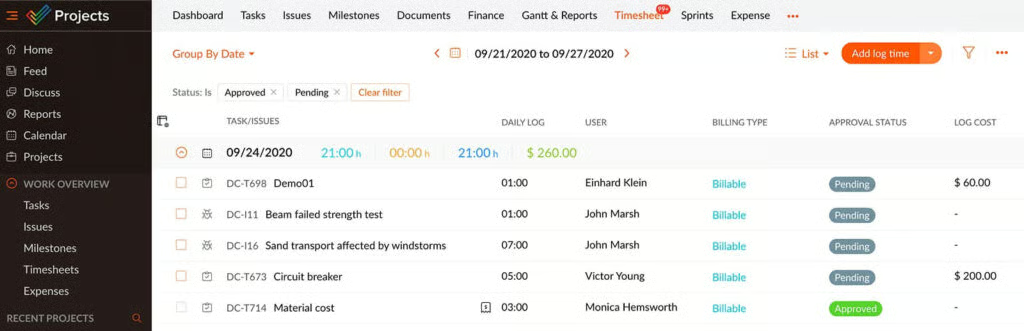
Use time trackers to record the time that company employees spend working, track their overall productivity, and generate insights on how much time was spent on clients and tasks. Use live time tracking data to create reports for client invoices and employee payroll. If you’re looking for project management software with native time tracking features, check out Zoho Projects. Its Premium and Enterprise plans come with time tracking capabilities.
3. Artificial Intelligence (AI) Automated Summaries
AI tools make it easier to handle tasks and monitor deadlines, including instant summaries that transcribe and summarize meeting highlights and action items. This feature provides a brief overview of points discussed and sends summaries to your team immediately after the meeting. It eliminates the need to listen to recordings, which can be tedious.
4. Kanban Boards
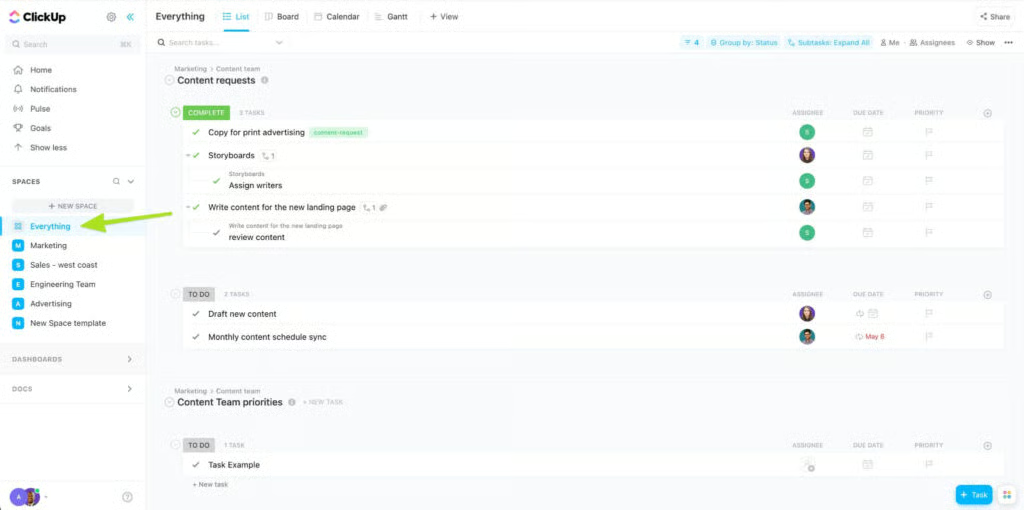
Visualize your workflow with Kanban boards that show the stage of each task and track real-time progress. For example, ClickUp is on our list of best Kanban software thanks to its versatile project views. Its “Everything” view lets you see multiple Kanban boards from different workspaces. This is an excellent tool for overseeing different projects happening simultaneously.
Planning & Scheduling Features
Managing a project entails time, talent, money, and resources, so tasks and activities must be properly outlined and allocated. Using project management software features for planning and scheduling allows you to identify potential risks and issues as early as possible. A detailed plan helps you communicate your vision and objectives to your team.
5. Shared Calendars
When it comes to project management software features, shared calendars help teams by synchronizing people’s calendars and notifying group members of meetings and activities. Shared calendars are great for adding team meetings and sharing upcoming activities with team members. By organizing a project’s timeline and activities, teams emphasize transparency and make it easier for everyone to be updated on what colleagues are up to.
6. Gantt Charts
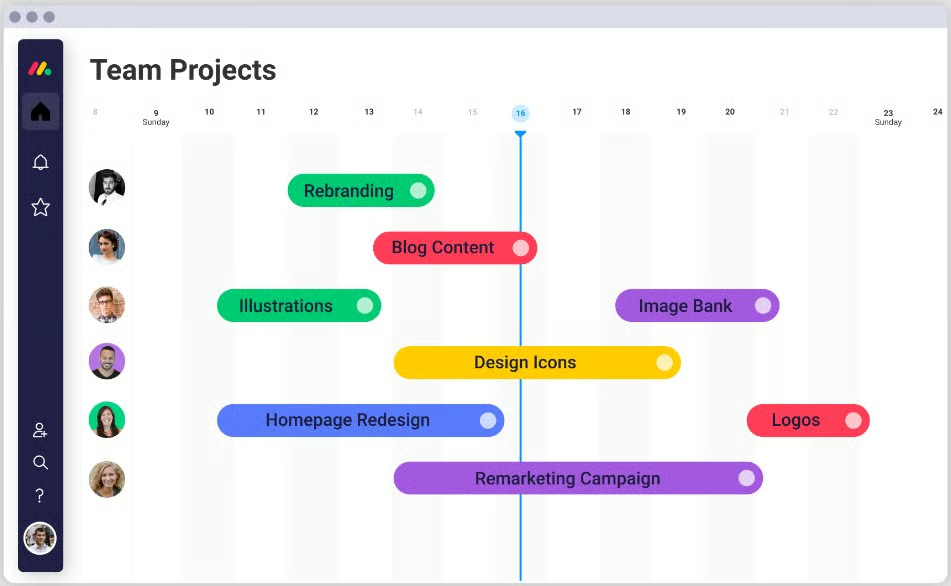
Gantt charts are project management features used throughout all project phases. These charts facilitate the creation and implementation of a project timeline. Users can add due dates, dependencies, assigned persons, and progress updates. Some Gantt charts, like those included in monday.com’s platform, have a drag-and-drop functionality, allowing users to create smart workflow automations. Check out our list of the best Gantt chart solutions for more information.
Coordination & Communication Features
Teams can consist of two to hundreds of people, each working on their own tasks with deadlines and dependencies. Chatting, messaging, and commenting capabilities simplify conversations and serve as the foundation for successful collaboration. Here are some top project management software communication features:
7. Messaging & Chat
The best project management software have built-in messenger apps within their platforms, while others provide these through third-party integrations like Slack or Google Chat. Rather than calling for meetings to discuss issues or questions, messaging and chat solutions offer an alternative, more efficient way to get immediate information. Messaging features are ideal for a remote workforce because colleagues can stay connected anywhere.
8. Discussion Board
Online discussion boards allow participants to post and read messages. It gives employees a platform to ask questions without interrupting colleagues and benefits from seeing conversations from previous questions and answers. Unlike physical and online meetings, digital discussion threads give users more time to answer and, in turn, provide more thought-out responses or updates.
9. Whiteboard Collaboration
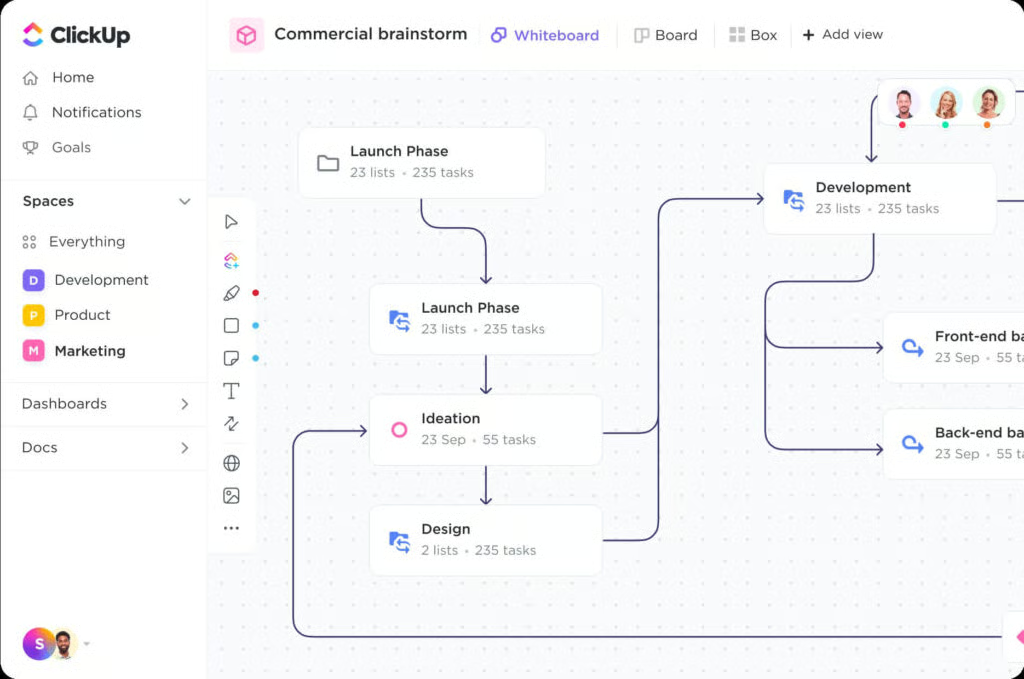
Virtual whiteboards act as blank canvases where people and their ideas can come together. Collaborate in real time using a brainstorming template or build your own brainstorming project template from scratch. Use it like a collaborative board with participants simultaneously adding their thoughts and ideas. Whiteboards can be used for various purposes, like mapping out complex ideas or creating or drawing diagrams.
10. File Sharing & Storage
File sharing and storage drives increased productivity among teams by providing instant access to information, even to those working remotely. Cloud-based file systems enable sharing, editing, storing, creating, and synchronizing files. Save time by sharing files, and minimize wasting time through tedious back-and-forth emails and document access requests. Some software providers offer unlimited storage and enable adding files and quick sharing.
Viewing & Reporting Features
The best project management software includes features like customizable reports and multiple report viewing options, giving users insightful information about their progress and performance. Determine your issues and bottlenecks quickly by comparing project data and taking immediate action for any negative trend highlighted in your generated reports.
11. Email Integration & Notifications
Manage projects through your inbox and turn emails into tasks. Software solutions enable users to create and edit tasks, update statuses, set due dates, and add comments directly for email accounts. Email notifications are available for all users and send alerts when an action or update needs your attention.
12. Reporting & Update Templates
Project management templates save time by eliminating the need to develop new templates for each project. Templates simplify reporting by giving users a guide to ensure their status and progress updates are clear, concise, and include high-level information. Templates also streamline document creation and provide consistency across projects.
13. Data Analytics
Collect, organize, and analyze data sets to identify patterns and trends for informed decision-making. Insights from analytics offer various benefits, such as cost reduction, risk mitigation, and operational efficiency. Measure project performance, determine whether resources are underutilized, and take corrective actions to keep the project on track.
14. Dashboards
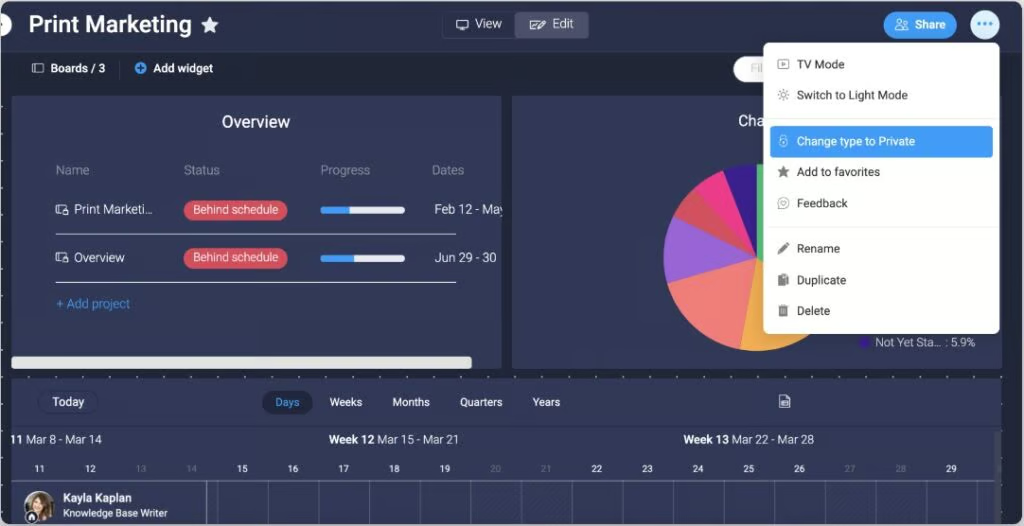
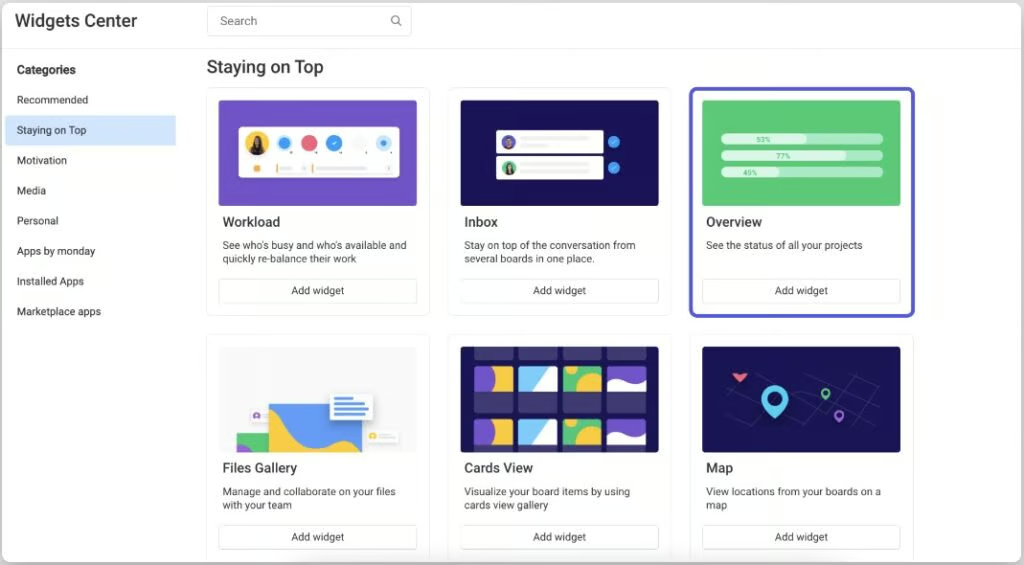
Team dashboards track project metrics and can be used to view a project’s progress or as a client-facing tool. It provides a real-time representation of project data that can be tailored for specific teams or projects. Generate high-level insights through easy-to-read charts and graphics, which make information more digestible. Providers like monday.com let you classify your dashboards as public or private and include features like widgets and permission control.
15. Billing & Invoicing
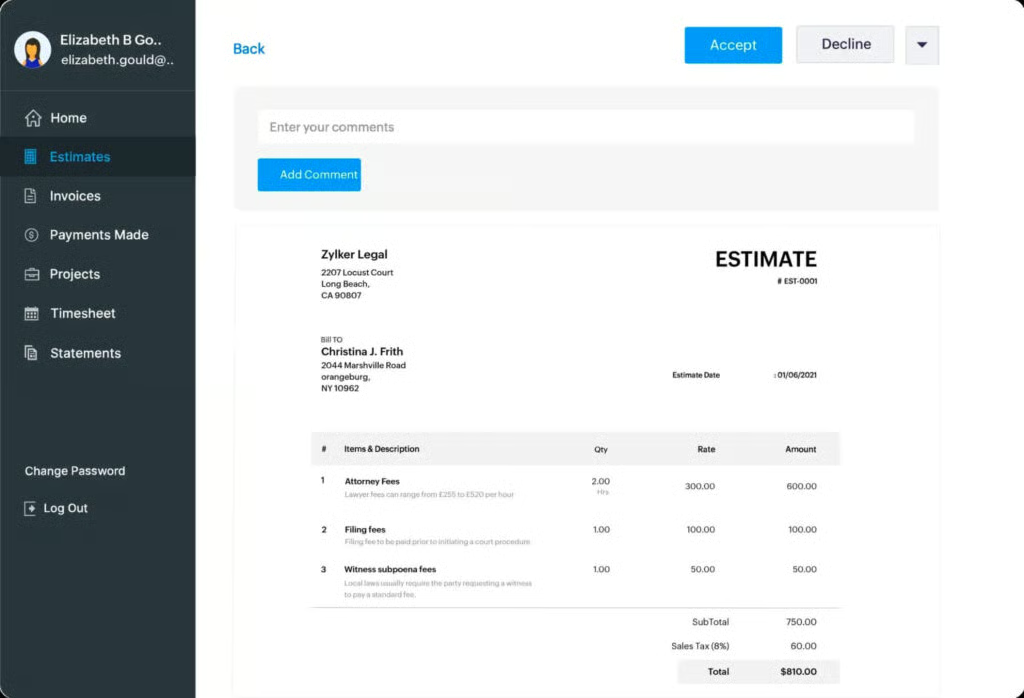
Monitor billable hours, view workloads, and track financial files for easy billing generation—invoicing tools track, record, and request payment for provided goods and services. Billing tools support finance management and document work completed and associated costs.
For example, Zoho’s invoicing tool comes with time tracking accessible by clients and a retainer feature that lets you collect advance payments and deduct amounts from your final invoice. For more information, head to our review of Zoho Invoice, which can help you determine if the platform fits the bill.
Security & Privacy Features
Data security and privacy features prevent information corruption, unauthorized access, and loss. Choose a reliable software provider to protect your data and minimize exposure to attacks or unauthorized actions. The best task management software includes features like authentication, access controls, and encryption functionality. Make sure to configure security and privacy threats in your risk assessment when taking on or planning for a project.
16. User Roles & Permissions
Data access does not need to be universal, so it is best to limit access privileges by classifying data based on data sensitivity and team hierarchy. By identifying who and what levels are permitted to access different types of information, you restrict user access to files irrelevant to their functions. User permissions protect sensitive information, such as contact information, financial projections, and client details.
17. Encryption
Use encryption to protect your data from being intercepted or stolen. Encryption ensures that only those with authorized keys can access your data. Wrike recommends that project management software use a minimum transport layer security (TLS) encryption of 1.2 with a preferred, advanced encryption standard (AES) 256-bit algorithm. To learn more about this type of security, check out our guide on how at-rest and in-transit encryption works.
Best Project Management Software Providers
If you’re still unsure which project management software is best, here’s a quick rundown of three providers with robust productivity features.

Zoho Project is our best overall project management software for small businesses because of its robust time-tracking and seamless integration into the powerful Zoho ecosystem. In addition to its feature-rich offering, it’s one of the lower-priced project management solutions. Unlike most platforms whose paid plans start at about $10 per user, monthly, Zoho Projects has a free plan and monthly subscriptions starting at $5 per user.
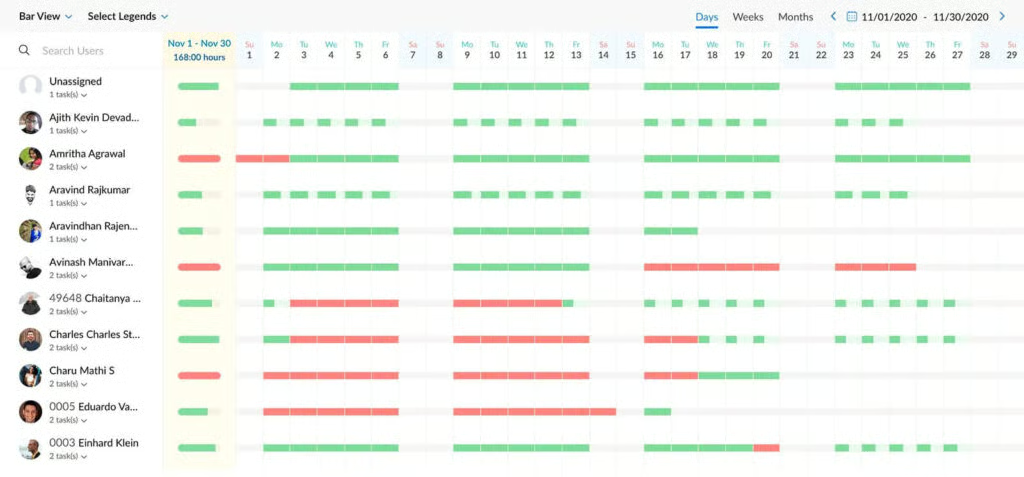

This resource management software features 200-plus templates, unlimited items, and multi-level permissions, allowing teams to plan resources and schedules accordingly. Teams can utilize critical features like Gantt, time tracking, chart view, and private boards and docs to improve productivity and collaboration. monday.com offers free project management software features in its forever-free plan, and its paid subscriptions start at $10 per user, monthly.

ClickUp is an all-in-one productivity and project management software, excellent for small teams and remote work collaboration. It has more than 15 view options, including timeline and activity views. The platform is customizable with features like custom task statuses and dashboards, allowing users to personalize their settings and workflow according to how they want it. ClickUp has a free plan, and its monthly subscription plans start at $10 per user.
Frequently Asked Questions (FAQs)
What is the best free project management software?
Based on our evaluation of several popular free project management software, monday.com is the best platform for comprehensive project management and offers a free plan. Its free plan accommodates up to two seats, one week of activity logs, and a 500MB file storage cap. monday.com is popular among businesses because it has a simple and intuitive interface.
What are the phases in project management lifecycles?
A standard project management life cycle has four phases: initiating, planning, executing, and closing. Other experts include a fifth phase, the monitoring and controlling phase, typically between the executing and closing stages. The right project management software features help individuals and teams manage all aspects of a project through its different phases.
Are there free project management courses?
Yes, several digital educational platforms like EDX and Coursera offer free courses. EDX provides an introduction to project management, which costs $199. However, if you take the Audit Track, the courses are free, but you are ineligible for a shareable certificate or to gain access to assignments and exams.
Bottom Line
Each project tracker varies depending on the approach, design, and features, but our list of 17 best project management software features can help boost your team’s productivity and resource management. Planning software provides centralized systems for assigning tasks, setting deadlines, monitoring progress, and reporting on results. Maximize the use of these tools by setting realistic targets, building a detailed schedule, and encouraging accountability.
