







Sprout Social is a top social media marketing company, offering robust post scheduling, content calendars, review management, and social client relationship management (CRM) tools. Our evaluation was based on multiple criteria, including Sprout Social pricing, features, ease of use, reviews, and our expert score. In this Sprout Social review, we recommend it as an all-in-one social media management platform, helping realtors and businesses increase their visibility and brand reach—from handling publishing to providing analytics tools.
Recommended For
- Realtors needing robust search engine optimization (SEO) tools
- Small businesses that are able and willing to self-manage their socials
- Small companies and realtors seeking an all-in-one social media management, from planning to analyzing content performance
Not Recommended For
- Realtors and real estate companies that want a free-forever subscription plan
- Agents and brokers wanting to publish post for multiple platforms with a single draft only
- Real estate professionals seeking multiple social networks, like Google My Business, Reddit, and Google+
Quick Look at Sprout Social Pricing
- Standard: $249 per month
- Professional: $399 per month
- Advanced: $499 per month
- Enterprise: Custom pricing
Other Articles Featuring Sprout Social
Sprout Social Reviews: What Users Think of Sprout Social
Sprout Social reviews show many users love its user-friendly and intuitive interface. One user also commented that he likes Sprout Social’s reports and social listening features as they make it easy to monitor the market. Aside from these, another user remarked that she loves the analytics and metrics available, saying that it’s so easy to track and gather data, which helps them inform their marketing strategy and gain a competitive edge.
- G2: 4.4 out of 5 based on 2,500 Sprout Social reviews
- TrustRadius: 8.1 out of 10 based on 472 Sprout Social reviews
- GetApp: 4.4 out of 5 based on 561 Sprout Social reviews
- Capterra: 4.4 out of 5 based on 561 Sprout Social reviews
However, based on Sprout Social reviews, one user said they didn’t like the lack of support for Reels—notably the inability to add Instagram audio. Additionally, several clients complained about Sprout Social pricing, which can be expensive. Plus, several of its features, including custom reports and saved replies, come at an extra cost in addition to the base price. We suggest Later.com instead if you’re looking for a free-forever subscription or an affordable social media marketing agency.
Would Our Expert Use Sprout Social?
Our Sprout Social review recommends this social media marketing solution for its all-in-one social inbox, social listening, tasking and social customer relationship management (CRM) tools, and digital asset and content library. The platform also gives you access to intuitive and visually appealing analytics and reports—helping you better understand your social profiles and campaign performance. It also provides dedicated training and customer support to make sure you make the most of the platform’s features to be more successful in real estate.
Even though Sprout Social is equipped with many tools for social posting, advertising, listening, and review management, its advanced features are also only available with higher-priced subscriptions. Additionally, you may experience a bit of input lag when you compose new posts. For instance, the app had trouble keeping up when you typed quickly, freezing for a few seconds before the message you typed would appear. Consider Constant Contact for a simple interface that offers affordable pricing and multiple advanced features.
Sprout Social Alternatives
If you’re looking for other highly recommended options to help increase brand exposure and generate leads for your real estate business through social media marketing, here are a few alternatives to Sprout Social:
| Software |  |  |  |  |
|---|---|---|---|---|
| Best For | All-in-one platform that creates, edits, and schedules social media posts | Automated repeat posts | Targeting a specific audience with social media posting and email marketing | Realtors seeking niche social media marketing freelancers |
| Key Features |
|
|
|
|
| Pricing | Free; paid plans start at $18 per month | $10 per month, if billed annually | $12 per month | $5 per job or project |
| Learn More | Visit Later.com | Visit Zoho Social | Visit Constant Contact | Visit Fiverr or Read our Review |
Sprout Social Plans & Pricing
Sprout Social pricing has four different plans based on the support and features you need. Additional premium services, such as social listening, premium analytics, and employee advocacy, are also available at an additional cost. Furthermore, Sprout Social offers demos and a free 30-day trial, allowing you to try and test its services.
| Plans | Standard | Professional | Advanced | Enterprise |
|---|---|---|---|---|
| Who Plan Is Best For | Individuals and small teams | Mid-sized real estate companies | Realtors seeking robust and comprehensive tools | Large real estate companies |
| Monthly Pricing ($/Month) | $249 | $399 | $499 | Custom pricing |
| Each Additional User Pricing | $199 per month | $299 per month | $349 per month | Custom-built plan |
| Social Profiles | 5 | Unlimited | Unlimited | Unlimited |
| All-in-one Social Inbox | ✓ | ✓ | ✓ | ✓ |
| Profiles, Keywords & Locations Monitoring | ✓ | ✓ | ✓ | ✓ |
| Competitive Reports for Instagram, Facebook & Twitter | ✕ | ✓ | ✓ | ✓ |
| Help Desk, CRM & Social Commerce Integrations | ✕ | ✓ | ✓ | ✓ |
| Digital Asset & Content Library | ✕ | ✕ | ✓ | ✓ |
| Automated Link Tracking | ✕ | ✕ | ✓ | ✓ |
| Tailored Implementation & Onboarding | ✕ | ✕ | ✕ | ✓ |
| Premier Success Consulting Services | ✕ | ✕ | ✕ | ✓ |
General Sprout Social Features
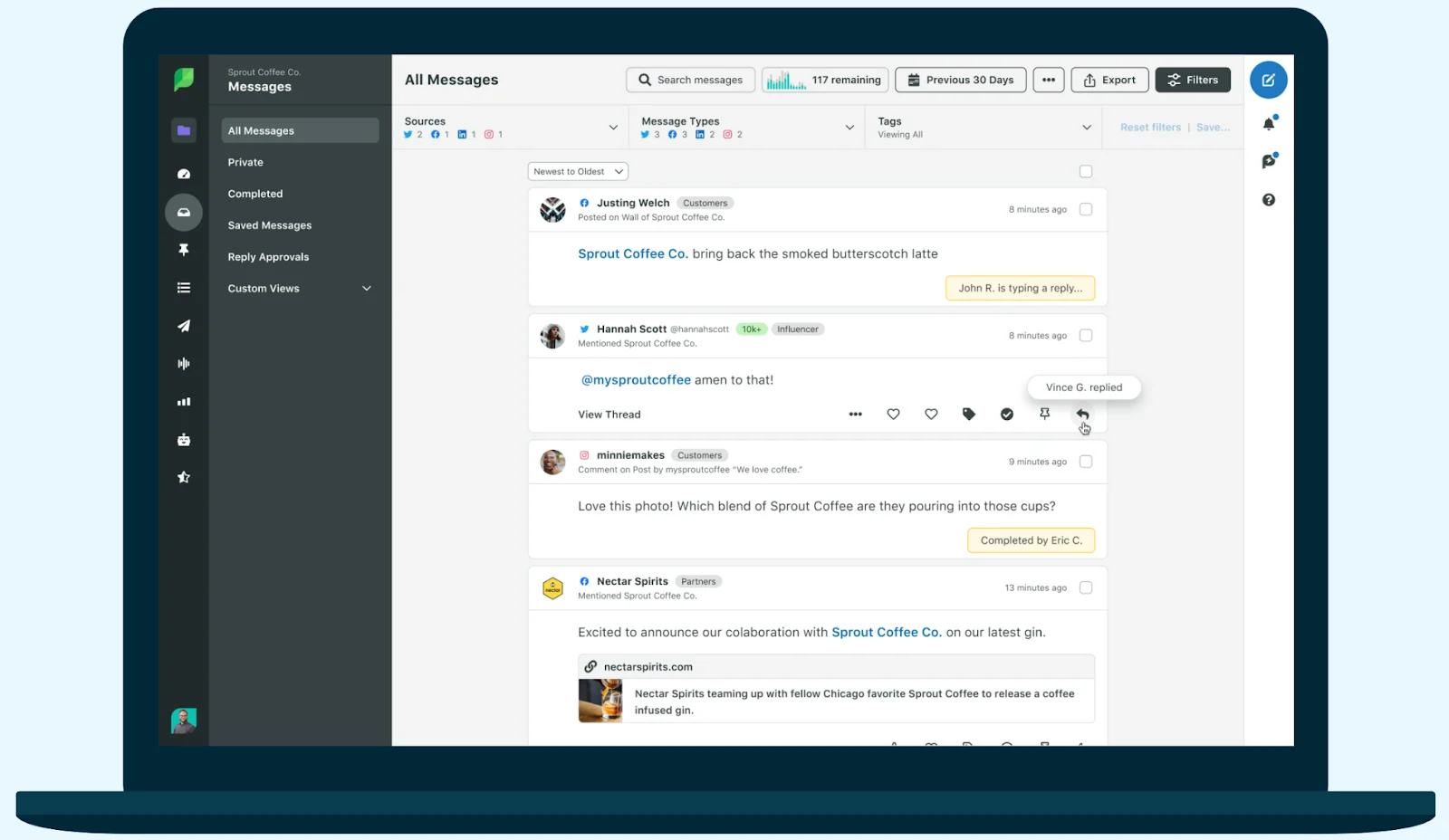
As an all-in-one social media management software, Sprout Social’s core features include social media publishing, scheduling, and engagement. With the help of its tools and solutions, you can automate processes to improve response times with a unified inbox, organize your teams’ content in advance, and boost engagement with posts that are sent at optimal times. You can also customize reports based on your company’s needs, centralize data insights, and streamline your social media strategies.
Advanced Sprout Social Features
Sprout Social provides advanced features, like analytics tools, which speed up your data collection and distribution. These tools work together so your company can focus on key performance indicators (KPIs) and strategies and increase return on investment (ROI). Click on each of the arrows below to read about the advanced Sprout Social features:
Engagement Tools
Sprout Social’s media engagement solutions assist you in automating processes to expedite response times. This allows you to communicate with clients more quickly and efficiently, resulting in higher brand loyalty. The engagement tools include core features like a smart inbox, message spike alerts, social CRM, bot builder, message tagging, task assignment, review management, team reports, and seamless integrations.
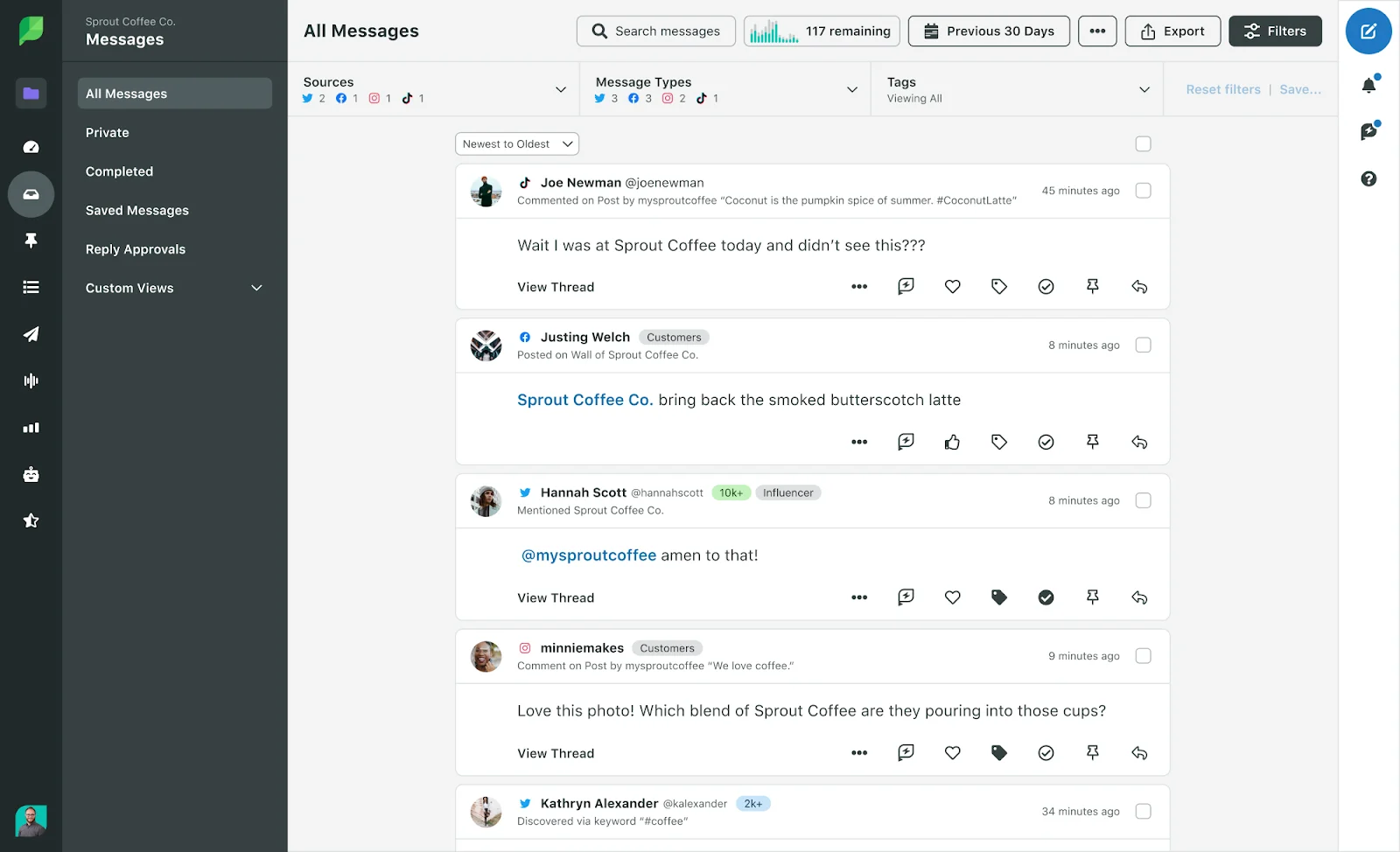
With these tools, you can manage all of your social media profiles and social networks from a single interface. You can also organize incoming messages depending on customer needs or internal team structure, and observe social activity for particular keywords and hashtags to locate and engage in relevant conversations.
Publishing & Scheduling
Sprout Social’s publishing and scheduling capabilities simplify writing and publishing your social media content based on your audience’s schedule. You can use the tool to create your social media posts directly on the site and get advice on improving your content.
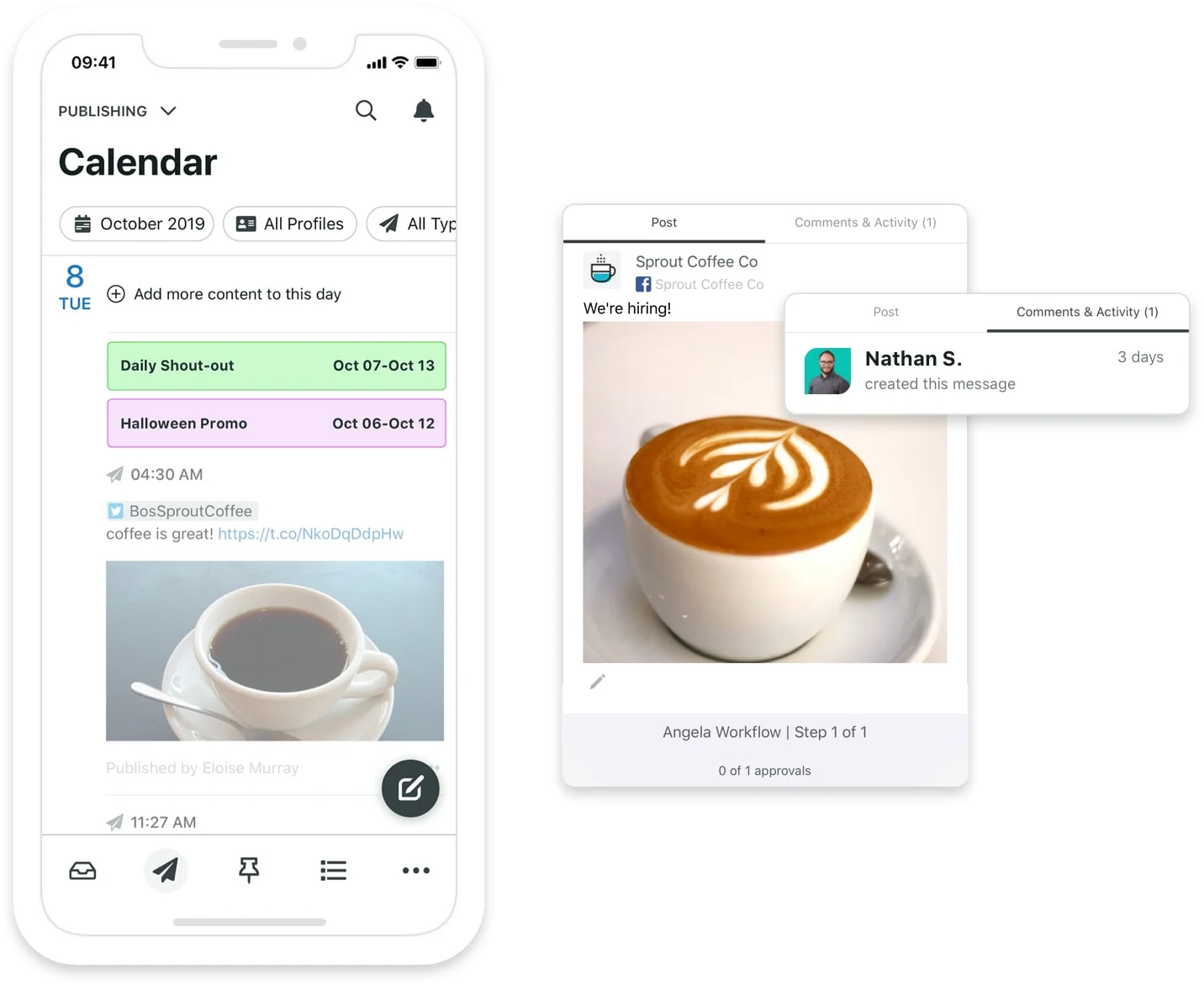
There is also an extensive calendar where you can keep track of everything you plan to post to multiple channels. Through the integration of Facebook, Instagram, and Shopify product catalogs, you can access various multimedia resources from a shared library and add product tags and links to posts. Even automatic insights regarding the optimum posting time are available.
With access to key features like content suggestions, message approval workflows, URL tracking, campaign planner, and media integrations, you can promote your content anytime, anywhere you want.
Analytics
For brands that want to focus on significant key performance indicators (KPIs), strategy, and return on investment (ROI), Sprout Social’s Analytics tools simplify and automate data collection and distribution. You may also utilize Sprout Social’s analytics tools to obtain information about your target market, enhance the client experience, and gather experience data.
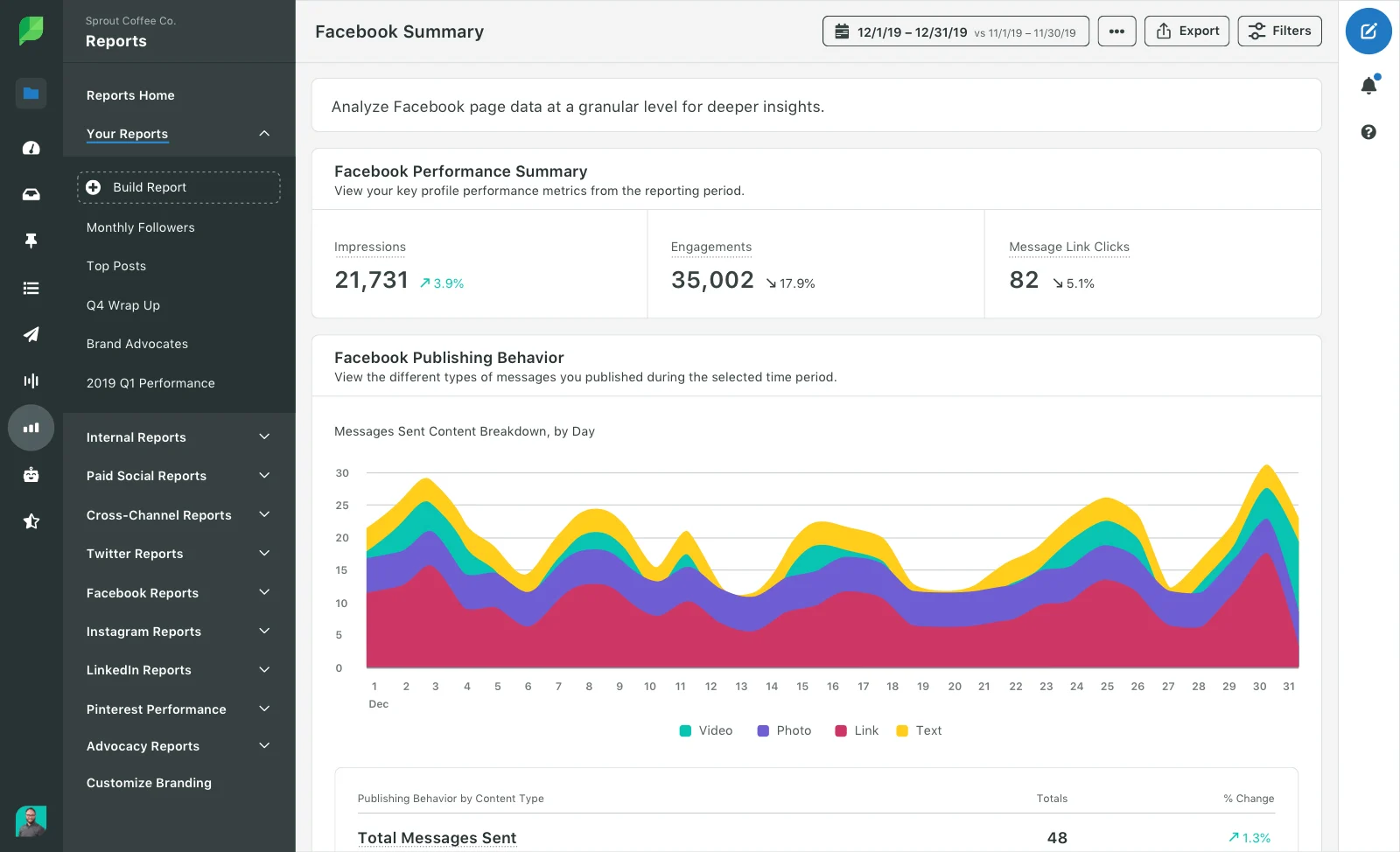
Furthermore, its user-friendly toolset includes many visual reports to assist you in understanding all of your social profiles from one location. You can also compare your social media performance with your competitors to gauge how well you’re doing. The reports from Sprout Social are also great for integrating the information you learn about your clients into your business results. This makes it simpler to demonstrate to shareholders and corporate executives the effectiveness of your marketing initiatives.
Social Listening
The social listening tools on Sprout Social provide an inside look at your target market, competitors, and the overall market. Insights about audience and market trends are available, allowing you to look closely at the subjects your customers frequently discuss. Sprout Social also offers specialized “listening” reports for customized topics, event monitoring, campaign analytics, brand health, industry insights, and competitor analysis.
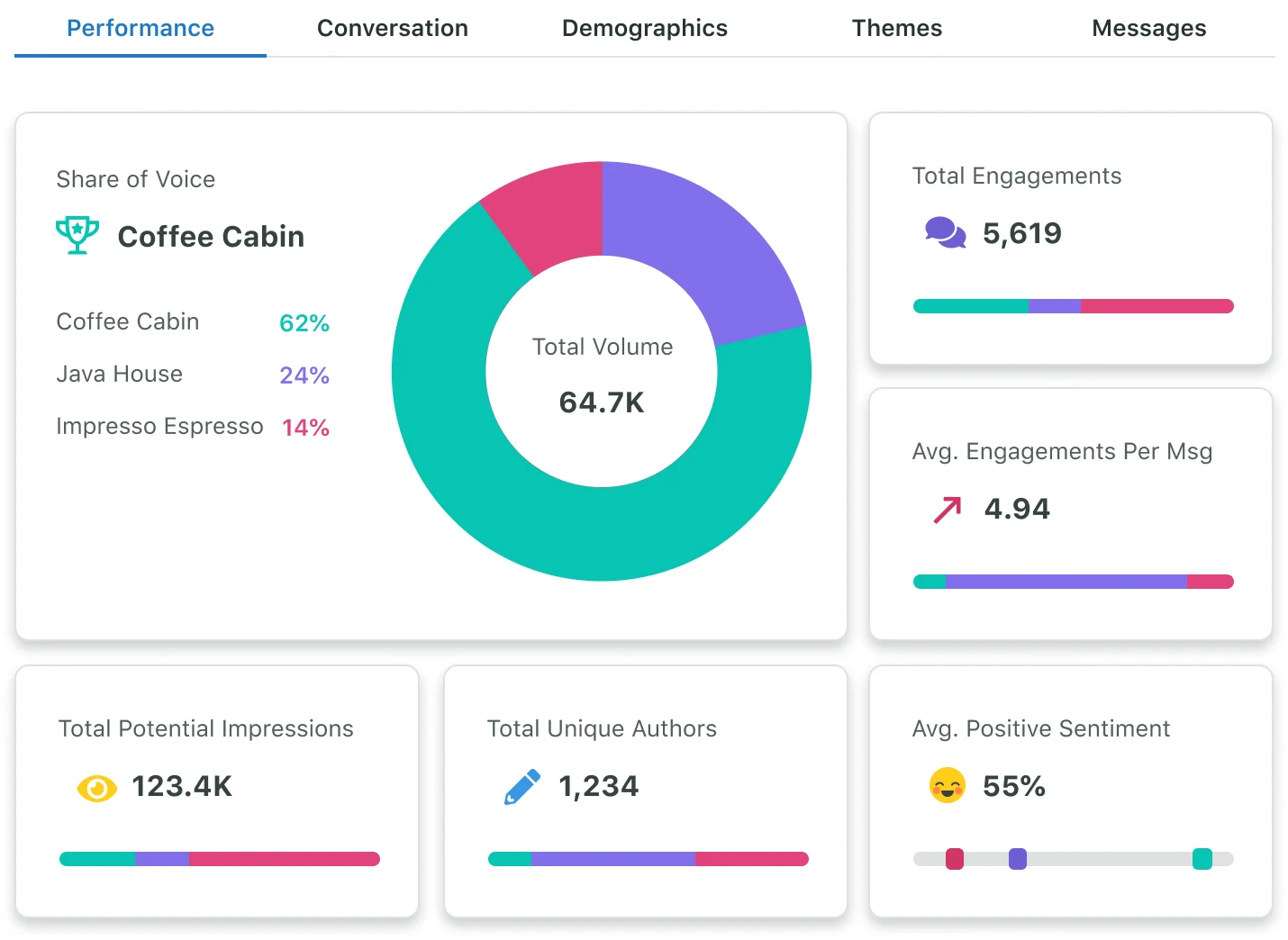
The core features of the “Listening” solution include audience analysis, customer feedback, consumer research, and influencer recognition. You also have access to sentiment research, campaign analysis, competitor comparison, trend identification, and crisis management.
Sprout Social’s listening solutions are perfect for developing an in-depth knowledge of your customers, your market, and how you stand up against your rivals. It also enables you to deliver visually appealing and straightforward reports to your stakeholders, highlighting vital insights, brand performance visibility, and impact.
Employee Advocacy
Sprout Social’s employee advocacy solution allows you to add a link, upload a photo or video, or duplicate posts you already share to your brand’s social networks. You can also provide pre-approved message ideas so you can feel confident and ensure you’re staying on-brand.
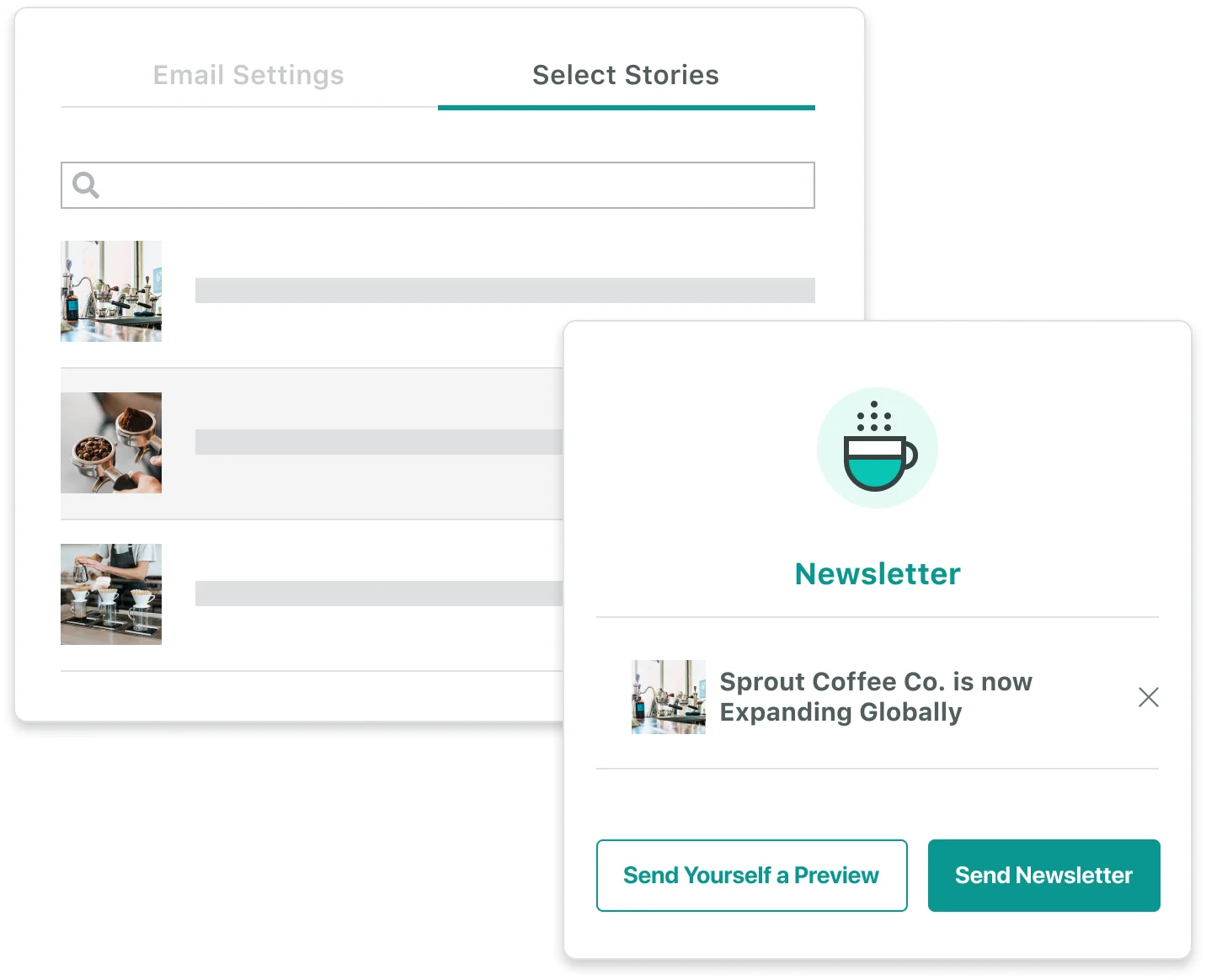
Additionally, you can compile content into newsletters or broadcasts to target specific audiences within your organization. You can also quickly and easily share posts from the desktop or mobile app with just a few clicks. Plus, you can get the data you need and connect results to real estate leads, web traffic, and event registrations.
By utilizing Sprout Social’s media management and employee advocacy features, you can save time and effort and drive additional revenue without increasing your ad budget. These features enable you to maintain a consistent brand voice and streamline internal communications.
Ease of Use
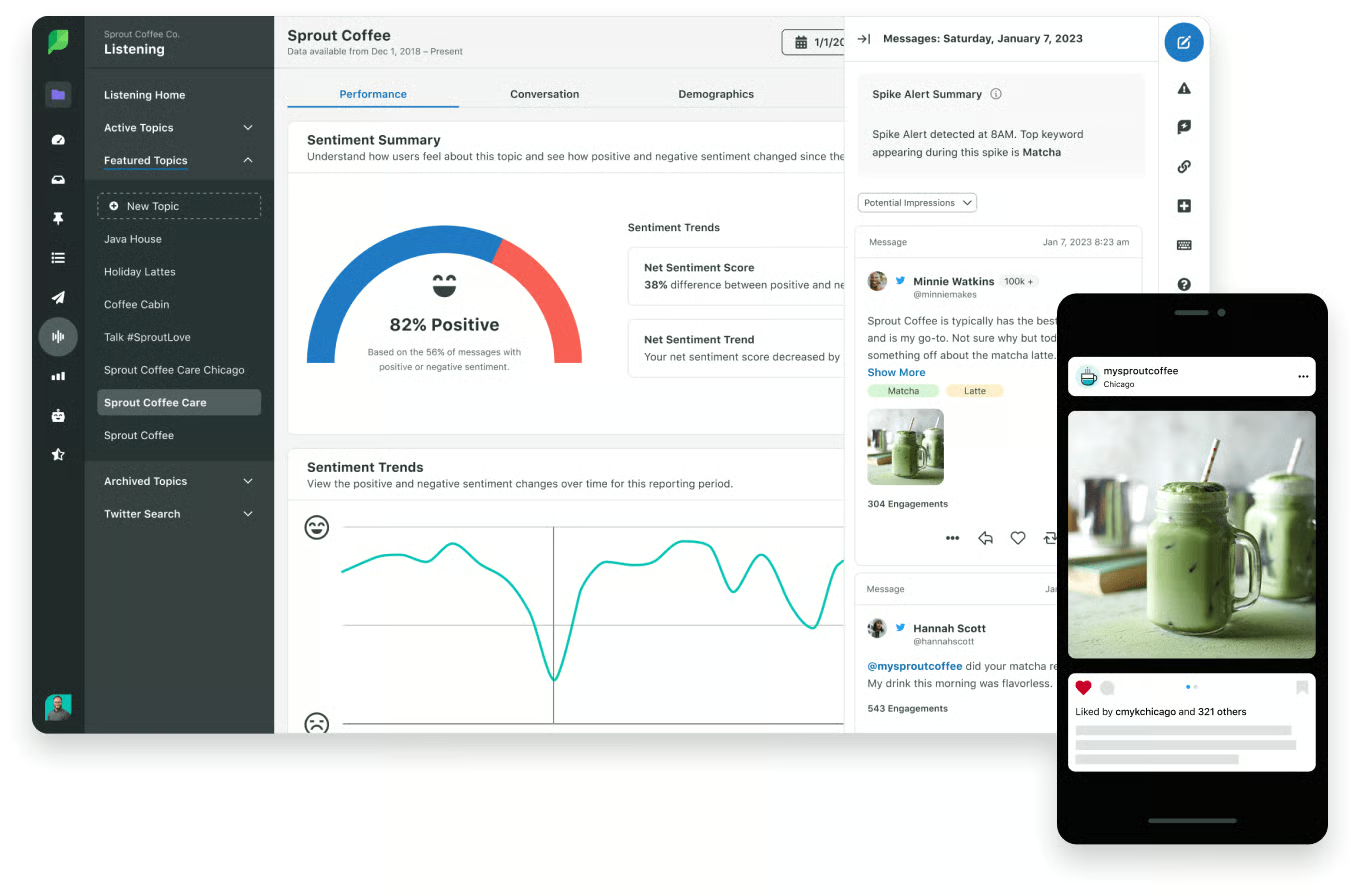
Setting up a Sprout Social account across several social media accounts is simple. It guides the user through the procedure and offers several tips to assist them in getting started. The user interface is easy to use and intuitive after the account has been set up. Additionally, for clear and straightforward navigation, Sprout Social’s dashboard design has a collapsible list in the left navigation column that covers the platform’s main features.
How We Evaluated Sprout Social
We researched Sprout Social’s pros and cons to evaluate the platform’s social media marketing services. We found it provides many useful features for increasing social media engagement, brand exposure, and lead generation.
Based on the needs and requirements of real estate professionals, we also looked into and assessed the following criteria in our review:
- Plans and pricing
- Alternatives
- General and advanced features
- Customer reviews
- Ease of use
Bottom Line
Sprout Social is a comprehensive social media management tool that includes social listening, analytics, reporting, scheduling, and publishing. It also has an easy-to-use user interface and powerful engagement tools that help you connect with your customers quickly and boost their customers’ brand loyalty. However, it doesn’t offer a free-forever plan, but you can sign up for a 30-day free trial.
