







As a small business, you don’t need to spend money to start a YouTube marketing strategy. Instead, you can evoke interest in your brand by creating your own channel and producing valuable videos for your audience. Using paid ads and other promotional strategies is a way for brands to take advantage of the platform to reach millions of viewers.
Before we jump into how to do YouTube marketing and how to create the best YouTube marketing strategy for your brand, let’s get the basics out of the way:
1. Create a YouTube Channel (Brand or Personal)
The first step to building an online presence for your business on YouTube is creating a YouTube channel. Your YouTube channel is the hub for all videos you’ll post on this social media platform. It should be dedicated specifically to your brand and customized to fit your brand identity.
Now on YouTube, there’s a difference between a personal channel and a brand channel. For businesses, it’s usually recommended to use a branded YouTube channel since it allows multiple managers, greater control over content, and, most importantly, analytics tracking.
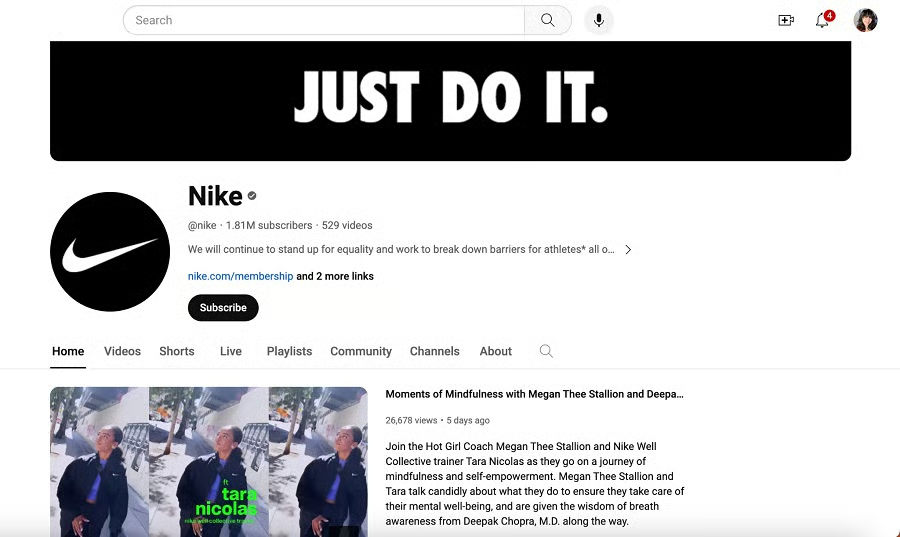
Nike uses a branded YouTube channel. (Source: YouTube) 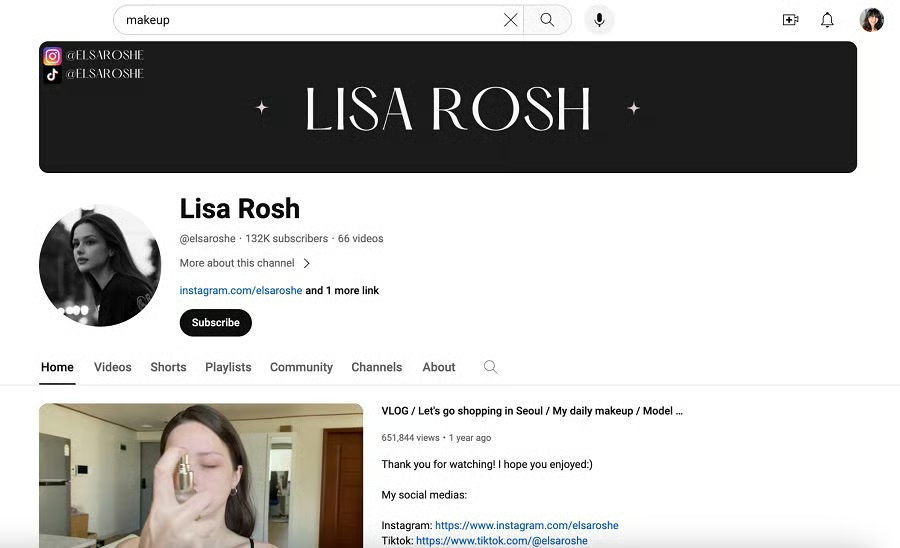
Influencers and other internet personalities usually use personal YouTube channels.


However, some brands (usually small businesses) still prefer to use personal channels since personal channels allow them to organize videos into playlists for more personalized viewing and even promote their channel by subscribing and commenting on other people’s channels. Usually, businesses who choose this route use their own name and image while they personally promote their brand.
All in all, it depends on your priorities for marketing on YouTube. If you want greater control and management features plus analytics, use a branded channel. If you want to access features that make it easy to interact with other people and channels, use a personal channel.
How to Create a Personal Channel
If you’re a solopreneur or want to establish a more personal connection with your audience, create a personal YouTube channel. This takes just a couple of minutes, here’s how to do it:
- Sign in to YouTube.
- Click your profile picture.
- Select “Create a channel.”
- Follow the prompts to create your channel. Use your own name and image.
- Double-check the information and press “Confirm.”
How to Create a Brand Channel
For a more professional and corporate image, opt for a brand channel. This channel type allows you to showcase your company’s name and logo, ensuring brand consistency.
- Sign in to YouTube normally.
- Head to your channel list.
- Click the “Create a New Channel” button. If you already have an existing Brand Account, select it from the list to create its channel.
- Input your channel name.
- Fill out all the details in the prompts, then click “Create.”
- (Optional) Share access to your brand channel. This allows multiple people to help manage your brand channel without having access to your Google Account.
2. Start Posting Videos
When using YouTube for business marketing, your bread and butter is your video content. Not only does it communicate your brand message, but it’s also your avenue for building trust, establishing brand identity, and raising brand interest. Every other step of YouTube marketing is to support getting these videos across.
With that in mind, there are three parts to this step: planning your content, executing the video, and posting it on YouTube:
- Plan your content: Research your competitors and target audience to find out what type of videos resonate with them the most. Schedule these in a content calendar to keep them organized. Explore different social media tools to help you plan, create, and schedule content.
- Execute your video: If you have the equipment to capture high-quality videos and audio, get started on shooting your video once you’ve created your storyboard and script. Alternatively, try content marketing agencies to help you create professional videos. Here are our top three choices:
 |
 |
 |
|---|---|---|
| Comprehensive video services for small businesses | Best for B2B graphic and video production | Data-driven video strategy and production |
| Visit Straight North | Visit KlientBoost | Visit Skyword |
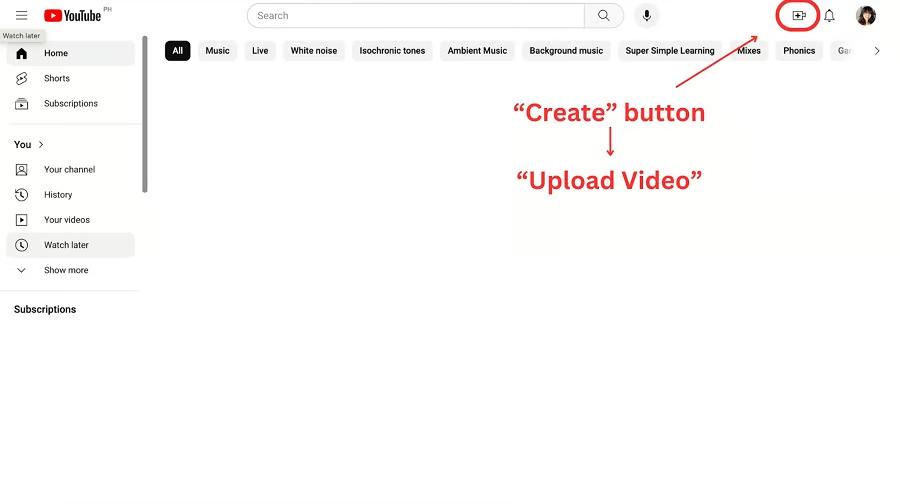
- Post on YouTube: On the top right of YouTube, you can find the Create button. From the drop-down, select “upload video.” Upload the video file, add the video information, and post.
YouTube Video Specifications
When executing a YouTube video marketing strategy, remember that your videos are talking to actual people. One thing about people is that if the quality of the video you show them is poor, it’s less likely for them to respond to it positively. To keep your videos high quality, follow these YouTube video specifications when creating and posting videos:
| File Format | .mp4 and other MPEG4 formats |
|---|---|
| Minimum Duration | 33 seconds, excluding black static frames with no sound |
| Aspect Ratio | 16:9 |
| Video Resolution | At least 1280x720 |
3. Promote Your Videos
There are at least 1 billion videos on YouTube, uploaded across 37 million active YouTube channels. How do you get people to watch your videos over the literal millions of other choices?
Promoting your YouTube videos is crucial to get your content in front of an audience. Businesses usually explore paid advertising, partnerships, and other YouTube marketing strategies to help build an audience.
We discuss different YouTube marketing tips and strategies in the sections below—many of them free. However, for businesses wanting a sure way to get their videos seen more, paid YouTube ads are an excellent way to start.
How To Advertise on YouTube
Advertising on YouTube means that you are paying the platform to get your videos seen. There are different types of ads that help businesses achieve specific goals. Here is an overview of the type of YouTube ads:
| Ad Type | Description |
|---|---|
| In-feed Video Ads | Video ads that appear in the YouTube feed |
| Skippable In-stream Ads | Preroll or midroll ads that viewers can skip after watching for a few seconds |
| Nonskippable In-stream Ads | Video ads that viewers are required to watch preroll, midroll, or after the video |
| Bumper Ads | Very short video ads designed to deliver a quick and memorable message |
| Overlay Ads | Semi-transparent ads that appear as banners at the bottom of the video player |
To get your existing video content more views, we recommend using in-feed video ads. This can put your video at the top part of the results page or formatted similarly to a recommended video on someone’s feed. See an example of a YouTube in-feed ad below:
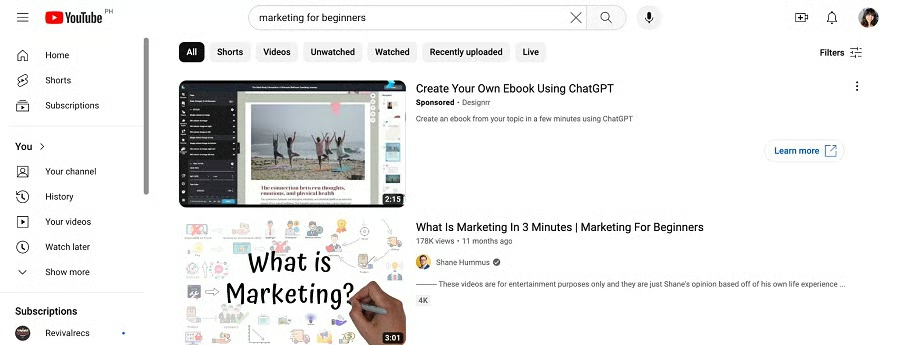
To get started with YouTube advertising, follow these steps:
- Go to Google Ads Manager and log in. If you don’t have an account yet, sign up.
- Select “New Campaign” and choose “Create a campaign without a goal’s guidance.”
- Select “Video” for campaign type.
- Choose the YouTube ad type you want to use.
- Select a bidding strategy. If you’re unfamiliar with these, use the learning tabs to the right to help you decide.
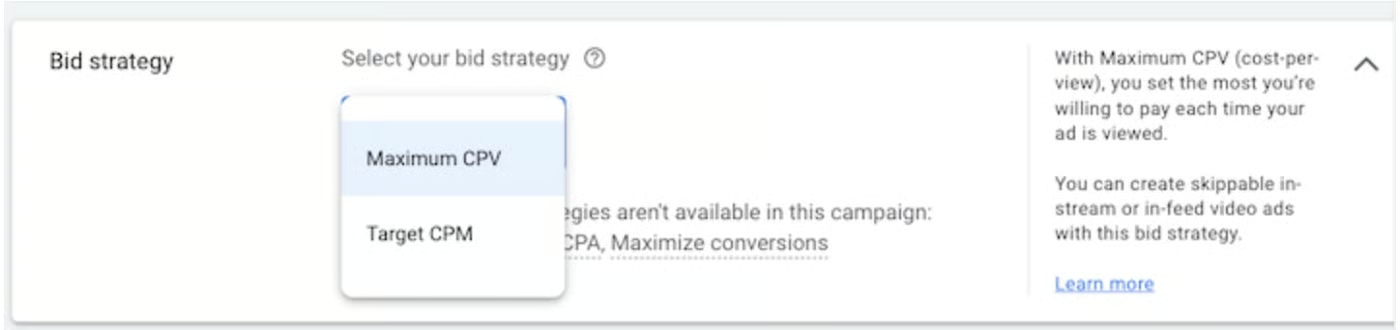
- Fill out other relevant information like exclusions, network, or related videos.
- Set your targeting, such as demographics, interests, retargeting, or similar audiences.
- Create your ad.
- Set your bid (how much you’re willing to spend per number of views).
- Finish set up.
4. Track & Optimize Your Performance
Monitoring your video performance does not just help you identify how your video is performing; it also enables you to determine whether your strategies are effective or not. Data, such as click rates, viewer demographics, watch time, and day & time tracking, can be useful information to help further develop an effective YouTube strategy for brands.
Just like any other marketing campaign, using data to improve your content and processes can be used to optimize your YouTube marketing for better results. Start by comparing different content or promotion strategies to see how they perform. Over time, you should be able to find out the best process for optimizing your campaigns.
YouTube Marketing Strategies & Tips
Oftentimes, it’s not enough to just learn how to do YouTube marketing. A business with a successful YouTube presence uses a variety of techniques to get views, engagement, and, ultimately, potential customers. To help you develop your own YouTube marketing strategy, here are some of the most common YouTube marketing tactics that get results:
- Landscape analysis: Start by exploring competitors or other video creators in your industry. Look at which of their videos get the most views and engagement. This will give you an idea of what topics your audience wants to learn about and what style of videos they prefer to guide your content.
- SEO: Add relevant keywords to your title, description, tags, captions, and transcripts so that search engines can crawl and understand what it’s about. This is done to get your video to rank on search engines for more views and can even be included as part of your SEO content marketing plan.
- Custom thumbnails: Data shows that 90% of the most viewed YouTube videos have custom thumbnails. It is an opportunity to make a lasting impression with high-quality visuals, clear messaging, and an impactful design. Explore different colors, fonts, and layouts to find the ideal design for your brand.
- Add a clear call to action (CTA): Saying “Don’t forget to like and subscribe” is often done by content creators because it gives their viewers a clear direction while they’re engaged with your content.
- Cross-promote: Take advantage of other marketing efforts you’re already doing, may it be posting a link to your YouTube channel on Facebook or adding a YouTube social button to your website or emails. This is a simple (and free) way to amplify the reach of your YouTube presence.
- Use YouTube cards and end screens: YouTube cards and end screens are clickable and interactive features that appear in your video. It is commonly used to promote other videos or even encourage people to subscribe to the channel.
Frequently Asked Questions (FAQs)
How do I grow my YouTube channel with marketing?
Grow your YouTube channel through cross-promotion and SEO, and by taking advantage of the platform’s features to encourage channel subscriptions. These tactics can usually be done for free, but you can take the extra step by trying YouTube advertising.
How much does YouTube marketing cost?
Creating a YouTube channel and posting on the platform is free, even for businesses. The other costs that can be associated with YouTube marketing are video production costs, editing software, script writing, and thumbnail design.
Is YouTube worth it for a small business?
YouTube marketing can be a game-changer for small businesses looking to expand their online presence and connect with a larger audience at a much lower cost. It is especially recommended for businesses in industries that can create highly engaging content, such as cosmetics brands and service-based businesses.
Bottom Line
You can start incorporating YouTube marketing for your business as long as you set up your channel, create videos, promote your content, and optimize it over time. Once you’ve mastered the basics, don’t hesitate to explore more advanced strategies to maximize your YouTube marketing plan.
