






Vonage Business Communications (VBC) is a cloud-based unified phone system that allows users to engage with customers and colleagues through voice, messaging, and video, all in a single platform. In this Vonage Business Communications review, the provider earned perfect scores on ease of use, general features, and customer service.
However, VBC received a fair rating on pricing. The starting subscription fee is affordable at first glance, but the add-on features can drive up the cost. The features, on the other hand, are comprehensive, but it falls short on limited native integrations and extensive collaboration tools. See if this solution fits your business needs by reading through my in-depth review.
Why you can trust Fit Small Business
Vonage Business Communications review: Overview
Deciding factors
| Best for | Businesses that require an easy-to-use yet feature-rich phone system providing a la carte services |
|---|---|
| Standout features |
|
| Pricing plans |
Plans are paid per line, per month. Volume discounts are available, and you can also opt to pay annually for more savings. |
| Free trial | 14 days |
| Customer service |
|
When to use Vonage Business Communications
- You require a unified communications (UC) platform with robust call management features: Vonage Business Communications delivers powerful phone system capabilities, including call rerouting, call screening, auto attendant, conference calling, call park, and call blocking. It earned a spot in our list of the best business phone systems.
- Your distributed team needs a feature-rich mobile VoIP app: Voice and UC features (e.g., call transfers, voicemail transcription, and call logs) are accessible through the provider’s mobile app.
- Using different phones on the same extension is important: Vonage has a multi-line phone system that lets you use the same phone number, voice mailbox, and extension for all your registered phones.
- Keeping your phone system active even during emergencies is mission critical: In cases of power outages, where the Vonage Business Communications platform won’t be able to receive calls, the provider’s call continuity service automatically reroutes the call to a backup phone number you choose.
When to use an alternative
- You’re hosting large virtual meetings: VBC only allows up to 100 audio meeting participants and 200 video conference participants in the Premium and Advanced plans. In contrast, RingCentral hosts up to 1,000 audio meetings and 500 video conference participants. Learn how else RingCentral stacks up against Vonage in this RingCentral vs Vonage guide.
- You need advanced AI analytics features: While Vonage offers AI features, these are mostly focused on call reporting and speech analytics. If you need more advanced real-time AI analytics to track and improve contact center performance, go with Nextiva. Read our Nextiva vs Vonage guide to better understand which platform suits your business needs.
- You need the lowest-cost UC platform: Although Vonage Business Communications’ a la carte features offer flexibility, costs can increase for those needing advanced UC features. For a more budget-friendly option, check out these low-cost or free UC platforms.
Vonage Business Communications alternatives
While Vonage Business Communications is a great option for a UC platform, its limited video meeting participant capacity and collaboration tools may not be suitable for large, remote teams. The provider’s la carte pricing options won’t fit budget-conscious businesses who require advanced UC features. With these factors in mind, we outlined some top Vonage Business Communications alternatives worth considering:
 |  |  | |
|---|---|---|---|
| Best For | Businesses needing an affordable unified communications as a service (UCaaS) platform that also has excellent international calling capabilities | Businesses requiring an extensive set of collaboration features | Those looking for a UCaaS platform with a large conferencing capacity |
| Monthly Starting Price | $15 per user | $30.95 per user | $30 per user |
| Learn More | Visit 8x8orVisit Our 8x8 Review | Visit NextivaorVisit Our Nextiva Review | Visit RingCentralorVisit Our RingCentral Review |
Vonage Business Communications pricing
3.00 / 5
Vonage Business Communications pricing earned a score of 3 out of 5. While its subscription costs are affordable compared to competitors, it doesn’t offer a free plan and annual discounts. Moreover, the price quickly increases when you need the provider’s full suite of UC capabilities.
Refer to the table below for the different inclusions and exclusions on Vonage Business Communications’ pricing plans:
| Vonage Business Communications Plans | Mobile | Premium | Advanced |
|---|---|---|---|
| Best For | Teams needing basic call management features | Businesses requiring a UCaaS tool with CRM integrations | Companies looking for a UCaaS platform with advanced call management features |
| Monthly pricing (per line) | $19.99 | $29.99 | $39.99 |
| Unlimited domestic calling | ✓ | ✓ | ✓ |
| Access to mobile & desktop apps | ✓ | ✓ | ✓ |
| Team messaging | ✕ | ✓ | ✓ |
| Video meetings | ✕ | ✓ | ✓ |
| Call groups | ✕ | ✕ | ✓ |
| Call recording | ✕ | ✕ | ✓ |
Add-ons
- Communication APIs: VBC charges based on usage for SMS (starts at $0.18916 per message), voice (starts at $0.00763 per minute), video (starts at $0.0041 per minute), and in-app messaging (starts at approximately $0.00076 per message).
- Call recordings: Starts at $49.99 per month for 500 hours of recording time
Other paid add-on services and features are available, including an AI virtual assistant, call queue, international phone numbers, and business inboxes. Prices for these are customized based on specific business needs.
Vonage Business Communications Features
Vonage Business Communications packs more than 40 VoIP and UC capabilities, ranging from customer engagement tools to call management and analytics. These features are accessible via mobile and desktop apps, allowing users to work from anywhere, even outside the office.
Consider the features discussed below as you weigh if Vonage is the right solution for your communication needs:
General features
5 / 5
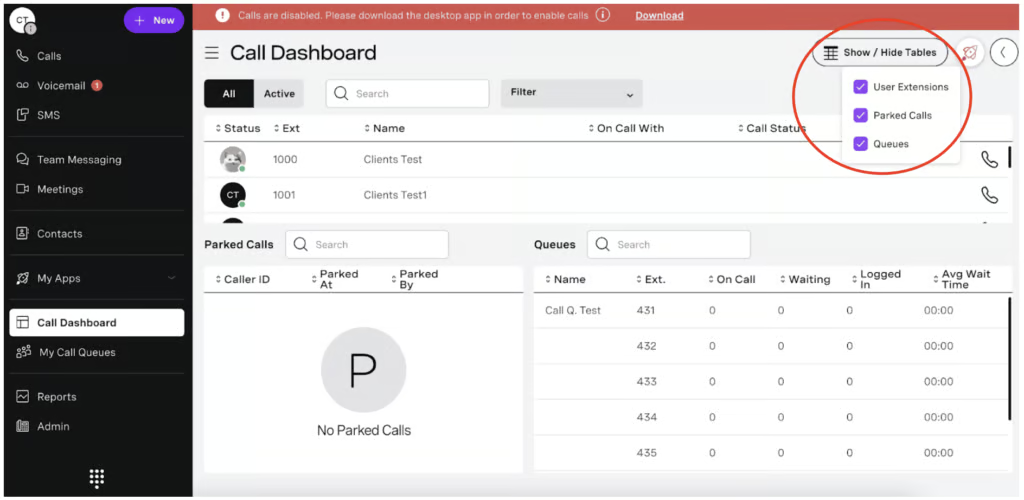
In this Vonage Business Communications review, the provider earned a perfect score on general features because it offers all the fundamental VoIP and UC features, including an interactive voice response (IVR) system. Its phone system capabilities include extensions, call queues, call tracking, and call recording, helping businesses accommodate a huge volume of calls and easily recognize customer service gaps and agent training opportunities.
Other basic call management features include:
- Auto attendant
- Block caller ID
- Call announce
- Call blocking
- Call conference
- Call forwarding
- Call hold
- Call park
- Call screening
- Call waiting
- Click-to-dial
- Conference bridge
Niche features
3.75 / 5
From a previous score of 3.13, VBC’s score on niche features jumps slightly higher to 3.75 in this 2025 review. It ticks off all the specialized capabilities we look for but still receives deductions for not having robust native integrations and other in-meeting collaboration tools (e.g., breakout rooms). Vonage also doesn’t allow you to change your background during video calls.
Learn more about Vonage’s niche features here:
Vonage Meetings
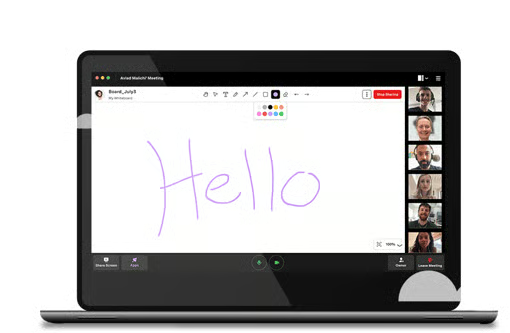
Vonage Business Communications features virtual meetings accessible via desktop, mobile, or browser. This conferencing capability has a dedicated dial-in number from over 50 countries, including the US, Canada, and the UK, improving accessibility to global teams. In terms of collaboration features, users are able to share screens, use whiteboards, and chat with colleagues. A meeting lock and waiting room are likewise available to keep sessions secure.
Team messaging
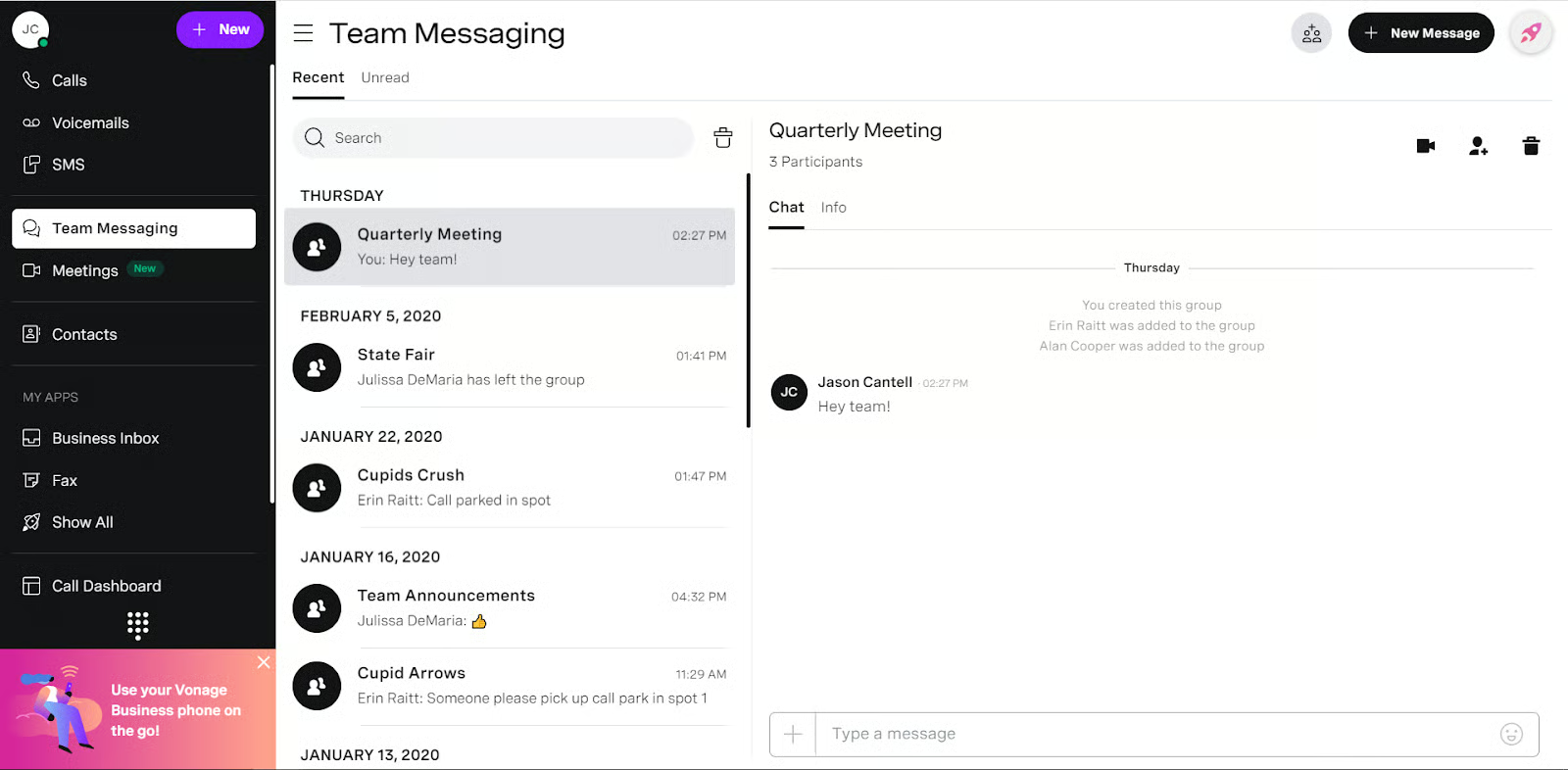
Start and join group chats with team members to easily collaborate on projects. The chat feature allows for the sharing of files and other types of media, eliminating the need to jump to email or other platforms to give colleagues a copy of documents. If you want to hop on a quick huddle with group members, simply click the video button on the chat menu.
Visual voicemail
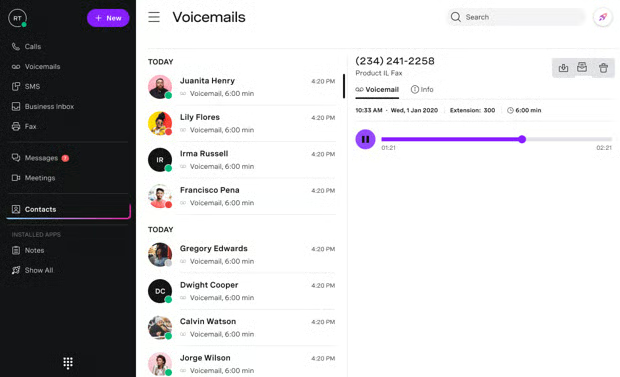
Vonage Business Communications converts voicemail messages to text and sends the transcription to email, along with the phone number and the audio file. Visual voicemail is great for easily retrieving messages and taking note of details. It contributes to better productivity since you’re able to read the transcription and get the message quickly without the time-consuming effort of playing the audio file over and over again.
Business inbox
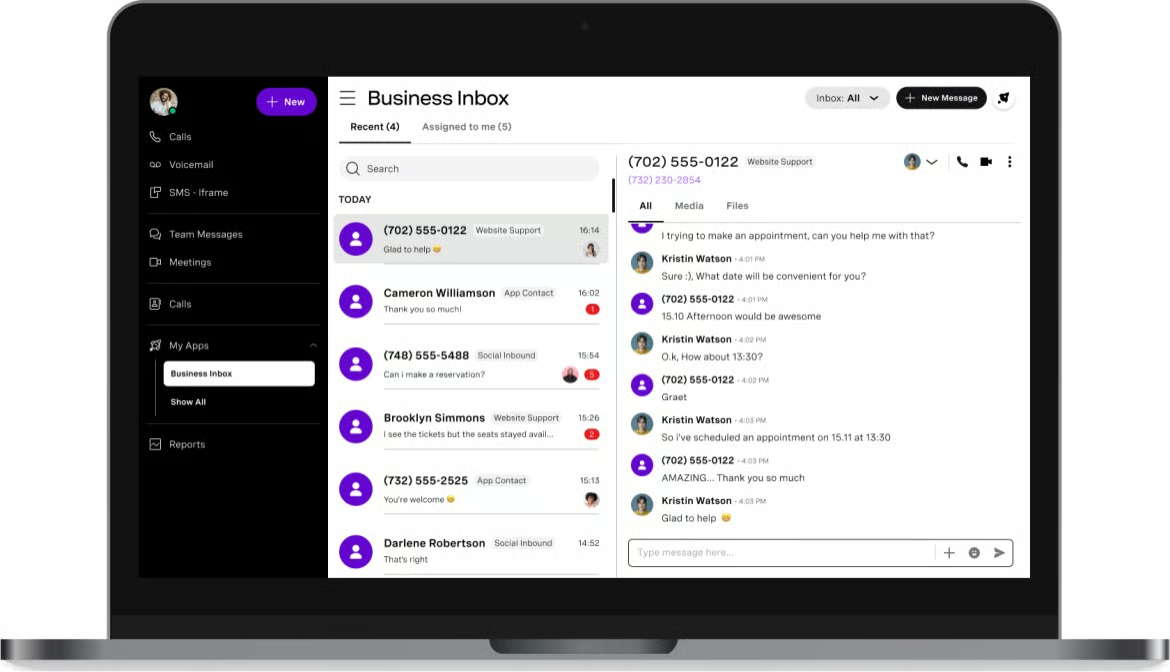
This feature gathers and organizes all the texts sent to your main company number, including toll-free numbers. Since it integrates with Facebook, you’ll get messages sent to your social page once you connect it to your VBC account. With all your messages in one place, you won’t miss any customer inquiries. Instead, you get to respond to concerns more quickly.
Customer service
5 / 5
Vonage earns a perfect score on customer service thanks to multiple channels for support: phone, email, and live chat. The phone support operates from Monday to Friday, from 9 am to 12 am Eastern Time (ET), and Saturday, from 9 am to 8:30 pm ET. The email and live chat support are available 24/7.
This provider also has a support portal where you’ll find instructions on how to get started, resolve technical issues, and use different features. It has a YouTube channel, a central hub for product announcements, and easy-to-follow tutorials.
Ease of use
5 / 5
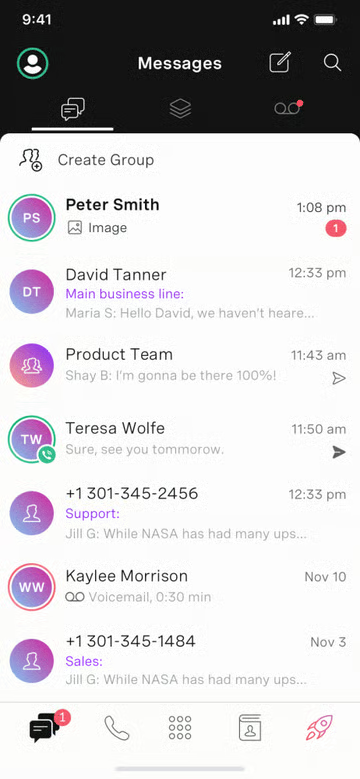
For ease of use, VBC earned a perfect score since platform setup and navigation are straightforward. The desktop and mobile app’s interface is neat, with all the phone system features readily displayed on the main navigation panel.
On the desktop, you’ll see from top to bottom the VoIP features (calls, voicemails, and SMS), followed by the UC features (team messaging and meetings), contacts, apps, call dashboard, reports, and finally, the admin portal.
Expert score
4.38 / 5
I gave VBC a high expert score as it is a full-featured unified communications platform. After careful evaluation, I highly recommend it for distributed teams, thanks to its cloud-based solution that is accessible via mobile and desktop apps, connecting teams regardless of time zone and location.
These are the user ratings for Vonage Business Communications on different review sites:
- G2: 4.3 out of 5 stars based on 474 reviews
- GetApp: 4 out of 5 stars based on 314 reviews
- TrustRadius: 7.9 out of 10 stars based on 92 reviews
Based on Vonage Business Communications reviews online, users liked the robust platform and all-in-one solution for calls, messages, and meetings. Some expressed appreciation for its clean desktop and mobile app interface, while others praised the quick resolution to concerns submitted. Some shared that they liked how they were able to secure and manage different phone numbers and assign them to specific groups.
Methodology: How I evaluated VBC
Bottom Line
Vonage Business Communications is a reliable business phone system packed with excellent VoIP and UC capabilities. Given its wide range of advanced call management features, it’s suitable for companies that want to streamline communications with a huge audience base. Its basic collaboration features benefit teams that require a simple team messaging solution. Sign up for Vonage Basic Communications’ entry-level plan and see if it’s the right platform for you.
