








800.com is a virtual phone system that specializes in toll-free and vanity phone numbers as well as call tracking services. Despite its flexible pricing options, this provider doesn’t have much to offer in terms of call management and team communication. The best 800.com alternatives include built-in voice-over-internet protocol (VoIP) functionality and unified communications (UC) capabilities like video conferencing and team chat.
Based on our evaluation, we recommend the following 800.com alternatives:
- RingCentral: Best for UC
- Grasshopper: Best for virtual phone numbers
- CallHippo: Best for call center-based features
- Phone.com: Best cheap phone service
- MightyCall: Best virtual phone system
- eVoice: Best for solopreneurs
- 800.com & Best Alternatives Compared
- RingCentral: Best Overall for UC
- Grasshopper: Best for Virtual Phone Numbers
- CallHippo: Best for Call Center-based Features
- Phone.com: Best Cheap Phone Service
- MightyCall: Best for Virtual Phone System
- eVoice: Best for Solopreneurs
- Frequently Asked Questions (FAQs)
- Bottom Line
800.com & Best Alternatives Compared
| 800.com & Best Alternatives | Monthly Starting Price (per User) | Key Features | Free Trial | FSB Rating |
|---|---|---|---|---|
 | $23 |
| N/A | 4.19 out of 5 |
| Visit 800.com | ||||
 | $30 |
| 14 days | 4.56 out of 5 |
| Visit RingCentral | ||||
 | $17(Flat rate) |
| 7 days | 4.54 out of 5 |
| Visit Grasshopper | ||||
 | $20 |
| N/A | 4.53 out of 5 |
| Visit CallHippo | ||||
 | $14.99 |
| N/A(30-day money-back guarantee) | 4.45 out of 5 |
| Visit Phone.com | ||||
 | $20 |
| 7 days | 4.38 out of 5 |
| Visit MightyCall | ||||
 | $14 |
| N/A | 4.35 out of 5 |
| Visit eVoice | ||||
RingCentral: Best Overall for UC
How It Compares to 800.com
- RingCentral has extensive call management features than 800.com.
- RingCentral charges per user while 800.com charges based on toll-free minutes and phone numbers.
- RingCentral requires plan upgrades to unlock specific features while 800.com has all-inclusive plans.
- RingCentral combines voice, video, chat, fax, and SMS while 800.com only supports voice and SMS.
RingCentral is our best 800.com alternative because it has all the features that small businesses look for in an all-in-one UC solution. While 800.com heavily focuses on calling and texting, this provider offers complete call management, video meetings, team chat, and robust app integrations.
As the industry-leading VoIP phone system, RingCentral has all the benefits of a traditional landline and the flexibility of a cloud-based phone service. Enhance the call routing experience with features like multilevel IVR, call queues, and answering rules.
Meanwhile, RingCentral’s monthly per-user fees are its biggest downside, starting at $30—a tad higher than other 800.com competitors. If you’re looking for a budget-friendly option, go for Phone.com. Its all-inclusive monthly plans start for as low as $14.99, with options for metered and unlimited call packages.
RingCentral Monthly Pricing at a Glance (per User)
- Core: $30 for one phone number, 100 toll-free minutes, unlimited local calls, 25 short message service (SMS), visual voicemail, call management, multilevel IVR, basic call queues, on-demand call recording, team chat, and 100 video attendees
- Advanced: $35 for 1,000 toll-free minutes, 100 SMS, advanced call routing and monitoring, automatic call recording, hot desking, unlimited e-fax, advanced integrations, and business analytics
- Ultra: $45 for 10,000 toll-free minutes, 200 SMS, unlimited storage, and device analytics
- Free trial: 14 days
RingCentral Features
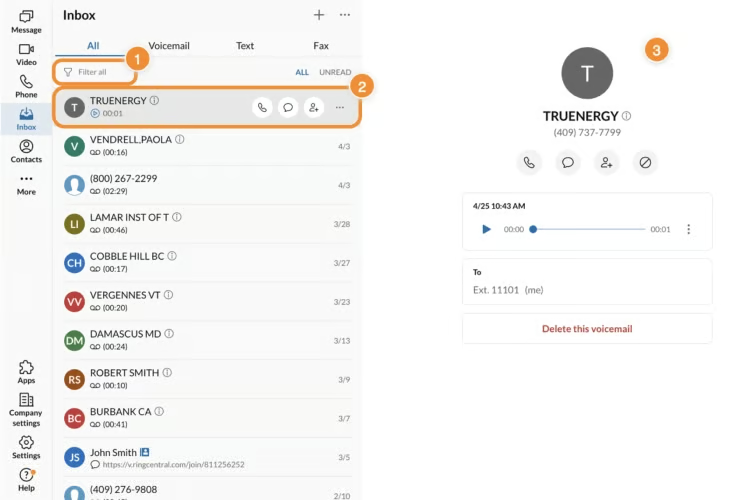
- Answering rules: Have incoming calls forwarded directly whether to your voicemail, office phone, or personal cell phone. You can also create custom answering rules and scheduling options if you have more than one RingCentral phone number.
- Unified inbox: Serves as a central place to view and respond to inbound messages like texts, voicemail, and faxes. This makes it easy to follow up on action items or details you might have missed.
- Background noise reduction: Provides an artificial intelligence (AI)-powered noise reduction within your business phone. With advanced background noise filtering, your calls will automatically tune out background noises in just one click.
Grasshopper: Best for Virtual Phone Numbers
How It Compares to 800.com
- With Grasshopper, it’s cheaper to scale and has better telephony features than 800.com.
- In their advanced subscription plans, both providers support unlimited per-user seats and five phone numbers.
- Unlike Grasshopper, 800.com has analytics and webhook access.
- Both providers have no UC capabilities.
Both 800.com and Grasshopper share many similarities in terms of all-inclusive offerings and unlimited user seats, but they differ in terms of the virtual phone numbers included in each plan. Grasshopper offers local, toll-free, and vanity numbers for no extra charge, and has bundled options in higher-level tiers.
Getting a virtual phone number in Grasshopper is easy. You simply pick your preferred monthly plan and the number and type of phone number you need. There are no additional fees for toll-free numbers, and you get an extra $75 discount in addition to the 10% off if you subscribe annually.
One thing we least like about Grasshopper is its limited channel support for team collaboration. There’s no team chat or video conferencing, so you will need a separate third-party app. To avoid app switching, choose a full-featured provider like RingCentral, which brings together voice, video, chat, and fax in one intuitive platform.
Grasshopper Monthly Pricing at a Glance
- True Solo: $14 for one user, one phone number, and one extension
- Solo Plus: $34 for unlimited users, one phone number, and three extensions
- Partner: $56 for unlimited users, three phone numbers, and six extensions
- Small Business: $92 for unlimited users, five phone numbers, and unlimited extensions
- Free trial: Seven days
Note: All plans include business SMS, call forwarding, voicemail, e-fax, call transfers, custom greetings, and reporting.
Grasshopper Features
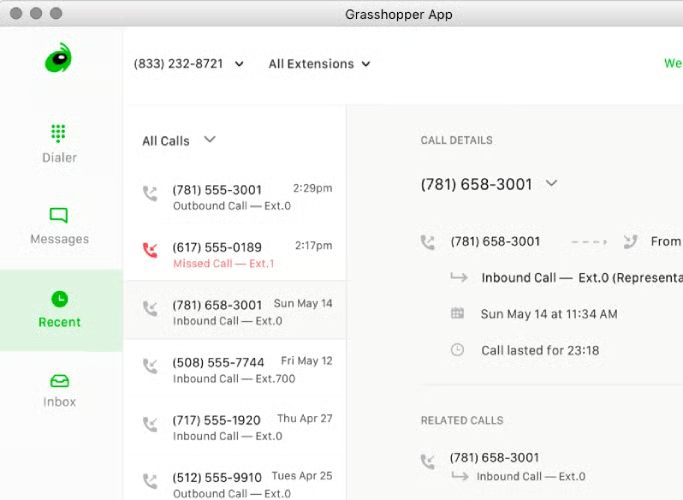
- Simultaneous call handling: Accept multiple incoming calls at the same time and automatically forward the incoming call to the next available forwarding number if the other line is busy or unavailable.
- Extensions: Assign separate extensions for different departments and distribute callers evenly based on the information, department, or employee they need.
- Desktop and mobile app: Access your phone system anywhere whether on your desktop computer, laptop, or smartphone by installing Grasshopper’s dedicated phone app. This will keep your business calls and texts separate from your personal ones.
CallHippo: Best for Call Center-based Features
How It Compares to 800.com
- CallHippo’s VoIP plan includes call center-based features like IVR and call notes while 800.com has no similar offering.
- CallHippo has more extensive call management capabilities than 800.com.
- CallHippo charges $20 monthly for 1,000 call minutes and one phone number while 800.com charges $23 per month.
- 800.com’s three subscription plans unlock all features while CallHippo hides its features behind its highest tiers.
CallHippo is the only 800.com alternative in this list that offers call center capabilities apart from its VoIP solution. Its business phone service is divided into types—call center solution and office phone system. They differ in the number of feature inclusions, but you’ll still find a lot of call center features in both options.
For example, office phone systems plans include features like user working hours, multilingual IVR, call ratings, and call notes. However, you can switch to the call center option if you’re looking for features to better manage your call center team. These include skill-based routing, call barging, gamification, and shared inbox.
Unfortunately, CallHippo forces users to upgrade to more expensive plans to access key features like call routing, IVR, and free call recording. This is costly for businesses that prefer to stick with a cheaper entry-level plan. We recommend MightyCall, which offers complete call management features, including call flow designer, business hours, and ring groups.
CallHippo Monthly Pricing at a Glance (per User)
- Basic: Free for unlimited users, click-to-dial, voicemail, SMS, last called by, and call forwarding
- Starter: $20 for one phone number, shared inbox, skill-based routing, webhook, paid call recording, and campaign management
- Professional: $30 for role-based access, free call recording, IVR, call queue, after call work, call cascading, holiday routing, gamification, user working hours, and call tagging
- Ultimate: $50 for auto dialer, multilevel IVR, conference calling, call barging, call whisper, reports via email, and route to external number
- Free trial: 10 days
CallHippo Features
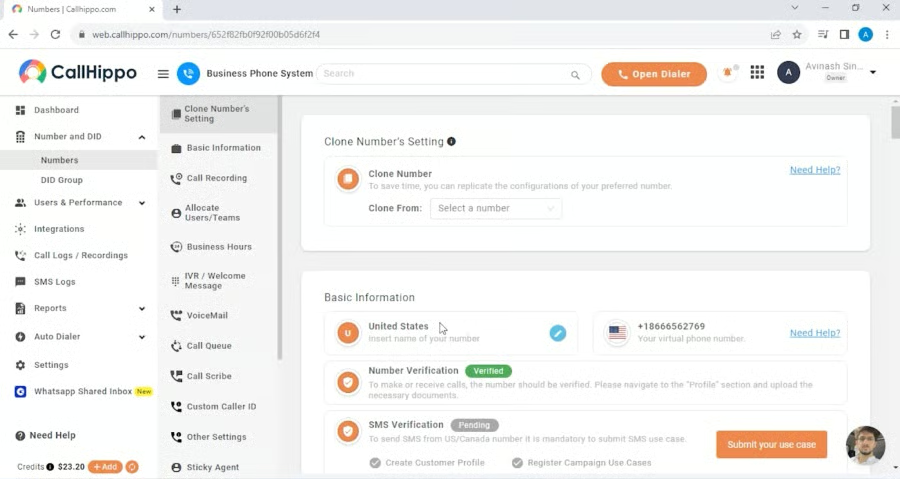
- Smart switch: Switch between telephony networks if a decrease in call delivery is detected in a particular network. This lets you pick an alternate network provider before the next caller interaction, ensuring better call connectivity.
- Call tagging: Assign relevant tags to incoming callers to easily identify and categorize calls based on specific criteria, such as agent outcome and customer service issues.
- Ring all: CallHippo has its own version of simultaneous ring that allows calls to ring on multiple phones at the same time. The call will stop ringing as soon as someone picks up any of the ringing phones.
Phone.com: Best Cheap Phone Service
How It Compares to 800.com
- Phone.com offers 50 telephony features on its entry-level tier while 800.com all-inclusive plans only has 12.
- Unlike 800.com, Phone.com supports video conferencing.
- Both providers provide metered and unlimited calling options.
- 800.com has a more intuitive and modern-looking interface than Phone.com.
Among our handpicked 800.com alternatives, Phone.com brings a lot of bang for your budget, thanks to its full-featured packages and metered and unlimited plan options. At only $14.99 per user monthly, you get up to 50 standard VoIP features, 500 pooled minutes, and video meetings.
Phone.com offers preselected features and a la carte options, such as international dialing, global numbers, call recording, and live receptionist service. This saves users from having to upgrade to higher tiers to access premium services.
However, Phone.com is limited to texting and voice calling. If you’re looking for a one-stop shop for all your business communications needs, choose RingCentral. This provider bundles phone, video conferencing, and instant messaging in one platform, along with a wide selection of app integrations.
Phone.com Monthly Pricing at a Glance (per User)
- Basic: $14.99 for one phone number, 500 pooled minutes, auto-attendant, call transfer, caller ID, call waiting, hold music, greetings, 10 video attendees, and audio conferencing
- Plus: $21.99 for unlimited domestic calls, voicemail transcription, 25 video attendees, and desk phone compatibility
- Pro: $31.99 for call analytics, call recording, 100 video attendees, and Zapier integration
Phone.com Features
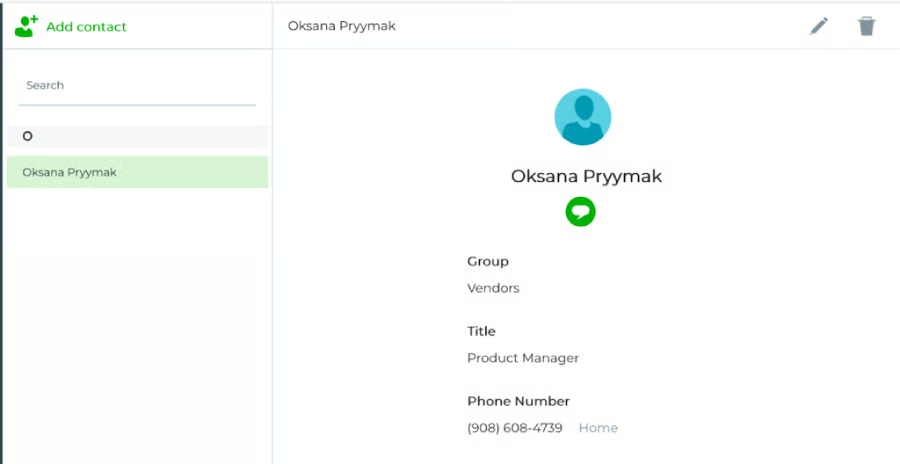
- Address book: Sync your Phone.com address book with your personal contacts to directly send calls and messages within your Phone.com account. Contacts can be referenced in Phone.com’s call handling rules.
- Call logs: Provides a historical account of all your business calls, including incoming, outgoing, and missed calls to your Phone.com number. It includes a filtering option for more accurate searching.
- Call waiting: Gives out a ‘beep’ sound if a second call comes in while you’re in an ongoing call. You can direct the call to voicemail or switch over the call without dropping the original call.
MightyCall: Best for Virtual Phone System
How It Compares to 800.com
- Compared to 800.com, MightyCall offers more value for money since its base plan has unlimited calls and texts and more telephony features.
- MightyCall has a more robust call management system than 800.com.
- MightyCall has CRM integrations, while 800.com does not.
- MightyCall has call center-based features like live call monitoring, whereas 800.com has no similar offering.
MightyCall rises above as the best 800.com alternative due to the number of features supported for its virtual phone service. Typically, a virtual phone provider offers features limited to routing, transferring, and forwarding calls. With MightyCall, upgrading to higher tiers unlocks more possibilities, such as live call monitoring, real-time analytics, and team management.
Another feature highlight of MightyCall is that its entry-level plan includes popular CRM integrations, like HubSpot, Salesforce, and Zoho—a service that most VoIP providers don’t do.
However, MightyCall tends to be restricting for solopreneurs and two-person teams. The first two subscription plans require a minimum of three users to sign up. If you’re looking for a budget-friendly solution that caters to individuals or small teams, check out eVoice. At $14 per user monthly, you get 30,000 call minutes, unlimited extensions, and advanced call routing.
MightyCall Monthly Pricing at a Glance (per User)
- Core: $20 for two phone numbers, unlimited local calling, unlimited SMS/multimedia messaging service (MMS), call routing, caller ID, voicemail, call queues, custom greetings, multilevel IVR, ring groups, and call recording
- Pro: $25 for call monitoring, real-time analytics, and supervisor workspace
- Enterprise: Custom pricing for 10 users, priority support, and volume discounts
- Free trial: Seven days
MightyCall Features
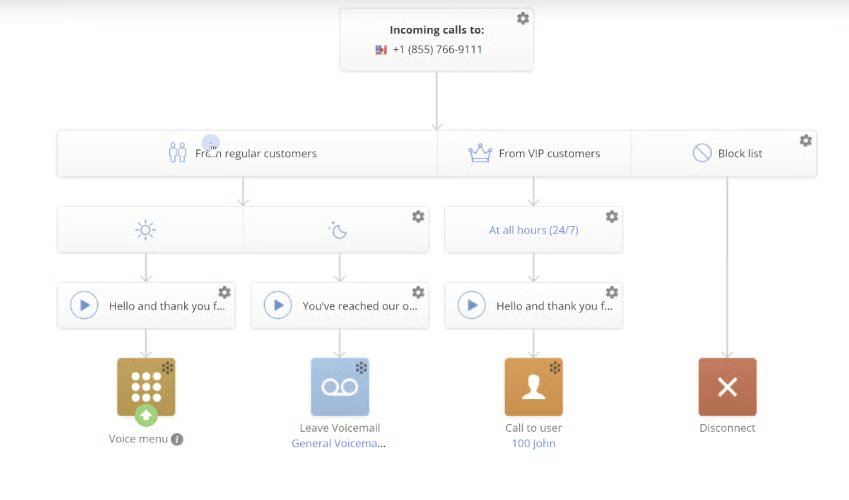
- Call screening: When a call comes in, this feature will give you the option to answer, decline, or send the call to voicemail. You can set your status to Do Not Disturb (DND) when the call screening menu appears.
- Multilevel IVR: Add up to 10 voice menu levels to your IVR and extend them into separate sub-menus. You can set your call routing rules and custom greetings before the main menu.
- Call intercept: This is a type of live call monitoring feature that allows a manager to disconnect the agent from a call and take over the conversation with the caller.
eVoice: Best for Solopreneurs
How It Compares to 800.com
- eVoice follows a single plan structure while 800.com’s individual package is offered as a base plan.
- eVoice provides international phone numbers while 800.com has more toll-free number options.
- Text messaging is a premium feature in eVoice while 800.com offers it on all plans.
- Both providers have no third-party integrations.
eVoice employs a single plan structure that largely caters to solopreneurs, freelancers, and small teams with straightforward phone needs. Unlike most competitors with complicated pricing models that overwhelm users with several options and features, eVoice keeps it simple by offering all the essential VoIP features in one plan.
Solopreneurs wanting to make an impression of a larger and more established business can opt for eVoice’s bundled virtual phone and live receptionist plan. This saves you the expense of paying for a separate phone service and a team of professional phone operators.
Unfortunately, availing of eVoice add-ons can get pricey if multiple users need them, or you need to unlock a number of premium features. If you need business SMS, e-faxing, and video meetings without extra fees, try Phone.com, which offers them as a part of its entry-level metered plan for only $14.99 per user, per month.
eVoice Monthly Pricing at a Glance
- Elite: $14 per user for 30,000 call minutes, unlimited extensions, and three local or toll-free numbers
Standard features include call forwarding, auto-attendant, after-hours greetings, call queuing, call routing, call screening, caller ID, hold music, and voicemail
eVoice Features
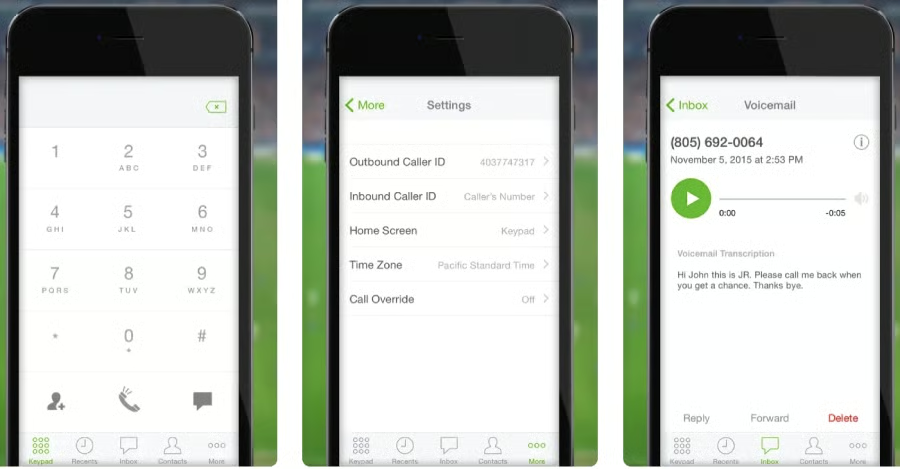
- Do Not Disturb: Turning on this feature will prevent incoming calls from ringing your phone and automatically redirect them to voicemail instead. Making outgoing calls is still possible even when activated.
- Call schedule: Customize the schedule of calls and decide who should answer based on specific times of day, how they are routed, and the on-call rotations across teams. You can also combine employees’ shift calendars with on-call notifications.
- Call queuing: Putting callers on a call queue allows them to wait to speak to a live person instead of disconnecting the call or being routed to voicemail. You can upload customized hold music while they wait.
How We Evaluated the Best 800.com Alternatives
When searching for the best alternatives to 800.com, we looked for providers with similar characteristics but with better value propositions. Since 800.com’s primary selling point is its low-cost toll-free numbers, we looked for other VoIP providers with the same offering as well as specialized capabilities like VoIP features, team collaboration tools, and an intuitive interface. Learn how we evaluated the best 800.com alternatives by clicking on the tabs below:
We examined the pricing tiers of each 800.com competitor and what functionality they offer for the price. We also looked at the availability of annual and volume discounts, as well as a free trial.
The best alternatives to 800.com should have the same feature offerings found in its three-level plans. These include voicemail transcription, call screening, business SMS, and extensions. We also checked fundamental VoIP capabilities, such as an auto-attendant, conference calling, and a mobile app.
We considered capabilities not present in 800.com packages but cater to unique business communication needs. In this case, we looked for advanced features like international number availability, multiple 800 prefixes, software integrations, number porting, and videoconferencing.
We assessed the ease of use of each phone system by checking for learning curves during setup and configuration. We also considered the feedback of recent users, specifically about their onboarding experiences.
We looked at the types of support channels the provider offers, including phone, live chat, and an email ticketing system. Additional points are awarded if all support channels are available 24/7.
We calculated our expert score by identifying standout features that deliver the best value for money. We also checked the popularity of each provider and how easy it was to incorporate their solutions into existing call flows.
Frequently Asked Questions (FAQs)
What are the disadvantages of 800.com?
800.com has a few drawbacks, specifically for businesses needing extensive call management features for managing a high volume of calls. Unlike full-featured VoIP solutions, 800.com doesn’t have team chat and video meetings to support team collaboration. App integrations are also not available so it’s impossible to connect it with third-party software.
Does 800.com offer vanity phone numbers?
Yes. 800.com has a vanity number marketplace where you can choose from a wide selection of toll-free vanity numbers. While most providers take a few days to activate phone numbers, 800.com lets you start using it in minutes right after purchasing an 800.com plan.
Can I transfer my 800.com number to another provider?
Yes. Before 800.com transfers your number to your new provider, you will be charged a port out fee of $100. However, numbers under the Pro plan can be ported for free after six months.
Bottom Line
With its flexible pricing and multiple toll-free number selections, 800.com is a good option for companies wanting to provide customers with a free and convenient way to contact their business. However, you may want to consider other options if you need complete call management capabilities, app integrations, or a cheaper solution.
We pick RingCentral as the best 800.com alternative, thanks to its robust VoIP features, productivity tools, and hundreds of app integrations. Sign up for its 14-day free trial to see how it works.
