







I’ve been calling it for months now: Newsletters and subscriptions are the future of content marketing and content creation. With algorithms taking over social media and AI talking over Google, it’s been an uphill struggle for content creators — bloggers, graphic artists, videographers, podcasters, etc. — to maintain a stable income from creating content online.
I’m a content marketer (and writer) myself, and over the past months, I’ve been contemplating joining my fellow legions of writers who are building their own audiences on Substack and Beehiiv without the nuisance of algorithms or ads getting in the way, or having to figure out the right keywords to rank on Google. Just a direct line from creator to audience, with an option to offer paid subscriptions.
But first, I wanted to find the best newsletter software to publish on. I wanted platforms that combined a publishing and newsletter-sending tool in one, as well as features for growing subscriber lists. I also looked at their subscription and payment features.
Keeping all those in mind, the following are the best newsletter platforms I found for creators and bloggers in 2025.
- Kit: Overall best newsletter software for creators
- Beehiiv: Best for personal brands and publications
- Substack: Best for bloggers and authors building a following
- Mailchimp: Best for brands building an engaged following
- HubSpot: Best for converting contacts into customers
- Ghost: Best for promoting videos, music, and podcasts
- Omnisend: Best for promoting ecommerce sales via email
- Brevo: Best for emailing specific audience sets
- Overview of the best newsletter platforms
- Kit: Overall best newsletter software for creators
- Beehiiv: Best for personal brands and publications
- Substack: Best for bloggers and authors building a following
- Mailchimp: Best for brands building engaged audiences
- HubSpot: Best for converting contacts into customers
- Ghost: Best for promoting videos, music, and podcasts
- Omnisend: Best for promoting ecommerce sales via email
- Brevo: Best for emailing specific audience sets
- Frequently asked questions (FAQs)
- Bottom line
Overview of the best newsletter platforms
| Difficulty level | Blogging and content publishing tools | Monetization options | Starting cost | My expert score | |
|---|---|---|---|---|---|
 | Beginner | ✓ | Paid subscriptions, digital products | Free | 4.98/5 |
| Visit Kit | |||||
 | Beginner | ✓ | Paid subscriptions, content paywalls, ad revenue | Free | 4.55/5 |
| Visit Beehiiv | |||||
 | Intermediate | ✓ | Paid subscriptions | Free | 4.38/5 |
| Visit Substack | |||||
 | Beginner | X | Transactional emails | Free | 4.35/5 |
| Visit Mailchimp | |||||
 | Intermediate to Advanced | ✓ | Transactional emails | Free | 4.31/5 |
| Visit HubSpot | |||||
 | Advanced | ✓ | Paid subscriptions, donations | $15 | 4.22/5 |
| Visit Ghost | |||||
 | Intermediate to Advanced | X | Online transactions | Free | 4.12/5 |
| Visit Omnisend | |||||
 | Beginner | X | Transactional emails | Free | 3.79/5 |
| Visit Brevo | |||||
Kit: Overall best newsletter software for creators
My expert opinion
Kit (formerly ConvertKit) has been on my radar for a while now, and I can confirm it’s undoubtedly my favorite newsletter platform for creators — whether you’re a blogger, podcaster, artist, or other type of content creator.
All its features are made especially for creators to grow their subscriber bases and monetize their content, and it’s even used by big-name creators like Neil Patel and Matthew McConaughey (yes, the actor).
And yet, it’s not ultra-expensive or difficult to navigate. There’s even a free-forever plan that lets users send unlimited emails (“email broadcasts,” it calls them) and grow up to 10,000 subscribers through its landing page and opt-in forms. Usability-wise, the interface is part social media, part email builder, all in a clean, simple-to-navigate platform.
But my favorite feature so far is the creator profile feature that builds a one-pager “profile” site with an email sign-up form, and if you want, all your previous newsletters published as blog posts. It’s easily shareable and perfect for linking on social media or on business cards and email signatures as a one-stop shop for sharing and promoting your newsletter.
I haven’t found any major disadvantages with Kit so far, and I definitely recommend it as my number one option to any creator who wants to get into newsletters and subscriptions. It has pretty much everything I could ask for from an email platform, and it’s more versatile than Substack, which is mostly for writers (more on that below). It covers the branding and marketing side as well.
- Feature highlight: Creator profile, landing page builder, and form builder
- Monetization options: Paid subscriptions, selling digital products
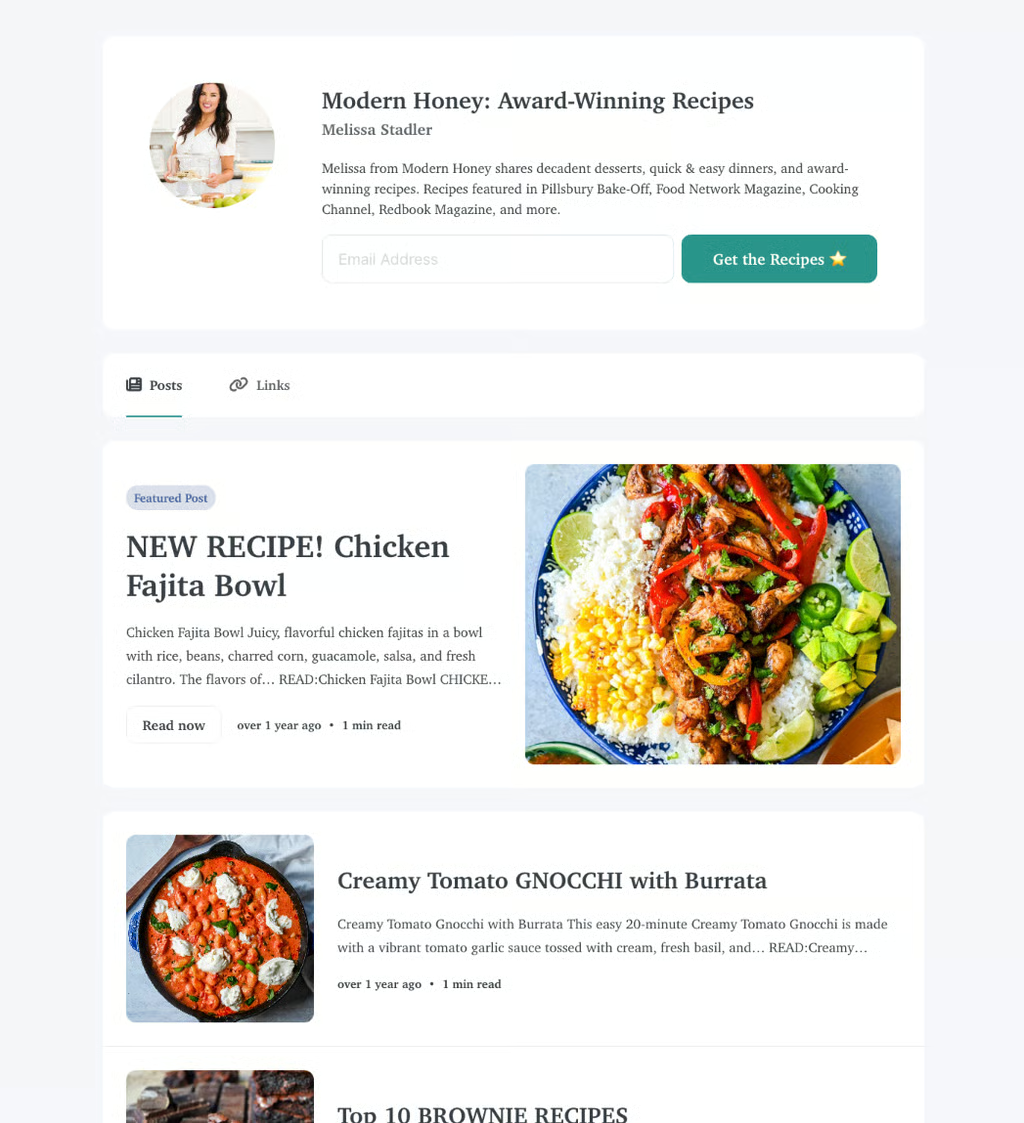
Here’s an example of a creator profile from a food content creator with a sign-up form and previous newsletters listed as blogs. (Source: Melissa Stadler via Kit) 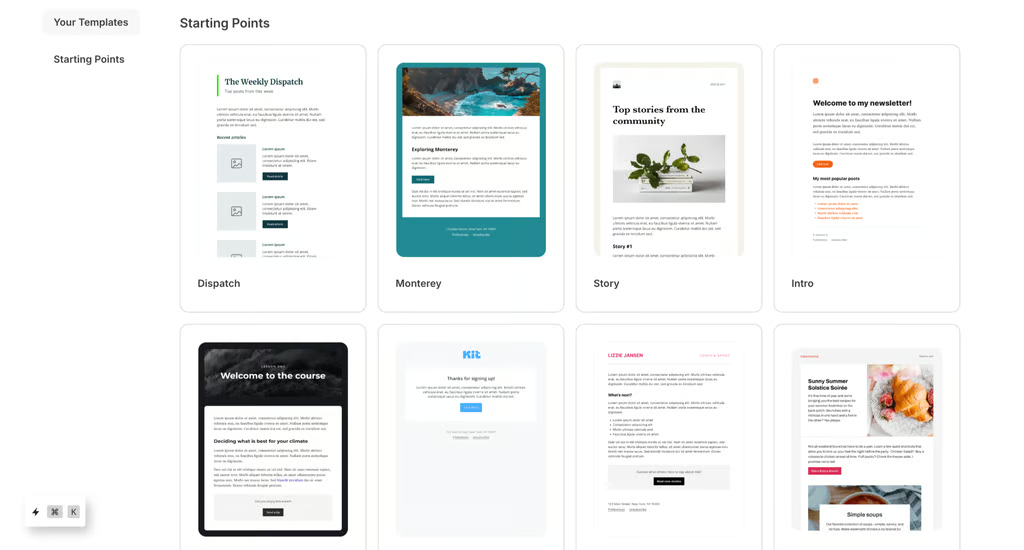
There are lots of beautiful email templates to choose from. (Source: Kit)


Pricing and features
| Newsletter | Creator | Creator Pro | |
|---|---|---|---|
| Monthly cost (annual billing) | $0 | $33 | $66 |
| Users | 1 | 2 | Unlimited |
| Subscribers | 10,000 | 1,000* | 1,000* |
| Unlimited landing pages and opt-in forms | ✓ | ✓ | ✓ |
| Creator profile | ✓ | ✓ | ✓ |
| Paid subscriptions and sell digital products | ✓ | ✓ | ✓ |
| Transaction fees | ✓ | ✓ | ✓ |
| Subscriber engagement scoring | X | ✓ | ✓ |
| No Kit branding | X | ✓ | ✓ |
| Advanced A/B testing | X | X | ✓ |
*Expandable at higher costs
Beehiiv: Best for personal brands and publications
My expert opinion
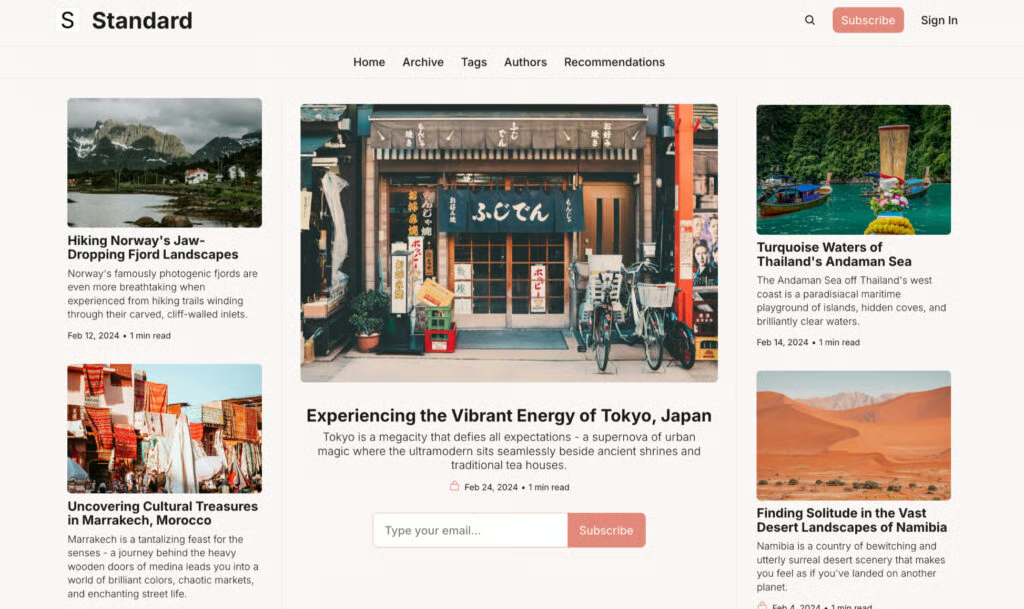
Like Kit, Beehiiv is another great platform for content creators, but its features are particularly suited for building a personal brand. Influencers, artists, or anyone with a very distinct brand identity, like authors, fitness instructors, or personal coaches, would do well with it.
I say this because Beehiiv has the best branding and customization tools I’ve seen so far from a newsletter platform. Your newsletter and personal website can be fully customized with your logo, fonts, and brand colors.
It’s the best platform I’d go to if I wanted my newsletters to stand out from the rest and leave a memorable impression, not just your generic logo followed by text. Or if I just wanted to make a beautiful, well-laid-out newsletter.
It’d be a good option as well for an online publication, especially a creative or artistic magazine. Higher plans even allow multiple publications under one account.
There’s a lot to like from Beehiiv, and in my view, it’s Kit’s biggest competitor as a newsletter platform for creators. What ultimately docks it a few points is that it doesn’t allow selling digital content, only paid subscriptions and paywalls, and it doesn’t automatically comply with SPAM and GDPR regulations. And it has a smaller free plan (2,500 subscribers compared to Kit’s 10,000).
Ultimately, it’s a tool more specific for maintaining a full brand, rather than for basic newsletter-sending.
- Feature highlight: Matching branded newsletters and websites, newsletter polls
- Monetization options: Paid subscriptions, content paywalls, ad revenue
Pricing and features
| Launch | Scale | Max | |
|---|---|---|---|
| Monthly cost (annual billing) | $0 | $43 | $96 |
| Subscribers | 2,500 | 1,000* | 1,000* |
| Unlimited emails | ✓ | ✓ | ✓ |
| Customized newsletter and website | ✓ | ✓ | ✓ |
| Custom website domain | ✓ | ✓ | ✓ |
| Segmented audiences | X | ✓ | ✓ |
| A/B testing | X | ✓ | ✓ |
| Paid subscriptions and newsletter advertisements | X | ✓ | ✓ |
| No Beehiiv branding | ✓ | ✓ | ✓ |
*Expandable at higher costs
Enterprise plans are also available at custom pricing.
Substack: Best for bloggers and authors building a following
My expert opinion
Substack is every writer’s best friend. If you’re an author, essayist, or blogger, this is the one for you. In fact, you may have already heard of Substack — it counts the likes of James Patterson and Joseph Gordon-Levitt among its users.
What makes it particularly unique is that it takes audience engagement and content discovery features from social media, but with none of the noise and algorithms.
It’s primarily an email newsletter platform that lets writers publish stories to subscribers and earn from them — and discover and subscribe to fellow writers. In that regard, it’s like a publishing and social discovery platform in one, specifically for writers.
I appreciate this social aspect of Substack because it lets writers network and support one another, and it’s like social media as it used to be: a space to share thoughts and ideas and read them from people that you follow, not content curated by an algorithm.
Conversely, though, this also makes it a little tricky to navigate — but nothing you can’t get used to after a few weeks.
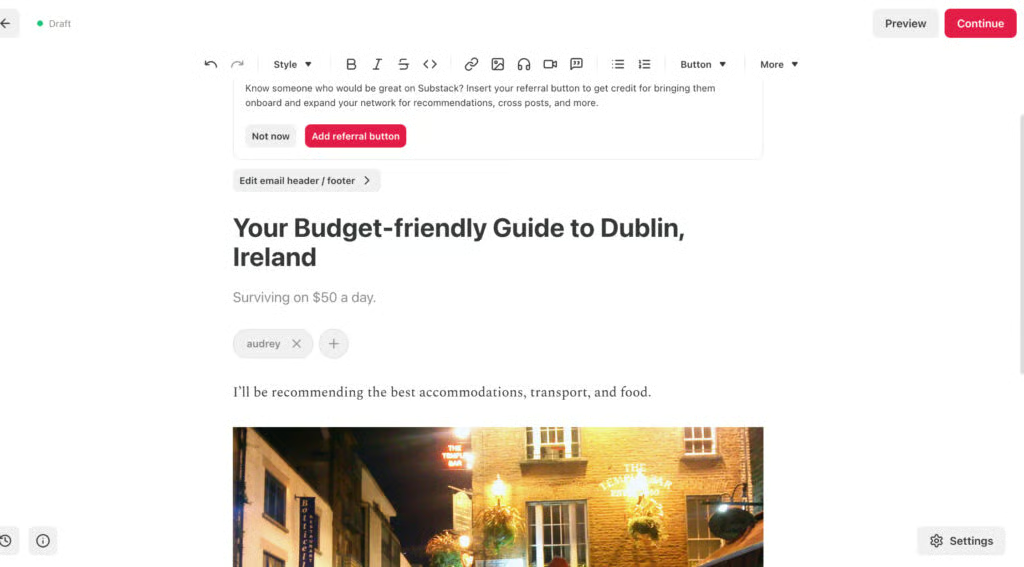
The best thing about the interface is the writing and publishing parts. They’re both very writer- and reader-friendly, and it’s easy to paywall certain content and earn money from subscriptions.
You set how much you want to charge per month (the minimum is $5), although Substack, unfortunately, takes a 10% commission fee. People tend to come to Substack for in-depth, well-written content, and it’s very much a writers’ and readers’ hub.
- Feature highlight: Easy blog sharing via email, social media, and embed, writer-and-subscriber chat
- Monetization options: Monthly subscriptions
Pricing and features
Substack is 100% free to start publishing content. Once you reach 50 subscribers, you can set your own monthly subscription fee starting at $5 a month.
Mailchimp: Best for brands building engaged audiences
My expert opinion
Mailchimp has always been one of my go-to platforms for newsletters and email marketing as a whole — especially for small businesses or independent creators who need an easy, do-it-all platform.
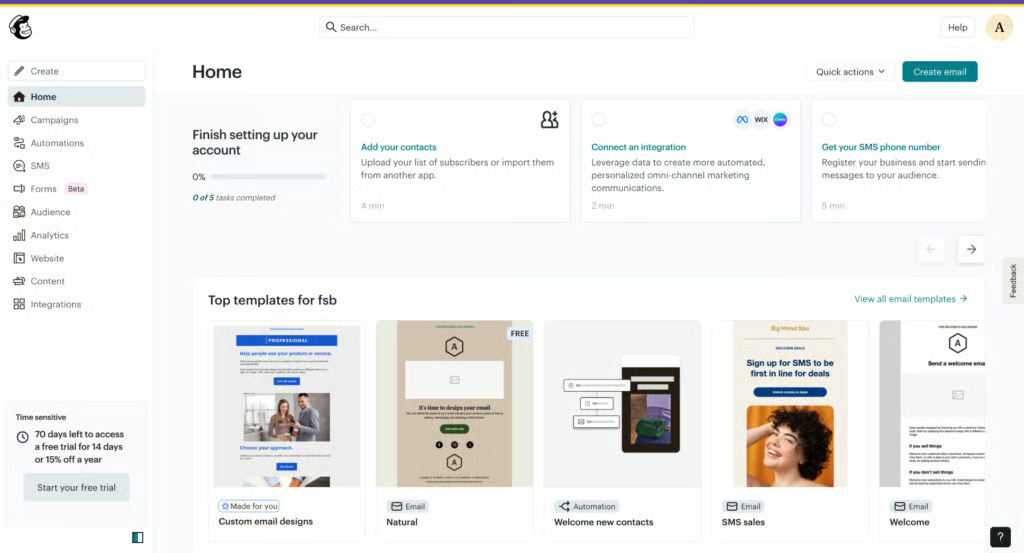
Overall, Mailchimp is super versatile and easy to navigate, and it has all the essentials you need to build engaged audiences via email, namely, a drag-and-drop email builder, a variety of email templates, forms for collecting sign-ups, and a contact management platform.
It’s what I used when I first started email marketing on a shoestring budget, and it’s still my top recommendation for beginners today. It also has a landing page builder for collecting sign-ups, and workflow automations that are super handy for engaging and nurturing leads so that you can focus on other tasks. For instance, I can set up a welcome email automation to automatically send emails to new subscribers.
What’s also handy with Mailchimp is that it shows contact activity and the audience segments that are most likely to buy, make repeat purchases, and display other behaviors. This data makes it easy to build engaged audiences via newsletters and other types of emails for small business marketing.
It’s not a newsletter-specific platform the same way that Substack or Kit are, but it’s a capable, reliable, beginner-friendly platform for sending a variety of email marketing campaigns.
- Feature highlight: Advanced audience segmentation, buying behavior predictions
- Monetization options: Transactional emails
Pricing and features
| Free | Essentials | Standard | Premium | |
|---|---|---|---|---|
| Monthly cost (billed monthly) | 40 | $13 | $20 | $350 |
| No. of emails | 1,000/month | No. of contacts × 10 | No. of contacts × 12 | No. of contacts × 15 |
| No. of contacts | 500 | 500* | 500* | 500* |
| Landing page builder | ✓ | ✓ | Advanced | ✓ |
| Audience sets | 1 | 3 | 5 | Unlimited |
| Contact management | ✓ | ✓ | ✓ | ✓ |
| Automation builder | Single-step | Single-step | Multistep | Multistep |
| Audience segmentation | Basic | Basic | Advanced | Advanced |
| Behavioral targeting | X | X | Advanced | Advanced |
*Expandable at higher costs.
HubSpot: Best for converting contacts into customers
My expert opinion
HubSpot is very much an all-in-one marketing and sales platform, and it’s primarily best for sending newsletters with the end goal of converting a sale.
Many companies use HubSpot for B2B marketing because of its industry-favorite customer relationship management (CRM) system that organizes contacts and nurtures them with emails until they convert into customers.
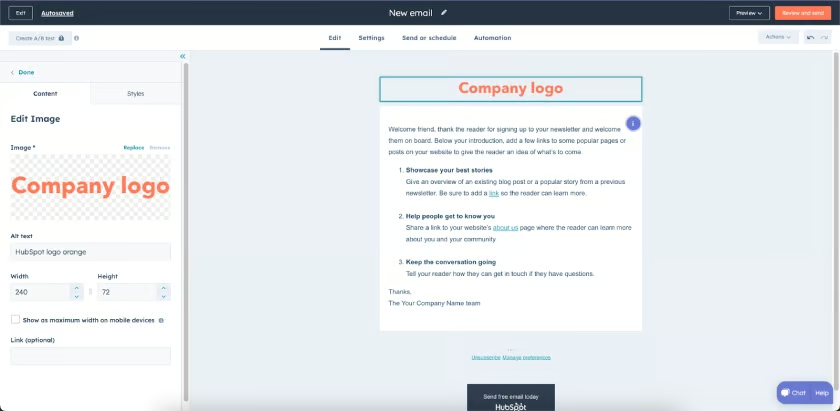
There are also automation workflows that can trigger emails when contacts click certain links or open certain emails. HubSpot also has email personalization — not just by adding your contacts’ names, but also by showing the most effective subject lines, CTAs, or links.
It’s definitely not your average mass email sending platform, and not one I’d recommend if you want an easy “publish, send, and done” newsletter tool. HubSpot works like a marketing assistant, using emails to turn your contact list into customers.
Another thing about HubSpot is that it’s built for teams. While it’s possible to send emails as a single user, the boatload of tools can get pretty overwhelming. On the other hand, it’s easy to collaborate with team members and assign tasks and leads.
If you’re a beginner, HubSpot isn’t one I’d recommend, but if you’re looking for something beyond your basic newsletter sending, this is a good candidate.
- Feature highlight: Advanced email personalization — personalized subject lines, CTAs, and links
- Monetization options: Transactional emails
Pricing and features
| Free | Marketing Hub Starter | Marketing Hub Professional | |
|---|---|---|---|
| Monthly cost (billed annually) | $0 | $9 | $800 |
| No. of emails | 2,000/month | No. of contacts × 5 | No. of contacts × 10 |
| CRM platform | ✓ | ✓ | ✓ |
| No. of contacts | 1,000* | 1,000* | 2,000* |
| Email personalization and automation | X | ✓ | ✓ |
| Email templates | 5 | 5,000 | 5,000 |
| Forms & landing pages | ✓ | ✓ | ✓ |
| Audience segmentation | 50 active audiences | 50 active audiences | 1,200 active audiences |
| Ecommerce payments | X | ✓ | ✓ |
| No HubSpot branding | X | ✓ | ✓ |
*Expandable at higher costs
Ghost: Best for promoting videos, music, and podcasts
My expert opinion
Ghost has the best multimedia hosting capabilities by far, making it my best newsletter software, particularly for multimedia creators: vloggers, filmmakers, musicians, and podcasters.
It also has similar creator features as Kit and Beehiiv, including a personal website builder to go along with your newsletter, although it’s not as intuitive or well-designed as either of those two. It’s also a fundamentally higher cost than either platform, which is why it’s further down on my ranking.
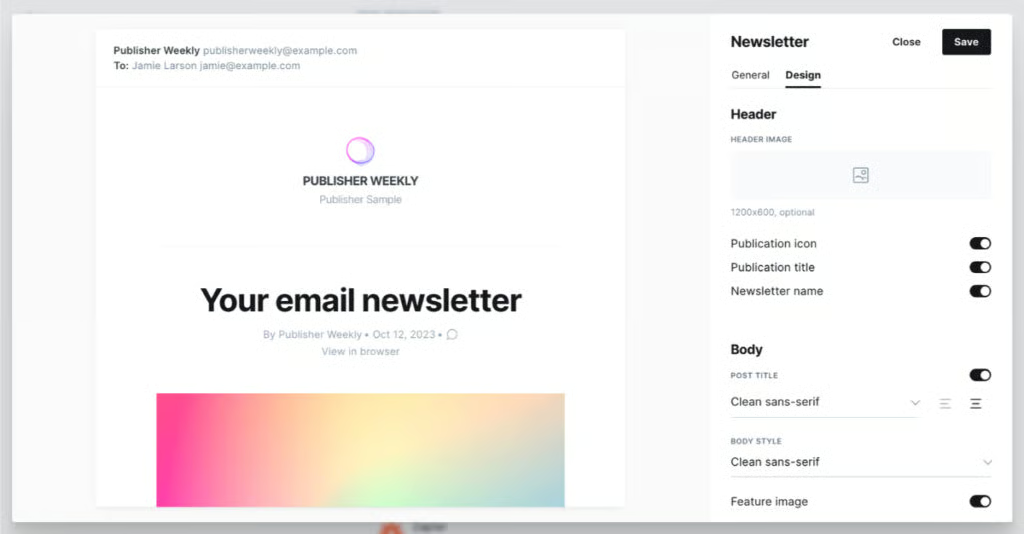
What it does have over the others is its video, audio, and image embedding capabilities. These are built right into the newsletter and website platform, so including music, reels, vlogs, or podcast episodes in emails is super easy, as is writing newsletter copy. The platform also has an easy-to-navigate blog publishing platform, which I appreciate.
As a content creator, it’ll be easy to quickly send out a newsletter to subscribers anytime I have a new vlog or podcast episode out without having it take too much time or effort.
- Feature highlight: One-click distribution to email, social media, and WordPress, multimedia embedding
- Monetization options: Paid subscriptions, donations
Pricing and features
| Starter | Publisher | Business | |
|---|---|---|---|
| Monthly cost (annual billing) | $15 | $29 | $199 |
| Custom website | ✓ | ✓ | ✓ |
| Newsletter publications | 1 | 3 | 10 |
| Embed videos and audio | ✓ | ✓ | ✓ |
| Users | 1 | 2 | 5 |
| File uploads | 5MB | 100MB | 250MB |
| One-click distribution to email, WordPress, and social media | ✓ | ✓ | ✓ |
| Paid subscriptions and donations | X | ✓ | ✓ |
Omnisend: Best for promoting ecommerce sales via email
My expert opinion
Omnisend isn’t built for creators — it’s very much a platform for email marketing. More specifically, it’s one of the best email marketing platforms for ecommerce.
The particular reason for this is its transactional emails feature, which allows customers to purchase from online stores via email, which is why I recommend it primarily for ecommerce businesses.
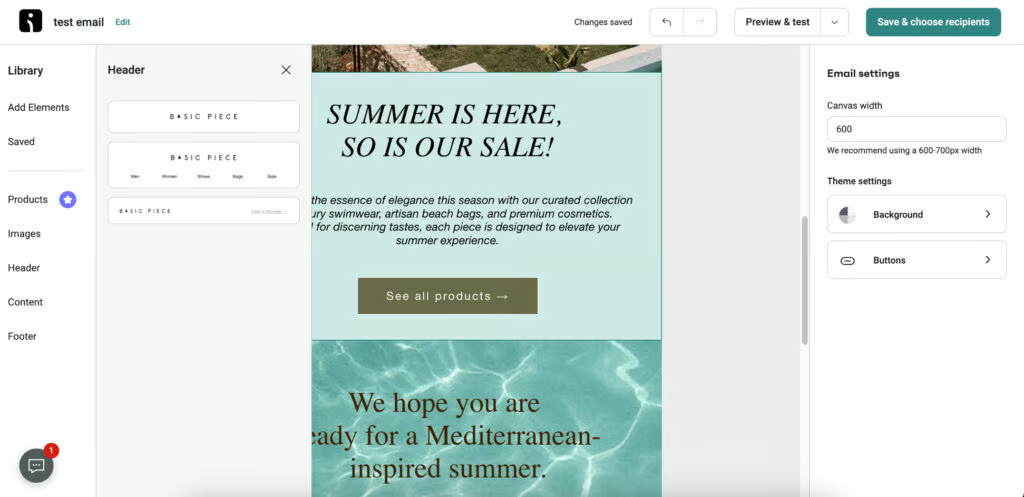
The newsletters in this case would be like product catalogs that allow your subscribers to purchase directly via email. It’s also possible to track sales and other metrics in the dashboard. Plus, it’s easy to navigate and has a generous free plan with unlimited emails.
So Omnisend isn’t a newsletter platform built especially for creators, but it still offers lots of value and is my best pick if your primary objective with email marketing is to sell online. There are also tools for audience segmentation and sending push notifications alongside your emails.
- Feature highlight: Transactional emails, personalized product recommendations, and segmentation by customer lifecycle stage
- Monetization options: Online transactions
Pricing and features
| Free | Standard | Pro | |
|---|---|---|---|
| Monthly cost (billed monthly) | $0 | $16 | $59 |
| No. of emails | 500/month | 6,000/month | Unlimited |
| No. of contacts | 250 | 500* | 2,500* |
| Unlimited audience segmentation | ✓ | ✓ | ✓ |
| Transactional emails | X | ✓ | ✓ |
| Personalized emails | X | X | |
| No Omnisend branding | X | ✓ | ✓ |
*Expandable at higher costs.
Brevo: Best for emailing specific audience sets
My expert opinion
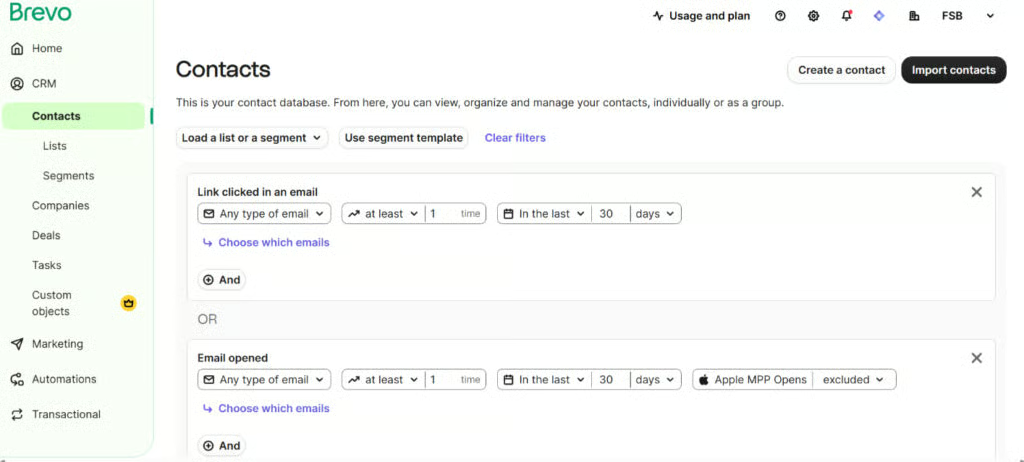
Brevo is primarily an email marketing platform, but it’s one of the best newsletter platforms for sending to segmented or specifically targeted audiences, for instance, by location, demographic, website activity, or level of engagement.
It’s also one of the easiest email marketing platforms I’ve used and will be easy for even beginners to set up.
However, like I said, Brevo is primarily for building marketing campaigns rather than simple newsletters. It’s not a platform built for creators, and its branding and customization features are pretty limited.
Its newsletters also tend to look quite generic and promotional rather than content-focused, and don’t always make for the best reading experience, especially compared to a newsletter sent from Kit or Substack, which are formatted with readers in mind, not customers.
What it does have over those platforms, though, is very precise audience targeting capabilities, which are super helpful for any brand with a wide customer base that needs to send multiple newsletters simultaneously to different audience sets.
For instance, send one newsletter to encourage engagement among new subscribers, and another newsletter to build loyalty among recurring customers.
- Feature highlight: Advanced audience segmentation (demographic, engagement, behavior, etc.)
- Monetization options: Transactional emails
Pricing and features
| Free | Starter | Standard | Professional | |
|---|---|---|---|---|
| Monthly cost (billed annually) | $0 | $8.08 | $16.17 | $449.08 |
| No. of emails | 300/day | Up to 1,000 | Up to 1 million | Up to 10 million |
| No. of contacts | 100,000 | 500,000 | 500,000 | 2 million |
| Audience segmentation | ✓ | ✓ | ✓ | ✓ |
| Customizable sign-up forms | ✓ | ✓ | ✓ | ✓ |
| 40-plus email templates | ✓ | ✓ | ✓ | ✓ |
| A/B testing | X | X | ✓ | ✓ |
| Landing pages | X | X | 1 | 10 |
Enterprise plans are also available at custom pricing.
My criteria for evaluating the best newsletter platforms
In researching and compiling the best newsletter software for this list, what stood out to me was how varied these platforms were. I’ve researched and written guides for email platforms and guides for blogging platforms, and newsletter platforms are somehow at the center of both, while being in a category all of their own. Nevertheless, I focused on the most essential features for sending newsletters (i.e., publishing and email deliverability features, sign-up forms and landing pages, and audience management) in my evaluation, and ranked them against a scoring rubric. I also evaluated their monetization and design tools, pricing, support, and overall usability.
This covers the most basic and essential features for sending newsletters, including content publishing, multimedia hosting, audience management and segmentation, sign-up forms and landing pages, spam compliance, and email analytics and reporting.
This includes the number of monetization options available in the platform (i.e., paid subscriptions, paywalled content, and transactional emails), and branding and customization tools to make your newsletter memorable. I also evaluated each platform’s multichannel marketing capabilities and automation workflows.
This involves the security and privacy afforded by each platform, particularly with GDPR and other data regulations. But it also evaluates how easy the platform is to set up and navigate, and if it has any available migration and onboarding support.
I gave a higher score to platforms with free-forever plans, keeping small business budgets in mind, as well as those with starter plans costing less than $20 and discounts on annual plans.
Customer support is also integral to a good experience, which is why I also gave higher scores to platforms with longer support hours and more support venues, like phone calls, emails, and live chat.
Finally, I also scored each platform according to my experience as a writer and in sending newsletters. This involves each platform’s features, ease of use, reviews from other users, and overall value for money.
Frequently asked questions (FAQs)
Is Mailchimp actually free?
Yes, Mailchimp has a free-forever plan that allows users to send 1,000 emails a month to up to 500 contacts, from newsletters to lead nurturing campaigns. The free plan also allows basic audience segmentation and landing pages, but not transactional emails or automated workflows. Mailchimp’s plans start at $9 a month and allow more email sends and advanced workflow automations.
What platform is better than Mailchimp?
For sending newsletters, Kit and Beehiiv are both better tools than Mailchimp, especially for creators who need a platform with better branding capabilities and the ability to collect subscriptions and tips — or for multimedia creators. Substack is also a better tool for authors or essayists who need a platform made especially for writing and publishing to email subscribers. HubSpot is a similar email marketing tool with better tools for nurturing contacts into customers.
What is the best app for creating a newsletter?
The best apps for creating newsletters are Kit, Beehiiv, and Substack. These platforms are made especially for content creators publishing to an exclusive, subscribed audience via email. They also let you set paywalls for content and accept monthly subscriptions, tips, and donations. For marketing newsletters (i.e., those that promote a product or service), the best apps are Mailchimp, HubSpot, and Omnisend.
Bottom line
The best newsletter platforms vary to some degree, but the most important things to take note of are their publishing capabilities, contact list-building features, and monetization options. It also comes down to the purpose of your newsletter. Creator-centric platforms include Kit, Beehiiv, Ghost, and Substack, while Mailchimp, HubSpot, Omnisend, and Brevo are better platforms for email marketing and ecommerce.
