








Wave is primarily an accounting software, but it also offers free invoicing, recurring billing, and online payment processing tools. It includes a free starter plan and offers a simple flat rate to accept credit card, digital wallet, and direct-to-bank (ACH/e-check) payments. Wave Payments is ideal for freelancers, serial entrepreneurs with multiple small businesses, and solo professionals looking for free invoicing and subscription-based payment methods.
Deciding Factors
| Supported Business Types | FlexibleRetail and professional services |
|---|---|
| Standout Features |
|
| Monthly Fees | CompetitiveStarter Plan: $0Pro Plan: $16 ($170 billed annually) |
| Contract Length | Month-to-month |
| Payment Processing Fees | Starter: From 2.9% + 60 centsPro: From 2.9%American Express payments: From 3.4% |
| Free Trial | No |
| Customer Support | Email and chat support: Monday-Friday, 9 a.m.-4:45 p.m., ET |
This review explores the potential of Wave as a payment processor for small merchants. For more information on its accounting features, see our review of Wave Accounting.
Is Wave Payments Right for You?
Compared to other payment processors, Wave is unique because the free plan includes built-in bookkeeping and analytics tools. With the invoicing feature, Wave is an ideal business management solution for gig workers and solo professionals.
When to Use Wave Payments
- For online solopreneurs: Wave works best for solo professionals who require simple sales management tools. It includes free accounting software for handling tax and personal finances.
- For occasional online sellers: Wave comes with the option for creating multiple profiles, so you can create more if you dabble on several seasonal businesses. The personal profile can also integrate with Wave’s partner point-of-sale (POS) and customer relationship management (CRM) platforms.
- Small professional services that use invoicing: Wave offers free use of its invoicing and recurring billing tools and free access to its virtual terminal.
When to Use an Alternative
- Busy retailers: Businesses that regularly sell a wide range of products are better off with top alternatives, like Square, with more advanced inventory management for tracking stock levels and products with variants. Find more options in our guide to the best POS inventory systems for more options.
- Businesses offering BNPL: Wave Payments does not support buy now, pay later features. Retailers that want to provide customer financing or BNPL payment options should look for another system that can support these offerings.
- Larger businesses: Wave’s free payment services use a flat rate processing fee that’s ideal for small merchants. Larger businesses should consider alternatives with cheaper processing fees. Our compilation of the cheapest credit card processing companies can help you find a viable option.
Wave Payments Alternatives
| Best For | Monthly Fee From | |
|---|---|---|
 | Businesses looking for accounting software | Software: $38-$275Payment processing: From 2.5% |
| Visit QuickBooks | ||
 | Solopreneurs and occasional sellers | Software: $0-$30Payment processing: From 2.29% + 9 cents |
| Visit PayPal | ||
 | Businesses looking for built-in retail and appointment POS | Software: $0-$165+Payment processing: From 2.6% + 10 cents |
| Visit Square | ||
For a comparison between Wave and alternatives, see our analyses for:
Wave Payments Reviews from Users
| Users Like | Users Don’t Like |
|---|---|
| User-friendly cloud invoicing software | Fees for payroll management |
| Free advanced invoicing features | Requires some bookkeeping knowledge |
| Easy to set up | Most features limited to US merchants |
Unlike popular payment processors, third-party review sites have no separate user reviews for Wave payment processing. This is unfortunate because merchants don’t even need to subscribe to the paid accounting tools to accept payments on the platform. However, most of the positive feedback on the platform regularly mentions the free invoicing and payment processing tools.
- Capterra: 4.4 out of 5 from around 1,600 reviews
- G2: 4.8 out of 5 from 15 reviews
Wave Payments Fees & Pricing
2.56 / 5
Wave now offers both a free subscription and a paid Pro subscription. Its pay-as-you-go model helped boost its score for pricing and contracts in our evaluation. Wave also has affordable software upgrades and annual pricing options for advanced features.
However, it does not provide volume discounts and imposes a reversible $15 chargeback fee. Wave also lost some points for charging additional processing fees for AmEx cards.
Wave’s Pro subscription unlocks a few additional features, such as:
- Discounted rates for online payments
- Automatic importing for bank transactions
- Unlimited digital receipts
- Automated late payment reminders
- Attachments for invoices and estimates
- Additional users per account
Wave Payment Processing
Wave online payments are now subject to eligibility. Since our last update, Wave has updated its policy that will require merchants to undergo a separate application process if they intend to accept payments online. They will need to provide business and personal information to support identity verification and credit review.
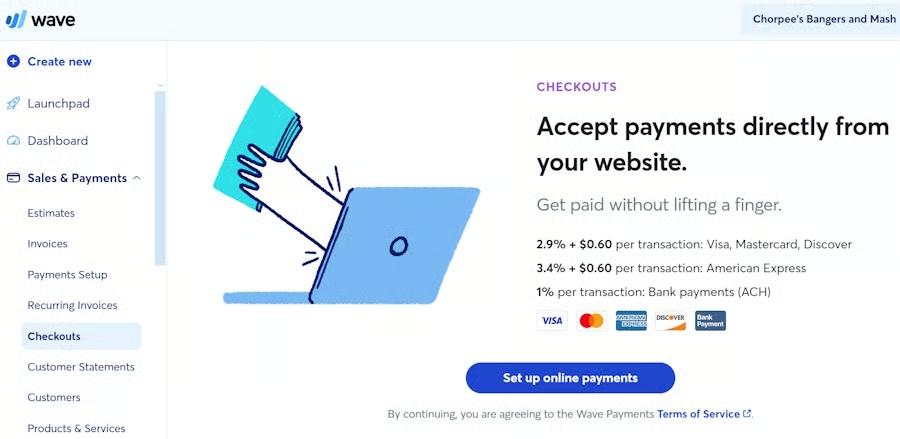
Wave charges a flat rate fee for online payment processing with higher rates for AmEx transactions. It can also accept ACH payments at 1% per transaction. Chargebacks are at $15.
Here is a list of Wave payment processing fees:
- Monthly account fee: $0 (Starter) / $16 (Pro; $170 billed annually)
- Online credit card fees (Visa, Mastercard, Discover): 2.9% + 60 cents
- Online credit card fees (American Express): 3.4% + 60 cents
- ACH: 1% ($1 minimum fee)
- Chargeback fee: $15 (refundable)
- Instant payout: Not disclosed (typically 1% to 1.5%)
Another interesting feature of Wave is that it offers unlimited sales processing volume, but note that merchants will be required to enter into a special agreement with the card network or acquiring bank (Worldpay) if their annual sales volume exceeds $1 million.
Contract & Merchant Agreement
Wave’s terms of service are pretty straightforward. The agreement cites who is eligible to sign up for a Wave Payments service and the responsibilities of both parties. As pay-as-you-go software, it is available to most small businesses so long as it is located within the US, is not high-risk, and the representative signing up for the Wave account is of legal age.
Some sections worth noting within the contract are:
- The business owner information being collected
- Additional documentation Wave may request to verify the business owner’s identity
- Stipulation on fees for charitable organizations
- American Express rules and fees
- Sales volume limit and rules by card networks and acquiring banks
- Reserve funding and chargebacks
What’s interesting about the document is that it includes a side panel where the sections are summarized in simple terms so it’s easier to read. You can visit the website to view Wave’s payment terms of service, which are in effect as of June 10, 2024.
Setup & Application
As a payment processor (facilitator), Wave does not have an application process, but merchants still need to provide their business information to set up an account. You will also need to provide your business banking information to set up the payment methods. Once this is done, you can start sending invoices and accepting payments.
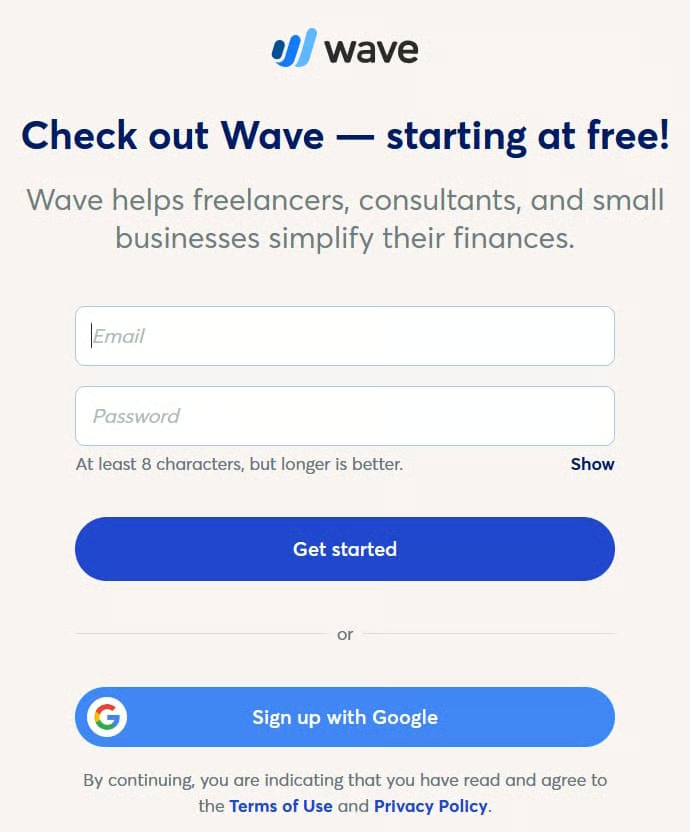
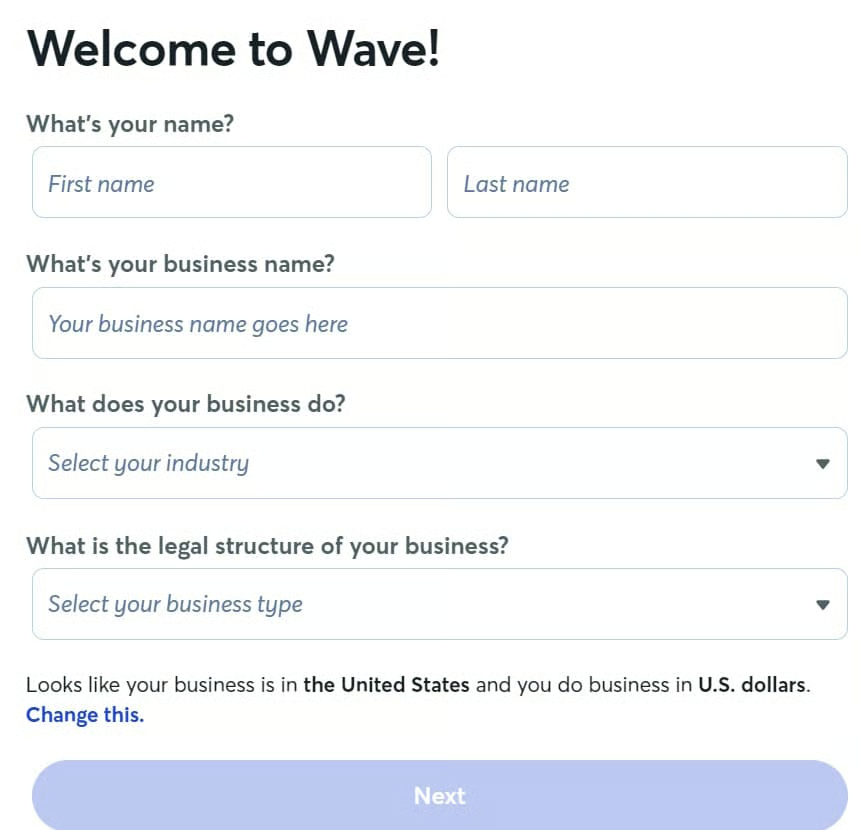
After you enter an email address and password to create an account, Wave will take you through an intuitive setup process and ask you for some details about your business. In particular, you’ll need to enter information about your:
- Business type and industry
- Preferred methods for paying business expenses
- Preferred starting point when using Wave (invoicing, account management, or payroll)
- Specific invoicing needs
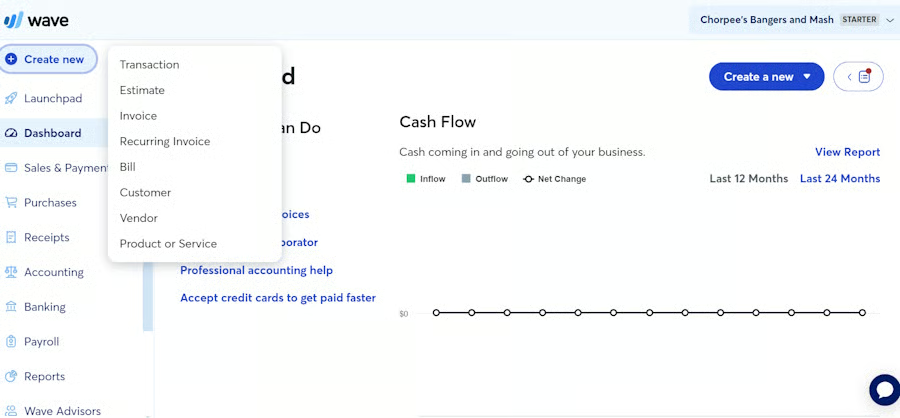
When this setup process is complete, you’ll be taken directly to the Wave Payment dashboard, where the system will guide you further on setting up invoicing and payments. You’ll also be able to access reports, payroll functions, accounting, and more via the quick-access menu on the left-hand side of the dashboard view.
Wave Payment Types
4.5 / 5
Wave is an invoicing platform, so payment methods available are those that can be processed remotely, such as credit card payments and ACH, including international payments. It also has a virtual terminal and recently launched website integrations for ecommerce merchants. However, Wave does not offer B2B payment processing.
Invoicing
The invoicing solution is Wave’s primary sales method—and what’s great about this feature is that it’s completely free. It allows users to create fully customized invoices, from the design to the reminder settings.
Merchants can design a branded invoice with a professional-looking template and an easy drop-and-drag function in the settings function. It also allows users to create estimates which can be sent to customers and converted into an invoice once approved. The invoice comes with a “Pay Now” button where customers can choose to pay by credit card, bank transfers (ACH), and Apple Pay.
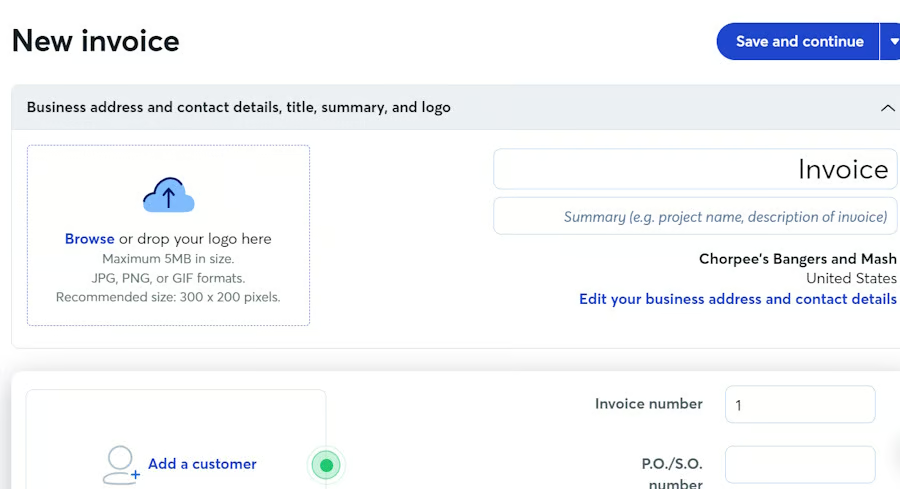
Set your business logo, name, and details to generate a new invoice. You can also add customer and payment details, plus attachments. 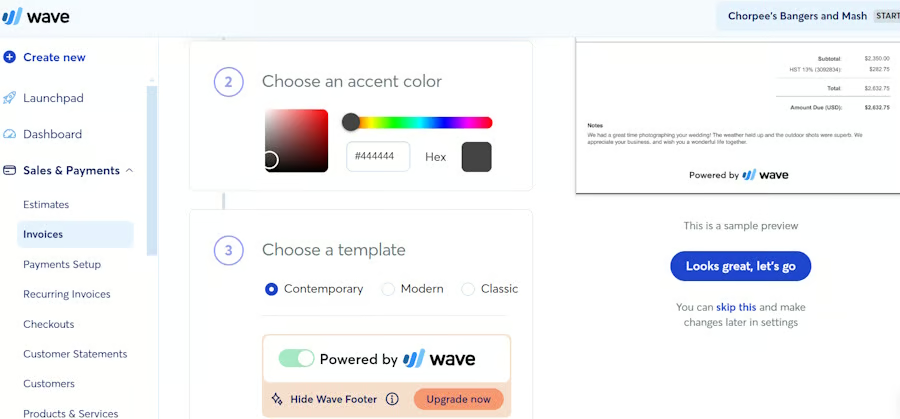
Create templates by selecting everything from accent colors to the layout of the payment information on the invoice. 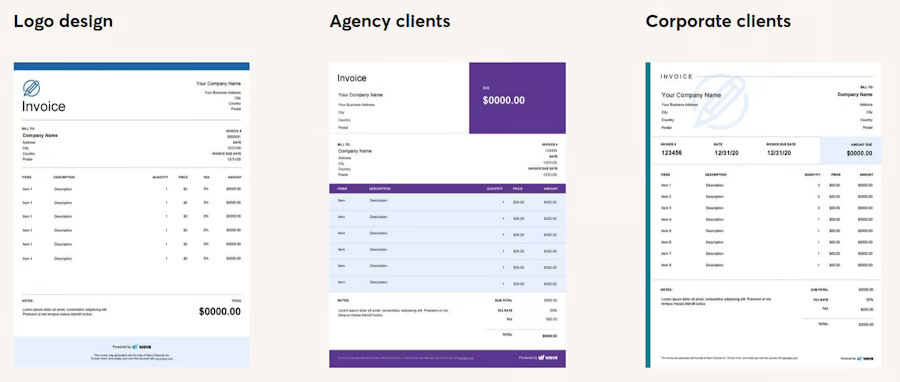
While users can opt to design from scratch, Wave also provides a number of customizable, professional-looking templates that you can use for clients from different backgrounds. (Source: Wave Accounting) 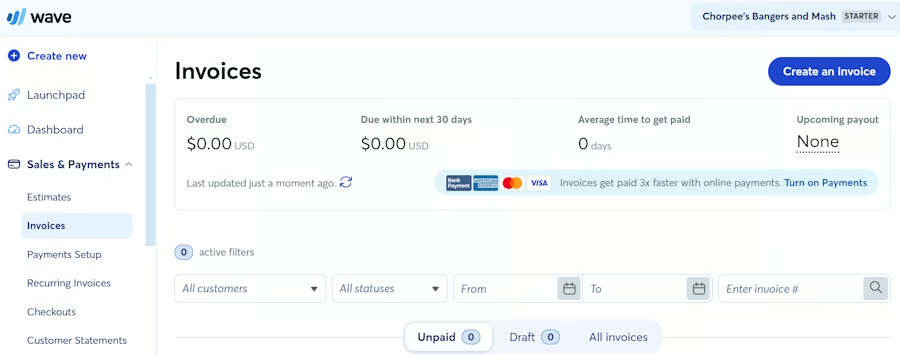
You can view the status and details of all invoices, or search for specific invoices using filters.


Recurring Payments
Wave’s recurring billing/recurring payments feature is also free. Like its one-time invoices, this can be fully customized and sent to customers with a payment button embedded in the statement. Merchants can assign customized collection schedules for each customer and automated receipts for each payment made.
With this feature, Wave also allows merchants to securely store customer payment information. Because it is primarily accounting software, transactions are automatically tracked and recorded for easy tax reporting.
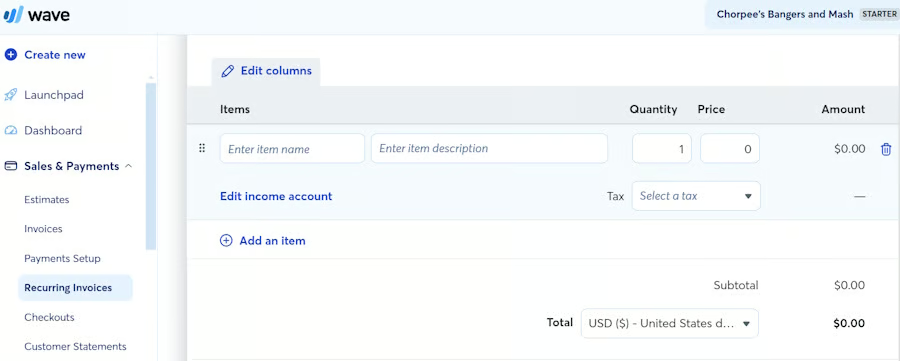
Add customer information, income amounts, and other details to create a new recurring invoice straight from your Wave dashboard. 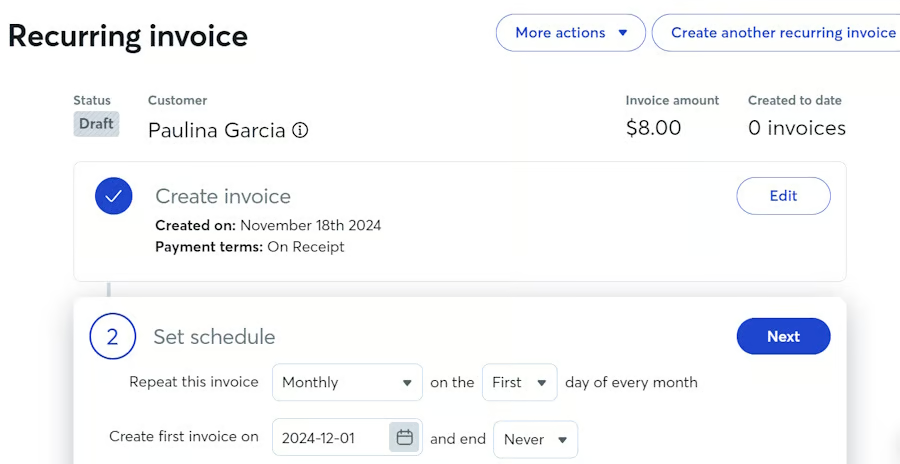
Merchants can set individual collection schedules for each invoice.


Virtual Terminal
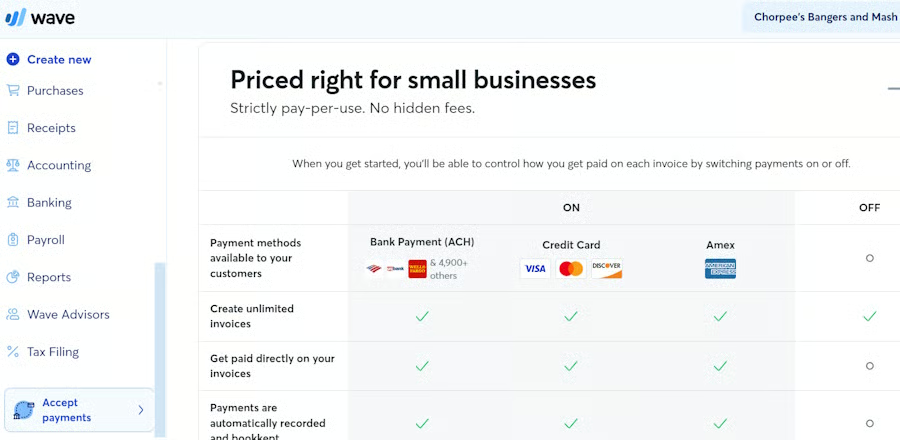
Once you have your payments set up, Wave gives you access to its virtual terminal. Click the “Accept Payments” button at the bottom of the left-hand menu panel to access this feature. It will display a list of outstanding invoices and options to process payments via credit card and bank method. Once payment is completed, users can send a digital receipt to customers.
ACH Payments
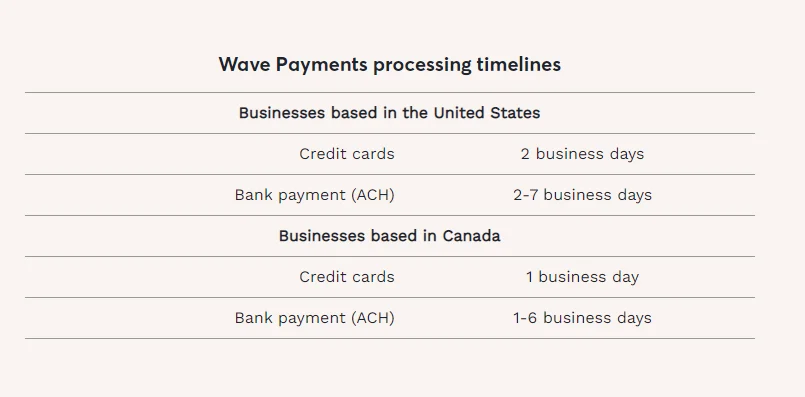
Wave can process invoice payments with bank transfers (ACH payments). Like most top payment processors, it charges a standard 1% fee with a $1 minimum. The processing speed is also standard: two to seven business days. This payment method is available directly from the invoice via a payment button and from the virtual terminal. Wave automatically tracks and records all payments for reporting and tax purposes.
Online Checkout
Wave Payments is an easy-to-use tool for adding a checkout on merchant websites. Note that you must complete your payment setup before accessing this functionality.
It is compatible with popular ecommerce platforms, such as Shopify and Square. It also integrates with WordPress. To start, click Sales & Payments > Checkouts from the navigation menu, and then click “Set up online payments.” At this stage, the software will also remind you of its transaction rates for different card payments as well as ACH transactions.
Wave offers many ways for merchants to accept online credit card payments. Learn how to accept credit card payments online.
International Payments
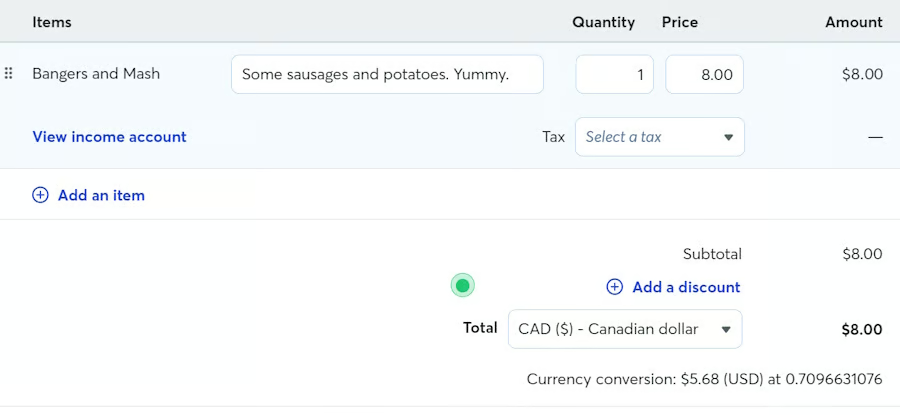
Wave can also process multi-currency transactions both for credit card and ACH payments. Merchants can specify the customer’s local currency when creating an invoice. Wave also displays currency conversion rates.
As an accounting platform, Wave can automatically track the difference in currency exchange rate, from the time that the payment was received, to the time the amount was deposited to the merchant’s bank. It then automatically records the difference as gain or loss for easy tax reporting.
Wave Payments Sales & Account Management
2.38 / 5
Wave did not do so well in this criterion. While it offers decent customer management and developer tools, it does not support same-day deposits and in-app chargeback management, and its customer support is only available during business hours. Also, while the mobile app can be used to manage invoices, it does not include a POS function.
Customer Management
The customer management feature allows merchants to add, edit, remove, and manage customer records. The customer list can be added in bulk or individually from the Add a Customer function or directly while creating a new invoice. Each customer profile includes complete customer contact information and will track every outstanding and paid invoice.
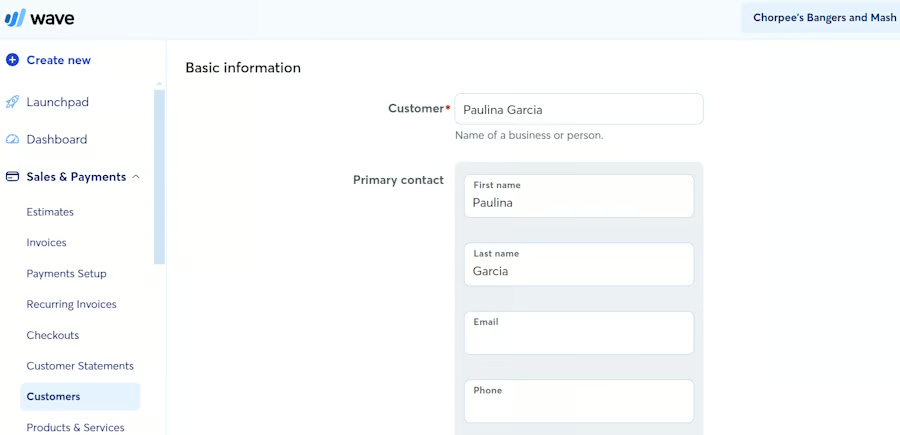
Wave Payments allows merchants to create a customer profile that includes contact details, billing, and shipping information. 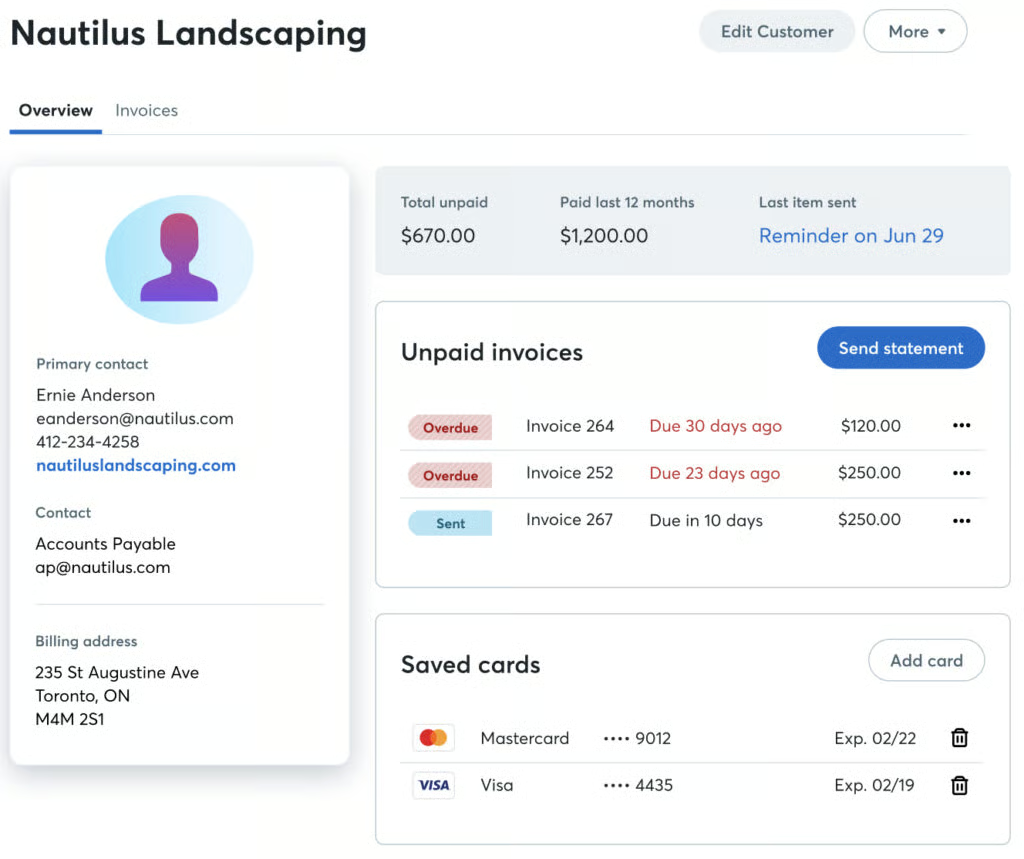
Merchants can create invoices, estimates, and statements from the customer profile. It also allows merchants to save credit card information for automatic recurring payments. 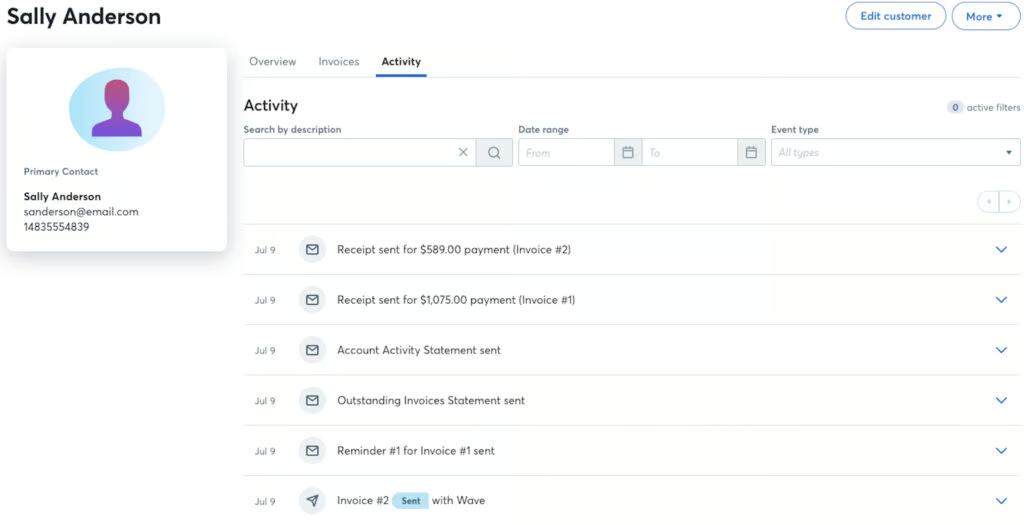
Merchants can also track paid and outstanding invoices from the customer profile.


Mobile App
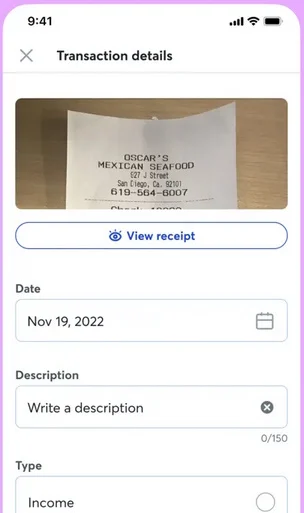
Wave’s mobile app (for Android and iOS) helps merchants manage their invoices and capture digital receipts on their mobile devices. The app also comes with a banking feature similar to PayPal, which allows users instant access to their funds for purchasing or transferring their linked business bank account.
Note, however, that the mobile app does not have POS tools.
Product & Services
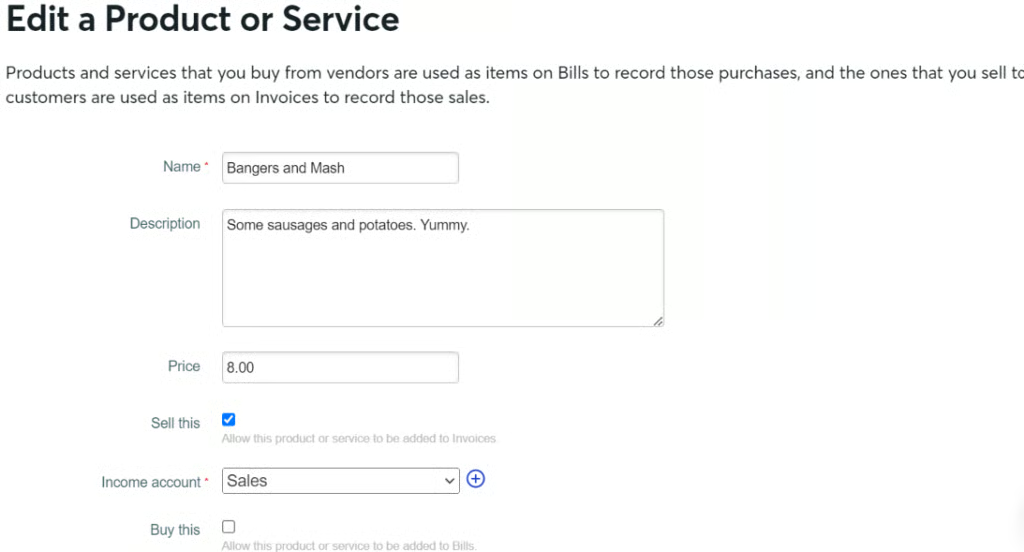
Wave comes with a basic inventory management feature that allows merchants to create a list of products or services. For accounting purposes, users will have to tick the “Sell this” or “Buy this” boxes and choose the proper income or expense account. These items then become available when creating a customer invoice.
One downside is that the system does not allow for images to be added. However, it lets businesses safely edit or update any of the services (like pricing, for example) without affecting any specifics in a past invoice.
Deposit Speed
It takes at least two business days for any form of payment to be credited to a merchant’s bank account, which significantly affected Wave’s score in this category. Wave, however, does offer instant payouts for an undisclosed fee. Merchants can also access their funds immediately from their mobile device, similar to PayPal Balance.
Fraud Protection & Chargebacks
Wave’s fraud protection system combines internal risk assessment tools with several third-party security and fraud detection service providers. Unlike other payment processors, it is not customizable and is not accessible from the menu.
Similarly, chargeback management also lacks platform access. Wave will contact its merchants via email for any chargeback claim and will assist its users in submitting documents to counter the claim. One upside is that Wave’s chargeback fee ($15) is refundable for merchants who successfully defend the chargeback.
Integrations
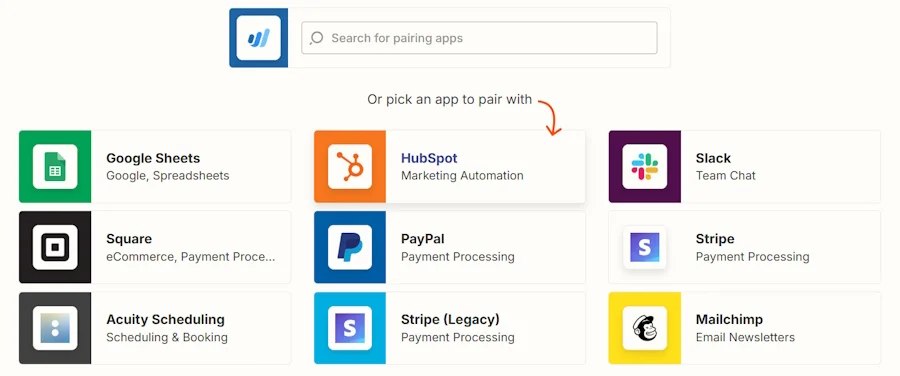
Wave integrates with other apps via Zapier. You should be able to integrate Wave with many options for merchant-friendly software, such as PayPal, Shopify, Square, eBay, and Stripe for ecommerce, Acuity and Calendly for scheduling, and more.
Reporting
Wave reports are more accounting-oriented than simple sales reporting. Report types are either accrual or cash basis, and invoice sales are categorized as receivables. This makes them less user-friendly for merchants with a limited bookkeeping background than straightforward sales records. There are also no analytics, and customization is very limited.
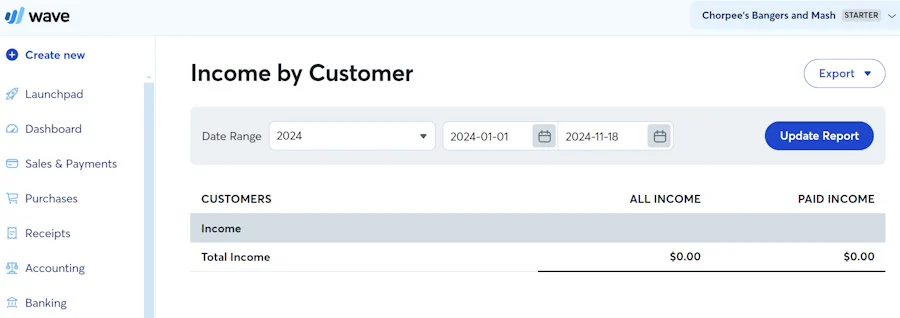
Although Wave does not have specific product reports, you can still track sales and purchases for a particular product or service. Do this by clicking Reports > Account Transactions (General Ledger). Under “Account,” you’ll find a dropdown menu in which you can filter for income and expense accounts. Then click “Update Report” to view each sale of the product that you recorded in Wave.
Accounting & Payroll
Wave is, first and foremost, an accounting software, so it offers a wide range of features for users to manage their financials, including taxes and payroll. Note that while the accounting features are free, using Wave’s payroll tools comes with a monthly fee. Merchants can still use the platform for payment processing without using these tools.
Learn more in our Wave Accounting review.
Wave Payments Ease of Use & Expert Score
4.38 / 5
Wave, as a payment processor, is an attractive alternative to top online payment processors like Stripe if you run a low-volume business and accept payments solely through invoicing and recurring billing. The biggest advantage is the fact that Wave’s invoice and recurring billing tools are free to use. There are no monthly fees, nor are users required to subscribe for an accounting plan (like QuickBooks).
Wave’s platform is clean and well-organized, making it easy to navigate. It also provides a detailed, step-by-step guide for setting up your payments and business profile. If you’re not yet ready, you can pause the setup process, and Wave will save your progress.
That said, Wave lost points in my evaluation for business hours-only customer support and a reporting function that would be difficult to understand without bookkeeping knowledge. It also does not contain POS tools in the mobile app and does not offer BNPL features. I also docked points for charging higher fees with AmEx transactions.
Methodology
Each time I write product reviews, I test the merchant account service provider to ensure an extensive assessment of its abilities, advantages, and drawbacks. I compare pricing schemes and identify whether the provider offers zero monthly fees, pay-as-you-go terms, and low transaction rates. Finally, I evaluate the software’s range of payment processing features, scalability, and ease of use.
The highest-performing products go into our list of the best online payment processors. However, I adjust the criteria when looking at specific use cases, such as for different business types and merchant categories. This is why every merchant and payment services provider has multiple scores across our site, depending on the use case you are looking for.
Click through the tabs below for our overall merchant services evaluation criteria:
We graded based on monthly fees, online rates, chargebacks, and whether or not you could get volume discounts.
Online payments are more than website checkouts. We looked for invoices, recurring billing, and virtual terminals. We also gave points for stored payments and Level 2 and 3 processing for B2B sales. Stripe had a clear lead with 4.63.
This score took into account sales tools like customer management features, BNPL, fraud prevention, and developer tools for customizations. We also considered deposit speed, giving the most points for same-day processing, and customer service. Stripe again took the lead with 4.63 out of 5.
Here, we scored based on our own experience of ease of use, plus research into account stability. The number and ease of integrations contributed to this score. Finally, we gave some weight to the input of real-world users as recorded in third-party user review sites like Capterra. Square also did well in this category.
Frequently Asked Questions (FAQs)
Click through the following sections to learn more about Wave Payments fees, security, and deposit speed.
Is Wave Payments free?
Wave is a Pay-as-you-go payment platform with a free Starter plan and a paid Pro plan. There are no monthly fees associated with accepting payments on Wave. You only need to pay for the processing fees per transaction.
How much does Wave take from payments?
For all other card brands except American Express, Wave charges 2.9% + 60 cents per transaction (2.9% + 0 cents for the first 10 transactions if you subscribe to the monthly Pro plan). Payments received with an American Express card are charged 3.4% + 60 cents (3.4% + 0 cents for the first 10 transactions if you subscribe to the monthly Pro plan). Merchants accepting payments through ACH or bank transfers are charged 1% with a $1 minimum fee.
Is Wave Payments safe?
Yes, Wave is PCI DSS Level 1-compliant, which means all transaction data is encrypted, including credit card information saved for recurring payments. It also comes with a combination of built-in and third-party fraud detection and fraud prevention tools and analytics to protect merchants from fraudulent transactions.
How long do Wave payments take?
By default, Wave transfers funds to a merchant’s bank account after two business days, while ACH transfers are completed between two to seven days. However, an instant funding option is available for a fee. Wave also provides merchants instant access to their funds via the Wave mobile app through Wave Money, which acts like a digital wallet similar to a PayPal balance.
Is it safe to connect a bank account to Wave?
Yes, like all other transactions, the transfer of funds to and from a merchant’s bank account is fully encrypted, so data is not locally stored or susceptible to hackers.
Bottom Line
While there are some limitations, Wave Accounting is very popular as a payment platform. Not only does it offer a free plan, but the invoicing and recurring payments tools are full-featured—something merchants will have to pay for with Stripe or Square. And with its pay-as-you-go model, Wave offers some of the best value-for-money online payment services for small merchants, freelancers, occasional sellers, and even serial entrepreneurs running multiple small businesses.
