







The cheapest credit card processing provider depends on your sales volume, average ticket size, payment methods, and whether you need POS, online checkout, invoicing, or recurring billing tools. A low advertised rate does not always mean the lowest total cost once monthly fees, hardware, chargebacks, and transaction types are included.
For this guide, I compared processors based on in-person and online rates, monthly fees, pricing models, chargeback fees, hardware costs, funding speed, contract terms, and small business value. Helcim is my top pick because it has no monthly fee, transparent interchange-plus pricing, automatic volume discounts, and low chargeback fees.
| Best for | Monthly Fee | |
|---|---|---|
| Helcim | Best overall and for maximizing savings | $0
|
| Square | All-in-one solution for new businesses | $0-$149
|
| Stripe | Affordable customizable online payments | $0 |
| Payment Depot | Custom interchange pricing | $0
|
| Chase Payment SolutionsⓇ | Free and fast payouts | $0-$15 |
| PayPal | Accepting PayPal and Venmo | $0-$30 |
| CardX | Free credit card processing | $29-$199 |
| Dharma Merchant Services | Transparent pricing | $20 |
| Stax | Cheapest wholesale rates for high-volume businesses | $99-$199 |
- How I chose the cheapest credit card processing companies
- Cheapest Credit Card Processing Companies Compared
- Helcim: Best overall and best for maximizing savings
- Square: Cheapest all-in-one solution for new businesses
- Stripe: Best for customizable online payments
- Payment Depot: Best for custom interchange-plus pricing
- Chase Payment Solutions: Best for free and fast payouts
- PayPal: Best for PayPal and Venmo payments
- CardX: Best for surcharging
- Dharma Merchant Services: Best for transparent pricing & business practices
- Stax: Cheapest wholesale rates for high-volume business
- Methodology: How I evaluated the cheapest credit card processors
- How to choose the cheapest credit card processing for small business
- How to lower credit card processing fees
- Frequently asked questions (FAQs)
- Bottom line
How I chose the cheapest credit card processing companies
I chose the cheapest credit card processors by comparing providers with transparent flat-rate, interchange-plus, membership, custom, or surcharge pricing. I excluded processors that rely on tiered pricing because those plans are harder for small businesses to predict and compare.
I evaluated 15 processors across 26 data points, including transaction fees, monthly fees, chargeback fees, hardware costs, contract terms, payment tools, funding speed, customer support, and account stability. I also calculated sample processing costs for different business types and sales volumes to see which providers offer the best value in real small business scenarios.
Learn more in my full methodology below.
Cheapest Credit Card Processing Companies Compared
| Our Score (out of 5) | Monthly Fees | Card-present Fees | Card-not-Present Fees | Chargeback Fees | |
|---|---|---|---|---|---|
| Helcim | 4.44 | $0 | Interchange plus 0.15% + 6 cents to 0.4% + 8 cents | Interchange plus 0.15% + 15 cents to 0.5% + 25 cents | $15 (refundable) |
| Visit Helcim | |||||
| Square | 4.43 | $0-$149 | 2.6% + 15 cents | 2.9% + 30 cents | Waived up to $250/month |
| Visit Square | |||||
| Stripe | 4.28 | $0 | 2.7% + 5 cents | 2.9% + 30 cents | $15 |
| Visit Stripe | |||||
| Payment Depot | 4.23 | $0 | Custom interchange plus | Custom interchange plus | $25 |
| Visit Payment Depot | |||||
| Chase Payment Solutions | 4.18 | $0-$15 | 2.6% + 10 cents | 2.9% + 25 cents | $25-$100 |
| Visit Chase Payment SolutionsⓇ | |||||
| PayPal | 4.14 | $0-$30 | 2.29% + 9 cents | 2.99% + 49 cents | $0-$20 |
| Visit PayPal | |||||
| CardX | 4.02 | $29-$199 | Free (credit cards)Varies (debit cards) | Free (credit cards)2.91% (debit cards) | N/A |
| Visit CardX | |||||
| Dharma Merchant Services
| 3.97 | $20 | Interchange plus 0.15% + 8 cents | Interchange plus 0.2% + 11 cents | $25 |
| Visit Dharma Merchant Services | |||||
| Stax | 3.93 | $99-$199 | Interchange plus 8 cents | Interchange plus 18 cents | $25 |
| Visit Stax | |||||
Credit card processing fee calculator
How to calculate processing fees
This is the general formula we use to calculate credit card processing fees:
(% Processing fee x Monthly sales volume) + ($ Processing fee x Number of monthly transactions) + Any monthly or other fees = Total monthly payment processing costs
If you need to accept cards in-store and online, you may need to do two calculations, as many processors have different rates for card-present and card-not-present transactions.
For interchange plus pricing, we used the current interchange rate for Visa Credit swiped retail payments in our calculations.
Related reading: Credit Card Processing Fees Explained
Cheapest Credit Card Processing Calculator
| Total Monthly Fee | Effective Rate | |
|---|---|---|
| Helcim | ||
| Payment Depot | Custom | Custom |
| Square | $0 | |
| Chase Payments Solutions | $0 | |
| Stripe | $0 | |
| Dharma Low Volume Plan | $15 | |
| Stax | $99 | |
| PayPal | $0 | |
| CardX* | $29 |
Helcim: Best overall and best for maximizing savings
Why I like Helcim
Overall, Helcim is the best choice for maximizing your savings. Unlike other traditional merchant account providers on this list, Helcim does not charge a monthly fee for offering interchange-plus rates. There is no additional cost for using any of its payment processing services (subscription management, surcharging, etc.). It is also the only payment processor in this guide that applies automated volume discounts for growing sales volume, so merchants always pay the lowest rate.
While Helcim offers some of the lowest transparent rates, it may not be ideal for every business. Its platform is designed for merchants who process consistently higher volumes, so very small or seasonal businesses might not see enough savings to outweigh the simplicity of out-of-the-box solutions like Square, which bundle payment processing with free hardware and built-in tools for quick startup.
Who should use Helcim
Active businesses with fast-growing sales volume
Helcim pricing
- Monthly fee: $0
- Card-present transaction fee: Interchange plus 0.15% + 6 cents to 0.4% + 8 cents
- Card-not-present transaction fee: Interchange plus 0.15% + 15 cents to 0.5% + 25 cents
- Automated clearing house (ACH) payments: 0.5% + 25 cents
- Chargeback fee: $15, but Helcim refunds the charge for disputes settled in your favor
- Funding speed: 1-2 business days
- No setup, application, Payment Card Industry (PCI), statement, or early termination fees
Hardware Cost:
| Helcim Mobile Card Reader | Helcim Standalone POS terminal |
|---|---|
 |  |
| $99 | $349 or 32/month x 12 |
| 2-in-1 payment terminal PIN pad | 3-in-1 payment terminalStandalone POS software |
Deposit speed:
- Standard 1-2 business days for cards
- 3-4 business days for ACH
- No instant payout
How Helcim minimizes credit card processing fees
- Offers automated volume discounts (adjusted based on a three-month processing history)
- Uses interchange plus pricing without monthly fees
- Offers free invoicing and subscription management service
- Can process Level 2 and 3 data for B2B
- Offers free credit card processing program (no monthly fees)
- Accepts alternative payment methods like ACH payments
- Has low and refundable chargeback fees
- Has free basic POS software
Square: Cheapest all-in-one solution for new businesses
Why I like Square
Square is a flat-rate, pay-as-you-go credit card processing and merchant services platform with free, cloud-based POS software. Setup is quick; there’s no lengthy approval process, so most small businesses can start taking payments as soon as the account is active. Its free plan also packs in tools that others charge for, including invoicing, online checkout, a basic online store, and a virtual terminal, a coverage that few picks in our cheapest credit card processing list match.
Helcim’s interchange-plus pricing can be cheaper at higher volumes, but Square’s simple rates are easier to predict and manage. You can also qualify for custom discounted pricing once you process around $21,000 per month or $250,000 per year. The tradeoff: Square is a closed ecosystem, so choosing Square for payment processing means using Square POS rather than third-party POS systems.
Who should use Square
New businesses looking for an all-in-one payment and POS system
Square pricing
- Monthly fee: $0-$60+
- Transaction fees:
- Card-present: 2.6% + 15 cents per transaction
- Online: 2.9% + 30 cents per transaction
- Keyed-in and recurring billing: 3.5% + 15 cents per transaction
- Chargeback fee: Waived up to $250/month
- Funding speed: 1-2 business days. 1.75% fee (Instant and same-day deposit)
Hardware Cost:
| Square Reader for Magstripe | Square Reader for Contactless and Chip |
|---|---|
 |  |
| First free, additional $10 | $59 |
| Accepts payments via magstripe (swiped), available in jack or lightning connector | Bluetooth reader that accepts EMV (chip), and NFC (Apple Pay, Google Pay) payments |
| Buy Magstripe Reader | Buy Contactless and Chip Reader |
Square also has a range of POS hardware with built-in card terminals designed for storefronts. For a complete list of Square’s hardware options, read our Square Pricing Guide.
Deposit speed:
- Free next-business-day to a linked bank (or instant to Square Checking for $0)
- Instant payout fee: 1.75% per transfer to an external bank/debit card; same-day transfer also 1.75%
How Square minimizes credit card processing fees
- Offers volume discounts for businesses processing more than $250,000 annually
- Accepts alternative payment methods, such as ACH payments
- Has built-in free virtual terminal
- Offers free and paid invoicing and subscription management options
- Offers lower processing fees in some Square-paid POS plans, including ecommerce
- Has free magstripe card reader for every account
- Waives chargeback fees up to $250/month
Did you know?
- One of the benefits of using Square is managing many business operations under one user-friendly ecosystem. Learn more about Square in this guide.
- Or, since it’s free to sign up and use, you can read our guide to Square Payments.
Stripe: Best for customizable online payments
Why I like Stripe
Stripe offers one of the best payment gateways on the market and is often considered the industry leader for online credit card processing. It supports 135+ currencies and payment methods, making it a standout for international payments. Compared with Helcim and Square, Stripe offers deeper checkout customization and stronger multicurrency tools — ideal for ecommerce and SaaS businesses that need flexibility.
I chose Stripe because every account includes advanced customization options to tailor checkout flows, subscriptions, and invoicing without upgrading tiers. You get invoicing and subscription management, a real-time reporting dashboard, built-in fraud protection, simplified PCI compliance, 24/7 support, and an optional fast-payout feature. However, Stripe isn’t a POS-first solution and lacks native, out-of-the-box mobile/POS software, an area where Square is stronger.
Who should use Stripe
Businesses that are actively selling online and looking for advanced payment processing customizations
Stripe pricing
- Monthly fee: $0
- Card-present transaction fee: 2.7% + 5 cents
- Online transaction fee: 2.9% + 30 cents
- ACH payments: 0.8% with a $5 cap
- Invoice payments: +0.4%-0.5%
- Recurring payments: +0.5%-8% per transaction
- Chargeback fee: $15 per lost dispute
- International payments: +1.5%
- No contract or early termination fees
- Funding speed: Two business days, 1% (for instant payouts), first payout can take 7-14 business days.
Hardware Cost:
| Stripe Reader M2 | BBPOS WisePOS E | Stripe Reader S700 |
|---|---|---|
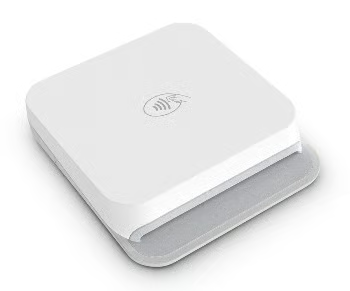 | 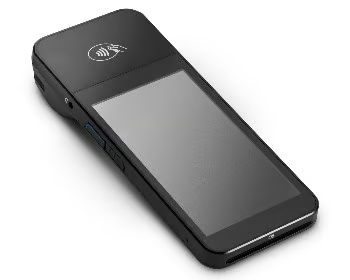 | 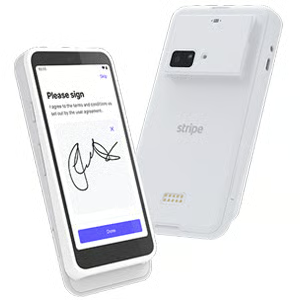 |
| $59 | $249 | $349 |
| Accept EMV chip, contactless, and mobile wallet payments. This battery-powered reader connects to your POS app via Bluetooth. | Android-based POS with a 5-inch display including PIN functionality. Connects to a third-party POS app via Wi-Fi. | Android-based smart reader for mobile and countertop use. Customize or use pre-built elements. Connects via Wi-Fi or Ethernet. |
Deposit speed:
- Standard T+2 business days in the US
- Instant payout fee: 1.5% per instant payout in the US (funds typically arrive within 30 minutes)
How Stripe minimizes credit card processing fees
- Offers custom interchange plus pricing for qualified accounts
- Has options for potential volume and multiproduct discounts
- Accepts alternative payment methods like ACH payments
- Can process Level 2 and 3 data for B2B
- Supports payment via cryptocurrency for selected US merchants
Payment Depot: Best for custom interchange-plus pricing
Why I like Payment Depot
Payment Depot now uses interchange-plus pricing (it previously used a membership model). It no longer offers wholesale, no-percentage-markup rates like Stax, but its $0 monthly fee makes it a strong fit for small businesses focused on the cheapest credit card processing with predictable costs. And because it’s a traditional merchant account provider, you’re less likely to face unexpected account closures or frozen funds than with payment aggregators.
Pricing is now closer to Helcim’s, but Payment Depot offers more customized rates and broader business integrations. Its custom pricing includes a virtual terminal, payment gateway, invoicing, and subscriptions for online credit card processing. The tradeoffs: an underwriting application is required, and there’s no instant or same-day payout option. So, if faster access to funds is essential, consider Square or Stripe.
Who should use Payment Depot
Small businesses that prefer a traditional merchant account and interchange-plus rates
Payment Depot pricing
Fees:
- Monthly fee: $0
- Transaction fee: Custom interchange-plus pricing
- Chargeback fee: $25
- No setup or cancelation fees; no long-term contracts
- $19.99 fee for businesses that fail to be PCI-compliant
Hardware:
| Swipe Simple B250 Reader | QD2 Dejavoo | Clover Flex LTE or WiFi |
|---|---|---|
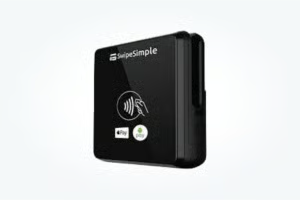 | 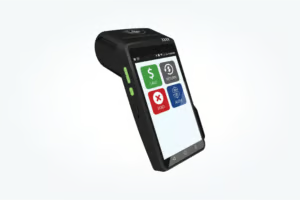 | 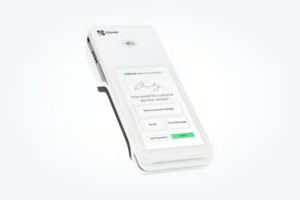 |
| Mobile or countertop tap, dip, and swipe reader | Wifi and 4G/LTE tap, dip, and swipe reader | Wifi or LTE tap, dip, and swipe reader |
While it does not have its own proprietary hardware, Payment Depot is compatible with a variety of hardware options from Swipe Simple, Dejavoo, and Clover. It supports mobile card readers, smart terminals, point of sale (POS), and standard payment terminals.
Deposit speed:
- Typically next-day to 24-48 hours, depending on processor/cutoff
- Instant payout fee: Not advertised/not available as a published add-on (ask sales for expedited options)
How Payment Depot minimizes credit card processing fees
- Has no monthly fee
- Has interchange-plus pricing
- Can process Level 2 data for B2B
- Accepts alternative payment methods, including ACH payments
- Has free virtual terminal and payment gateway
Chase Payment Solutions: Best for free and fast payouts
Why I like Chase Payment Solutions
Chase is unusual among direct processors because it offers merchant accounts directly to small businesses. With Chase for credit card processing, you get the advantages of a direct acquirer and faster funding when paired with Chase Business Checking, strong account stability, and detailed analytics. Its global banking footprint also helps with cross-border approvals, which is useful if you accept international cards or sell online.
Pricing is similar to Square: no monthly processing fees, though you may need to keep a minimum balance to avoid charges on a Chase Business bank account. Custom pricing, including interchange-plus, may be available on request. If you need both in-person and online credit card processing from a stable provider, Chase is a solid fit for small businesses looking for low-maintenance merchant services.
Who should use Chase Payment Solutions
Small businesses that prefer a traditional merchant account and free and fast payouts
Chase Payment Solutions pricing
- Monthly fee: $0-$15
- Card-present transaction fee: 2.6% + 10 cents
- Online transaction fee: 2.9% + 25 cents
- ACH payments:
- Real-time deposits: 1% (capped at $25), nonreversible
- Same-day deposits: 1% (capped at $25), reversible
- Standard deposits (1-2 business days): $2.50 for the first 10 transactions, 15 cents for additional, reversible
- Chargeback fee: $25-$100 per transaction depending on dispute volume
- Funding speed: Same- and next-day payouts, free if using a Chase business bank account
Hardware:
| Chase Mobile Checkout | Mobile Card Reader w/ POS Setup | Stand-alone POS Terminal |
|---|---|---|
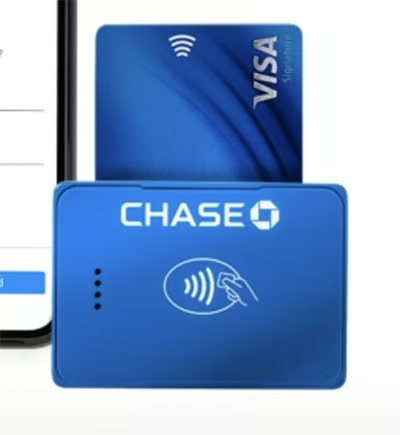 | 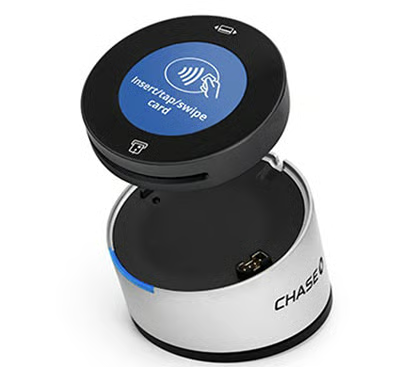 | 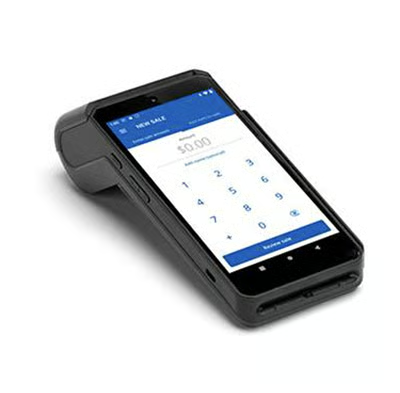 |
| EMV chip, NFC, and magstripe payments, Bluetooth enabled, | EMV chip, NFC, and magstripe payments, Bluetooth enabled, dock for countertop set up | EMV chip, NFC, and magstripe payments, Wi-Fi and 4G-enabled, built-in POS app and thermal printer |
| $99.00 | $99-$129 | $499 |
Deposit speed:
- Same-day when using QuickAccept® with a Chase business checking account
- Next-day with Chase accounts for most standalone solutions
- 2–3 business days to non-Chase banks
- Instant payout fee: Not listed
How Chase minimizes credit card processing fees
- Has no monthly fee
- Has free same-day funding
- Offers custom pricing
- Can process Level 2 and 3 data for B2B
- Accepts alternative payment methods, such as ACH and e-check payments, on the virtual terminal
- Has free POS and virtual terminal
PayPal: Best for PayPal and Venmo payments
Why I like PayPal
PayPal offers free pay-as-you-go subscriptions for mobile and online payments, along with a popular trustworthy security seal. It also offers discounted rates for nonprofits and a wide range of payment methods, including exclusive PayPal payments used by over 400 million active PayPal users. Like Square, PayPal is very small and microbusiness-friendly, though the latter integrates better with other online platforms.
PayPal used to offer its in-person POS through PayPal Zettle. In 2025, this was rebranded into PayPal Point of Sale. Despite the name and look change, the features and tools remain the same under the PayPal brand.
Overall, PayPal offers very competitive pricing and is among the easiest solutions to accept payments online. But I also like how it offers the cheapest flat rates for in-person transactions in this guide. With PayPal’s pay-as-you-go plan and ability to accept 26 currencies and cryptocurrency, seasonal sellers, including businesses that cater to tourists can maximize both their sales and savings by offering PayPal payment option to customers.
Who should use PayPal
Occasional or seasonal sellers, and those that primarily accept PayPal and Venmo payments
PayPal pricing
Fees:
- Monthly fee: $0-$30
- PayPal checkout transaction fee: 3.49% + 49 cents
- PayPal in-person transaction fee: 2.29% + 9 cents
- Online card payments transaction fee: 2.99% + 49 cents
- Quick response (QR) code transaction fees: 2.29% + 9 cents
- Chargeback fee: $20; waived for certain transactions
- Virtual terminal: 3.09% + 49 cents, $30 per month
Hardware:
| Card Reader | Terminal |
|---|---|
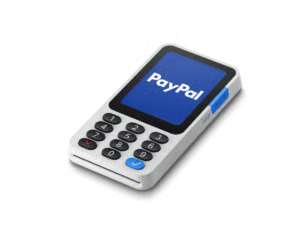 | 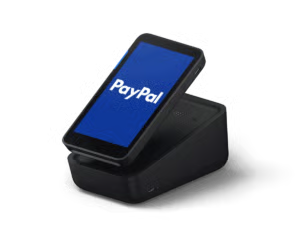 |
| $79 (first one $29) | $199-$239 |
Deposit speed:
- Balance available immediately
- Standard transfer to bank typically 1-3 business days (no fee)
- Instant payout fee: 1.5% of the amount transferred (min $0.50), to eligible bank or debit card
How PayPal minimizes credit card processing fees
- Offers discounts for donations and nonprofits
- Has flat rate with no monthly fees
- Has lowest in-person flat-rate fee
- Accepts alternative payment methods like e-checks and QR transactions
- Waives chargeback fees of certain qualified transactions
- Offers separate free POS
CardX: Best for surcharging
Why I like CardX
CardX is an industry-leading automated surcharging platform and Mastercard’s exclusive surcharging partner. It offers invoicing, billing, and ecommerce integrations that allow you to accept both in-person and online payments. CardX is available in 48 states, including New York and Maine plus the District of Columbia, and works with any business size with a very low monthly fee.
Some challenges when using out-of-the-box surcharging platforms are the learning curve and tailoring the system to your business needs. However, the CardX platform is clean and modern. I tested the CardX platform and found it easy to set up, while the online payment gateway and virtual terminal features are easy to use. One downside though is that CardX offers limited hardware options.
Who should use CardX
Local US businesses looking for fully compliant surcharging tools
CardX pricing
Fees:
- Monthly fee: $29-$199 (based on sales volume)
- Credit card transaction fee: Free (passed on to customers)
- Debit card transaction fee: Starts at 1.25% + 25 cents (varies depending on processor)
- Chargeback fee: N/A
- Funding speed: 1-2 business days
- No setup, application, or early termination fees
- Month-to-month billing
Hardware:
| Dejavoo QD2 | Dejavoo QD4 |
|---|---|
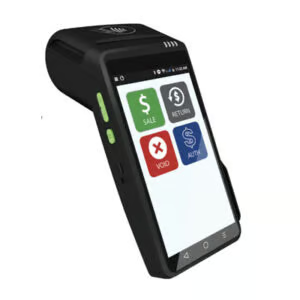 | 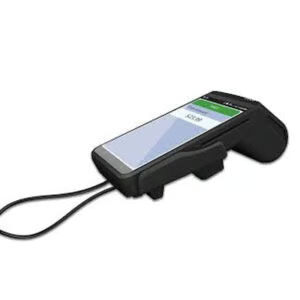 |
| $540 or $39/month4G Mobile, wireless, AndroidTouchscreen w/ PIN Pad1D and 2D barcode scannerBuilt-in cameraThermal printer | $375 or $29/monthEthernet and Wi-Fi, AndroidTouch screen w/ PIN Pad1D and 2D barcode scannerBuilt-in cameraThermal printer |
Deposit speed:
- Next-business-day funding (CardX notes deposits “the next day”)
- Instant payout fee: Not offered/not listed; no same-day option documented
How CardX minimizes credit card processing fees
- Offers volume discounts
- Has flat-rate fee for debit card payments
- Offers free credit card processing program
Dharma Merchant Services: Best for transparent pricing & business practices
Why I like Dharma
Dharma Merchant Services is a small independent merchant services provider that specializes in working with small businesses. It offers low-cost interchange plus pricing, particularly for storefront and restaurant payments. In addition to fair pricing and transparency, every single fee is listed directly on Dharma’s website, Dharma is also an eco-friendly company and, to date, has donated nearly $750,000 to nonprofits.
As a payment processor, I like how Dharma offers a bit of everything: invoicing, subscription management, surcharging, Level 2 and 3 data processing, ACH processing, even inventory management and online ordering. Add-on payment processing tools are available so you can create a payment processing solution tailored to your business needs. Dharma also offers cheaper monthly subscription fees compared with Stax, although the latter offers better wholesale transaction rates.
Who should use Dharma
Small businesses that prefer the low interchange plus rates with affordable monthly fees
Dharma pricing
Fees:
- Monthly fee: $20
- Card-present transaction fees: Interchange plus 0.15% + 8 cents, 0.25% + 8 cents for American Express
- Online transactions fees: Interchange plus 0.2% + 11 cents, 0.3% + 11 cents for American Express
- Nonprofit transaction fee: 0.1% + 8 cents for storefront, 0.1% + 11 cents for online
- Chargeback fee: $25 per chargeback
- Account closure fee: $49
- Funding speed: Next business day
Hardware:
| FD-150 Terminal | ValorPay VL 100 Pro |
|---|---|
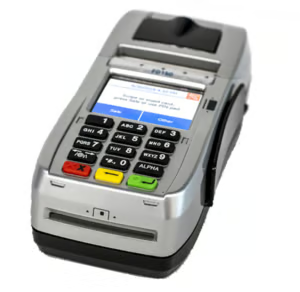 | 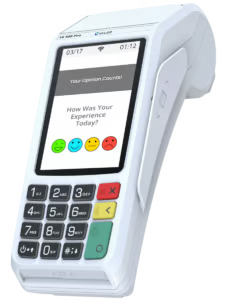 |
| $295 | $295 |
Dharma’s range of hardware also includes mobile card readers, payment terminals, and POS. It can be programmed into Clover hardware devices, while the mobile hardware supports direct MX Merchant gateway and mobile app integrations. Visit Dharma for the complete list.
Deposit speed:
- Default 2-business-day funding
- Next-day typically available for card-present/retail merchants (subject to underwriting and batching cutoffs)
- Instant payout fee: Not offered/not listed
How Dharma minimizes credit card processing fees
- Offers volume discounts
- Has low-cost subscription-based, interchange plus pricing
- Can process Level 2 and 3 data for B2B
- Offers free credit card processing program
- Accepts alternative payment methods like ACH payments
- Offers discounted rates for nonprofits
Stax: Cheapest wholesale rates for high-volume business
Why I like Stax
Stax (formerly Fattmerchant) is a subscription-based merchant services provider with no percentage markup over interchange. For businesses with steady, high sales volume, this pricing model can deliver some of the cheapest credit card processing effective rates. You also get strong tools for service businesses, including invoicing, stored cards, text-to-pay, and a virtual terminal, making Stax a high-value pick for professional services and other recurring-billing use cases.
Stax is versatile as a payment processor: it integrates with leading POS software, ecommerce platforms, and payment gateways, and works with popular POS hardware and card readers (including Clover). It supports both in-person and online credit card processing, so retailers, restaurants, and SaaS companies can tailor workflows while keeping credit card processing fees predictable under a flat monthly plan.
Who should use Stax
High-volume businesses looking to save on payment processing fees
Stax pricing
Fees:
- Monthly fee: $99-$199
- Card-present transaction fee: Interchange plus 8 cents
- Card-not-present transaction fee: Interchange plus 18 cents
- Chargeback fee: $25
- Funding speed: Next-day
- Contract length: Effectively month-to-month
- Early termination/cancellation fees: $0
Hardware:
| Swipe Simple B250 Reader | QD2 Dejavoo | Clover Flex LTE or WiFi |
|---|---|---|
| | |
| Mobile or countertop tap, dip, and swipe reader | Wifi and 4G/LTE tap, dip, and swipe reader | Wifi or LTE tap, dip, and swipe reader |
| $125 | $495 | $649 |
Deposit speed:
- Next-business-day funding (same-day available as a paid add-on)
- Instant payout fee: Charged as an add-on; pricing varies by account
How Stax minimizes credit card processing fees
- Offers custom pricing
- Has subscription model with wholesale rates, 0% markup
- Can process Level 2 and 3 data for B2B
- Offers free credit card processing program
- Accepts alternative payment methods like ACH payments
- Has free virtual terminal
Methodology: How I evaluated the cheapest credit card processors
The cheapest credit card processing for small business depends on your monthly sales volume, average order value, payment methods, and pricing model. To find the lowest-cost options, I compared payment processors that offer transparent pricing, low transaction fees, no or low monthly fees, volume discounts, free or affordable hardware, and useful payment tools for small businesses.
I excluded processors that use tiered pricing as their default model because those rates can be harder to predict and compare. I narrowed the list to 15 processors with the clearest pricing and strongest value, then evaluated them across 26 data points covering pricing, contract terms, account features, payment tools, and expert analysis.
I also calculated sample processing costs for mock businesses similar to small retailers, restaurants, service businesses, nonprofits, and B2B companies. This helped compare how each provider performs across different sales volumes, ticket sizes, and transaction types.
- Pricing (35%): I prioritized processors with low in-person, online, and keyed-in transaction rates. I also considered monthly fees, cancellation fees, chargeback fees, card-type markups, hardware costs, volume discounts, and flexible pricing options.
- Contract terms (25%): I gave higher scores to processors with month-to-month agreements, no cancellation fees, no long-term hardware leases, no setup fees, and no monthly minimums. Providers with stable traditional merchant accounts also earned points when they offered fewer account holds and reserve risks.
- Account features (20%): I reviewed each provider’s payment tools, including mobile payments, ecommerce checkout, ACH or e-check processing, virtual terminals, invoicing, card-on-file payments, recurring billing, surcharging, POS software, and payment gateways. I also considered deposit speed and customer support availability.
- Expert score (20%): For my expert score, I focused on pricing transparency, account stability, ease of use, software compatibility, reputation, and overall value. I reviewed sample statements and contracts where available, user feedback, and how well each processor works with common small business tools like POS systems, shopping carts, and accounting software.
This guide is updated regularly to reflect changes in processor pricing, contract terms, payment tools, and credit card processing standards.
How to choose the cheapest credit card processing for small business
The cheapest credit card processing for small business depends on how much you process, how customers pay, and which fees apply beyond the advertised transaction rate. Compare the full cost before choosing a processor.
Step 1: Start with monthly processing volume
Low-volume businesses usually benefit from processors with no monthly fee. High-volume businesses may save more with interchange-plus or membership pricing, even if there is a monthly subscription.
Step 2: Compare average ticket size
Per-transaction fees matter more if you process many small-ticket sales. A processor with a low percentage rate but high fixed fee may cost more for coffee shops, quick-service restaurants, or small retail purchases.
Step 3: Separate in-person and online payments
Card-present payments usually cost less than online, keyed-in, invoice, or card-on-file payments. Compare rates based on how your business actually accepts payments.
Step 4: Review monthly fees
A lower transaction rate does not always mean lower total cost. Add monthly fees, software fees, gateway fees, and PCI fees before deciding.
Step 5: Check chargeback fees
Compare chargeback fees, refundability, and dispute support. A cheaper processor can become costly if chargebacks are expensive or hard to manage.
Step 6: Factor in hardware costs
Card readers, terminals, POS systems, warranties, and replacement devices affect startup costs. Free or low-cost hardware can make a big difference for new businesses.
Step 7: Review funding speed
Standard deposits are usually included, but same-day or instant payouts may cost extra. Check funding speed if cash flow is a priority.
Step 8: Confirm contract terms
Avoid long contracts, cancellation fees, long-term hardware leases, and unclear pricing. The cheapest processor should be easy to understand and affordable to leave if it no longer fits your business.
How to lower credit card processing fees
Processing fees are a huge recurring expense for every business, lowering your fees can save you hundreds, if not thousands, of dollars each month. Although you can’t avoid them altogether, there are some steps you can take to get low-cost credit card processing fees.
| Fee reduction tactic | Best for |
|---|---|
| Use interchange-plus pricing | Established businesses with steady volume |
| Negotiate custom pricing | Businesses processing $20,000+ per month |
| Encourage ACH or debit payments | Invoices, subscriptions, and B2B sales |
| Reduce chargebacks | Online and high-ticket sellers |
| Avoid unnecessary add-ons | New and low-volume businesses |
| Use surcharging where legal | Businesses that want customers to cover credit card fees |
Incentivize cash payments
The first step to lowering your card processing rates is encouraging customers to pay in cash. Essentially, businesses can offset processing fees by building them into their regular prices and offering a discount for shoppers paying in cash. However, look closely at the laws in your particular state and local area. In many places, cash discounts are legal, but credit surcharges are often not.
A common example of this is pricing at gas stations. If you walk inside and pay cash, the per-gallon price is lower than paying with a card at the pump. Read our guide on cash discounting to learn more.
Accept ACH payments
After cash, ACH and e-check payments are usually the cheapest payment method to accept. This option is ideal for businesses that use recurring payments like subscriptions or charge via invoice. Stax does not charge extra fees for ACH processing except for its monthly plan.
For smaller businesses, Square offers free invoicing with ACH payments options. Square ACH processing fees are 1% per transaction with a $1 minimum. Alternatively, QuickBooks also offers an ACH invoicing option, which charges 1% per ACH transaction. This option is particularly practical if you are already using the accounting software. Read about ACH processing and the other most affordable ways to accept payments online.
Apply for B2B rates
B2B businesses can qualify for even lower processing rates known as Level 2 or Level 3 processing. These rates are not available to most small businesses, especially business-to-consumer (B2C) businesses. However, if you are a business-to-business (B2B) company processing large volumes, check with a merchant account provider like Dharma Merchant Services.
Shop around for quotes
Once your business grows to a place where you are consistently processing more than $20,000 per month, you can likely negotiate lower rates with different processors. Shop around and request quotes actively to see if you could save several hundred dollars per month by switching credit card processing companies.
Implement a surcharge
At least on the surface, the most straightforward way to lower credit card processing fees is to pass them along to customers. This option is becoming increasingly popular, and there are now more reputable payment processors offering this service.
However, surcharging is not legal in every state (although cash discounting is). Adding on extra fees to every transaction does not create a positive customer experience, which is crucial for retention and long-term business success. See if credit card surcharging is right for your business.
Lower your chargeback rates
When your business faces a chargeback, if the dispute is not resolved in your favor, your business could be out of the transaction fee from the initial purchase, the cost of the product or service itself, and potentially another transaction fee for the reimbursement. So, chargebacks are costly even as a one-off occurrence.
However, if your chargeback rates are above 1% of your total transactions, your processor might impose higher transaction fees and reserve requirements. A high chargeback rate could also cause your business to be labeled “high risk,” which also results in higher processing fees. Read our guide for preventing chargebacks, which is key for keeping transaction fees low.
Accept more in-person payments
As you may have noticed with the rates listed in this guide, card-not-present transactions like ecommerce, keyed-in, invoicing, card-on-file, and payments made over the phone come with higher processing fees. This is because these types of payments have a higher risk for card networks and issuing banks as they are more susceptible to chargebacks and fraud.
Whenever possible, opt for card-present transactions like swipe, chip, and NFC payments. Because the customer is physically present, there is less risk involved, and therefore the interchange fees and processor markups are lower. Read our guide to interchange fees and factors that influence them.
Frequently asked questions (FAQs)
These are some of the most common questions we get about the cheapest card processing companies.
What is the cheapest credit card processing for small business?
Helcim is the cheapest credit card processing option for many growing small businesses because it offers interchange-plus pricing, no monthly fee, automatic volume discounts, and low chargeback fees. Square may be cheaper for new businesses that need free POS tools.
Which credit card processor has the lowest fees?
The lowest-fee processor depends on your sales volume and transaction mix. Helcim, Dharma, and Payment Depot are strong for transparent interchange-plus pricing, while Stax can be cheaper for high-volume businesses.
Is Square the cheapest credit card processor?
Square is one of the cheapest options for new and low-volume businesses because it has no monthly fee and includes free POS tools. However, interchange-plus providers like Helcim may cost less for higher-volume businesses.
How can I lower credit card processing fees?
You can lower credit card processing fees by comparing pricing models, negotiating rates, reducing chargebacks, encouraging lower-cost payment methods like ACH, avoiding unnecessary add-ons, and choosing a processor that fits your transaction volume.
What is the cheapest way to accept credit cards?
The cheapest way to accept credit cards depends on how you sell. In-person payments are usually cheaper than online or keyed-in payments, while interchange-plus pricing can lower costs for established businesses.
Are there credit card processors with no monthly fees?
Yes. Helcim, Square, Stripe, PayPal, Chase Payment Solutions, and Payment Depot offer options with no monthly fee, though transaction rates, hardware costs, chargeback fees, and features vary.
Is free credit card processing really free?
Free credit card processing usually means surcharging, where eligible businesses pass credit card processing fees to customers. It can reduce merchant costs, but rules vary by state, card type, and provider.
Bottom line
In general, credit card processing and payment processing are necessary functions of any business, but they come at an expense. Many different payment processing companies advertise the lowest rates, and many of them have completely different fee structures. Finding cheap credit card processors for small businesses is tricky but can save your business hundreds, if not thousands, of dollars every month.
If you’re not ready to choose, read more about merchant accounts and how credit card processing fees work.
