








Shopify is an ecommerce platform that supports in-person sales through its POS system. We even named Shopify as the best POS system for retail and ecommerce for multichannel sales in our guide to the best POS systems. If you have a Shopify ecommerce subscription, you already have access to Shopify’s basic POS system.
Start completing in-store sales today by adding Shopify hardware to your storefront. Shopify offers tons of POS hardware and accessory options for you to choose from depending on your needs. Don’t worry, however; Shopify’s POS system is cloud-based so you can also run it off any internet-enabled device if you aren’t ready to invest in a Shopify system.
Based on your business needs, we recommend the following Shopify hardware:
- For a pop-up shop: iPad or Android tablet with a Tap & Chip Reader, or the all-in-one Shopify POS Terminal.
- For a physical storefront: iPad or Android tablet with a Tap & Chip Reader or POS Terminal, plus a receipt printer.
- For multiple locations or a warehouse: iPad or Android tablet with a Tap & Chip Reader or POS Terminal, a receipt printer, a barcode scanner, and a cash drawer.
This guide shows you all your hardware options for the Shopify POS app, from Shopify POS hardware to compatible hardware accessories.
- Shopify POS Hardware at a Glance
- Best for Storefronts: Shopify Retail Kit ($219)
- Best for Mobile & Curbside Sales: Shopify POS Go ($399)
- Best for Mobile Sales: Shopify Tap & Chip Reader ($49)
- Shopify Hardware Compatibility: POS Accessories
- Shopify Hardware for Rent: Fulfilled by Fello
- Shopify Hardware Frequently Asked Questions (FAQs)
- Bottom Line
Shopify POS Hardware at a Glance
| Shopify POS Hardware | Best for | Hardware Cost | Payment Method | Buy |
|---|---|---|---|---|
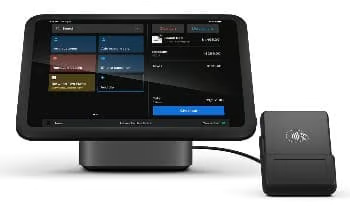 Shopify Retail Kit | Storefronts | $219 | Tap and dip | Buy Shopify Retail Kit |
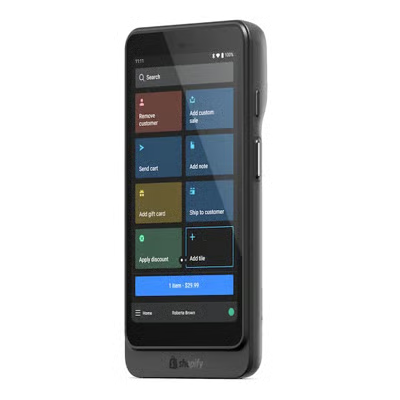 Shopify POS Go | Mobile and curbside sales | $399 | Tap, dip, and swipe | Buy Shopify POS Go |
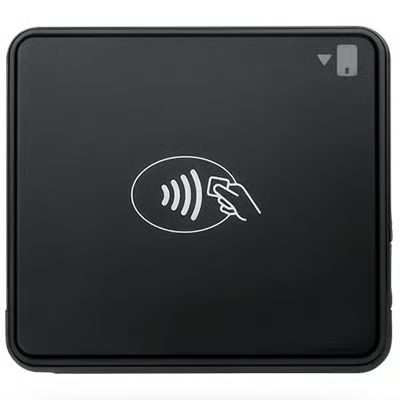 Shopify Tap & Chip Reader | Mobile sales | $49 | Tap and dip | Buy Shopify Tap & Chip Reader |
All Shopify point-of-sale hardware include the following if bought from the Shopify website:
- 24/7 support
- Free shipping and free 30 day returns
- Standard 1-year warranty or an extended 2-year warranty on POS Pro
Learn more about Shopify and Shopify POS:
- How to Use Shopify POS in 12 Easy Steps
- Shopify POS Review: Best for Omnichannel Retail
- Shopify Pricing Plans: Comparison, Fees & Calculator
- Shopify Review: Best Small Business Ecommerce Platform
Best for Storefronts: Shopify Retail Kit ($219)
Pricing
- $219 for all versions (iPad & Android); one-time fee or 4 interest-free payments of $54.75 every 2 weeks using Shop Pay
- Includes:
- 1 Shopify Tap & Chip Card Reader
- 1 Shopify Dock for Tap & Chip Reader
- 1 Shopify Retail Stand for tablet
- 1 Shopify Mounting Kit
Shopify Retail Kit Overview
Shopify Retail Kit is available across all Shopify subscription plans. Designed to process credit transactions for physical storefronts, the kit includes a tap & chip reader, a dock for the tap & chip reader, and a retail stand.
Note that the iPad or tablet device needs to be purchased separately.
Alternatively, you can also choose to build your own bundle. A bundle includes everything you need to accept cash or credit payments and print receipts: a device stand, card reader, cash drawer, receipt printer, and barcode scanner. To Build Your Own Bundle, you need to use Shopify Payments as your processor.
Best for Mobile & Curbside Sales: Shopify POS Go ($399)
Pricing
- $399 one-time fee or 4 interest-free payments of $99.75 every 2 weeks
- Acts as a POS terminal, barcode scanner, and card reader
- Long battery life and high-performance processor
- Add-on: Shopify Go Case $39
Shopify POS Go Overview
Shopify POS Go is an all-in-one mobile POS for simple on-the-floor selling, functioning as a POS, barcode scanner, and card reader. Currently only available for stores based in the US, Canada, and the United Kingdom, those keen on using this hardware should use Shopify Payments as their store’s payment provider. If you operate physical storefronts, your locations should be based in the country that your stores are based in.
The POS Go is compatible with secure pin Wi-Fi or wired LAN receipt printers (requires a separate purchase). Charging takes two to three hours using a wall adapter, and a fully charged battery is able to last for a whole day of selling.
To meet PCI requirements, POS Go automatically reboots every 24 hours. As of this writing, that is set as a default of 2 a.m., your local time.
Best for Mobile Sales: Shopify Tap & Chip Reader ($49)
Pricing
- $49 for the Tap & Chip Reader
- $39 for the Dock for Tap & Chip Reader
- Includes 1 x USB cable for charging
Shopify Tap & Chip Reader Overview
The Shopify Tap & Chip Reader is an EMV-compliant card reader that connects wirelessly to your mobile device and tables. Designed to be comfortable to hold and take with you wherever you’re selling, it is a PCI PTS-compliant device that accepts contactless and chip card payments with the Shopify POS app.
Shopify Hardware Compatibility: POS Accessories
You can use third-party hardware with Shopify POS, you just need to check for compatibility. You can purchase hardware accessories like iPad stands, cash drawers, receipt printers, and scanners directly from the Shopify hardware store or from another provider.
To use most of the hardware listed with your Shopify store, you need to meet the following requirements:
- You use the all-new Shopify POS
- You have a compatible iPad that is running iOS 13 or higher, an iPhone that is running iOS 13 or higher, or a compatible Android device that is running version 7.0 (Nougat) or higher
Make sure to check compatible models and its requirements on Shopify’s website before buying. If you are buying from a third-party website, check if the hardware is included in Shopify’s deprecation list. We have included a list of compatible hardware for your Shopify POS below.
Barcode Printers
Many retail stores use barcodes for their inventory items. To add barcodes to your Shopify products, you can employ the following methods:
- Use the Retail Barcode Labels app to add barcodes to your products
- Add a barcode to a product or variant details
- Import barcodes in bulk as part of a product CSV file
You can use a supported label printer to print barcode labels for your products. The printer needs to be connected to a desktop computer, and you need to install the appropriate software.
Software Requirements:
- Retail Barcode Labels app (within Shopify)
- DYMO Label software
Note: To print barcode labels using a supported DYMO label printer, use the DYMO Connect iPad app. The printer needs to be connected to a desktop computer with DYMO label software installed.
Shopify supports the following barcode label printers:
- DYMO LabelWriter® Wireless Label Printer: 2002150
- DYMO LabelWriter® 450 Label Printer: 1752264
- DYMO LabelWriter® 550 Label Printer
- DYMO LabelWriter® 5XL Label Printer
- Zebra Label Printer (USB): ZD220
- Zebra Label Printer (Wireless): ZD420 & ZD421
- Zebra 2″ ZSB Label Printer: ZSB-DP12
- Zebra 4″ ZSB Label Printer: ZSB-DP14N
- Zebra Label Printer (USB + Bluetooth): ZD4A042-D0EM00EZ
- Brother QL Label Printer – Wi-Fi: QL-1110NWB
- Bixolon Label Printer (USB): XD5-40dK/BEG
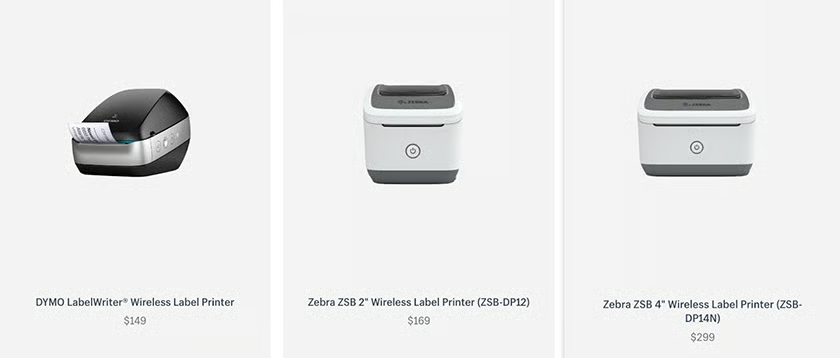
Note: The barcode printer needs to be connected to a desktop computer with the required software installed, even if you start printing from your mobile device.
See also:
- How to Make a Barcode in 3 Steps + Free Barcode Generator
- What Is an SKU Number? A Complete Guide
- SKU vs UPC: What Are They & When to Use Each
Barcode Scanners
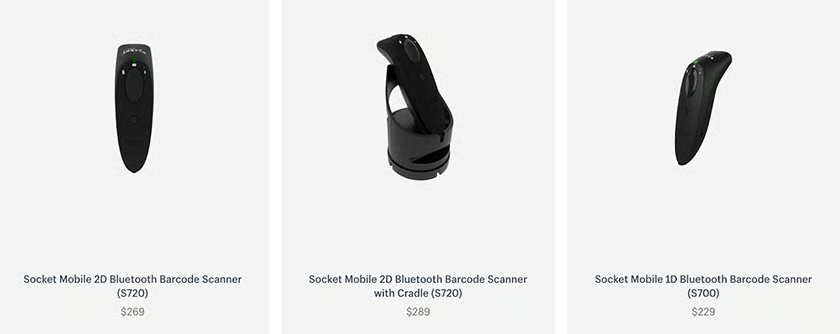
A POS barcode scanner reads and decodes barcodes. You use it together with your POS system to scan product barcodes for pricing, managing inventory, and tracking sales.
When barcodes are used for inventory, you can scan barcodes to quickly add products to the cart at checkout. Shopify lists the following compatible Bluetooth barcode scanners:
- Socket Mobile 1D barcode
- Socket Mobile 2D barcode
Receipt Printers
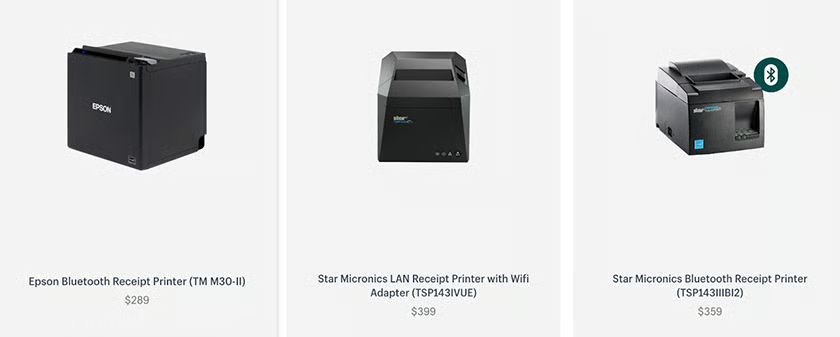
Shopify doesn’t have an official receipt printer, so you go with a third-party receipt printer if you want to use one. Shopify POS supports Bluetooth, Wi-Fi, LAN, and USB receipt printers, including the following:
- Star Micronics Bluetooth Receipt Printer: Star TSP143IIIBI
- Star Micronics Wi-Fi Receipt Printer: Star TSP143IIIW
- Star Micronics Wired Receipt Printer: Star TSP143IIILAN (39463110)
- StarMicronics LAN Receipt Printer: TSP143IVUE
- Epson Bluetooth Printer: TM-m30I
- Epson FP-81II RT Bundle: FP-81II RT
- Star Micronics Receipt Printer: mCP31L, mCP31LB
Cash Drawers
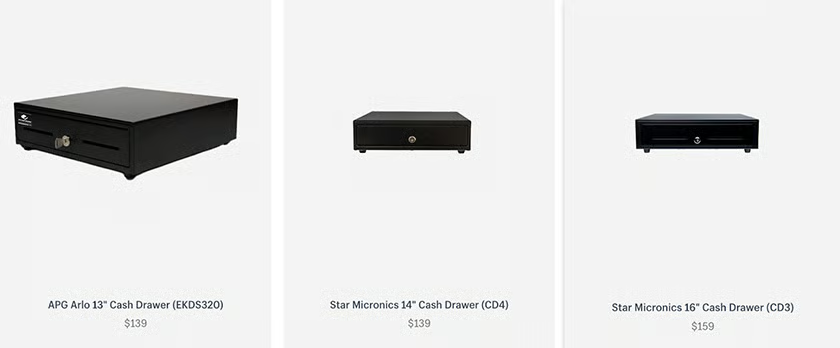
A cash drawer is used in POS systems to store cash, coins, and other valuables (like gift cards and checks).
Unless you process only cashless payments, you should get a secure and reliable cash drawer for your retail setup. If you want the cash drawer to open automatically after a transaction, then you will also need a compatible receipt printer.
- Arlo 13″ Cash Drawer: EKDS320
- Star Micronics’ 14″ Cash Drawer: CD4-1416
- VPOS 14″ Cash Drawer: EC350
- Star Micronics’ 16″ Cash Drawer: CD3-1616, CD4-1616, CB-2002FN
- VPOS 16″ Cash Drawer: EC410
- Kingly Cash Drawer – Small: PS-335-BLK
- Kingly Cash Drawer – Large: PS-405-BLK
Device Stands
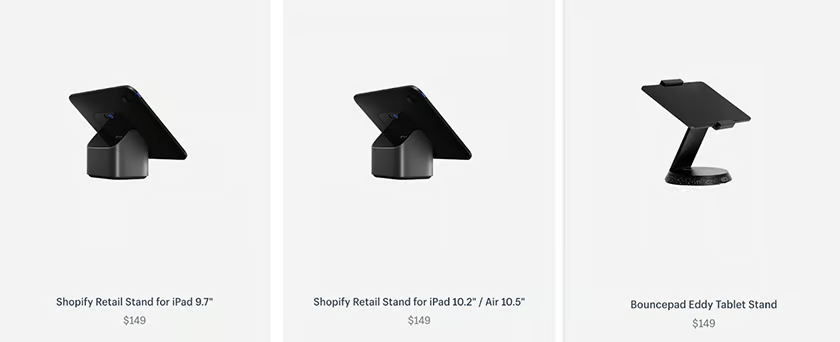
Shopify supports a range of devices stands for easier viewing and interaction, whether you are at a counter or walking around your store. You can buy other device stands other than the ones listed below, but the ones listed are included in Shopify’s support policy.
- Shopify Retail Stand for iPad 9.7″, iPad 10.2″, Air 10.5″: S1803
- @Rest Stand: HDAR118 or H234
- WindFall iPad Stand 9.7″
- WindFall iPad Stand 10.2″
- Eddy Tablet Stand
- Studio Proper Universal Tablet Stand: SPEKUPOSPVS3
- Bosstab Touch Nexus Universal Tablet Stand
- Bouncepad Click Tablet Stand
mPOP Kits (Printer & Cash Drawer)
Rather than purchasing Shopify hardware accessories separately, you can buy the Star mPOP kit—a receipt printer with an integrated cash drawer and optional USB barcode scanner. Since these mPOP bundles do not include a Shopify card reader, you can use them with an external payment processor.
- Star® mPOP™ Basic: 39650910, 39650810
- Star® mPOP™ with Scanner: 39655110, 39655010
A few things to note, however:
- The mPOP kit compatible with Shopify is not currently available on Android devices.
- The mPOP receipt printer supports only Bluetooth connection on Shopify and doesn’t work with a USB connection.
- The Star scanner only recognizes 1D barcodes. If you want to scan physical gift cards with 2D barcodes, then you need to use your iPad’s front-facing camera or buy a 2D barcode scanner.
Thermal paper rolls with the following specifications will work with the mPOP printer:
- Width: Between 57 mm and 58 mm
- Thickness: Between 0.053 mm and 0.075 mm
- Roll diameter: Up to 50 mm
Shopify Hardware for Rent: Fulfilled by Fello
If you’re planning on running a temporary event or pop-up store, you can also choose to rent Shopify hardware through Fello. You can rent full hardware kits such as the Shopify retail kit and other hardware depending on your store’s needs.
You can also have the hardware insured, have Fello pair up all the devices through Bluetooth before sending the POS equipment to you, and pay for someone to come out and set up the entire POS for you. Learn more about renting Shopify hardware through Fello.
Shopify Hardware Frequently Asked Questions (FAQs)
Click through the questions below to get answers to some of your most frequently asked Shopify hardware questions.
What hardware do you need for Shopify?
It depends on the type of business you are running. If you are running a retail storefront, it is ideal to have a complete setup—a card reader, cash drawer, barcode scanner, receipt printer, the works. However, if you are accepting in-person sales through events or occasionally, most businesses use a tablet or smartphone as their POS hardware together with the Shopify POS app.
What devices support Shopify?
Shopify POS app is only available on mobile devices—iOS and Android. It does not work on desktop computers.
Can I buy third-party hardware for Shopify POS?
Yes, you can but you need to make sure to check that your hardware of choice is compatible with Shopify POS first. Shopify provides a list of compatible devices with their model numbers on its website.
Bottom Line
You can have plenty of hardware choices for your Shopify POS system. Know which payment methods you want to accept and weigh in your business needs to help you decide.
Most retail businesses that have online stores as their primary sales outlet will benefit from going with more mobile Shopify POS devices like the Shopify POS Go and Shopify Tap & Chip Reader. But if you operate a physical storefront, you give your customers more payment options with both a tap and chip reader and a cash drawer.
We recommend adding Shopify hardware accessories such as barcode scanners and receipt printers to help make your business more efficient.
