






A good HR information system (HRIS) helps you store and manage employee data in one place, so it stops living in spreadsheets and shared folders. At a minimum, the best HRIS for small business owners should make it easier to track staff records, manage onboarding paperwork, and store employee documents.
While some systems focus almost entirely on those basics, others include payroll, time tracking, employee benefits, and approvals. A few HRIS platforms go further by supporting more complex HR processes, making it a better fit for companies with plans to grow.
To help you find the right HRIS system for small businesses, I evaluated nine solutions and narrowed the list down to my top seven recommendations.
| Software | Best for | Starting monthly price |
| Rippling | Overall HRIS | $8 per person + $40 base fee |
| Gusto | Payroll-first small businesses | $6 per person + $49 base fee |
| BambooHR | Employee management | $10 per person |
| Paychex Flex | Compliance support | Call for a quote |
| Paycor | Reporting and analytics | Call for a quote |
| Zoho People | Customizable HR workflows | Free: Up to 5 persons Paid plans: $1.50 per person |
| RUN Powered by ADP | HRIS for payroll services | Call for a quote |
Why you can trust Fit Small Business
The Fit Small Business editorial process follows strict standards to ensure that our best answers are founded on the basis of accuracy, clarity, authority, objectivity, and accessibility.
My recommendations draw on more than eight years of experience reviewing and testing HR and payroll software, along with 10 years of HR using systems for employee management, time tracking, and payroll. That background helps me assess how well an HRIS supports the day-to-day work behind managing employees, not just what tools appear on its feature list.
To evaluate the best HRIS for small business owners, I compared nine products using a weighted rubric that puts the most emphasis on core HRIS capabilities and payroll and benefits, followed by time tracking, platform usability, pricing, customer support, and user feedback. I also considered how practical each system is to implement and manage as a small business grows.
See my full methodology below.


- What’s different about buying HRIS now
- Best HRIS software compared
- Rippling: Best overall HRIS for small business owners
- Gusto: Best for payroll-first small businesses
- BambooHR: Best for employee management
- Paychex Flex: Best for compliance support
- Paycor: Best for reporting and analytics
- Zoho People: Best for customizable HR workflows
- RUN Powered by ADP: Best HRIS for payroll services
What’s different about buying HRIS now
HRIS tools aren’t “nice to have” anymore. They’re central to how businesses and HR teams hire, organize employee information, and manage everyday HR tasks. In 2025, 65% of small companies already use HR software, and another 28% actively evaluated new HR tools, according to a Biz4Group report.
HR technology is moving from record-keeping systems to decision-support tools. Many HRIS platforms now include artificial intelligence (AI) features to further automate and simplify processes. Data from SHRM’s 2025 Talent Trends study shows that 43% of organizations use AI in HR tasks, most often to support hiring activities, such as screening candidate resumes and preparing job descriptions for job postings.
Because of these changes, small businesses are adopting HRIS earlier and expecting more from it right away. Systems that once felt “good enough” for years are now outgrown faster, while platforms built to support automation and connected workflows hold their value longer.
Best HRIS software compared
| Software | Expert score (out of 5) | Core HR | Time tracking | Workflow automation |
| Rippling | 3.96 | Payroll is an add-on | Add-on | Advanced |
| Gusto | 3.93 | ✓ | In higher tiers | Basic |
| BambooHR | 3.66 | Payroll is an add-on | Add-on | Custom |
| Paychex Flex | 3.52 | ✓ | Add-on | Basic |
| Paycor | 3.41 | ✓ | Add-on | Custom |
| Zoho People | 3.19 | Payroll is an add-on | In higher tiers | Custom |
| RUN Powered by ADP ADP | 3.15 | ✓ | Add-on | Basic |
Pricing tip: HRIS pricing can vary widely depending on headcount, included features, add-ons, and service level. Compare the total cost of the tools you actually need, not just the advertised starting price, and check whether essentials such as payroll, time tracking, benefits administration, or support cost extra.
Unsure which software is right for you? Learn more about what an HRIS is before choosing a provider.
Why I recommend it
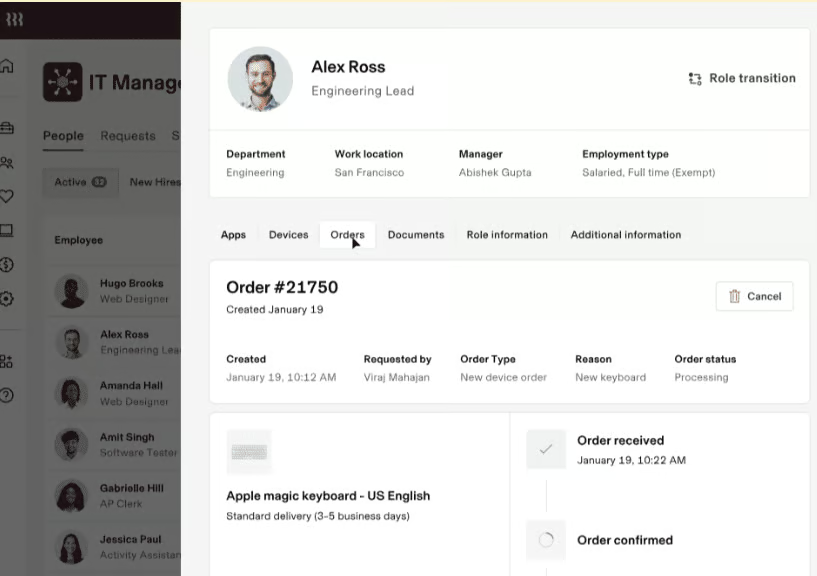
I recommend Rippling as the best overall HRIS for small businesses that expect their HR needs to become more complex. It combines employee records with payroll, time tracking, benefits, recruiting, learning, app access, device management, and finance tools, while its workflow automation can trigger actions across those systems.
That makes Rippling particularly useful when one employee change affects several parts of the business. For example, promoting an employee can require a pay change, new permissions, different software access, updated reporting relationships, and new approval rules. Rippling can keep those changes connected instead of requiring HR to update several separate systems.
Growing businesses can also expand their HR support without necessarily switching providers. Rippling offers professional employer organization (PEO) services for businesses that want help managing HR, payroll, benefits, and compliance, as well as employer of record (EOR) services for hiring and paying employees internationally.
Rippling's flexibility is also its main drawback. Its advertised starting price does not represent every module you may need, so costs can rise as you add payroll, time tracking, benefits administration, IT, or other products.
If you mainly need straightforward payroll with core HR tools, Gusto is probably the better fit. Its pricing and product structure are simpler to understand upfront, and you won’t have to sort through as many configuration choices. Rippling starts making more sense when HR work stretches into IT, finance, permissions, software access, and more involved approval processes.
BambooHR is another good alternative if your focus is traditional HR. It handles employee records, onboarding, performance, and engagement without the extra IT and finance capabilities that make Rippling more powerful, but also more involved.
Pricing
What’s great about Rippling is that it lets you select HR, payroll, time tracking, benefits, IT, finance, and other products based on your needs. You can choose the features you want, although the Rippling Platform is a must-buy. This is the system’s core, which allows it to manage workflows, automations, reporting, approvals, and software permissions across its various modules.
While I wasn’t able to request a quote, Rippling advertises small-business pricing starting at $8 per user per month plus a $40 monthly base fee, but that is a starting point rather than the cost of a complete HR and payroll package. Your final price depends on the modules you add, so request an itemized quote for the HR, payroll, time, benefits, IT, or other products you need.
Key features
- AI-assisted recruiting: Its recruiting tools can surface candidates based on job criteria, help schedule interviews, record and summarize interviews, and summarize interviewer feedback. That can cut administrative work without removing hiring managers from the decision.
- Workflow automation: Compared to the other HRIS platforms on my list, Rippling’s workflow automation tools are more extensive. It comes with a library of ready-to-use workflows, but also lets you build custom ones that trigger actions, approvals, and task assignments across HR, expense management, and IT processes.
- Third-party software integrations: If you work with a lot of different applications, then Rippling is a better choice than the rest of the small business HRIS software I reviewed because it integrates with 650+ business programs, such as Slack, Asana, Microsoft 365, Jira, and the Google Workspace. With its App Management module, granting employee access during onboarding and removing accounts when offboarding becomes super-easy.
- Payroll: Aside from handling US payroll, Rippling can manage payments for international workers in more than 140 countries and in over 50 currencies. Gusto, BambooHR, and ADP can pay global workers, but only Rippling ranked as one of our top international payroll providers.
- Learning management: Rippling offers a robust learning management system to help build, organize, and deploy your training programs. It has a full list of compliance training sessions, including anti-harassment training for all 50 states. While Paycor has extensive learning management tools, Rippling automates course enrollment and integrates with Time & Attendance so you can prevent employees from clocking in until they complete required training.
- Device and app management: You can partner with Rippling to buy, set up, and manage employee work computers. It also provides single sign-on (SSO), app provisioning, multi-factor authentication, and API support. While others on our list offer some of these tools, like SSO, Rippling has the most complete program.
Why I recommend it
I recommend Gusto for small businesses that primarily need payroll but also want onboarding, employee records, benefits, and basic HR tools in the same system. Its Simple plan includes full-service payroll, unlimited payroll runs, tax filing, and basic PTO management, making it easier to understand what you’re paying for upfront than modular platforms like Rippling.
Gusto is especially well suited to small teams without dedicated payroll or HR staff. Setup is relatively straightforward, and everyday tasks such as running payroll, adding an employee, enrolling workers in benefits, or completing onboarding require less configuration than they do in more complex HR systems.
Gusto starts to feel limiting when your HR needs extend beyond payroll and basic employee management. If you need more advanced workflow automation, cross-system approvals, or HR changes that automatically trigger actions in IT, finance, or other business tools, Rippling is the stronger choice. If your priority is deeper workforce reporting and analytics, Paycor offers more robust tools for tracking trends such as turnover, labor costs, and overtime.
Pricing
- Plans
- Simple: $6 per person monthly + $49 per month
- Plus: $12 per employee monthly + $80 per month
- Premium: $22 per employee monthly + $180 per month
- Contractor-only payroll plan: $6 per contractor monthly + $35 per month*
- Add-ons
- State payroll tax registration: Pricing varies per state
- Contractor payments in over 120+ countries: No monthly per-contractor fee; transaction and foreign exchange fees may apply
- Health insurance and other benefits: Pricing varies by benefit
- Add-ons for Simple plans only
- Next-day pay: $3 per person monthly + $15 per month
- Time & attendance Plus: $6 per person monthly
- Performance tools: $3 per person monthly
- Add-ons for Simple and Plus plans only
- Same-day pay: $90 per payroll, included in Premium; available for qualified late payrolls, with funds arriving by the end of the business day
- Instant pay: $100 per payroll; available for qualified late payrolls, with funds typically arriving within minutes
- Priority support: $3 per person monthly + $30 per month
*Gusto is currently offering a $0 base fee for the first six months for eligible new customers.
Key features
- Small business payroll: Gusto, our top recommended payroll software for small businesses, can handle pay processing and tax filings in all 50 states. It pays via check and direct deposit, as well as offers a Gusto Wallet — an online employee account with a mobile app that lets your staff manage finances and allows them to receive their pay faster. It’s a great alternative for employees without traditional bank accounts (although ADP has something similar with its Wisely card). Like Rippling, BambooHR, and ADP, Gusto supports international teams through global contractor payments and EOR services provided through Remote.
- Employee management: Gusto is not as feature-heavy as most of the software on this list, but it offers the basics for managing employees, monitoring attendance and PTO, while performance reviews are available on Plus and Premium or through the Performance add-on. The Premium Plan, its highest pricing tier, includes access to HR advisers if you need advice on how to handle HR and payroll compliance issues. Gusto also offers state-mandated compliance training, but does not allow you to build custom learning courses. If creating and deploying training programs is important to you, consider Rippling, Paycor, and Zoho People.
- Employee benefits: Gusto can help you manage employee benefits in all US states. It also offers commuter benefits, flexible spending accounts (FSAs), health savings accounts (HSAs), pay-as-you-go workers’ compensation, and financial wellness tools. Compared to larger providers like RUN Powered by ADP or Paychex Flex, benefits setup and ongoing management are simpler and require less hands-on administration.
- Hiring and onboarding tools: Gusto offers hiring and onboarding tools, including custom offer letters, while its higher-tier recruiting tools let you post jobs and track applicants. It’s also our list of top onboarding software because it makes it easy to create new hire checklists and can even set up your employees’ business software and email account access.

Why I recommend it
I recommend BambooHR for small businesses that want an HR-first system for managing employee records, onboarding, performance, and engagement. Its core platform centers on people management instead of payroll, which makes it a better fit for teams that want to organize HR without taking on Rippling's broader IT and finance footprint.
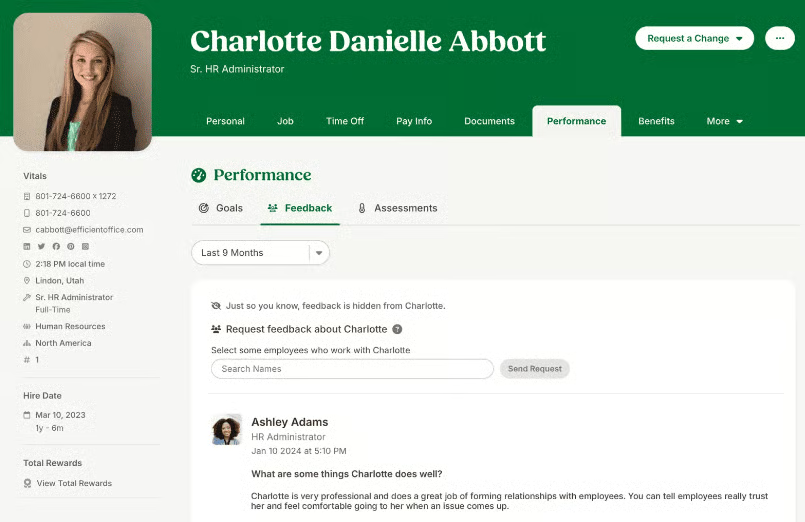
In my review, BambooHR stood out for how easy it is to manage employee records, monitor onboarding tasks, store signed documents, and run performance reviews in one place. Its employee survey tools also include prebuilt questions, which can save a smaller HR team from building every engagement survey from scratch.
Compared with Gusto, BambooHR gives you stronger employee management and performance tools, but payroll is an add-on rather than the center of the platform. Compared with Rippling, it is easier to navigate and more focused on traditional HR workflows, but it offers less cross-system automation and fewer IT and finance capabilities.
BambooHR didn't rank higher because payroll, benefits administration, and time tracking all increase the total cost. It also lacks the deeper workforce analytics you get with Paycor, so businesses that need more advanced reporting, labor insights, or workforce planning may outgrow it sooner.
Pricing
What makes BambooHR different from the other HRIS platforms I reviewed is its pricing matrix. It offers a flat monthly rate (starts at $250) if you have 25 or fewer employees. This can be pricey, especially if you only have 10 workers.
However, if your headcount exceeds 25, BambooHR will bill you a per-employee, per-month (PEPM) fee. It even applies automatic volume discounts, where the discount increases as your headcount grows.
- Plans
- Core: $10 per person monthly
- Pro: $17 per person monthly
- Elite: $25 per person monthly
- Add-ons
- Payroll: Call for a quote
- Benefits administration: Call for a quote
- Time tracking: Call for a quote
- EOR: Call for a quote
Key features
- Comprehensive employee records: BambooHR centralizes people data — job titles, employment history, documents, custom fields, and more — in a way that makes it easy to search, update, and report. This employee-first approach makes BambooHR more HR-centric than payroll-first systems like Gusto, Paychex Flex, and RUN Powered by ADP.
- Compensation tools with salary benchmarks: Since our last update, BambooHR has added job levels and salary bands, compensation planning with collaborative worksheets, and salary budget management tools. It even provides access to Mercer benchmark reports to help you check if your compensation package is at par with the market.
- Customizable workflows: BambooHR offers prebuilt and customizable workflows to reduce the time you spend coordinating with other departments — and it includes email alerts to make sure people don’t forget time-critical tasks. However, if you want robust workflow automation tools with customizable workflow templates, consider Rippling.
- Payroll reporting: BambooHR’s payroll add-on with tax filing services and end-of-year tax forms makes it easy for you to stay compliant with federal and state laws. Over 100 standard payroll-related reports help you analyze your workforce expenses — this is more than what most payroll software includes. Gusto, for example, has 20+ customizable reports.
- Performance management: BambooHR’s performance management solution (available in the Pro plan) is designed to help employees grow professionally through self-assessments and feedback from managers and peers. It includes work goal tracking and performance review reminders, including sample questions to help managers conduct effective evaluations with less subjectivity.
Why I recommend it
I recommend Paychex Flex for small businesses that want payroll and HR software backed by more hands-on compliance support. In my evaluation, its biggest advantage was not just payroll processing, but access to payroll specialists, HR guidance, and compliance resources when questions come up.
That makes Paychex Flex especially useful for businesses operating across multiple states or in industries where payroll rules, worker classification, and employment requirements are harder to manage. Compared with Gusto, Paychex Flex offers more specialist support when you need help interpreting or handling compliance issues. Compared with BambooHR, it is more payroll- and compliance-focused than employee-management focused.
Paychex Flex also gives growing businesses a path into PEO services if they eventually want to outsource more of their HR, payroll, benefits, and compliance responsibilities.
The trade-off is simplicity and flexibility. Pricing is not transparent, several HR features cost extra, and the platform can take more time to set up and learn than Gusto or BambooHR. Rippling is also a stronger choice if you want advanced workflow automation or HR processes that connect with IT, finance, and other business systems.
Pricing
To get Paychex Flex pricing, you have to contact its sales team for a quote. While the provider’s website doesn’t show monthly fees, it does provide details about its small business tiers.
- Plans
- Paychex Flex Select: Call for a quote
- Paychex Flex Pro: Call for a quote
- Add-ons
- Time and attendance: Call for a quote
- HR analytics: Call for a quote
- Talent management: Call for a quote
- Retirement plans: Call for a quote
- Health insurance plans: Call for a quote
- HR consulting: Call for a quote
Key features
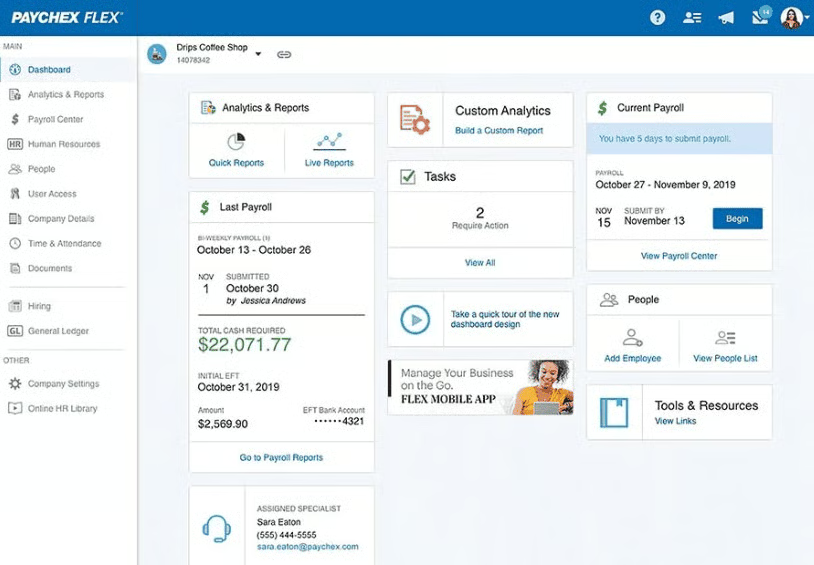
- Payroll + tax compliance with specialist support: Unlike Rippling, Paycor, Gusto, or RUN Powered by ADP, which handle payroll well but lean on self-service guidance, you have the option to ask a Paychex payroll specialist to handle pay runs for you. Plus, you are granted access to HR and compliance advisors who can help interpret wage laws, classification rules, and multi-state payroll nuances. That’s big for small businesses trying to avoid fines or filing errors.
- Employee benefits: You get the standard benefits options like medical, dental, vision, and retirement. Paychex also offers non-standard options, such as an employee financial wellness program with financial coaching services and a cashflow assistance service, which provides short-term loans to your workers.
- PEO services: You can manage HR and payroll from its platform and then transition to its PEO service once your HR needs grow and you don’t want to expand your in-house team. Paychex’s PEO, one of our recommended PEO companies along with Rippling and ADP, can help you efficiently handle day-to-day HR tasks while keeping you compliant with labor and tax regulations.
- HR library and support resources: Paychex offers a library of HR documents, guides, and support services designed to help small business owners manage policies, hiring, and benefits more confidently — useful when you don’t have dedicated HR staff.
- HR tools: In addition to its self-service tools, customizable report dashboard, and centralized employee database, Paychex provides access to employee screening packages that allow you to do post-offer, pre-hire, and post-hire background checks.
Why I recommend it
I recommend Paycor for small businesses that want stronger reporting and workforce analytics built into their HR and payroll system. In my review, it stood out for making it easier to see trends in turnover, overtime, labor costs, and other workforce metrics without relying as heavily on exported spreadsheets or separate reporting tools.
Paycor goes beyond static reports, too. Its Analytics product includes a natural-language AI assistant and predictive resignation capabilities that can help HR identify factors associated with turnover risk. Those insights are most useful when they prompt a closer look at what's happening with a team or location, not when they're treated as an automatic verdict about an individual employee.
The trade-off is complexity. Some of the features that make Paycor appealing also mean you need to think carefully about which products your business will actually use instead of simply choosing the biggest bundle.
Consider Gusto if you require straightforward payroll, and BambooHR if you mainly need employee management tools. Rippling is also a good choice when the goal is automating work across HR, IT, finance, and external systems.
Pricing
Similar to Paychex Flex and Run Powered by ADP, Paycor doesn’t publish pricing details on its website. What it shows are the plan details for a small business with up to 49 employees.
- Plans
- Basic: Call for a quote
- Essential: Call for a quote
- Cor: Call for a quote
- Complete + ASO: Call for a quote
Key features
- Analytics and reporting dashboards: Paycor offers customizable dashboards and pre-built reports that show trends in turnover, labor costs, and workforce changes. Compared to Gusto or Zoho People’s reporting dashboards, Paycor lets managers explore and visualize HR and payroll data directly in the platform, which can reduce the need to export data for analysis.
- AI Analytics Assistant: HR teams can ask workforce questions using natural language rather than manually constructing every report. That can make analytics more approachable for a manager who knows the business question but isn't a reporting specialist.
- Hire-to-retire employee management: Paycor’s suite of HR solutions is designed to streamline the employee lifecycle. Aside from an employee database, it offers recruiting, compensation planning, single or bulk onboarding, staff scheduling, and talent development tools. It can also help you run employee performance reviews, track work goals, and capture feedback.
- Gamified learning tools: Paycor’s learning system offers canned and customized courses and gamification to make completing training programs fun for employees. Rippling, RUN Powered by ADP, and Paychex Flex may have similar tools, but these lack gamification features.
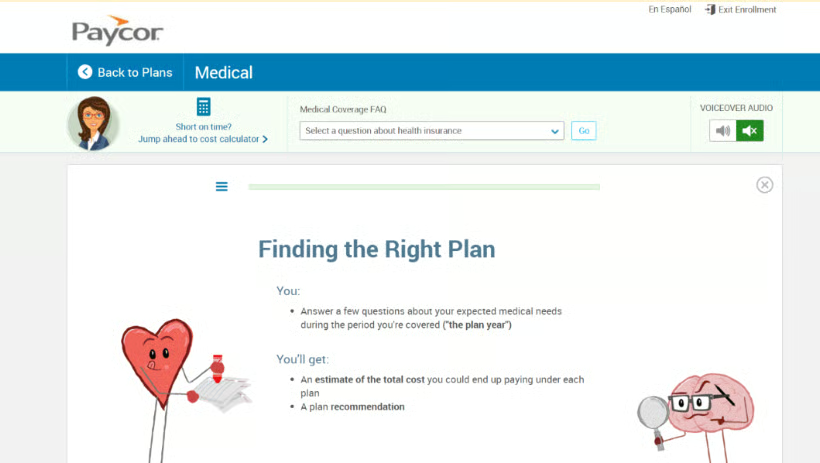
- Benefits administration: Employees can manage, shop, and enroll in a benefits plan through Paycor’s self-service portal and mobile app. It also has an online wizard to help you set up and implement open enrollment events for your staff. The system also includes built-in decision support to help employees compare their options and choose benefits that fit their needs.
Why I recommend it
I recommend Zoho People for small businesses that want more control over how their HR processes work. Its customization tools let you configure approvals, create custom forms and functions, and use Blueprints to guide employees and managers through defined processes instead of relying on email reminders or someone's memory.
That flexibility becomes useful when your HR policies don't fit neatly into a standard software workflow. You might create a multistep approval for employee transfers, for example, or build a process that routes leave, onboarding, employee changes, or HR requests to different people based on your own rules.
Zoho People keeps more of its customization focused on HR processes themselves. Rippling is stronger when automation needs to cross HR, IT, finance, and external applications. Reporting is more limited unless you add Zoho Analytics. Businesses that expect to add payroll, advanced analytics, or more complex automation may outgrow Zoho People sooner than platforms such as Gusto, Paycor, or Rippling.
Pricing
- Plans*
- Free plan: $0 for up to five users
- Essential HR: $1.50 per person monthly
- Professional: $2.50 per person monthly
- Premium: $3.50 per person monthly
- Enterprise: $5 per person monthly
- Zoho People Plus: Call for a quote
- Add-ons
- Premium support: $114 per month or 20% of the recurring license fee, whichever is higher
- Jumpstart client onboarding: Starts at $1,000
- *All paid plans require at least five users
Key features
- Customizable HR workflows: Zoho People lets you define approval criteria and automate multistep approval processes. That is useful for HR requests that have to move through several managers or departments instead of ending with one simple approval.
- Custom forms and actions: You can create forms with the fields your business needs, control who can see them, validate entries, and add actions that trigger tasks such as emails or document downloads.
- Blueprints and custom functions: Blueprints help enforce the sequence in which a process should happen, while custom functions give administrators more control over what the system does when certain conditions are met. This can be useful when a generic out-of-the-box workflow doesn't match your actual policy.
- Employee management: From shift scheduling to time tracking, Zoho People provides performance management solutions for setting goals, identifying skills, conducting self-appraisals, and collecting peer feedback. There’s also an online tool for receiving and responding to employee queries and complaints.
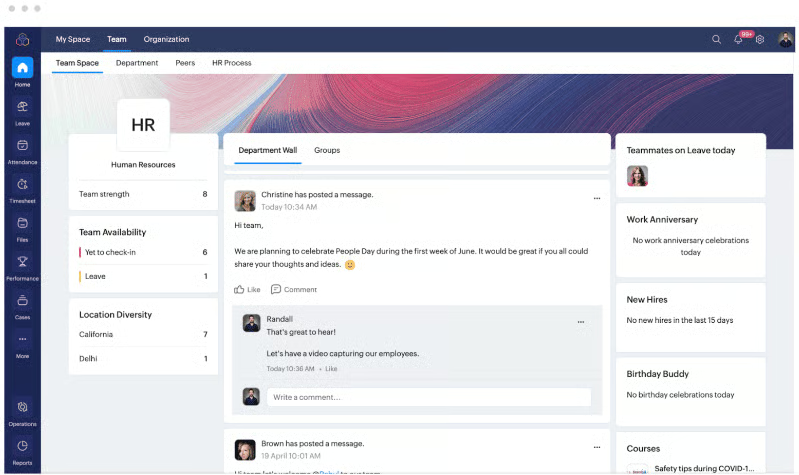
- Staff communications: Zoho People’s communication tool includes social-style employee feeds where staff can post messages, comment, tag colleagues, and communicate with groups or departments. You can even send employees announcements, host discussions, and share HR and/or business manuals for employees to access through the system.
Why I recommend it
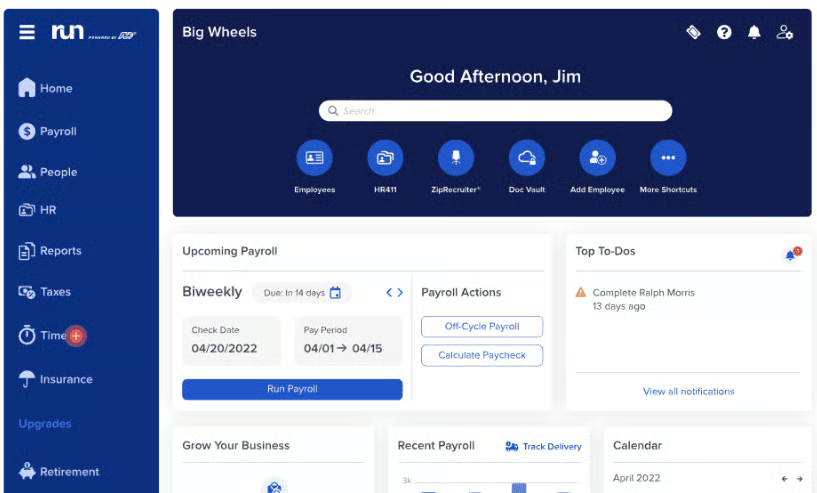
I recommend RUN Powered by ADP for small businesses that want more hands-on payroll services rather than a primarily self-service HR platform. ADP can handle core payroll processing while also offering services such as paycheck preparation, state unemployment insurance support, and access to additional HR and compliance resources.
That service model is what separates ADP RUN from many of the other HRIS options on this list. It can prepare and sign paper paychecks, package them for distribution, help manage state unemployment insurance claims, and review SUI tax rates for potential errors. Compared with Gusto, ADP RUN is a better fit if you want more payroll support rather than the simplest software experience.
ADP also gives businesses room to grow into a much broader HR ecosystem. As your needs become more complex, you can move beyond RUN to other ADP products for global payroll, PEO services, and more advanced workforce management. Paychex Flex offers a similar service-oriented approach, but ADP stands out for the breadth of payroll and HR products available as your business grows.
However, its pricing isn’t as transparent as Gusto’s and Zoho People’s. ADP does not publish standard RUN pricing, and benefits, time tracking, and other services can add to the cost. It is also less suited to businesses that want highly customizable workflows or advanced workforce analytics. Rippling is stronger for cross-system automation, while Paycor is a better fit for deeper reporting and workforce insights.
Pricing
To get a quote, you have to contact ADP to discuss your HR needs. For small businesses, RUN Powered by ADP has four plans.
- Plans
- Essential: Call for a quote
- Enhanced: Call for a quote
- Complete: Call for a quote
- HR Pro: Call for a quote
- Add-ons
- Time and attendance: Call for a quote
- Retirement plans: Call for a quote
- Workers’ compensation: Call for a quote
- Health insurance: Call for a quote
Key features
- HR features: ADP RUN offers recruiting and onboarding tools, including background checks and job-posting support through integrated recruiting partners such as ZipRecruiter and CareerPlug. In addition to employee data management features, it offers learning and performance review tools, as well as a dedicated team of HR professionals to help you manage compliance. And, like Paychex Flex, it has a huge number of HR and payroll functionalities, but what you select determines your price.
- Global reach: Similar to Rippling and Gusto, it supports international staff payments. However, you will have to move from ADP RUN to its ADP global products, which support payroll and local payroll-compliance needs across 140+ countries and territories, with broader global HCM and workforce-management services also available.
- Payroll services: ADP RUN has an online payroll tool and offers services to make paying employees via check easy and hassle-free. It’s also the only provider on my list that offers paychecks with 10 advanced fraud protection features. Plus, if you sign up for its TotalPay feature, an ADP officer will sign the paychecks on your behalf.
Looking for something else? If you’re interested in getting help with payroll processing, check out our list of the best payroll services. And if you’re unsure which provider to choose, read our guide on finding the right payroll software.
Methodology: How I chose the best HRIS for small businesses
I looked for HRIS solutions that can support you from when you start hiring employees — some even help before that with recruiting tools — to the time their employment is terminated. I also considered pricing, ease of use, and HR support. Click through the tabs below for the full evaluation criteria.
Software with starter plans up to $400 monthly for 50 employees received higher points. I also looked at contract requirements and discount offers, including how transparent and scalable the software’s pricing is for small businesses.
This evaluates how intuitive, flexible, and secure the software is for everyday use. It considers ease of use, mobile access, integrations, and permission controls to support scalability and customization.
This criterion evaluates how well the software centralizes employee data and supports core HR workflows. It covers self-service access, document management, reporting, and basic automation across the employee lifecycle.
I gave higher points to software that can run compliant payroll and manage employee benefits across all 50 states. I also looked at whether it offers unlimited pay runs, automatic tax filings, and access to health insurance and workers’ comp plans.
This criterion looks at the software’s ability to track employee work hours and manage time-related workflows. It covers features like timesheet approvals, staff scheduling, and leave balance tracking.
I looked at the availability, accessibility, and quality of customer support across multiple channels, including phone, live chat, email, and self-service resources. I also reviewed how well these options are delivered at entry-level plans.
This criterion evaluates user feedback and average review scores across third-party review platforms, such as G2, Capterra, and TrustRadius, to assess overall customer satisfaction and product reliability.
Frequently asked questions about small business HRIS
What is HRIS software?
An HR information system (HRIS) is software that helps businesses store and manage employee data in one centralized system. It typically includes staff records, onboarding documents, time-off tracking, and basic HR workflows. Many HRIS platforms also offer payroll, benefits administration, and reporting.
How does HRIS software work?
An HRIS system stores employee information, such as names, Social Security numbers, and pay rates, in a centralized database. Then, it utilizes the data to populate employee details across its platform and process HR tasks like administering benefits, running payroll, managing learning courses, and more. This helps you save time, prevent data errors, and streamline processes.
Do small businesses really need an HRIS?
While small businesses may not initially need an HRIS and can make do using spreadsheets to track staff data, they often outgrow this tool. Managing multiple employees, onboarding, time tracking, and compliance becomes easier with an HRIS.
At what size should a small business start using an HRIS?
Most small businesses start using an HRIS once they have five to 10 employees, or when HR tasks are scattered across spreadsheets and shared folders. At that point, managing employee records, onboarding paperwork, and compliance manually becomes harder to maintain and more error-prone.
What’s the difference between an HRIS, HRMS, and HCM?
An HRIS focuses on core HR tasks like employee records and onboarding. A Human Resource Management System (HRMS) adds features like payroll, benefits, and performance reviews. On the other hand, Human Capital Management (HCM) platforms are broader systems designed for workforce planning, analytics, and enterprise HR needs.
Read more on the benefits of a unified HCM database.