


A cloud contact center is an internet-based platform that enables businesses to handle inbound and outbound customer communications. It includes a host of features that streamline customer service delivery across various channels, such as phone calls, video, live chat, SMS, email, and social media. This article further explores what a cloud contact center is, its features and benefits, and leading software providers.
How a Cloud Contact Center Works
A cloud contact center is a contact center as a service solution (CCaaS) that operates entirely on the internet, hosted by a service provider using its data servers and network. It uses voice-over-internet-protocol (VoIP) technology, which converts audio signals into digital data and compresses it for transmission over the web.
To use the platform, a business has to purchase a per-user subscription on the service provider’s website, which typically charges on a monthly or annual basis. Once the agent has user access, they can now utilize contact center features to manage customer interactions.
With its cloud-based setup, users can access the solution through the internet. There’s no need to deploy hardware because the contact center provider will handle all the technical requirements and maintenance.
In contact center software, all incoming and outgoing communications are assigned to one agent. All channels, like chat, text, and email, connect seamlessly for a complete view of the customer journey and a smoother flow of conversation from channel to channel.
Key Features of a Cloud Contact Center
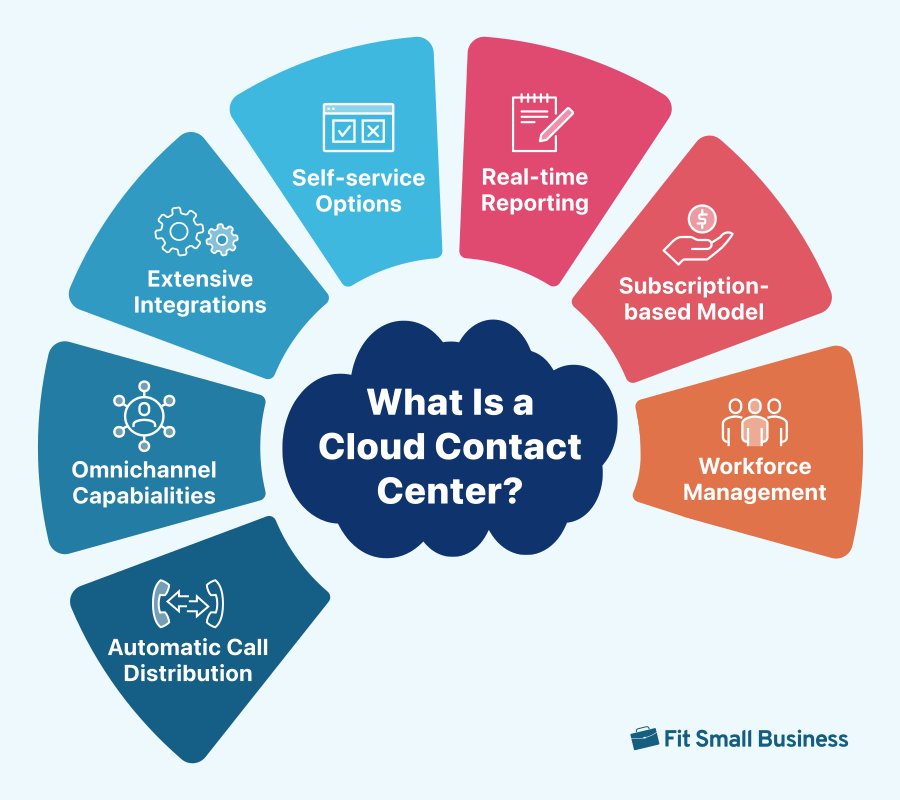
Cloud-based contact center solutions include a suite of advanced capabilities you won’t find in a typical on-premise system. While features vary depending on the software provider, here are the must-have contact center features you need to be aware of if you’re in the market for a contact center solution.
| Cloud Contact Center Feature | Description |
|---|---|
| Omnichannel Support | Aside from phone calls, omnichannel contact centers support multiple communication channels to centralize all customer interactions in one interface. This provides agents with a complete view of the customer profile and history, giving them the full context of a specific issue. |
| Interactive Voice Response (IVR) | An IVR is an automated telephony system that offers self-service options to callers. Callers navigate through a series of interactive menus using the dial pad or speech recognition, routing their call to the right agent or department. |
| Outbound Dialer | Outbound dialing systems are designed to enhance the efficiency of sales reps and reduce the manual work surrounding outbound calling. It has four main types: power, predictive, preview, and progressive. |
| Call Monitoring | Contact center solutions offer different call monitoring capabilities to effectively oversee agent-customer interactions. These include call listening, whisper, call barging, and call takeover. |
| Analytics & Reporting | This allows businesses to track and measure critical call center metrics and key performance indicators (KPIs). Interactive dashboards convert data into actionable reports, which provide valuable insights to improve customer support and agent performance. |
| Workforce Management (WFM) | It is a set of tools for managing contact center staff and optimizing productivity. It encompasses various processes, including schedule adherence, demand forecasting, and agent assignment. |
| Integrations | Modern contact centers connect with various third-party platforms to enhance functionality and reduce the need for app switching. For example, a customer relationship management (CRM) integration provides agents with the necessary data (e.g., customer profile and history) they need to better handle every interaction. |
Cloud Contact Center Software Providers
There are several cloud-based contact centers in the market, and each varies based on use case, pricing, and features. Most of them came from leading providers of VoIP phone systems that later expanded their product offerings to contact centers. To help you find the right match for your business, below we handpicked the best cloud contact center solutions that cater to different needs and budgets.
| Cloud Contact Center Software Providers | Monthly Starting Price (per User) | Key Features | Learn More |
|---|---|---|---|
 | $65 |
| Read Our RingCentral Contact Center Review |
| Visit RingCentral | |||
 | Custom pricing |
| Read Our Nextiva Contact Center Review |
| Visit Nextiva | |||
 | $95 |
| No Review Yet |
| Visit Dialpad | |||
 | $149 |
| No Review Yet |
| Visit Five9 | |||
 | $69 |
| |
| Visit Zoom | |||
Benefits of a Cloud Contact Center
From cost-savings to increased flexibility, there are plenty of reasons why businesses are now switching from on-premise to a cloud-based contact center. To help you understand its impact on your business, here are reasons why companies are moving to the cloud:
- Improves customer experience: The omnichannel approach of contact centers enables customers to reach out using their preferred channel. In turn, companies can quickly and effectively address inquiries across multiple channels with the help of customer relationship management (CRM) integration.
- Maximizes agent productivity: Advanced contact center features like IVR, escalation management, and outbound dialers provide agents with the necessary tools to deliver the best customer service possible. Customers are properly matched to the right agent who can effectively solve their inquiries, while agents receive accurate feedback through call monitoring and analytics.
- Access to innovative features: Cloud contact center solutions continuously update their software with new capabilities to stay ahead of their competitors while providing excellent services to their clients. Today, many providers are investing in artificial intelligence (AI) to help companies streamline their processes and enhance contact center efficiency.
- Supports remote working: Since cloud contact centers are hosted online, agents can access the platform anywhere using their internet-connected devices. This allows companies to implement remote working smoothly and serve clients from several locations.
- Reduces overhead costs: With a cloud solution, there’s no need to purchase expensive hardware and infrastructure because everything is handled by the service provider. Plus, contact center providers offer different pricing options and discounts, allowing businesses to tailor their subscriptions based on their budget limitations.
- Scales easily: Cloud solutions are known for their seamless scalability and customization, allowing businesses to scale up or down to accommodate fluctuating call volumes. With contact center software, companies can add or remove users, expand the platform’s capabilities, and change call plans in a few clicks.
Frequently Asked Questions (FAQs)
What is the difference between a contact center & a call center?
The main difference between cloud contact centers and call centers lies in the channel supported. Call centers solely focus on handling phone calls, while contact centers leverage other digital channels, such as live chat, video, text messages, email, and social media.
Is a cloud contact center safe from cybersecurity threats?
Like any digital technology, cloud contact centers are prone to cyberrisks if proper security measures aren’t built into them. Factors that may contribute to cyberthreats include weak passwords, outdated software, and phishing attacks. Companies must implement comprehensive cybersecurity measures and seek a provider with robust security and compliance policies.
How do I migrate my on-premise contact center to the cloud?
When implementing a cloud contact center solution, create a checklist to give your teams oversight and structure on how the migration will be executed. Typically, the migration process involves determining migration-related expenses, identifying data that will be migrated, selecting a trusted provider, and providing training to agents.
Bottom Line
From greater scalability to improved operational efficiency, migrating to a cloud contact center provides businesses with a transformative shift without spending a fortune. As you start your journey to the cloud, make sure to select a provider that aligns with your business needs and objectives. When implemented correctly, transitioning to this platform will allow you to deliver an integrated customer experience and empower agents to build stronger relationships.
