








Toast and Square for Restaurants are cloud-based point-of-sale (POS) systems that regularly appear in our rankings of the best restaurant POS systems. Both systems offer built-in payment processing and a free baseline subscription and are easy to set up and use in any restaurant. Square offers shorter contracts without cancellation fees, while Toast has more robust industry-grade hardware.
In general, here’s where each is the better fit:
- Toast: Best for mid- and high-volume restaurants that need flexible hardware with restaurant-focused software tools like tip pool management
- Square for Restaurants: Budget-minded restaurants and mobile food businesses like food trucks, coffee shops, and other highly focused counter-service concepts
Toast vs Square for Restaurants Quick Comparison
 |  | |
|---|---|---|
| Overall Score: 4.16/5 | Overall Score: 3.88/5 | |
| Visit Toast | Visit Square for Restaurants | |
| Best For | Busy restaurants, multiple locations, drive-throughs, self-serve kiosks, bars | Food trucks, small restaurants, quick service restaurants |
| Monthly Software fees | $0–$165+ | $0–$60+ |
| Processing Fees | From 2.49% + 15 cents (in-person transactions) | From 2.6% + 10 cents (in-person transactions) |
| Customer Support | 24/7 year-round via phone, email, or online chat, Toast University, resource library | Monday–Friday phone support, 24/7 automated chat support, seller community, and resource library |
| Restaurant Features | Excellent | Good |
| Integrations | Good, restaurant-focused | Very good, wide-ranging |
| Ease of Use | Excellent | Excellent |
| Toast Review | Square for Restaurants Review |
Alternatives to Toast and Square for Restaurant
Neither Toast nor Square will fit if you want to bring your processor or shop for the lowest processing rates. Consider these alternatives instead:
| Best For | Software Pricing | Available Processors | Our Review | |
|---|---|---|---|---|
 | Quick service restaurants (QSRs) and detailed reporting | $69 to $399-plus | Lightspeed Payments, BridgePay, Cayan, and WorldPay | |
| Visit Lightspeed Restaurant | ||||
 | Multilocation restaurants (5+ locations) | $99 per terminal monthly | Revel Advantage, triPOS, FreedomPay, First Data, Heartland, TSYS, Worldpay, Chase Paymentech, Elavon | N/A |
| Visit Revel Systems | ||||
 | Cafes, coffee shops, and ease of use | $69 per terminal monthly | TB Payments, Square, TSYS, and Worldpay | |
| Visit TouchBistro | ||||
All three systems listed above are cloud-based POS like Toast and Square, but they offer the option of third-party processing, so you can shop for rates. While they are all strong options, Toast and Square are easy to use for restaurant operators and very popular.
Let’s take a closer look.
Toast vs Square: Pricing
Toast and Square are evenly matched in their free starter-level monthly subscription fees—both offer a free baseline POS, although they go about it differently. Toast offers its Quick Start Bundle POS for no upfront monthly fees but charges a per-transaction fee in a pay-as-you-go method. Square’s Free POS subscription includes software on unlimited terminals, while Toast’s Quick Start Bundle POS can only be used on up to two terminals. But as you’ll see, Toast’s Quick Start Bundle offers more functions than Square’s Free POS.
| | |
|---|---|---|
| Overall Score: 4.16/5 | Overall Score: 3.88/5 | |
| Visit Toast | Visit Square for Restaurants | |
| Our Pricing Score | 2 out of 5 | 3.85 out of 5 |
| Monthly Subscription Fees |
|
|
| Contract Length | 2 years | Month-to-month |
Square has Toast beat when it comes to contract terms, though. Square offers month-to-month subscriptions with no cancellation fees, while Toast generally requires a two-year contract. This is due to having to use Toast’s hardware, which includes setup and support from its team. Expand the sections below to take a deeper look at each system’s hardware and payment terms.
Hardware
| | |
|---|---|---|
| Baseline Countertop Terminal | 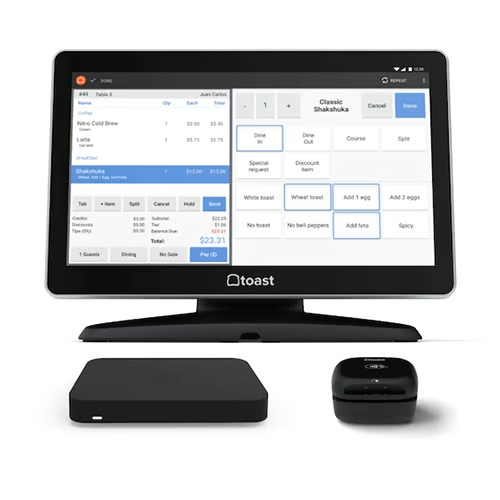 $699 plus $69 per month;or $0 with 2.99% plus 15 cents processing fee | 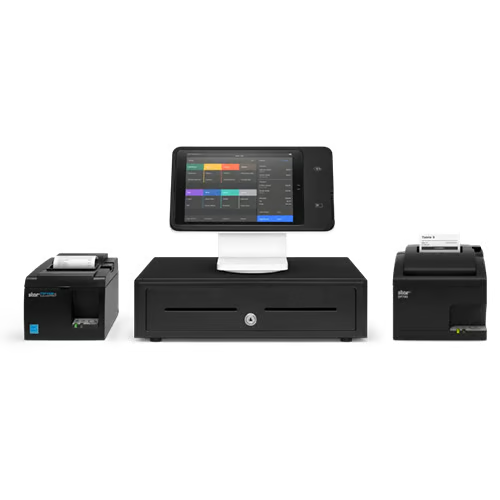 $1,089financing available via Square Sales |
| Handheld Terminal | 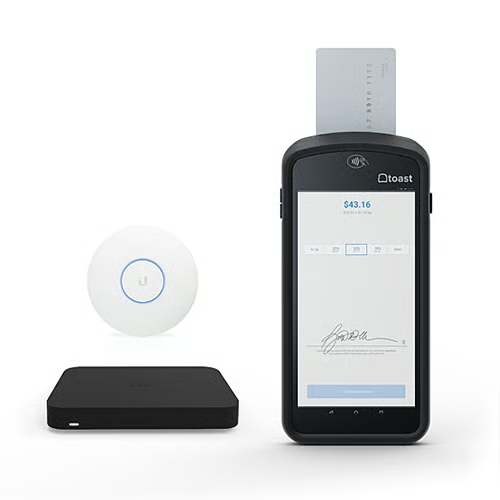 $627 plus $69 plus month;or $0 with 2.99% plus 15 cents processing fee | 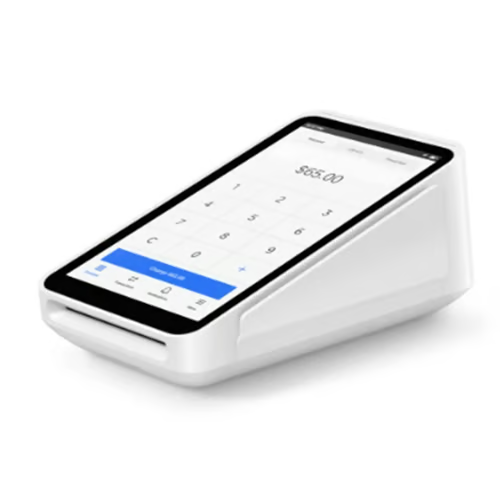 $299 or $27 per month with financing |
| KDS Screen | 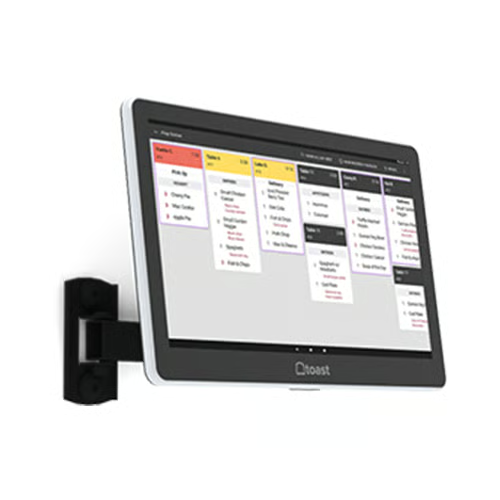 $629 plus $25 per month | 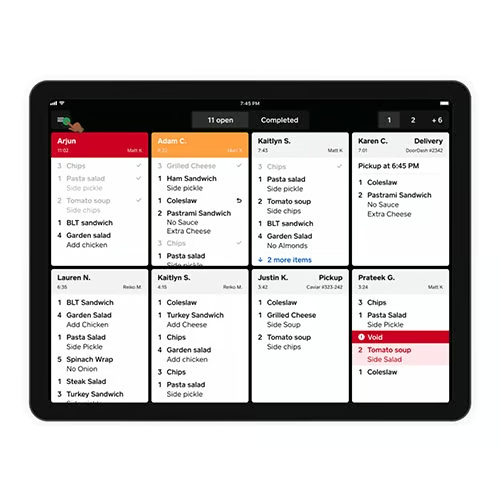 Software only; $20 per month Operates on iPad |
| Self-service Kiosk | 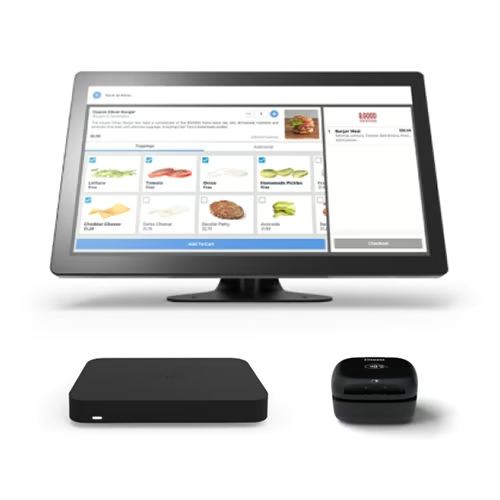 $1,009 plus $99 per month; or $0 with 2.99% plus 15 cents processing fee | 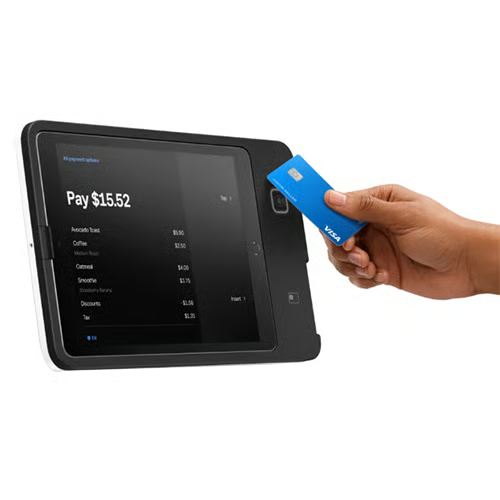 $149; or $14 per month with financing |
| Purchase From Toast | Purchase From Square |
Toast’s hardware is proprietary and rated for ingress protection from dust, debris, and steam. Toast offers new customers the option to pay for up to two terminals with their credit card processing fees. So, if your budget is tight, you can get started with Toast for no upfront cost.
Toast’s hardware is also designed for restaurants. For example, Toast’s kitchen display system (KDS) operates at higher and lower temperatures than the iPad Square uses for its KDS. Toast ranked No. 1 in our list of best kitchen display systems. It is compatible with third-party hardware like Epson printers and cash drawers but does not provide technical support for them unless you purchase directly from Toast.
Square offers its own terminals but is primarily designed to run on iPads. While the baseline Square POS operates on both Android and iOS tablets, Square for Restaurants users should be aware that the restaurant POS currently only runs on iPads and Square Registers. Square’s hardware pricing is competitive―its register kits are a little pricier than Toast’s, but its handheld terminals are cheaper―and it offers easy financing for hardware purchases from $49 to $10,000.
Payments
Toast’s different rate offerings are an excellent option for those looking to get started with minimal upfront costs but are in need of very durable hardware.
A couple of limitations may be vital to you if you accept online payments or use card pre-authorizations on bar tabs. Square accepts PayPal for online store purchases; Toast does not. Toast can pre-authorize bar tabs, but Square does not.
| | |
|---|---|---|
| Payment Types | Visit Toast | Visit Square for Restaurants |
| In-person Processing Rates | Credit, debit, check, and automated clearing house (ACH) | Credit, debit, check, ACH, and PayPal |
| Calculate Tips | 2.49%–2.99% plus 15 cents | 2.6% plus 10 cents |
| Split Payments | ✓ | ✓ |
| Pre-authorized Bar Tabs | ✓ | ✓ |
| Quick Response (QR) Codes | ✓ | ✕ |
| Invoices | ✓ | ✓ |
| Online Payments | ✓ | ✓ |
| Offline Mode | ✓ | ✓ |
Regarding deposit speed, Square is a little faster than Toast. If you sign on to Square’s banking program Square Checking, you can get credit card payments transferred to your bank account on the same day the payment is processed. Toast does not currently offer same-day deposits, but if you process your credit card batch before 9:30 p.m. Eastern time, you’ll get your funds the next business day. After 9:30 p.m. ET, your deposits generally take two business days.
Toast breaks down on its website how credit card batching works:
| Before 9:30 p.m. Eastern time on: | Deposit is made into bank account on: |
|---|---|
| Monday | Tuesday |
| Tuesday | Wednesday |
| Wednesday | Thursday |
| Thursday | Friday |
| Friday, Saturday, or Sunday | Monday |
| After 9:30 p.m. EST on: | Deposit is made into bank account on: |
|---|---|
| Monday | Wednesday |
| Tuesday | Thursday |
| Wednesday | Friday |
| Thursday, Friday, Saturday | Monday |
| Sunday | Tuesday |
Toast vs Square General Features
When comparing the general features of Square vs Toast, they both have the functional POS tools covered, but Toast offers more tools in its baseline free Quick Start Bundle POS than Square for Restaurants includes in its Free tier. For example, Free Square users cannot reopen closed checks and only get one set of user permissions. Toast Quick Start Bundle subscribers get unlimited user permissions and can reopen closed checks.
| | |
|---|---|---|
| Visit Toast | Visit Square for Restaurants | |
| Our Score | 4.13 out of 5 | 3.44 out of 5 |
| Table Management | ✓ | ✓ |
| Manage Online and In-person Orders | ✓ | ✓ |
| Auto 86ing of Items | ✓ | ✓ |
| Reopen Checks | ✓ | Requires Plus Plan |
| Course Management | ✓ | Requires Plus Plan |
| Employee Scheduling | Via Integration | Requires Plus Plan |
| Time Clock | ✓ | ✓ |
| Reporting | Robust and customizable | Basic and templated |
Square’s Free plan also does not include server shift reports and close-of-day reports, which can limit restaurants with more than a couple of employees. But if your restaurant is a micro-operation that doesn’t need these tools, Square for Restaurants is the only POS offering such a streamlined system, so you won’t pay for tools you don’t use. However, If you like Square and need these tools, you can get them in the Plus and Premium subscriptions.
On the other hand, Square offers some essential services on its free plan. This includes auto-86ing menu items, ticket routing, real-time order updates, and the reports mentioned above. Toast offers features in its free plan such as real-time fraud monitoring, detailed digital menu management, and in-depth order and table management.
Toast vs Square Niche POS Features
Both Toast and Square for restaurants offer additional features for specialty restaurant types. With Toast, most of these tools are built in, although some, such as online ordering, come with additional costs. Most of Square’s niche features require third-party integrations. Square is also missing some key features supporting high-volume quick service operations: dual cash drawer tills and drive-thru management.
| | |
|---|---|---|
| Visit Toast | Visit Square for Restaurants | |
| Our Score | 4.58 out of 5 | 3.33 out of 5 |
| Dual Cash Drawer Tills | ✓ | ✕ |
| Pre-authorized Bar Tabs | ✓ | ✕ |
| Tip Management | Robust; best in class | Basic tip tracking |
| Loyalty and Marketing | Excellent | Excellent (Add-on) |
| Online Ordering | Excellent (Add-on) | Excellent (included free) |
| Delivery Management | Excellent (Add-on) | Good (Add-on) |
| Drive-thru Management | ✓ | ✕ |
| KDS | ✓ | ✓ |
| Vendor Management | Excellent (Add-on) | Via third-party integration |
Toast offers many refined features for tip pool management, including automated tip pool calculations and the ability to pay employees’ earned tips before payday via the Toast Pay Card. This feature is an industry standout, as it allows employees access to their earnings using the Mastercard feature or via most ATMs (without a fee).
Toast’s high-volume tools are also more substantial than Square’s. Toast offers basic drive-thru management, dual cash drawer tills, and extensive nested modifiers for complex combo building.
Meanwhile, Square includes a free online ordering site in all subscriptions, even the Free POS. Toast’s online ordering tools are great, too, but they come at an additional cost―typically around $50 to $75 per month. Both systems include built-in tools or delivery management. With either system, you can accept third-party orders and in-house orders, dispatch deliveries to third-party drivers, or dispatch a team of in-house delivery drivers. However, driver management tools on both systems cost extra.
Both Toast and Square have some of our favorite KDS screens to streamline operations and track kitchen productivity, with Toast’s offering many unique features. Toast’s KDS screens are tempered to handle heat at higher temps than a general iPad. You can also customize items in different languages so that your staff has a more inclusive working experience when using a Toast KDS screen during their shift. Lastly, Toast tracks time at each station and can report back bottlenecks in your service to make them run more efficiently.
You can get excellent ingredient-level inventory management with vendor and purchase order management on both systems via integration. However, Toast owns the xtraCHEF inventory platform, and that integration on Toast works slightly more seamlessly than any of Square’s inventory integrations.
Toast vs Square Ease of Use
Both Toast and Square’s POS interfaces are user-friendly. Toast’s back office is more robust and restaurant-focused than Square’s, so learning takes more time. But Toast’s customer service is also more robust than Square’s, so you’ll have the support you need to learn Toast’s more customizable system. Meanwhile, Toast’s setup takes more lead time than Square’s. Most users can set up their Square POS using Square’s setup wizard in less than a day.
| | |
|---|---|---|
| Overall Score: 4.16/5 | Overall Score: 3.88/5 | |
| Visit Toast | Visit Square for Restaurants | |
| Our Score | 5.00 out of 5 | 4.06 out of 5 |
| Personal Assistance | ✓ | ✕ |
| Onboarding Help | Self (free) or Professional (fee) | Setup wizard |
| Store/restaurant Setup | Good (can take weeks) | Excellent |
| Live Support | 24/7 year-round via phone, email, or online chat | Monday to Friday phone support, 24/7 automated chat support, seller community, and resource library |
| Online Help Articles | ✓ | ✓ |
| Video Tutorials | ✓ | ✓ |
| Advanced Training | Toast University | N/A |
| User Reviews (Capterra) | 4.20 out of 5 (450+ reviews) | 4.3 out of 5 (40+ reviews) |
| User Ease-of-Use Score | 4.3 | 4.5 |
| Customer Service | 3.70 | 3.80 |
Real-world users rate ease of use and customer service for Toast and Square pretty closely on popular software review sites. This matches our experience with both systems. They’re both easy to use in different ways. If you want a system that doesn’t require any assistance to use with basic functionality as a POS, then Square is your winner.
If you want more-in depth tools for your restaurant overall then Toast would be your best bet. Operators with more experience in analyzing micro-level data will excel using Toast and all of the reporting and tools it provides. Also, if you prefer a system with 24/7 support, you’ll find Toast much easier to use.
Toast vs Square Expert Score
Toast and Square for Restaurants are both excellent POS systems. You can’t go wrong with either one. They are both popular systems with excellent user reviews and free baseline subscriptions.
Toast stands out with a 5 out of 5 in this category, sheerly because it offers so many niche restaurant-focused software tools. But if you’re not going to use things like automated tip pool management, dual cash drawers, and spill-proof KDS screens, then Toast may not be worth the two-year contract. Square, with a score of 4.69 out of 5 is a better choice for restaurants that want a month-to-month contract with no cancellation penalties and easy self-installation.
| | |
|---|---|---|
| Visit Toast | Visit Square for Restaurants | |
| Our Score | 5.00/5 | 4.69/5 |
Best Restaurant POS Quiz
Are you still undecided? If neither of these systems seems like a fit, take the quiz below to get our expert recommendation. You won’t need to enter any personal information, and your results will appear on this page:
Find the Best POS System for Your Restaurant
Answer a few questions about your business, and we'll give you a personalized product match.
Question 1 of 4
How much would you like to spend on your POS services each month?
Methodology: How We Evaluated Toast vs Square
Multiple times throughout the year, we score both of these systems on more than 20 criteria that are important to restaurant owners. We consider price, functionality, ease of use, and the opinions of our restaurant and retail experts who have used each system.
Click through the tabs below for a full description of our rating system:
We first considered whether each POS system offers a free plan or free trial, and entry-level software subscription under $75 per month. We gave high marks to POS systems that support multiple payment processing options. Finally, we considered hardware costs and subscription length. Systems that allow restaurants to bring their own hardware or avoid long-term service contracts earned the highest marks.
Every restaurant needs to track employee hours, process contactless payments and gift cards, and quickly access sales and labor reports. Because many restaurants process tips for employees, we looked for systems that have robust tip-tracking functions. We also considered advanced workforce management features like built-in employee scheduling and enforced clock-ins to keep costs in line.
We compared the number of restaurant-specific functions that apply to various restaurant types. We looked for functions like cash management and credit card preauthorization. We also rewarded POS systems with customizable reports, ingredient-level inventory tracking with physical counting tools, integrated online ordering, and dynamic loyalty and marketing tools.
We prioritized restaurant POS systems that offer 24/7 customer support. We also awarded points to POS systems with hybrid installation or an offline mode, so it is still operational if your internet goes out. We also considered how much installation support each system offers and whether it is cloud-based, enabling mobile access to management and reporting dashboards.
Lastly, we evaluated any standout features that individual systems may have. We also considered whether the system offers good overall value for its price and judged each system’s popularity among restaurant businesses. Then, we awarded points based on our personal experience interacting with the software and the company’s customer support representatives.
Bottom Line
When choosing between Toast vs Square for Restaurants for your POS system, Toast is generally the better option for most restaurants. It takes a little longer to set up but has the depth of features and more rugged hardware to stand up to the heat of a kitchen. It also offers more in terms of restaurant-specific workforce management and reports. Square is a great option when starting and wanting straightforward POS software. But Toast shines for restaurant operators and offers the granular and necessary tools needed to really dive into restaurant management. Sign up for Toast’s pay-as-you-go program and see for yourself.
