







GoDaddy Payments is a simple, all-in-one payment processor built for businesses already using GoDaddy tools. It lets you accept online, in-person, and invoiced payments without a separate merchant account, monthly fees, or complex setup. Pricing is flat and predictable, approval is fast, and payouts can arrive as soon as the next business day or the same day for a fee.
That convenience comes with trade-offs. GoDaddy Payments lacks advanced features like recurring billing, robust fraud tools, and deep developer APIs, making it less flexible than Square, Stripe, or Shopify Payments for fast-growing or highly customized businesses.
In our evaluation of the best merchant service providers, GoDaddy Payments didn’t rank among the top options overall, but it earned a respectable 3.80 out of 5 for its ease of use, transparent pricing, and tight integration with GoDaddy’s website and commerce tools.
- GoDaddy Payments overview
- Deciding factors
- Is GoDaddy Payments right for you?
- When to use GoDaddy Payments
- When to use an alternative
- GoDaddy Payments alternatives
- GoDaddy Payments pricing
- GoDaddy Payments payment types
- POS system
- Payment links
- Tap to Pay
- Invoicing
- Virtual terminal
- Ecommerce
- ACH payments
- GoDaddy Payments features
- GoDaddy Payments expert score
- What users think of GoDaddy Payments
- Frequently asked questions (FAQs)
- Bottom line
GoDaddy Payments overview
GoDaddy Payments is designed for convenience. It integrates directly with GoDaddy’s website builder, ecommerce platform, invoicing tools, and POS system, allowing merchants to manage payments, orders, and payouts from one dashboard. There’s no separate merchant account to apply for, approval is fast, and pricing is flat and transparent.
What stands out most about GoDaddy Payments is how easy it is for very small businesses to get started. Merchants can accept online, in-person, invoiced, and ACH payments without committing to monthly software fees or long-term contracts. While its feature set is limited compared to more scalable providers like Square or Stripe, GoDaddy Payments works well for low-risk businesses that prioritize simplicity over customization.
Who should use it: GoDaddy Payments is best for small businesses already using GoDaddy websites, online stores, or POS tools that want a simple, built-in way to accept payments with minimal setup and no monthly fees.
Deciding factors
| Supported business types | Low-risk small businesses, including ecommerce sellers, service-based businesses, nonprofits, professional services, and local retailers already using GoDaddy products |
|---|---|
| Standout features |
|
| Monthly software fees | $0 |
| Setup and installation fees | $0 |
| Contract length | Month to month |
| Point-of-sale options | GoDaddy POS system and mobile Tap to Pay (hardware is proprietary) |
| Payment processing fees |
|
| Deposit speed |
|
| Customer support | 24/7 online help center and guides; phone support available, but response quality varies based on user reviews |
Is GoDaddy Payments right for you?
GoDaddy Payments is an affordable, front-end payment service designed specifically for businesses using GoDaddy’s website builder, online store, or POS system. It offers flat-rate pricing, no monthly fees, and fast approval, making it easy for small businesses to start accepting payments quickly.
However, because it is tightly tied to the GoDaddy ecosystem and lacks advanced features, it did not rank among the top providers in our evaluation of the best merchant services for small businesses.
GoDaddy Payments works best for low-risk businesses that value simplicity over flexibility. If you already use GoDaddy to manage your website or ecommerce store, it provides a convenient, built-in way to accept online, in-person, invoiced, and ACH payments without managing multiple systems.
When to use GoDaddy Payments
- For businesses already using GoDaddy websites or online stores: GoDaddy Payments is natively integrated, so there’s no need for third-party plugins or external payment gateways.
- For small businesses that want fast setup and no monthly fees: Most merchants are approved quickly and can start accepting payments without long-term contracts.
- For low-risk businesses with straightforward needs: Service providers, nonprofits, small retailers, and ecommerce sellers benefit most from its flat pricing and simple tools.
When to use an alternative
- If you need advanced billing or automation: GoDaddy Payments does not support recurring billing, subscriptions, or advanced invoicing workflows.
- If you want custom integrations or developer tools: There is no public API, limiting flexibility for businesses with custom software needs.
- If you plan to scale quickly: High-volume, multi-location, or international businesses may outgrow GoDaddy Payments’ feature set.
GoDaddy Payments alternatives
GoDaddy Payments is a solid option for simple, low-risk businesses, but it isn’t the best fit for everyone. If you need more advanced features, better scalability, or stronger ecommerce tools, the providers below offer clear advantages over GoDaddy Payments.
| Advantage over GoDaddy Payments | ||
|---|---|---|
 | More advanced POS tools and recurring payments | |
 | Robust ecommerce and omnichannel selling tools | |
 | Custom integrations, subscriptions, and global payments | |
 | Lower long-term costs with interchange-plus pricing | |
 | Support for high-risk businesses |
GoDaddy Payments pricing
4.25 / 5
GoDaddy Payments uses flat-rate, pay-as-you-go pricing with no monthly fees, setup costs, or long-term contracts. This makes it easy for small businesses to predict processing costs, especially those with low or inconsistent sales volume.
Payment processing
- In-person (card-present): 2.3%
- Online/ecommerce: 2.7% + 30 cents
- Invoices: 2.8% + 30 cents
- Online Pay Links: 2.8% + 30 cents
- Keyed-in (virtual terminal): 3.5%
- ACH bank transfers: 0.8% (max $10)
There are no monthly minimums, PCI compliance fees, or early termination fees, which helps keep costs predictable for small businesses.
Hardware
GoDaddy Payments supports in-person payments through GoDaddy POS hardware and Tap to Pay on mobile devices. Hardware options are limited but designed for small businesses that want a simple, integrated checkout experience without managing third-party equipment.
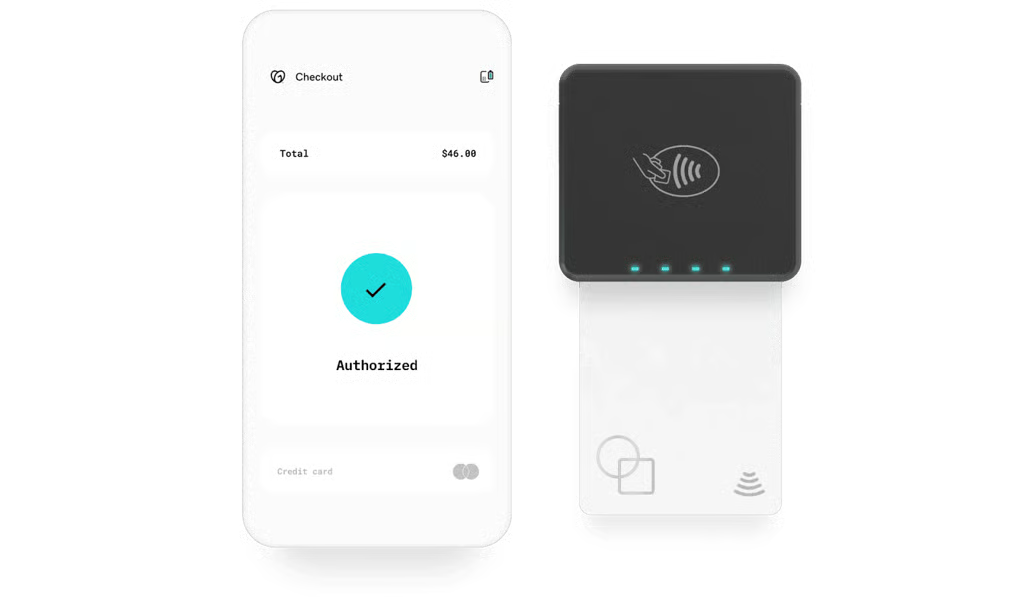
GoDaddy Poynt Card Reader can be connected to your mobile device to accept tap and dip payments. (Source: GoDaddy Payments) 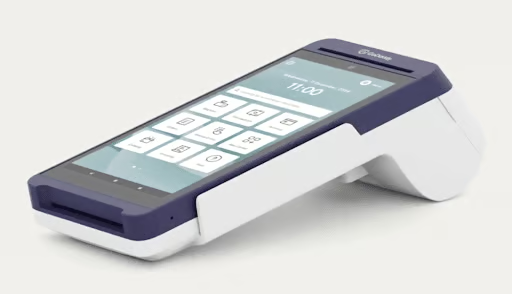
GoDaddy Smart Terminal Flex is ideal for handheld selling. (Source: GoDaddy Payments) 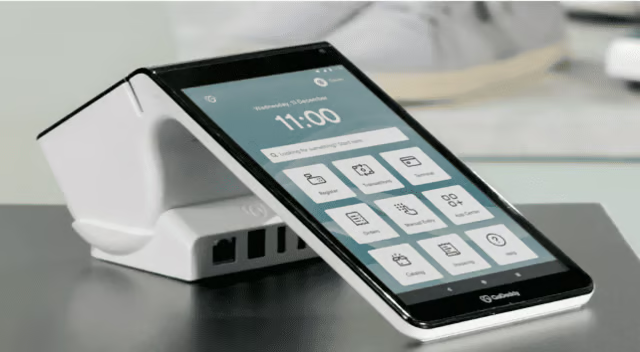
GoDaddy Smart Terminal Duo has a a dedicated 8” merchant screen and separate customer screen makes tips and signing a breeze. (Source: GoDaddy Payments) 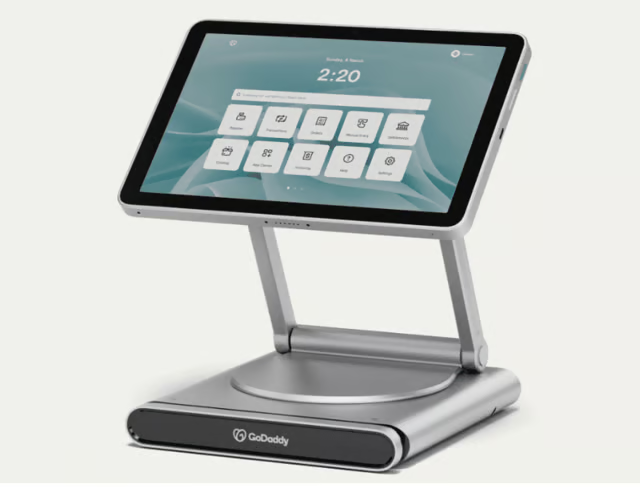
GoDaddy Smart Terminal Pro has a large 10” swivel detachable display. (Source: GoDaddy Payments)


- Poynt Card Reader: $79
- Smart Terminal Flex: $275
- Smart Terminal Duo: $399
- Smart Terminal Pro: $499
Merchants can use GoDaddy’s Smart Terminal for countertop sales or a card reader paired with the GoDaddy mobile app for mobile and on-the-go transactions. The Smart Terminal includes a touchscreen display and built-in receipt printing, while Tap to Pay allows businesses to accept contactless payments directly on compatible iPhone and Android devices with no additional hardware.
All hardware is proprietary to GoDaddy Payments, meaning third-party POS equipment is not supported. While this ensures tight integration and ease of use, it also limits flexibility and advanced POS features compared to systems like Square or Shopify POS. As a result, GoDaddy Payments hardware is best suited for single-location businesses or merchants with straightforward in-person selling needs rather than complex retail or multi-location operations.
Learn more in our GoDaddy POS review.
Contract and terms of service
GoDaddy Payments does not require a long-term contract. The service operates on a month-to-month basis, and merchants can stop using it at any time without early termination fees. There are also no monthly minimums or PCI compliance fees, which helps keep ongoing costs predictable.
Like most payment processors, GoDaddy Payments reserves the right to place account holds or transaction reviews if activity appears high-risk or outside its acceptable use policy. The terms of service are standard for flat-rate processors and may include temporary fund holds or account termination in cases of suspected fraud, excessive chargebacks, or prohibited business activity.
Setup and application
Setting up GoDaddy Payments is quick and largely automated, especially for businesses already using GoDaddy products. Merchants can enable payments directly from their GoDaddy dashboard without submitting a traditional merchant application.
Most businesses receive instant approval and can begin accepting payments the same day. Required information is minimal and typically includes basic business details and bank account information for payouts. This streamlined setup makes GoDaddy Payments a good option for new or small businesses that want to start selling quickly without a lengthy underwriting process.
GoDaddy Payments payment types
4.25 / 5
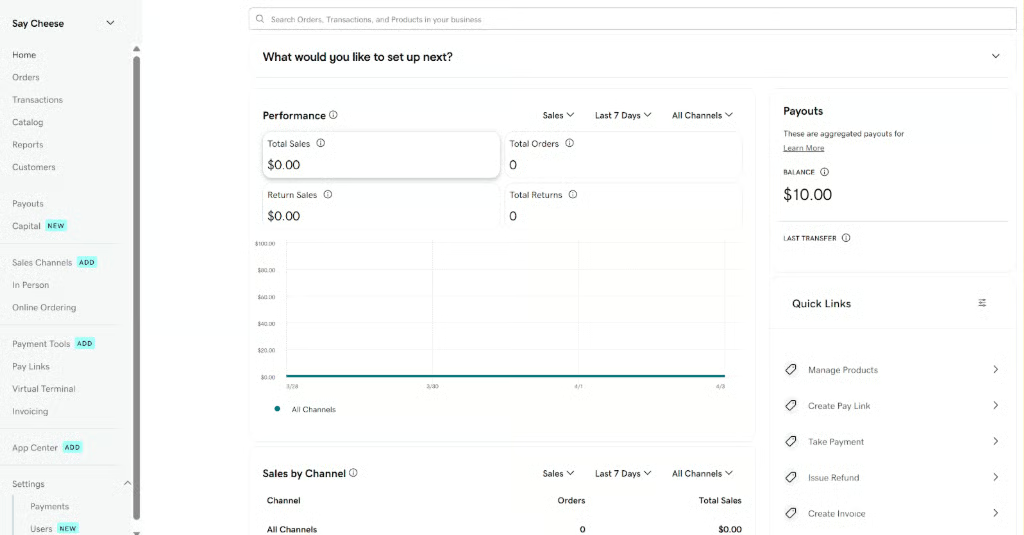
GoDaddy Payments supports a variety of in-person, online, and remote payment methods, allowing small businesses to accept payments across multiple sales channels without using third-party gateways. All transactions are managed through the GoDaddy dashboard, giving merchants a centralized view of sales activity and payouts.
POS system
GoDaddy Payments integrates with GoDaddy POS, enabling businesses to accept in-person payments using GoDaddy’s proprietary hardware or the mobile app. The POS system supports card-present and contactless payments and is designed for basic retail and service transactions rather than complex inventory or multi-location operations.
The POS includes simple checkout tools, order tracking, and sales reporting. While it doesn’t offer advanced retail features like deep inventory management or customer loyalty programs, it works well for small, single-location businesses that want a straightforward, integrated point-of-sale solution.
Related:
Payment links
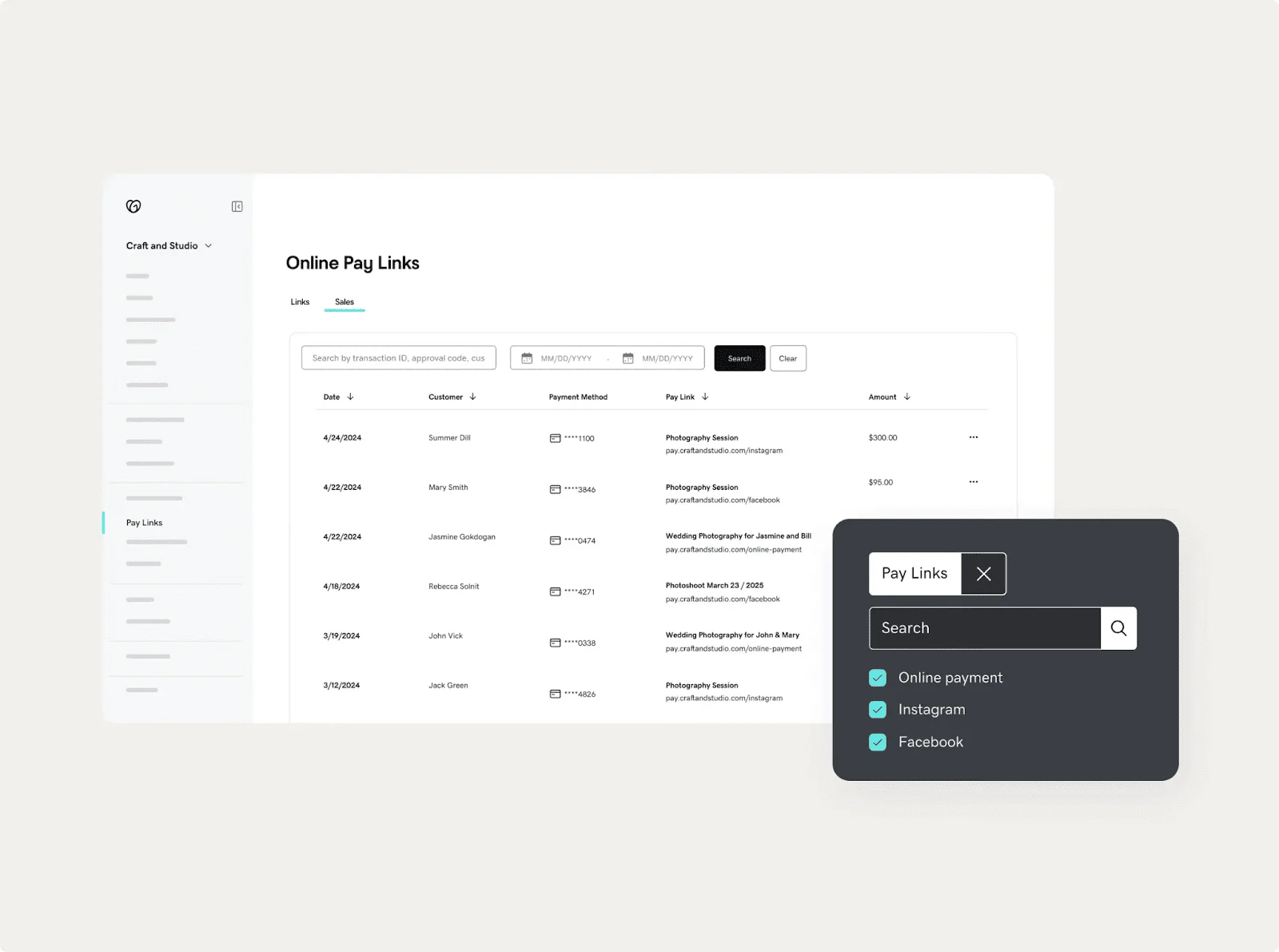
GoDaddy Pay Links allow merchants to create secure, shareable payment links that can be sent via email, text message, or social media. Customers can pay using a credit or debit card without logging into an account or visiting a storefront.
This feature is especially useful for service providers, freelancers, and businesses that collect deposits or one-time payments remotely. Payment links require minimal setup and can be created directly from the GoDaddy dashboard, making them a convenient alternative to invoicing or ecommerce checkout.
Tap to Pay
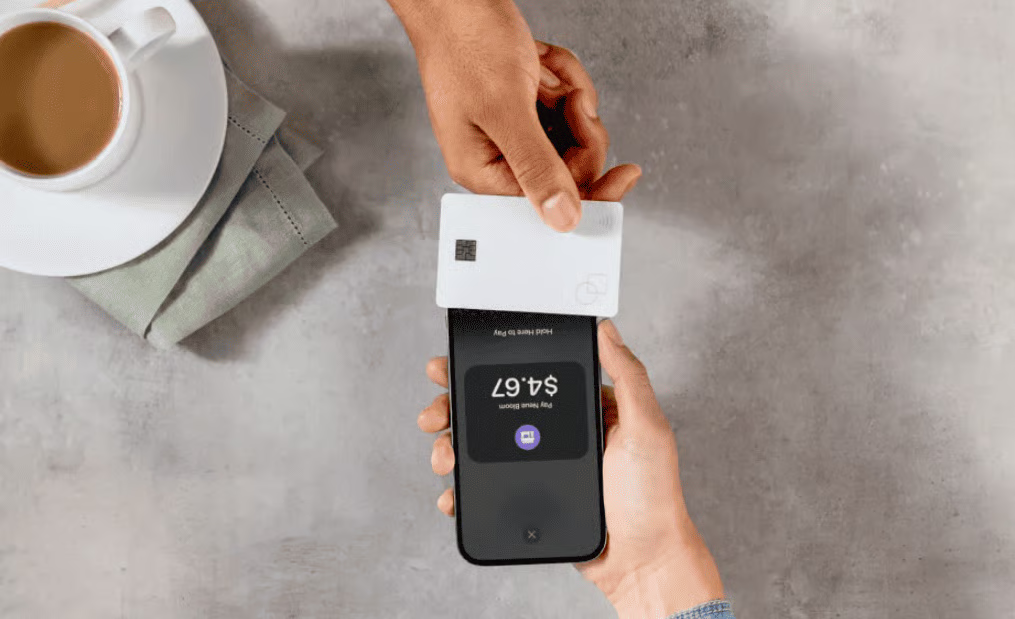
GoDaddy supports Tap to Pay on compatible iPhone and Android devices, allowing businesses to accept contactless card and digital wallet payments using just a smartphone. No external card reader is required, which lowers upfront costs and simplifies mobile selling.
Tap to Pay is ideal for pop-up shops, mobile vendors, and service professionals who need to accept payments in the field. Transactions are processed through the GoDaddy Payments app and deposited according to standard payout timelines.
Related: What Is Tap to Pay & How Does It Work?
Invoicing
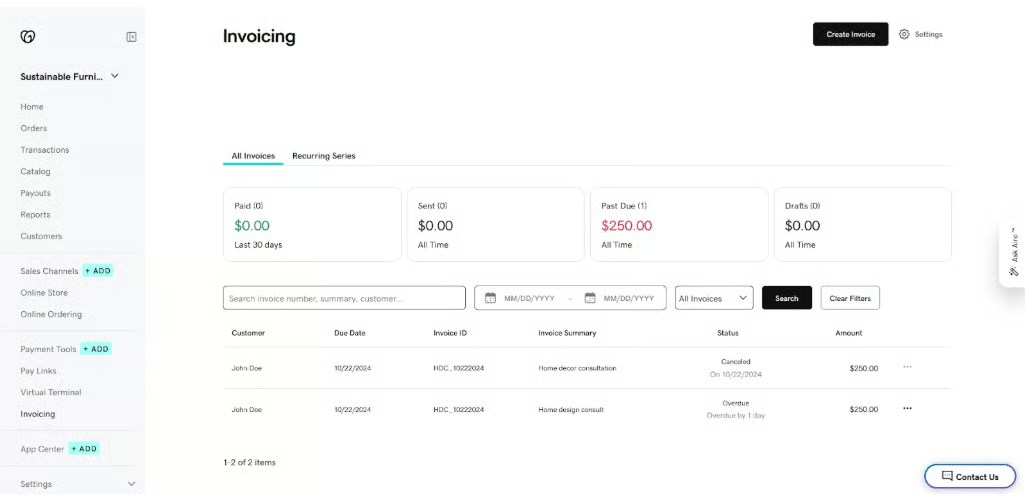
GoDaddy Payments includes built-in digital invoicing tools that let merchants create, send, and track invoices online. Customers can pay invoices using credit cards or ACH bank transfers, and payments are automatically recorded in the GoDaddy dashboard.
Invoices can be customized with line items, taxes, and notes, making them suitable for service-based businesses and B2B transactions. While the invoicing tools are functional, they lack advanced automation features such as recurring invoices or subscription billing.
Related:
- 6 Best Invoicing Software for Small Businesses
- How to Accept Recurring Payments: Small Business Guide
Virtual terminal
The virtual terminal allows merchants to manually enter card information to process payments for phone or mail orders. This option is commonly used by service providers that take payments remotely without an online checkout.
Because keyed-in transactions carry a higher fraud risk, GoDaddy charges a higher processing fee for virtual terminal payments. Businesses that rely heavily on this payment method may find better rates or fraud controls with more advanced processors.
Related: 8 Best Virtual Terminals
Ecommerce
GoDaddy Payments works seamlessly with GoDaddy Online Store, enabling merchants to accept payments directly on GoDaddy-built ecommerce websites. The integration supports card payments and popular digital wallets without requiring third-party plugins or gateways.
This setup is best suited for small ecommerce businesses that want a simple storefront with built-in payments. Merchants with more complex ecommerce needs — such as advanced shipping rules, subscriptions, or multi-currency support — may find platforms like Shopify more scalable.

Related:
- 10 Best Ecommerce Platforms for Small Businesses
- Ecommerce Payment Processing: Guide for Small Businesses
ACH payments
GoDaddy Payments supports ACH bank transfers for eligible invoices and online payments. ACH transactions have lower processing fees than card payments, making them a cost-effective option for large invoices or B2B transactions.
ACH payments typically take longer to settle than card transactions, but they can significantly reduce processing costs for businesses that regularly handle high-dollar payments.
Related:
GoDaddy Payments features
2.5 / 5
GoDaddy Payments includes a core set of business management and payment tools designed for small businesses that want simplicity and tight integration rather than advanced customization. Most features are accessible through the GoDaddy dashboard or mobile app.
Business management
GoDaddy Payments lets you manage sales, orders, customers, payouts, and basic business settings from a single dashboard. For businesses already using GoDaddy websites or online stores, this centralization reduces the need to switch between platforms. A mobile app is also available for tracking activity and accepting payments on the go.
Reporting and insights
Merchants get access to real-time reporting across transactions, orders, invoices, and payouts. Reports are easy to understand and suitable for tracking daily performance, but they are relatively basic compared to what you’ll find with more advanced POS or merchant account providers. Inventory and sales data are visible across channels, but customization is limited.
Team management
GoDaddy Payments supports role-based access, allowing business owners to assign permissions to staff members. This is useful for businesses with multiple employees handling sales or administrative tasks, though team management tools are fairly simple and best suited for small teams.
GoDaddy Airo®
GoDaddy Airo® adds AI-powered tools to help merchants set up and manage products more efficiently. Features include product images, variants, preset modifiers, automatic tax calculations, discounts, and fees. Airo can also generate AI-written product descriptions and make basic enhancements, which is helpful for new ecommerce sellers building listings quickly.
Rate Saver (Surcharging)
GoDaddy Payments offers Rate Saver, a surcharging feature that allows eligible businesses to pass card processing fees on to customers where permitted by law. This can help offset processing costs, but merchants are responsible for ensuring compliance with local and state regulations.
Related:
Payout speed
Standard payouts are deposited by the next business day. Merchants can enable same-day payouts for a 1.5% fee, which may appeal to businesses that need faster access to cash flow. Payout timing is consistent with other flat-rate payment processors.
GoDaddy Payments does not include advanced fraud prevention tools, subscription or recurring billing, or support for high-risk businesses. There is also no public API for custom integrations. These limitations make it less suitable for businesses that require automation, advanced risk management, or complex payment workflows.
All in all, GoDaddy Payments’ features are built for ease of use and fast setup, not for customization or scale. It works best for low-risk small businesses that want an integrated, low-maintenance payment solution.
GoDaddy Payments expert score
3.75 / 5
GoDaddy Payments earned an overall expert score of 3.80 out of 5. It performs best in pricing transparency and ease of use, supported by GoDaddy’s strong brand recognition, but is limited by a narrow integration ecosystem.
The platform offers simple, flat-rate pricing with no monthly fees and a fast, intuitive setup, making it easy for small businesses to start accepting payments quickly. GoDaddy’s established reputation also adds trust, especially for merchants already using its website or ecommerce tools.
However, GoDaddy Payments works best within GoDaddy’s own ecosystem. Limited third-party integrations, no public API, and fewer advanced tools reduce its flexibility and scalability compared to more robust payment providers.
Overall, GoDaddy Payments is a solid choice for small, low-risk businesses that value convenience over customization, but it’s not ideal for merchants that expect to scale or need advanced integrations.
What users think of GoDaddy Payments
User feedback for GoDaddy Payments is generally mixed but consistent, with most reviews highlighting ease of use and tight GoDaddy integration as key strengths, while pointing to customer support and account stability as common drawbacks.
Across review platforms like G2, Trustpilot, and Business.com, users frequently praise how easy GoDaddy Payments is to set up, especially for businesses already using GoDaddy websites or online stores. Many merchants note that payments can be enabled quickly without a traditional application process, and that managing sales, payouts, and basic reporting from a single dashboard simplifies day-to-day operations.
On the downside, customer support and account holds appear regularly in negative reviews. Some users report delays in resolving billing or payout issues, while others mention temporary fund holds triggered by risk reviews. These complaints are similar to what’s seen with other flat-rate processors, but they can be frustrating for businesses that rely on steady cash flow.
Another recurring theme is limited functionality. While users appreciate the simplicity, some reviews note the absence of advanced features such as recurring billing, more detailed reporting, or third-party integrations. This reinforces the idea that GoDaddy Payments is best suited for small, low-risk businesses with straightforward payment needs rather than growing or complex operations.
Overall sentiment:
GoDaddy Payments earns positive marks for convenience and accessibility, particularly among small businesses already using GoDaddy. However, merchants that need responsive support, advanced tools, or more control over payment workflows often report outgrowing the platform.
How I evaluated GoDaddy Payments
To evaluate GoDaddy Payments, I tested the software firsthand and used our standardized merchant services scoring rubric, which measures cost, functionality, usability, and overall value for small businesses. Each category is weighted to reflect what matters most to small and growing merchants.
I looked at GoDaddy Payments’ contract terms, monthly fees, transaction rates, and cancellation policies. Providers score highest for month-to-month agreements, no monthly fees, transparent pricing, and low or no chargeback and cancellation fees.
GoDaddy Payments performed well here thanks to its flat-rate pricing, lack of long-term contracts, and no monthly minimums, though it does not offer volume discounts for higher processing levels.
This category evaluates how many ways a business can accept payments, including in-person, mobile, ecommerce, virtual terminal, invoicing, stored payments, and ACH. GoDaddy Payments supports most core payment types used by small businesses, including POS, ecommerce, invoicing, pay links, virtual terminal, and ACH. However, it does not support recurring billing or subscription-based payments, which limited its score.
I assessed payout speed, customer service availability, hardware options, and included business tools. GoDaddy Payments offers next-day payouts with optional same-day deposits for a fee and provides basic business management and reporting tools through the GoDaddy dashboard. Hardware options are proprietary and must be purchased through GoDaddy, which reduces flexibility compared to providers that support third-party devices.
The final expert score reflects pricing transparency, ease of use, popularity, and integrations. GoDaddy Payments scores highly for ease of use and brand recognition, but more modestly for integrations due to its limited compatibility outside the GoDaddy ecosystem.
Frequently asked questions (FAQs)
Click through the sections below to read answers to common questions about GoDaddy Payments:
Does GoDaddy Payments support in-person payments?
Yes, GoDaddy Payments supports in-person payments through GoDaddy POS hardware and Tap to Pay on iPhone and Android. Merchants can accept chip, contactless, and digital wallet payments using GoDaddy’s proprietary equipment or a compatible smartphone.
Can I use GoDaddy Payments internationally?
GoDaddy Payments is primarily designed for US-based businesses. It does not support multi-currency pricing or international merchant accounts, making it less suitable for businesses selling globally.
s GoDaddy Payments better than Square?
GoDaddy Payments is easier to use for businesses already on GoDaddy, but Square offers more advanced POS features, integrations, and scalability. GoDaddy Payments is better for simplicity, while Square is better for growing businesses that need more flexibility.
Does GoDaddy Payments support recurring billing or subscriptions?
No, GoDaddy Payments does not support recurring billing or subscription-based payments. Businesses that need recurring billing should consider alternatives like Stripe, Square, or Helcim.
Are there monthly fees or contracts with GoDaddy Payments?
No. GoDaddy Payments has no monthly fees, no setup costs, and no long-term contracts. It operates on a month-to-month basis.
Bottom line
GoDaddy Payments is a simple, low-cost payment processor designed for small businesses already using GoDaddy websites, online stores, or POS tools. It offers flat-rate pricing, fast setup, and next-day payouts with no monthly fees or long-term contracts, making it easy to start accepting payments quickly.
However, its limited features and integrations make it less suitable for growing or complex businesses. GoDaddy Payments lacks recurring billing, advanced fraud tools, and broad third-party integrations, which can be limiting as payment needs evolve.
Nevertheless, GoDaddy Payments remains a solid choice for low-risk, small businesses that prioritize convenience and tight integration with GoDaddy tools over flexibility and scalability. Businesses that expect to grow or need more advanced payment features will likely be better served by alternatives like Square, Shopify Payments, Stripe, or Helcim.
