








Microsoft Dynamics 365 is a suite of modular apps designed to streamline business processes through smart automation as you scale. Microsoft Dynamics 365 reviews show that while pricey, especially for startups, it’s excellent software for automating workflows, managing processes, and omnichannel customer communication. It’s best for midsize to large businesses needing a centralized, highly customizable platform for tracking and managing all business processes and customer communications.
- What We Recommend Microsoft Dynamics 365 For
- Who Microsoft Dynamics 365 Is Good For
- Microsoft Dynamics 365 Is Not a Good Fit For
- Microsoft Dynamics 365 Overview
- Microsoft Dynamics 365 Pricing
- Microsoft Dynamics 365 Features
- Customer Service
- Ease of Use
- Microsoft Dynamics 365 Alternatives
- What Users Say in Microsoft Dynamics 365 Reviews
- Bottom Line
What We Recommend Microsoft Dynamics 365 For
Microsoft Dynamics 365 offers various software as a service (SaaS) modules. The apps allow you to manage several aspects of your business—including sales, marketing, service, human resources, and finance—from a single platform. It also offers seamless integration with Microsoft productivity and collaboration apps, making it ideal customer relationship management (CRM) software for companies that use Microsoft Teams and Outlook.
Who Microsoft Dynamics 365 Is Good For
- Midsize to large sales teams looking for an alternative to an ecommerce CRM: Traditional ecommerce customer relationship managers (CRMs) usually take more time to learn because they have multiple out-of-the-box features, such as order management and customer support. While Microsoft Dynamics 365 is enterprise-level software, it is still less complicated because of the limited amount of data you can track. Alternatively, check out our guide listing the top ecommerce CRMs for more options.
- Organizations needing a CRM that integrates well with Outlook: Microsoft Dynamics 365 integrates well with all Microsoft products, including Outlook. In fact, it is included in our list of the best CRMs for Outlook integration. You can add the Dynamics 365 Outlook App so you can access your CRM data within your Outlook mail client.
- Companies seeking to centralize enterprise resource planning (ERP) and CRM software: Microsoft Dynamics 365 offers various modular products that help businesses streamline customer communication and relationships, human resource processes, and business activities.
Microsoft Dynamics 365 Is Not a Good Fit For
- Small businesses looking for a free CRM: Microsoft Dynamics 365 does not offer a free plan and its base license fee for sales starts at $65 per user, per month. Check out our list of the best free CRMs for small businesses to explore free options.
- Startups needing a customizable yet affordable CRM solution: While Microsoft Dynamics 365 offers a robust set of sales automation and lead management features, it is quite expensive for small sales teams with limited budgets.
- Sales teams that prefer a simple CRM for beginner-level users: Microsoft Dynamics 365 comes with a robust set of features and extra functionalities for marketing and integrations. If you are looking for beginner-friendly solutions with core CRM features, read our recommendations for the best simple CRMs systems for startups and small businesses.
Microsoft Dynamics 365 Overview
| PROS | CONS |
|---|---|
| Seamless integration with Microsoft apps like Teams and Outlook | Does not offer a free plan |
| Territory management, social connections, and automatic email logging | Base license fees come at a steep price |
| Tools for field service management, supply chain management, and human resources | Lacks simple setup features and can be overwhelming to implement |
| Real-time analytics and performance metric tracking | No mobile-specific features, like calling and call recording |
| Deployment options include both cloud and on-premise | Artificial intelligence (AI) tools are included only in more expensive plans |
Microsoft Dynamics 365 Pricing
Microsoft Dynamics 365 pricing consists of four paid plans that range from $65 to $162 per user, per month, billed monthly. The main difference between each of the Microsoft Dynamics 365 licensing options is the availability of additional features, either as package inclusions or as add-ons. These include forecasting, reporting and analytics, embedded LinkedIn Sales Navigator, predictive scoring, and Sales Intelligence.
Microsoft Dynamics 365 pricing and plan features for sales at a glance:
| Microsoft Dynamics 365 Sales Plans | Professional | Enterprise | Sales Premium | Microsoft Relationship Sales |
|---|---|---|---|---|
| Base Licensing Fee($/User/Month)* | $65 | $105 | $150 | $177(minimum 10 seats) |
| Subsequent Qualifying Dynamics 365 App($/User/Month)* | $20 | $20 | $135 | $162 |
| Mobile App | ✓ | ✓ | ✓ | ✓ |
| Leads, Opportunities, Products, and Quotes | ✓ | ✓ | ✓ | ✓ |
| Forecasting and Sales Playbooks | ✕ | ✓ | ✓ | ✓ |
| Sales Accelerator and Predictive Scoring | ✕ | Add-on | ✓ | Add-on |
| LinkedIn Sales Navigator integration | ✕ | ✕ | ✕ | ✓ |
| Microsoft Office 365 Integration | Microsoft apps | Microsoft apps + gamification and knowledge management | Microsoft apps + gamification and knowledge management | Microsoft apps + gamification and knowledge management |
*Based on monthly pricing.
*License fees are paid on a monthly basis. Prices indicated above are for the first Microsoft Dynamics 365 apps. Lower fees are available for subsequent qualifying Microsoft Dynamics 365 apps.
Click on the drop-down menu below for more details about Microsoft Dynamics 365 pricing and plans:
Select to learn moreSales ProfessionalSales EnterpriseSales PremiumMicrosoft Relationship Sales
Sales Professional
The Sales Professional plan comes with tools for customer relationship management and engagement. It provides a complete view of all customer interactions and helps you compose emails using contextual sales data. It also has productivity tools that allow you to collaborate with your teammates, create business proposals, manage documents, and automate your sales processes.
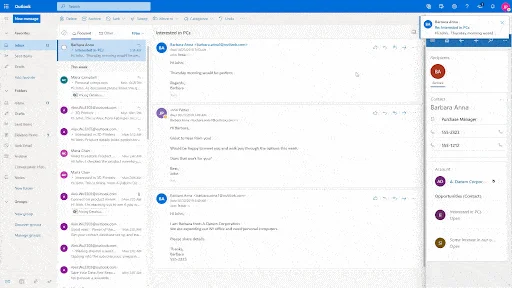
In addition, the basic plan allows you to monitor your pipeline in real-time using interactive dashboards and reports. Its integrated customer surveys help you gain strategic insight into customer sentiment and behavior.
Sales Enterprise
When you upgrade to the Sales Enterprise plan, you get access to additional features such as product relationship, sales goals, territory management, forecasting, and conversation intelligence. You can also create, update, publish, and use the search feature for your knowledge base. Aside from that, you can start customizing your sales dashboards and reports, as well as access mobile offline app capabilities.
Sales Premium
The highlight of Sales Premium is the inclusion of the Sales Accelerator, an artificial intelligence (AI)-based tool that gives you recommendations for leads, accounts, and deals. The AI automation and capabilities under this plan extend to notes analysis, customer connection insights, pipeline intelligence (predictive forecasting), and relationship analytics.
Microsoft Relationship Sales
The Microsoft Relationship Sales plan comes with an embedded LinkedIn Sales Navigator, which uses advanced search filters to help you easily find customers who are ready to make a purchase. Once you find target leads, you can save their LinkedIn contact records directly to your CRM software. It also maps out an organization’s decision-makers and their relationship to one another to help you identify the most important individuals in a buying committee.
In addition, Microsoft Relationship Sales tracks customers’ viewing behavior to help you come up with personalized engagement strategies. It uses signals from Microsoft Dynamics 365 to reveal customer relationship health and risks. It also provides you with actionable insights based on your contacts’ activities. Lastly, it gives you a unified view of all customer interactions across your CRM, Microsoft 365 apps, and LinkedIn Sales Navigator.
Microsoft Dynamics 365 Features
Microsoft Dynamics 365 offers a rich set of features for sales automation, productivity, and team collaboration. It uses social insights and business intelligence to help you improve your marketing effectiveness. Seamless integration with Microsoft Office 365 allows you to access apps such as Outlook, SharePoint, and Teams directly from within your CRM.
Sales Execution
This solution’s core features include tools for sales execution, which includes lead and opportunity management, marketing lists, products, and sales forecasts. It also allows you to create product lists, quotes, invoices, and even sales playbooks. Higher tiers offer email intelligence (auto-capture of customer data), territory management, and partner relationship management capabilities.
Sales Accelerator
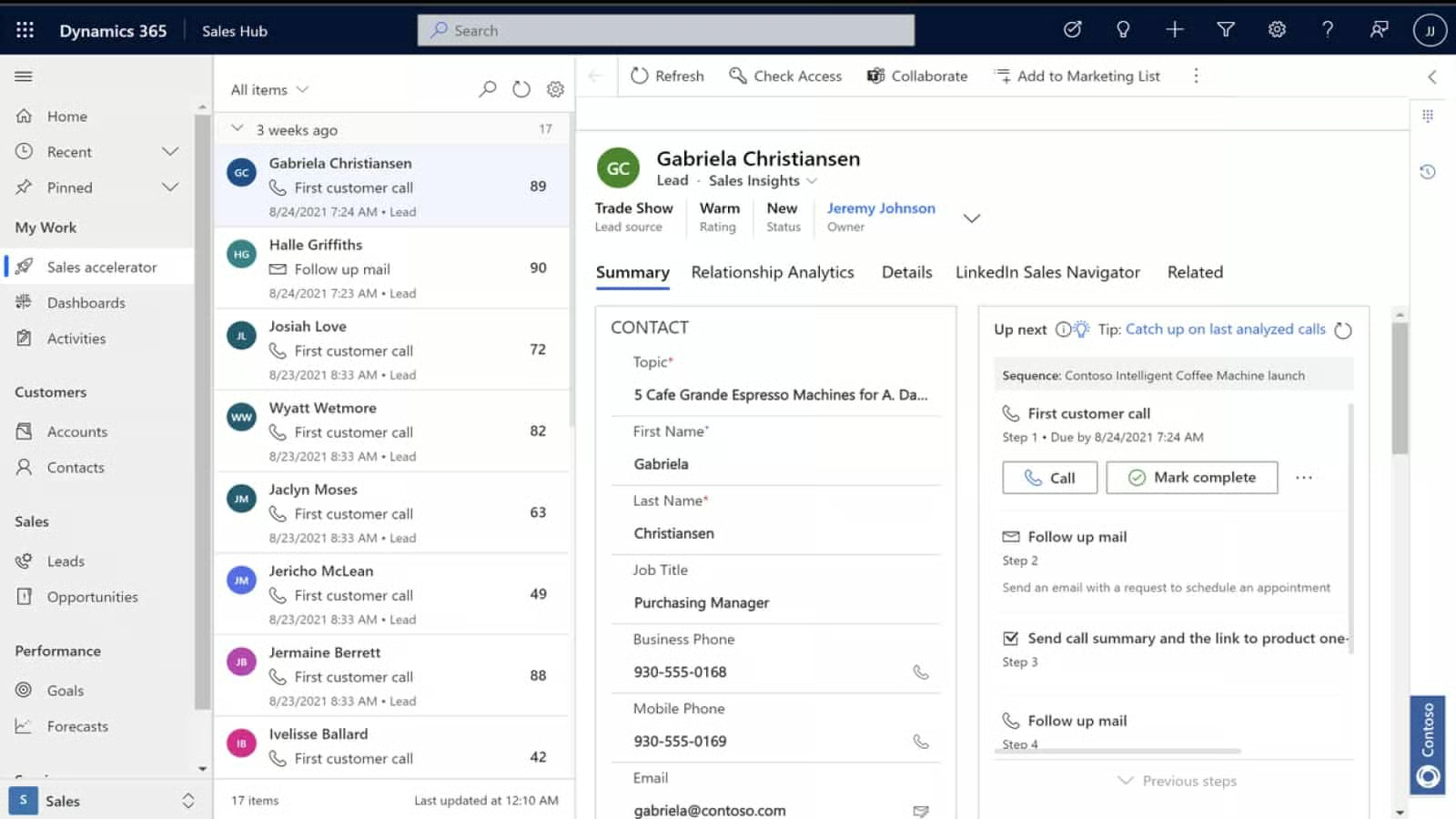
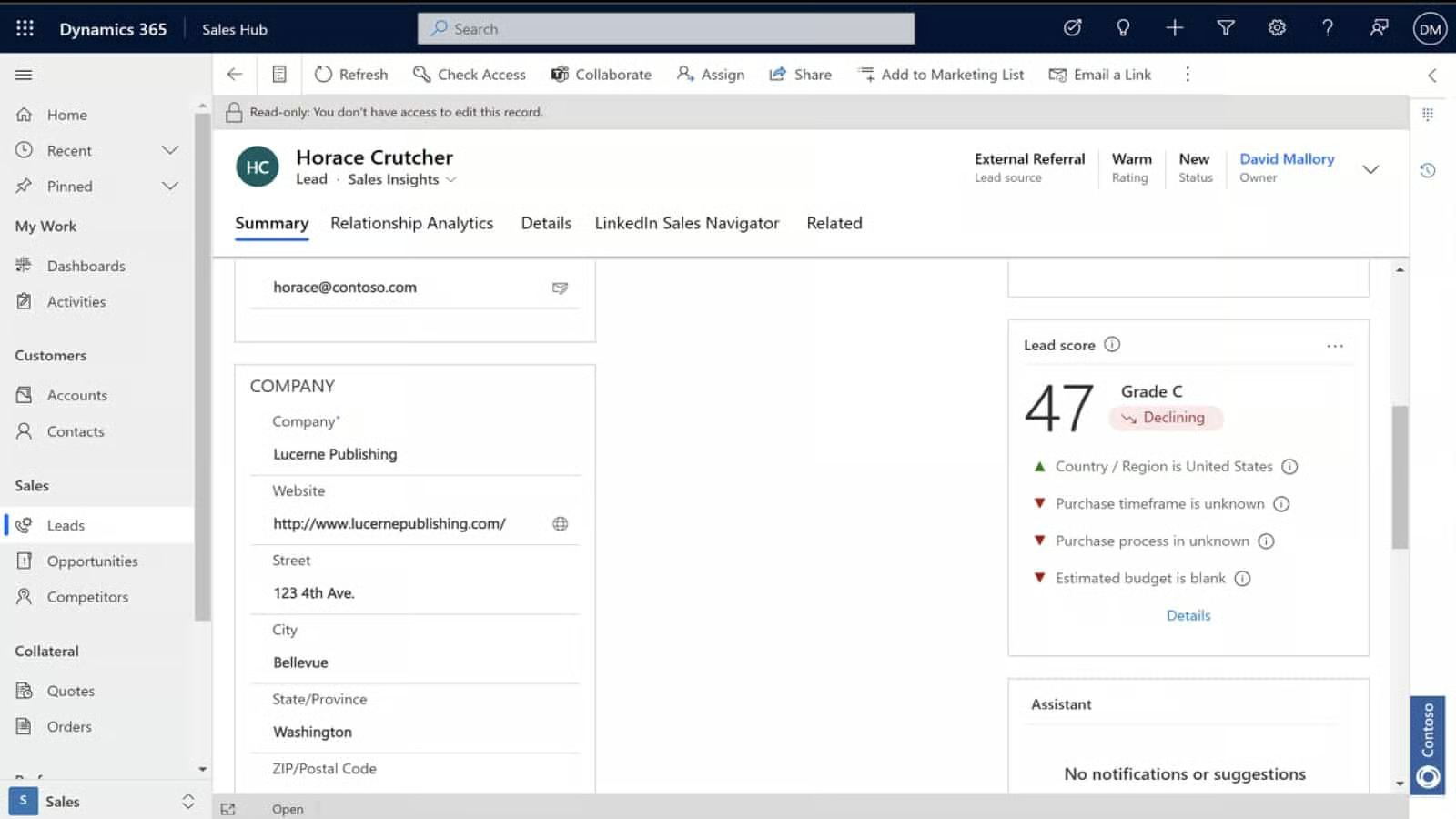
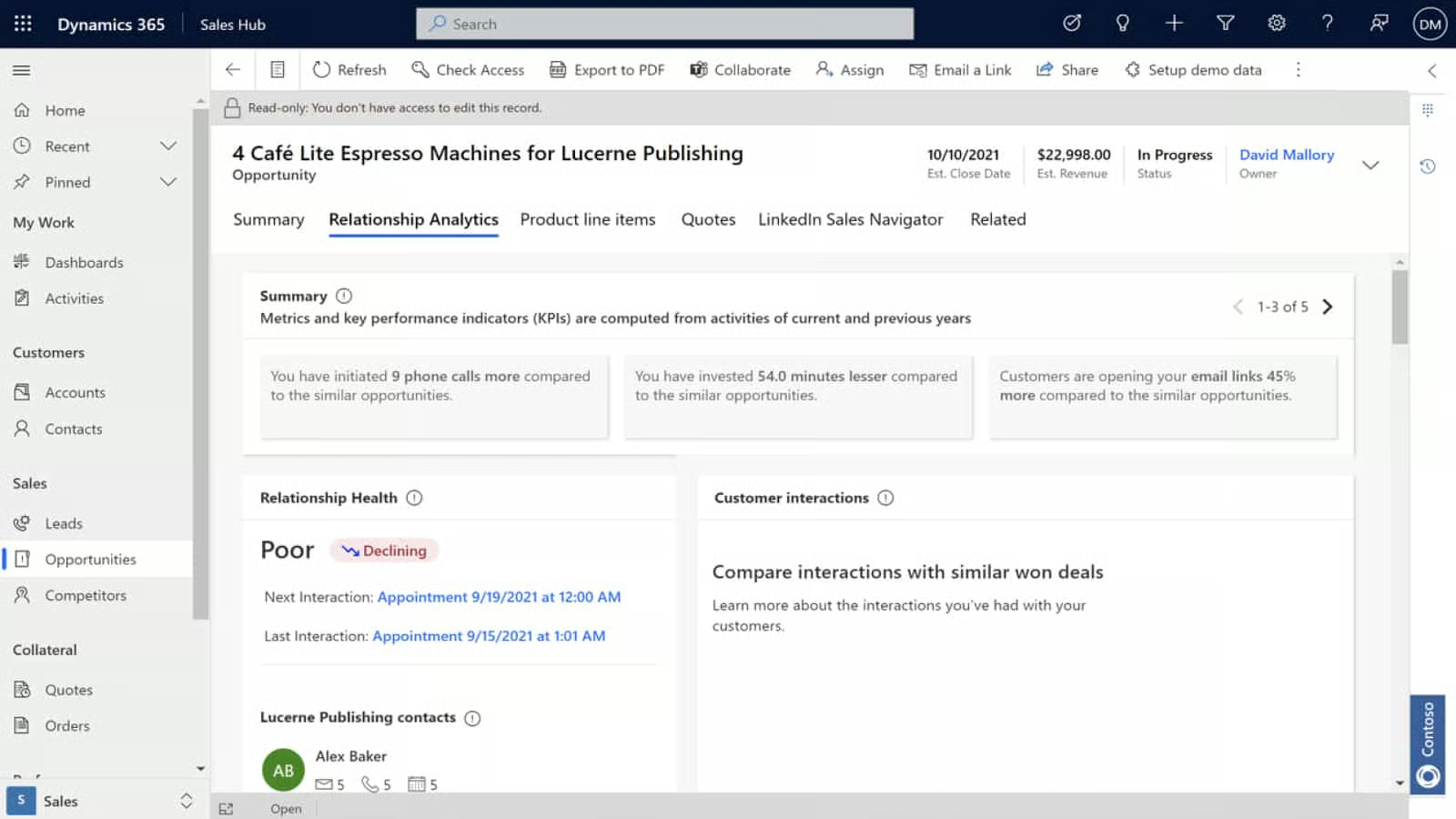
The Sales Accelerator in Microsoft Dynamics 365 uses artificial intelligence (AI) to minimize the time sales agents spend searching for the best customers to connect with. It pulls data from multiple sources and gives automated recommendations on how to approach customers and prioritize sales activities. It also sends notifications on deals and accounts that are stalled or at risk so you can take action immediately.
Suggested Actions
Deal Risk Notifications
Account Recommendations
Collaboration
You can easily connect Microsoft Dynamics 365 records to a Microsoft Teams channel by clicking on the Collaborate button on the record page. This action lets your team meet, chat, and call within your CRM. You can also access CRM records while working in Teams, eliminating the need to toggle between the two apps.
Forecasting
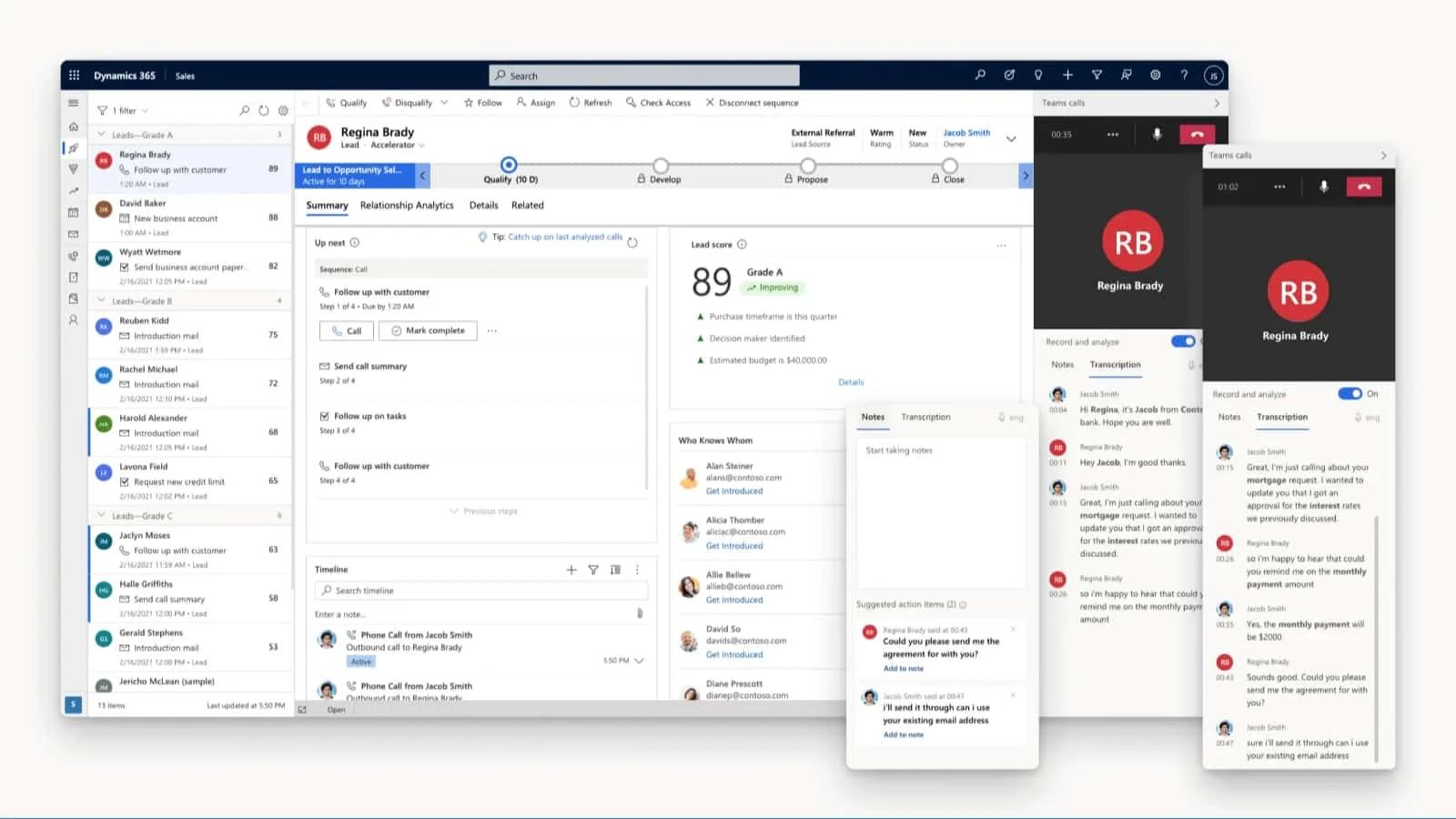
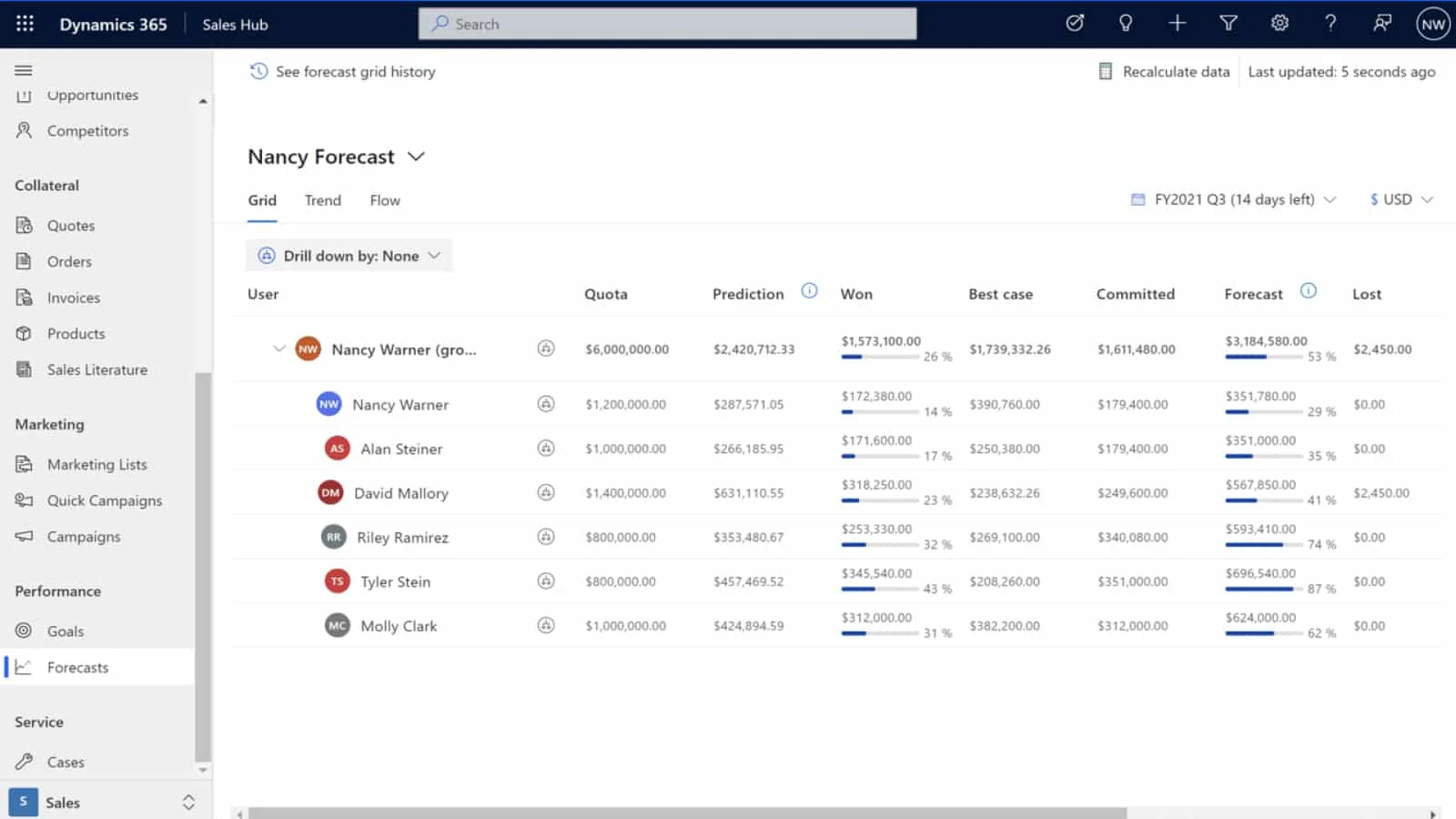
Use automated insights to analyze individual and team pipelines in order to develop accurate sales forecasts. You can also highlight potential strengths and weaknesses across all areas of the sales funnel to predict revenue fluctuations. Lastly, out-of-the-box reports help your agents focus more on selling by reducing the time spent on generating reports manually.
Real-time Coaching
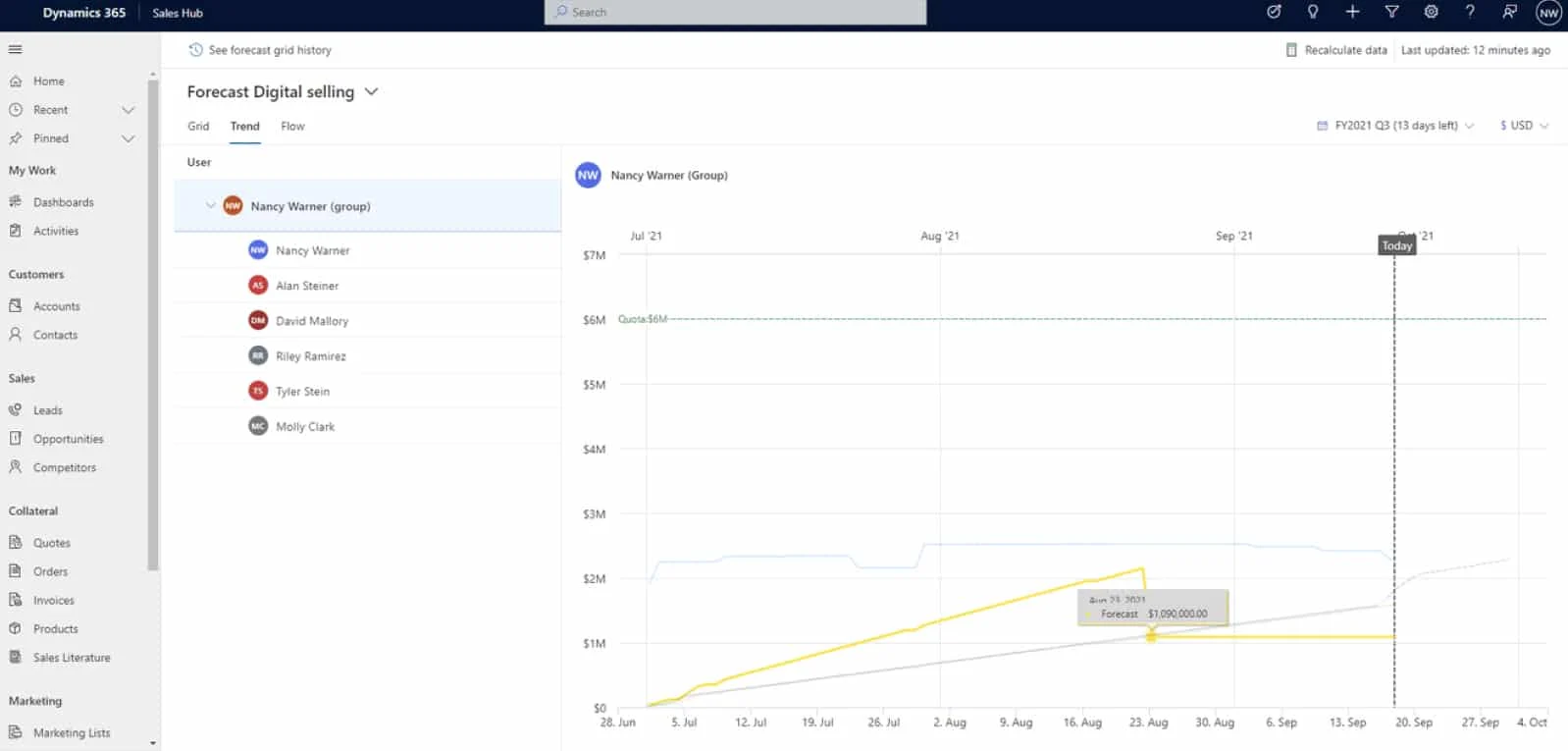
Coach your sales agents on how to improve customer conversations using real-time insights on customer sentiment, competitive market, and phone call priorities. You can also help new reps learn how to have successful client conversations by reviewing actions that previous sellers took as a result of sales call feedback.
Mobile App
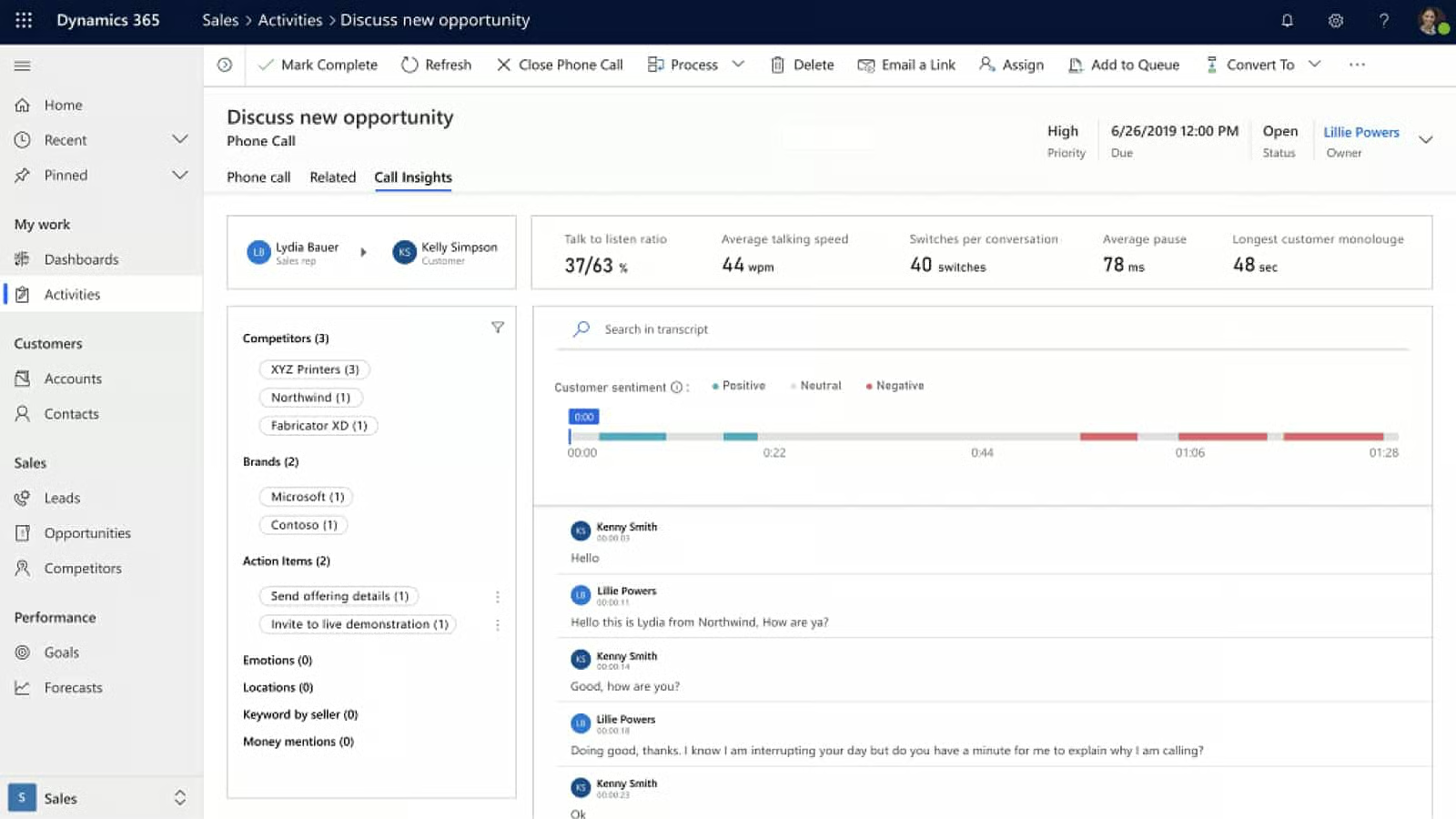
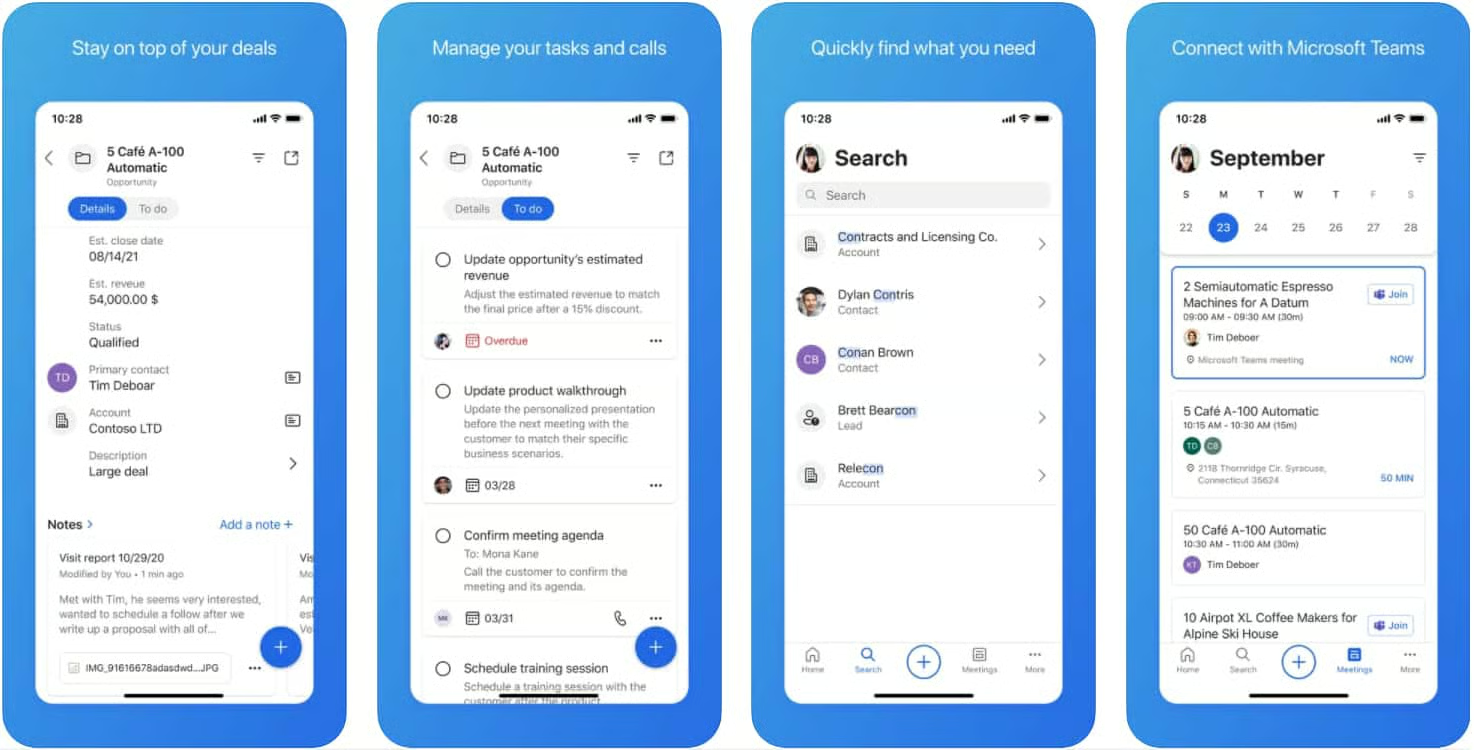
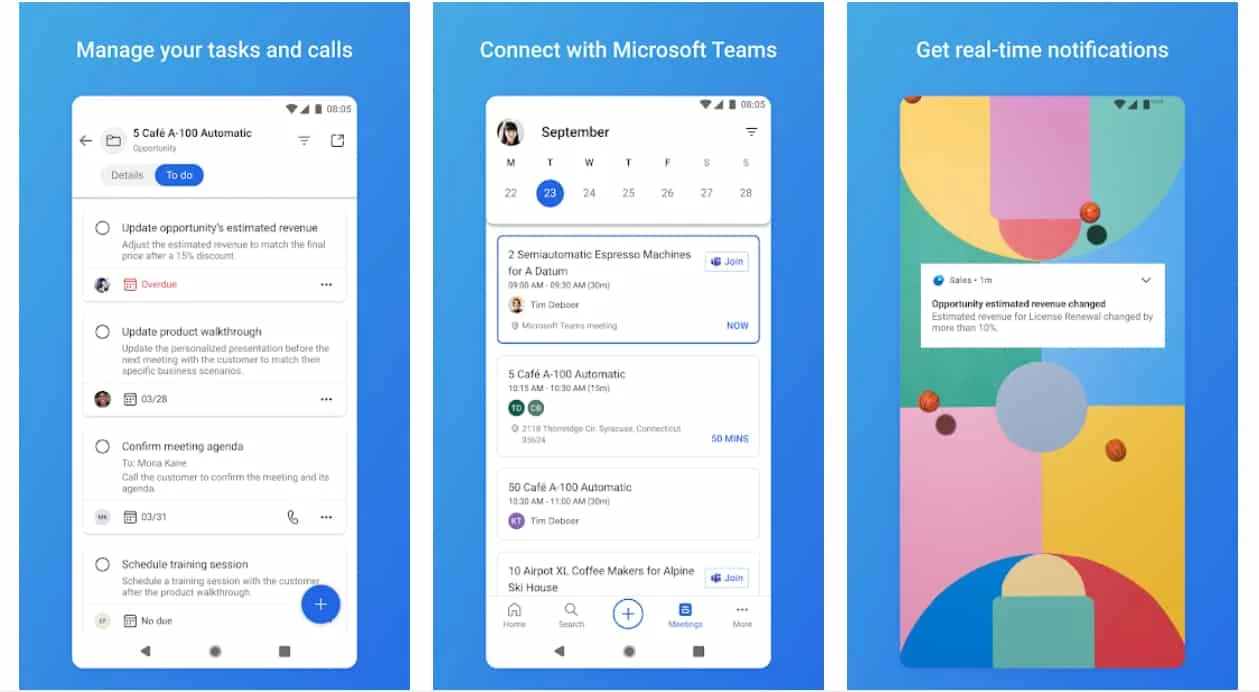
The Android and iOS apps of Microsoft Dynamics 365 helps sales agents keep track of daily activities and respond to customers faster. The mobile app gives you an overview of all your sales activities for the day, including your daily meetings and insights. You can also use it to add notes, create contacts, update CRM records, and search for customer records.
iOS App
Android App
Reporting & Analytics
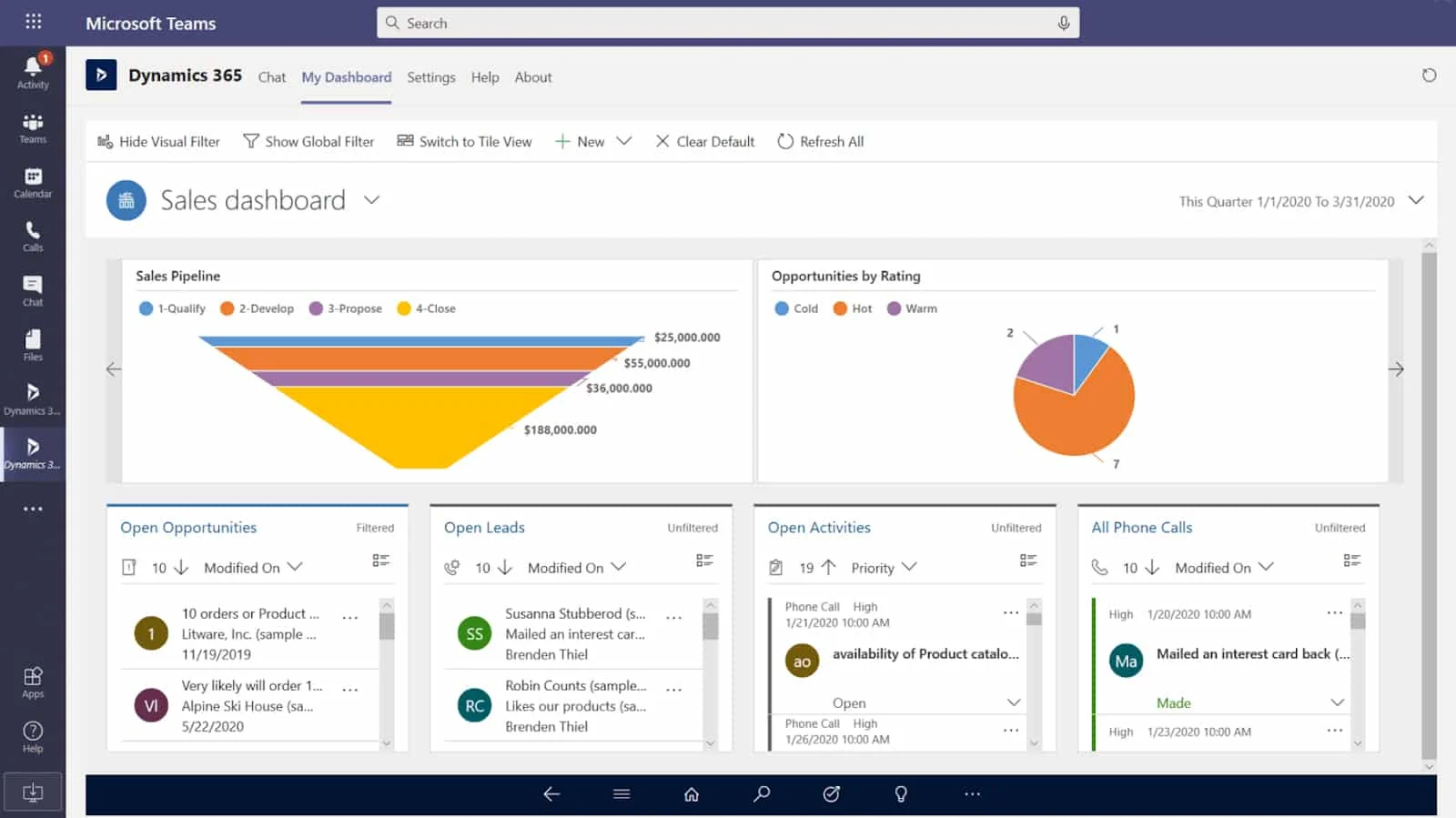
Dashboards use views, lists, and charts to show an overview of actionable business and sales data, including daily sales activities, sales pipelines, as well as open leads and opportunities. Sales reps can use built-in sales pipeline charts to visualize the revenue that can be generated from an opportunity based on each pipeline segment. Sales managers, on the other hand, can use pre-built dashboards to get insights on sales and team performance.
Third-party Integrations
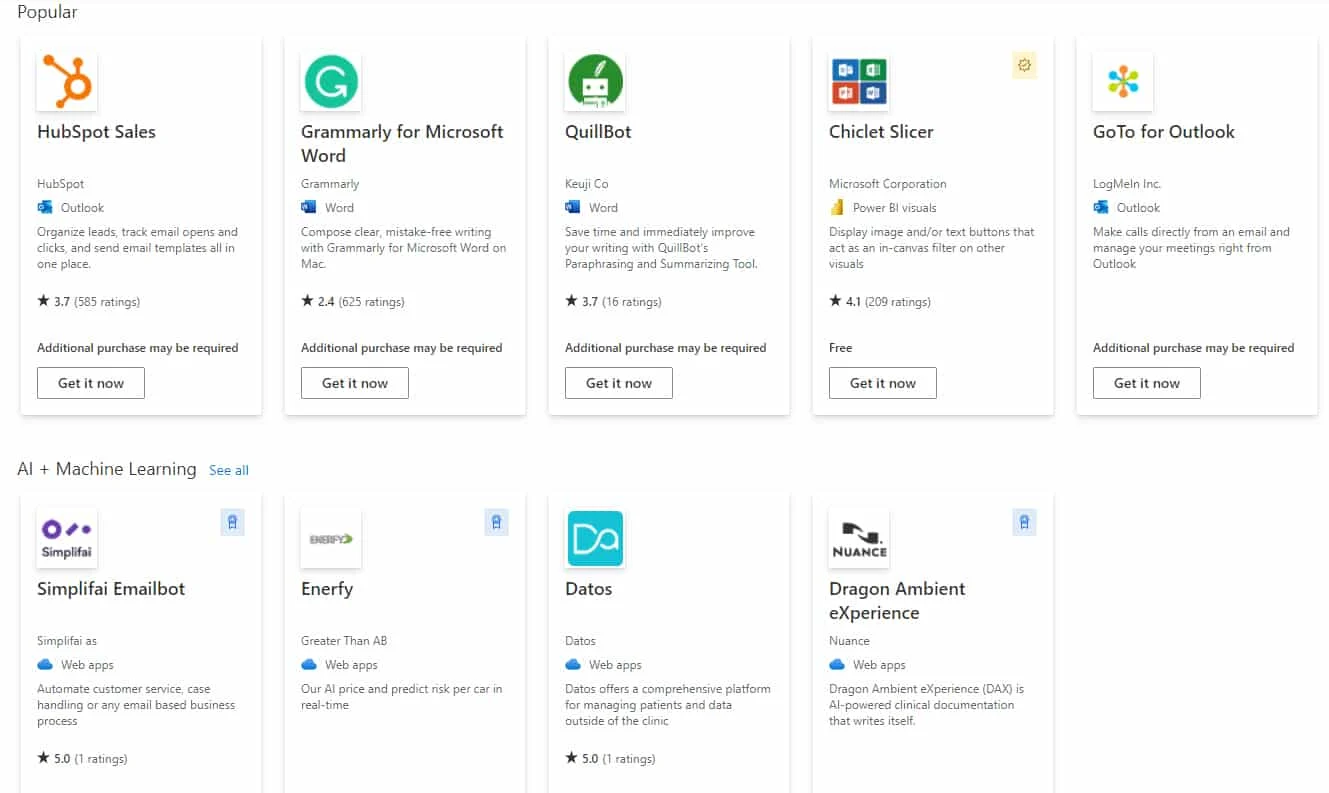
Microsoft Dynamics 365 interacts seamlessly with other Microsoft apps, including Microsoft Dynamics 365 Business Central, Power BI, and LinkedIn Sales Navigator. The AppSource marketplace offers various pre-built integrations with other tools you use for marketing automation, document creation, finance, and project management. You can also build a custom integration using its web application programming interface (API).
Customer Service
Every subscription to a Microsoft Dynamics 365 license comes with 24/7 access to technical support in the event of system outages or configuration errors. Standard response times for critical issues are one hour, while situations of lower priority have guaranteed response times of four to eight hours. You also get access to community support and virtual on-demand training.
Microsoft Dynamics 365 also offers paid support plans for those who require additional services, such as service delivery management, system optimization, on-demand assessment, and onsite support. Pricing starts at $9 per user, per month.
| Support Features | Subscription support | Professional Direct | Unified Support |
|---|---|---|---|
| Pricing* | Free with paid subscription (Microsoft Dynamics 365 & Power Platform) | $9 per user, per month (Microsoft Dynamics 365 & Power Platform | Based on percentage of license (all cloud and on-premise Microsoft products and services) |
| Standard Response Times | <1 hour for critical issues <4 hours for less critical issues <8 hours for non-critical issues | <1 hour for critical issues <2 hours for less critical issues <4 hours for non-critical issues | <30 minutes for performance support <1 hour for critical issues <4 hours for less critical issues |
| Microsoft-led Training | Virtual on-demand training | Engineering-led webinars | Access to on-demand webcasts, workshops, and virtual labs |
| 24/7 Technical Support | ✓ | ✓ | ✓ |
| Remote Advisory Support | ✕ | ✓ | ✓ |
| Service Delivery Management | ✕ | ✓ | ✓ |
| Proactive Services (Planning, Maintenance, and Optimization of Systems) | ✕ | ✓ | ✓ |
| On-demand Assessment and Onsite Support | ✕ | ✕ | ✓ |
| Customized Support Experience | ✕ | ✕ | ✓ |
*Based on monthly pricing.
Ease of Use
Microsoft Dynamics 365 has a steep learning curve, so beginners with no technical background might find it challenging. But after training and onboarding, most users find it intuitive and easy to customize.
There are descriptive tutorials helpful for those not yet familiar with the software. In addition to the customer service subscriptions above, technical assistance is also available 24/7 for those who encounter issues with the configuration of the system.
Microsoft Dynamics 365 Alternatives
If you’re still not sure if Microsoft Dynamics 365 is the right fit for your business needs, below are some of the best Microsoft Dynamics 365 alternatives to consider. You can also check out our guide to the best CRMs for Outlook integration for even more options.
 |  |  | |
|---|---|---|---|
| Best For | Marketers who want to capture and manage social media leads from Outlook email | Businesses that want to manage Outlook email within a mobile CRM app | Sales teams wanting a free, simple CRM with Outlook integration |
| Starting Price* | Free (3 users) or $14 per user, per month | $14 per user, per month | Free (unlimited users) or $45 per month (2 users) |
| Zoho CRM Review | Pipedrive Review | HubSpot CRM Review |
*Based on annual billing. Monthly pricing is also available at slightly higher rates.
Looking for free options for your small sales team? Read our list of the best free CRMs for small businesses.
What Users Say in Microsoft Dynamics 365 Reviews
We looked at Microsoft Dynamics 365 reviews online and found that the majority of users find it to be excellent software for automating business processes and workflows. They appreciate its ability to organize and track leads, streamline invoicing, and manage all forms of communication from a single platform. They also praise its robust reporting capabilities, actionable sales pipeline insights, and smooth third-party app integrations.
As of this writing, it has earned the following average scores based on Microsoft Dynamics 365 reviews on these popular review sites:
- G2: 3.8 out of 5 based on 1,522 reviews
- Capterra: 4.3 out of 5 based on 4,194 reviews
- App Store: 4.2 out of 5 based on 3,700 reviews
- Google Play: 4.0 out of 5 based on 14,017 reviews
The most common negative Microsoft Dynamics 365 reviews pertain to pricing and ease of use. Users say it is quite expensive for startups, although they acknowledge its rich feature inclusions. They also mention that it takes some time to learn how to navigate the enterprise-level software. Others compare it to Salesforce, saying Microsoft Dynamics 365 is not as robust in terms of automation, lead capture, and lead scoring features.
Bottom Line
Microsoft Dynamics 365 offers a varying set of modular apps for different business departments, including sales, marketing, support, and human resources. AI tools help you organize and prioritize customer interactions and leads more efficiently. It is recommended for midsize to enterprise-size businesses looking for a highly customizable and scalable CRM solution with robust sales automation and reporting capabilities.
Sign up for a 30-day trial to see if it fits your business needs or get started and register for the Sales Professional plan.
