







The best POS systems for small businesses are affordable, easy to use, and packed with tools for managing sales, inventory, employees, and customer loyalty. Most offer free plans or low-cost subscriptions, making them accessible to startups and growing retailers alike. Whether you need a simple mobile POS or advanced multi-location support, there’s a solution for every business type.
I tested over 20 point-of-sale systems across 32 data points, including pricing, features, integrations, and real-world usability, to find the top options for 2025. Based on this evaluation, here are the best small business POS systems:
- Square: Best overall and best free
- Shopify: Best for retail and ecommerce
- Toast: Best restaurant POS
- GoDaddy POS: Best in-person flat rate pricing
- KORONA POS: Best payment processor-agnostic POS
- POS Nation: Best for age-restricted products
- Clover: Best for mobile sales
- Lightspeed: Best for inventory management
- Best POS systems of 2025 compared
- Square: Best Overall
- Shopify: Best for retail & ecommerce
- Toast: Best restaurant POS
- GoDaddy POS: Best in-person flat-rate pricing
- KORONA POS: Best payment processor-agnostic POS
- POS Nation: Best for selling age-restricted products
- Clover: Best for mobile sales
- Lightspeed: Best for inventory management
- Methodology: How I evaluated each POS system
- How much does a POS system cost?
- Important POS hardware and software features
- How to choose a POS system for your small business
- Frequently asked questions (FAQs)
- Bottom line
Best POS systems of 2025 compared
| Supported business Types | Minimum monthly fee | Payment processing | Supported platforms | |
|---|---|---|---|---|
 | Mobile, storefront, retail, restaurants, beauty, and more | $0 | Square Payments | iOS and Android devices, Square hardware |
| Visit Square | ||||
 | Retail, wholesale, ecommerce | $5 | Shopify Payments | iOS and Android devices |
| Visit Shopify | ||||
 | Restaurants. QSRs, bars, food trucks, cafes, ghost kitchens | $0 | Toast Payments | Toast hardware |
| Visit Toast | ||||
 | Mobile, retail, ecommerce, professional services | $0 | GoDaddy Payments | Windows, Mac, Android, and iOS |
| Visit GoDaddy POS | ||||
 | Retail and niche industries | $59 | Third-party | Windows or Linux desktop application |
| Visit KORONA POS | ||||
 | Specialty retailers; liquor stores, tobacco shops, etc | $49 | POS Nation Merchant Services or third-party | Windows and Android |
| Visit POS Nation | ||||
 | Mobile, retail, QSRs, professional services | $0 | Choice of processor on Fiserv network | iOS and Android devices, Clover hardware |
| Visit Clover | ||||
 | Retail, restaurants, golf courses, hospitality | $109 | Lightspeed Payments or third-party | Windows, iOS |
| Visit Lightspeed | ||||
Square: Best Overall
Why I chose Square
Square is the best POS system for most small businesses thanks to its free plan, intuitive interface, and built-in tools for managing sales, inventory, appointments, and online orders. It offers dedicated POS apps for general use, retail, restaurants, and appointment-based businesses — all with no monthly fee to start. As your business grows, you can upgrade to paid plans ($49-$149/month) for more advanced features. Square also includes a free online store, making it easy to manage multichannel sales from one dashboard.
Who should use Square:
Small businesses that want a flexible, all-in-one POS with mobile capabilities and no upfront software cost, especially those in retail, food service, or personal care.
What makes Square stand out?
- AI assistant: Square AI, a conversational assistant, is built into the Square Dashboard. US-based sellers can ask natural-language questions about sales, staff, customers, and transactions to get instant insights — no reports required.
- Forever-free plan: Square is free to sign up, free to use, and doesn’t impose any limits on sales, products, or users.
- User-friendliness: Its touch-screen, app-based software is intuitive for business owners and employees alike, ensuring fast training and smooth transactions.
- Scalability: Square offers an entire ecosystem of business software, including payroll, marketing, and more, available as modular add-ons so you can add what you need when you need it.
- Popular and affordable hardware: Square regularly makes our lists of the best credit card readers and leading POS cash registers. Its systems offer great value for what you pay and are widely available from major retailers.
How is Square priced?
- Monthly software fees: $0-$149, depending on the POS version and plan tier
- Installation fee: None. Setup is do-it-yourself with guided onboarding resources
- Contract length: Month to month; no long-term commitment required
- Payment processing fees:
- In-person: 2.6% + 15 cents
- Online: 2.9% + 30 cents
- Keyed-in: 3.5% + 15 cents
- Custom rates available for businesses processing over $250,000 annually.
Square POS only works with Square Payments. When you sign up for a free Square account, you’re automatically enrolled in both the POS platform and its integrated payment processor. This makes the setup seamless, but it also means you can’t choose your own processor.
You can expand your system with optional add-ons for marketing, payroll, shift scheduling, loyalty programs, and team messaging.
Important note: Square does not support high-risk businesses, with the exception of CBD merchants on a limited, case-by-case basis. If you’re in a high-risk industry or want the flexibility to use your own payment processor, consider alternatives like Lightspeed, Clover, or KORONA.
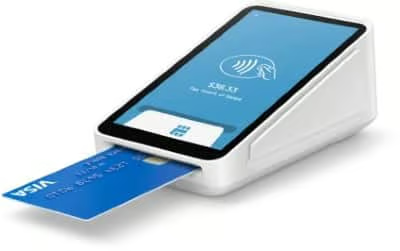
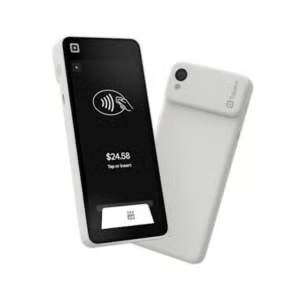
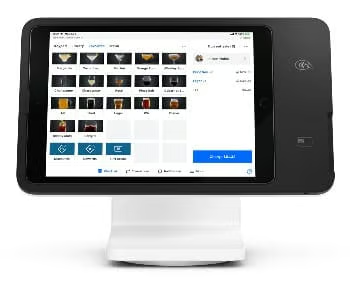
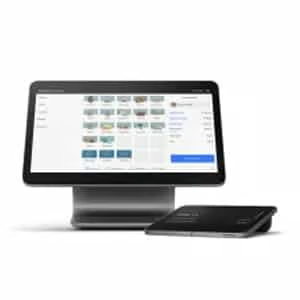
What POS system hardware does Square offer?
Square provides both mobile devices for on-the-go sales and all-in-one registers for countertop checkout.
Square mobile hardware
| Device | Price | Best for |
|---|---|---|
| Square Handheld | $399 or $37/month for financing | Mobile checkout and tableside ordering |
| Square Reader (contactless + chip) | $299 or $27/month for financing | Simple card and digital wallet payments via phone or tablet |
Square countertop registers
| Device | Price | Best for |
|---|---|---|
| Square Stand | $149 or $14/month for financing | Compact all-in-one for small counters |
| Square Register | $899 or $44/month for financing | Full countertop POS with dual screens for staff and customers |
In addition to the hardware options above, you can download the Square app on any iPhone or iPad and key in payments or connect a card reader.
Want to learn more about what it’s like using Square as a POS system? Check out our full Square Register video review:
Shopify: Best for retail & ecommerce
Why I chose Shopify POS
Shopify POS is the top choice for retailers building an omnichannel business. You can use it as a standalone POS with a basic online store or bundle it with Shopify’s full ecommerce platform for a complete multichannel setup.
Shopify is best known for its online selling tools, but its POS system is just as strong — especially when it comes to register functionality. It scored highest in our evaluation for customizable checkout features, flexible payment options, and the ability to sell offline.
Shopify POS scored high for register features (4.56/5) and expert evaluation (4.50/5), reflecting its strength in multichannel selling, integrations, and reliability. On top of being my top pick for retail and ecommerce, Shopify is also included in several of my industry-specific buyers’ guides for its flexibility across business models, including:
Who should use Shopify POS:
Small businesses that already use Shopify for ecommerce or want a seamless way to sell both online and in person.
Shopify POS standout features
- Redesigned POS interface: A cleaner layout with a new vertical sidebar makes navigation faster and more intuitive for retail staff.
- Context-aware smart search: Search adjusts to the active screen (e.g., products, orders, customers) and tolerates typos, helping staff find what they need quickly.
- Ship-and-carryout checkout: Customers can take home available items and have the rest shipped — processed in a single transaction.
- Branded POS theming: Add logos, brand colors, and videos to idle and PIN entry screens to create a consistent in-store experience.
- Smarter checkout moments: Staff can issue store credit, offer SMS marketing opt-ins, and apply automatic cash rounding — all within the POS.
- Smart inventory: Real-time, cross-channel and location visibility, low stock reports, demand forecasting, inventory analysis, purchase orders and receiving, markdown suggestions, and more.
- Omnichannel sales: One central data center for all sales lets you offer customer experiences like in-store pickup, buy online exchange in-store, local delivery, and more. Plus, you can access ecommerce tools, like order fulfillment, directly from the POS.
- Social media selling: Shopify has partnerships with most social media platforms, including Facebook, Instagram, TikTok, and Pinterest, making it easy to sync your product catalog and sell to customers directly on those channels.
- Robust register tools: Shopify POS is feature-rich, with customizable tiles and layouts, optional checkout validation, buy now, pay later (BNPL) payments, customizable payment types such as IOUs, customizable receipts, returns, and exchanges, and more.
Of course, one of the best parts of using Shopify POS is that it syncs seamlessly with your Shopify online store.
Shopify POS pricing
- Monthly software fees:
- POS: $5-$89 per location
- Ecommerce (optional): $39-$399
- Shopify Lite POS is included with any ecommerce plan, but if you operate a physical store, we recommend upgrading to POS Pro at $89/month for full retail functionality.
- Installation fee: None. Setup is self-guided with Shopify’s DIY onboarding tools.
- Contract length: Choose between month-to-month, annual, or multiyear subscriptions.
If you use Shopify POS, you’ll also need to use Shopify Payments, the platform’s built-in payment processor. This integration simplifies setup and compliance, with standard industry rates:
- In-person transactions: 2.4% + 10 cents to 2.6% + 10 cents
- Online transactions: 2.5% to 2.9% + 30 cents
Shopify Payments includes PCI-compliant servers and encrypted data handling. Learn more in our Shopify Payments review.
If you also run a Shopify online store, you can technically use a third-party payment processor for ecommerce — but you’ll pay an extra transaction fee. For in-person sales through Shopify POS, Shopify Payments is required. Learn more about Shopify fees and how much it costs to run your business using Shopify.
Important note: Shopify POS isn’t compatible with high-risk businesses. Like Square, Shopify uses aggregated payment services, which means merchants don’t get a dedicated merchant account. As a result, Shopify tends to restrict industries with elevated risk. If your business falls into that category, consider an alternative like KORONA, Clover, or Lightspeed, which allow you to choose your own processor.
Shopify POS hardware
Shopify provides mobile devices for simple checkout and all-in-one registers for full retail setups. Card readers, iPad stands, and other accessories like cash drawers and barcode scanners can all be purchased through Shopify, including the following:
| Tap and Chip Reader | Shopify Terminal | Countertop Kit |
|---|---|---|
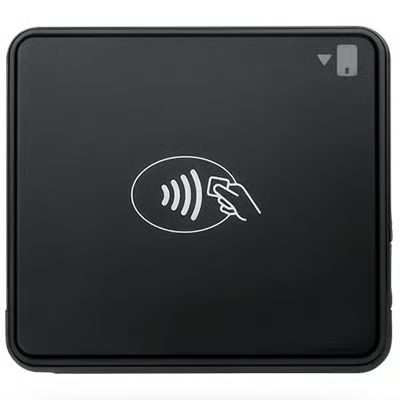 | 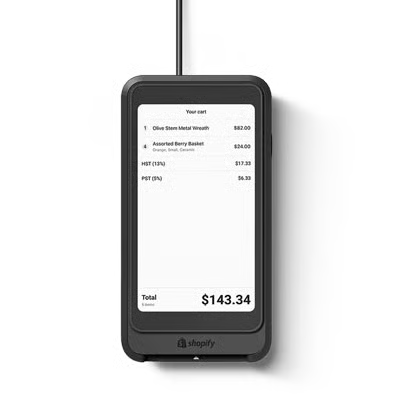 | 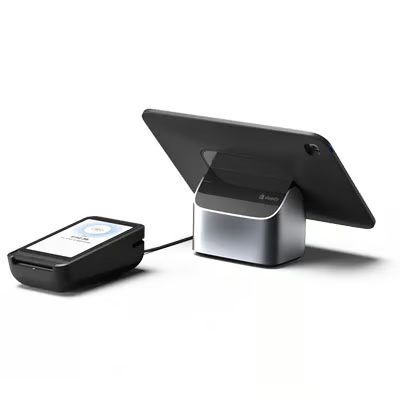 |
| Securely accept tap, chip, and swipe payments, all fully integrated with Shopify POS. Available for iOS only. Dock available for $40 (in-store use) | Customer-facing display and card reader meant to be paired with a tablet POS. | Tablet stand and card reader terminal for a full countertop setup. Options available for Android and iOS (tablet sold separately). |
| Buy Tap and Chip Reader | Buy Shopify Terminal | Buy Countertop Kit |
Shopify POS is app-based and works on iOS and Android devices, including iPhone 7 or higher, iPad Air Gen 2 or higher, iPad Gen 5 or higher, iPad mini Gen 4 or higher, all iPad Pro models, and Android devices running version 10.0 or higher.
Want to see Shopify POS in action? Check out our setup tutorial:
Toast: Best restaurant POS
Why I chose Toast
Toast is a restaurant-first POS system that combines industry-specific functionality with flexible pricing options. It offers a free starter POS — it is second to Square in our picks for best free POS software — and pay-as-you-go hardware, making it ideal for new restaurants with limited budgets. At the same time, it supports growth with built-in tools for online ordering, delivery, loyalty, marketing, kitchen display systems, and employee management.
While you’re locked into Toast’s payment processing and a two-year contract, the system’s ease of use, durable hardware, and guest-focused features make it a smart choice for foodservice businesses.
Toast is popular with restaurants because it earned high register feature scores (4.06/5) in my rubric, thanks to its purpose-built tools for food service. From tableside ordering to delivery integration, it covers nearly every restaurant workflow. While its costs and hardware lock-in can be drawbacks, Toast remains the leading choice for restaurants because it simplifies operations, speeds up service, and integrates front-of-house and back-of-house management in one system.
Toast is our top choice for the following:
Who should use Toast:
Restaurants of all sizes — from small food trucks and cafés to full-service establishments and multi-location operations — looking for a POS built specifically for foodservice.
Toast standout features
- ToastIQ intelligence suite: AI-powered insights like upsell suggestions, shift summaries, and digital chits
- Built-in advertising and marketing automation: Launch cross-channel campaigns directly from the POS, using AI to optimize timing and targeting
- Free baseline POS system: Toast’s starter plan includes cloud-based POS software and a single-terminal hardware kit with $0 upfront and $0 monthly cost.
- Pay-as-you-go hardware: Restaurants can scale their setup affordably with flexible hardware financing tied to payment processing.
- Restaurant-specific payroll management: Built-in tools to manage tips, wages, and compliance for foodservice teams.
- Comprehensive online ordering and delivery tools: Native support for branded online ordering, delivery tracking, third-party app integration, and mobile ordering.
- In-depth customer information and in-house dining tools: Capture guest data, manage table service, and offer loyalty rewards from the same system.
- Mobile app reporting functionality: Real-time performance insights from Toast’s mobile app, including sales, labor, and order trends.
- Multilingual settings: Select features and kitchen tickets can be displayed in English, Spanish, or Chinese for multilingual teams.
- Benchmark reporting: As of 2024, Toast’s new Benchmarks tool compares your restaurant’s performance to similar businesses across its 127,000+ user network.
Toast pricing
- Monthly software fee: $0-$69, or custom pricing for complex setups
- Installation fee: Optional, starting at $250 for professional installation
- Contract length: Two-year standard agreement.
- Processing fees:
- In-person
- Pay-as-you-go: 3.09% + 15 cents
- Standard plan: 2.49% + 15 cents
- Online
- Pay-as-you-go: 3.09% + 15 cents
- Standard plan: 3.50% + 15 cents
- Custom rates are available for high-volume businesses
Toast uses its own built-in payment processor, Toast Payments, which is required to use the POS. It supports tableside, online, kiosk, and counter payments, and includes security features like encrypted transactions, fraud monitoring, offline mode, and fast deposits.
You can customize your POS with modular add-ons for payroll, mobile ordering, team scheduling and communication, marketing, digital storefronts, and accounting integrations.
While Toast’s processing rates are on the higher side compared to other systems on this list, the depth of features and restaurant-specific functionality still make it a strong value overall.
If lower processing fees are a priority, consider Square for Restaurants. If you prefer going with more flexible payment processor options, Lightspeed Restaurant and Clover offer more control over processing partners.
Toast hardware
All of Toast’s hardware is industry-grade and IP-rated to withstand steam and dust intrusion. Toast handheld terminals, including the popular Toast Go 2, are drop-tested to withstand a restaurant environment.
| Countertop Terminal | Handheld Mobile POS | Guest Self-service Kiosk |
|---|---|---|
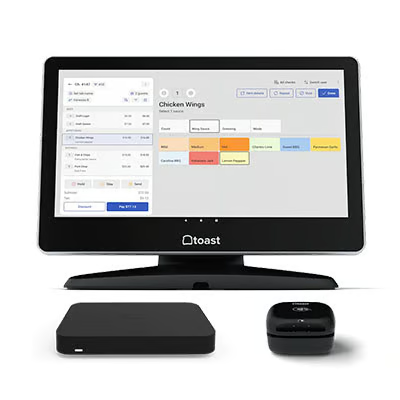 | 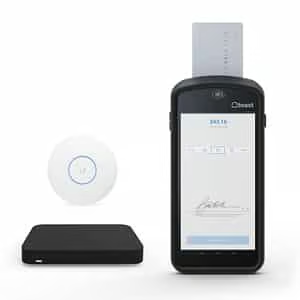 | 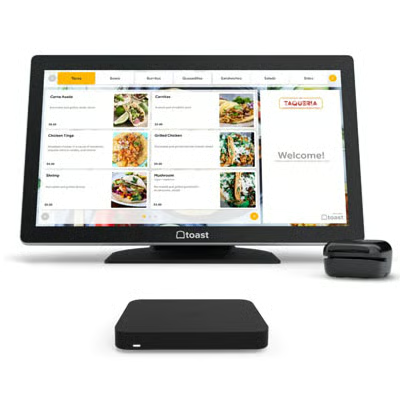 |
| Pay upfront: $1,024.20 + $69 per monthOrPay-as-You-Go: $0 and 3.09% + 15 cents per in-person transaction | Pay upfront: $799.20 + $69 per monthOrPay-as-You-Go: $0 and 3.09% + 15 cents per in-person transaction | Pay upfront: $1,339.20 + $99 per monthorPay-as-You-Go: $0 and 3.09% + 15 cents per in-person transaction |
| Countertop Terminal, Toast Tap card reader, Router | Toast Go 2 order and payment device, Wireless Access Point, Router | 22” touch-screen kiosk with router and card reader |
Want to learn more about what it’s like using Toast as a POS system? Check out our full Toast POS video review:
GoDaddy POS: Best in-person flat-rate pricing
Why I chose GoDaddy POS
GoDaddy POS is a lightweight but capable system ideal for entrepreneurs and small retailers already using GoDaddy for domains, websites, or ecommerce. With fast setup, competitive processing rates, and tools like Tap to Pay, inventory tracking, and mobile checkout, GoDaddy POS makes in-person selling simple and accessible.
GoDaddy POS is appealing because of its straightforward pricing model and ease of use. In fact, it has the lowest in-person payment processing rate among the providers in this list — even Square. At the $34.00/month plan, you get the 2.3% flat rate — lower than Square Free’s 2.6% + 15 cents rate and even its paid tier (Plus) at 2.5% at 15 cents.
There are no contracts, and you can start with just a card reader and smartphone. For sellers using GoDaddy’s Online Store or WooCommerce plans, everything syncs in a single dashboard for managing inventory, orders, and payments across all channels.
While it doesn’t offer the same depth of features as more advanced POS systems, GoDaddy POS is part of GoDaddy’s ecosystem, which is very popular among small retailers, solopreneurs, and service-based businesses who value simplicity and an all-in-one platform that combines POS with ecommerce and marketing tools.
Who should use GoDaddy POS:
Small businesses that want a low-cost, low-commitment way to sell in person and online with integrated payments, fast setup, and GoDaddy’s ecommerce ecosystem.
GoDaddy POS pricing
GoDaddy POS offers two software plans:
- Standard plan: Free with purchase of GoDaddy hardware. Includes built-in POS features like product setup, basic inventory tracking, and access to GoDaddy Payments at a flat 2.5% rate (no per-transaction fee).
- Plus plan: $34.99 per month. Adds advanced features such as lower payment processing fees (2.3% flat rate), inventory stock alerts, online ordering with in-store pickup, employee management, and customizable digital receipts.
- Surcharge option: Merchants can offset fees with GoDaddy’s compliant surcharge program, reducing processing fees to as low as 0% for in-person credit card transactions.
Both plans come with no contract and a 30-day money-back guarantee.
GoDaddy POS standout features
- Offline + online sync: Track and fulfill online orders in store with a unified product catalog.
- Built-in POS software: Easy barcode setup, modifiers, and pre-set discounts.
- Inventory and order management: See stock by channel and place orders directly from the terminal.
- Customization tools: Configure discounts, roles, permissions, and branding (logos, receipts, icons).
- Add-ons and integrations: Access third-party tools for loyalty, employee management, and time tracking.
- 24/7 support: Moreover, merchants processing over $100K/year get personalized onboarding at no extra cost
- AI tool (Airo): GoDaddy also offers an AI assistant for merchants called Airo. During their product demo with our team, they showed us how it can help set up products, pricing, and reports within the admin dashboard.
GoDaddy POS hardware
All devices listed below include free two-day shipping, a one-year warranty, and a 30-day money-back guarantee. GoDaddy POS also has the Tap to Pay (free) feature, which lets you accept contactless payments directly on a smartphone.
| GoDaddy Card Reader | Smart Terminal | Smart Terminal Flex |
|---|---|---|
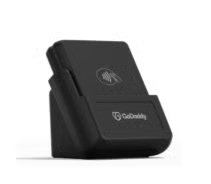 | 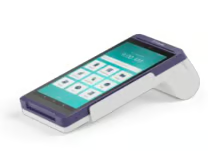 | 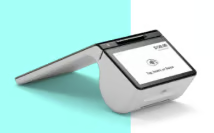 |
| $99 | $299 | $499 |
| Take mobile payments via app | Single (6 in.) touchscreen and compact design | All-in-one dual-screen device (8” merchant screen and 5” customer screen) |
KORONA POS: Best payment processor-agnostic POS
Why I chose KORONA POS
KORONA is a highly flexible, cloud-based POS that supports nearly any type of retail business. Unlike most systems, KORONA is payment processor-agnostic, giving businesses the freedom to choose the most affordable or industry-compliant provider.
It includes built-in ID scanning, loss prevention features, and ticketing tools — making it ideal for niche retail and venue-based operations. Hardware compatibility is also broad, allowing many businesses to use existing equipment. KORONA also integrates with QuickBooks and earned top marks in our retail and specialty POS rankings for affordability, versatility, and customer support.
Who should use KORONA POS:
Businesses that want flexible payment processing, especially those in high-risk industries, like vape shops, liquor stores, or ticketed venues.
KORONA actually made it to our top picks for best POS for vape shops, convenience and liquor stores, and best touch-screen POS systems. It is also our top POS pick for bakeries.
KORONA POS standout features
- Robust inventory management: Calculate ideal reorder levels, automate counting schedules, set up or manage multiple product code systems, easily scan or receive products, and print labels and tags.
- Front-end and reporting customizations: Customize your dashboard interface and customer display screen, process returns, schedule promotions, track customers, and more.
- Ticket sales and membership management: Sell and track tickets for individual events, groups, series, seasons, and more, all from the POS.
- Loss prevention tools: Customizable authorization settings for tools like price changes and allowed balance differences, forced cash drawer close, no-sale tenders, and more.
Of course, another standout feature of KORONA POS is its payment processor-agnostic setup, which we discuss below.
KORONA POS pricing
- Monthly software fee: $59-$79, depending on features.
- Installation fee: None. Guided installation and training are included with your account.
- Contract: Month to month — no long-term commitment.
- Add-on modules: Optional features for advanced inventory, invoicing, table service, ticketing, franchise management, and custom integrations are available for $10-$50/month each.
- Free trial: KORONA offers an unlimited free trial with no credit card required. Payment integration is disabled during the trial, and transaction volume is capped, but your setup and data carry over when you upgrade.
KORONA doesn’t offer its own payment processing. Instead, it’s processor agnostic — letting you choose and connect your preferred merchant services provider. This gives you the flexibility to shop for lower fees or use a specialized processor if you’re a high-risk or nontraditional business. KORONA will assist with setup after signup.
KORONA POS hardware
KORONA offers a variety of countertop and mobile POS tablets, along with peripherals, including tickets and inventory scanners, cash drawers, and receipt printers. All pricing is custom-quoted. Leasing plans are available, as are payment plans for outright purchases.
POS Nation: Best for selling age-restricted products
Why I chose POS Nation
POS Nation delivers a highly functional POS system designed for high-compliance retail environments, such as liquor stores and convenience shops. Built-in age verification is a standout feature, supporting both manual birthdate entry and ID barcode scanning, helping reduce the risk of costly violations, which can range from $500 to $5,000.
POS Nation is the best fit for liquor, tobacco, and vape shops because it’s one of the few POS systems built with age verification and compliance safeguards at its core. In my rubric, it earned one of the highest management tools scores (4.88/5), with perfect marks for inventory management, vendor management, purchase orders, on-hand counts with mobile devices, multilocation control, reporting, and employee management.
While it’s less flexible for general retailers and carries higher upfront costs, POS Nation stands out as the most valuable option for regulated businesses that need reliable ID checks, advanced inventory tracking, and detailed reporting built into their POS system.
You can choose between pre-built POS packages or fully customized setups, all of which include a two-year hardware warranty and age verification tools by default. Its acquisition of BottlePOS in 2022 also deepened its specialization in liquor store POS solutions. In fact, BottlePOS now ranks as our top pick for liquor store businesses.
Who should use POS Nation:
Liquor stores, markets, and convenience stores — especially those that need reliable age verification tools and want a bundled POS and hardware solution.
POS Nation pricing
POS Nation offers two types of pricing: pre-built packages and custom packages. The pre-built packages include a monthly software fee, a two-year hardware warranty, age verification, and a dual pricing module. The custom package offers options to include different hardware add-ons depending on your business type.
- Starter plan: $49 per month
- Growth plan: $99 per month
- Premium plan: $149 per month
POS Nation standout features
- Lottery ticket management: Track and reconcile scratch-off and draw game inventory to reduce loss and improve accuracy.
- Inventory product bundles: Group items together for combo pricing or promotions, perfect for kits, packs, or bundled discounts.
- Automatic purchase orders: Reorder stock automatically based on inventory thresholds and vendor preferences.
- Built-in age verification tools: Supports both manual entry and ID barcode scanning for compliance with age-restricted product laws.
- Perishable and case-break inventory tracking: Monitor expiration dates and sell inventory by the case, pack, or unit.
- Loss prevention reports and tools: Identify shrinkage trends, voids, and suspicious transactions with detailed reporting.
- Options for integrated self-checkout, scales, and scanners: Expand functionality with hardware suited for grocery or high-traffic environments.
POS Nation hardware
As of this writing, POS Nation requires a custom quote to receive hardware pricing, even though standard hardware costs are visible online. The final pricing often depends on your selected software package, business type, and any included add-ons or services. We recommend requesting a quote to get the most accurate and bundled cost.
Clover: Best for mobile sales
Why I chose Clover
Clover is a cloud-based POS system built for versatility, offering durable proprietary hardware and a wide range of software tools that work well across industries — from retail to foodservice.
What sets Clover apart is how you get it: most businesses purchase Clover systems through their bank or a merchant services provider, which gives you more control over processing rates and contract terms.
The hardware is mobile-ready and built to withstand high-volume use, with connectivity via LTE or Wi-Fi, making it ideal for pop-ups, events, or mobile operations. Square’s new mobile POS, Square Handheld, has only Wi-Fi connectivity, while its card reader needs another device such as a smartphone or tablet to operate.
In my rubric, it performed well for register features (4.31/5) and ease of use (4.38/5), reflecting how simple it is to set up and expand. While pricing inconsistencies through resellers can be frustrating, Clover is still one of the most popular POS systems for small businesses that want reliable devices, mobile payment options, and an easy way to scale up without switching platforms.
While the buying process is less standardized than competitors like Square or Toast, the tradeoff is a more customizable setup that can be tailored to your exact business needs.
Who should use Clover:
Businesses that want a flexible, mobile POS system with proprietary hardware and the ability to choose their own payment processor.
Clover standout features
- Popular, reliable card readers: Choose from a variety of highly rated mobile and countertop hardware.
- Payment processing tools: Virtual terminal, invoicing, scan-to-pay, store credits, layaways, gift cards, and BNPL options.
- CRM and marketing: Set up customer profiles, create a data-driven rewards program, prompt customers who haven’t returned in a while with a promotion, collect customer feedback, and more.
- Easy to use software: Overall, the software is intuitive, easy to use, and highly customizable to suit different businesses.
Clover pricing
Clover’s pricing structure is more complex than most systems on this list, largely because of how it’s sold. You can purchase Clover directly from its website or through one of many third-party resellers in the Fiserv network — including banks and merchant services providers.
Here’s what pricing looks like if you buy Clover directly:
- Monthly software fees: $0; Starts at $16 for retail if bundled with hardware
- In-person processing fees: 2.3% to 2.6% + 10 cents
- Online processing fee: 3.5% + 10 cents
Unlike most other POS providers on this list, except KORONA, Clover separates the POS software from the payment processor. That means you can shop around for the best processor and purchase your Clover hardware through them, rather than being locked into a bundled payment system.
Important note: Because Clover is sold through a wide network of resellers, contract terms, processing rates, and support quality can vary significantly. Be sure to review the fine print and compare offers carefully before signing.
Clover POS hardware
| Clover Go | Clover Flex | Clover Flex Pocket |
|---|---|---|
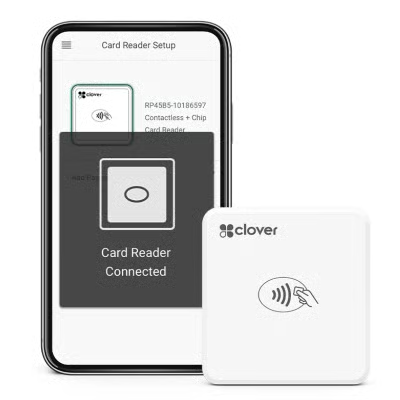 | 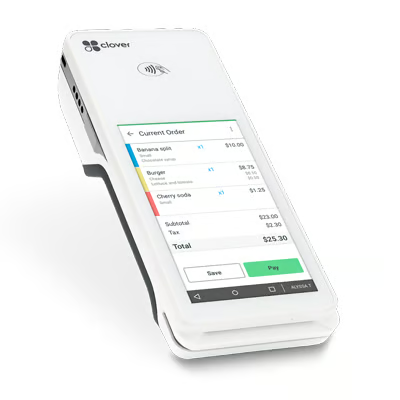 | 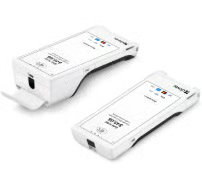 |
| $199 | $749 | $699 |
| Cellular-enabled mobile tap, dip, and chip card reader that integrates with most smartphones | Wi-Fi and LTE-compatible handheld POS Terminal | 25% lighter than the original Clover Flex, still has barcode scanning and all-day battery life; larger screen than the original Flex |
| Clover Compact | Clover Mini | Clover Station Solo |
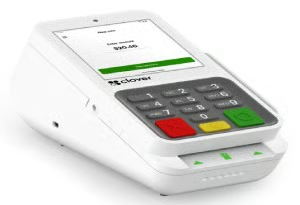 | 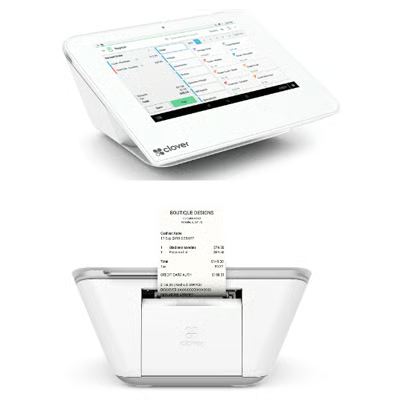 | 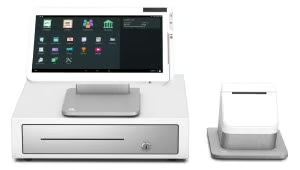 |
| $349 | $849 | $1,799 |
| Accepts swipe (MSR), chip (EMV + signature), and contactless (NFC) payments with built-in receipt printer | Low profile, all-in-one POS display, payment terminal, and receipt printer | Contactless card reader, single screen, receipt printer, cash drawer, camera & scanner |
Each device after your first one adds an additional monthly fee, except for Go readers. The specific rate varies by your software plan.
Lightspeed: Best for inventory management
Why I chose Lightspeed Retail
Lightspeed Retail is the best POS system for businesses with large or specialized inventories. Its robust tools let retailers manage product variants, build bundles, automate purchase orders, and track vendor catalogs — all from a single dashboard.
Lightspeed Retail also includes one of the most advanced analytics platforms available to small businesses. For restaurants, Lightspeed Retail offers automated ingredient-level tracking, low-stock alerts, and “1-click” reordering from integrated vendors.
Over the past several years, Lightspeed has acquired several other POS systems, including ShopKeep, Vend, and Upserve. Lightspeed has baked many of the features from these products into its offerings and, at the time of publication, still offers versions of these products.
Lightspeed has also acquired Ecwid, a popular shopping cart platform, to improve its native ecommerce tools, which are free for certain POS plans.
Who should use Lightspeed Retail:
Retailers and restaurants with complex inventory needs, especially those managing product variants, custom orders, or multi-location stock.
Lightspeed Retail standout features
- Inventory management: Granular, matrix, inventory management with many variant options, built-in purchase ordering, kitting/bundling, and serial and SKU tracking.
- Robust analytics: Over 50 preset reports, including data visualizations and tips on actionable insights.
- B2B catalog and supplier management: More than 3,000 preloaded vendor catalogs, vendor tracking, automated vendor returns, and integrated supplier network.
- Marketing and loyalty: Auto customer segmentation, flexible point-based loyalty programs, integrated email marketing, customer habit tracking, and more
- Native ecommerce: Over 30 themes to choose from, able to sync your online and in-store products and sales, integrated SEO and shipping tools.
Lightspeed Retail pricing
- Monthly software fees: (varies by POS type, payment processor, and payment plan; lowest rates available with annual billing) $109 to $339 ($89 to $289 paid annually) for retail
- Installation fee: $0
- Contract length: One year
- Processing fees:
- In-person: Lightspeed Payments: 2.6% + 10 cents; other processors vary
- Online: Lightspeed Payments: 2.6% + 30 cents; other processors vary
- Custom processing rates available with certain plans and sales volumes
Like Square, Shopify, and Toast, Lightspeed has built-in payment processing that is the default option when you choose Lightspeed POS. However, certain versions of Lightspeed are compatible with third-party payment processors, meaning it is possible to choose your own payment processor with Lightspeed, especially if your business is considered high-risk.
However, note that Lightspeed may charge higher monthly fees if you use a third-party processor.
Lightspeed Retail hardware
Lightspeed runs on iPads and desktop computers. All Lightspeed hardware is quote-based. You can purchase the terminals, card readers, and other accessories you need directly from Lightspeed.
Want to see some of Lightspeed’s inventory tools in action? See our video overview:
Methodology: How I evaluated each POS system
I started with a list of over 20 best POS systems for small businesses. I then evaluated them by price, POS functions like check and order management, payment processing, and inventory management. I also looked at user reviews and, in many cases, demoed the products firsthand and leveraged my experience using the systems in the past.
Click through below to see my full evaluation criteria:
- Pricing (30%): I prioritized POS systems that include a free plan or free trial, affordable subscriptions, and additional plans so that you won’t grow out of the system. I also awarded points to systems with affordable integrated payment processing, flexible hardware options, and no restrictions on the number of users, inventory, and transactions. Finally, I penalized systems that require long-term contracts and hefty installation fees.
- Register features (20%): Businesses need speedy and customizable checkout tools, easy customer management, mobility to sell anywhere, a process to track orders, and a way to process online orders. Because the way businesses operate has changed so much in recent years, I also considered contactless payments, integrated online ordering, and omnichannel sales tools.
- Management tools (15%): The most important backend feature I considered was inventory tracking. I also considered how sophisticated and user-friendly the reporting dashboard of each system is and what marketing and employee management tools are available.
- Ease of use (15%): I prioritized POS systems with 24/7 phone support, as most small businesses don’t stick to a 9-to-5 schedule. I also considered the installation processes and whether the system has an offline mode or hybrid installation so that you can continue operations when you lose internet access. Training mode or training videos are also helpful in getting new employees up to speed. But, most importantly, I examined the workflows and interfaces of the systems. Are they intuitive? Is it easy to find and complete daily functions? This weighed heavily in my overall recommendations.
- Expert Score (20%): I considered the overall quality of each system’s features, along with system stability, and security. I evaluated whether it offers a good value for its price point and standout features. Finally, I accounted for all of our on-staff experts’ personal experience using each system and interacting with customer service representatives (CSRs), its reviews, and the personal experience of other small business owners.
How much does a POS system cost?
There are three major costs to consider when buying a POS system: hardware fees, software fees, and payment processing fees.
- Software fees are typically billed on a monthly or annual basis and can range from $0 to $300 per month per terminal.
- Hardware is typically an upfront cost of $250 to $1,000 per terminal, though some POS systems, like Toast and Square, offer financing and payment plan options.
- You will also want to consider payment processing fees and whether you will be using a processor that is built into your POS system or a third-party processor.
In addition, though you ideally won’t be switching POS systems anytime soon after making your choice, it is worth noting that some lock you into an initial one- or two-year agreement, whereas others, like Square and Shopify, offer month-to-month plans.
Finally, though most popular POS systems offer free DIY installation, more complex setups will require professional installation, which costs at least $500.
Here’s a rough breakdown of how much each of my recommended systems cost:
POS Pricing Comparison
| Base Plan | Advanced Plan | Card-present Transaction Fee | Minimum Hardware Cost | Contract Length | |
|---|---|---|---|---|---|
| $0 | $49-$149 | 2.6% + 15 cents | $59; iPhone card reader | Month-to-month |
| Visit Square | |||||
| $5 | $89-plus | 2.4%-2.6% + 10 cents | $49; iPhone card reader | Month-to-month |
| Visit Shopify | |||||
| $0 | Custom | 2.49% + 15 cents | $0; Pay-as-you-go plan | 2 years |
| Visit Toast | |||||
| $0 | $34.99 | 2.5% (Standard), 2.3% (Plus Plan) | $0; Tap to Pay or $99 card reader | Month-to-month |
| Visit GoDaddy POS | |||||
 | $59 | $69+ | Depends on processor | Custom | Month-to-month |
| Visit KORONA POS | |||||
| $49 | $99-$149 | Depends on processor | Custom | Month-to-month |
| Visit POS Nation | |||||
| $0 | $16-$240 for retail | 2.3% + 10 cents | $279; Compact terminal | Varies on seller; can be 1-3 years |
| Visit Clover | |||||
| $109 | $189+ | 2.6% + 10 cents | Custom | Month-to-month |
| Visit Lightspeed | |||||
Important POS hardware and software features
When choosing a POS system, it’s essential to understand the key hardware and software features that will best support your business. Modern POS systems come with a wide range of capabilities, so selecting the right features can streamline operations and improve efficiency. Common features small businesses benefit from include the following:
- Sales tracking: Logs sales and tracks them by product, time, and staff member.
- Payment processing: Handles various payment types, including cash, credit cards, and digital wallets.
- Inventory management: Monitors stock levels, alerts for low stock, and assists with resupply orders.
- Reporting and Analytics: Analyzes sales, discounts, voids, and other data to help identify trends.
- Customer relationship management (CRM): Gathers customer data and logs purchase history for targeted marketing.
- Marketing and loyalty: Offers promotional tools based on customer segmentation.
- Employee management: Tracks staff hours, sales, and tips, with specific permission levels for tasks.
- Ecommerce and multichannel sales: Integrates online sales with physical store data for comprehensive reporting.
- Multistore management: Centralized dashboard for managing multiple locations.
- Third-party integrations: Customizes operations by integrating with software for payroll, accounting, and scheduling.
These features help businesses automate tasks, save time, and improve customer experiences.
How to choose a POS system for your small business
Choosing the right POS system involves assessing your business’s specific needs, setting a budget, and reviewing potential systems. To make an informed decision:
Step 1: Identify your needs
Start by listing the tasks you want the POS system to assist with—like inventory management, sales tracking, or employee scheduling. Focus on features that will enhance your day-to-day operations, streamline processes, and reduce manual effort.
Step 2: Set a budget
Your next step is to set a budget. You’ll want to consider three types of costs: hardware costs, software fees, and payment processing fees. There are POS systems available at every budget, from $0 upfront and $0 per month, up to the thousands of dollars.
Even with a small budget, you rarely need to skimp on POS software functions. The biggest cost differences come from hardware and the type of installation your POS requires (industry-grade hardware and a locally installed server are the most costly; iPad displays and cloud installation are very affordable).
If you anticipate the ballpark prices below, you’ll rarely be surprised:
- POS upfront cost: $0 to $1,000-plus for hardware and installation
- POS monthly software fees: $0 to $100-plus per month
- Payment processing fees: 2.3% to 4% of credit, debit, and mobile wallet sales
If your budget is tight, you can save money upfront by opting for an iPad POS like Square (which offers a free baseline subscription) or choosing a system that allows you to pay as you go for hardware, by opting into higher processing fees, such as Toast.
Step 3: Schedule POS demonstrations
Once you have a list of needs and a budget, schedule demos with several POS providers. These demos give you a hands-on feel for the system and let you ask questions specific to your business. After the demo, the provider will likely offer a custom quote based on your requirements, including hardware, software, and payment processing fees.
Compare quotes and notes from each demo to find a system that fits your budget and meets most of your needs. Keep in mind that some providers may require long-term contracts, while others like Square or KORONA offer flexible, no-contract options.
Frequently asked questions (FAQs)
What is the best POS system for small business?
Square is the best POS system for most small businesses because it offers a free plan, built-in payment processing, affordable hardware, inventory tools, reporting, and online selling features. Shopify POS is better for ecommerce sellers, Toast is best for restaurants, and Helcim is best for low-cost payment processing.
What is a POS system?
A POS system is hardware and software that lets a business process sales, accept payments, track inventory, manage customers, and view reports. Modern POS systems can also support online sales, staff management, loyalty programs, and multi-location operations.
What is the best free POS system for small business?
Square is the best free POS system for most small businesses because it has no monthly software fee, includes basic inventory and reporting, and supports in-person, online, and mobile sales. The main trade-off is that you must use Square Payments.
How much does a POS system cost?
A POS system can cost $0 to hundreds of dollars per month for software, plus payment processing, hardware, installation, and add-ons. Total cost depends on your business type, number of registers, transaction volume, and needed features.
What POS system is best for retail?
Lightspeed Retail is best for inventory-heavy retailers, while Square is better for small retailers that want an affordable, easy-to-use POS. Shopify POS is the better choice for retailers that sell both online and in person.
What POS system is best for restaurants?
Toast is the best POS system for restaurants because it includes restaurant-specific tools for menus, tipping, tableside ordering, kitchen workflows, online ordering, and food service reporting.
What should I look for in a POS system?
Look for payment processing, checkout tools, inventory management, reporting, hardware options, offline mode, customer tools, staff permissions, integrations, support, and pricing that fits your business size and sales volume.
Bottom line
The best small business POS systems provide small business owners with more than simply a way to accept payments. POS trends such as mobile-first technology mean businesses can sell products and services anywhere, anytime. Artificial intelligence (AI) developments in POS software mean that instead of telling businesses how much product they have on hand, POS systems can tell businesses exactly what they need to order and in what quantities.
The best POS software combines analytics and ease of use at a price point that is accessible for small businesses. Square POS is free to use, and its core features are powerful enough on their own that you may not even need the optional add-ons to build out the POS system. If you do opt to upgrade, you’ll still likely pay less than some other POS systems. Get a free account today.
