







Implementing sales quotas helps sales managers and business owners hold their teams accountable for performance. Additionally, they allow organizations to forecast sales and break down goals into smaller objectives, such as monthly calls or revenue, that sales team members must complete. In this article, you’ll learn how to set sales quotas, explore best practices for managing them, and access free sales quota templates for your small business.
Here’s how to set sales quotas in three easy steps:
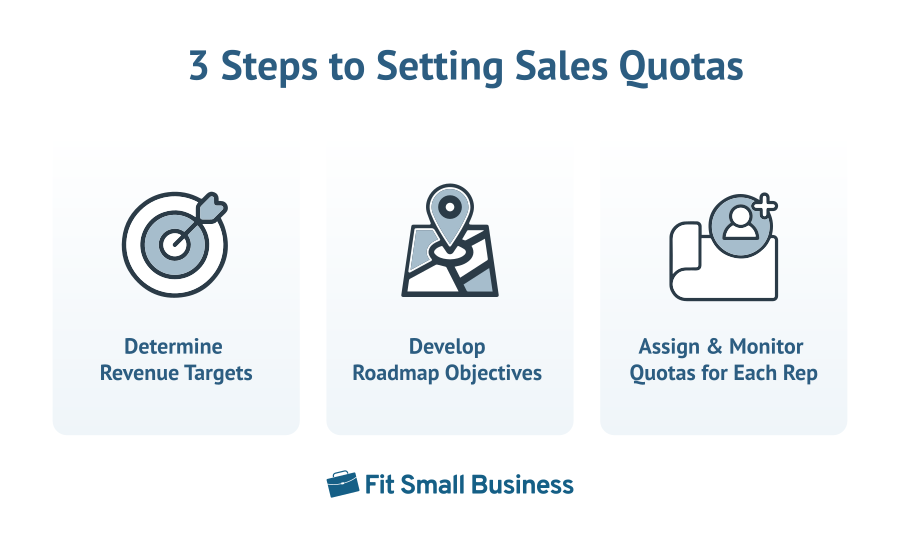
1. Determine Revenue Targets
Broadly evaluate the organizational revenue you’d like to produce. Begin with a break-even analysis to determine the amount of sales needed just to remain operational. Your break-even point includes all of those annual expenses added together.
For instance, if you added all the costs of salaries, employee benefits, insurance, office supplies, software, marketing and advertising, and legal costs for a $500,000 total, the $500,000 is your break-even point. After setting that number, determine your desired profitability for that period. This could be a percentage such as 20% or a flat profit number like $100,000.
Once the total revenue target is established, decide how much will be from retained business (current customers) and how much should be derived from new business. Using the same example, if we had a total revenue target of $600,000 but knew that $400,000 would come from current customer subscriptions, we could set our new business sales target at $200,000.
2. Develop Roadmap Objectives
Developing the road map involves several aspects, such as choosing a time frame and performance minimums—decided based on which type of quota you wish to set. As someone in a sales management position, you need to make a critical decision as to how you’ll set a minimum standard for your team using one of three different types of quotas:
- Sales revenue quotas: The amount of revenue that must be generated per week, month, quarter, and/or year
- Deal-based quotas: The number of deals that must be closed or number of products or services sold per week, month, quarter, and/or year
- Activity quotas: The number of activities that must be completed (e.g., calls placed, emails sent, appointments set) or number of leads that must be generated each week, month, quarter, and/or year
Once you’ve set the type, divide it into smaller objectives:
- If it’s revenue-based, break the annual number down into a quarterly or monthly sales quota. We’ve created a sales revenue quota calculator help you calculate this specific type of quota:
Sales Revenue Quota Calculator
- For deal-based quotas, divide your annual revenue target by the average revenue per deal your business accumulates, then break it down by quarter or month.
- For example, for a $200,000 new business target with an average deal of $20,000, you need 10 deals.
- Activity-based quotas are the trickiest to set because you need to work backward using conversion rates. For example, imagine you’re trying to close 30 deals as a business for the year, and your sales pipeline conversion rates are as follows:
- Cold calling (Introduction) → Product demo = 5%
- Product demo → Quote proposal requested = 20%
- Proposal sent → Deal-won = 40%
To hit 30 deals, work backward. If you close 40% of deals after the proposal is sent, you need to send 75 proposals for the year (30 deals/40%). If you only get proposals requested after 20% of the demos you do, you need to conduct 375 demos for the year (75 proposals/20%). If you only schedule demos for 5% of introduction calls, you need to make a minimum of 7,500 cold calls for the year (375 demos/5%)—your annual activity quota.
3. Assign & Monitor Quotas for Each Rep
The road map or objectives you create in the previous step are your organizational quotas. After you have the total activity or production requirements, assign them to each rep. While it may be easiest to divide the targets equally for all reps, we’ll discuss in the best practices section why you should have personalized quotas based on experience.
After your reps have received their quotas, monitor their progress to keep them on track. If they are way ahead on the expected performance, reward them with a bonus, a day off, or another prize to encourage more effort. If they are falling behind, use one of your experienced reps or yourself to act as a sales coach and find out how you can help them. You may need to empower them with sales enablement resources such as software or more leads.
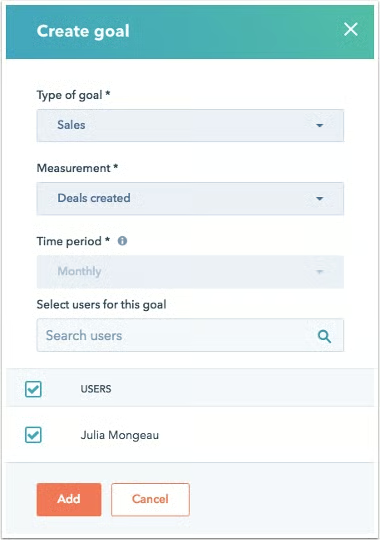
Free Sales Quota Templates
Though quotas are vital to achieving sales goals, they can be challenging to set for the first time, as they require financial and operational analysis. That’s why we’ve created three free sales quota templates you can use that fit the major types of sales performance metrics you want to evaluate.
1. Sales Revenue Quota Template
If you’re looking to hold your team accountable for revenue generation, use this revenue quota template. The top-down approach allows you to segment revenue goals across teams and individuals based on your organizational objectives.
2. Deal Quota Template
If your main priorities are acquiring new customers and lead generation, this is the template for you. Deal-based quotas go top-down to decipher the number of deals needed to achieve revenue targets. From there, you can divide it and assign the metrics to individuals on a quarterly, monthly, or weekly basis.
3. Sales Activity Quota Template
When you know the activity required to get leads through the sales funnel, use this template to produce activity minimums for your team. With this method, you use a bottom-up approach, starting with later stages in the sales process to find out how many phone calls, emails, proposals, or appointments it takes to complete sales goals.
Best Practices for Managing Sales Quotas
In addition to following our step-by-step process and free templates for managing sales quotas, there are best practices you can incorporate to maximize their effectiveness. Here are some ways you can supplement quota setting and monitoring:
Use Historical Data
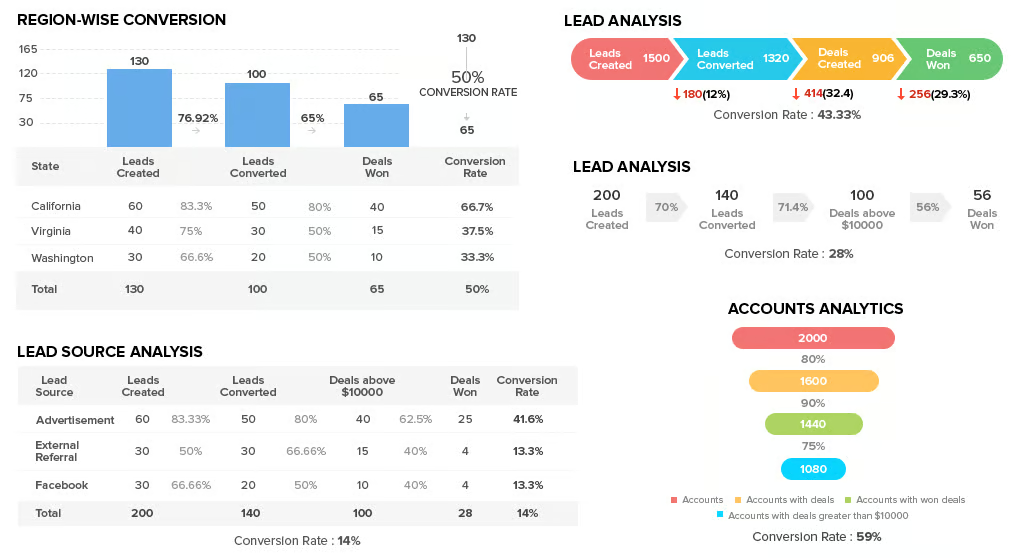
If you’re fortunate enough to have been in business for a few years, you likely have a general idea of the effectiveness of your lead generation campaigns, efficiency in pipeline conversions, and typical revenue growth rates. Use this information when setting activity and production quotas. Historical metrics help you set performance standards based on what has been achievable in the past.
As an example, if you had 15 sales reps who each brought in between $100,000 and $200,000 of revenue each year, it is realistic to require a sales quota in that range. It would, however, be an unrealistic quota to demand $300,000 in production or a far less challenging target.
Historical data also helps evaluate seasonality in your sales operations. In other words, you can adjust monthly or quarterly minimums based on slow or busy months. If 70% of your revenue usually comes in Q4, it wouldn’t be fair to demand 25% in Q1, Q2, or Q3. You’d likely require the vast majority of production in Q4 and smaller proportions in the first three quarters.
Personalize Quotas Based on Experience & Position
We mentioned earlier that it’s not always a great idea to equally distribute sales quotas because experience and resources differ across your team. Larger minimums should be placed on the more experienced sales representatives you demand more from, while smaller expectations should be set for new or inexperienced reps.
Furthermore, take job position into account when assigning metric standards. If, for instance, you’re assigning sales quotas to individual sales development reps (SDRs) tasked with cold calling and scheduling sales presentations for account executives (AEs), their key indicators might strictly be an activity such as cold calls placed or appointments set. Alternatively, for the account executives, you likely care more about deals or revenue and should demand as such.
Sales also involve managing current customers through client experience management and customer support. While we’ve provided sales quota examples of obtaining new business, these minimums can also be used for retention.
For example, you might set production requirements for a customer success representative to retain 90% of their accounts or $300,000 revenue year-to-year. The activity could also be a quota where you require X number of emails to be sent reminding clients of their upcoming renewals.
Set Realistic Quotas
Setting unrealistic expectations is toxic and poor practice for building a sales culture. There is a balance between a goal that is far too easy and a virtually unachievable goal. Low quotas offer reps little purpose and may cause you to miss out on attainable revenue growth. Quotas out of reach will make employees feel there is no point in trying because they won’t hit their numbers.
Keep in mind that only 24.3% of sales people were able to reach sales quota numbers last year. Use your historical data to get a grasp on reasonable expectations. If you have no data, work backward from your revenue targets for the expected activity. If the daily or weekly activity you’re demanding from your team seems gruesome just to hit a break-even point, you may need to reconsider your pricing model.
Utilize Technology
Sales technology is extraordinarily beneficial in automating your quota and performance management process. CRM systems let you set quotas for individual reps and use lead and deal data to track their performance. With Freshsales, for instance, you can specify requirements to monitor as activities take place and deals are closed. The results can be presented in the forecasting module to see expected performance or in a custom report.
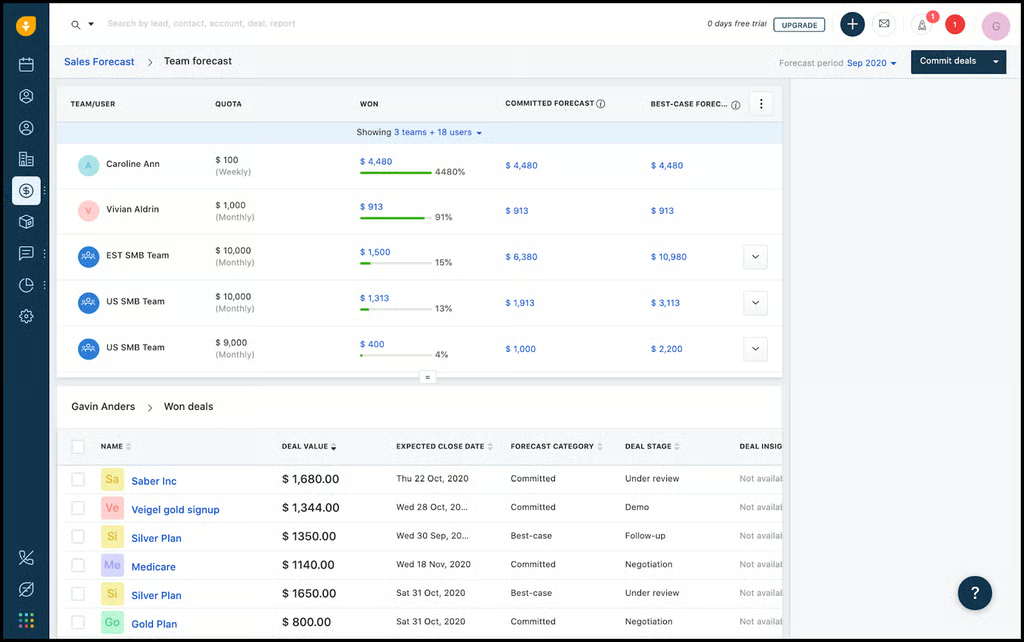
Freshsales quota tracking (Source: Freshsales) 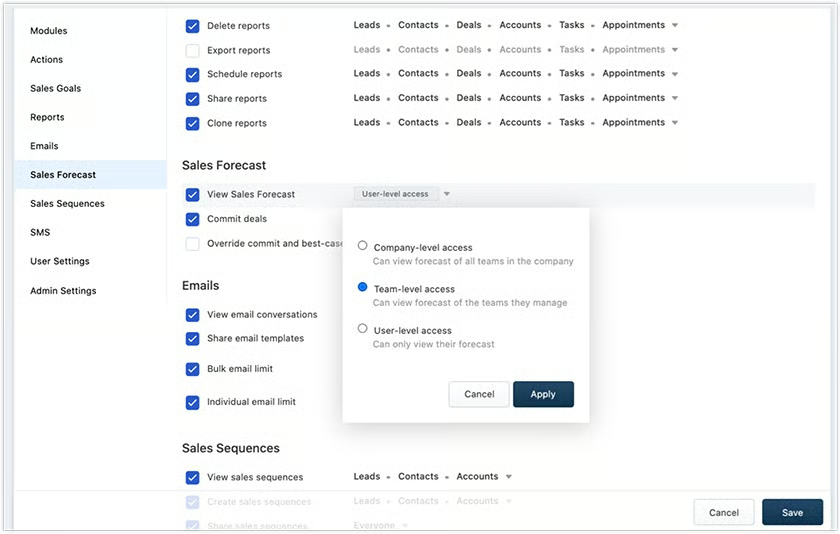
Freshsales custom revenue reports (Source: Freshsales)


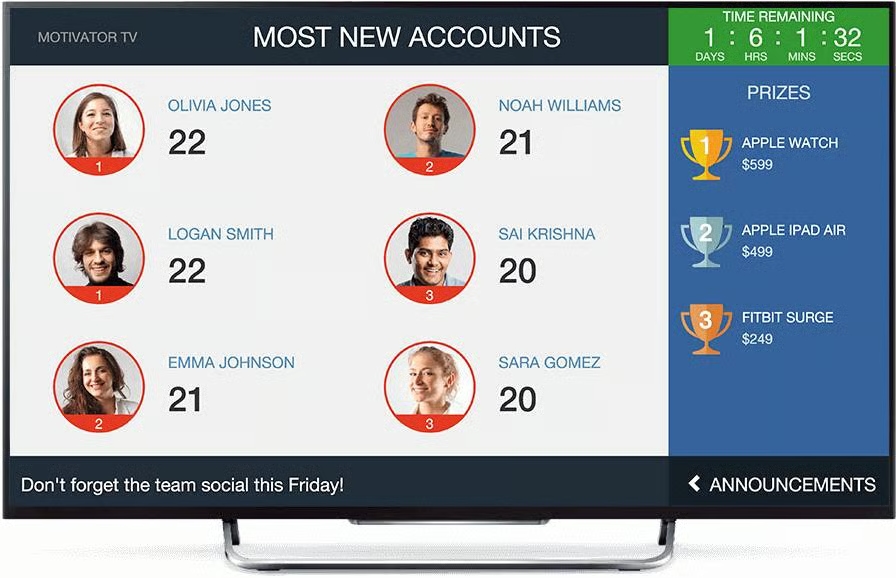
Sales gamification software is another valuable asset for sales teams. If you treat sales-quota attainment as a competition between your team with points and rewards, they will be more motivated to put in the effort. While individual platforms are specifically for performance management and gamification, some CRMs like Zoho have modules built into their system.
The Zoho Motivator feature is an example that lets you create and track custom sales contests between reps. The contests have tailorable point systems, game structures, rules, and how the leaderboard is presented.
Bottom Line
Sales quotas indicate performance standards such as activity or production you expect your reps to hit over a specified time. Setting a quota requires understanding your organizational revenue goals and working backward to determine reasonable performance metrics. Technology such as CRMs or sales gamification tools helps you analyze data to set quotas, track progress, and motivate your team to put in the effort needed to meet their quotas.
